

OnePro Cloud Handheld Portable Remote Play Gaming Console (7" 1080P Touchscreen, 64G)
Product description
The essentials: what this handheld is for
If you like the idea of gaming anywhere, but you don’t want to lug around a full console or rely on a phone-only setup, the OnePro Cloud Handheld is built around streaming and remote play. On paper, it’s an all-in-one handheld that combines a 7" 1080P touchscreen with cloud gaming access, local-device remote streaming, and retro/Android-style play.
The main draw is simple: you’re not limited to what’s stored on the device. Instead, you can lean on cloud services (with the needed subscriptions) and remote play from your own devices (using compatible streaming apps). That’s a very different approach than buying a handheld that runs one contained library.
Still, it’s not perfect for everyone. Streaming-based gaming depends heavily on your Wi‑Fi, and you’ll also need to be okay with subscriptions for the cloud platforms mentioned.
Where it shines in day-to-day use
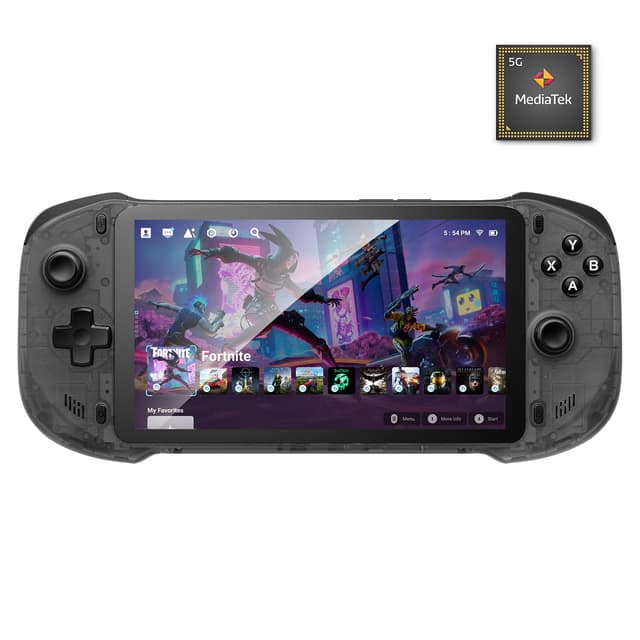
In real purchasing terms, this is the kind of handheld you pick for “couch to chair” gaming: you start on the 7" screen, then keep playing when you move rooms. The built-in display is designed to be the primary experience, with responsive controls meant to feel more like console-style gameplay.
It also supports connecting to an external display (and even AR glasses per the description), with controller support up to 4K gaming. If you’ve ever wanted a handheld that can still feel at home on a TV, this is aimed at that.
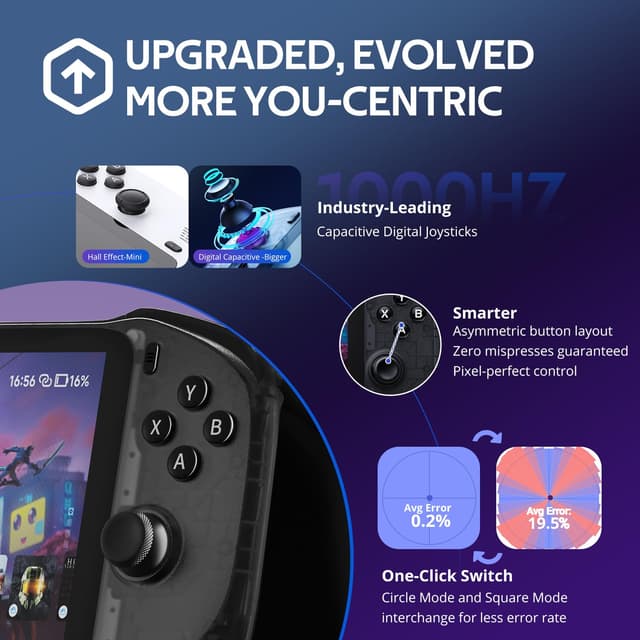
On top of the screen experience, the inclusion of digital joysticks with switchable modes is the part that sounds like it could matter while you play. You can toggle between Circle Mode for ultra-precise tracking and Square Mode for broader input, depending on how you like to aim and move.
Cloud gaming + remote play: the feature that drives the value
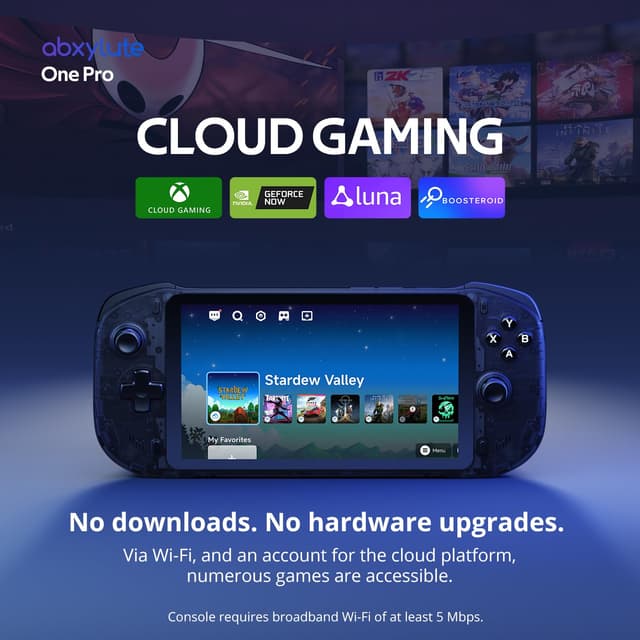
The OnePro Cloud Handheld is positioned for cloud gaming and remote play using services/subscriptions listed in the description. The cloud gaming section mentions Xbox Cloud Gaming (Beta), NVIDIA GeForce NOW, amazon Luna, PlayStation Plus Premium, and Boosteroid.
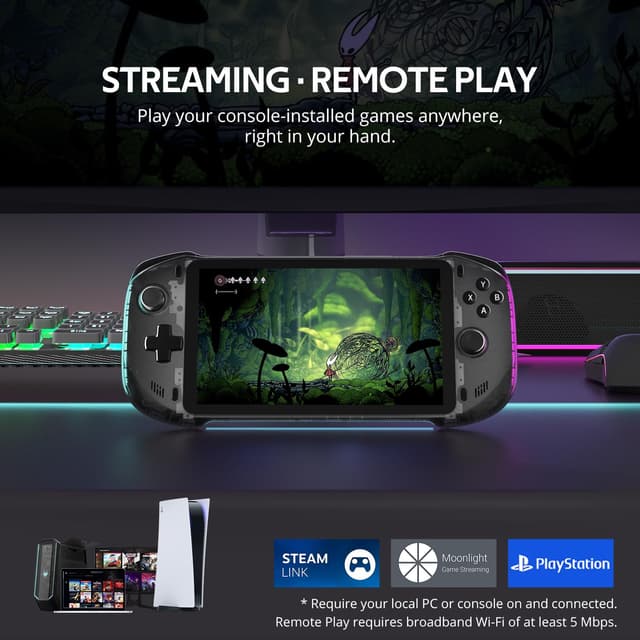
For remote play, it references streaming locally from your own devices through tools like Moonlight, PlayStation Remote Play, Steam Link, or PXPlay.
One buyer-friendly way to think about it: this handheld is less about “owning the games on the device” and more about “bringing your existing libraries to a handheld.” If you already pay for cloud services and you have a stable home connection, it can make a lot of sense.
Controls and performance: what you’ll notice
The description calls out digital joysticks and a switchable input approach. That’s the kind of feature that can reduce frustration if you care about steering and aiming feel, especially for longer sessions where you don’t want controls to feel vague.
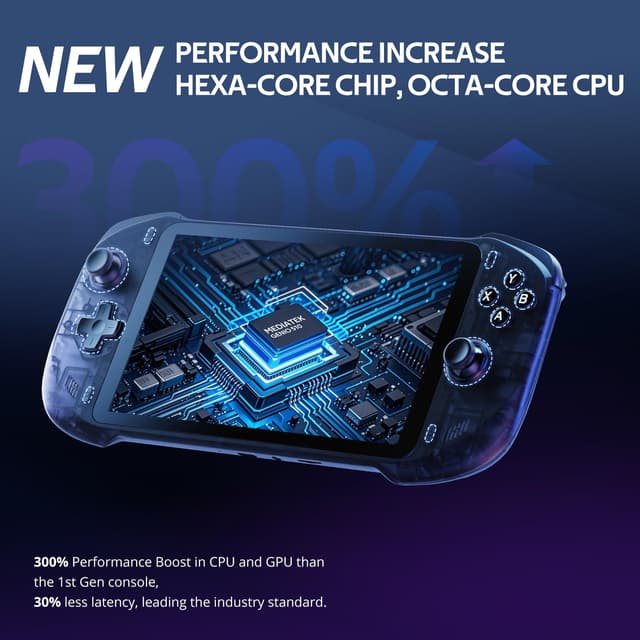
Performance-wise, the handheld is described as using a MediaTek Genio 510 chipset and a 2T2R MU‑MIMO Wi‑Fi module, with an emphasis on minimal latency and smoother streaming/emulation/local play. It also claims improved performance compared to the first generation, which is helpful context if you’re comparing this line over time.
That said, you’ll still want to temper expectations: if your Wi‑Fi is spotty, streaming quality can be the limiting factor rather than the hardware.
Tech specs that matter for buying decisions
Tech specs
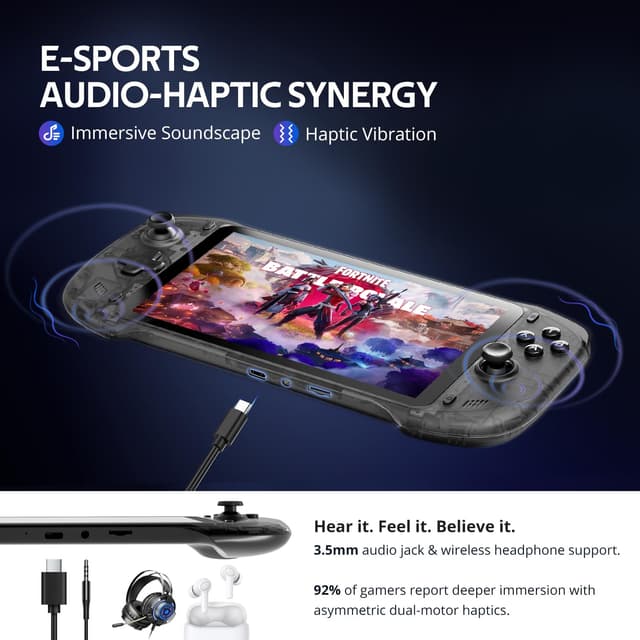
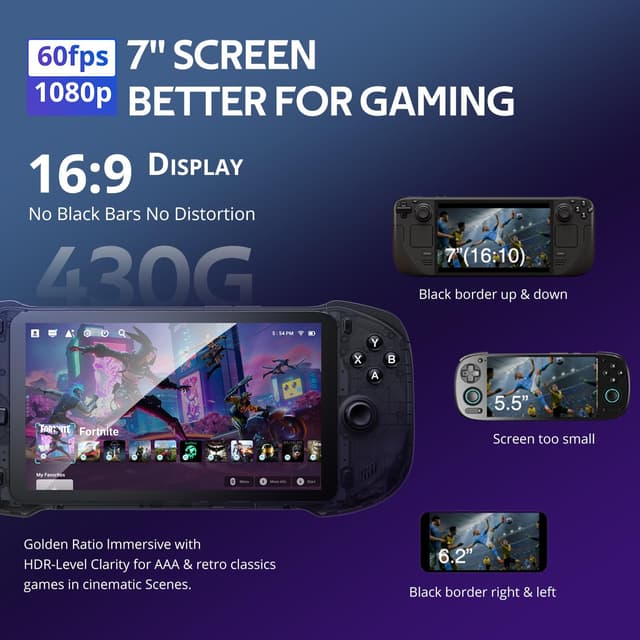
- Display: 7" 1080P touchscreen
- Storage: 64G
- Video output: up to 4K gaming on an external display (with controller support)
- Audio: dual speakers (upgraded audio drivers mentioned)
- Chipset: MediaTek Genio 510
- Wi‑Fi: 2T2R MU‑MIMO module
- Controls: capacitor digital joystick with switchable Circle/Square modes
What’s included / compatibility notes (worth checking)
The description doesn’t list what’s physically in the box, so it’s smart to confirm included items before buying.
Also, pay attention to the subscription requirement mentioned for Xbox Cloud Gaming and PlayStation cloud access. If you don’t plan to use those services, you may find the handheld less compelling.
Finally, because remote play relies on streaming apps and local devices, compatibility depends on setup on your end (the description names Moonlight, PlayStation Remote Play, Steam Link, and PXPlay as options).
Who should buy it (and who should skip it)
It’s a solid pick if you want one handheld that can cover multiple paths to play: cloud gaming, remote play from your own devices, and retro/Android-style gaming. It also fits well if you like touchscreen convenience plus controller-style inputs without jumping straight to a phone-only workflow.
It may not be a great match if you expect the handheld to function like a fully self-contained console with no subscriptions and minimal setup. Streaming quality and service access will shape your experience more than you might want.
If you’re comparing alternatives, this one belongs in the “stream and play” category, not the “install everything locally” category. That difference is the whole story.
Final verdict: When it makes sense
Worth considering if your main goal is flexible gaming—playing on the 7" screen on the go, and (if you want) shifting to a larger display via video output. The digital joysticks with switchable modes, plus the described chipset/Wi‑Fi approach, are aimed at keeping inputs and streaming smoother.
Better avoided if you don’t want to deal with cloud subscriptions or you know your Wi‑Fi is inconsistent. In that scenario, the handheld can feel like it’s running into limits that aren’t really about the device itself.
Quick FAQ
Quick FAQ
1) Does it work for cloud gaming? Yes, the description states you can stream cloud games over Wi‑Fi using services like Xbox Cloud Gaming (Beta), NVIDIA GeForce NOW, Amazon Luna, PlayStation Plus Premium, and Boosteroid. Subscriptions are required for at least some platforms.
2) Can it stream games from my own devices? It’s designed for remote play via streaming apps mentioned in the description, including Moonlight, PlayStation Remote Play, Steam Link, and PXPlay.
3) Can I play retro games? The description says it supports emulator-style retro game enjoyment with enhanced compatibility and smoother performance on systems including PS2 and GameCube.
4) Does it support using a bigger display? Yes, it mentions up to 4K gaming with full controller support when connected to an external display (and also AR glasses).