

OMOTON Bluetooth Keyboard for iPad, 10 m
Product description
If you want a steadier typing experience on your iPad or iPhone, this OMOTON Bluetooth keyboard is a practical, cable-free solution. It pairs over Bluetooth so you can type without dragging a charger cable around, and it works across a wide range of iOS and iPadOS devices. The white, full-size QWERTY layout is built to keep daily typing smoother when you are writing emails, notes, or messages on the go. 🧠📱
Key features
This keyboard uses a Bluetooth connection with compatible mobile devices like tablets and mobile phones, so you can type wherever you use your device. According to the manufacturer, the operating distance can reach up to 10 meters, giving you room to work comfortably without staying right next to the screen. It also keeps things efficient with an energy-saving design and an automatic sleep mode, helping extend time between battery changes. ⚡
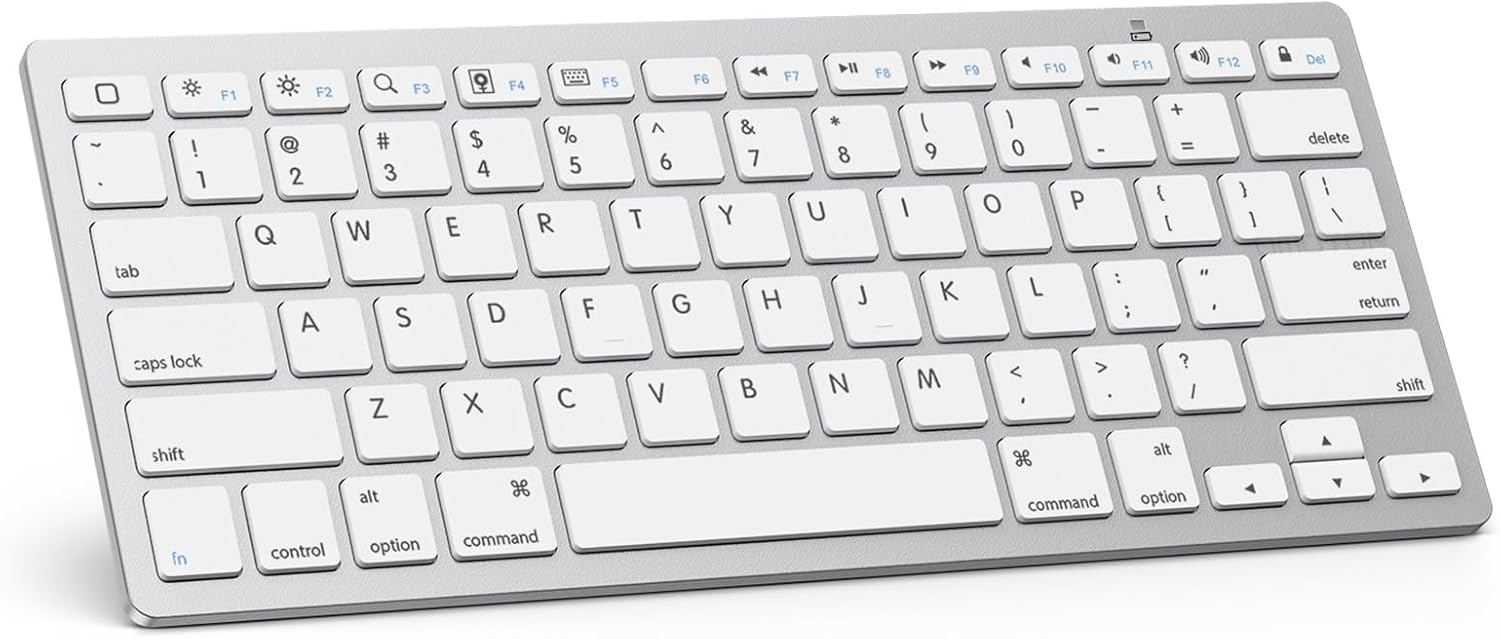
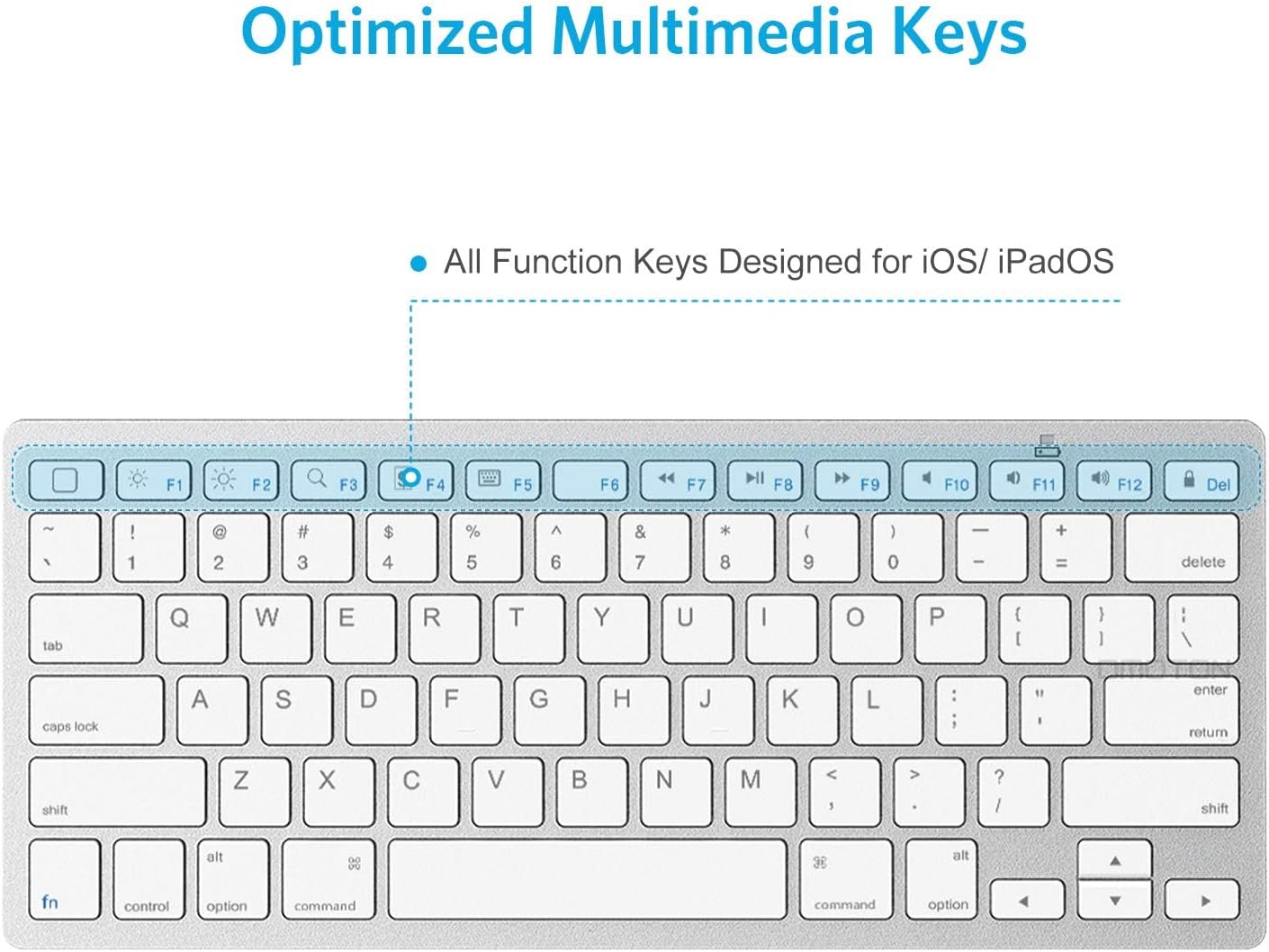
A big strength is the QWERTY layout, paired with hot keys customized for iPads. Those hot keys include controls for volume, music playback, brightness, and more, so you can manage common actions while you keep typing. Keep in mind that function keys are not fully compatible with other systems, which matters if you plan to switch between different device ecosystems.
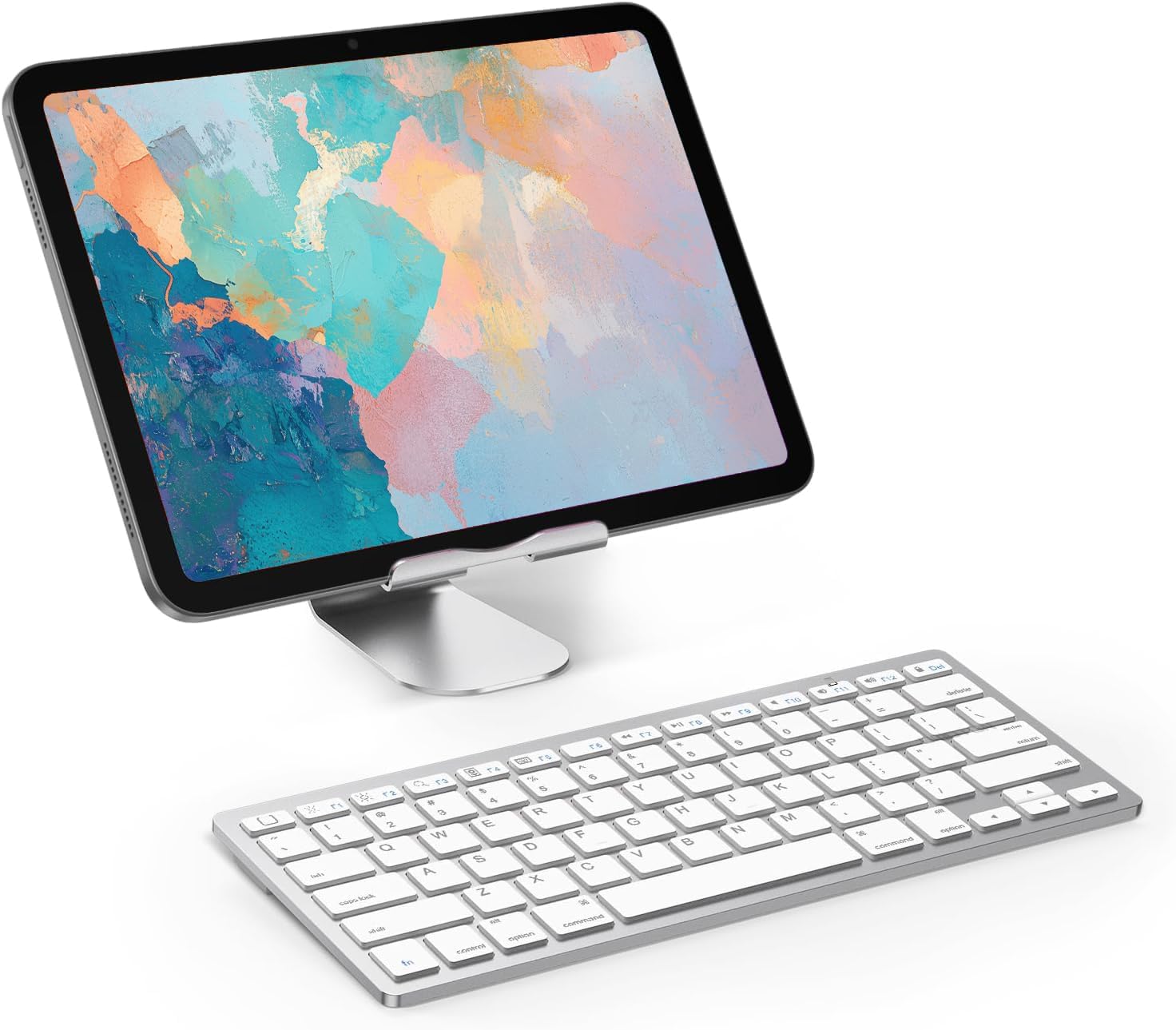
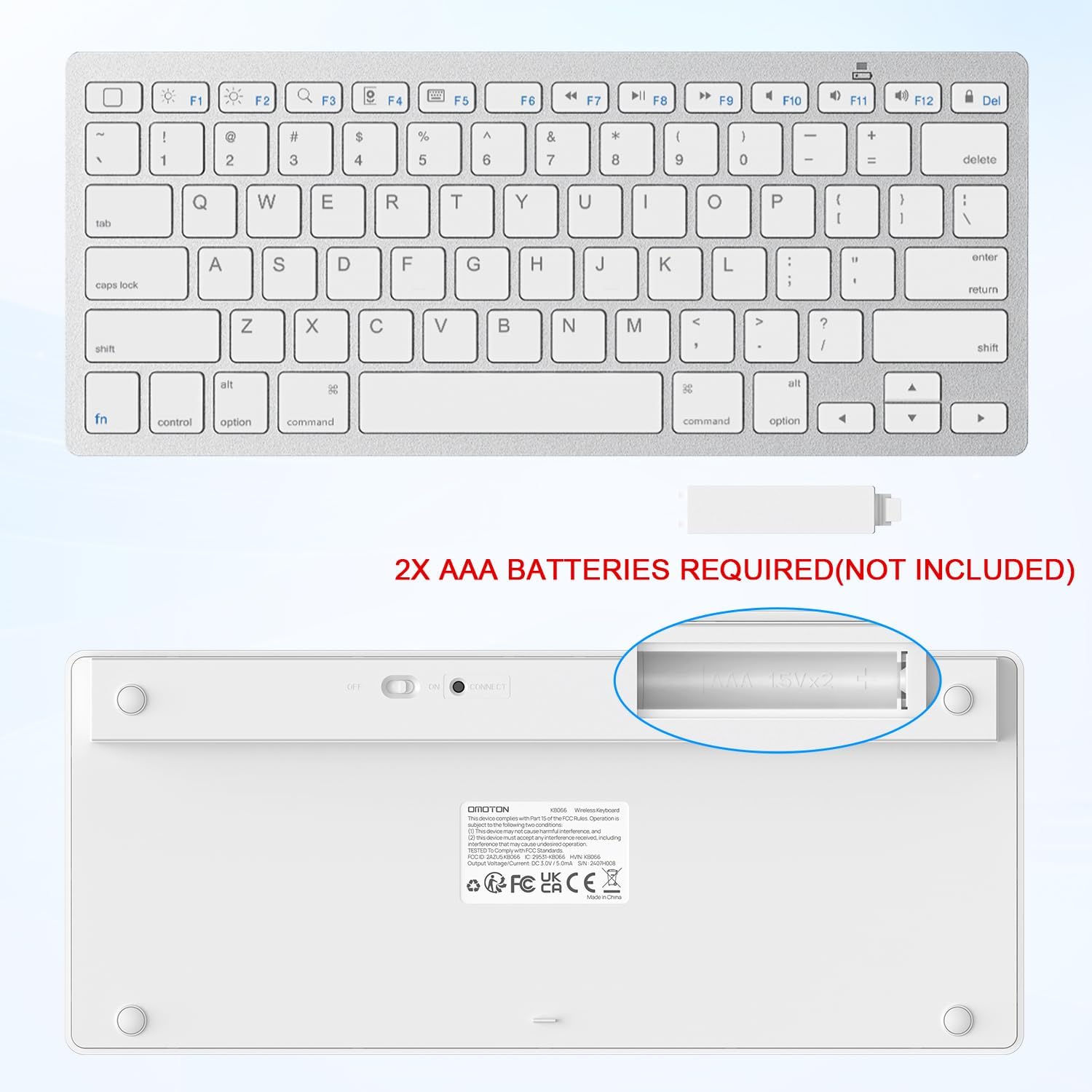
The package includes the OMOTON KB066 Bluetooth Keyboard in white, and OMOTON provides customer service as part of the offering. For battery power, the keyboard requires 2 AAA batteries, which are not included, so you will want to have spares on hand before your first pairing session.
It’s also designed to fit the way people typically use iPads, with iPad-focused layout choices and hot key shortcuts that reduce the number of taps you need for everyday media and display adjustments. If you type more than you realize, those small shortcuts can add up quickly over a workday or a long study session. ✅
Tech specs
- Name: OMOTON KB066 Bluetooth Keyboard
- Type: Bluetooth keyboard
- Color: White
- Material: Not specified
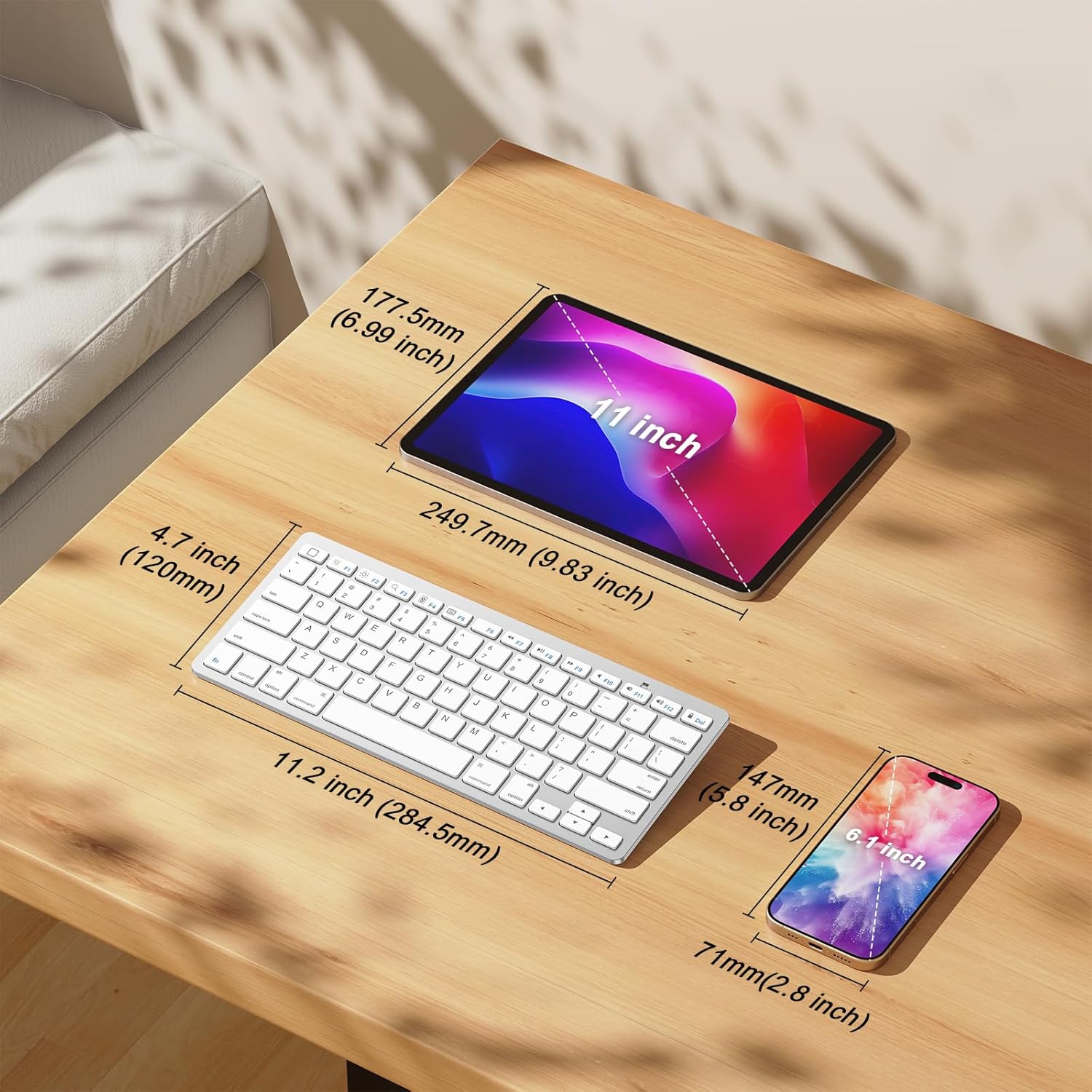
- Dimensions: 11.2 L x 4.7 W x 0.2 H
- Operating distance: Up to 10 meters
- Battery life design: Up to 6 months between battery changes, 2 x AAA required (not included)
What to know before pairing
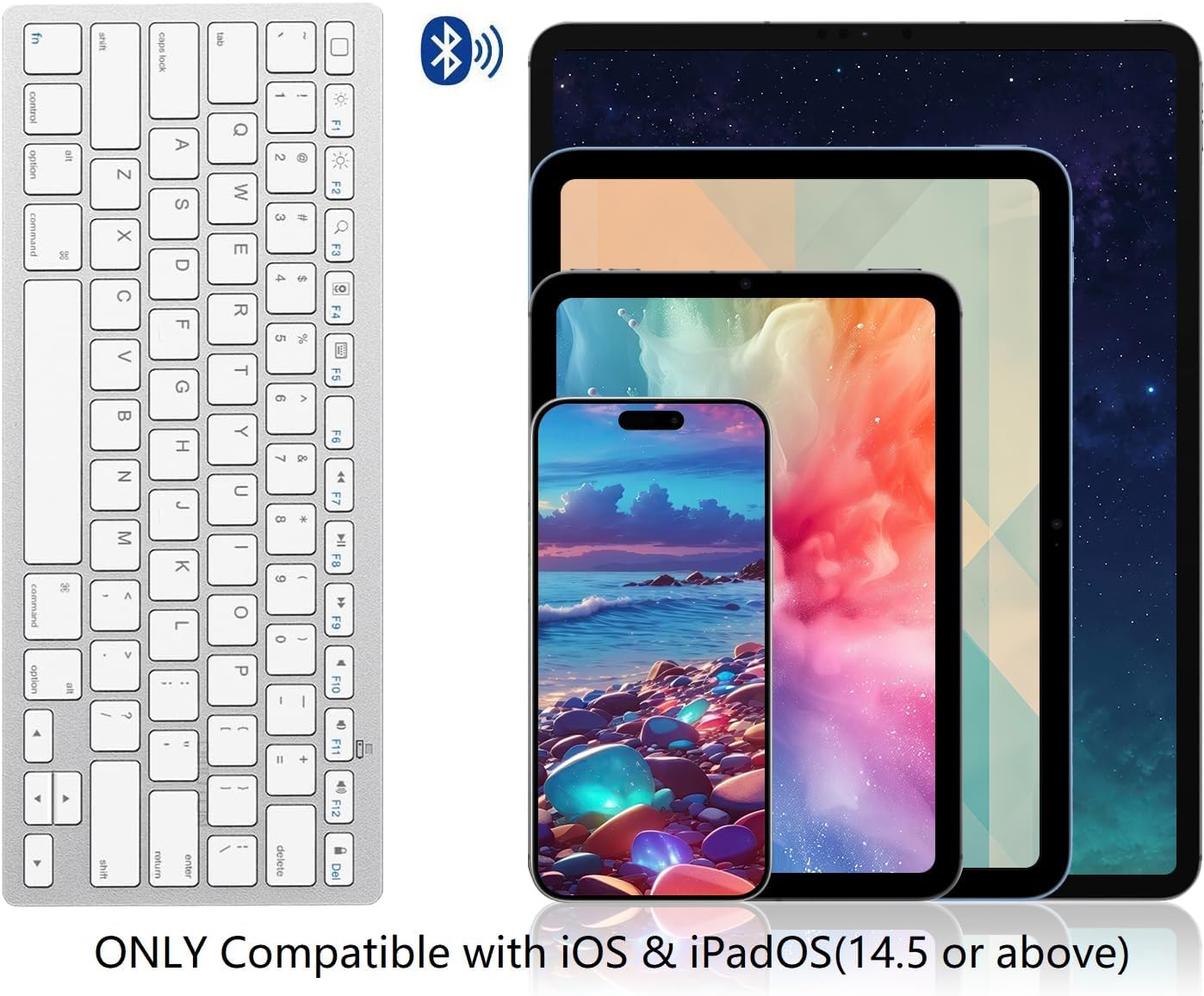
This keyboard is described as cable-free and relies on Bluetooth connection with your iOS and iPadOS devices. The compatibility is limited to iOS and iPadOS version 14.5 or above, so it is worth checking your device software version before buying. The manufacturer lists support for several iPad models including iPad A16 11th and 10th generation, iPad 10.2 for 9th, 8th, and 7th generation, and iPad Pro options in 13 inch, 12.9 inch, and 11 inch sizes.
It is also listed as compatible with iPad Air models including 13 inch and 11 inch variants, plus iPad Air 10.9 inch for 5th and 4th generation. For iPad mini, the list includes iPad mini 6 and 5, along with other iPad models referenced in the description. If your workflow includes media controls or brightness adjustments, the hot keys for iPads can make those actions faster while your fingers stay on the keyboard. 🎛️
It makes sense if you want a clean, desk-light setup where the keyboard connects wirelessly and stays within a typical work distance. It might not suit you if you need full function key behavior on non-iOS or non-iPadOS systems, since the description notes limited function key compatibility beyond its intended platforms.
Usage tips
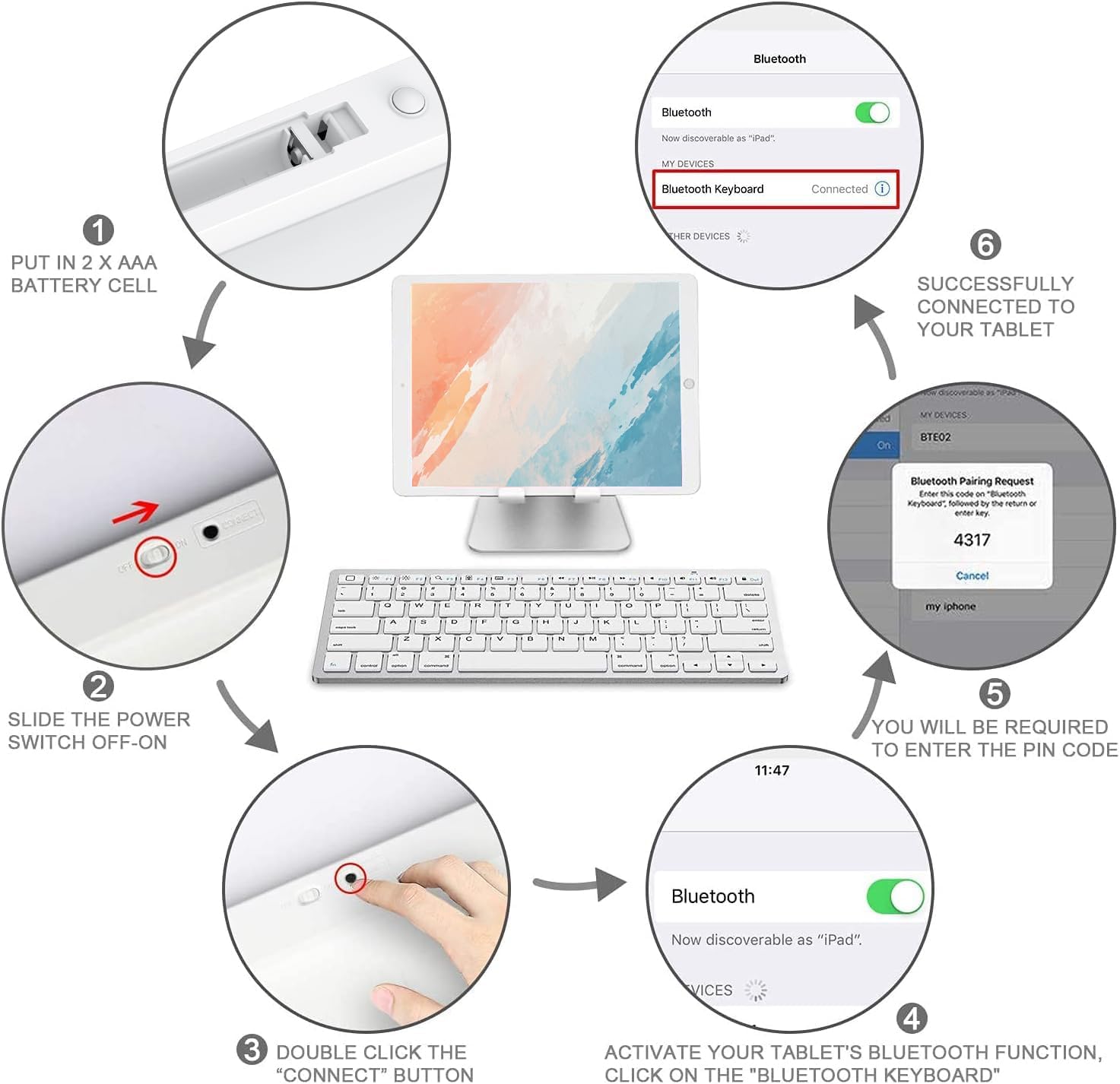
Start by inserting 2 AAA batteries, since they are required for operation and not included in the box. Then pair the keyboard using your iPad or iPhone Bluetooth settings, and test basic typing to confirm your device is recognized correctly. For best day-to-day comfort, place your iPad at a stable angle and stay within the stated 10 meter operating distance.
When you are working on longer sessions, let the automatic sleep mode do its job to reduce battery drain between uses. Use the iPad hot keys to quickly control volume, music, and brightness without interrupting your writing flow. If you frequently jump between tasks like note-taking, editing, and reviewing content, having those shortcuts can reduce friction and keep your focus on what you are typing.
A solid match for students, remote workers, and anyone who prefers physical keys on an iPad screen. You’ll appreciate it if your current on-screen keyboard feels cramped, especially when you write longer messages or documents in iOS and iPadOS.