

YUNZII IF99 Wireless Mechanical Keyboard with Smart LCD Display
Product description
What it is and what it aims to solve
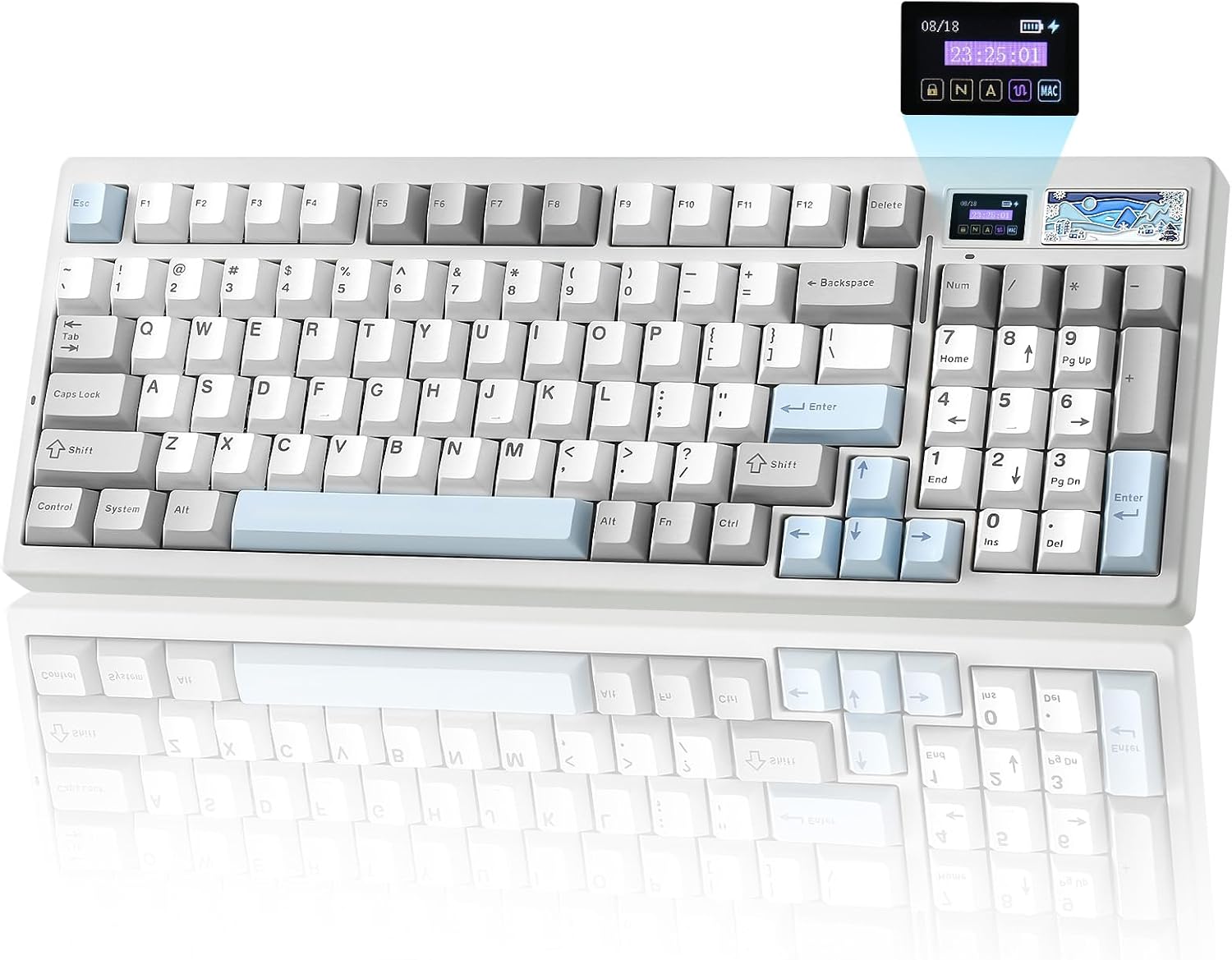
The YUNZII IF99 is a wireless mechanical keyboard with a built-in customizable LCD display. It targets users who want a keyboard that goes beyond typing, offering a visual companion that can show time, battery status, connection mode, or personal images. If you value a device that doubles as a small, useful screen while you work, game, or code, this model positions itself as a niche yet practical option.
How it’s designed to feel
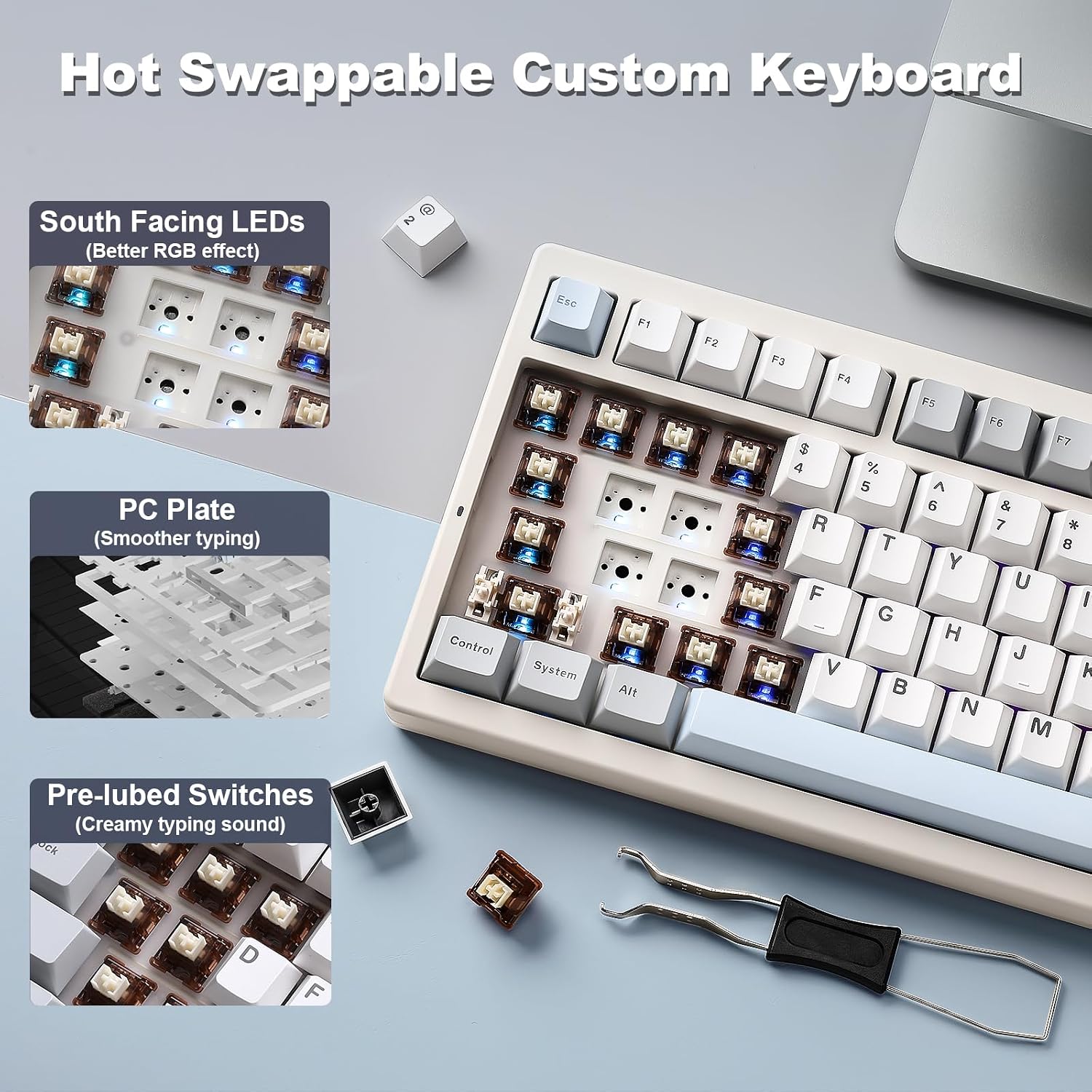
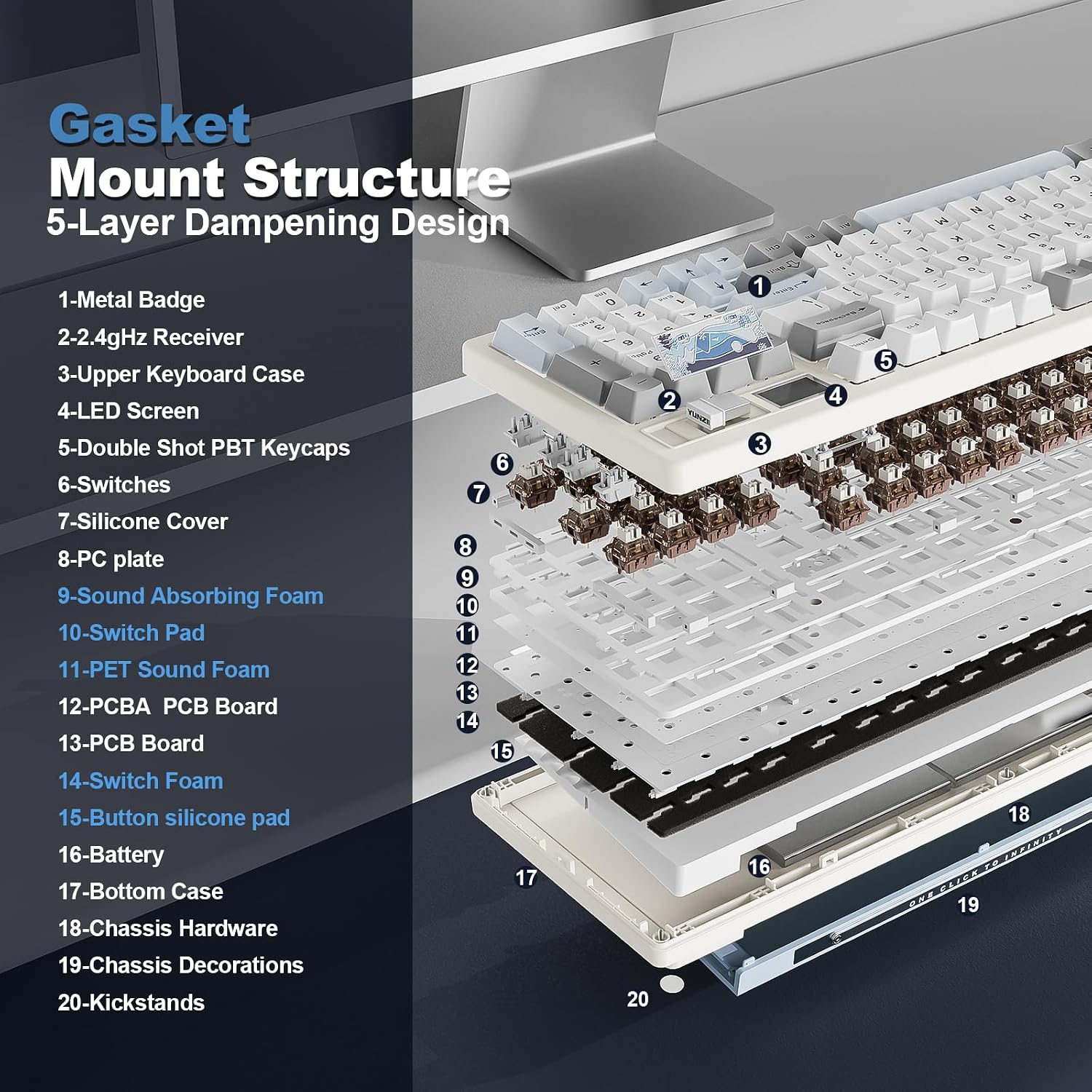
This board uses a gasket-mounted construction, which tends to dampen noise and soften bottoming out. The result is a typing experience that many describe as “thocky” and more comfortable during long sessions. You can swap out switches thanks to hot-swappable sockets (supporting 3-pin and 5-pin variants), so you aren’t locked into a single switch feel. For many, that means you can tune tactile feedback and sound to match personal preference without replacing the whole keyboard.
Connectivity and power—three ways to stay in control
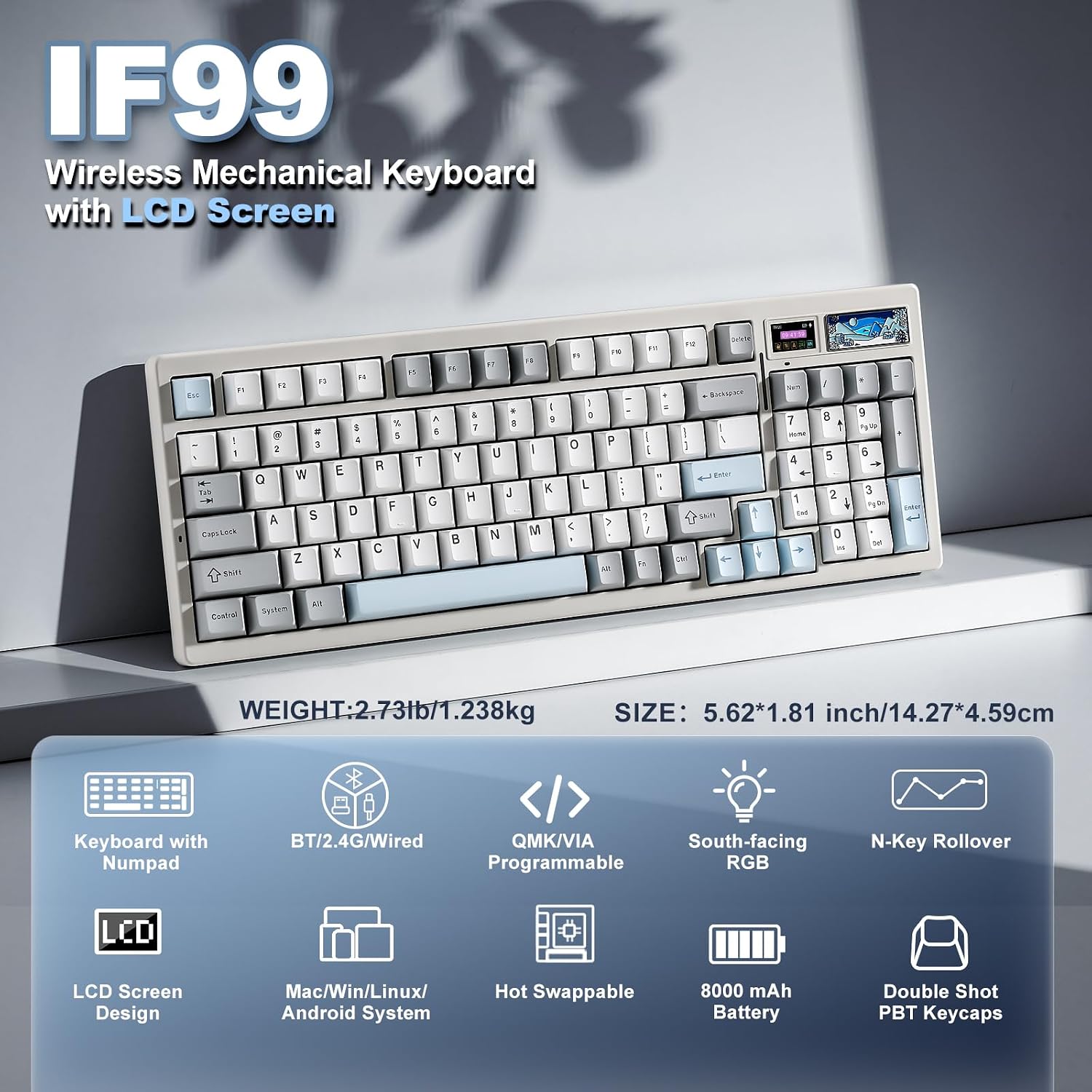
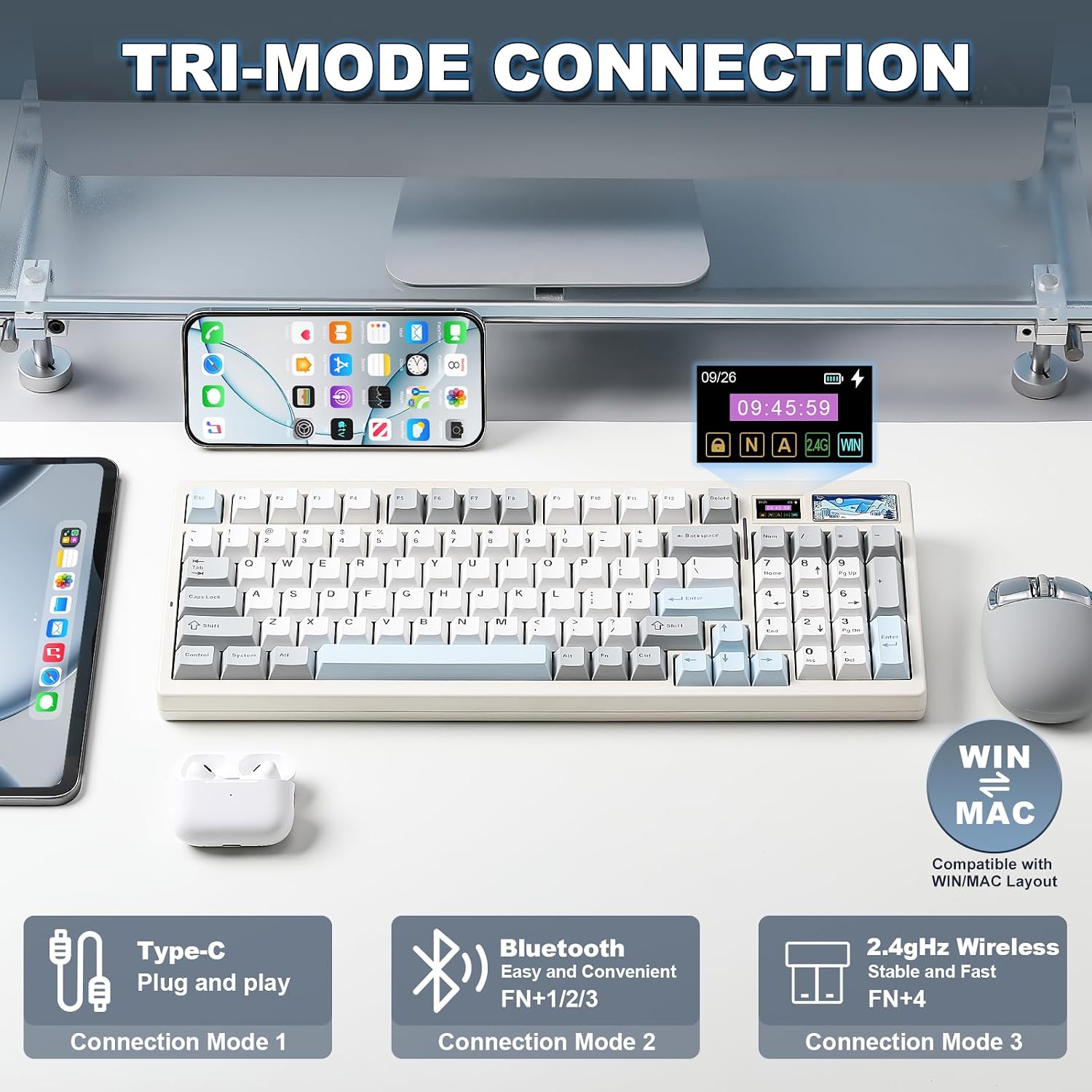
Tri-mode connectivity means you can switch between BT5.0, 2.4 GHz wireless, and USB-C wired connection. The keyboard supports multiple devices (up to five) on Windows and macOS, which is handy if you juggle a PC, laptop, tablet, and perhaps a console. An 8000mAh battery powers the wireless modes with a 1000 Hz polling rate, which helps reduce perceived input lag in gaming or fast typing tasks. If you’re after uninterrupted play or work sessions, this combination reduces the frequency of recharges—though real-world battery life will depend on RGB use and wireless activity.
Personalization that goes beyond looks
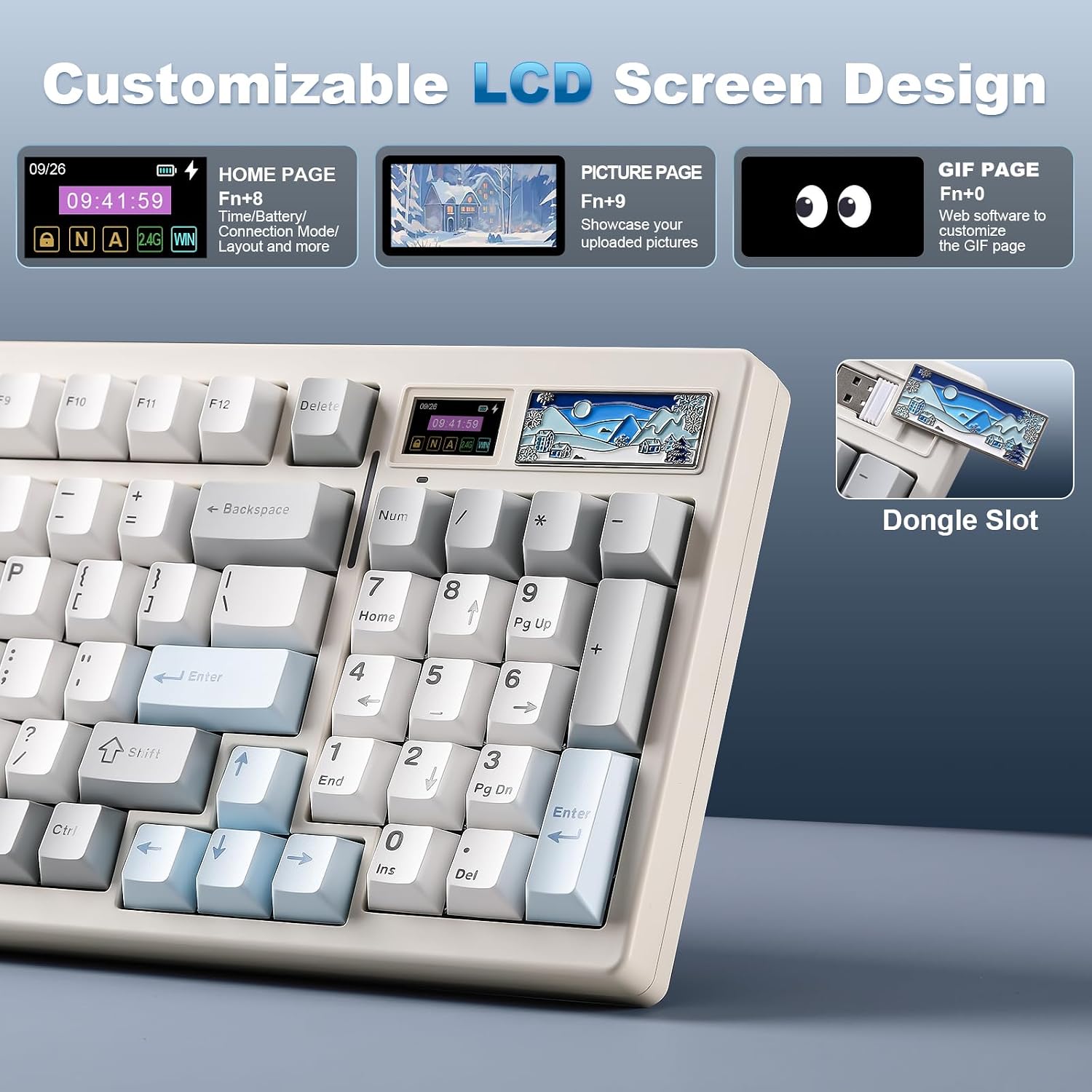
A standout feature is the LCD display, which can show time, GIFs, photos, or system information. You can customize it to keep motivational images visible during late-night gaming or long editing sessions. The display isn’t just for show, it serves practical needs like quick battery checks or confirming connection status at a glance.
Customization by software and open standards
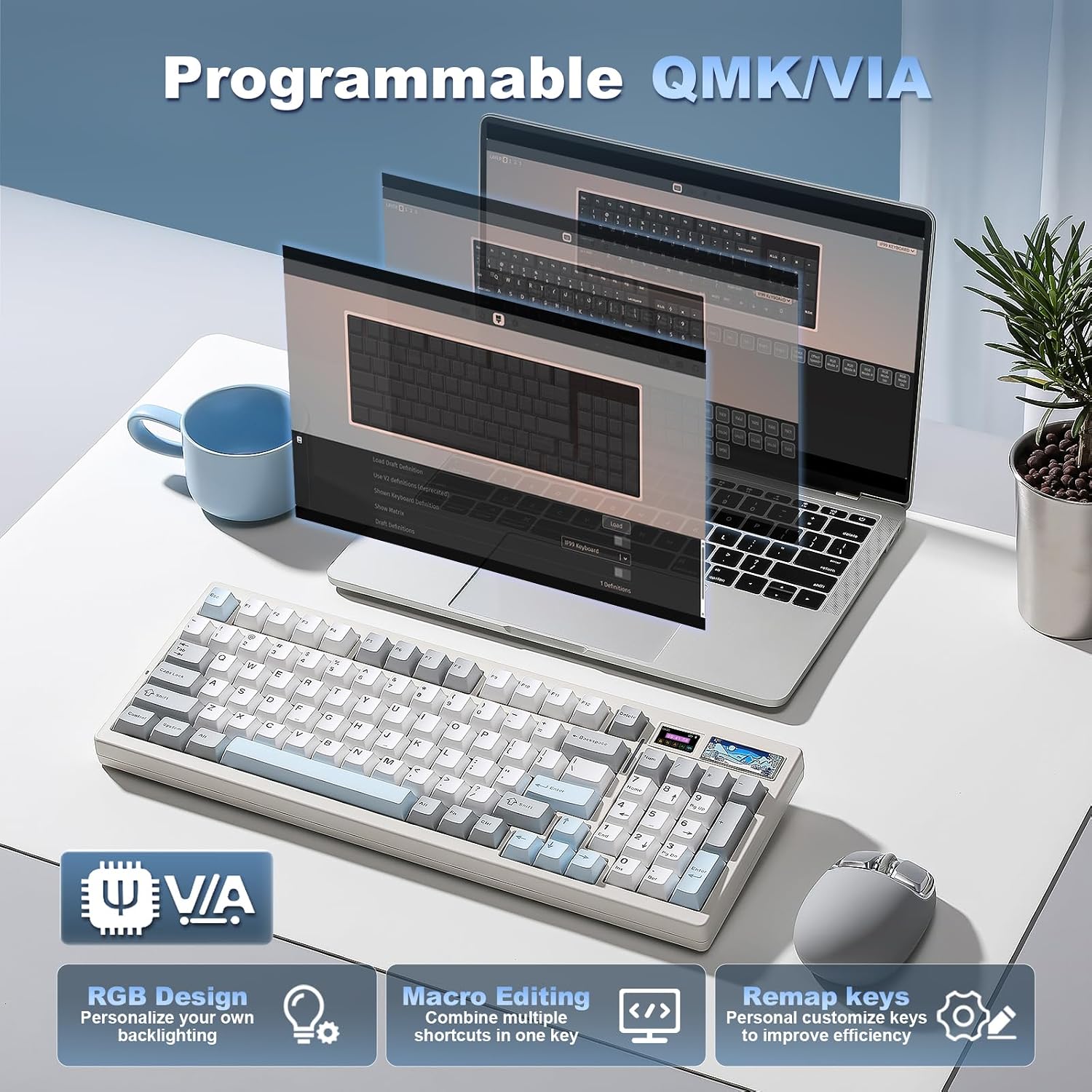
The IF99 works with QMK and VIA, letting you remap keys, craft shortcuts, and tailor RGB effects. This matters if you want a deeper, software-driven customization without stepping outside an open ecosystem. On paper, that combination offers broad control over how the keyboard behaves in gaming, programming, or productivity tasks.
What’s good to know before you buy
The layout is 96%, which means a compact form that still includes a number pad. If you rely on dedicated arrow clusters or a full-size numpad in your workflow, you’ll want to verify that the 96% footprint suits your setup. The RGB system is bright and south-facing, with 16.8 million colors available, but if you’re mostly working in a bright room, you may want to test how visible the display and LEDs are under ambient light. While the gasket mount reduces noise, the exact acoustics will still depend on switch choice and keycap material.
Who it’s for
This keyboard fits gamers and power users who want customization, a tactile, quieter typing feel, and a screen for quick status checks or personalization. It’s a compelling pick if you value a high level of software control (QMK/VIA) and the flexibility of tri-mode wireless connectivity. It’s less ideal if you rely on a strict, plug-and-forget setup with little tolerance for tweaks, or if you prefer a traditional non-screen keyboard with a simpler configuration.
Who might want to skip it
If you don’t care about programmable layouts, don’t need an on-board display, or require a straightforward wired-only setup, there are simpler (and possibly cheaper) options. Also, if battery life in wireless mode is a top priority and you expect extremely long sessions without recharges, test how your RGB usage affects the 8000mAh battery life in real-world use.
Before you buy, a few practical checks
- Confirm you’re comfortable with a 96% layout and whether the absence of a full-size footprint impacts your desk setup.
- Consider how much you’ll use the LCD display versus the keyboard’s typing comfort and hot-swap flexibility.
- Plan your personalization: the LCD can display various content, but you’ll want to pick images or data that stay visible and useful during work or play.
- If you’re switching devices often, test how quickly the keyboard reconnects in BT5.0 vs 2.4 GHz modes and whether the USB-C wired mode meets latency expectations for gaming.
A practical use case
Imagine you’re gaming late at night. You switch to wireless mode, connect to your PC and tablet, and watch the LCD show a timer or a favorite photo, keeping you focused while your RGB lights shift with the action on-screen. You can rebind a critical macro to a single key through VIA, so complex commands come to you with a tap rather than a keystroke marathon.
What to compare it against (intuitive alternatives)
If you’re weighing options, consider keyboards that emphasize either pure performance (shorter polling, ultra-low latency) or simpler setups (wired-only, no screen). The IF99 leans into a middle ground: strong customization, a screen for instant feedback, and versatile connectivity, at the potential cost of higher complexity and price. It appeals to users who want a unique, expressive desk tool rather than a bare-bones typing appliance.
Is it worth it?
- It’s a great fit if you want a highly customizable, tri-mode wireless keyboard with a unique LCD display for quick insights and personalization. It makes sense if you value open-source key mapping (QMK/VIA) and a tactile gasket-mounted experience that balances sound and feel.
- It may not be the best choice if you prioritize maximum battery life with minimal RGB usage, if you need a strictly wired setup, or if you prefer a more plug-and-play configuration with fewer moving parts.
- If you’re undecided, factor in how much you’ll use the display and macros on a daily basis, the value increases with personalization and frequent reconfigurations.
Quick FAQ
- Does the LCD display affect battery life significantly when in use? The base claim is that it’s an added feature, actual impact depends on display activity and RGB usage.
- Can I replace switches easily? Yes, the gasket-mounted hot-swap design supports 3-pin or 5-pin switches, allowing customization of feel and sound.
- Will it work with both Mac and Windows? Yes, it’s designed for multi-OS use with VIA/QMK support, though some key mappings may differ by platform.
Final note
If you’re after a keyboard that’s more than a typing device—one that adds a personal screen, flexible software control, and multiple connectivity options—the IF99 presents a thoughtful blend. It won’t be perfect for everyone, but for users who want a tactile, customizable experience with a distinctive aesthetic, it’s worth considering.