

LONANDY 2 Pack Joycon Joysticks Replacement Kit for Nintendo Switch, Switch Lite & Switch OLED
Product description
Introduction
If your Nintendo Switch controllers suffer from drifting, wear, or unresponsive sticks, the LONANDY 2 Pack Joycon Joysticks offers a dedicated replacement option designed to breathe new life into your console. This kit targets the common pain points of aging Joy-Cons and promises a straightforward path back to precise control, without the high cost of factory repairs.
What it is
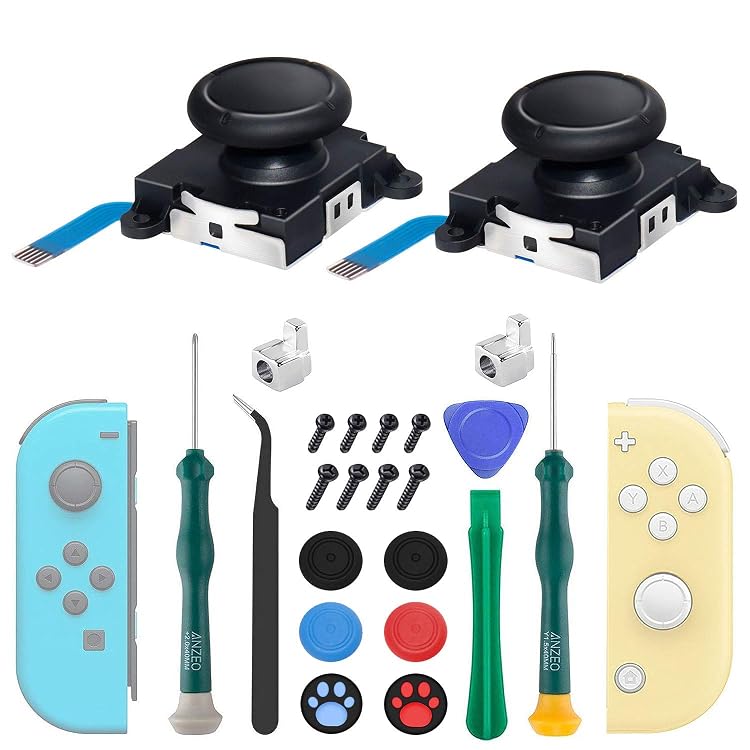
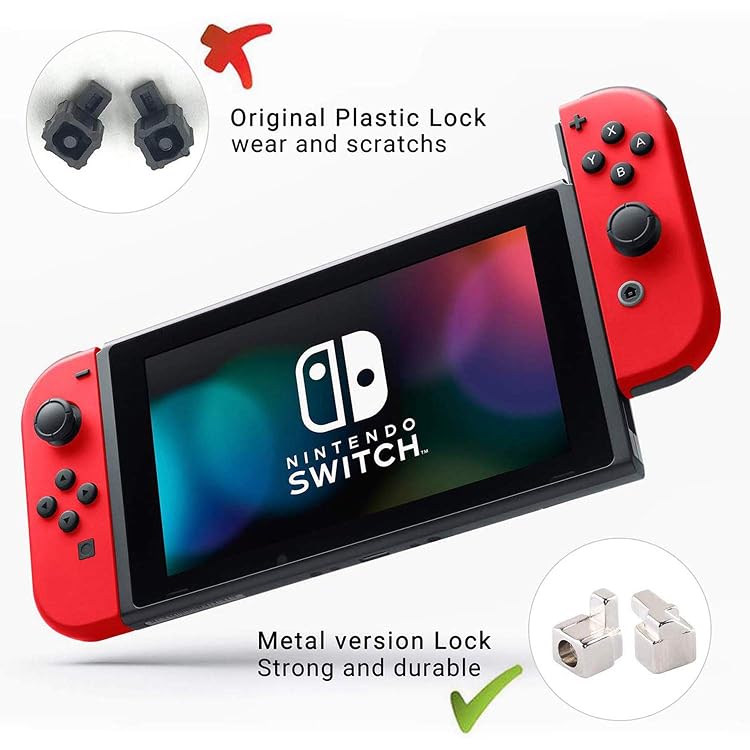
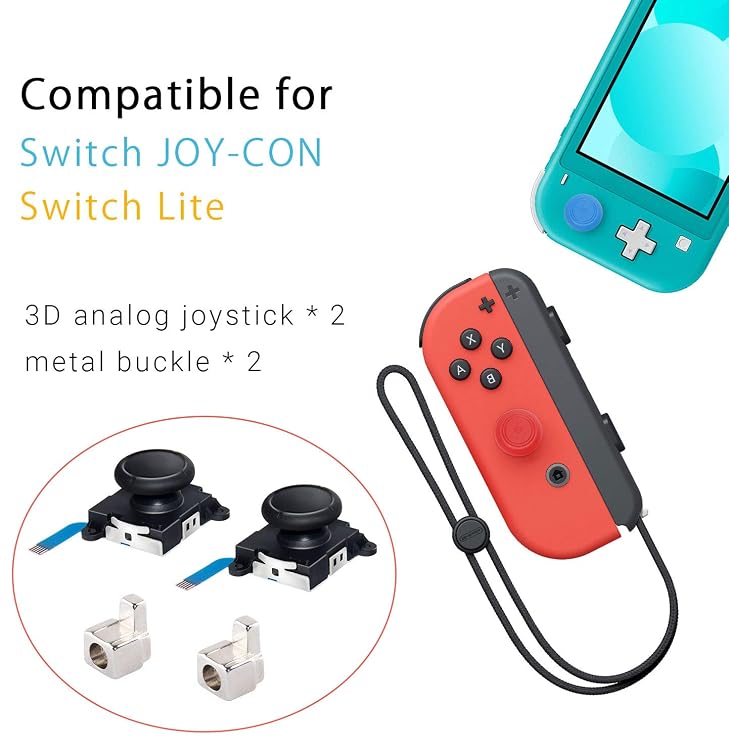
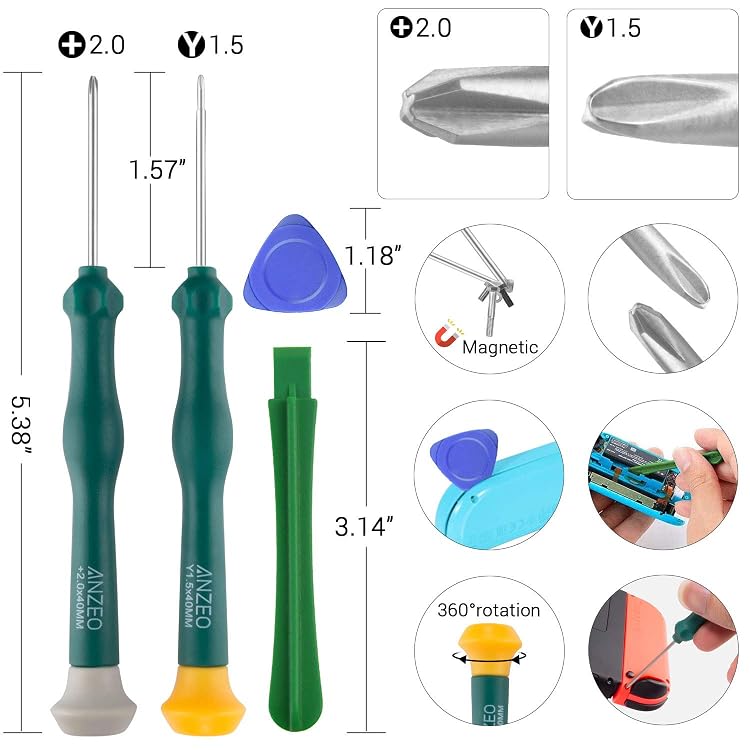
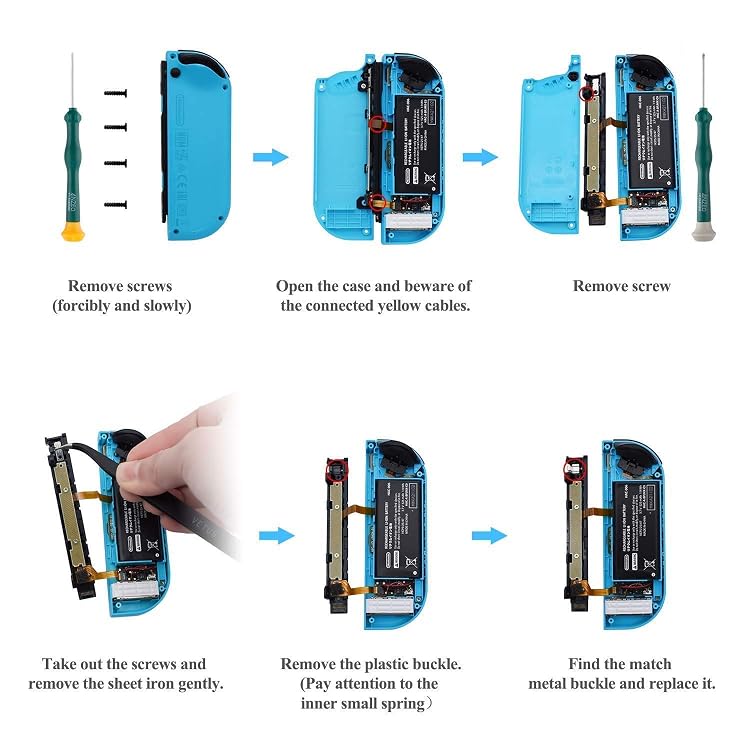
This is a 2-pack replacement joystick kit described as the newer version 3D joysticks. It’s marketed for compatibility with Nintendo Switch, Switch Lite, and Switch OLED, and it includes metal latch buckles, two magnetic screwdrivers, spare screws, and thumb stick caps—items meant to support a complete DIY repair session. The kit emphasizes durability with metal buckles and a ready-made set of tools to help you swap in the new sticks.
What stands out
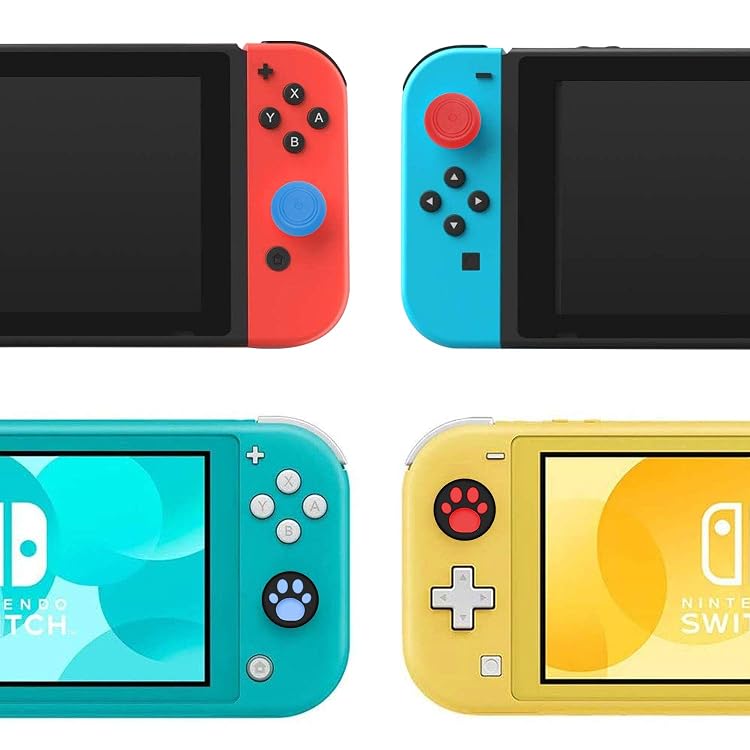
On paper, the metal latch buckles are a notable upgrade aimed at reducing the need for future replacements and minimizing slippage during use. The inclusion of magnetic screwdrivers is a user-friendly touch, helping prevent lost screws during the swap. The silicone thumb caps add a layer of protection and a more comfortable feel, which can matter for longer gaming sessions. Finally, the kit’s after-sale service promise provides reassurance if questions arise during the repair.
Who it’s for
- Players facing stick drift, dead zones, or worn-out sticks who want a cost-conscious DIY fix.
- Switch owners who prefer a hands-on approach to repairs and value a kit that includes both the components and the tools needed for the job.
- Gamers who may appreciate the added durability of metal buckles and the soft grip of silicone thumb caps.
Limitations and caveats
- The effectiveness of a joystick replacement depends on the broader health of the controller, issues like analog board damage or other internal wear aren’t addressed by a stick swap alone.
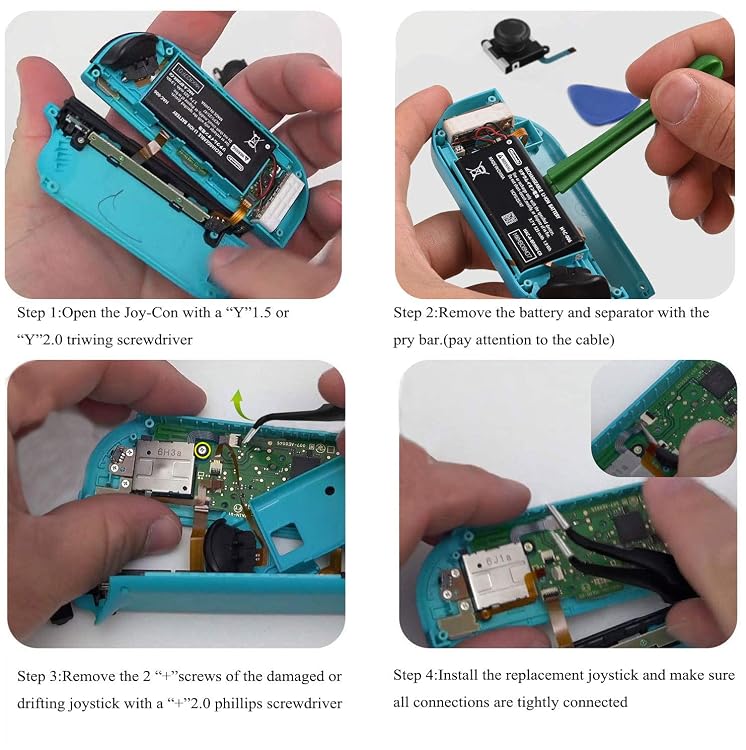
- The listing recommends watching a full tutorial before attempting replacement, which implies a learning curve and the possibility of user error if you’re new to repairs.
- It may not be the best option if you’re not comfortable with minor electronics repair or if you’re seeking a guaranteed professional-grade fix.
When it makes sense to buy
- You want a budget-friendly way to restore button responsiveness and steering accuracy without sending your Joy-Cons in for service.
- You’re comfortable following a repair tutorial and retrieving the old components yourself.
- You own multiple Joy-Cons and want a bundled solution that covers both sticks and the necessary hardware.
When you might want to skip it
- If the Drift stems from issues beyond the joystick itself (e.g., calibration or console hardware problems).
- If you’re seeking a plug-and-play replacement with minimal risk, or you’re not comfortable with DIY repairs.
What to check before purchasing
- Confirm compatibility with your exact Switch model (the listing includes Switch, Switch Lite, and Switch OLED).
- Consider whether you already have a suitable screw driver set or if you’re relying on this kit to supply the tools.
- Review your tolerance for a DIY repair process and the time you’re willing to invest.
Practical use case
Imagine a weekend project: you open the console, swap in the new 3D joysticks, secure them with the metal latches, and finish by applying the silicone thumb caps for a smoother touch. You test calibration, and the controller behaves closer to new—until you encounter a firmware drift issue that needs separate attention.
Tech specs
- Name: LONANDY Joycon Joystick Replacement Kit (2-pack)
- Type: Replacement joystick module for Nintendo Switch family
- Material: Metal latch buckles, silicone thumb caps
- Compatibility: Nintendo Switch, Switch Lite, Switch OLED
- Included: 2 joysticks, metal latch buckles, magnetic Y1.5 Tri-Wing screwdriver, magnetic +2.0 Phillips screwdriver, spare screws, thumb stick caps
- Warranty/Support: After-sale service offered
FAQ
- Do these joysticks fix drift? They address worn-out or drifting sticks by replacement, but drift can also result from other internal components.
- Are these easy to install? The kit includes tools and a tutorial recommendation, but user experience varies and there is a learning curve.
- Is the kit worth it for a single Joy-Con fix? It can be cost-effective if you’re comfortable with DIY repairs and need both sticks replaced.
Final decision
Is it worth it? Worth considering if you want a DIY replacement kit that includes the tools and spare screws, and you’re comfortable following a tutorial to restore your Joy-Cons’ responsiveness.