

Logitech G X56 HOTAS Flight Simulator Controller
Reviews
Price
Product description
What it is and what it solves
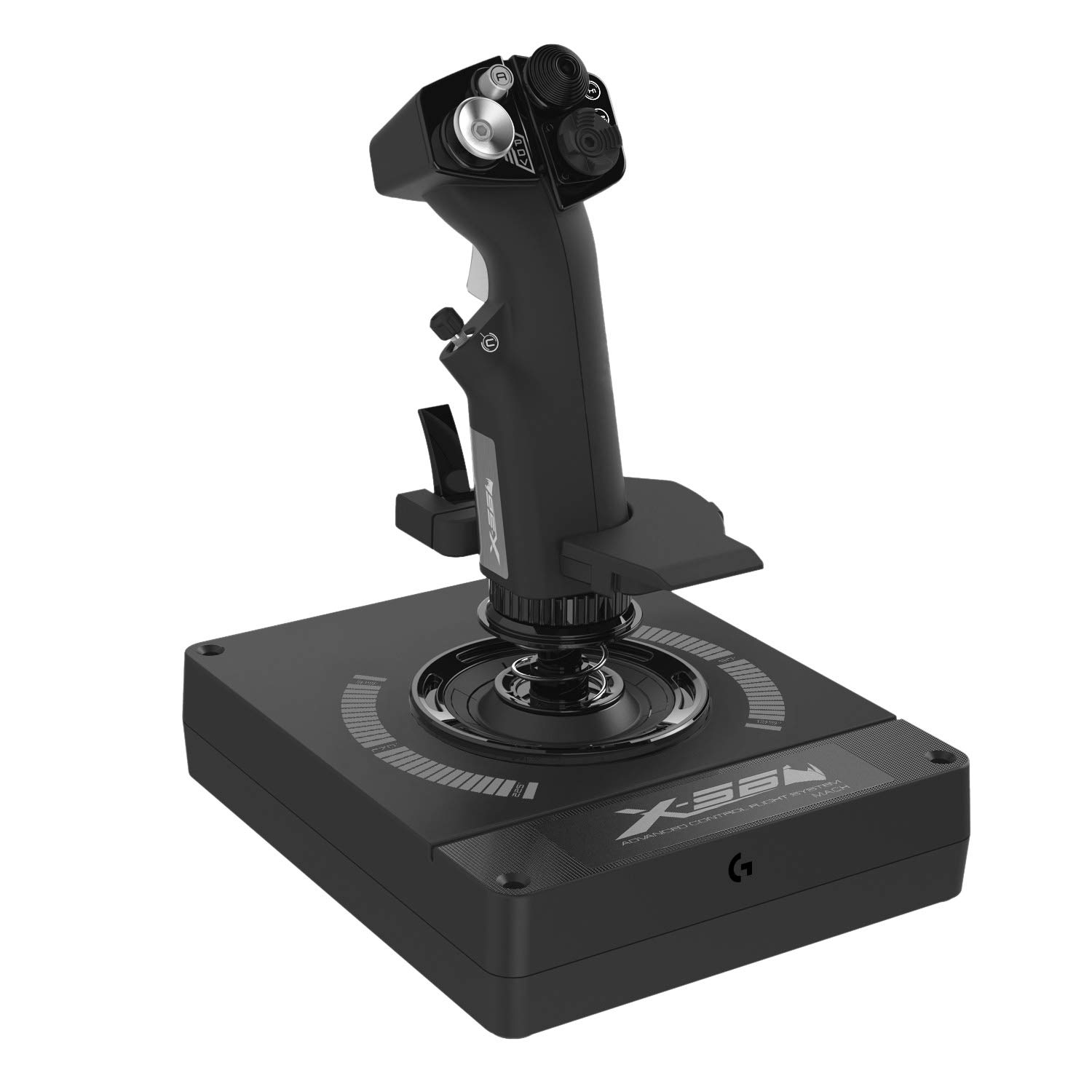
The Logitech G X56 HOTAS is a two-piece throttle and joystick setup designed for space and flight simulators. It aims to give aspiring pilots a tactile control surface with multiple programmable options and realistic feel, so you can map aircraft or spacecraft movements and weapons without removing your hands from the controls. If you’re chasing a more immersive, hands-on experience beyond a standard keyboard-and-mouse, this HOTAS tries to balance precision with a broad set of customization options.
How it feels in practice
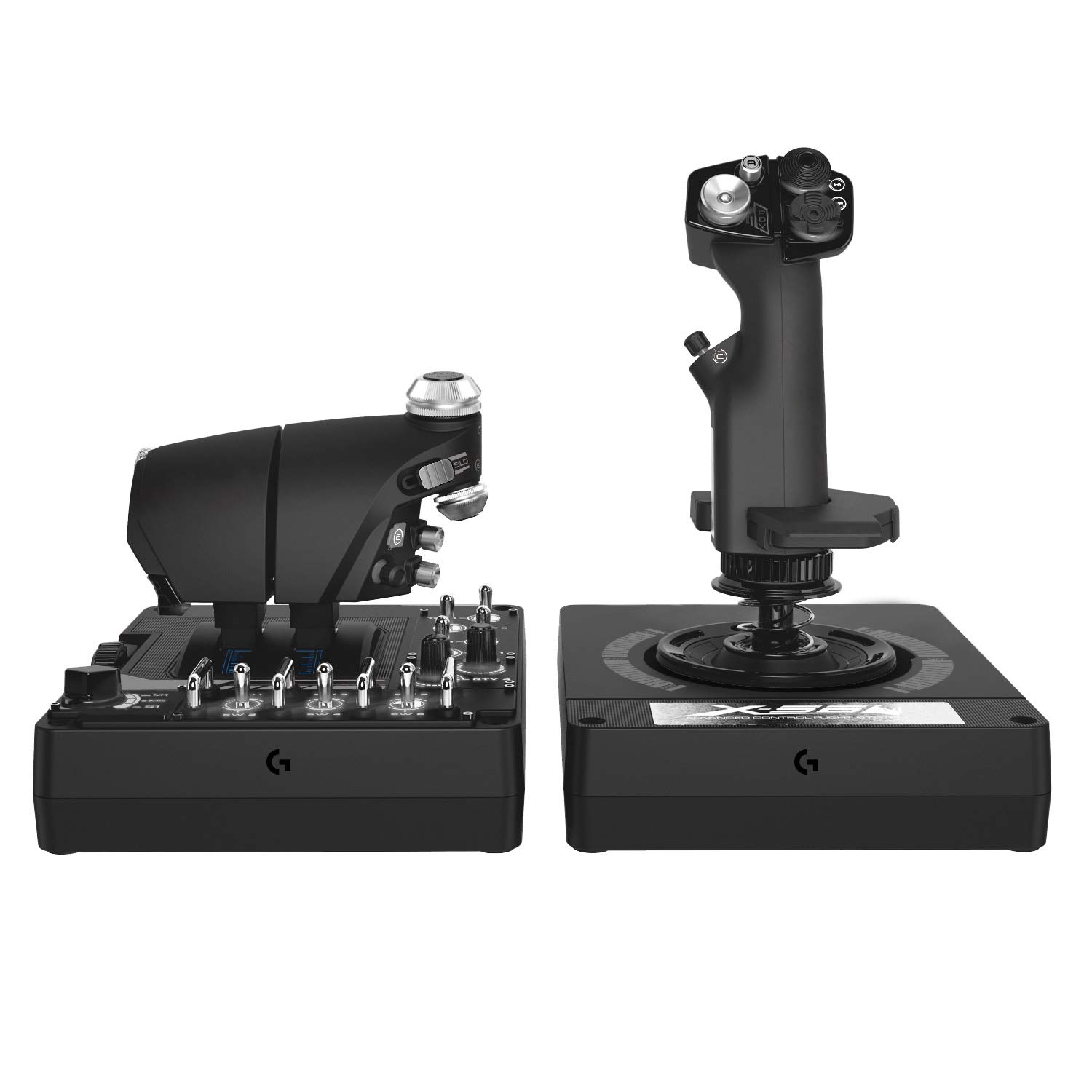
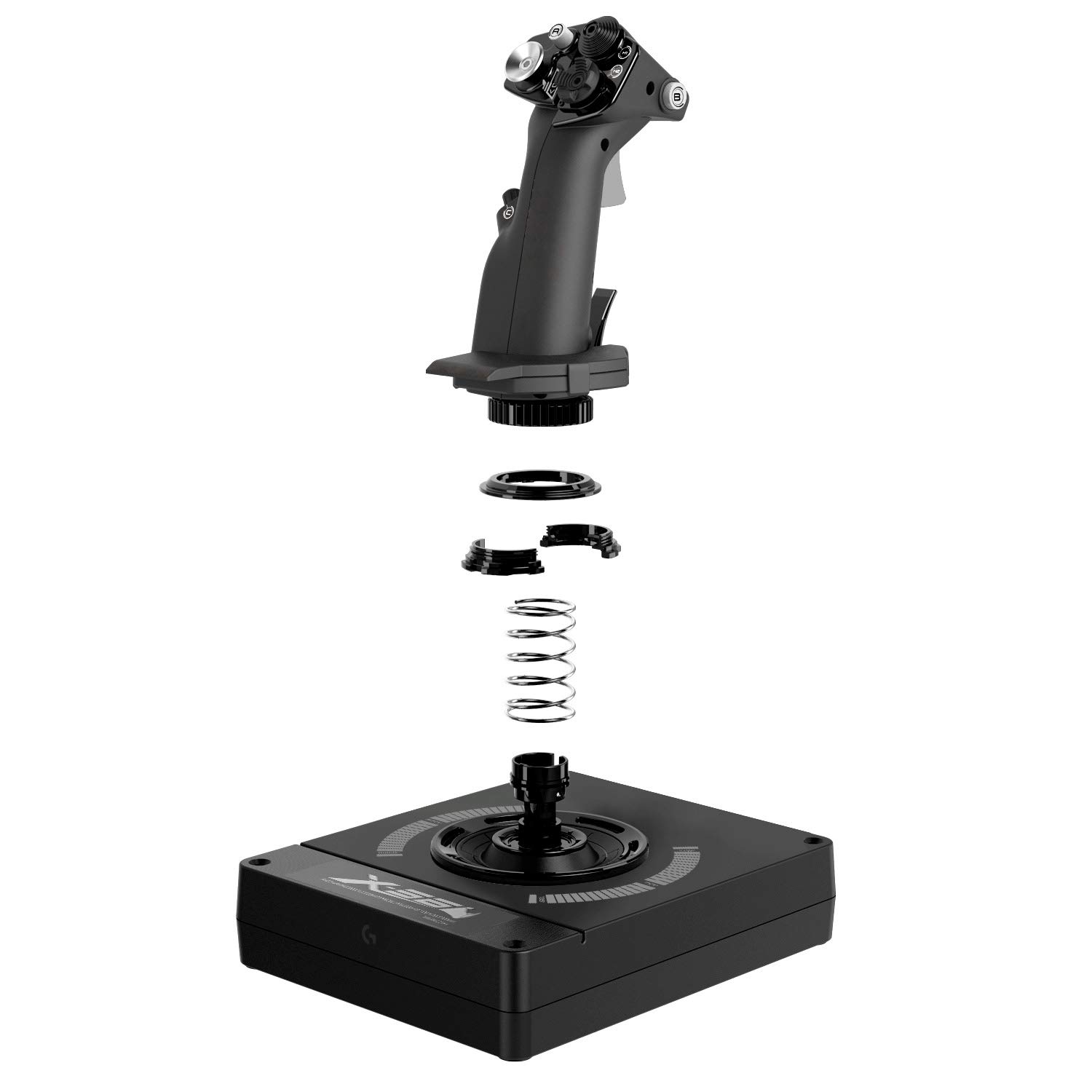
On paper, the X56 uses dual throttles, a precision stick with 16-bit axes and hall-effect sensors, and an Advanced 4-Spring system to adjust stick feel. The four spring options let you tailor the tension to your preferred control response, which can matter when you’re trying to keep steady hover or fine-tune gimbal movements in combat scenarios. The design clusters controls under your fingers, which can help reduce hand fatigue during long sessions. For people who spend time in VR, the layout is meant to keep important inputs within easy reach and maintain consistent button feel.
What stands out day to day
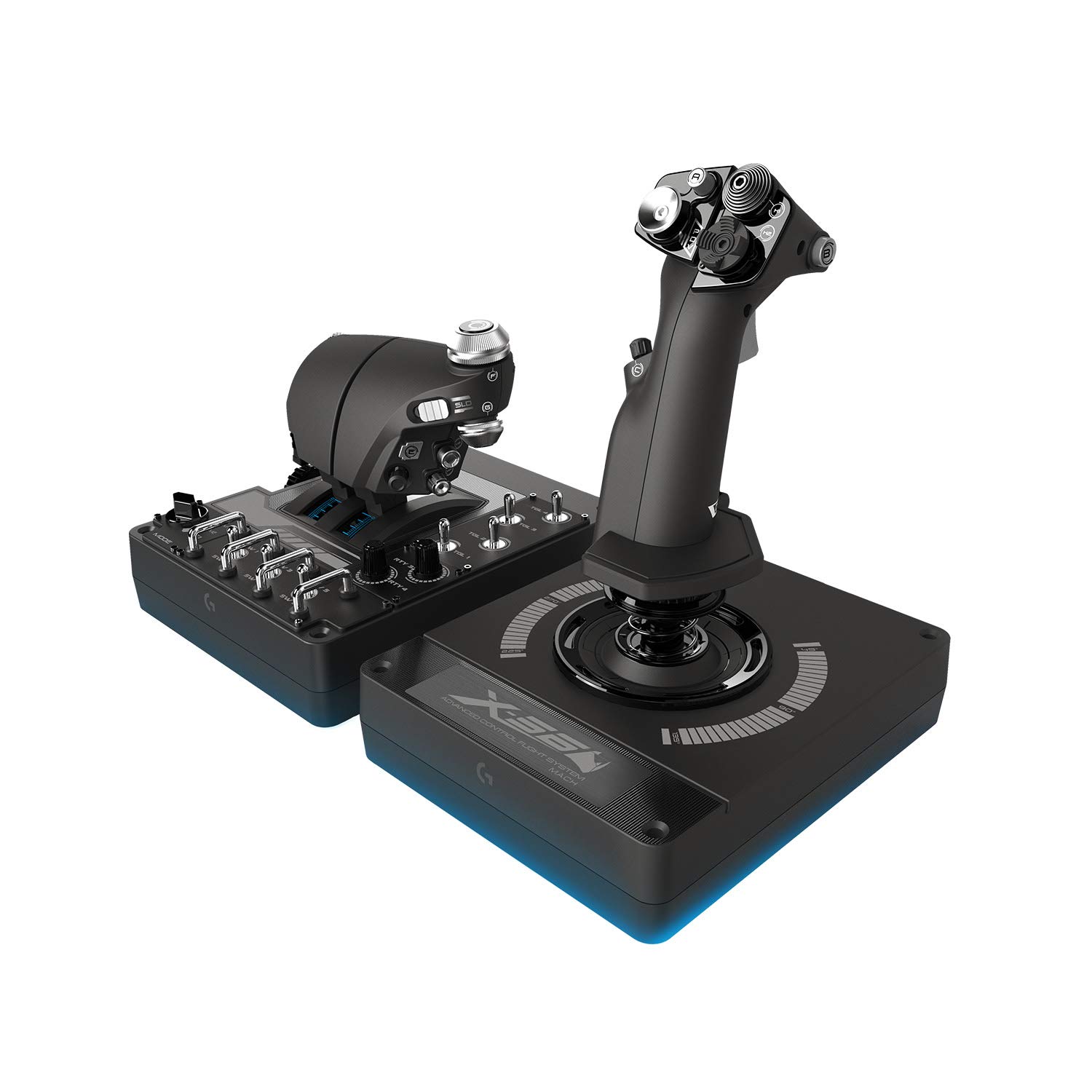
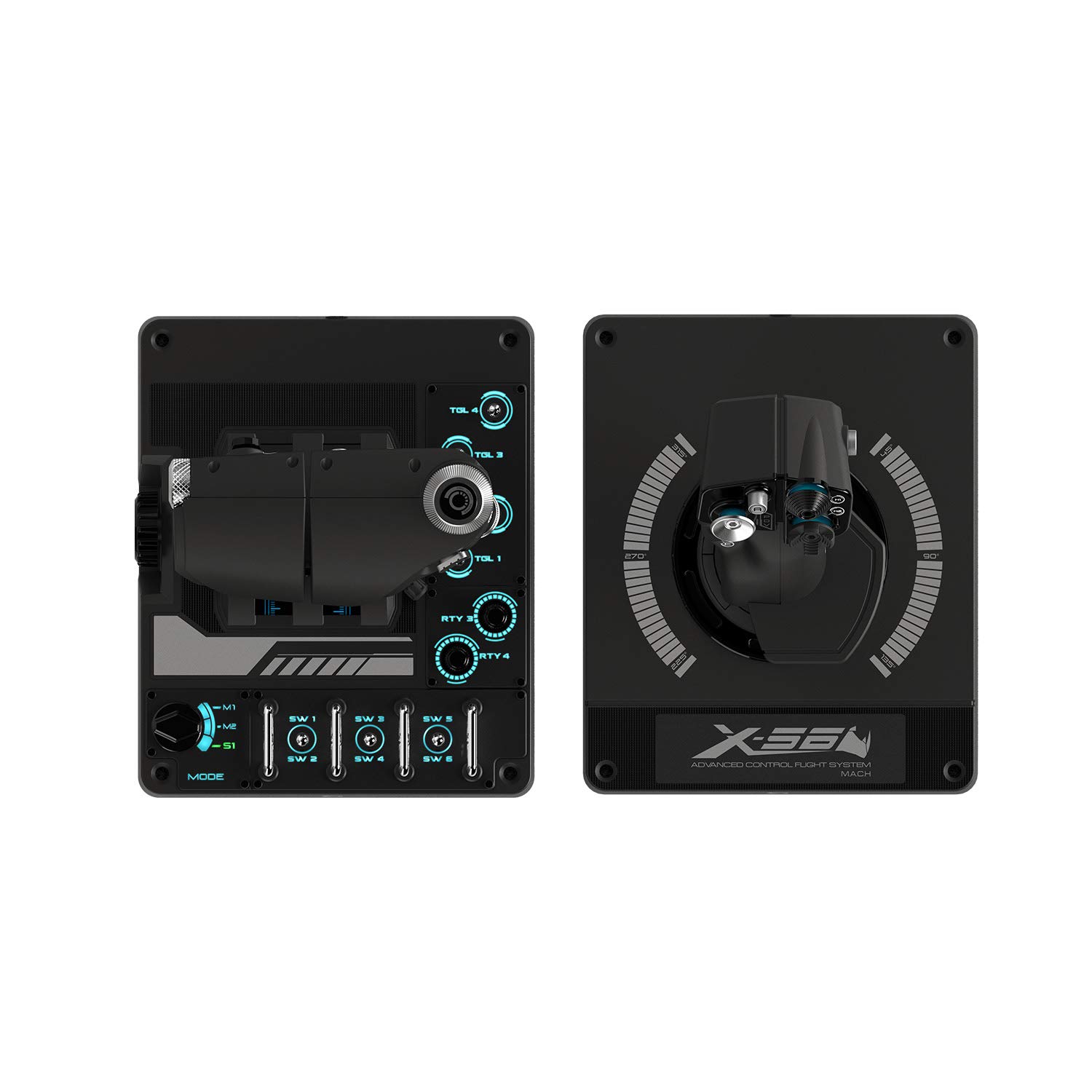
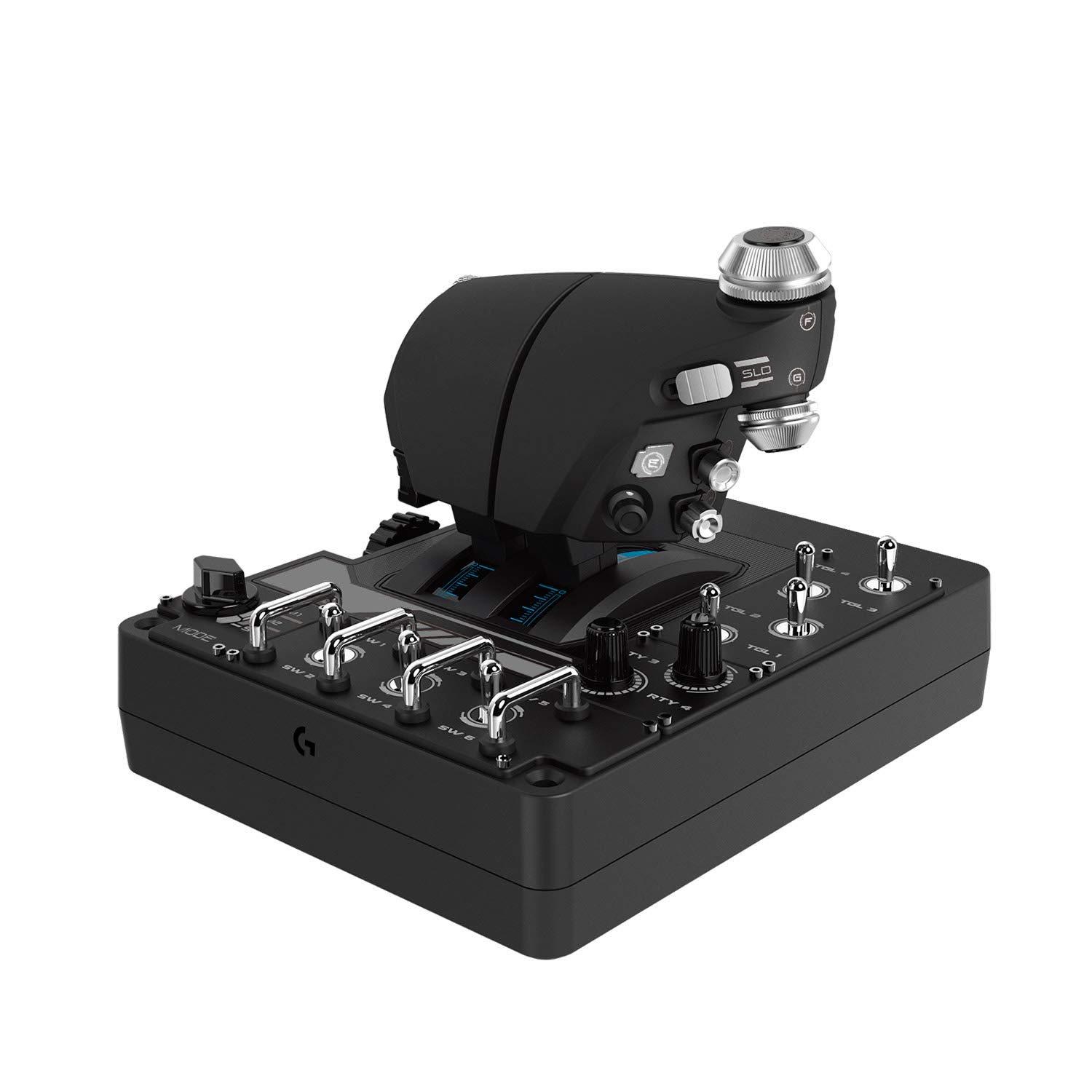
- 189 programmable controls across both devices give you ample flexibility to assign flight, navigation, weapons, and system commands.
- RGB backlighting adds a visual cue layer, which can help you quickly locate rarely used controls in dim setups.
- Each axis is designed for accurate input, with the potential for detailed mapping that can translate into smoother pitch, roll, yaw, and throttle control.
Potential limitations to consider
This is a sizable setup with a steep learning curve. If you’re new to HOTAS, the abundance of programmable options may feel overwhelming at first. The device requires Windows compatibility (Windows 7 through Windows 11) and two USB 2.0 ports, which is common but worth confirming on your PC. Also, some users may find the physical footprint larger than a standard joystick, so workspace planning matters.
Who it’s for
- Enthusiasts who want a more authentic flight or space sim experience and are ready to invest time into mapping and tweaking controls.
- VR players who benefit from a compact, well-laid-out control surface that sits within easy reach.
- Gamers who value a tactile throttle pair and the optional control feedback from adjustable stick tension.
Who it isn’t the best for
- If you’re new to flight sims and just want a plug-and-play setup with simple controls, this might feel excessive.
- If desk space is extremely tight, the dual-control setup could be cumbersome.
- If you expect a budget-friendly, ultra-compact controller, this two-device HOTAS isn’t that option.
When it makes sense to buy
- You want broad, customizable inputs to tailor complex flight or space combat profiles.
- You value the ability to adjust stick tension and separate weapon controls from the spacecraft’s main axis.
- RGB lighting and a dedicated control surface for VR navigation align with your current rig and aesthetics.
When you might want to wait or look for alternatives
- If you don’t anticipate using more than a handful of commands, the 189 programmable controls may be overkill.
- If you’re not planning to use VR or you don’t have the required Windows setup, you might not extract the full value.
What to check before buying
- Confirm your PC has two USB 2.0 ports available and a compatible Windows version.
- Consider your desk setup to ensure there’s room for both the throttle and the joystick and comfortable reach to all primary and secondary controls.
- Think about your preferred control feel: whether the 4-spring system will deliver the grip tension you want for rapid, precise inputs.
Practical usage example
Imagine piloting a spacefighter in a high-stakes dogfight: you throttle up with the dual throttles, adjust pitch and yaw with the calibrated stick, and route weapons via the mapped 189 controls. RGB cues help you locate critical buttons in low-light gaming setups, while the fine-tuned spring system lets you react quickly without overcorrecting.
FAQ
- Do I need VR for this to feel right? It’s designed to be comfortable in standard desktop use and VR alike, but VR support is a selling point for immersive navigation.
- Is it compatible with all versions of Windows? The base requirements list Windows 7 through Windows 11, but you should verify driver support on your specific OS version.
- Can I customize lighting and button mappings separately? Yes, the RGB lighting and the programmable controls are designed to be configured via the software, allowing individual personalization.
Decision time
Is it worth it? If you prioritize a highly customizable, tactile HOTAS experience with a strong focus on realistic control mapping and VR-ready layout, the X56 offers a robust feature set that can pay off in deeper immersion and precise control. It may not be the best fit if you need a simple, space-saving option or you’re just starting out with flight sims and prefer a gentler learning curve. Consider your available desk space, your willingness to invest time in setup and tuning, and whether you’ll benefit from two separate control surfaces or prefer a more compact alternative.