

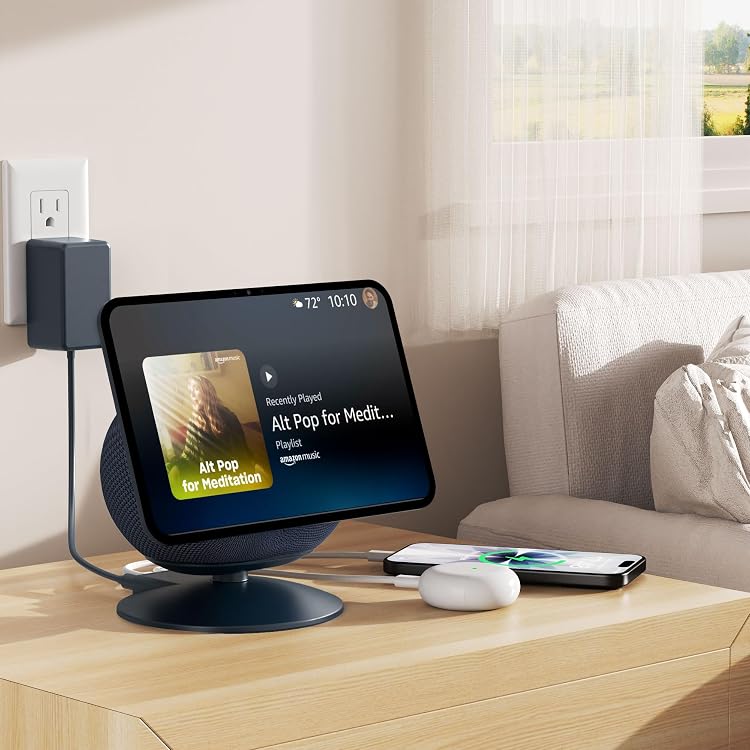
HomeMount Show 11 Stand with Magnetic Charging Hub (Graphite) for Show 11 and 2025 Show 8
Product description
What it is and what problem it solves
The HomeMount Show 11 Stand is a magnetic, adjustable charging stand designed to lift your device to eye level and keep it there during daily tasks. With a built-in charging hub and a magnetic hold, it aims to reduce the need for constant readjustment while you cook, plan your day, or join video calls. If you’re tired of awkward viewing angles and cluttered charging setups, this stand promises a cleaner, more ergonomic experience.
How it stands out in practice
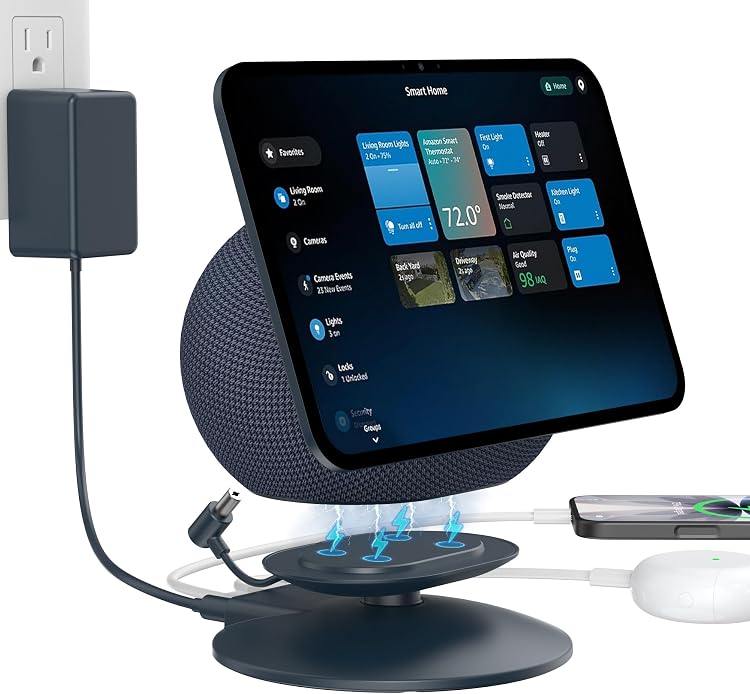
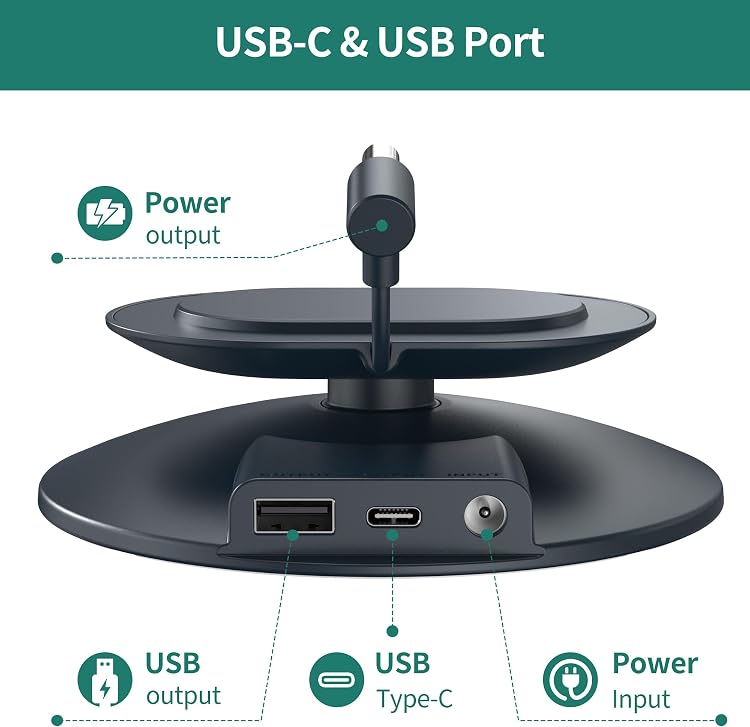
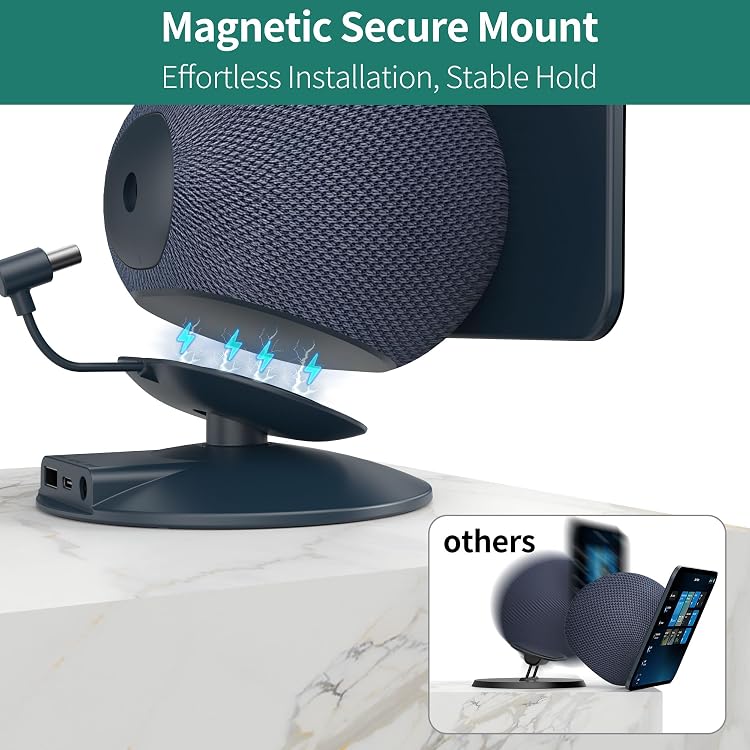
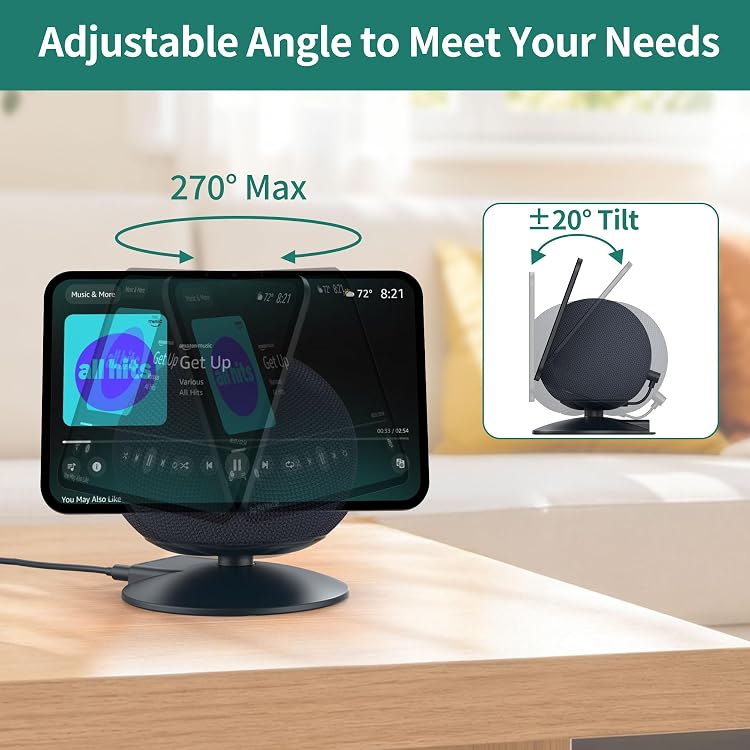
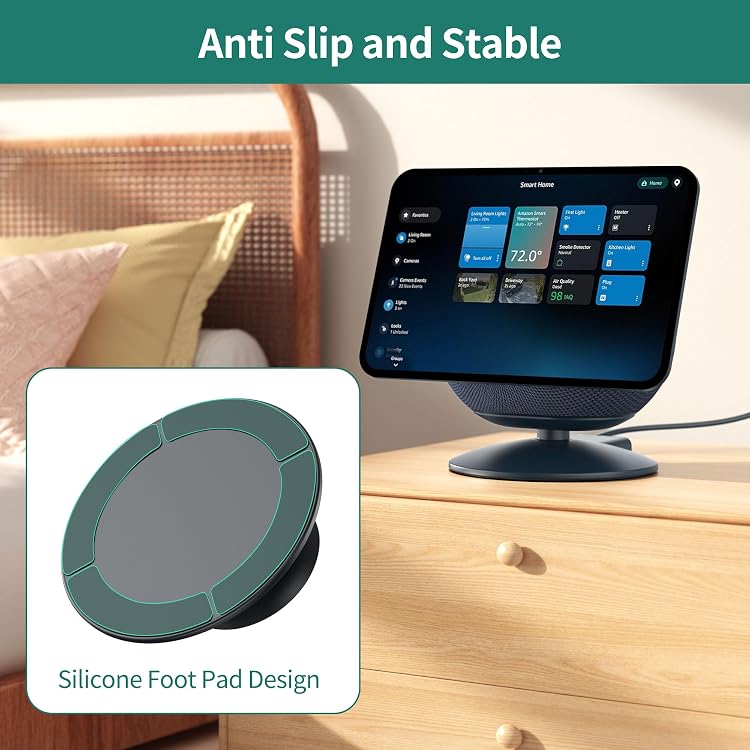
This model uses four N45 magnets to hold the Show 11 firmly in place, aiming for a slip‑free setup even in busy spaces like a kitchen. The stand offers multi-angle adjustment with ±20° tilt and a wide 270° rotation, so you can angle the screen for recipes, meetings, or entertainment without moving the base. The anti-slip silicone feet are designed to absorb vibration and keep the device steady during loud activity. The built‑in USB‑A and USB‑C ports convert the stand into a charging hub, helping to power your phone and earbuds while keeping surfaces tidy.
Pros you’ll notice day to day
- Eye‑level viewing that reduces neck strain during long video calls or cooking sessions.
- Strong magnetic hold that aims to stay put in dynamic environments.
- Flexible positioning with a broad 270° swivel and tilt range to match your line of sight.
- Built‑in charging ports help minimize desk clutter and separate cords.
Cons and limitations to consider
- The claim of a “secure, slip-free hold” depends on device weight and surface, some lighter devices may require careful placement to avoid accidental movement.
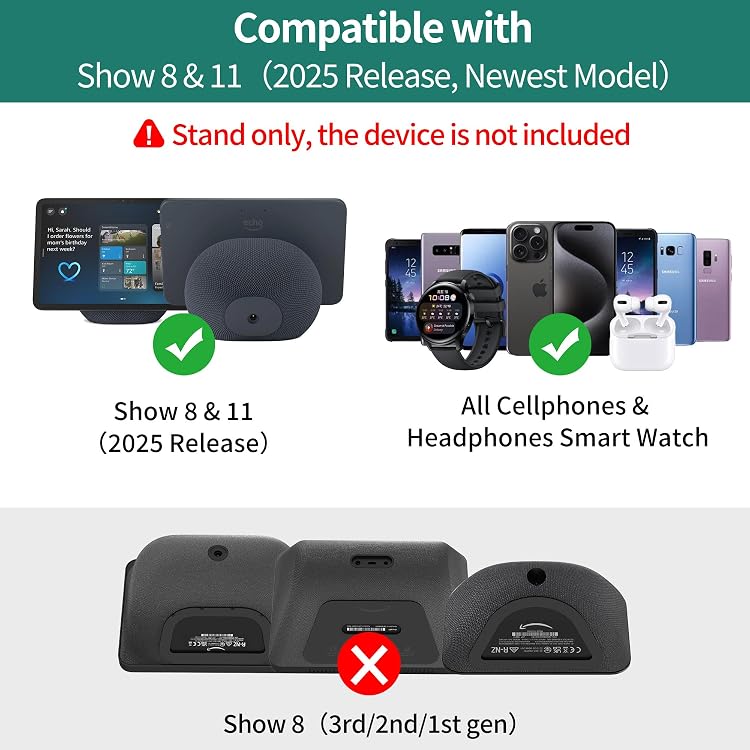
- The setup is focused on compatibility with Show 11 and the 2025 Show 8, if you’re using different hardware, results may vary.
- No dimensions or weight are provided here, so you’ll want to confirm fit on your specific surface before purchase.
Who it’s for
If you frequently use Show 11-related devices at eye level, in the kitchen, bedroom, or home office, and you value a minimal charging station, this stand could fit your needs. It’s potentially appealing for people who want to reduce desktop clutter and keep devices within easy reach during tasks that require both hands.
Who it’s not for
If you rely on a very light device or work on irregular, uneven surfaces, the magnetic system may not feel as secure. Also, if you don’t need an integrated charging hub, a simpler stand might be a more economical choice.
When it makes sense to buy
Consider this if you want to raise your Show 11 to eye level, enjoy multiposition viewing, and prefer having USB‑A and USB‑C charging ready at hand. It’s particularly useful in kitchens or bedside setups where cords tend to get tangled and space is at a premium.
What to check before buying
- Confirm your exact device compatibility (Show 11 and 2025 Show 8 are stated targets).
- Ensure your surface can accommodate the base and anti-slip feet without obstruction.
- Consider how you’ll route cables to keep the charging hubs accessible but tidy.
Practical usage example
Imagine you’re following a recipe: you tilt the screen slightly to keep the ingredients in view while keeping your hands free for chopping. When a video call starts, you swivel to frame the other person in the shot, then rotate back to show a quick glance at a timer. All of this happens without lifting the device off the stand or rearranging your setup.
Quick FAQ
- Does the stand support multiple devices at once? It’s designed to hold the Show 11 with a built‑in charging hub for accessories, simultaneous operation of other devices depends on your connected peripherals.
- Can I adjust the angle while the device is in use? Yes, the stand supports tilt and swivel for real‑time repositioning.
- Is it easy to move the stand between rooms? The magnetic hold helps keep the device in place, but the base remains a fixed support on the chosen surface.
Decision section
Is it worth it?
Worth considering if you want ergonomic elevation and a built‑in charging hub for your Show 11 ecosystem, with flexible positioning for hands‑free recipes, calls, or media use. If you prioritize a lighter, simpler stand without charging ports, you may want to explore other options.