

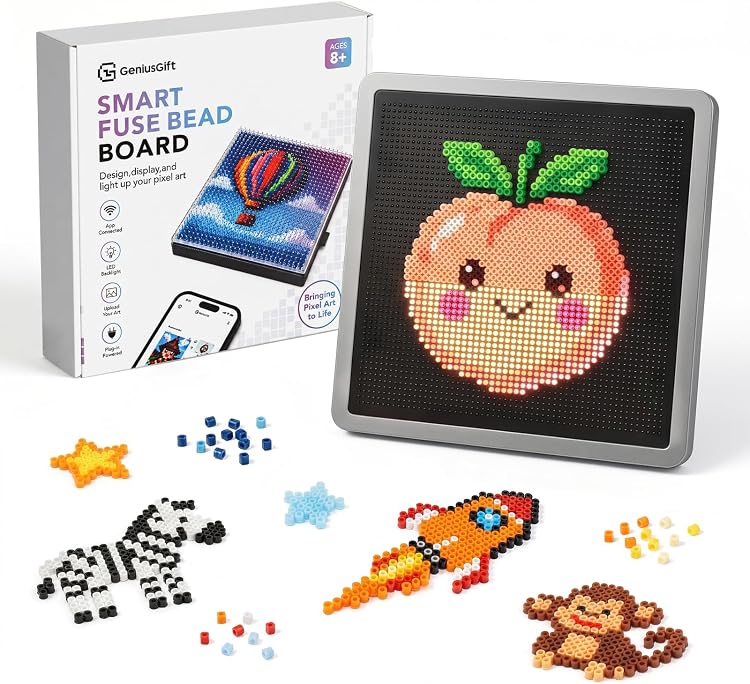
GENIUSGIFT Smart Fuse Bead Board, 2.6mm Beads, App Patterns and LED Guidance
Product description
Some fuse bead projects start with a printed pattern, others begin with a photo or an idea you want to turn into pixel art. The GENIUSGIFT Smart Fuse Bead Board brings app-based pattern selection and illuminated placement guidance together on a reusable pegboard, making it easier to follow a design as you build it.
Its 52 × 52 grid is made for 2.6mm fuse beads. Choose a pattern in the mobile app, send it to the board, and use the light cues to see where each bead goes.
Key points
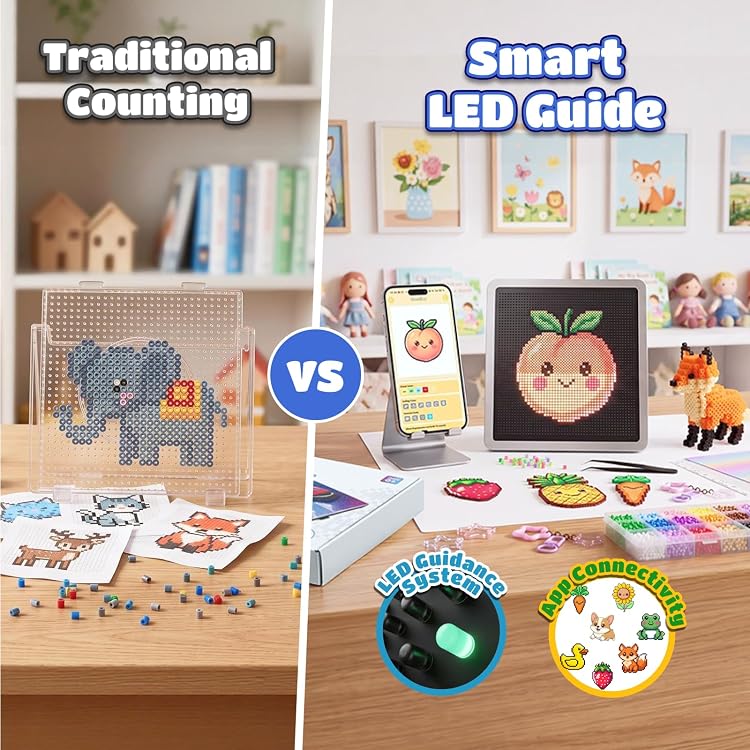
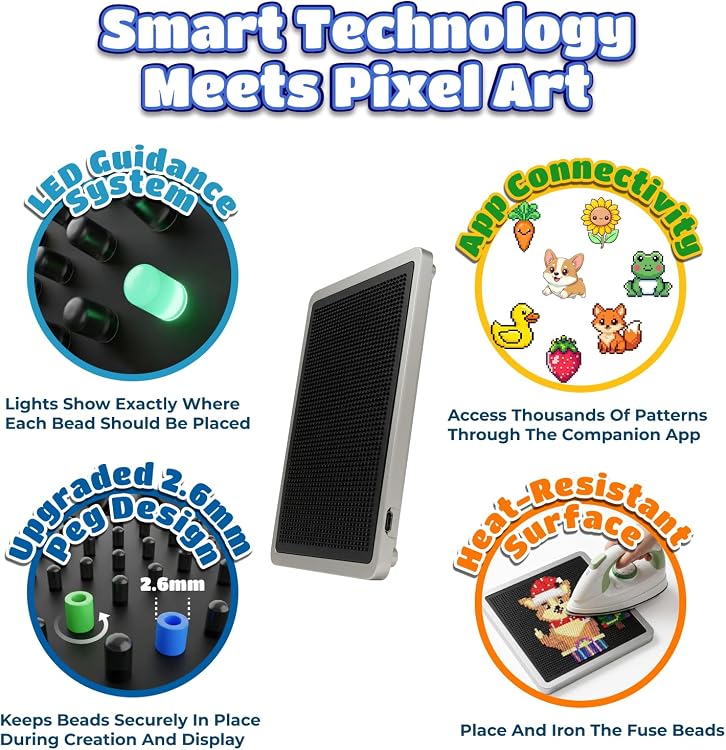
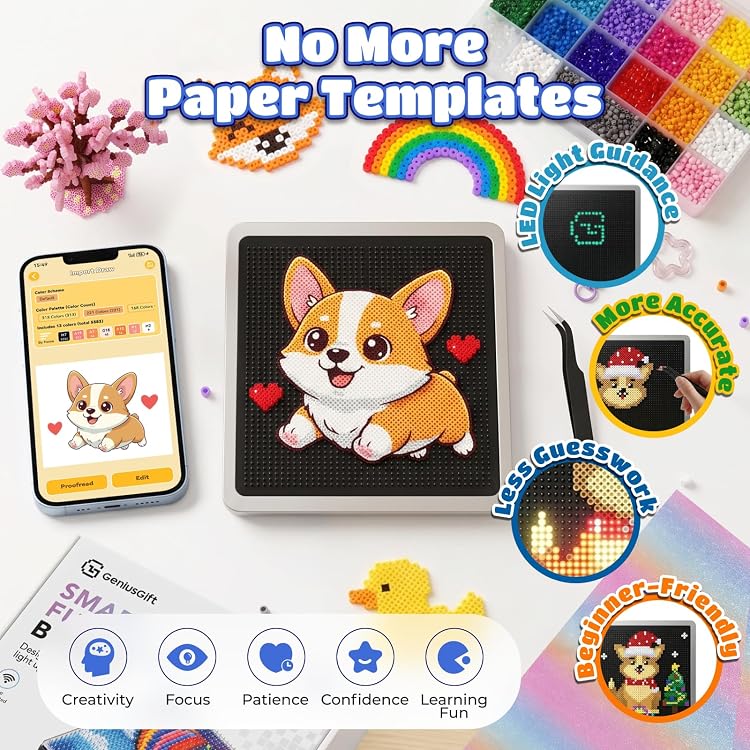
The built-in LED matrix guides bead placement directly on the pegboard, so you can work from the board rather than repeatedly switching your attention between a separate chart and your project. That can be especially handy for detailed pixel designs, whether you are crafting on your own or setting up a shared activity at home.
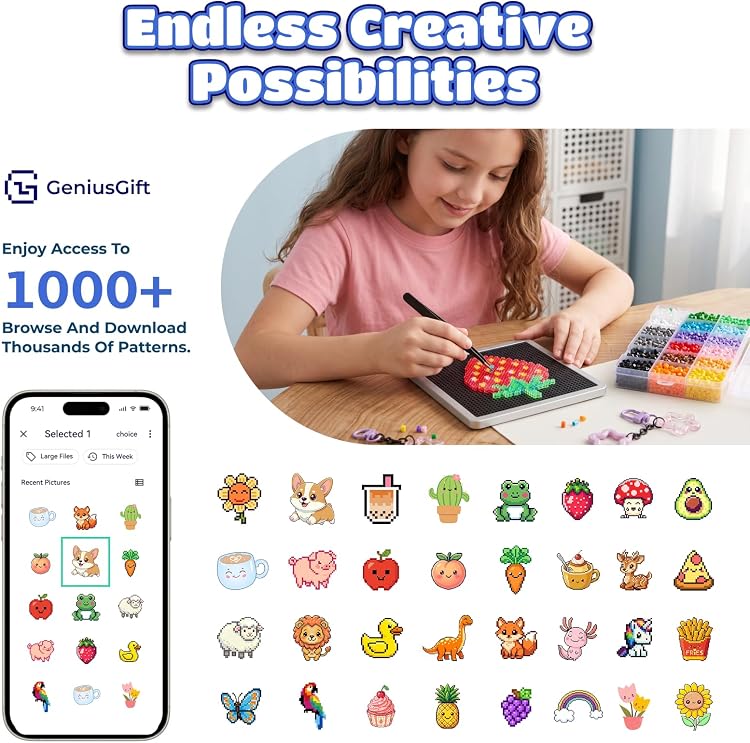
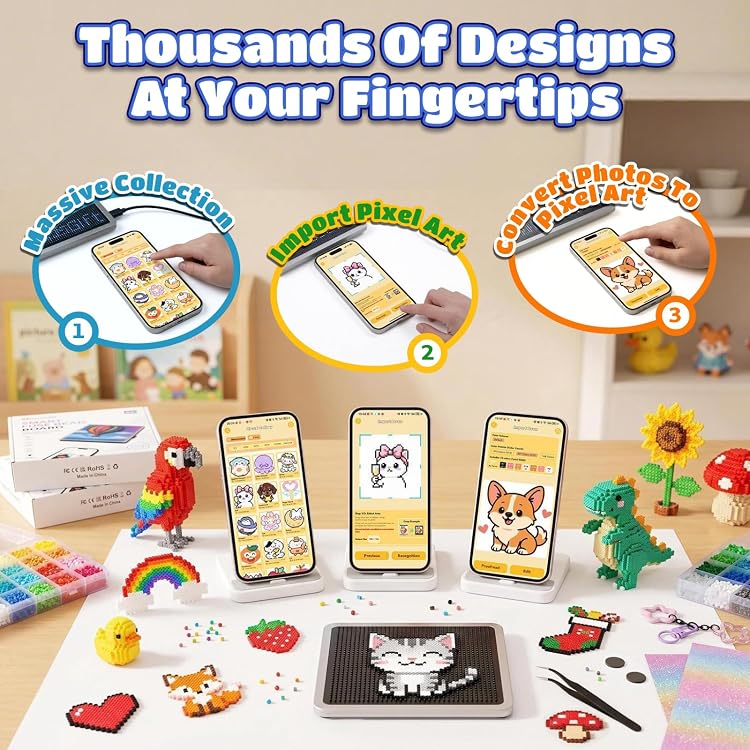
The dedicated app lets you select from a library of pixel art patterns or create a design from a photo. Preview your artwork, then synchronize the pattern to the board. Want to make a project feel more personal? Turning a favorite image into a pixel pattern gives you a starting point for a custom bead design.
The board is made from high-temperature-resistant material and supports ironing directly on the pegboard, without a separate transfer template. Its peg surface helps hold beads in place as you arrange the design. The kit includes one smart LED board, a Type-C charging cable, and a user manual, the 2.6mm beads are sold separately.
Fit and sizing
This board is designed for 2.6mm fuse beads and has a 52 × 52 pixel grid. Matching the bead size to the board is important for following its illuminated placement pattern. The grid offers a defined working area for pixel art, from app-selected designs to patterns made from photos.
If you are choosing a craft setup for a particular project, consider both the bead size you plan to use and the area needed for your design. This board is suited to makers who want LED placement cues and app-based pattern options in one reusable workspace, rather than a pegboard used only with a separate paper chart.
Tips for day-to-day use
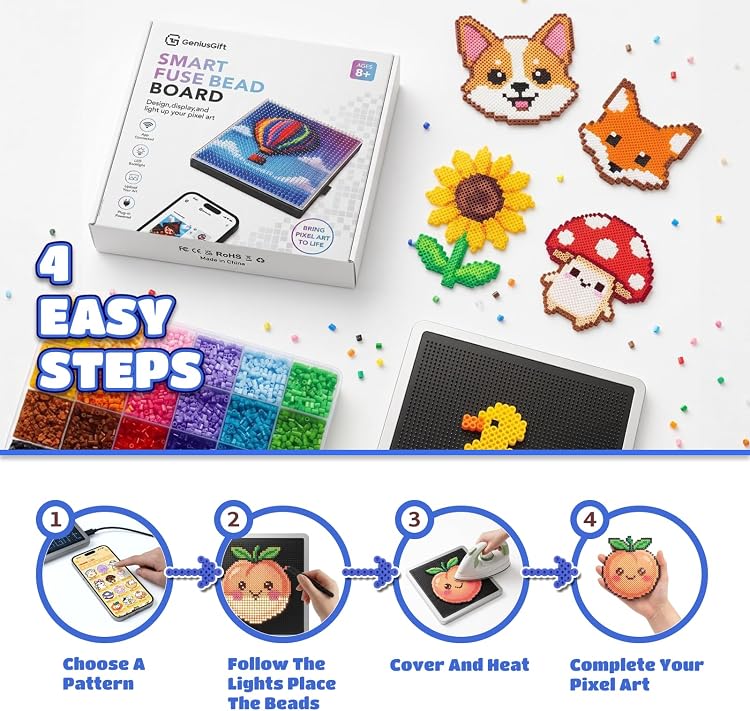
Place the 2.6mm beads on the board by following the light cues for your selected design. When the arrangement is ready, cover it with ironing paper and gently iron until the beads fuse. Let the artwork cool, then peel the finished design from the board. Following these steps gives the beads time to fuse before you lift the piece away.
For a custom project, use the app to choose a library pattern or turn a photo into a pixel design, preview it, and sync it to the board before arranging beads. The included Type-C charging cable supports powering the illuminated guide, and the user manual is there to help you get started. Store the board with your craft supplies so it is ready for another pattern or a family art session.
Should you buy it?
Choose the GENIUSGIFT board if you want a guided fuse bead project with more than one way to find a design. Its LED grid helps with bead placement, while the app adds library patterns and photo-to-pixel customization. That combination makes it useful for solo crafting, creative family time, or a gift for someone who enjoys hands-on pixel art. With direct ironing supported on the reusable board, the same workspace can take you from arranging beads to finishing the design.