

ZHUROUPU Direction Cross Button Replacement Left Key & Right Keypad Flex Cable for PSP (TA-095)
Product description
What this is and what it solves
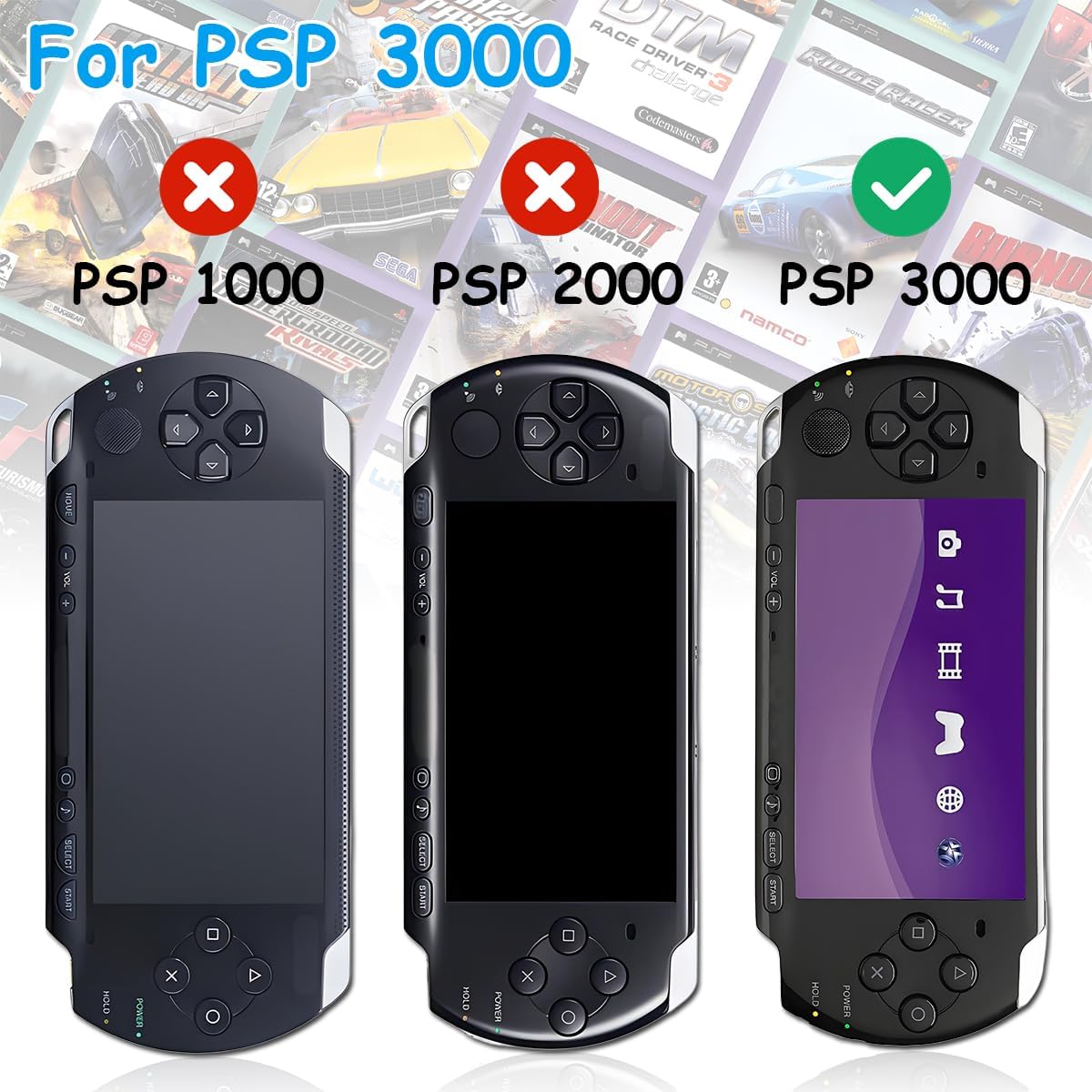
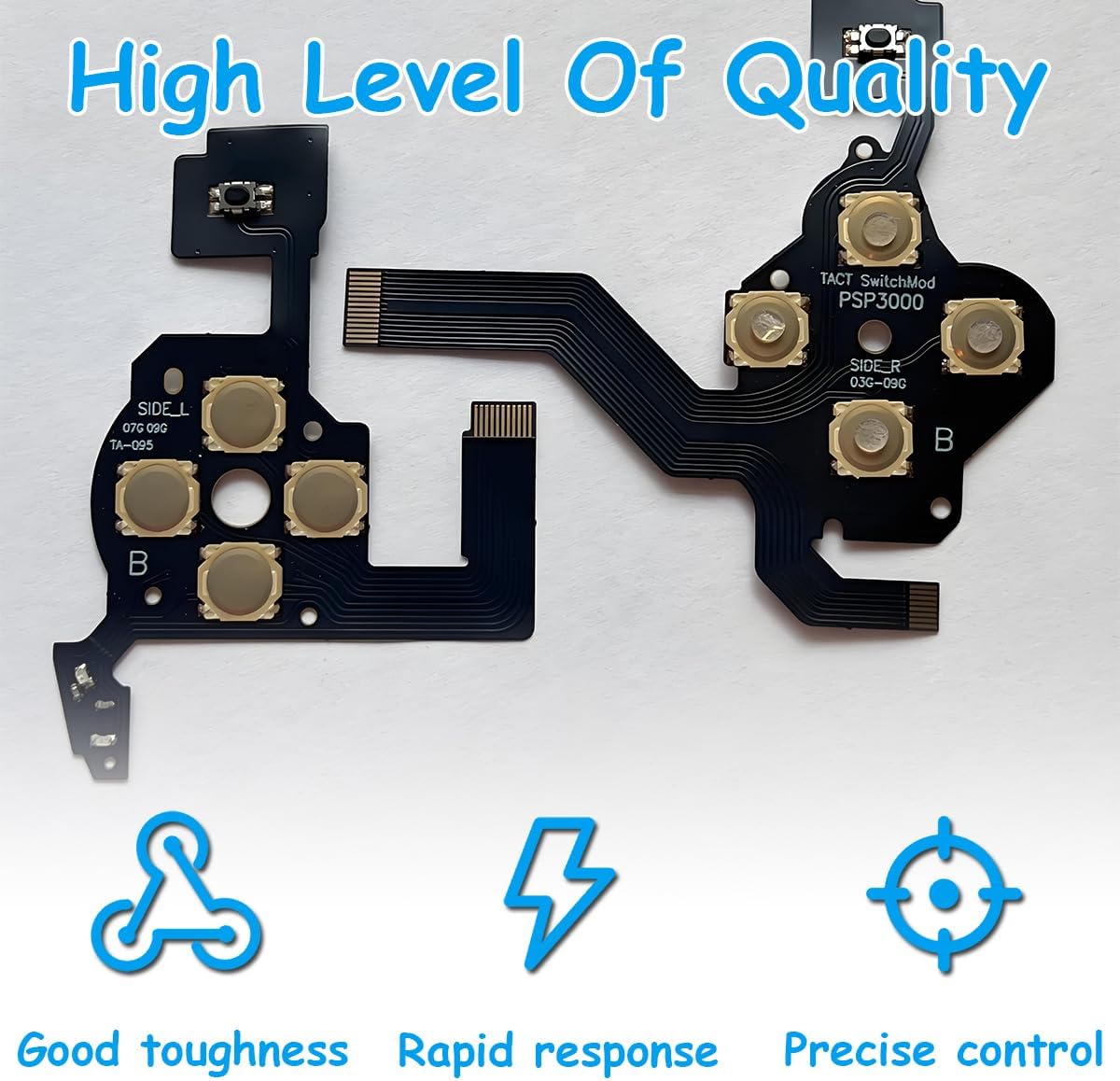
The ZHUROUPU Direction Cross Button replacement kit provides a left arrow, volume, and right keypad flex cable designed for the PSP 3000/3001 series, including TA-095 new version motherboards. It aims to restore responsive button feel and reliable contact after wear or damage to the original flex cable. This isn’t a full console repair, it’s a targeted component intended to improve the tactile feedback and reliability of the directional controls and related buttons.
Fitment and compatibility
On paper, this kit is sized and shaped to suit the PSP 3000 family and should align with TA-095 new version motherboards. The instructions emphasise verifying your motherboard version before purchase and following the included repair steps. If your console uses an older board revision, results may vary. The package includes multiple flex cables for the left key, Start/Home/Volume, and the right keypad, plus the tools needed for installation.
What’s included and what it’s like to install
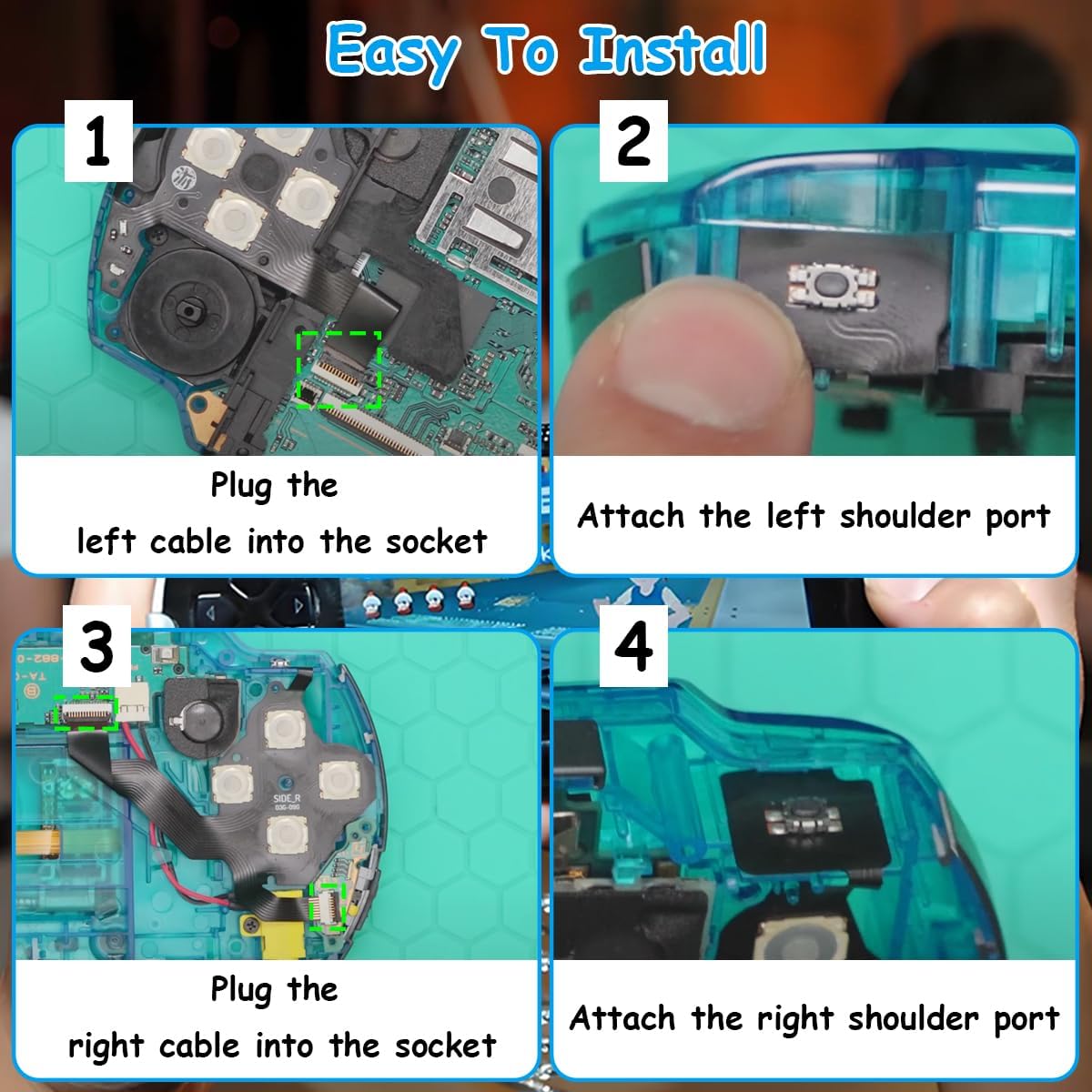
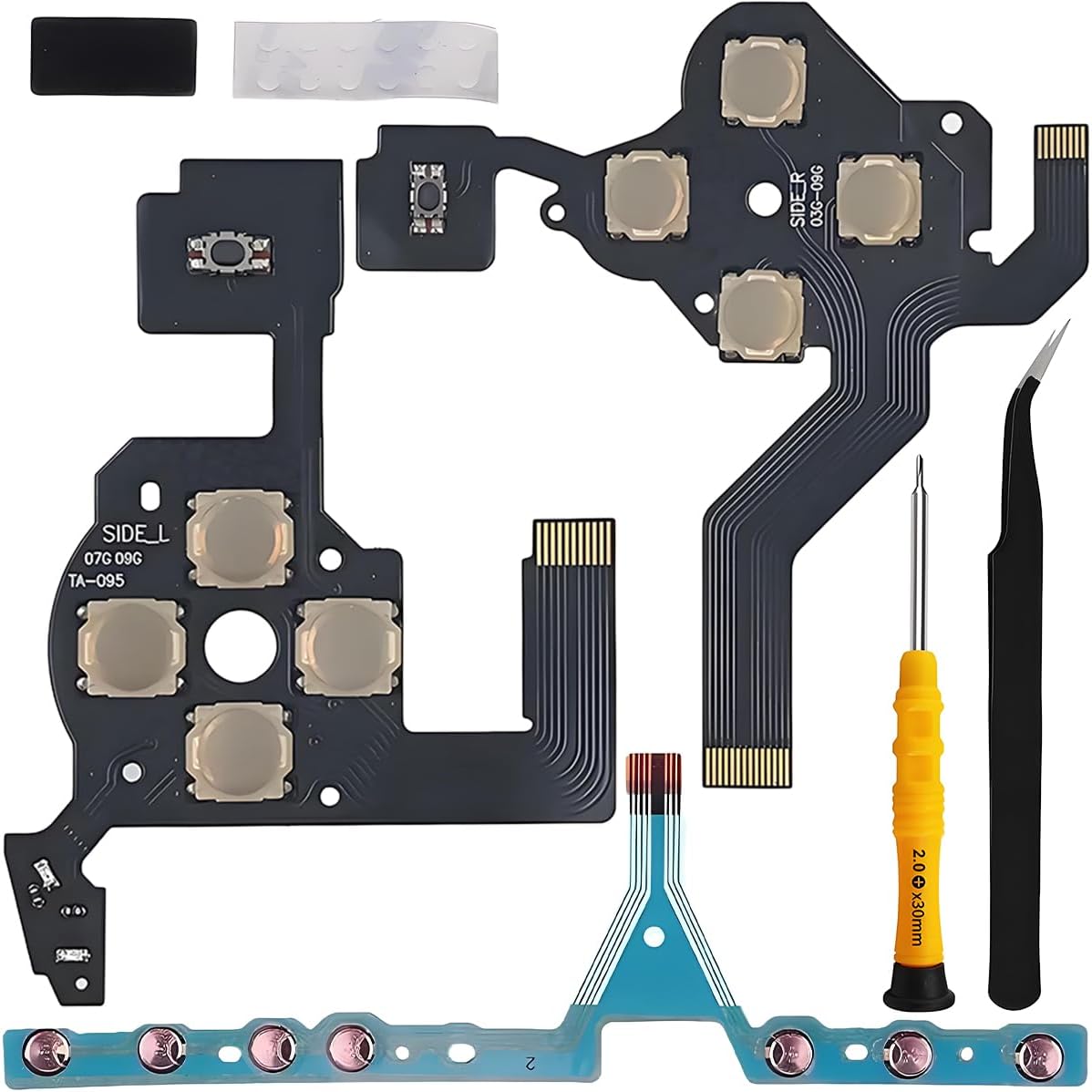
Included items are: 1 x L key flex cable, 1 x Start/Home/Volume flex cable, 1 x Right keypad flex cable, 1 x PH00 screwdriver, and 1 x tweezers. The back of the flex cables is designed to be pasted for extra firmness during use, which helps minimise movement that could interrupt circuit contact. The kit is marketed as easy to install with the supplied tools, though it remains a hands-on repair that benefits from careful handling and a steady hand.
How the performance feels in use
If you prioritise quicker response and crisper button feedback, these flex cables are intended to deliver a smoother rebound and more immediate click feel when you press the directional keys and volume controls. The conductivity relies on copper foil in the flex layer, which should help maintain reliable electrical contact, subject to proper fit.
Pros and what might put you off
- Pros: purpose-built for PSP 3000/3001 models and the TA-095 motherboard, back of cables can be pasted for stability, includes essential tools to complete the repair, copper foil conductors are designed to sustain good conductivity.
- Cons/Limitations: accuracy depends on correct motherboard version, it’s a repair that requires careful handling and some technical confidence, results may vary if your issue is unrelated to the flex cable (e.g., button housing wear, PCB debouncing, or other components).
Who it’s for
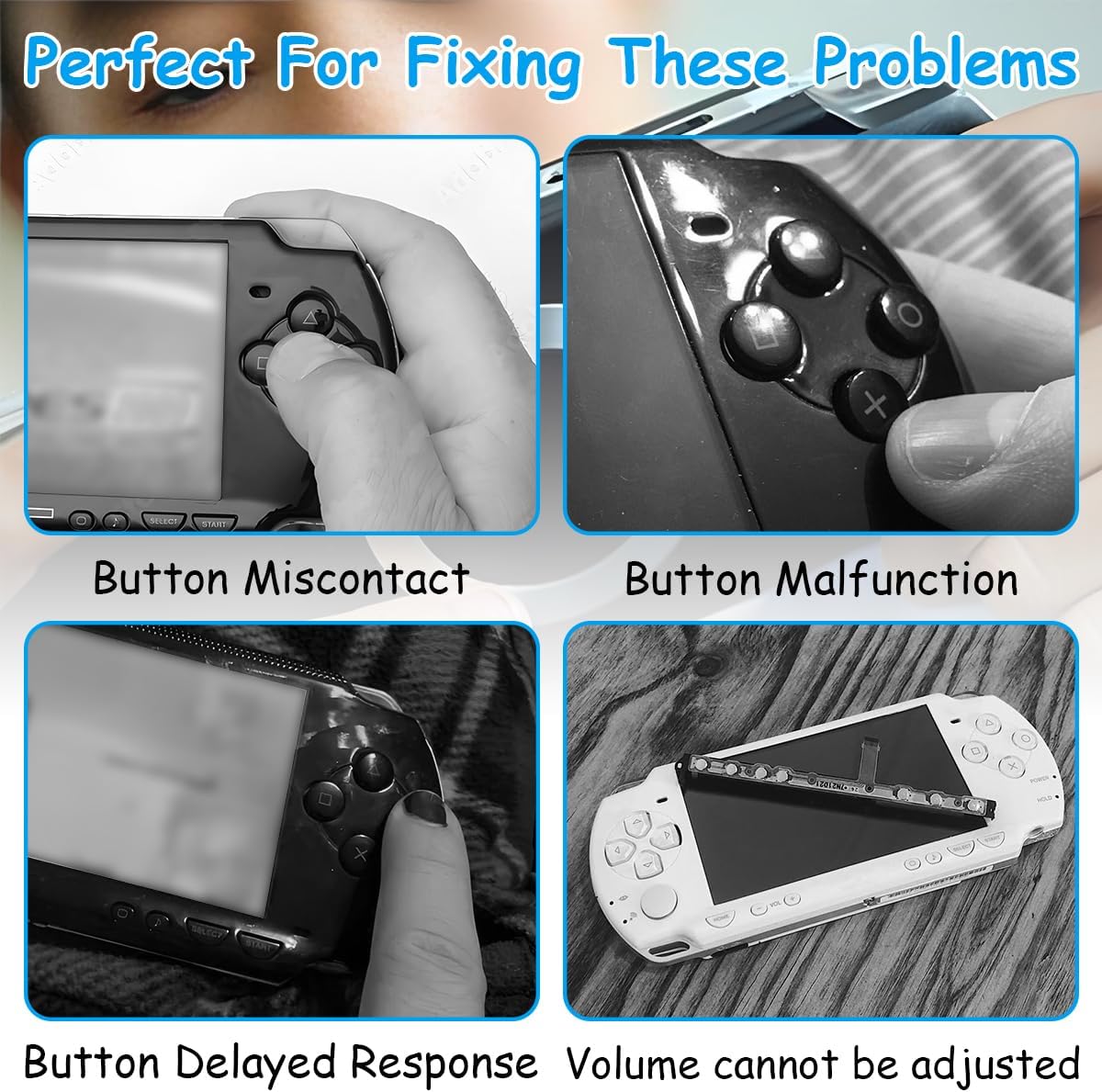
This kit is best for PSP owners experiencing sluggish or unreliably registering left, right, Start/Home/Volume inputs, specifically on TA-095-equipped units. If your console is functioning otherwise but the directional pad or volume button feels soft or unresponsive, this could be a targeted fix rather than a broader board replacement.

Who should think twice
If your PSP’s board revision isn’t TA-095, or you’re uncertain about the motherboard version, there’s a risk the parts won’t align perfectly or won’t resolve the fault. If you’re not comfortable with small components or you rely on your handheld for regular gaming sessions, consider whether you have a quiet, well-lit workspace and the time to perform a careful repair.
When is this worth buying
- You have a PSP 3000/3001 series device with a TA-095 motherboard and specific issues with the left directional key, volume, or right keypad.
- You’re comfortable with basic electronics repairs and have the included tools on hand.
- You want a replacement that may restore tactile feedback without a full console overhaul.
Before you buy: what to check
- Confirm your PSP motherboard version matches TA-095 as requested in the product notes.
- Inspect the existing flex cables’ ends and connectors for damage or corrosion before installation.
- Plan a clean workspace and follow a methodical, step-by-step approach to prevent misalignment or damage to small components.
Comparisons and alternatives (implied)
Compared with a full board replacement or generic third-party cables, this kit is a focused option intended to address specific directional and keypad contact issues. If the fault is mechanical wear inside the button housings or related PCB traces beyond the flex cable, you may still need a broader approach. For users who prefer non-invasive upkeep, start by confirming the fault localisation before committing to a repair kit.
FAQ (practical, data-driven)
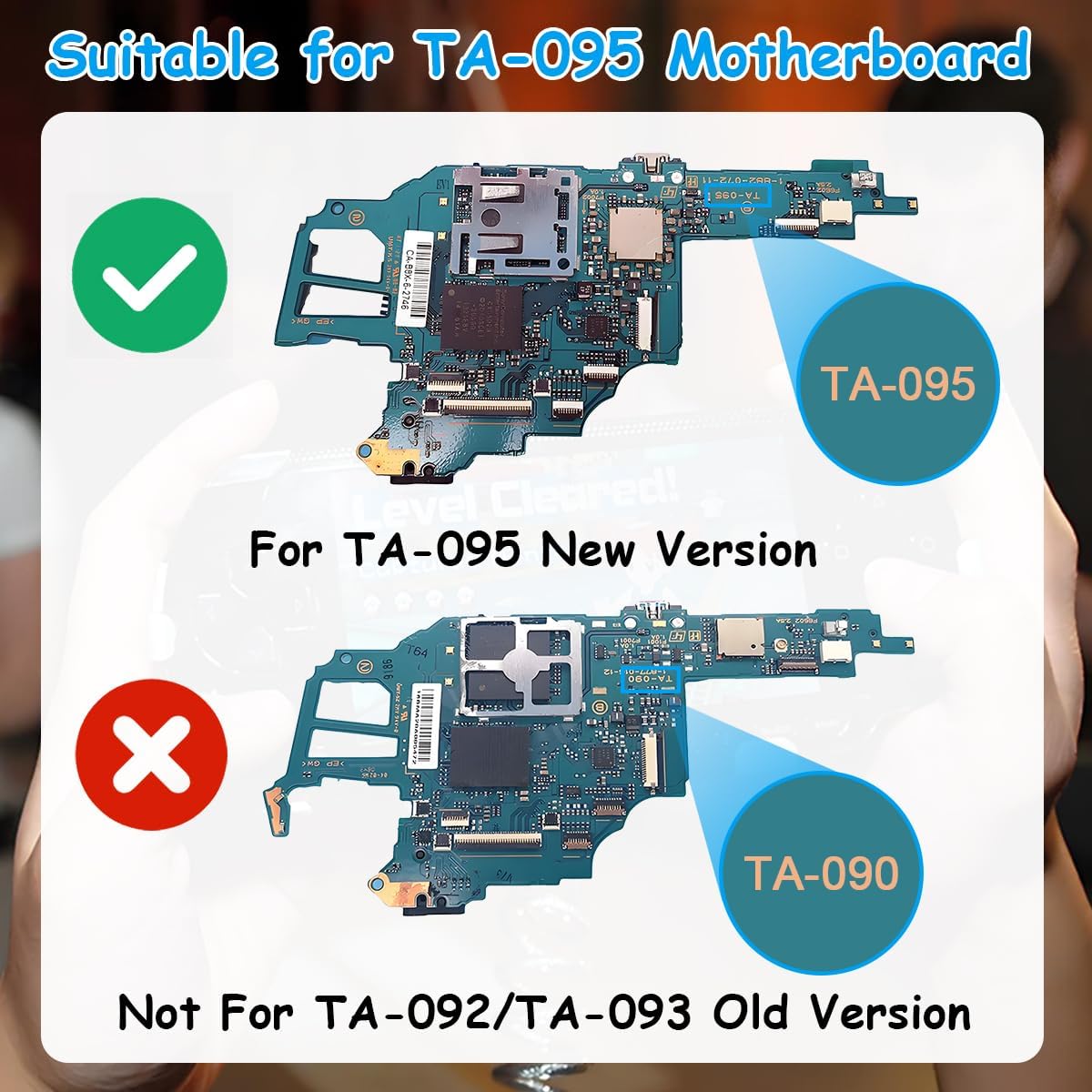
- Is this kit compatible with all PSP 3000 variants? It is designed for the TA-095 new version motherboard and specific model range, results may vary if your motherboard differs.
- Do I need any additional tools beyond what’s included? The kit provides a PH00 screwdriver and tweezers, for many users that covers the basics, but a steady work area and good lighting are helpful.
- Will replacing the flex cable improve button response immediately? The intention is to improve response and rebound speed, but actual performance depends on correct installation and the underlying fault being the cable itself.
Final verdict
Final verdict: It makes sense if you have a TA-095 motherboard PSP 3000/3001 and the left/right directional inputs or volume controls are underperforming, provided you’re comfortable with a careful repair. If your issue lies elsewhere in the control setup or you’re unsure of the motherboard version, this solution may not address the fault and you might be better off seeking professional help or a broader diagnostic.
What to do next (mini-use case)
Take a calm, step-by-step approach: verify compatibility, prepare your workspace, replace the left key and right keypad flex cables, reassemble, and test with a simple in-game navigation to assess the feel and response. If the new cables feel notably crisper and the button return is consistent, you’ve likely addressed the root issue.
Quick question to reflect on
Tenancy to careful hand-work often pays off here, if you’re short on time or confidence, might be worth delaying until you can supervise a repair or consult a technician.