

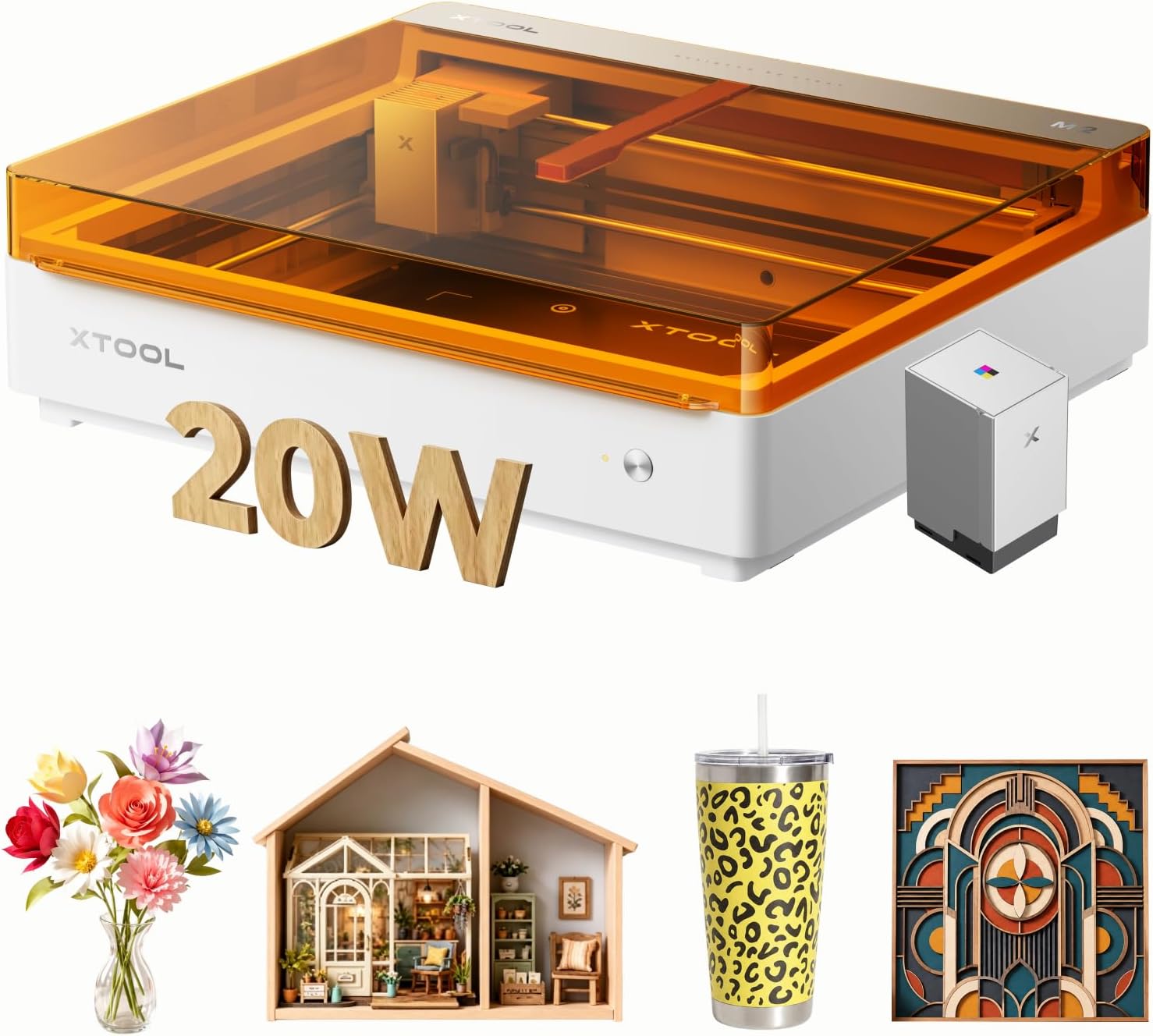
xTool M2 Color Craft Engraver and Cutter: All-in-One CMYK Print, Cut and Engrave
Product description
What it is
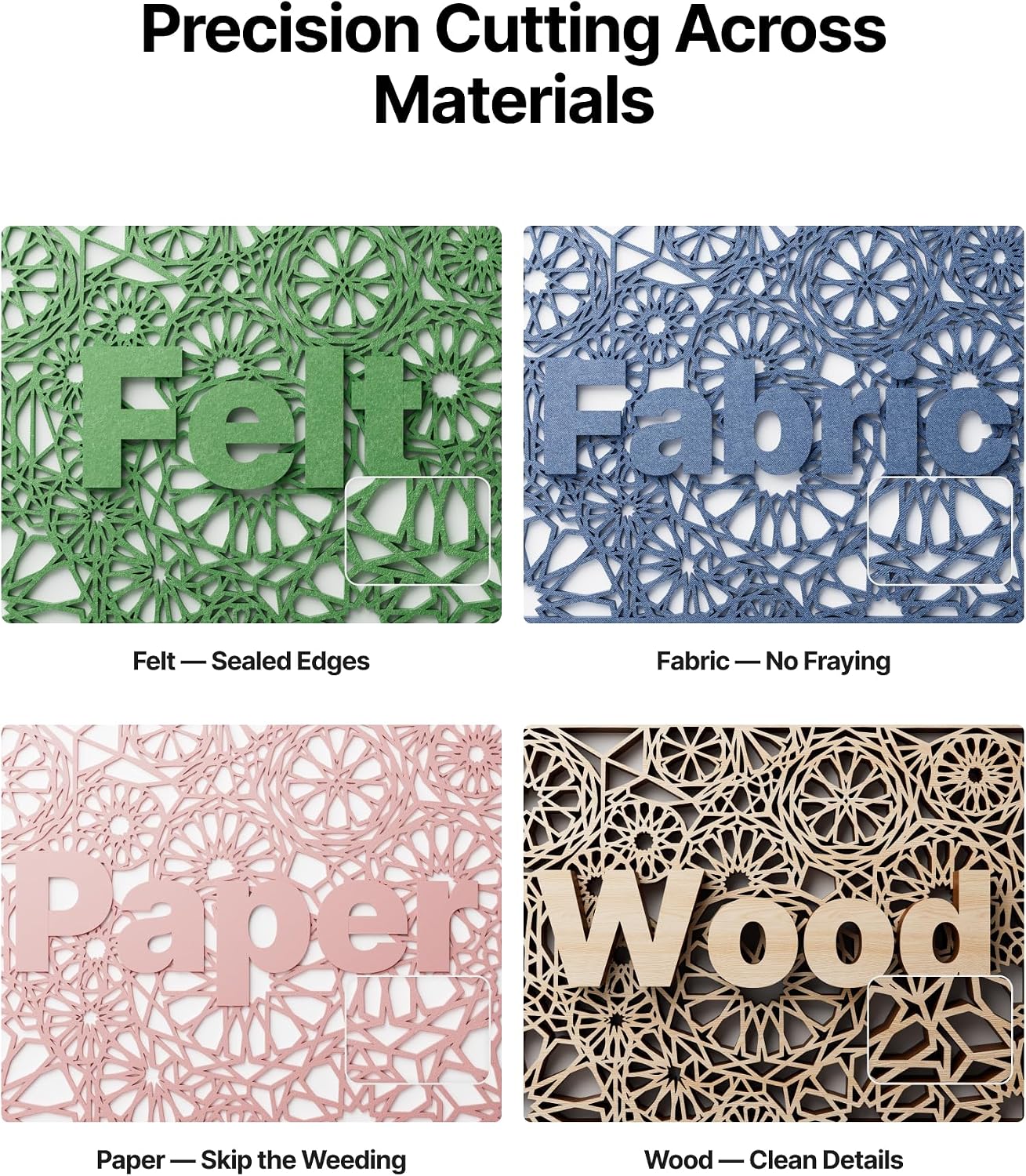
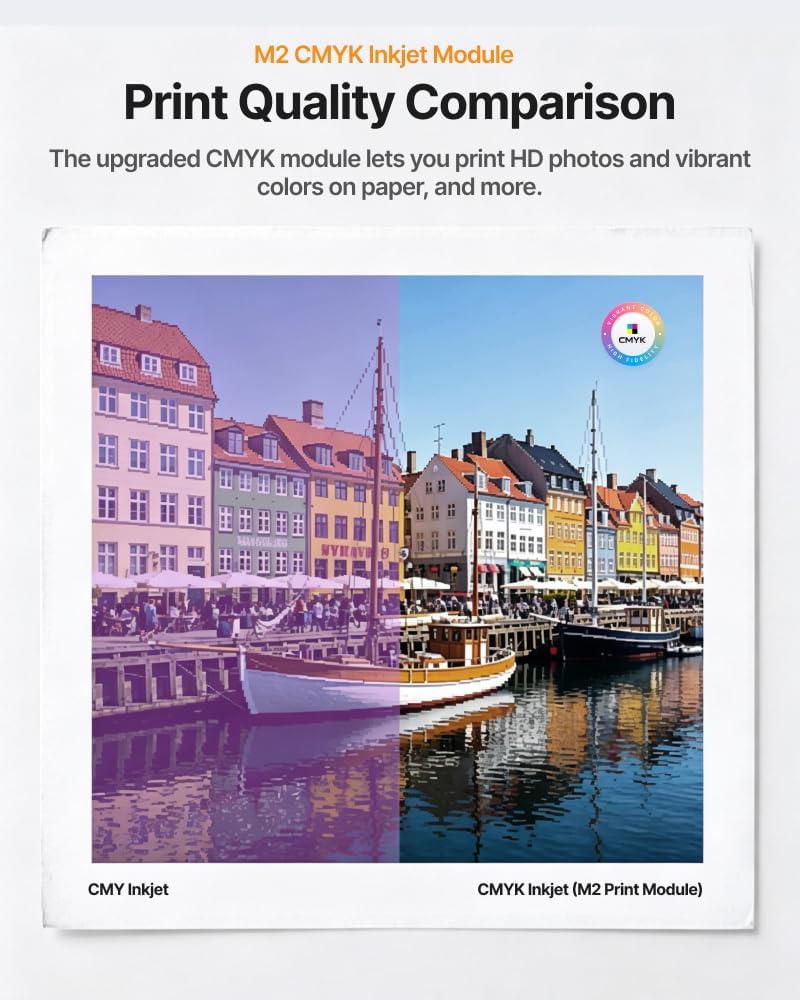
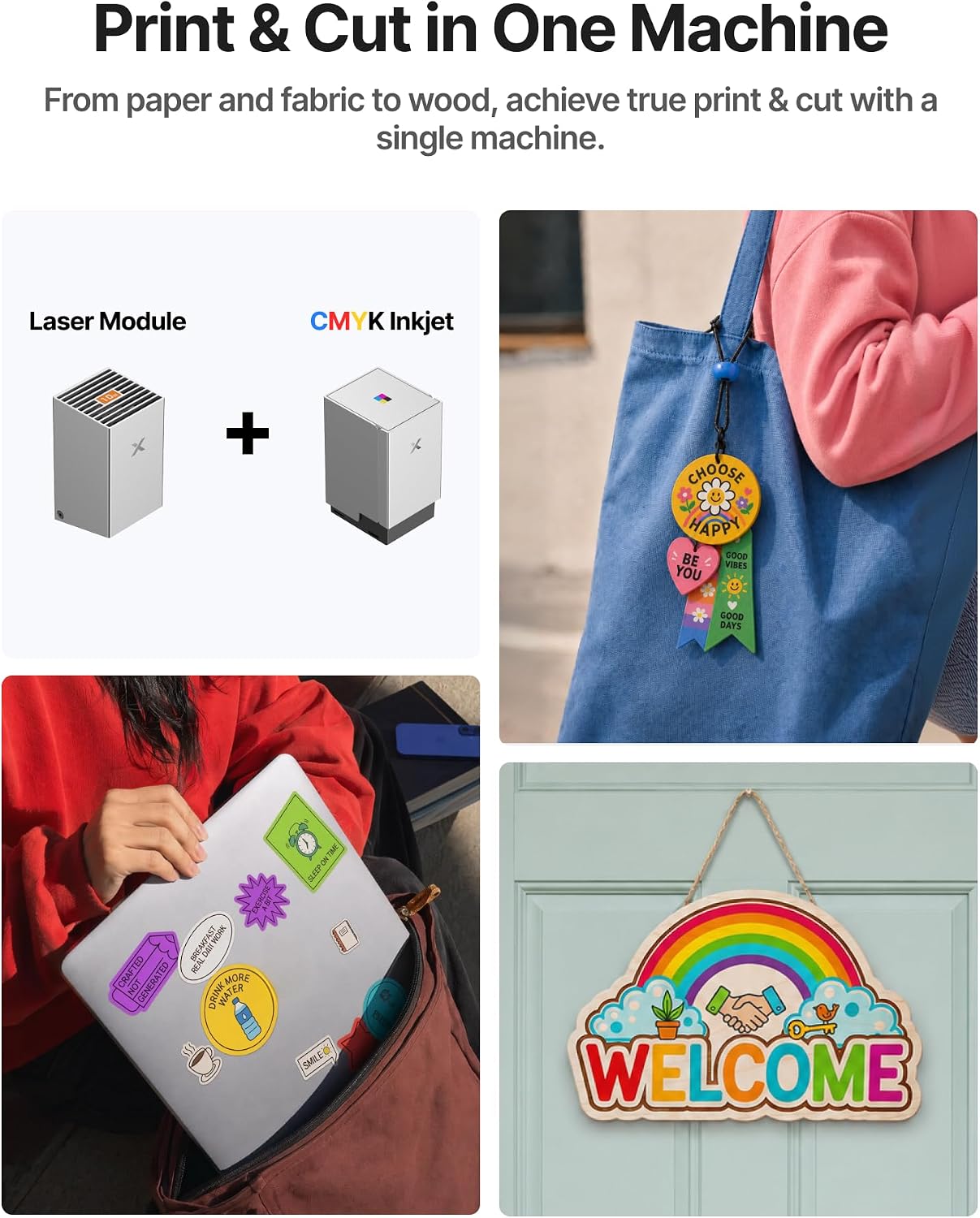
The xTool M2 Colour Craft Engraver and Cutter is an all-in-one desktop solution that combines CMYK inkjet printing with precision cutting and engraving. It’s designed to transform a wide range of materials—cardstock, felt, leather, wood and more—into personalised, colour-rich items. The machine supports switching between a 20W diode module, an inkjet module, or a 3W IR option (sold separately), so you can tailor it to your workflow without swapping devices. It’s enclosed and Class 1 safe, making it a practical choice for home crafters and DIY makers looking for a contained, capable setup.
How it works in practice
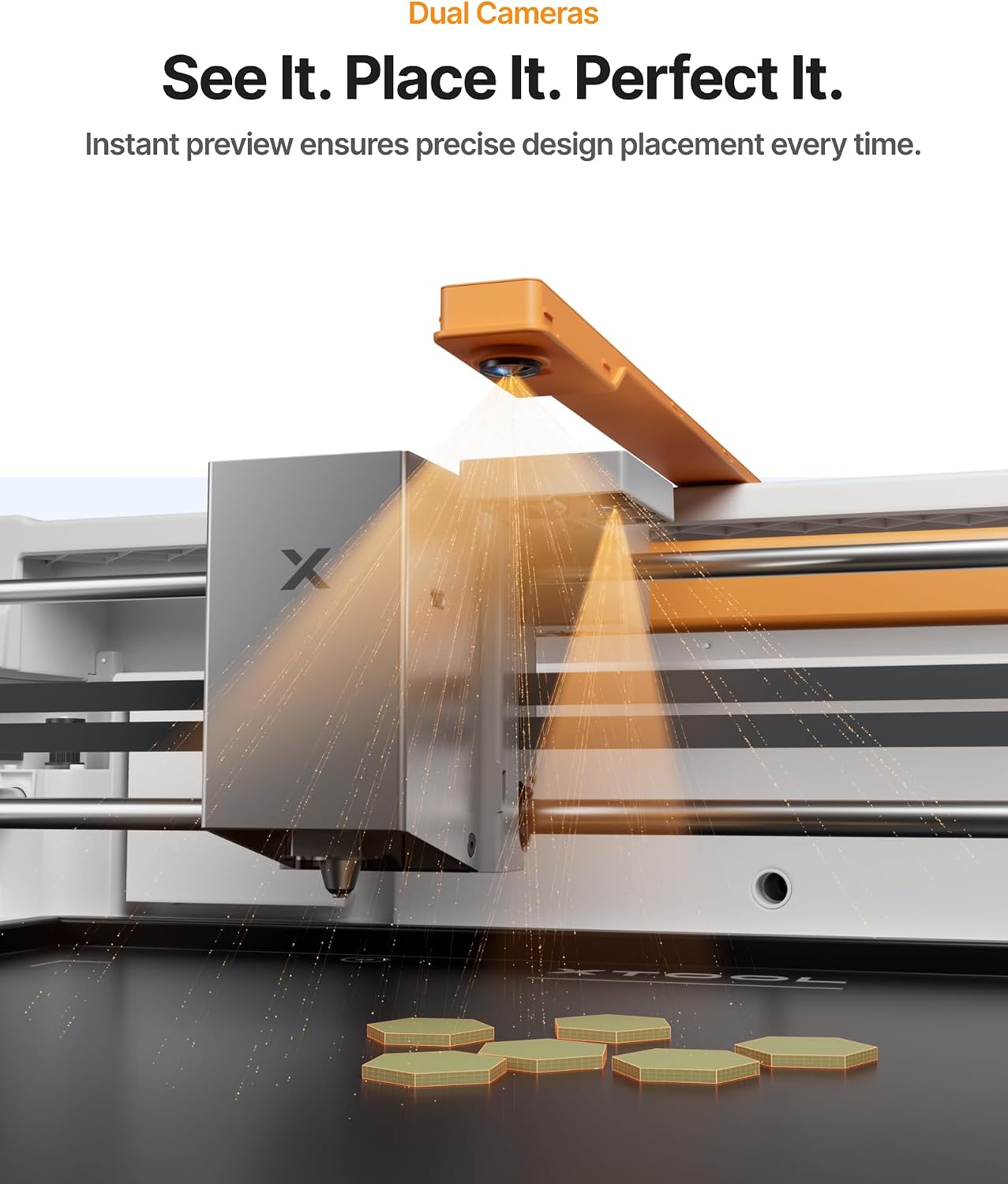
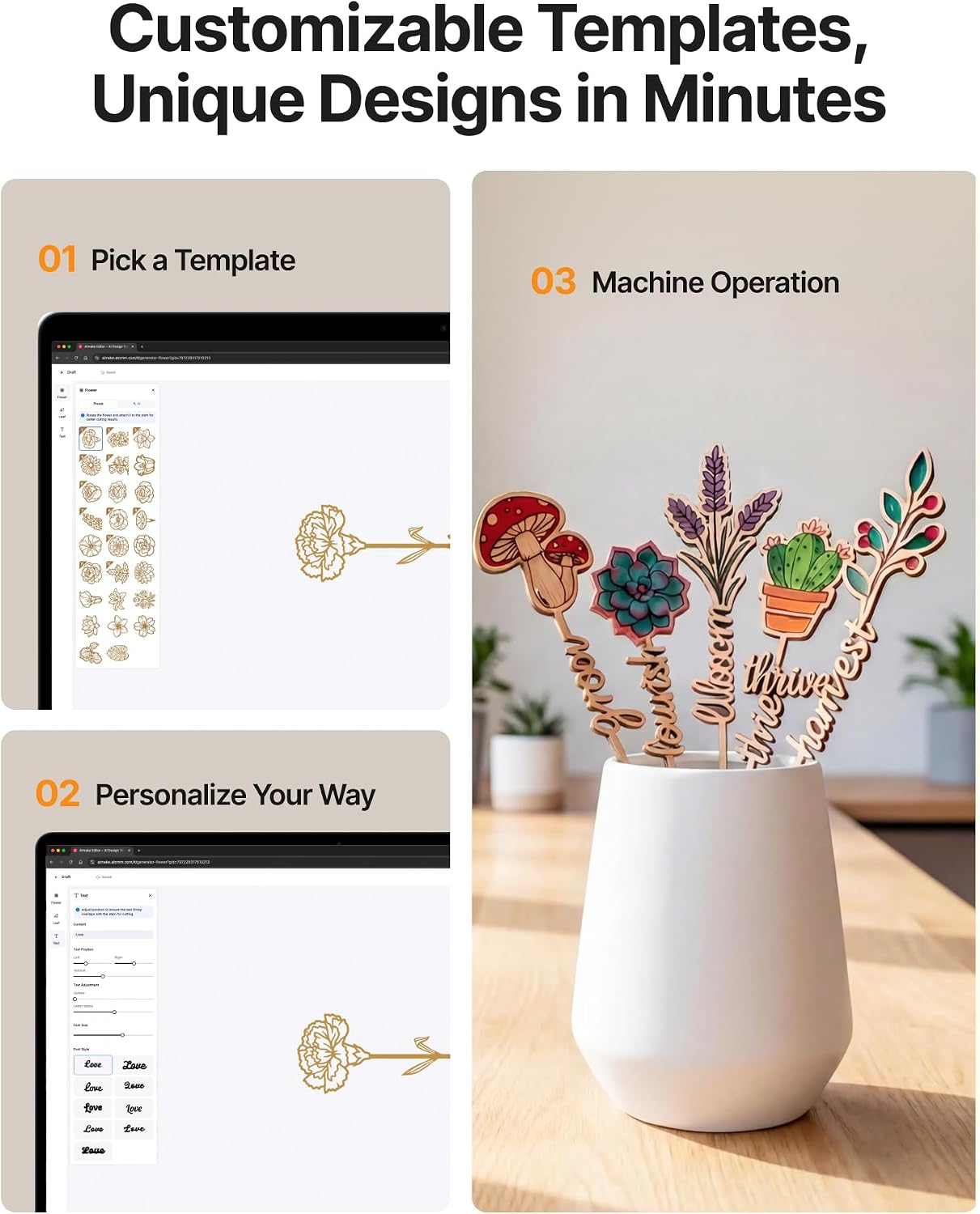
With built-in dual cameras, you get a live preview of your project before you print or cut. This places your design onto the material with minimal waste and helps you plan layouts efficiently. The workflow is designed to be straightforward: design or import, position with the real-time view, then print, cut or engrave in a single session. The accompanying software, xTool Studio, offers hundreds of templates and an integrated AI image generator to speed up ideas from concept to finished item.
What stands out
On the page, the M2 positions itself as a flexible creative hub. The key strengths are the cohesive print-to-cut workflow, full‑colour capability, and the ability to switch between modules for different tasks. The dual-camera setup adds a practical layer of accuracy, reducing misalignment and material waste. For projects that benefit from vivid colour—stickers, personalised gifts, home décor—the colour‑printing angle can be a decisive advantage over monochrome engraving or cutting alone.
What’s not so compelling
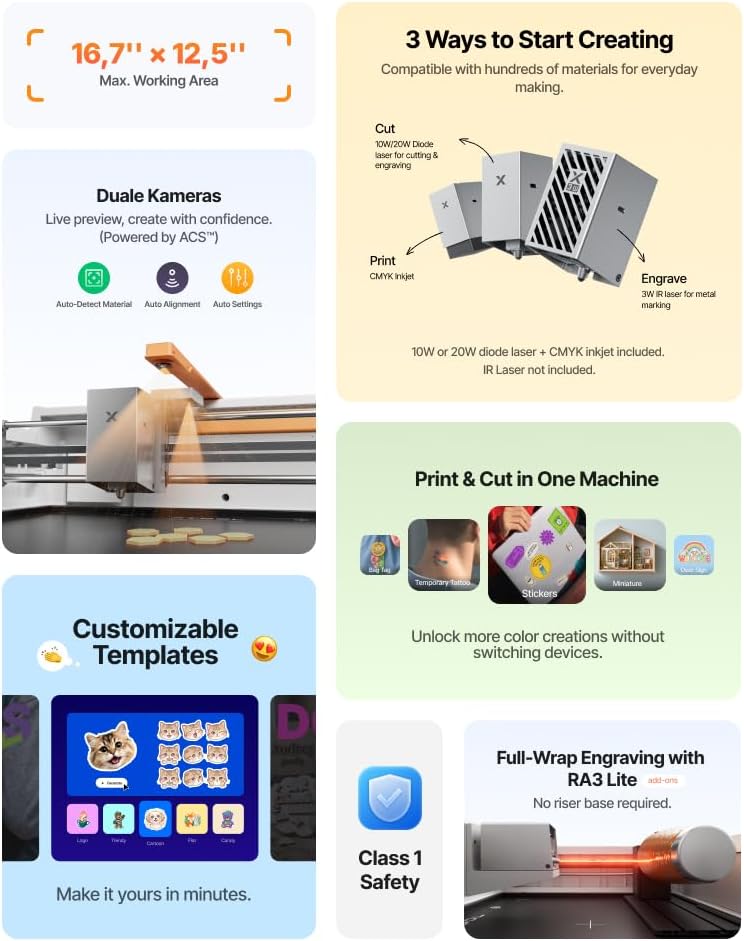
If your projects are predominantly simple contour cuts or single‑colour engravings, the CMYK feature may be more capability than you need, and the upfront cost could feel high compared with more focused machines. Also, the RA3 Lite rotary roller is not included in this version, which limits certain round object workflows unless you purchase the accessory separately. Real‑world performance will depend on material type and settings, and it may take a learning period to optimise print-to-cut results for varied substrates.
Who it’s for
This machine suits hobbyists and small makers who want to experiment with full-colour customization and a broad material range. It’s particularly appealing if you value a cohesive workflow—design, preview, print, cut and engraving—without juggling multiple devices. If you prioritise compact, enclosed operation and safety for home use, the M2 aligns with those needs.
Who it isn’t for
If you mainly need straightforward, single-task cutting or engraving on a narrow price band, a simpler cutter or engraver might offer better value. It may also feel overkill for occasional, light-duty projects where colour printing isn’t essential or where you don’t require extensive material compatibility.
When to buy
Consider purchasing the M2 if you have a plan for personalised gifts, stickers or home décor that benefits from colour printing and custom engraving, and you want a single machine to cover multiple workflows. It makes sense if you want a future-proof setup that can grow with your ideas thanks to configurable modules. If you’re after a budget-friendly start with basic black-and-white engraving, a more limited device could be a wiser first step.
Before you buy
Check that the modules you need (20W diode, inkjet, or IR) align with your typical projects. Confirm you are comfortable with the enclosed workspace and the need for a stable, well‑lit bench. If you foresee working on round objects or items requiring the RA3 Lite rotary roller, plan to source that accessory separately. Consider whether you’ll rely on templates within xTool Studio or you prefer custom designs from other software ecosystems.
Practical use example
Imagine creating custom family labels: print vivid, colour labels with photos, then cut them precisely to shape in the same session. Or design a set of personalised wooden keepsakes with engraved text, adding colour highlights via the CMYK print layer. The real-time preview helps you avoid misalignment, so you can iterate quickly on a run of a dozen or so items for a market stall or craft fair.
FAQ
- Do I need to learn new software? The platform aims to be beginner-friendly with templates and an AI image generator, but some experimentation helps you optimise print-to-cut results.
- Can I use it on wood, acrylic and other common crafting materials? Yes, the M2 is designed for a broad material range, subject to the device’s acceptable operating guidelines.
- Is the rotary roller included? No, the RA3 Lite rotary roller is not included in this version and is sold separately as an accessory.
Is it worth it?
Worth considering if you prioritise versatility and colour in a single machine, and you have ongoing projects that benefit from a print-to-cut workflow. If your needs are primarily monochrome engraving or simple cutting, you may prefer a more targeted option. The M2 tends to suit production-like personal projects more than rare, one-off tasks.
Final thoughts
If you value an integrated, safe, enclosed craft solution that handles colour printing alongside cutting and engraving, the xTool M2 offers a compelling, future‑proof path. It isn’t perfect for every scenario, but for creators who want a single device to explore stickers, gifts and home decor with a vibrant finish, it’s worth weighing against separate, single‑purpose tools.
Key features
- All-in-one CMYK print, cut and engrave capabilities
- 20W diode module, inkjet module or optional 3W IR
- Dual‑camera real-time workspace preview
- Enclosed Class 1 safety design
- Beginner-friendly xTool Studio with templates and AI image generator
Technical snapshot
- Material compatibility: broad range including cardstock, felt, leather, wood
- Safety: Class 1 enclosure with real-time monitoring
- Accessory note: RA3 Lite rotary roller not included (sold separately)