


XGMATT USB 3.0 Extension Cable (3m, 2-pack) – Type A Male to Female 5Gbps data & sync lead
Product description
What it is and why people buy it
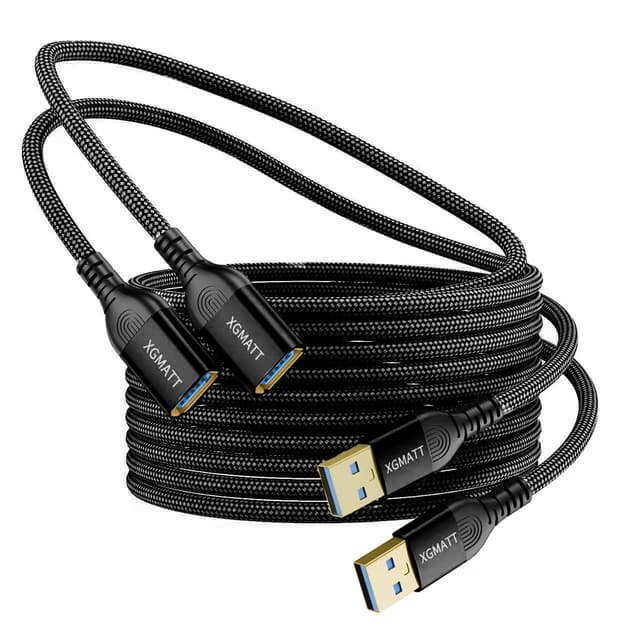
This XGMATT USB 3.0 extension cable is a simple fix for an everyday problem: your USB device is just a bit too far away from the port. Instead of moving a desk setup, you extend the connection with a Type A male-to-female lead so you can place a printer, scanner, camera, controller, or card reader where it’s actually convenient.
The “2-pack” part matters if you’ve ever needed the same extension in two spots. One cable can stay in your desk drawer for quick deployments, while the other lives with your kit (for example, in a home office or media setup). It’s not a gadget, but it’s exactly the kind of accessory that prevents frustration long-term.
Key points
It’s designed for USB 3.0 data transfer up to 5Gbps and for everyday use with common peripherals. The gold-plated connectors are positioned to support clear signal transfer, and the cable is built to reduce interference. The practical aim is both convenience (moving devices) and port protection (reducing repeated plug and unplug cycles).
On paper, it also supports fast charging when used alongside a charging cable, but this extension is still mainly about extending the USB connection rather than turning your setup into something radically different.
Where it stands out (and what you’ll notice)
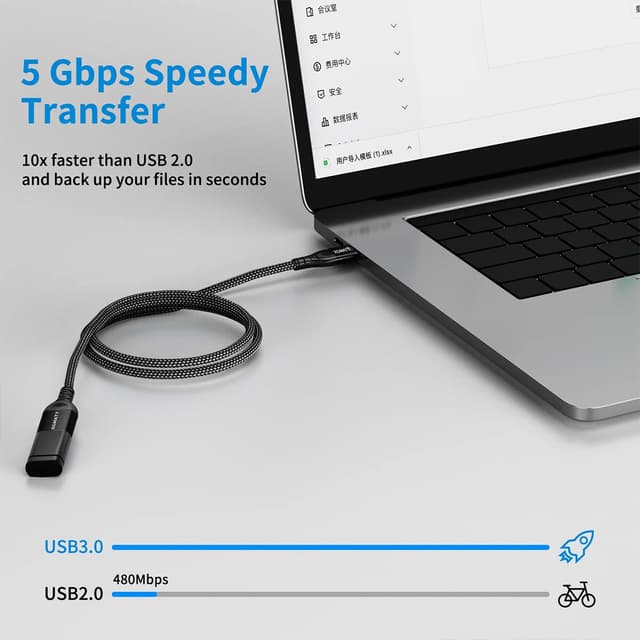
The most convincing aspect here is the combination of USB 3.0 speed support (up to 5Gbps) with a connector design that’s meant to keep the signal clean. If you use USB for tasks where delays are noticeable—such as syncing data to a computer or moving files to/from an external storage device—having a USB 3.0-rated extension is the sensible baseline.
You’ll also appreciate the “setup flexibility” factor. For example, if your printer or scanner sits on a shelf behind a monitor, a 3m extension can let you route the cable neatly without stretching everything across the room.

There’s also a subtle day-to-day benefit: extension leads can reduce how often you disturb the main USB port on your PC/laptop. That matters if you regularly connect and disconnect devices.
What to know before buying
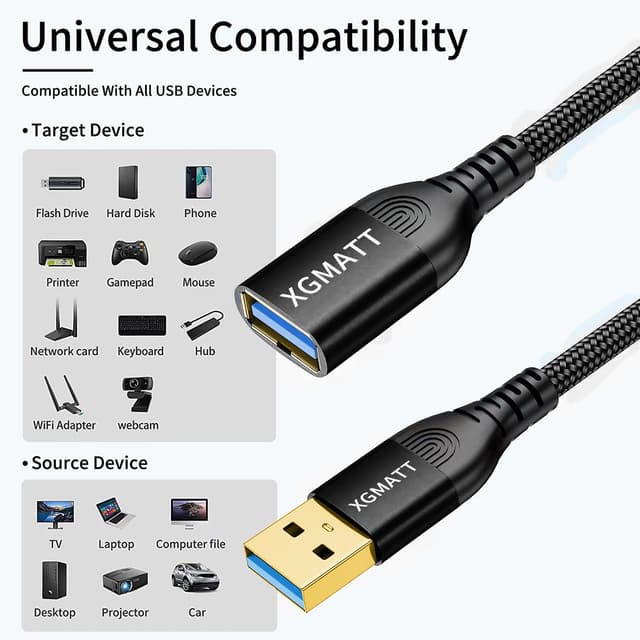
Compatibility is broad in the sense that it’s a standard USB Type A male to female extension lead, and the description calls out many typical USB peripherals (printers, scanners, card readers, cameras, keyboard/mouse, controllers, and more). That makes it a reasonable choice for a mixed home-office or media desk.
However, it’s still worth setting expectations. The extension can support speeds “up to 5Gbps”, but real-world performance will depend on your device and the way your setup is used. Also, if your main goal is maximum bandwidth for demanding workflows, you may still want to avoid unnecessarily long cable runs beyond what you actually need.
And while it mentions fast charging support when used with a charging cable, it’s not the same as having a dedicated high-output charging lead purpose-built for charging power alone. So if charging speed is your main priority, you’ll want to check that your overall charging setup matches what you expect.
Tech specs
- Type: USB 3.0 extension cable (USB Type A male to female)
- Data transfer speed: up to 5Gbps
- Length: 3m
- Pack size: 2-pack
- Connectors: gold-plated, corrosion-resistant
Pros and potential limits
On balance, this looks like a pragmatic “works with lots of USB devices” accessory, particularly for home office and desk setups. The gold-plated connectors and shielding to minimise interference are the kind of details that can help when you’re dealing with frequent connection changes.

That said, it’s not perfect for every situation. If you’re trying to solve a cable-management problem in a very cluttered environment, a 3m lead can be a bit long—depending on where your ports and devices are located. Also, if you’re connecting equipment that’s particularly sensitive to signal quality, you still need to consider your overall setup and cable routing.
Getting the most from it
A simple way to use this without overthinking it: place the device where you need it, then run the extension in a clean path to the nearest USB Type A port on your desktop or laptop.
For instance, in a typical scenario, you might connect a card reader or digital camera extension-first so you can access the port near your workstation rather than reaching behind a PC tower. In day-to-day terms, it keeps your workflow smoother and reduces the number of times you have to unplug the device from your computer.
Buying verdict
It’s a solid pick if you want a USB 3.0 Type A extension that can handle everyday peripherals—especially printers, scanners, card readers, cameras, and similar desk or home-office devices—while keeping support for up to 5Gbps data transfer in mind.
You may want to skip it if you only need a very short extension, or if your use-case depends on consistently top-end performance across long runs where cable length and system behaviour matter a lot. Also, if charging is your main focus, treat the “fast charging” mention as a supplementary benefit rather than the main reason to buy.

Worth considering if you like the convenience of having two cables ready for different locations, or if you want fewer plug/unplug cycles on your main USB port.
Final verdict
Mini FAQ
Is this USB 3.0 extension lead suitable for printers and scanners?
The description specifically mentions compatibility with peripherals such as printers and scanners, so for typical home-office use it’s designed to work as a straightforward extension.
Can it be used for faster data syncing?
It supports USB 3.0 data transfer speeds up to 5Gbps, which is the useful baseline for data syncing and file transfers compared with older USB extension options.
Does the 2-pack mean two separate 3m cables?
Yes, the product is listed as a 3m extension cable in a 2-pack.
Will it help with charging as well?
The description says it can work at maximum power when used with a charging cable, but the extension itself isn’t presented as a dedicated charging solution.
What’s the main reason to buy an extension cable like this?
To move USB devices to a more convenient location and reduce stress on the original USB port from repeated plug and unplug cycles.