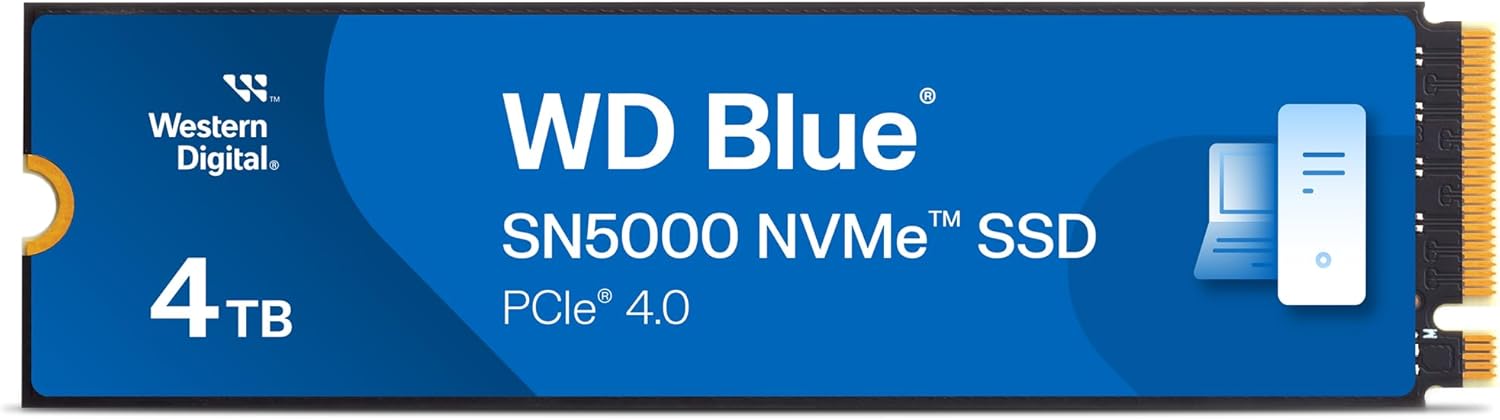
What it is and what it solves\nThe WD Blue SN5000 4TB is an internal M.2 2280 NVMe solid-state drive designed to add substantial, reliable storage for demanding workloads. With a capacity of up to 4TB, it aims to help you hold larger projects, media libraries, or software caches without compromising responsiveness. On paper, its PCIe Gen4 interface and read speeds up to 5,500 MB/s offer a path to quicker boot times, faster file transfers and smoother multitasking when compared with older SATA or PCIe Gen3 options. If your workflow involves juggling big files or multiple apps, this drive presents a potential balance between capacity, speed and endurance.\n\n## How it feels in everyday use\nThe combination of NVMe technology and Western Digital nCache 4.0 suggests improved responsiveness during multi-tasking. In practical terms, you might notice snappier project loads and steadier performance when moving large assets between programs. It isn’t a guaranteed speed upgrade in every scenario—real-world results depend on the rest of your system and the data being accessed—but the architecture is aimed at reducing bottlenecks when handling creative work, large libraries or game assets.\n\n## Strengths you’ll notice day to day\n- High capacity for complex projects and extensive media libraries.\n- PCIe Gen4 interface aligned with modern motherboards, potentially unlocking higher throughput.\n- nCache 4.0 technology promises more efficient data management and smoother multitasking.\n- Endurance figure of up to 1,200 TBW on the 4TB model supports sustained use for ideation, drafting and finalising work.\n- Free Acronis True Image data migration software can simplify moving data from an existing drive.\n\n## Where it might fall short\n- Real-world speeds can vary, not every workload will hit the listed 5,500 MB/s read rate, particularly if the rest of the PC bottlenecks data flow. If your tasks are largely small, random reads or writes, you may not notice a dramatic uplift versus well-optimised NVMe solutions with similar capacity. For some users, 4TB of NVMe performance may be overkill if their needs are modest and budget is the primary driver.\n\n## Who it’s for\nIf you’re building or upgrading a desktop or laptop with an M.2 slot and PCIe Gen4 support, and you need a large, dependable drive for creative workflows, media editing, or large-scale storage, this WD Blue model offers a clear path to higher capacity coupled with NVMe speed. It is particularly relevant for content creators, podcasters with large libraries, or developers who manage sizeable local datasets.\n\n## Who it isn’t the best fit for\nIf you mostly work with light document editing or small-scale applications, the advantages of 5,500 MB/s read speeds may not translate into noticeable gains. Additionally, if your system is limited to PCIe Gen3 or you prioritise the smallest form factor over capacity, there are other options to consider.\n\n## Before you buy: practical checks\n- Confirm your motherboard or laptop supports PCIe Gen4 and has an available M.2 slot (2280 length).\n- Check the drive’s endurance rating against your typical workload, 1,200 TBW is solid for creative use, but very heavy ingest/exports could approach the limit sooner than expected.\n- Plan data migration with the included Acronis True Image software to minimise downtime when moving from an existing drive.\n- Consider the impact of thermal conditions in compact builds, NVMe drives can throttle if not adequately cooled during sustained transfers.\n\n## How this compares to other approaches\nIf you’re weighing an upgrade, you might compare this Gen4 NVMe drive to a Gen3 or SATA SSD in terms of capacity and sustained performance. For users who require long-term storage with decent speed, multiple drives or a high-end NVMe option could be a better fit, if you mostly store files and rarely edit, a lower-capacity NVMe may suffice. The SN5000 4TB sits in a space where you gain substantial capacity with solid NVMe performance, provided your system can exploit Gen4 bandwidth.\n\n## Practical usage example\nImagine editing a 4K video project: large media files are accessed rapidly, previews render faster, and you can keep more project assets locally without constantly swapping in an external drive. The drive’s endurance rating supports long sessions of drafting and iteration, so you’re less likely to face unexpected slowdowns mid‑workflow.\n\n## Quick FAQ\n- Does it require a PCIe Gen4 compatible motherboard? Yes, to realise the listed read speeds.\n- Is it ready for immediate use with Acronis True Image? Yes, the pack includes the data migration software to help transfer files.\n- Can it be used in a laptop? It depends on the laptop’s M.2 slot and thermal design, most slim machines require confirmation of compatibility and cooling.\n\n## Final note\nOn the paper front, the WD Blue SN5000 4TB provides a compelling combination of capacity, NVMe speed and endurance for demanding creative workflows. It may not be the fastest NVMe option available, but for many users it offers a solid balance of practicality and performance. If you prioritise large local storage with decent speed and a straightforward migration path, this model deserves consideration.