

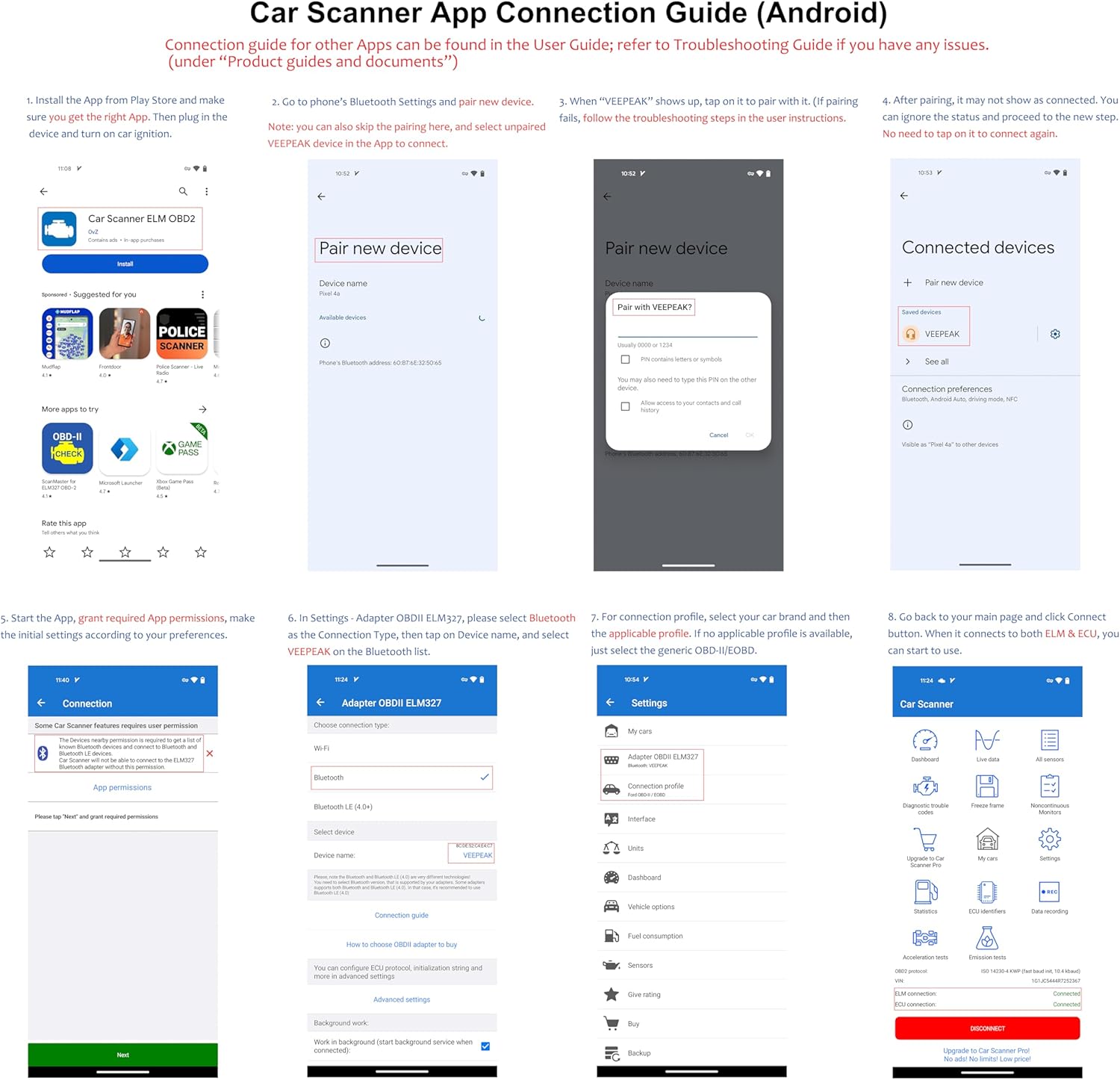
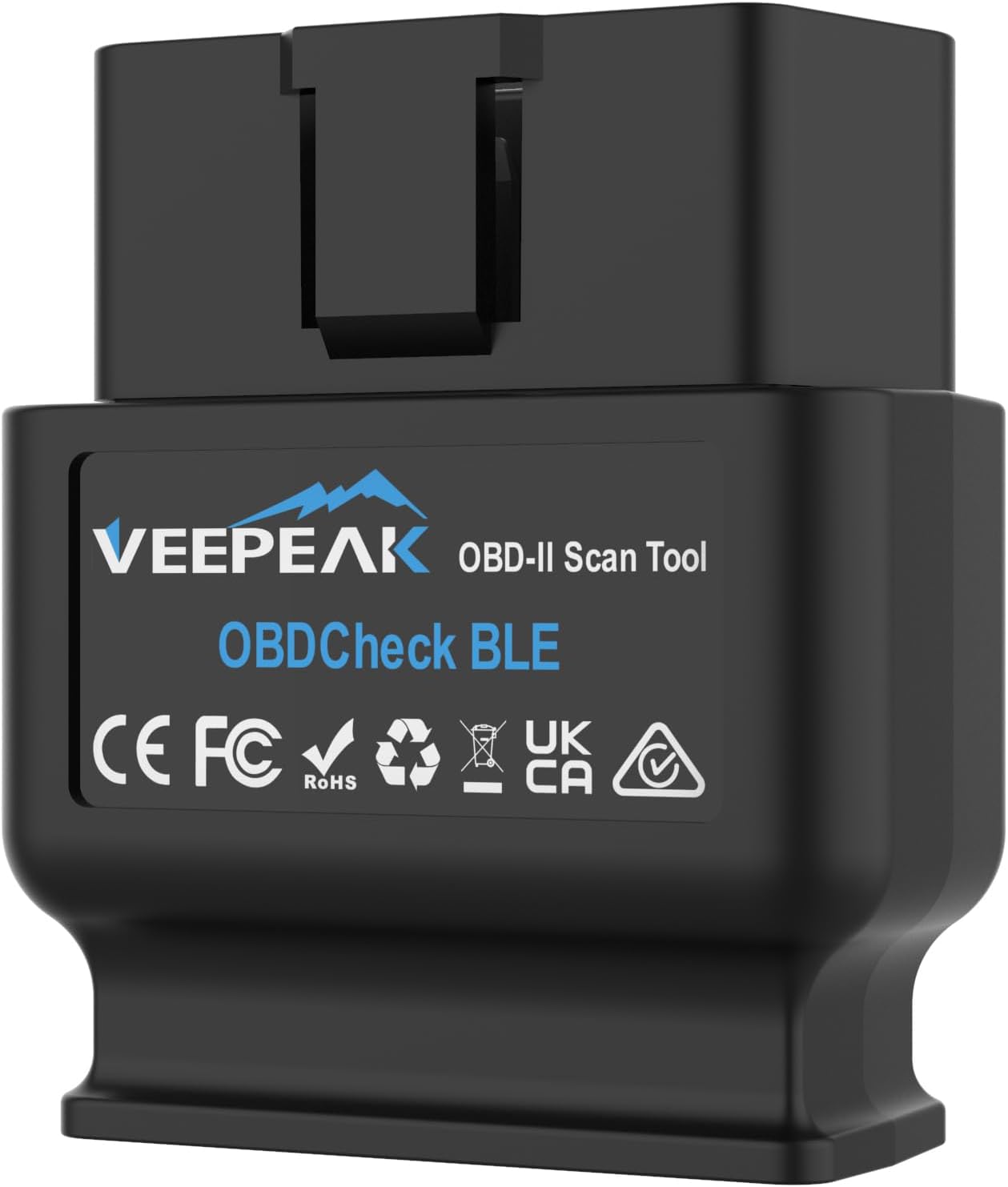
Veepeak OBDCheck BLE Bluetooth OBD II Scanner (for iOS & Android) – EOBD code reader
Reviews
Price
Product description
If your car’s engine warning light (CEL/MIL) has been sitting there like it owns the dashboard, this Veepeak OBDCheck is aimed at helping you read what’s going on—and clear the codes yourself if you need to. On paper, it’s a straightforward Bluetooth OBD-II/EOBD diagnostic tool built around app-based analysis, with support for a range of popular OBD apps.
That said, it’s not a universal “do everything” scanner. Compatibility depends quite a lot on your vehicle, the phone you use, and which app features you want—some advanced functions are limited to selected vehicles and some apps may require extra purchases.
The essentials
Veepeak OBDCheck BLE is designed for DIY OBD-II diagnostics using your smartphone. You can read fault codes to understand why the check engine light is on, delete codes when appropriate, and view useful live data. The more “diagnostic” style features—like freeze frame capture, oxygen sensor test results, and onboard monitor status—are the kind of extra detail that can help you narrow down the issue instead of guessing.
In everyday terms, it’s the difference between “the light came on” and “the light came on due to X, and here’s what the car was doing at the time.” If you like being hands-on and using app dashboards, this kind of tool can be genuinely practical.
Key features that actually matter
The big differentiator here is connectivity and the range of data your chosen app can pull from the car. This model supports:
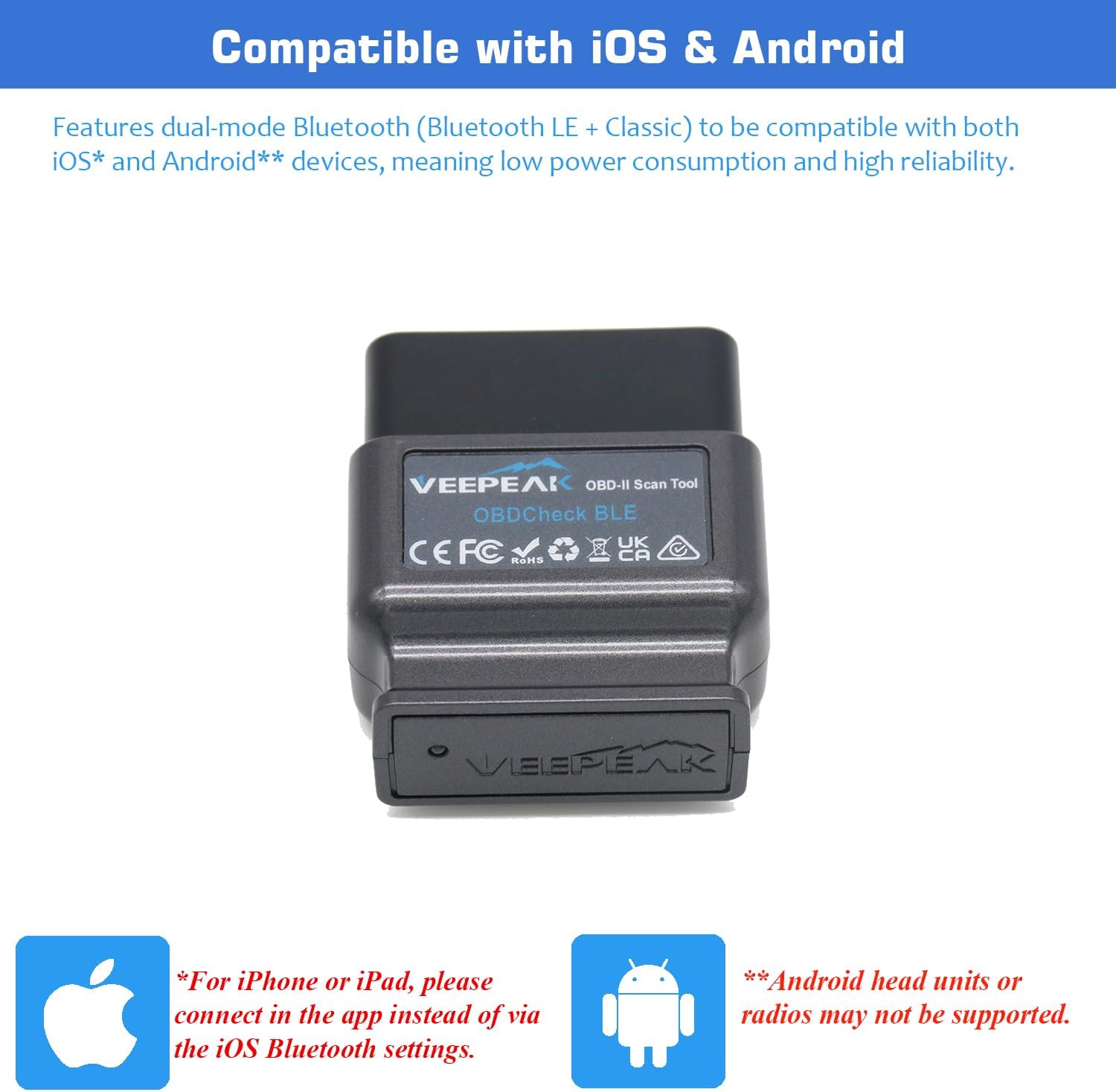
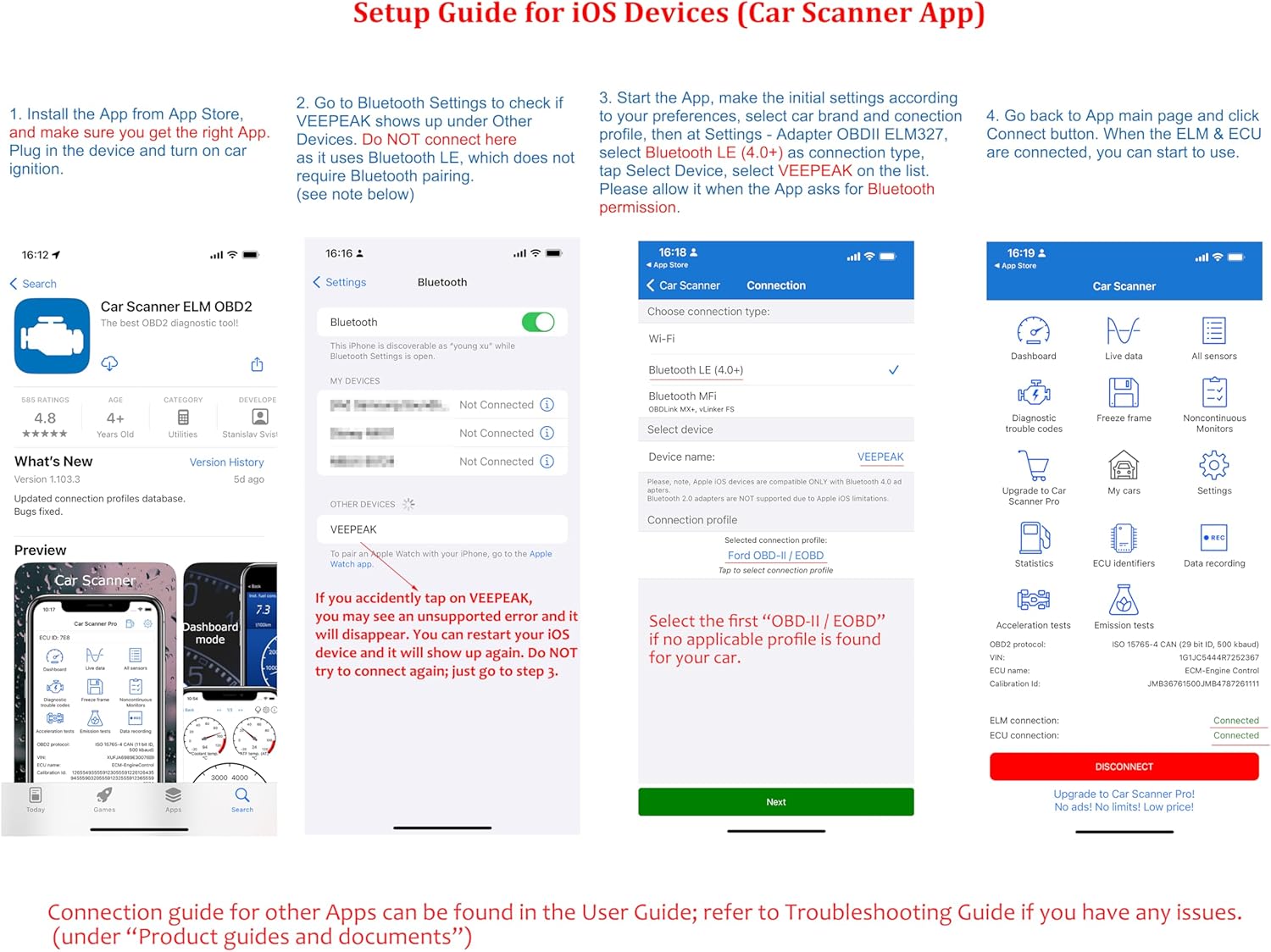
- Bluetooth LE for iOS, with the important note that it should connect directly from the app (not via the phone’s Bluetooth settings).
- Bluetooth classic for Android phones/tablets (and it’s noted as not compatible with Android head units).
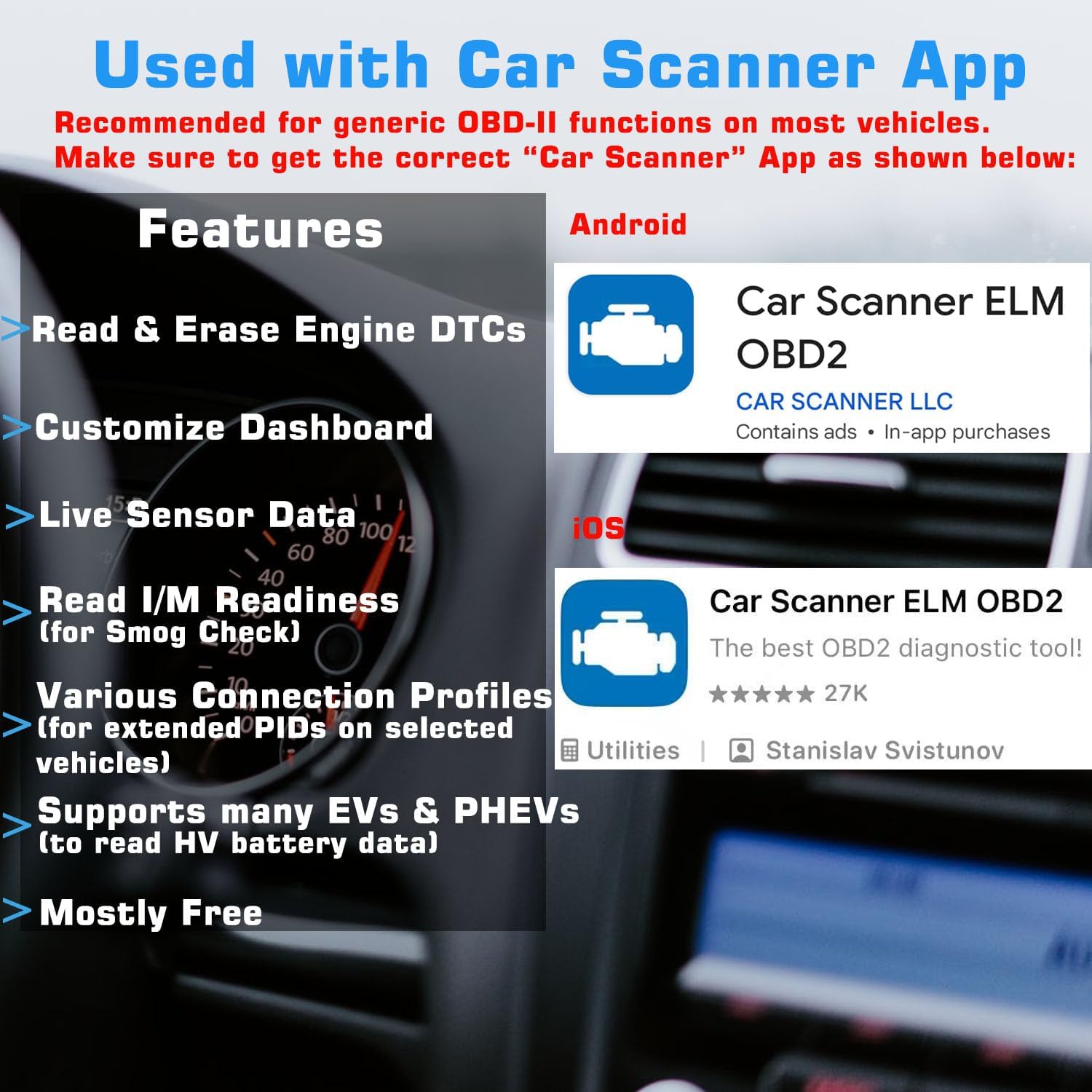
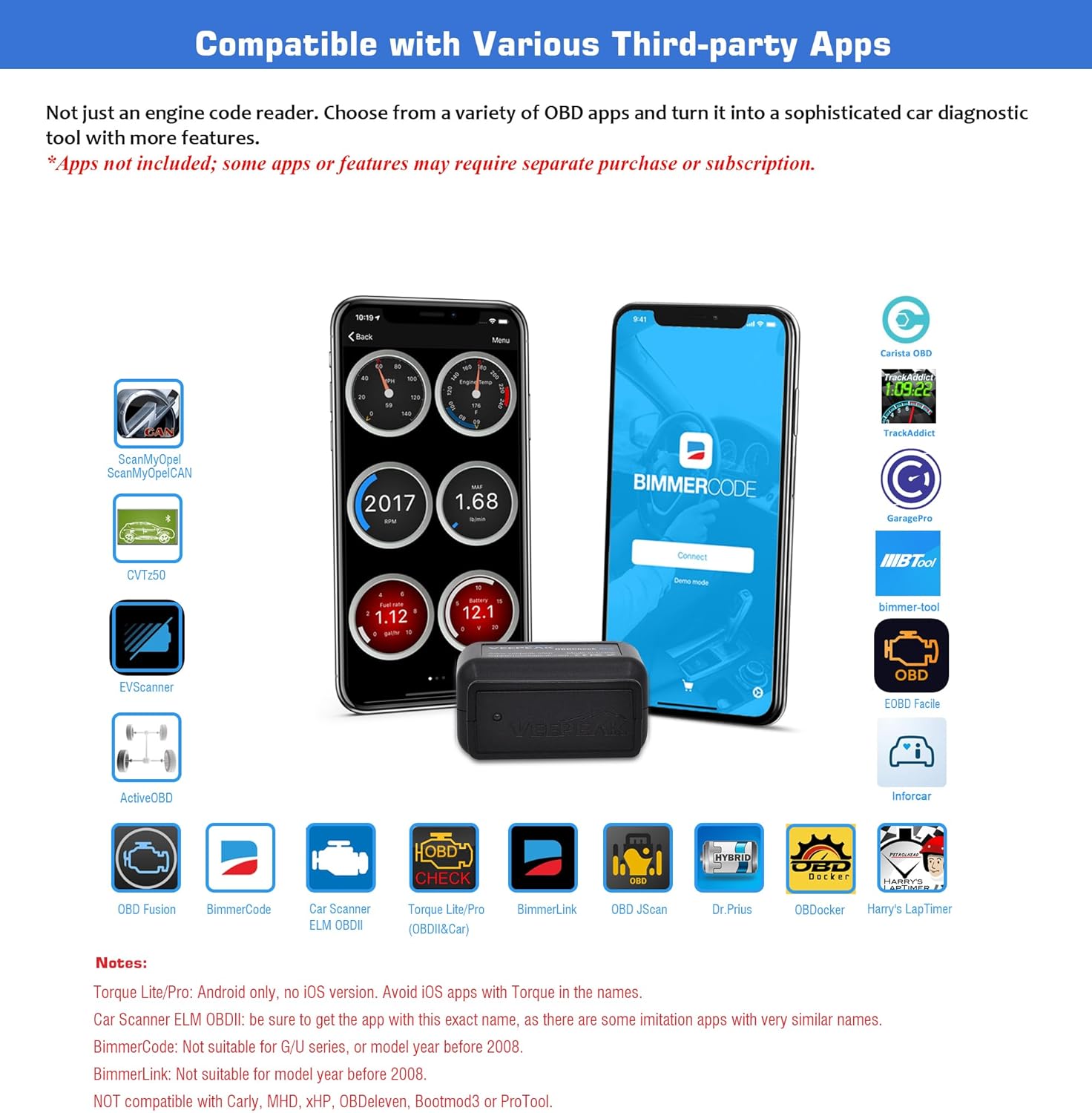
It also supports a broad spread of app ecosystems. The entry mentions compatibility with apps such as Car Scanner ELM OBDII, OBD Fusion, Torque (Android only), Infocar, BimmerCode/BimmerLink (with specific BMW series limits), OBD JScan, Dr. Prius, OBDocker, GaragePro, and VAG DPF, among others. The key point: apps are not included, and some functions may need additional purchases.
Vehicle compatibility: where buyers need to be careful
For most owners, the coverage looks fairly wide: the scanner is listed as compatible with the majority of petrol cars from 2001 and diesel from 2004 in the EU.
Where it gets more nuanced is with hybrid/EV cars and certain BMW diagnostics:
- For plug-in hybrid (PHEV) / EV vehicles, you’re advised to contact Veepeak before buying to verify compatibility, as some are not supported.
- For BimmerCode/BimmerLink, compatibility is limited to BMW series E, F, I and R from 2008 onwards. Earlier than 2008, or the BMW series G, isn’t supported.
There’s also a broader limitation: advanced diagnostic functions (ABS, SRS, TPMS, etc.) and manufacturer-specific data (for example transmission temperature or DPF-related info) are only available on selected vehicles and via specific apps. Even then, some things are explicitly not supported—service reset and DPF regeneration/restoration aren’t supported.
If you’re buying expecting “factory-level” multi-system coding on every car, you may feel disappointed. If you mainly want to diagnose the check engine light and get solid live readings, it’s a more realistic match.
What you’ll notice in use (mini scenario)
Imagine this: your MIL/engine warning light pops on after a drive. You plug the OBDCheck into the OBD-II port, open your chosen compatible app on your phone, and connect. From there you can pull the stored fault code(s) and look for context like freeze frame information—often helpful for understanding conditions at the time the fault was logged.
If the fault is something you’ve addressed (like a sensor-related issue), the ability to clear the codes can let you confirm whether the light comes back immediately. It’s not a substitute for a proper workshop when things are complex, but it can save time and money on basic diagnosis.
Pros
- Helps you identify the cause behind CEL/MIL by reading fault codes.
- Can clear codes yourself (useful after repairs or checks).
- Provides more than “just codes”, with items like freeze frame and monitoring status depending on app support.
- Supports both iOS (Bluetooth LE) and Android (Bluetooth classic) in the ways described.
- Broad app compatibility listed in the entry, rather than locking you into a single app.
Cons and limitations
- It’s app-led. Apps aren’t included, and some features may require extra purchases.
- Advanced systems (ABS/SRS/TPMS) and manufacturer-specific data are only on selected vehicles.
- Not suitable if you need service reset or DPF regeneration/restoration.
- iOS connection guidance matters: you’re told not to connect via the phone’s Bluetooth settings.
- For certain BMW models/series (and for some PHEV/EV cars), compatibility is not guaranteed.
Where it makes sense to buy—and who should skip it
It’s worth considering if you want a practical OBD-II/EOBD code reader for everyday diagnostics: reading codes, viewing live data/monitor status, and clearing faults when you’ve done a fix. It suits owners who are comfortable using a mobile app and double-checking which features their car and app combination supports.
It might not be the best match if you need guaranteed coverage for EV/PHEV compatibility without verification, or if you specifically want deep multi-module diagnostics (ABS/SRS/TPMS/service reset/DPF regeneration) on any vehicle. It’s also likely not ideal if you’re relying on a specific Android head unit setup, since the entry says it isn’t compatible with Android head units.
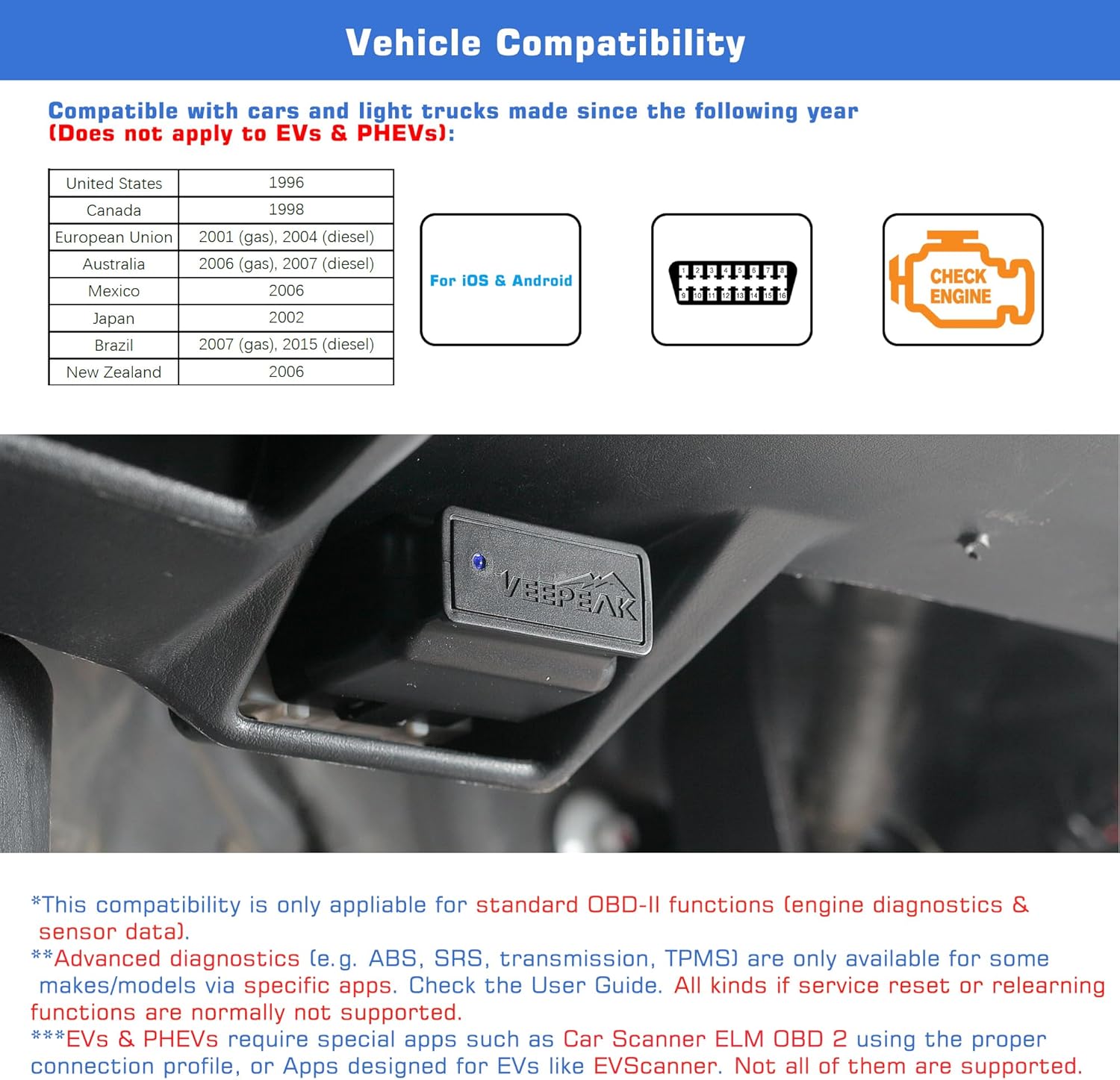
A solid rule: if you’re buying for a one-off “I’ll just see everything” purpose, you’ll want to check the compatibility tables in the images or the user manual first.
Tech specs
- Type: OBD II / EOBD code reader and diagnostic tool
- Connectivity: Bluetooth LE (iOS) and Bluetooth classic (Android)
- Supported vehicle scope (listed): petrol from 2001, diesel from 2004 (EU)
- Notes on limitations: some advanced diagnostic functions available only on selected vehicles via specific apps, service reset and DPF regeneration/restoration not supported
- Recommended pre-checks: verify app compatibility and vehicle support, contact Veepeak for EV/PHEV verification, BMW BimmerCode/BimmerLink support applies to series E/F/I/R from 2008
FAQs
Is it only for the engine warning light?
It’s primarily aimed at diagnosing CEL/MIL and reading/clearing fault codes, but it can also surface additional information such as freeze frame and onboard monitor status depending on the app.
Which phone types does it work with?
The entry states Bluetooth LE support for iOS (connected from the app, not from Bluetooth settings) and Bluetooth classic support for Android phones/tablets. It’s not compatible with Android head units.
What apps does it work with?
A long list is provided, including Car Scanner ELM OBDII, OBD Fusion, Torque (Android only), Infocar, BimmerCode/BimmerLink (with BMW series/year limits), OBD JScan, Dr. Prius, OBDocker, GaragePro, and VAG DPF, among others. Apps aren’t included and some functions may need extra purchases.
Can it do ABS, SRS, or TPMS?
Potentially, but only on selected vehicles and through specific apps. The entry also notes certain resets/regeneration functions are not supported.
Merege la pena?
If your main goal is DIY fault code reading and clearing for the check engine light, plus live data and monitor information through an app, it’s a decent, pragmatic choice. Just don’t treat it as a guarantee of full multi-system diagnostics on every car, and verify EV/PHEV and BMW series/year support before you buy.