

ULANZI K20 Key Light LED Video Light with Remote Control (11" panel, 2500K–9000K, dimmable)
Product description
If you’re serious about cleaner camera lighting for YouTube, live streams or video calls, the ULANZI K20 is the kind of LED panel that’s built around convenience as much as it is brightness.
You get a dimmable 11-inch studio-style light with colour temperature control from 2500K to 9000K, plus a remote that’s designed to make adjustments without leaning in close. It’s not a “cinema-grade” fixture, but on paper it looks like a practical all-in-one key light for creators working from a desk or home studio.
The essentials
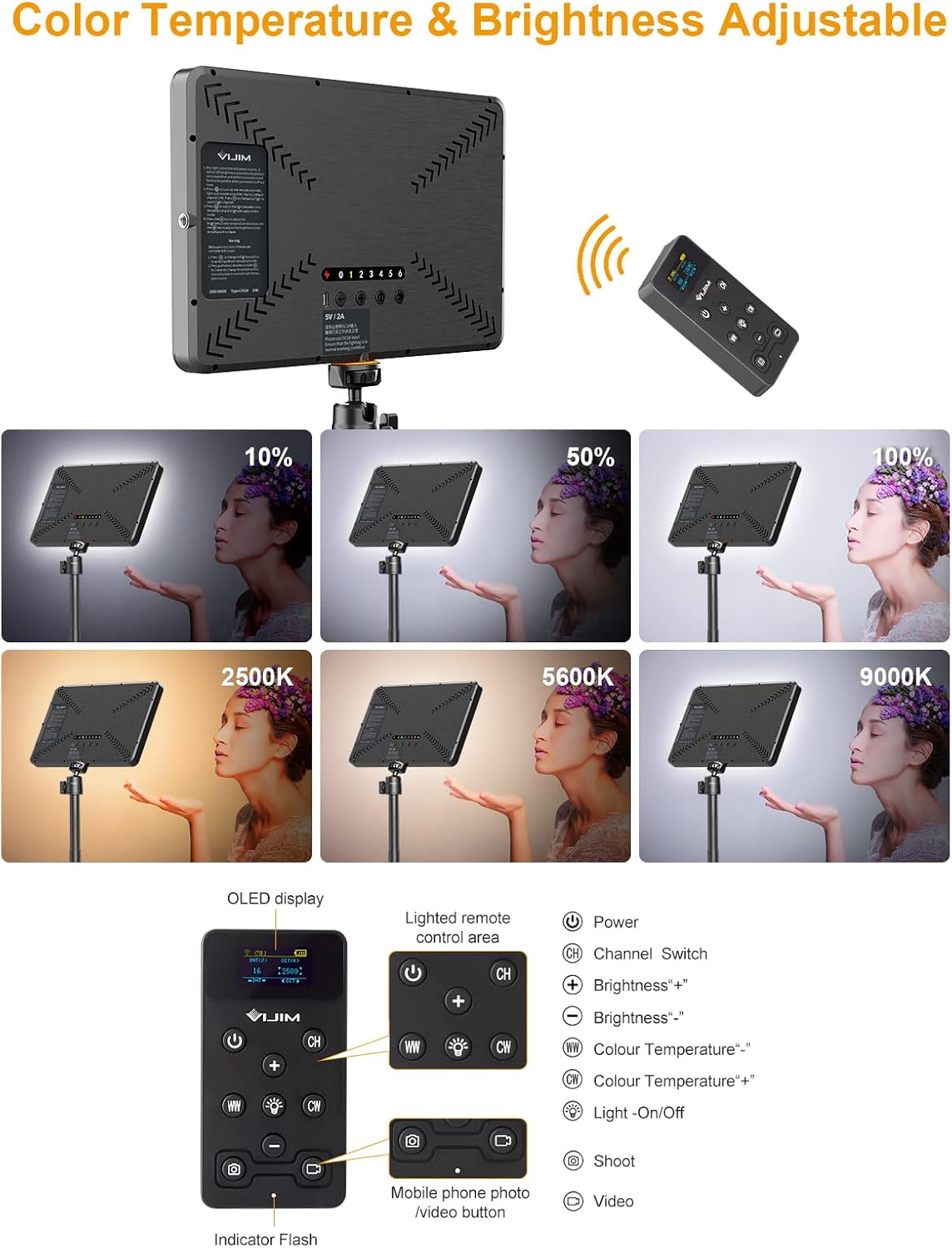
The ULANZI K20 is an LED video light panel aimed at streaming and webcam-style setups. It offers 0% to 100% brightness adjustment and lets you shift the colour temperature between warm and cool tones (2500K to 9000K). The panel uses an edge-lit approach intended to spread light more evenly across the light-emitting surface, which should help deliver a softer look than a more tightly focused bulb-style light.
It also comes with a remote control system for adjusting brightness and temperature, with the option to set channels so you can control the right light when you’re using more than one.
What stands out in everyday use
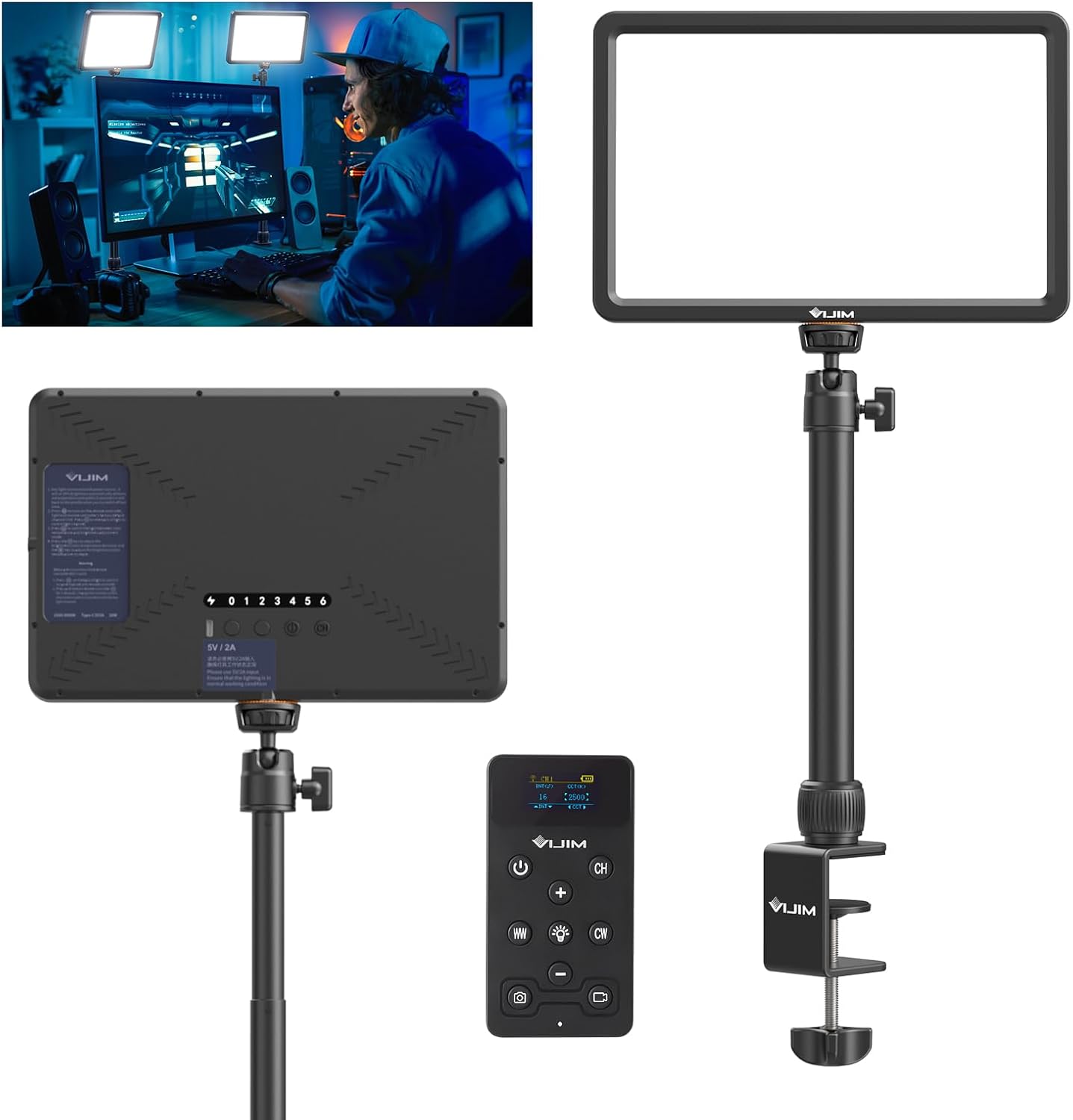
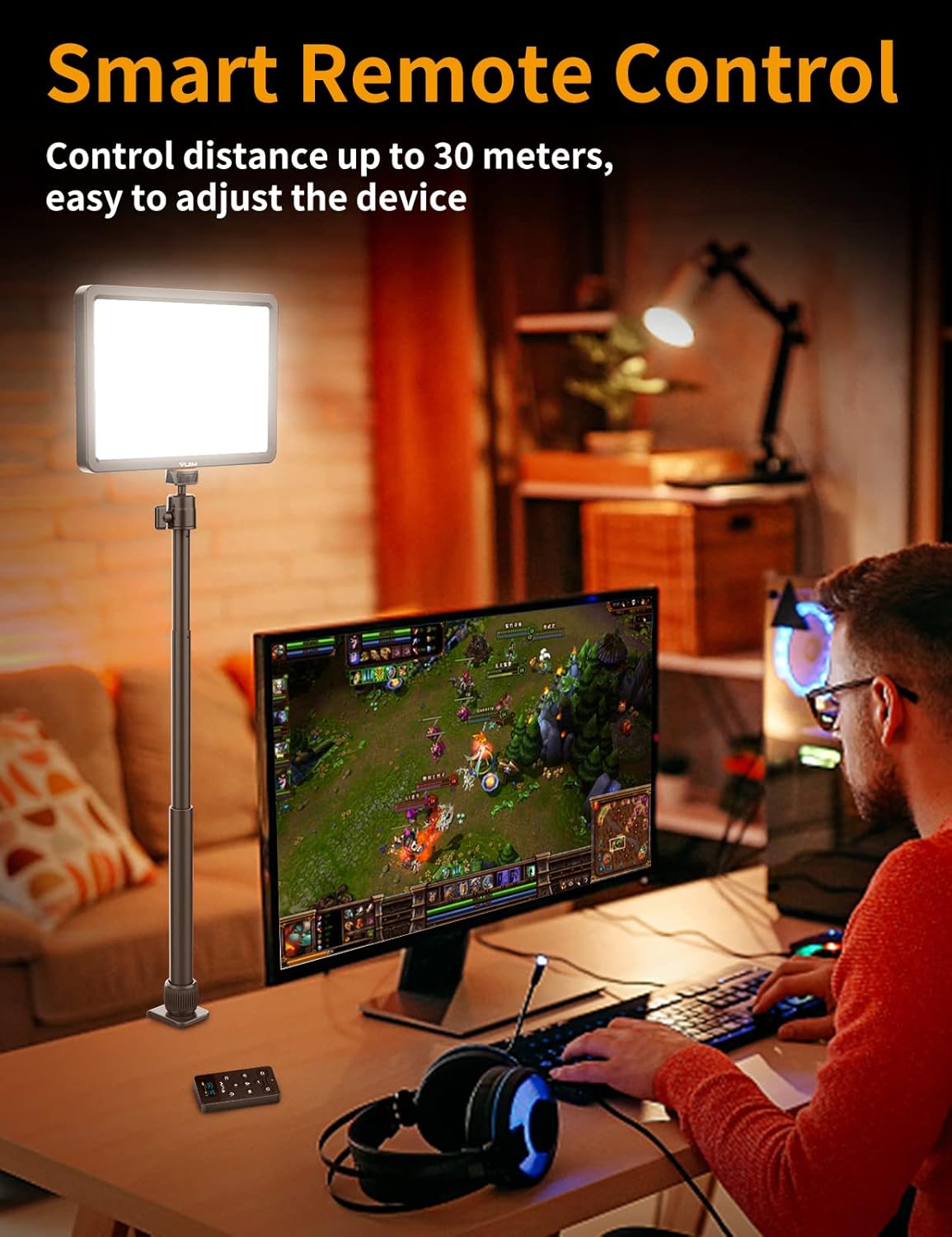
The biggest “you’ll notice this day to day” feature is the remote control workflow. The remote is described as having a long reception range (up to 30m) and stable signal, and it includes 7 adjustable channels. In a home office or streaming corner, that matters because you can tweak lighting while staying in your working position.
There’s also a nice touch with the magnetic remote (anti-lost) that can be attached to any ferrous object. It’s a small thing, but it reduces that annoying moment of “where did I put the remote?” between takes.
As for colour rendering, the light is rated with CRI greater than 90, which is a solid baseline if you care about how skin tones and textures look on camera. It’s still a value LED panel, so don’t expect miracles in every environment, but CRI>90 helps.
Key takeaways on control and channel pairing
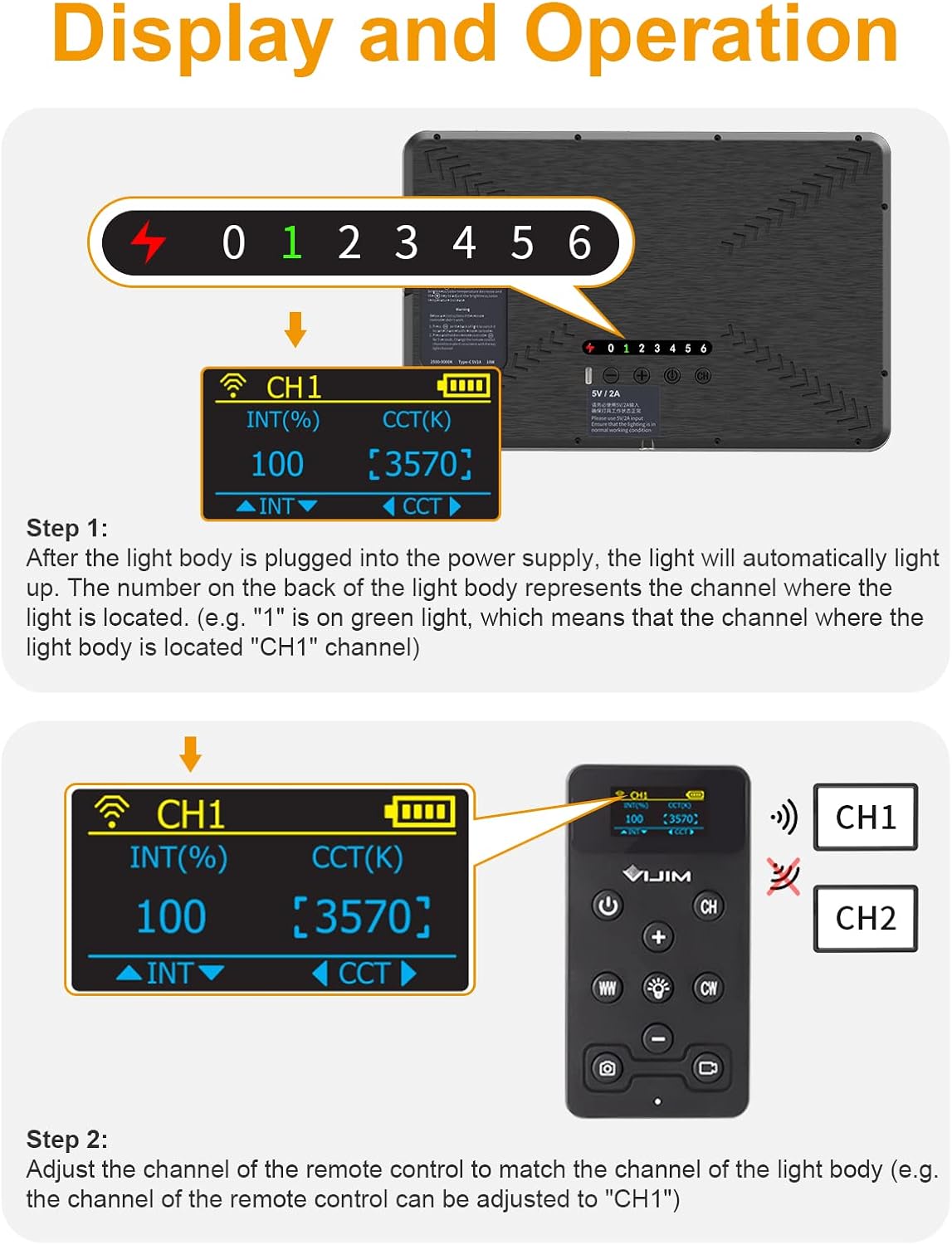
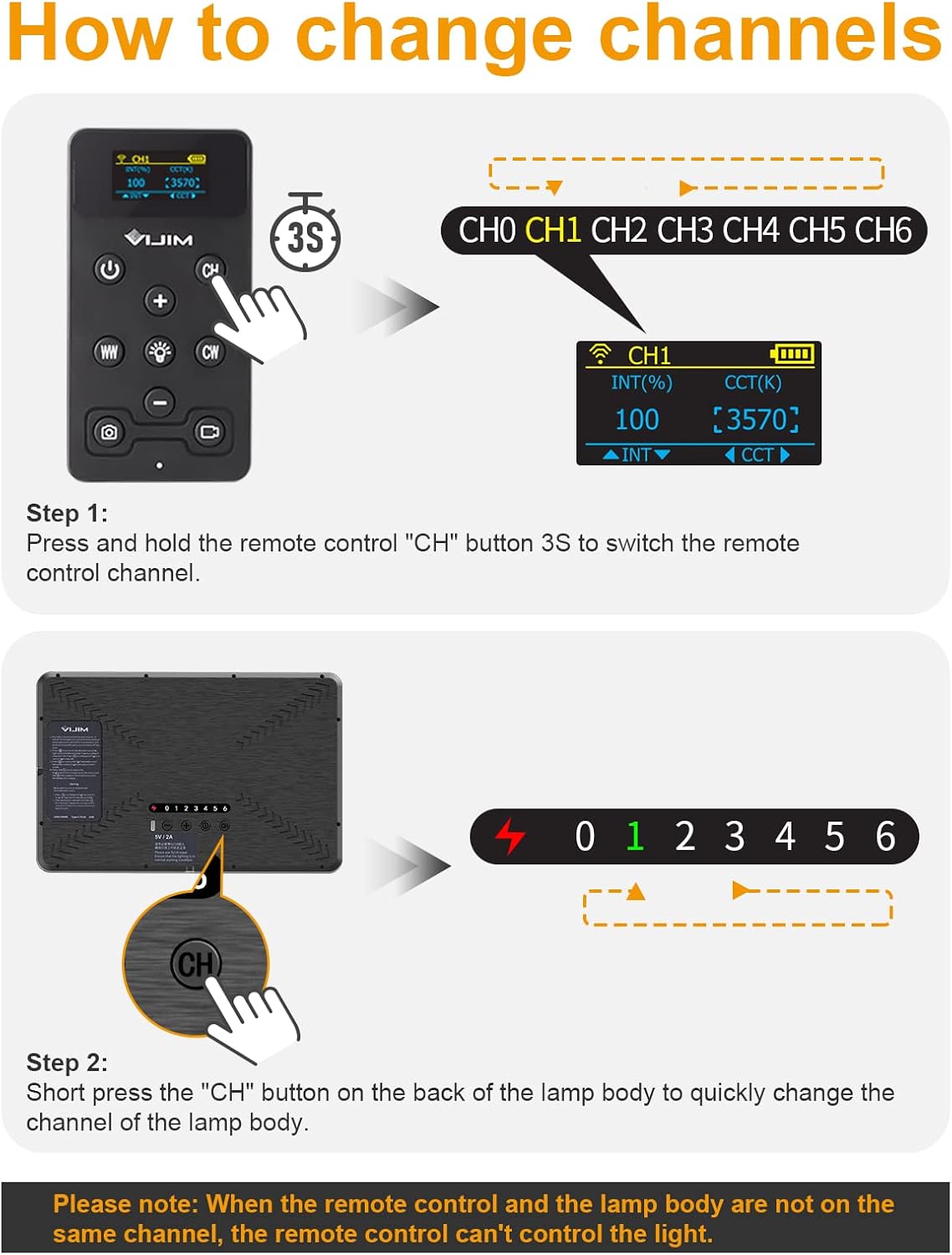
Using multiple lights is where this setup becomes more than a single lamp. After plugging in, the light will automatically turn on and light up. The channel can be switched via the remote (hold the “CH” button for 3 seconds) and also via the light body (briefly press “CH” on the light).
There’s also an important limitation to keep in mind: if the remote and the light aren’t on the same channel, the remote can’t control that light. In other words, channel matching is not optional here—it’s part of the user experience.
Space-saving mounting for desk setups
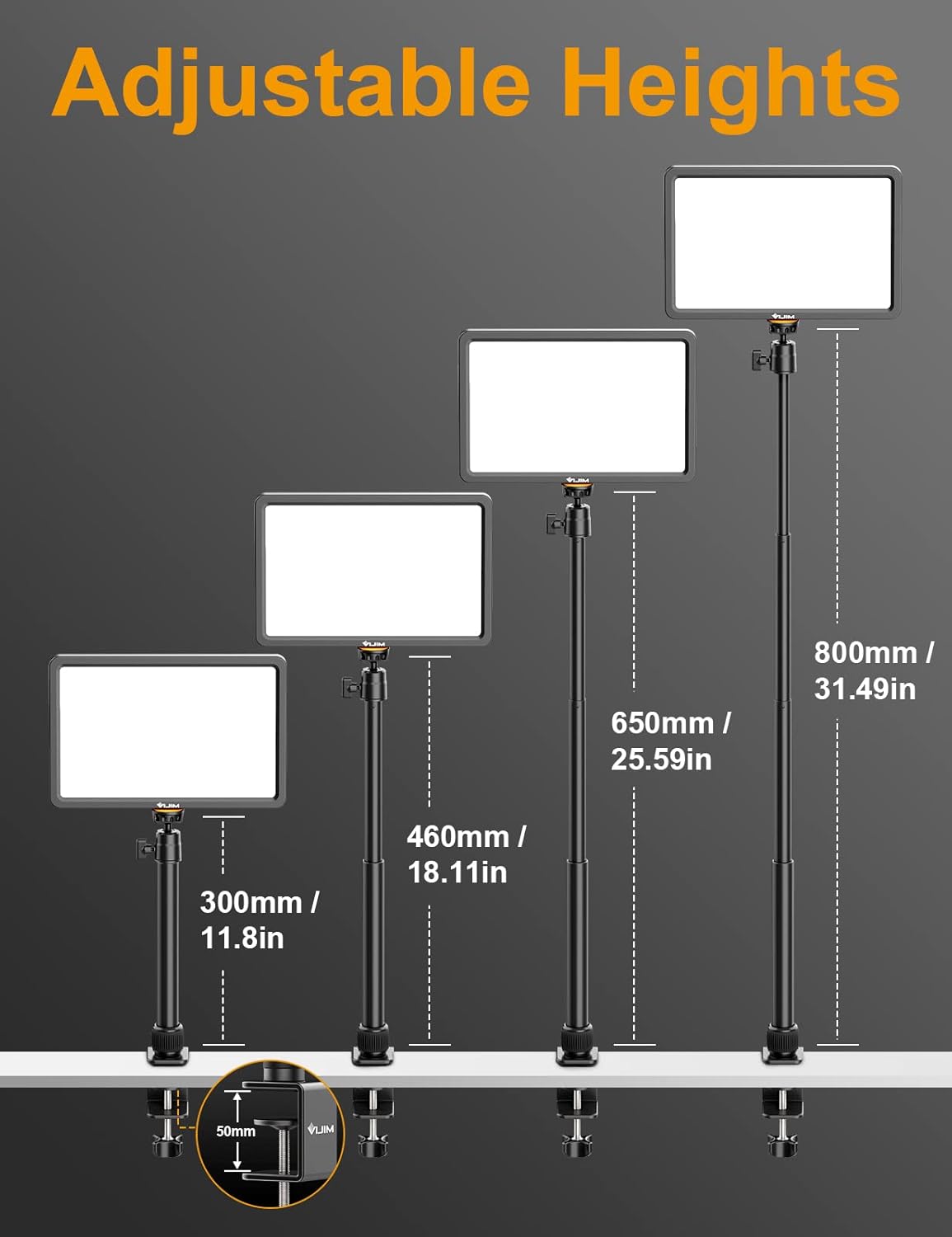
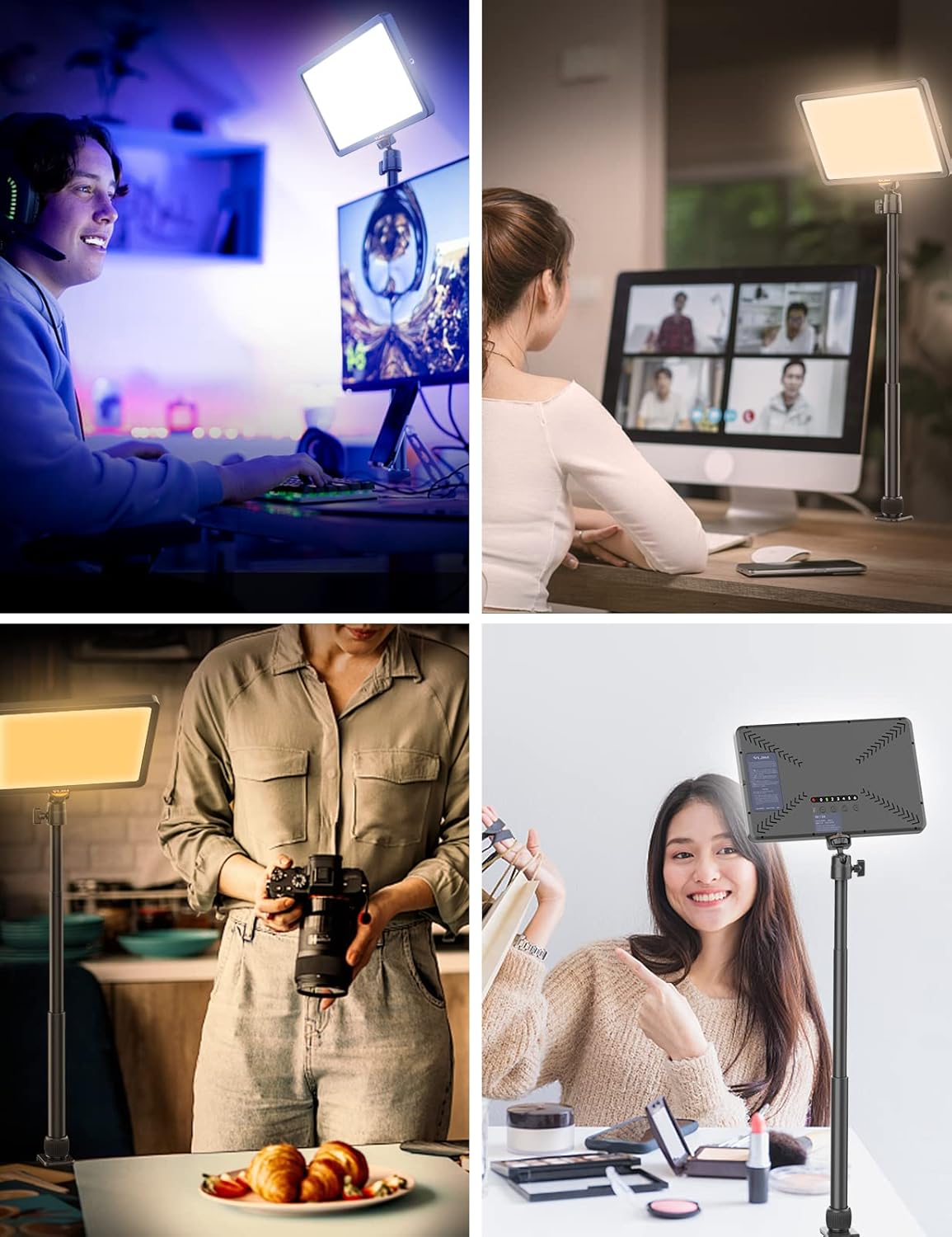
This light is designed to live on your desk. It includes a solid metal C-clamp (with 0–50 mm clamp spacing) that should fit most desks within that range. Height is adjustable from 30 cm to 80 cm, and the ball head is described as rotatable 360°.
So if you’re placing the light above or to the side of your monitor for Zoom calls, gaming sessions, or filming, it should be easy to dial in the angle without wrestling a stand.
That said, if you have a thicker or unusual desktop surface that falls outside the 0–50 mm clamp spacing, you may need a different mounting approach.
Tech specs (so you can judge fit quickly)
- Type: LED video light panel with remote control
- Power: 10W
- Brightness: 0%–100% adjustment
- Colour temperature range: 2500K–9000K
- Output claim: 600 lumens
- Beam angle: 120°
- LED count: 192 high-brightness beads
- Panel size: 11"
- Remote range: up to 30m reception range
- Remote channels: 7 adjustable channels
- CRI: >90
- Mounting: metal C-clamp (0–50 mm clamp spacing), height adjustable 30 cm–80 cm
Who it’s for (and who should be cautious)
It makes sense if you want a straightforward key light for streaming, YouTube, webcam recording, video conferencing, or even photography sessions where you need controllable warmth/coolness and dimming.
A solid pick if you work from a desk and value quick adjustments from the remote—especially if you’re filming in a room where lighting changes during the day and you want to respond fast.
It might not be a great match if you’re aiming for high-end multi-source lighting control and you expect pro studio behaviour from a compact panel. Also, if you plan to use the remote with multiple lights, you’ll need to get comfortable with channel switching so you don’t waste time troubleshooting.
Is it worth it?
Buy the ULANZI K20 Key Light if you’re after a desk-friendly LED panel for streaming and calls, and you want practical dimming (0%–100%) plus colour temperature control (2500K–9000K) with a remote that supports channel-based control.
Skip it if your desk mounting situation doesn’t fit the 0–50 mm clamp spacing, or if you prefer lights that don’t require channel setup to work reliably when multiple lights are involved.
Mini FAQ
How do I control the light with the remote?
After powering the light, you use the remote to adjust it, but you must ensure the remote and the light are set to the same channel. If they’re not, the remote won’t control the light.
Can the light change colour temperature?
Yes. The colour temperature is adjustable from 2500K (warm) to 9000K (cool).
Is it suitable for video calls and streaming?
Based on its intended use list (streaming, video conferencing, webcam work, YouTube and similar), it’s designed for exactly that kind of home/creator setup.
Does it come with a mounting option?
Yes. It includes a space-saving metal C-clamp and an adjustable head (height 30 cm–80 cm, 360° rotatable ball head) for desk use.
What’s in the box?
The package list includes the K20 Key Light, a 1.5m Type-C cable, a smart remote control, an extension pole with ball head, a remote control sticker, and a user manual.