

TCNOUMT Replacement Remote Control for Aurzen BOOM D005 & mini TV smart projectors
Product description
If your mini TV smart projector remote has gone missing, stopped responding, or looks worse for wear, a replacement is often the quickest way to get things back to normal. This TCNOUMT replacement remote is positioned as a direct swap for older or damaged remotes, with the idea that it should bring back the same functions you used before (at least depending on the button layout and model).
That said, replacement remotes are a bit of a “match-the-details” situation. It’s not perfect, and it may not cover every function on every setup. Still, for day-to-day use—powering on/off, navigating menus, and getting streaming/projector modes back—this is a practical fix if you double-check compatibility first.
The essentials
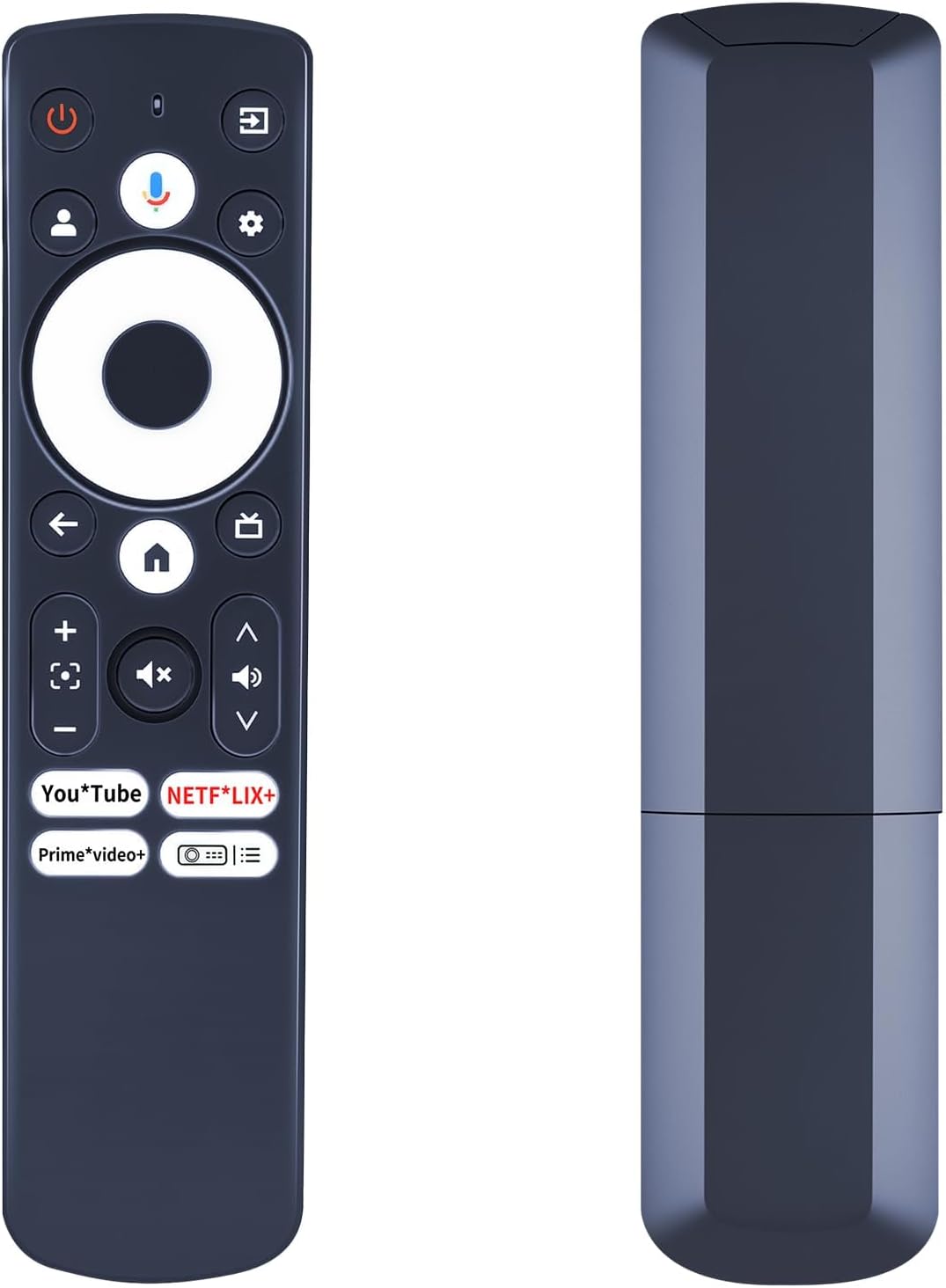
This is a replacement remote control designed to work as a like-for-like replacement for compatible Aurzen BOOM D005 and certain mini TV smart projectors. The core promise is straightforward: it’s meant to replicate the functions of your original remote, so you can control your projector without having to rely on the unit’s buttons.
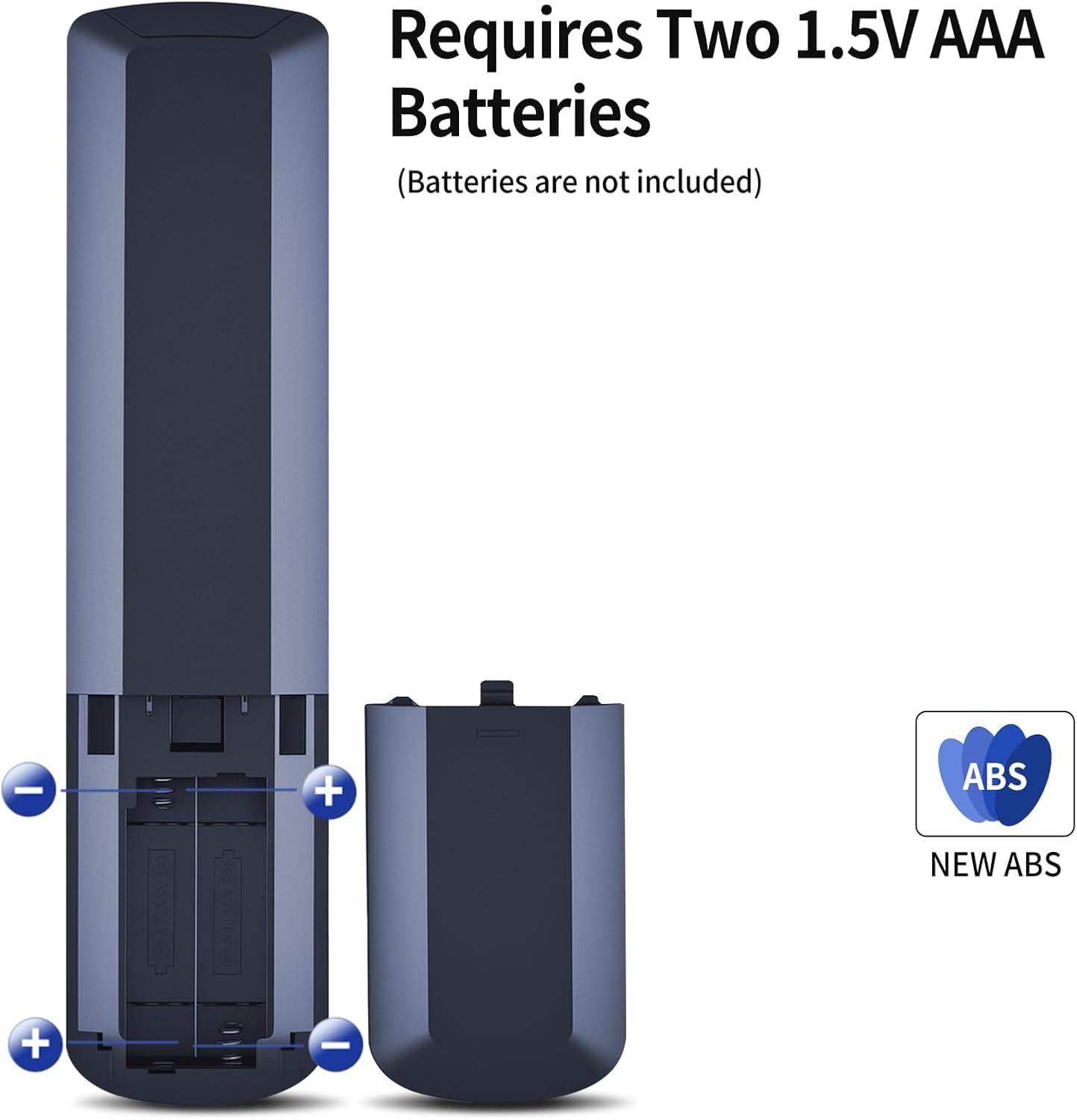
It’s also “plug and play” in the real-world sense that you don’t need to configure complicated settings—just insert the required batteries and follow the pairing method.
What you’ll notice in use
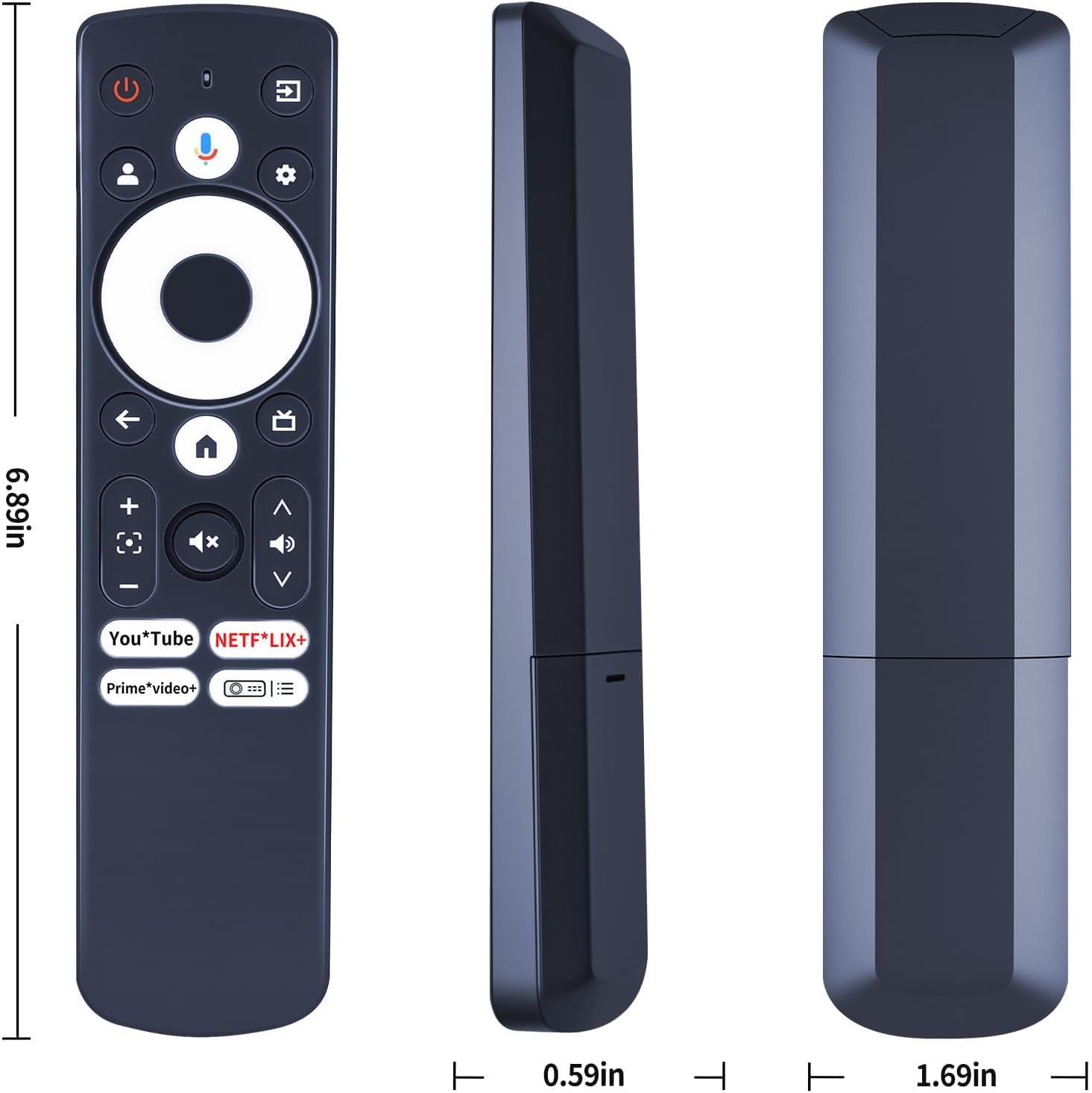
The remote uses a sturdy plastic body with a covered battery compartment, which helps it survive normal knocks and drops you tend to get when a remote lives on a sofa. The buttons are described as soft silicone, and they should feel reasonably tactile—helpful when you’re using it in the dark.
There’s also a notable point about responsiveness: the buttons are made to provide tactile feedback. On paper, that’s the kind of small detail that makes a replacement feel less frustrating than cheap alternatives.
A micro example: imagine you’ve got the projector running for an evening film. Instead of getting up to change source or navigate menus, you can use this remote to quickly return to the Home screen and pick the app or input you want.
Pairing process and the one thing to get right
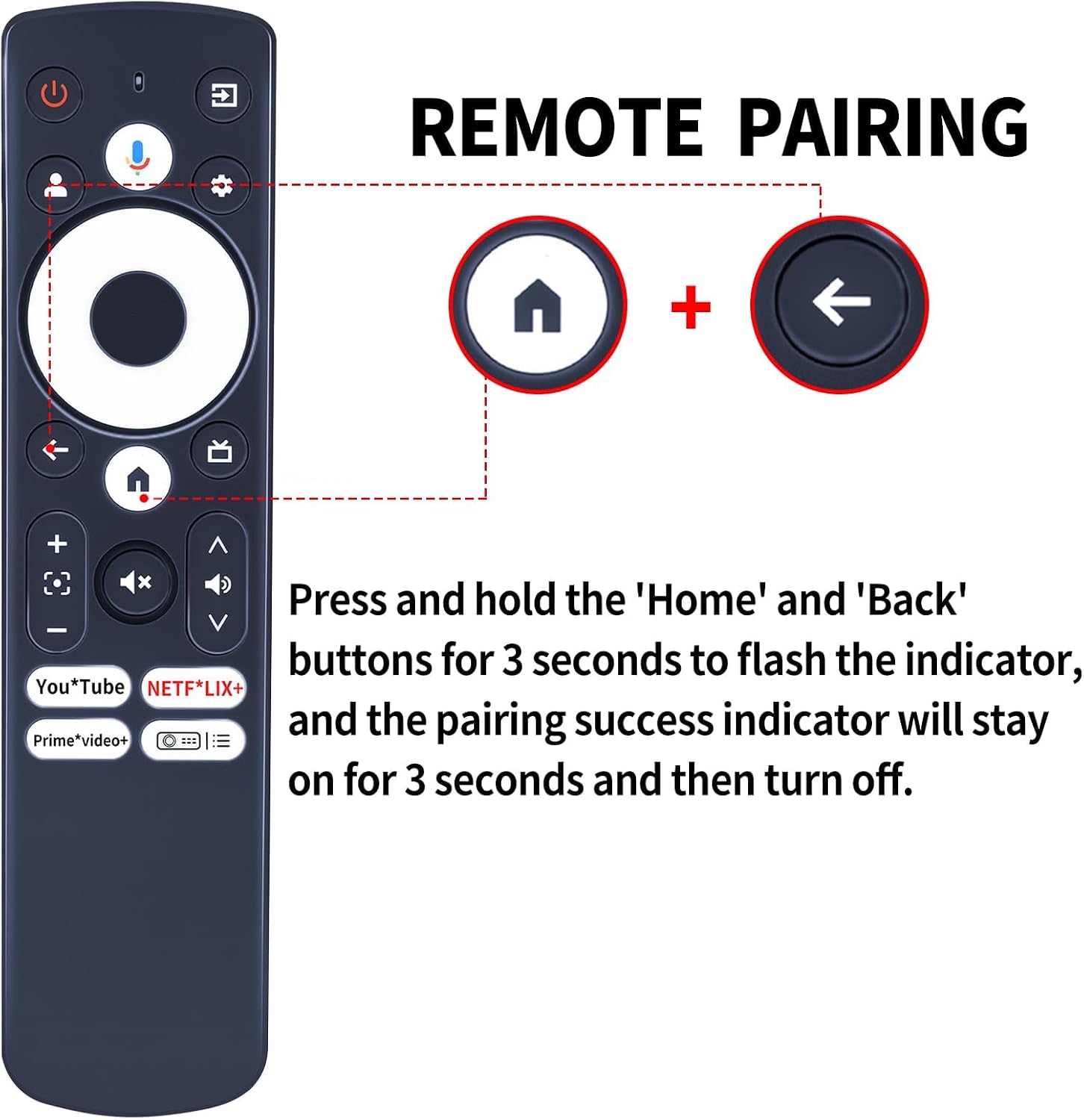
To use it, you’ll need 2×AAA batteries (not included). After inserting batteries, the pairing method described is to press and hold the “Home” and “Back” buttons for 3 seconds. An indicator light should flash, and the pairing success indicator should remain on for about 3 seconds before turning off.
This is where a bit of patience helps: if you follow the pairing steps but don’t see the expected indicators, it can mean the remote isn’t the exact match for your model or button layout. Replacement remotes sometimes rely on small differences you wouldn’t spot at first glance.
Durability and daily comfort
The construction is built around everyday durability: a sturdy plastic case and a battery compartment cover are specifically mentioned. The soft silicone button feel is also designed to make it easier to operate without fumbling.
Still, keep expectations realistic. While it’s made to be convenient and durable for normal home use, it’s still a compact remote—so it won’t magically fix deeper control issues caused by projector hardware, not the remote.
Compatibility: worth taking seriously before buying
This remote is presented as compatible with Aurzen BOOM D005 and also mentions compatibility with “GooDee” and “WiMiUS G1” and “EAZZE D1G” mini TV smart projectors (as written in the product name).
However, the listing also warns that depending on the button and model, some functions may not be available. That means you shouldn’t assume every single button from the original will behave identically on your specific projector.
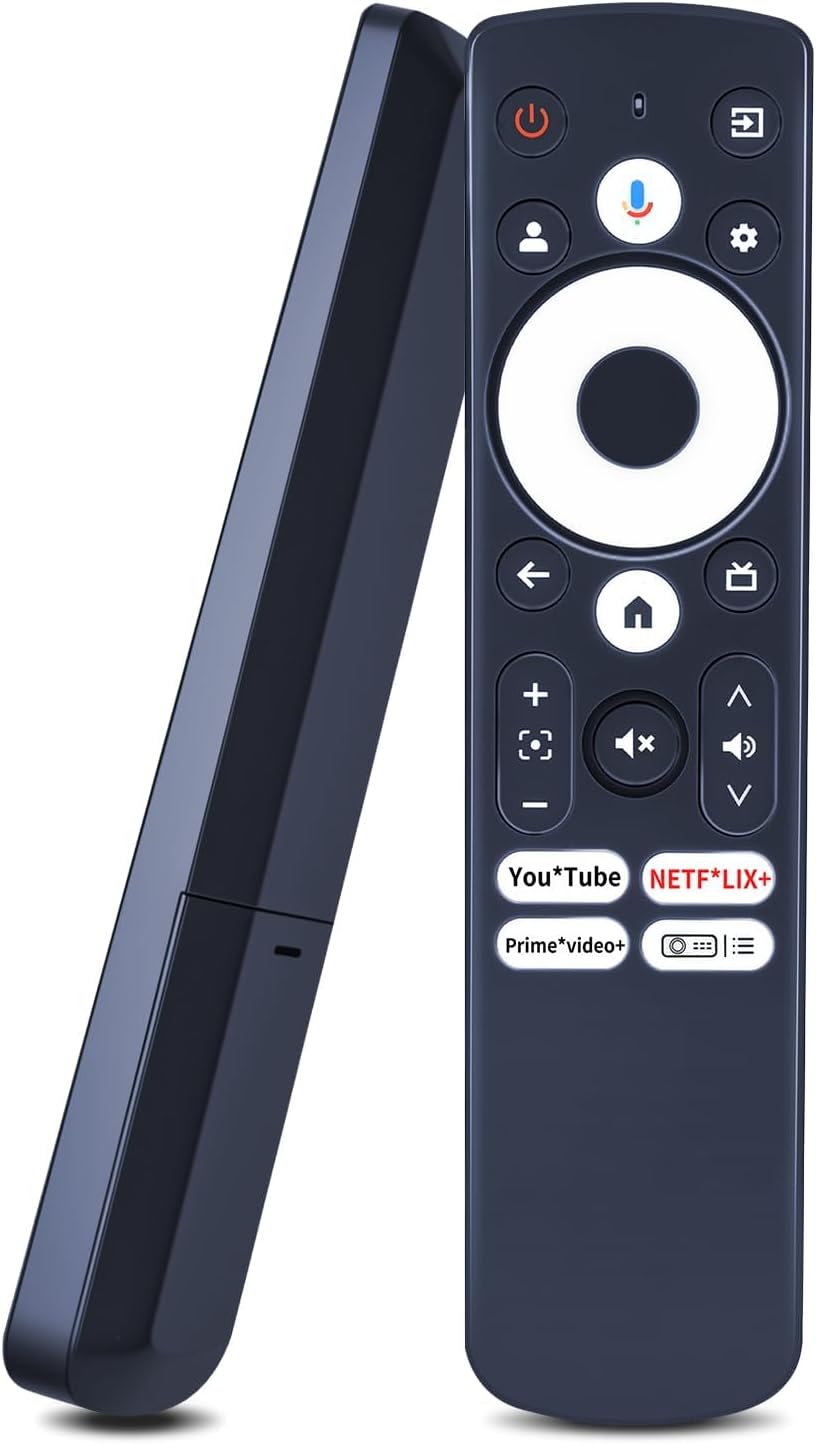
Worth considering if you’re happy to do a quick check of the button symbols and the remote you’re replacing. The note is quite clear: check the remote control picture carefully before purchasing, and pay attention to the symbol of the button to make sure it matches what you need exactly.
Tech specs
- Type: Replacement remote control
- Batteries required: 2×AAA (not included)
- Pairing method: Press and hold “Home” and “Back” for 3 seconds
Is it worth it?
It’s worth buying if your current remote is damaged, unresponsive, or missing, and you’re comfortable checking the button symbols and remote picture to confirm the match. If you want your mini TV smart projector back to normal control without expensive workarounds, this kind of replacement remote can make a lot of sense.
You may want to skip it if you can’t verify the button layout from the listing images, because the product itself notes that some functions may not be available depending on the model and button set. It might not be a great match if you need a specific button to work reliably and can’t compare symbols beforehand.
If you do buy, follow the pairing steps carefully and allow for the indicator-light behaviour described in the listing. For most simple “get control back” situations, that’s usually the difference between a replacement that works immediately and one that feels like a headache.
Quick FAQ
Do I need batteries?
Yes, the listing says it requires 2×AAA batteries, which are not included.
How do I pair the remote?
Press and hold the “Home” and “Back” buttons for 3 seconds. The indicator light should flash, and a pairing success indicator should remain on briefly before turning off.
Will it have exactly the same functions as my original remote?
On the listing’s terms, it aims to give the same functions as the original, but it also warns that some functions may not be available depending on the button and model.
What should I check before ordering?
Check the remote control picture carefully and pay attention to the symbol of the button, so it matches your remote exactly.
What if I’m unsure whether it’s compatible?
The listing advises contacting the seller if you have questions before purchasing.