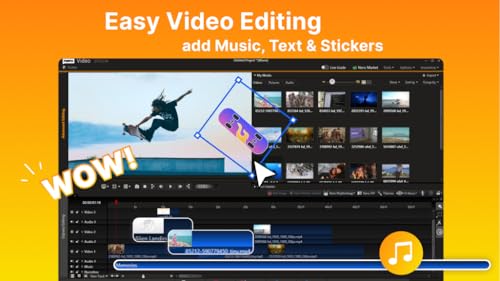
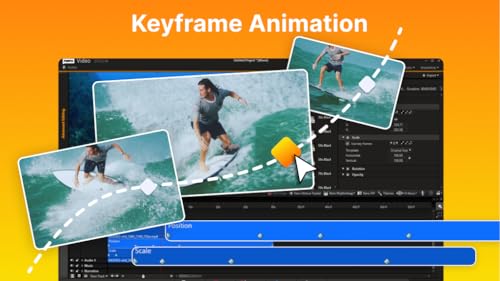
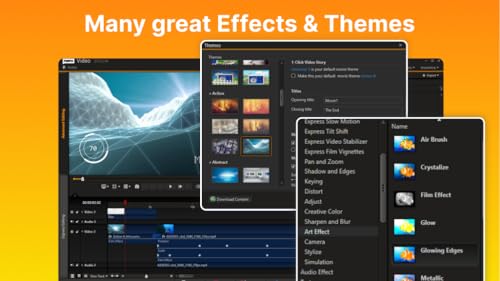
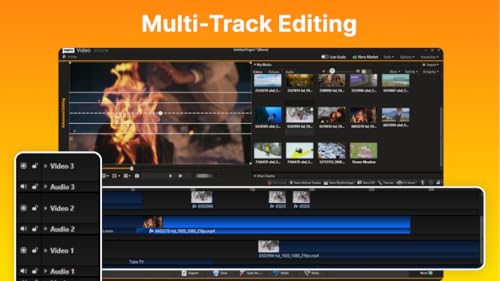
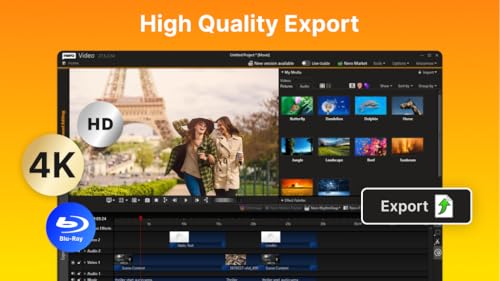
What it is and what it’s for\nNero Video Maker 2026 is a desktop video editing suite designed for creating and editing films, slideshows and multimedia projects on a single PC. If you value a complete workflow—from assembling clips and photos to exporting and burning HD, 4K and 8K content—this software aims to cover the basics without relying on a subscription. It mirrors a practical approach: put media on a timeline, apply templates and effects, and deliver finished projects in common formats for playback or disc authoring.\n\n## How it helps you in everyday use\nOn paper, the standout ideas are the large creative library (1000+ templates and effects) and a multi‑track timeline that supports ambitious edits without needing specialised hardware. Features like motion tracking and green screen expand possibilities for more polished narratives or simple green screen experiments. The ability to export MP4 and to burn DVDs or Blu‑ray discs completes the loop from editing to distribution. If you’re building slideshows or mixed media videos for family events or small business moments, it provides a straightforward path from idea to delivery.\n\n## The best and the not‑so‑perfect aspects\nConvincing points include a lifetime licence for one PC and broad Windows compatibility (Windows 11/10/8/7). The absence of a subscription can be a plus for budget certainty. However, it’s prudent to recognise that, as with many boxed editing tools, it may not include the latest cloud‑driven collaboration features or the most cutting‑edge AI workflows found in some newer subscriptions. The suite relies on a traditional, self‑contained editing model rather than a modular, always‑updated ecosystem.\n\n## Who it’s for\nThis is well suited to hobbyists, educators and small‑scale creators who want a one‑and‑done package with a sizeable library of templates and solid export options. It can also suit makers who occasionally whip up video content for social reels, product showcases or event montages where a robust, offline setup is preferable.\n\n## Who it isn’t perfect for\nIf you prioritise real‑time collaboration, frequent feature updates, or heavy use of cloud‑based effects, you might outgrow a single‑PC, lifetime‑licence tool. Similarly, creators seeking advanced AI‑driven edits or very specific professional colour‑grading workflows could look for dedicated post‑production software with a broader upgrade cadence.\n\n## When it makes sense to buy\nConsider Nero Video Maker 2026 if you want a ready‑to‑run, one‑time purchase that handles the full lifecycle from editing to playback and disc burning. It’s particularly practical if you work primarily offline, value a large template library, and need support for high‑res formats without recurring fees.\n\n## Important considerations before buying\nCheck system performance with long, multi‑track projects and 8K assets—heavy timelines may demand modest PC resources. Confirm you’re comfortable with a desktop‑centric workflow and that the included templates align with your project style.\n\n## How it compares to other approaches\nFor occasional creators, this falls between entry‑level consumer editors and workstation‑grade software. If you’re unsure about frequent updates or cloud features, a traditional, all‑in‑one package like this can offer dependable, predictable performance. If you prefer constant feature refreshment and collaborative tools, you might weigh alternatives with subscription models.\n\n## Practical example of use\nImagine compiling a short product showcase: you’d drop product photos and clips into the timeline, apply a few transitions from the template library, use motion tracking to follow a moving logo, and finish with a green screen shot for a clean intro. The final file could be exported as MP4 for online sharing and burned to a Blu‑ray disc for a tangible demo.\n\n## Quick FAQ (based on available data)\n- Can it export 8K video? Yes, it supports 8K alongside 4K and HD outputs.\n- Does it require a subscription? No, it uses a lifetime licence for 1 PC.\n- Is there a built‑in green screen feature? Yes, it includes green screen (alpha channel) capabilities.\n- What about discs? It supports burning to DVD/Blu‑ray as part of the workflow.\n- Which Windows versions are supported? Windows 11 / 10 / 8 / 7.\n\n## Final thoughts\nIf you want a pragmatic, one‑time‑purchase editor with a broad template library and offline flexibility, Nero Video Maker 2026 offers a sensible balance of features for non‑enterprise use. It may not be the best match if you need heavy collaboration, cloud‑based AI tools or ultra‑tight colour‑grading controls, but for many creative tasks, it delivers a straightforward, reliable editing experience.