

Nero Recode: MP4 Converter Software (Lifetime Licence) for Windows
Product description
What it is
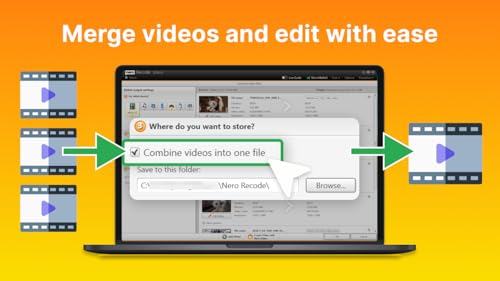
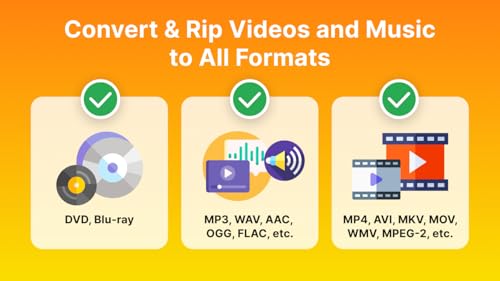
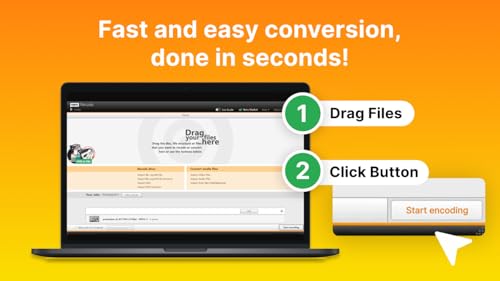
Nero Recode is a DVD and video conversion tool designed to digitise physical discs and re-encode media into widely used formats. With a focus on turning DVD content into MP4 or MP3, it aims to make your film and audio libraries portable for modern devices and cloud storage. The product is sold as a lifetime licence for a single PC, running on Windows 11/10/8/7, which makes it appealing for users who want a long-term, straightforward conversion solution without ongoing subscriptions.
What it does
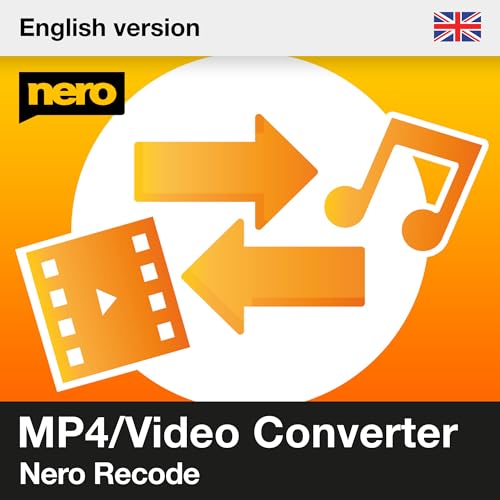
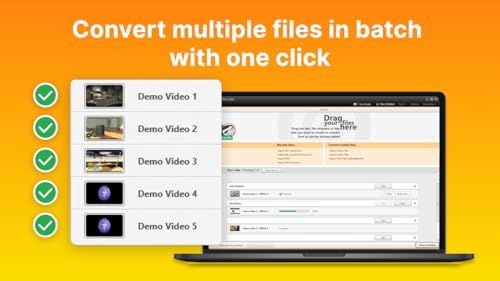
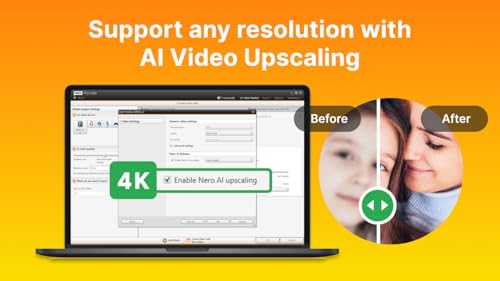
On the surface, Nero Recode handles two core tasks: ripping from DVDs and re-encoding to popular formats. It supports an array of formats beyond MP4 and MP3, including AVI, MOV, WAV and FLAC, which can help you tailor output to different devices or storage needs. A notable feature is HEVC 8K video support, which suggests the software can process and compress high-resolution content without a stated loss in perceived quality. The package also includes GPU acceleration, indicating faster conversions on compatible hardware and usefulness for batch processing.
Practical implications
If you have a growing collection of physical media, Recode can simplify how you access those films and audio files on modern devices. The ability to convert to MP4 makes playback widely compatible with many phones, tablets and streaming setups. The inclusion of MP3 output means it’s not limited to video, you can extract audio tracks for portable listening or archival purposes.
What stands out
- Lifetime licence for 1 PC provides lasting access without ongoing fees.
- HEVC 8K support is notable for a converter, it implies handling high-resolution sources without unnecessarily compromising efficiency.
- GPU acceleration suggests the tool can manage larger or multiple files more quickly, which matters if you’re processing sizable batches.
What may give you pause
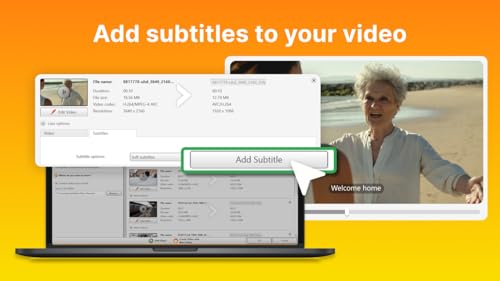
- The description does not state a built-in editor, metadata management, or advanced crop/trim controls. If you need heavy editing before output, this might fall short.
- It is designed primarily for ripping from DVD/Blu-ray to digital formats, if your goal is broad video conversion workflows beyond basic ripping, you may encounter a more limited feature set.
- The stated formats are useful, but if you require a wider codec or container support beyond those listed, you’ll want to verify compatibility beforehand.
Who it’s for
This software seems well-suited for casual to moderate users who want a straightforward path from physical discs to portable digital files, especially where the primary aim is MP4 or MP3 formats. It could appeal to households with disc collections, students or hobbyists who value a one-time purchase rather than a subscription.
Who it isn’t for
If you need extensive video editing, advanced colour grading, precise bitrate control, or professional-grade transcoding pipelines, this tool may not cover all those needs. Those seeking multi-user licences or a cloud-connected workflow might look elsewhere.
When it makes sense to buy
Consider Nero Recode if you want a simple, long-term solution to convert DVD content into common digital formats for personal use on a single PC, and you value a one-time investment over recurring fees. The HEVC 8K and GPU acceleration are helpful if you have capable hardware and occasionally work with high-resolution sources, though the practical gains depend on your source material and hardware setup.
When to hold off
If you regularly convert large volumes of video beyond DVDs, or if you require more advanced editing and metadata features, it might be worth evaluating other tools. If your library is primarily Blu-ray or high-bitrate content, verify that the software meets your quality expectations for those sources.
What to review before buying
- Confirm your PC’s GPU capabilities to maximise the benefits of GPU acceleration.
- Check your typical input sources (DVDs, Blu-ray, and file formats) against the formats supported by Nero Recode.
- Consider whether you need additional editing features, plan for a separate editor if necessary.
- Ensure your storage strategy aligns with output file sizes, especially when dealing with high-resolution sources.
Practical use example
Imagine you’ve got a stack of old DVDs from various trips. With Nero Recode, you can rip a film, then export it as MP4 for easy playback on a laptop during commutes or for streaming to a tablet at home. If you want the audio for a playlist or podcast-style listening, you can extract MP3s from the same source without needing a separate tool.
Frequently asked questions (FAQ)
- Can I use Nero Recode on multiple PCs? No, the licence is described as a lifetime licence for 1 PC.
- Does it support Blu-ray ripping? The base description mentions DVD ripping, Blu-ray support is not explicitly stated.
- What output formats are available? MP4, MP3 and a selection including AVI, MOV, WAV and FLAC are listed.
- Is there a trial version? The information provided does not specify trial availability.
Final decision
Should you buy it? It can be worth considering if you prioritise a one-off purchase for a straightforward DVD-to-digital workflow, especially when you value a proven format set and a focus on portability. It may not be the best fit if you need comprehensive editing features, multi-device or multi-user licences, or extensive Blu-ray support.