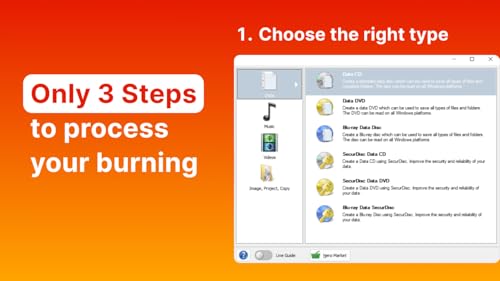
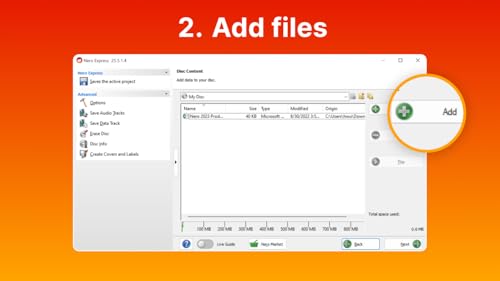
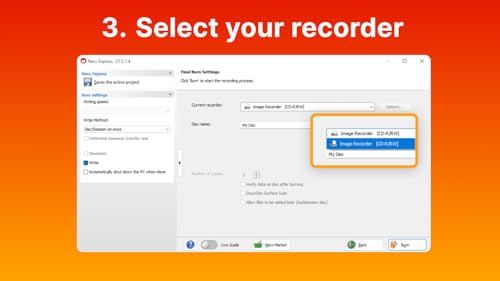
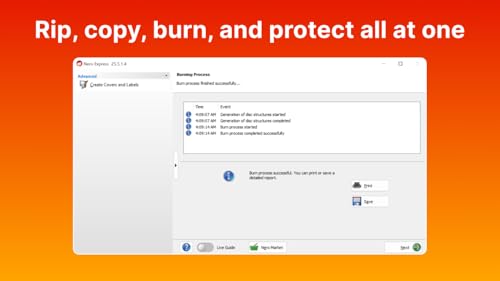
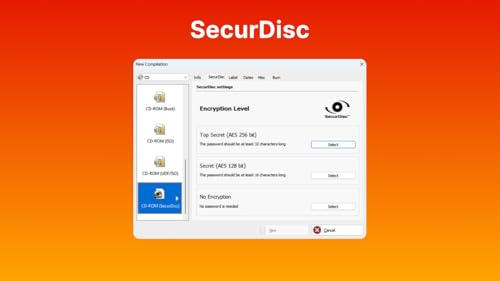
What it is and what it solves\nNero Burning ROM 2026 is the original disc burning software, designed to handle CD, DVD and Blu-ray with a focus on reliability and security. If you frequently create or back up data to optical media, rip from CDs, and want a long-term licence that stays with a single PC, this product positions itself as a pragmatic, no-fuss option. On the surface, it aligns with a straightforward goal: you burn, you copy, you protect. On the other hand, if your needs lean heavily toward streaming, cloud backups, or USB-only workflows, you might find some limits in scope.\n\n## How it works in practice\nThe software supports burning all disc types and aims for reliable results. It also offers ripping and metadata tagging during CD ripping, which helps organise your music collection. A notable feature is SecurDisc encryption for securing important files, adding a layer of protection that goes beyond simple copies. The licence is lifetime and the product is designed to run on Windows, which makes it suitable for users who want a long-term solution without recurring subscriptions.\n\n## What stands out and where it may fall short\n- What stands out: a long-term licence, robust burning support across CD, DVD and Blu-ray, automatic metadata when ripping CDs, and built-in encryption for sensitive data.\n- Limitations to consider: the emphasis is on optical media and Windows platforms, if your workflow relies heavily on non-Disc media or subscription-based features, you’ll want to weigh those priorities. The wording suggests a traditional, durable approach rather than cutting-edge cloud integrations.\n\n## Who it’s for\nThis sits well for individuals or small teams who value a permanent licence, straightforward burning and reliable data security on a single PC. It’s likely to appeal to users who still rely on optical media for archiving, music collection management via ripping with metadata, and need a simple, durable tool rather than a suite of cloud-first options.\n\n## Who it isn’t ideal for\nIf you need multi-device syncing, cloud-first backups, or vast automation tied to modern streaming ecosystems, this product may feel dated or limited in scope. It’s also not clear from the information provided how well it scales beyond a single PC or how it handles large, modern media libraries.\n\n## When it makes sense to buy\n- You favour a lifetime licence on Windows with a stable, well-established burning solution.\n- You routinely create physical backups or archives on CD/DVD/Blu-ray and want built-in encryption for sensitive data.\n- You value a traditional software approach over subscription-based models.\n\n## Practical considerations before buying\n- Confirm that your current PC uses a compatible Windows version (the product lists Windows 11/10/8/7).\n- Consider your need for metadata during ripping and whether automatic album art meets your use case.\n- Think about your long-term archiving plans and whether you will still rely on optical discs in the coming years.\n\n## How it compares to other approaches\nIf you’re weighing options, you could choose a modern backup solution with cloud integration or a lightweight burner for occasional tasks. Nero Burning ROM 2026 offers a focused, durable path for disc-centric workflows and offline security, whereas cloud-first tools prioritise accessibility and off-site redundancy.\n\n## A practical use example\nImagine you’re backing up a library of family photos and documents. You burn them to Blu-ray for long-term storage, rip a few CDs to keep a digital copy with metadata, and enable SecurDisc to protect sensitive files. The workflow is straightforward, and the lifetime licence means you won’t face ongoing fees for this essential maintenance task.\n\n## FAQ (based on available data)\n- Can I use this on multiple PCs? The information specifies a 1 PC licence, so portability isn’t indicated.\n- Does it support Windows 11? Yes, it lists Windows 11/10/8/7 compatibility.\n- Is it primarily for burning or also for data encryption? It covers both burning and SecurDisc encryption for secure data.\n\n## Final decision\nIs it worth it? Worth considering if your workflow relies on reliable, long-term disc burning with a lifetime licence on a single Windows PC and you need encryption for sensitive data. It may not be the best fit if you require cloud-first features or multi-device licensing.