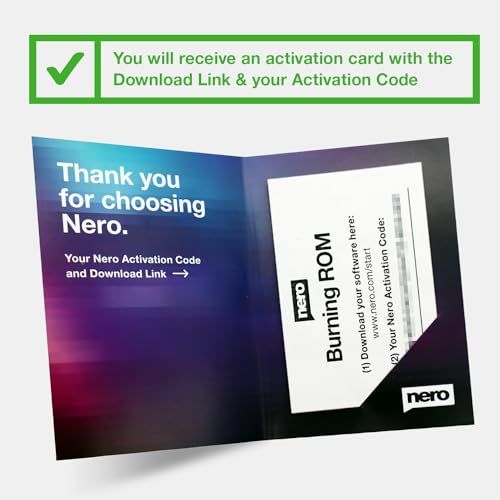
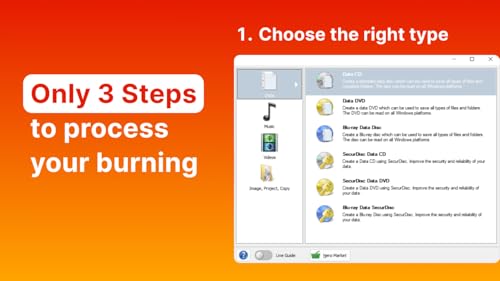
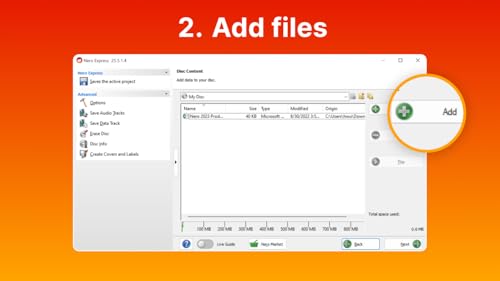
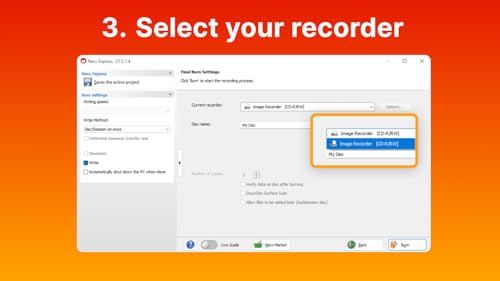
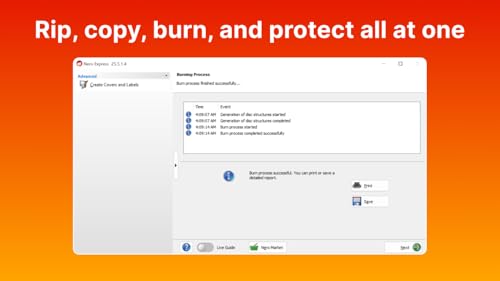
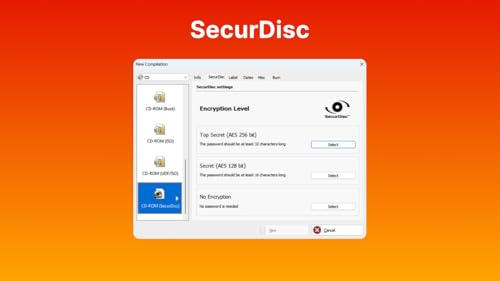
What it is and what it solves\nNero Burning ROM 2026 on USB Stick is a portable version of the well-known burning software, designed to install directly from a USB drive. It aims to simplify disc authoring and data protection on Windows machines, offering a practical solution for anyone who needs to burn, copy or back up CDs, DVDs and Blu-ray discs without fuss. On paper, it combines familiar Nero features with the convenience of a take-anywhere USB stick, which can be a real time-saver for users who work across multiple locations or machines.\n\n## Core capabilities and how they help\nThe software supports burning and copying physical media, including Blu-ray, with a focus on reliable optical disc results. Rip functionality covers common audio formats like MP3, AAC and FLAC, and the software recognises album data to keep your ripping organised. For added security, Nero Burn ROM includes encryption and password protection so sensitive data on discs stays private. The package is backed by a lifetime licence for a single PC, which reduces recurring costs and simplifies software management for those who prefer a one-time purchase.\n\n## What stands out and where it might fall short\nOn the upside, the portability of the USB stick means you can carry your burning environment with you and install quickly on compatible Windows systems (11/10/8/7). The lifetime licence is a clear value proposition for steady use over years, and the built-in encryption can be a meaningful benefit if you routinely back up important data. However, it’s worth noting that optical media has become less prevalent in many households and workplaces, if your day-to-day relies heavily on cloud or external hard drives, the appeal may be more limited. Also, depending on your USB stick’s quality and speed, installation and access times can vary.\n\n## Ideal user and use cases\nThis product suits professionals and enthusiasts who need a dedicated, reliable tool for disc creation and backup on a single PC, and who appreciate the convenience of a portable launcher. It’s reasonable for someone who values data security on discs and wants to keep a tidy archive of ripped music with proper metadata. If your needs focus mainly on digital files without physical media, or you frequently switch between multiple machines, you might find a non-portable solution or a different backup strategy more flexible.\n\n## Notable considerations before buying\n- Compatibility is limited to Windows systems, macOS or Linux users would need alternative workflows.\n- You’ll want to check whether your USB stick offers adequate speed, as this can influence installation and disc writing performance.\n- The value hinges on how often you burn or back up discs and whether a lifetime licence for 1 PC aligns with your setup.\n\n## Practical usage scenario\nImagine you’re preparing a batch of archival Blu-ray discs for a small office. You plug in the USB stick on a workstation, install Nero quickly, and start authoring discs with encryption enabled for sensitive content. You can rip a stack of audio CDs into organised folders with embedded album data, then store physical backups securely. This kind of workflow highlights the portability and one-time purchase angle.\n\n## What to review before purchasing\n- Confirm Windows version compatibility (11/10/8/7) on your device.\n- Ensure you have a reliable USB stick to reduce potential slowdowns during setup and burning tasks.\n- Consider your long-term need for physical media backups versus purely digital storage.\n\n## How this compares to other approaches\nIf you mainly work with digital files, cloud or external drives may be more convenient than a portable burning suite. However, for those who still rely on physical discs and want a dedicated, easy-to-carry tool with a straightforward licence model, Nero Burning ROM 2026 on USB offers a neat combination of portability and persistence: a one-time cost, 1 PC support, and built-in security features.\n\n## Decision point: should you buy it?\nIs it worth it? It makes sense if you value a portable, lifetime-licensed burning solution that can handle disc creation, copying, ripping and basic security on a single Windows PC. It might not be the best fit if you rarely burn discs or require cross-platform access. If portability and a straightforward licence are priorities, this product provides a pragmatic route to manage discs without repeated renewals.\n\n## Frequently asked questions\n- Can I use this on multiple PCs? The licence is stated for 1 PC. If you need more, you’d likely need another licence.\n- Does it support encrypted disc creation? Yes, encryption and password protection are mentioned as features.\n- What about updates or support? The description specifies a lifetime licence but does not detail update terms, consider confirming policy for updates at purchase.\n