

Nero Burning ROM 2026 All-in-One Burning Software UK – Lifetime Licence
Product description
What it is and what it solves
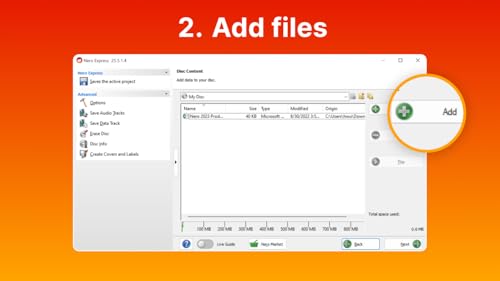
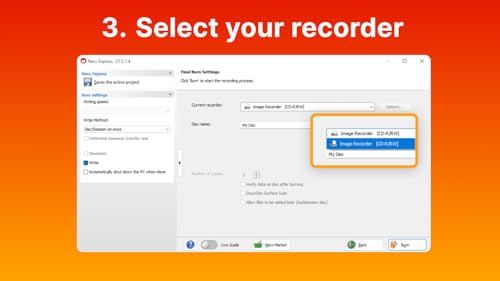
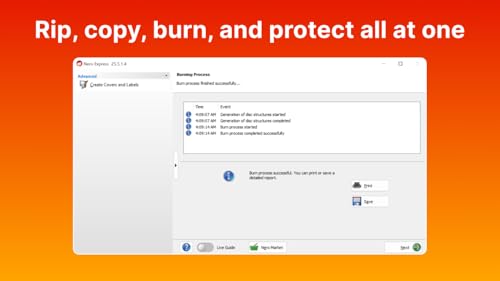
Nero Burning ROM 2026 is an all-in-one disc burning solution for the UK market, designed to handle CD, DVD and Blu-ray burning with a focus on accuracy and reliability. It also enables copying and cloning discs with preserved structure and quality, and includes features for ripping music CDs into common formats for playback across devices. If you regularly create or back up media, this software aims to streamline those workflows in a single tool.
How it stacks up on paper
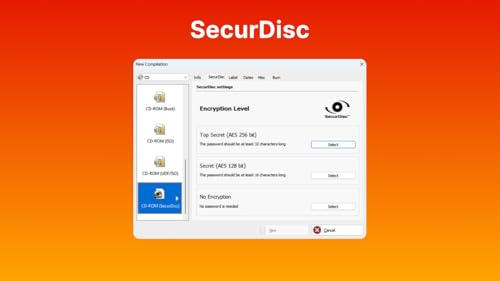
On the face of it, the software emphasises versatility: burning across media types, disc copying, and ripping capabilities, plus basic data protection through encryption, password and signature options. It comes with a lifetime licence and Windows compatibility, presented as a long-term, low-maintenance solution. While the base description highlights broad functionality, the practical value will hinge on how well it handles your typical media library and backup needs.
What stands out in everyday use
The key appeal is consolidated functionality: you won’t need separate tools for burning, copying, and ripping. The lifetime licence removes ongoing subscription concerns, which can be attractive for users who want predictable costs. In a basic setup, this can simplify media workflows and storage strategies, especially for those who frequently work with physical discs.
Limitations and caveats to consider
The information provided doesn’t specify advanced features like Blu-ray 3D support, streaming or cloud integration, or the full spectrum of supported encryption standards. It also doesn’t quantify performance metrics such as speed, error handling, or compatibility with niche hardware. Depending on your needs, you may find that it covers core tasks well but lacks deeper capabilities found in higher-end suites.
Who it’s for
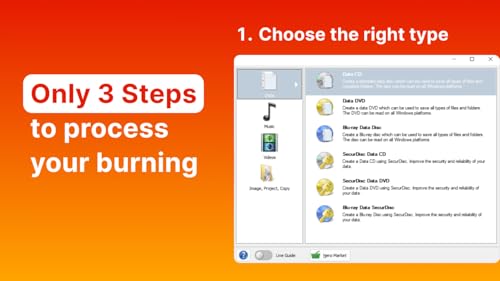
This package seems suited to home users or small studios who value an all-in-one disc tool with a lifelong licence and broad Windows support. If your workflow relies on frequent disc creation, data backups, or music ripping for portable devices across multiple formats, it could be a pragmatic match.
Who it might not be for
If you require cutting-edge disc features, extensive media management, or advanced encryption options beyond basic password protection, you might find the offering limited. It may also be less compelling if you already rely on other solutions for specialised formats or cloud-based backup strategies.
When it makes sense to buy
Consider this purchase if you want a consolidated, one-time investment for burning, copying and ripping tasks on Windows, with a focus on straightforward, durable operation and multilingual support.
What to check before buying
- Confirm Windows version compatibility with your setup (the product states support for Windows 11/10/8/7).
- Think about whether you need advanced features beyond basic burning, copying, and ripping.
- Consider your current media library and backup needs to assess if a lifelong licence provides tangible long-term value.
How it compares to other approaches
Compared with separate tools or subscription models, this offer could simplify purchase decisions and reduce long-term costs, provided the feature set aligns with your routine needs. If you require frequent, high-speed or highly granular disc mastering, you may want to validate performance expectations against your hardware and media types before committing.
FAQ
- What formats can be ripped with Nero Burning ROM 2026? Music CDs can be ripped into MP3, AAC, and FLAC for playback on multiple devices.
- Is it possible to protect data on discs? Yes, the product advertises encryption, password and signature features for data protection.
- Which Windows systems are supported? The description notes Windows 11, 10, 8 and 7 support.
Should you buy it?
It’s a sensible choice if you prioritise an all-in-one burning tool with a lifetime licence and straightforward disc workflows, and if your needs are covered by burning, copying and ripping within Windows. If your use case demands deeper media management or advanced disc capabilities, you may want to assess alternatives or additional tools before committing.