

McAfee Total Protection 3-Devices 2026 (1-Year Subscription) – Antivirus, Secure VPN, Scam Protection & Identity Monitoring
Product description
What it is and who it’s aimed at
McAfee Total Protection 3-Devices 2026 is a security software subscription designed to cover everyday digital risk across a small household setup. The idea is simple: you get layers aimed at malware/antivirus protection, safer browsing, VPN privacy for web activity, plus extra features focused on scams and identity monitoring.
It’s pitched for people who want more than a basic antivirus, but aren’t trying to run a complicated stack. On paper, it bundles several protections into one package, which can be handy when you’re juggling laptops, phones and tablets.
Where it helps in real life
If you use your phone for banking, shopping and browsing, or you often connect to public Wi‑Fi, the VPN and safe browsing components are the most obviously “daily use” features. On top of that, the scam-related tools are aimed at the problem many people face right now: risky messages, emails and even convincing-looking deepfake-style video content.
A practical example: imagine you’re on a café Wi‑Fi network and you open your banking app and also quickly check a shopping site. With a secure VPN capability, you’re aiming to keep your browsing activity more private than you would be on an open network. Meanwhile, safe browsing warnings can help flag risky websites and phishing attempts before you commit.
Key features that are covered (and what they do)
This subscription includes several named protection areas:

- Award-winning McAfee antivirus focused on protecting your data across phones, laptops and tablets.
- Secure VPN for private browsing, including when you’re on public Wi‑Fi.
- Scam Detector that provides automatic scam alerts to spot risky texts, emails and deepfake videos.
- Identity monitoring described as 24/7 monitoring of the dark web for up to 60 types of personal and financial information.
- Safe browsing warnings for risky websites and phishing attempts, plus a password manager.
- Customer support, included via McAfee, so you have a route to help if you get stuck.
The package reads like a “cover more angles” approach rather than focusing on one single threat. That can be a sensible route if you’re not only worried about viruses, but also about phishing, scams and exposure of personal details.
The essentials (and a couple of limitations to keep in mind)
A big strength here is the breadth of features: antivirus plus VPN, scam protection and identity monitoring is a broad set for one subscription. The fact it’s labelled as 3-Devices also points to household convenience.

That said, it isn’t perfect for every situation. For example, if you want a highly technical security setup or need very specific enterprise-level controls, this sort of consumer-oriented bundle may feel a bit generic. Also, because it’s a digital download subscription, it’s more about getting the software activated and maintained over time rather than “owning” anything outright.
What to check before you buy
Before committing, it’s worth double-checking a few practical points based on the information provided:
- Confirm the 3-Devices limit fits your household. If you need coverage for more than three devices, you may need a different approach.
- Make sure the features match your concern areas: do you care about scam alerts, dark web identity monitoring and safe browsing as well as antivirus?
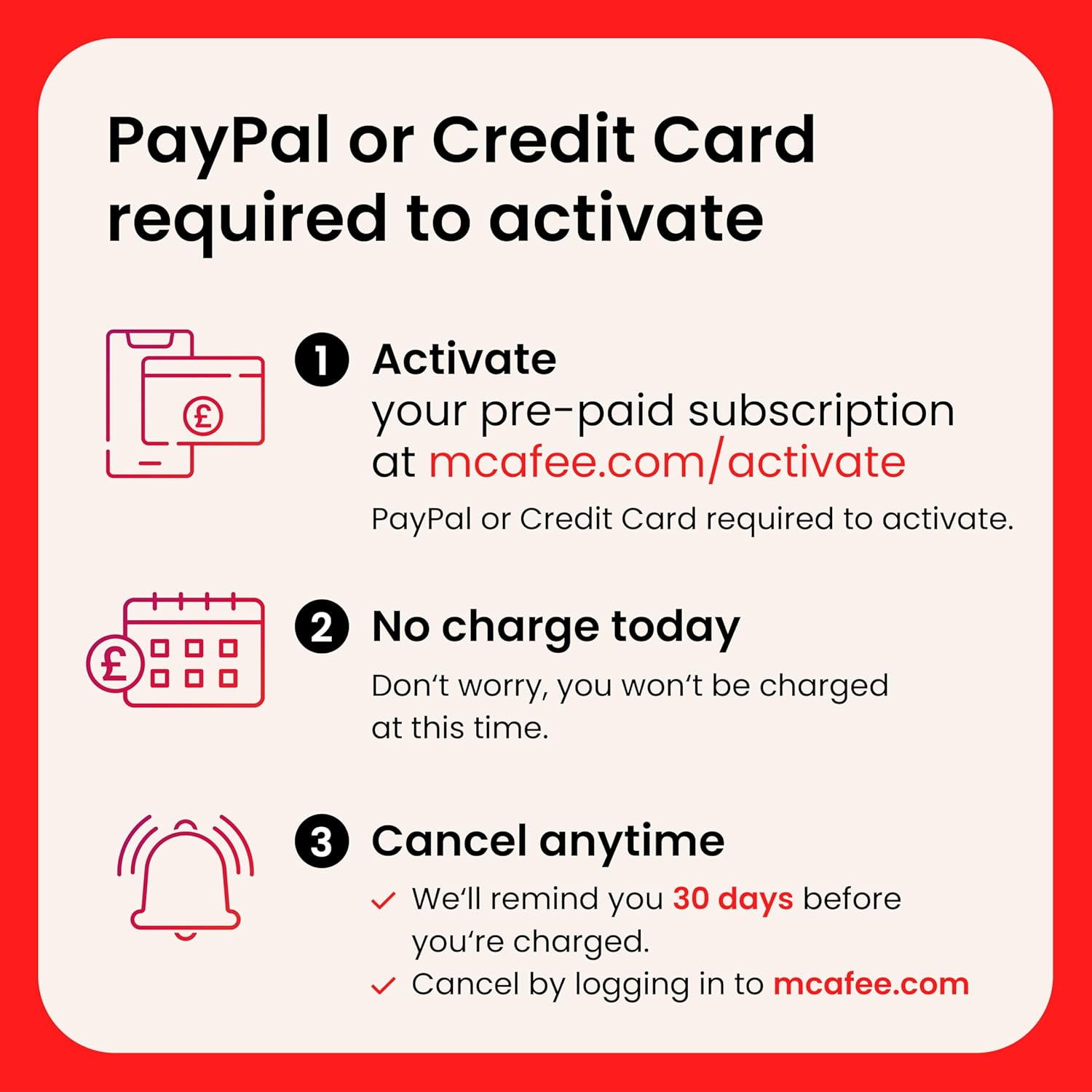
- Read the auto-renewal terms carefully. The subscription is set to automatically renew 30 days before the end of the term and then annually thereafter at the renewal price in effect.

Pros and cons in plain terms
What stands out - A broad bundle: antivirus, secure VPN, scam alerts, identity monitoring and safe browsing. - The VPN angle is directly relevant to public Wi‑Fi privacy. - Scam and identity monitoring features target problems that can be easy to miss until damage is done.
Where it may fall short - If you only need basic antivirus, the extra features might be more than you actually want. - Auto-renewal is in place, so if you’re the type to prefer complete control, you’ll want to plan and cancel via your account if needed.
Is it worth it?

It makes sense if you’re looking for an all-in-one security subscription for up to three devices, and you want more protection beyond malware—especially if scam texts, phishing attempts, and identity exposure are genuine concerns for your day-to-day use.
You may want to skip it if you only need a straightforward antivirus, or if you strongly dislike subscriptions with auto-renewal (activation requires a payment method, and charges are scheduled 30 days before the subscription ends).
A solid way to decide is to match the bundle to your habits: if you regularly browse on mobile, bank and shop online, and connect to public Wi‑Fi, the VPN and safe browsing elements are more likely to earn their keep. If your usage is simpler or mostly offline, the added layers could feel unnecessary.
Mini FAQ

Does the subscription auto-renew?
Yes. It renews automatically 30 days before the end of the term, and then annually thereafter at the applicable renewal price. You can cancel from your ‘My Account’ page on mcafee.com.
When will I be charged?
According to the terms, you’ll be charged 30 days before the subscription ends and annually thereafter at the renewal price in effect. You won’t be charged at the time of activation, but a payment method is required to complete activation.
What does scam protection cover?
The Scam Detector is described as providing automatic scam alerts for risky texts and emails, and for deepfake videos.
What’s included for password and browsing safety?
The package includes safe browsing warnings for risky websites and phishing attempts, and it also includes a password manager.
Is identity monitoring part of the package?
Yes. It’s described as 24/7 monitoring of the dark web for up to 60 types of personal and financial info.