

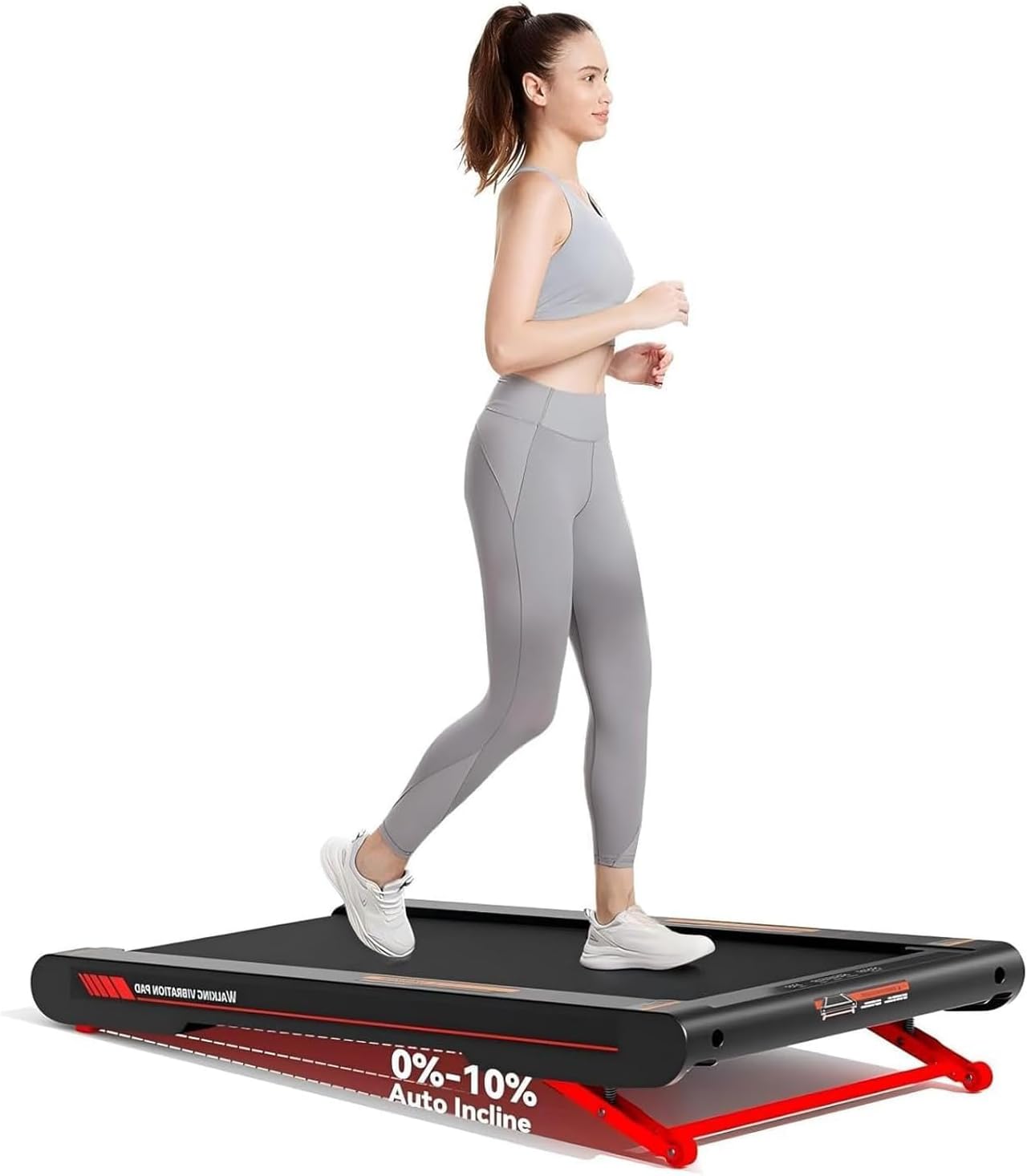
Lysole 4 in 1 Walking Vibration Pad (Under Desk Treadmill) with Auto Incline, Remote & App Control
Product description
The essentials
If you’re after an under-desk walking treadmill that can do more than just basic steps, the Lysole 4 in 1 Walking Vibration Pad is built around three things: an adjustable incline (up to 10%), vibration modes for post-walk relaxation, and controls that don’t require bending down every time.
On paper, it’s the kind of setup that suits people who want to stay a bit more active at home or in an office while working, and who like the idea of adding a gentle vibration session afterwards. It’s not perfect for everyone though—if you mainly want a serious running treadmill experience, the speed range and “walking pad” format may feel limiting.
What to know before you buy
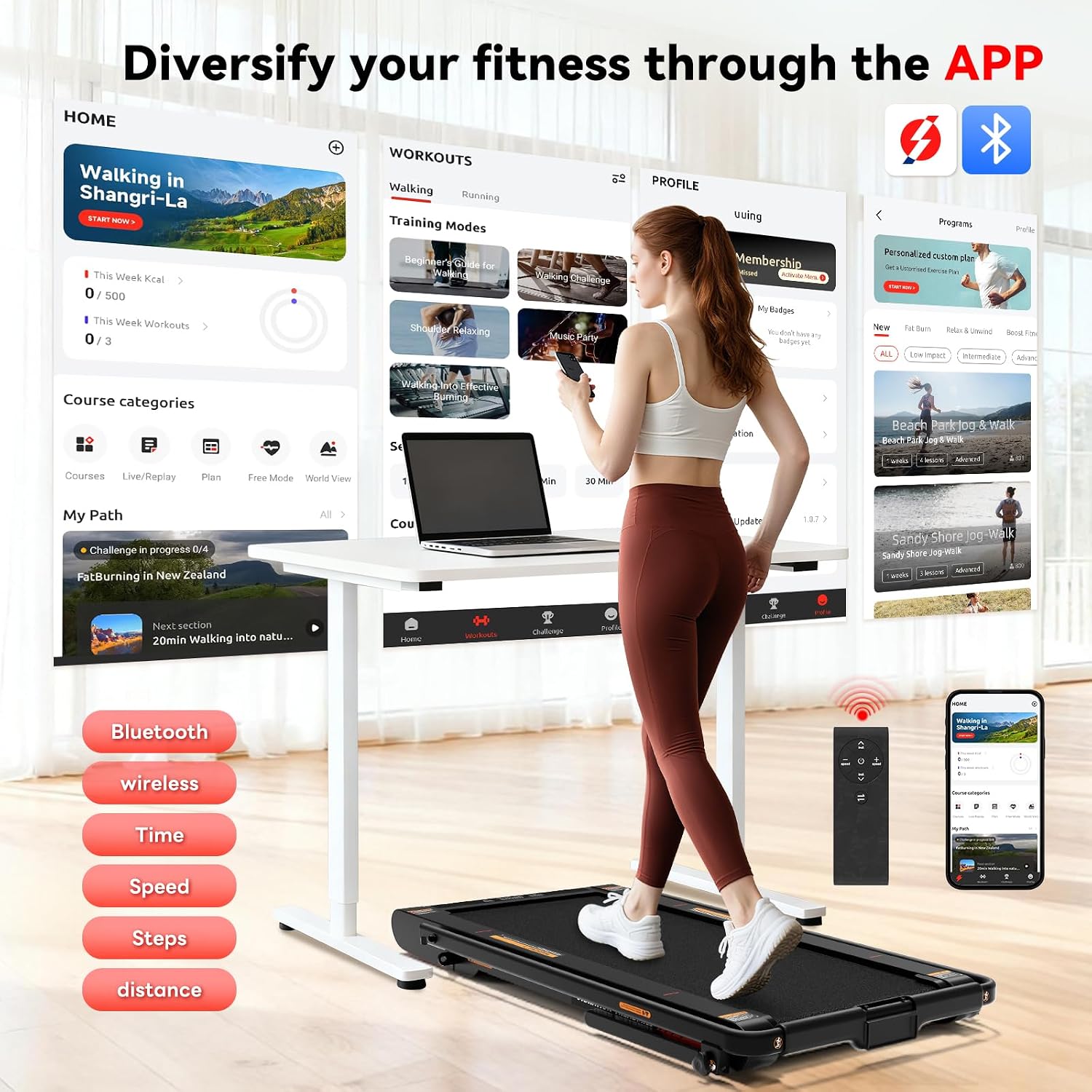
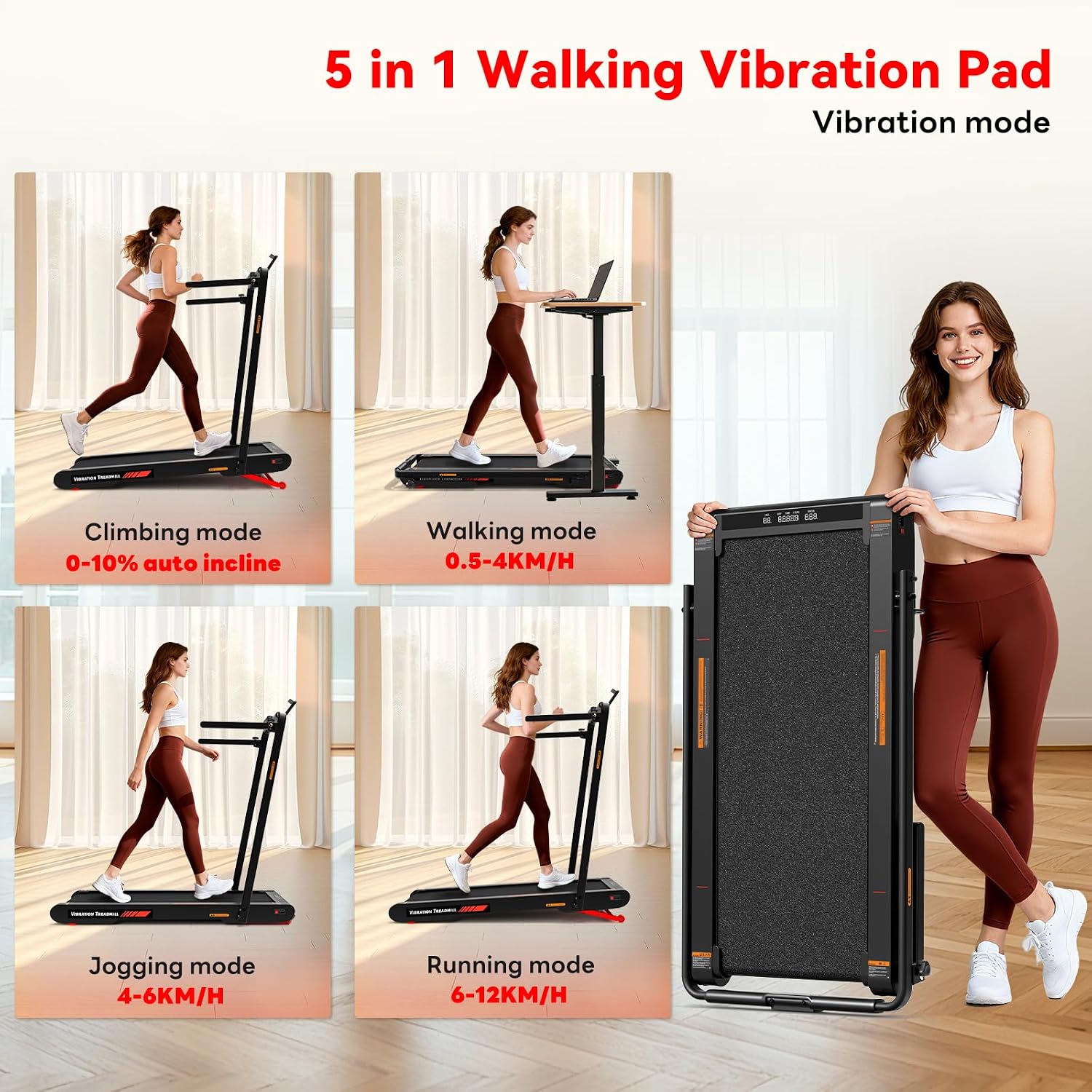
This unit is described as having an auto incline control and a 0% to 10% incline adjustment. You can change incline using the remote control or an app, which is handy when the machine sits under a desk.
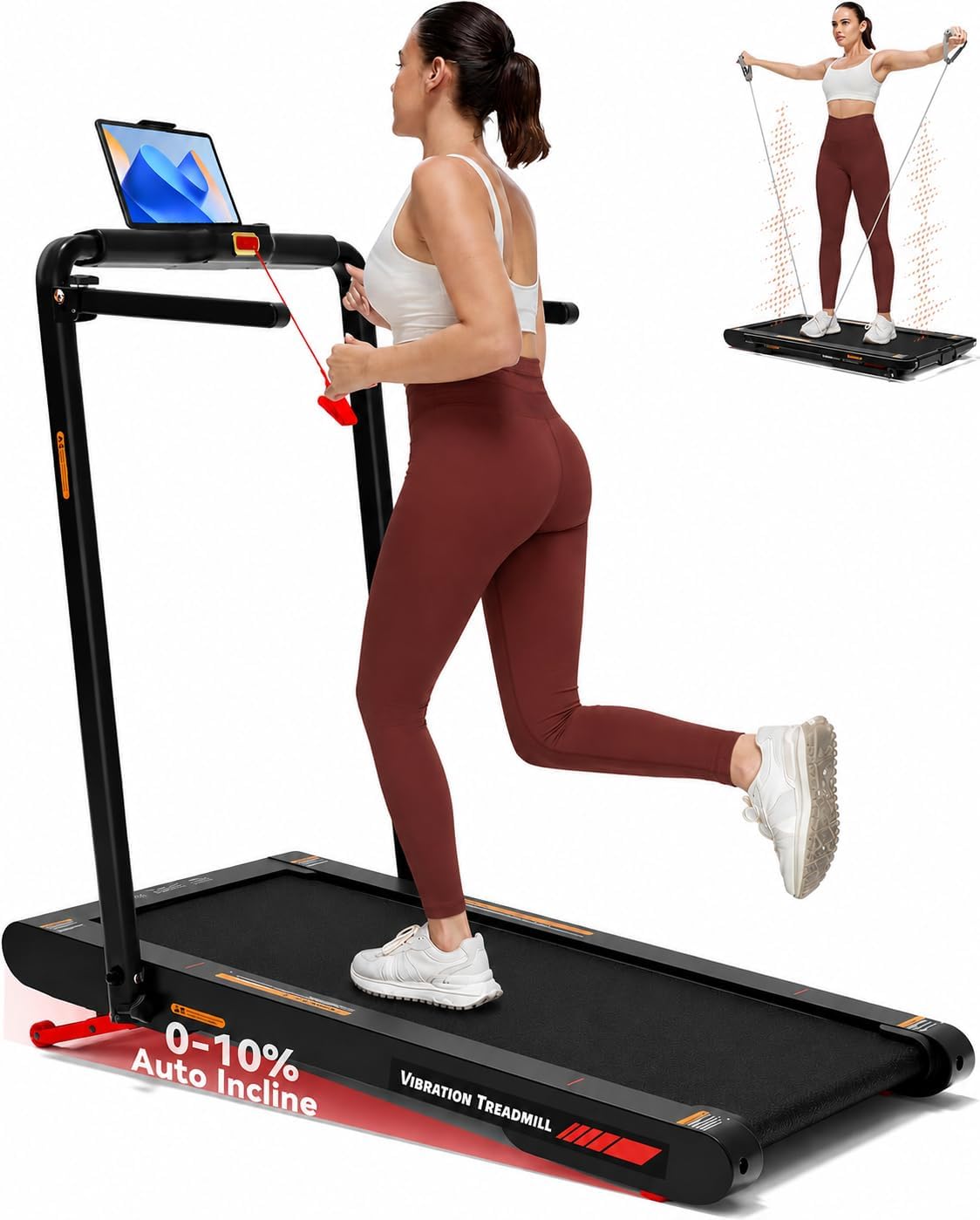
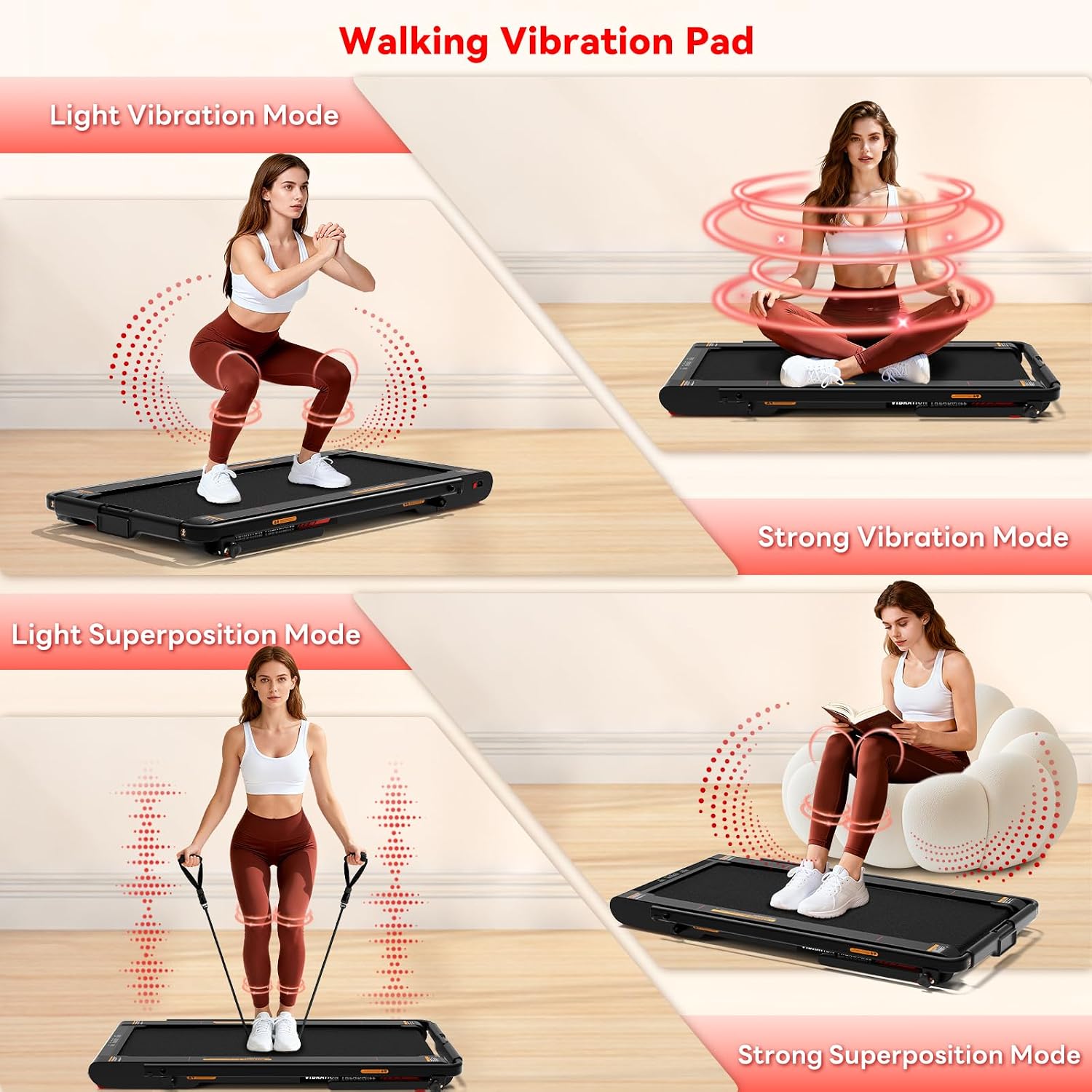
There’s also a vibration angle to it: it offers four vibration intensity levels, intended for muscle relaxation and stiffness relief after exercise. That’s a nice extra, but it’s still worth remembering that vibration intensity is personal—some people will want a lighter setting, while others may not feel a big difference.
Important safety note included by the brand: you should always install the safety clip before use. It’s one of those details that’s easy to skim over, but you’ll want to follow it.
Key features that matter in daily use
The design is aimed at practical everyday use rather than gym-style training. The frame is stated as 19 kg, and the support armrests are foldable, which should help with stability while walking and easier storage when folded.
There are transport wheels too, which makes a real difference if you need to move it between rooms or tuck it away after work.
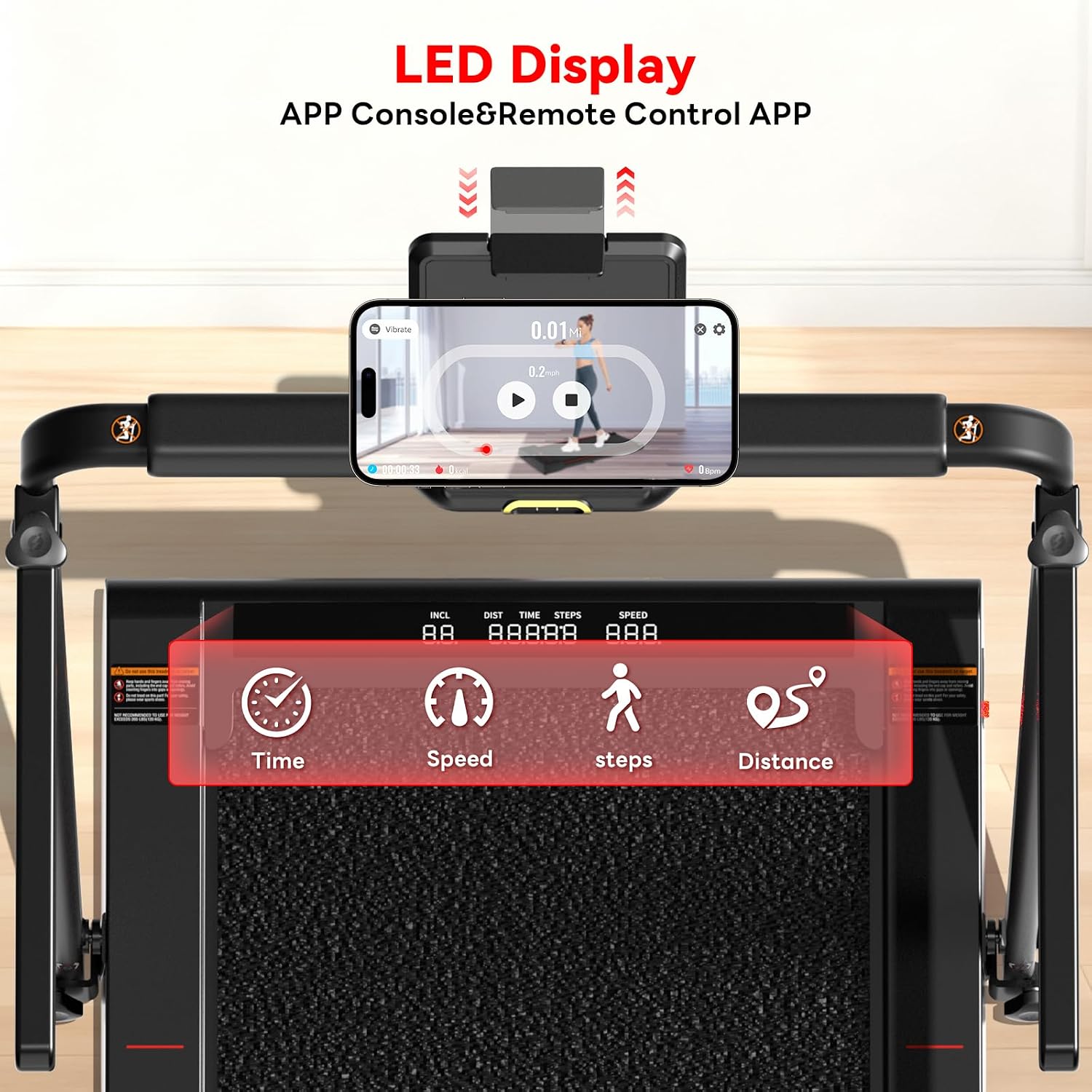
For workouts, the LED display is meant to show data you’d actually want in the moment: incline, distance, time, steps, and speed. The remote and app are also described as letting you start/stop and adjust speed and incline “with one hand”. That’s the sort of convenience that makes an under-desk treadmill actually usable during a typical day, not just a one-off test.
Comfort and performance: incline, speed and motor
The treadmill is described as using a 3.0 HP motor, with quiet and smooth operation claimed. It also has an incline function alongside the vibration modes.
Speed is listed as 0.3 to 7.5 mph, with the product positioned as suitable for switching between walking and jogging at home or in the office. Whether you’ll enjoy the jogging side depends on your stride and expectations—this is still fundamentally a walking vibration pad, so it may not suit people who want high-impact, frequent running.
What stands out (and where it might fall short)
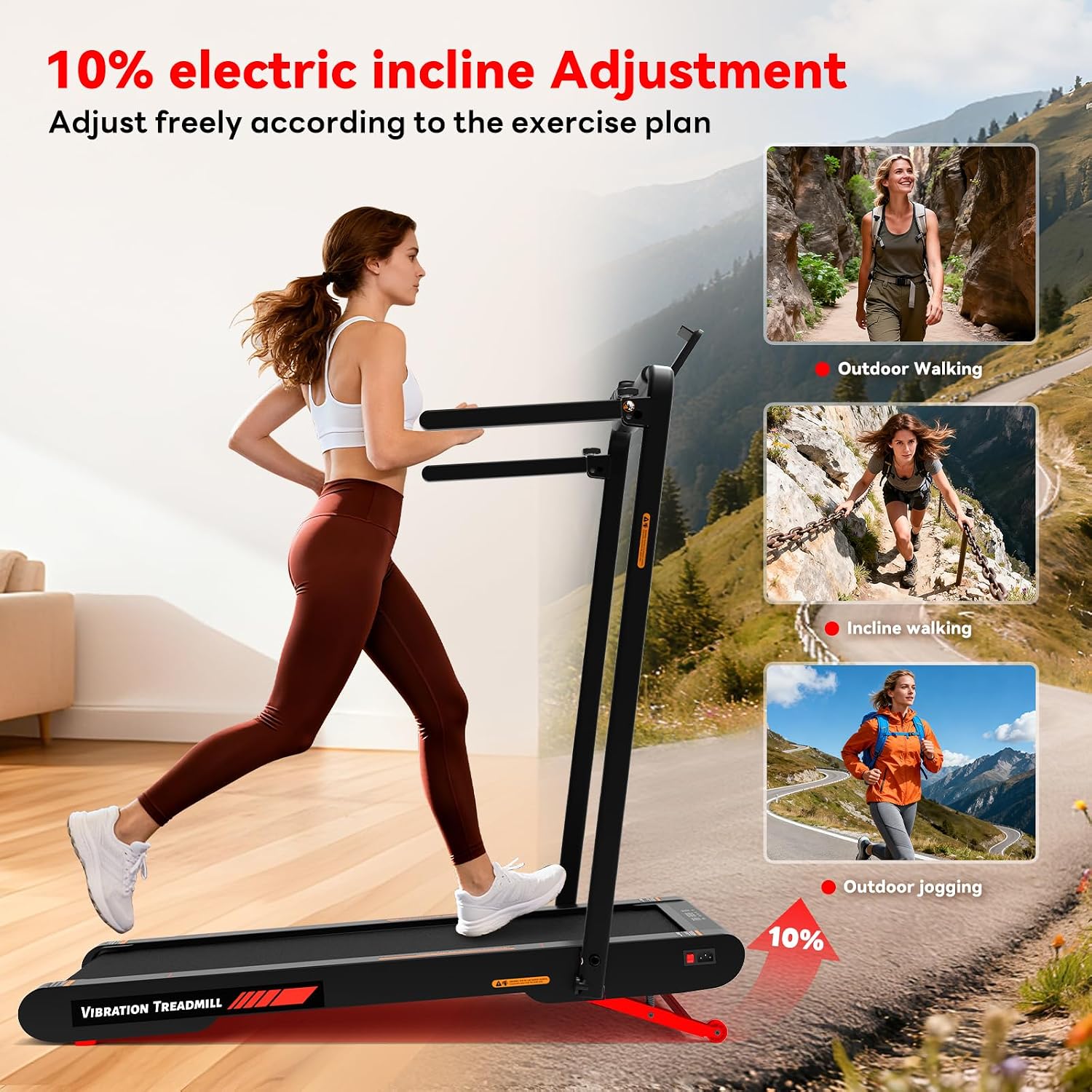
Where it really stands out is the combination of incline control, vibration modes, and the control options (remote plus app). Having incline from 0% to 10% means you can make “under desk walking” feel less flat, and four vibration levels add a recovery-style extra after you finish.
That said, keep expectations grounded: there’s no detail here about cushioning, shock absorption, or treadmill belt size, and those can make or break comfort for longer sessions. Also, the remote requires 2 AAA batteries (not included), so you’ll want to factor that in before your first run.
It may not be a great match if your main goal is training at higher speeds regularly, or if you expect a full-size treadmill feel.
Is it for you? (Who it suits, and who should skip it)
It makes sense if you want a compact-ish, desk-friendly way to add walking into your routine, with incline changes you can handle via remote or app. If you like the idea of turning the session into something more than just steps—especially with a post-walk vibration mode—this concept fits.
It may not suit you if you’re buying for serious jogging/running volume, or if you’re very sensitive to comfort and you need more cushioning detail than the information provided here. Also, if you dislike setups that require you to remember safety clipping before every use, you may want to look elsewhere.
Usage tips
A practical way to test whether it suits your day is to start at a low incline and low speed for short sessions—then adjust based on comfort rather than chasing numbers. For example, during a work block, you could walk at a steady pace while gradually experimenting with incline settings, once you finish, switch to a vibration intensity that feels relaxing rather than intense.
Just make sure you install the safety clip before use every time, and keep an eye on the LED display so you don’t lose track of distance, time, steps, and speed.
Final verdict
It’s a solid pick if you’re aiming for under-desk walking with the ability to increase effort via auto incline, and you’ll actually use the vibration modes for relaxation after. The foldable, wheel-assisted design and the remote/app control are the sort of convenience features that can make daily consistency more realistic.
You may want to skip it if you’re after a true running treadmill feel, or if you need clearer comfort/cushioning details before committing. If your priorities are desk-friendly movement, incline control, and recovery-style vibration, this is the kind of 4-in-1 walking vibration pad worth considering.
Mini FAQ
Can I control the incline and speed without getting up?
The product description says you can adjust incline from 0% to 10% using the remote control or an app, and you can start/stop or adjust speed and incline with one hand.
How many vibration modes does it include?
It includes four vibration intensity levels, intended for muscle relaxation and stiffness relief after exercise.
Does it need batteries for the remote?
Yes—2 AAA batteries are required for the remote, and they are not included.
Do I need to use a safety clip?
The brand specifically notes that you should always install the safety clip before use.
What’s the speed range for walking and jogging?
The stated speed range is 0.3 to 7.5 mph, with an option to switch between walking and jogging modes.