

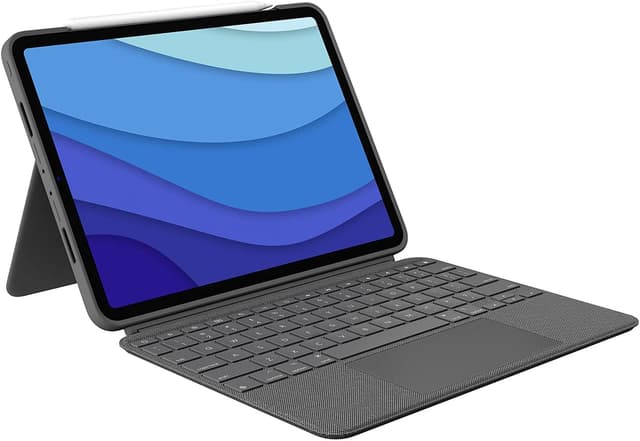
Logitech Combo Touch Keyboard Case for iPad Pro 13-inch (M4 & M5) (2024 & 2025) – Graphite, Detachable Backlit Keyboard (UK QWERTY)
Product description
The essentials
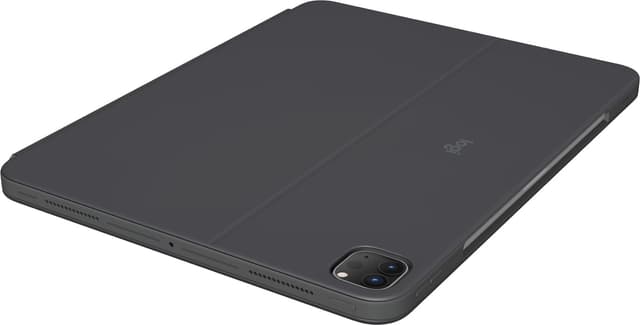
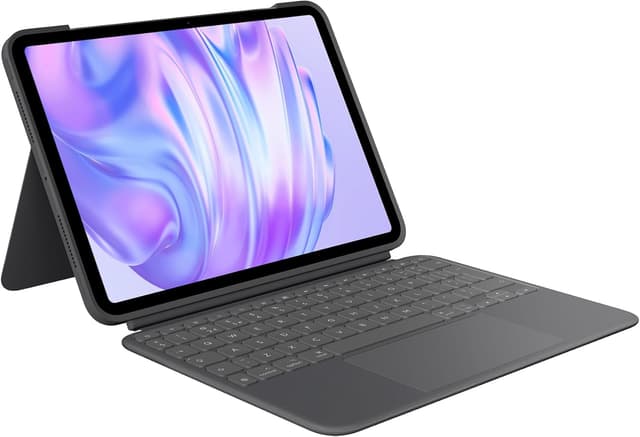
If you spend real time on your iPad Pro 13-inch, the Logitech Combo Touch keyboard case is built for turning “tablet mode” into something closer to a laptop routine. It combines a detachable backlit keyboard, an adjustable kickstand, and a large multi-touch trackpad, all in one cover-style setup. You don’t have to remove the iPad Pro to switch between typing, sketching, reading, or video calls.
On paper, it’s one of those cases that tries to cover a lot of everyday scenarios without making you faff around. And it does so with a few practical design ideas: the keyboard is detachable (useful when you don’t need it), the stand is flexible (so you can angle it for different tasks), and the lighting is adjustable for day-to-night use.
The main limitation to keep in mind is compatibility: it’s intended for specific iPad Pro models/years (M4 & M5, 2024 & 2025). Also, it’s not designed for iPad Pro models with Nano-texture glass, so it’s worth double-checking before you commit.
What to know before buying (compatibility matters)
This Combo Touch is specified for iPad Pro 13-inch (M4 & M5) for 2024 & 2025. The listed iPad identifiers include A2925, A2926, A3007, A3360, A3361, and A3362.
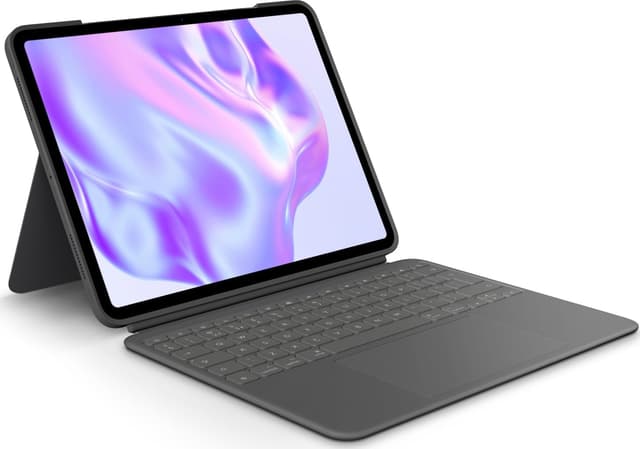
It also explicitly notes that it is not designed for iPad Pro with Nano-texture glass. If you’re unsure which glass your iPad Pro has, this is the sort of detail that can save you hassle.
It’s a case that works around your iPad Pro rather than replacing it. So if your priority is “grab-and-go keyboard” for occasional emails, this may feel like more case than you need. If your priority is a daily typing + trackpad workflow, it makes more sense.
Key features for real-world use
The headline features aren’t just marketing lines—they’re the bits you’ll actually notice.
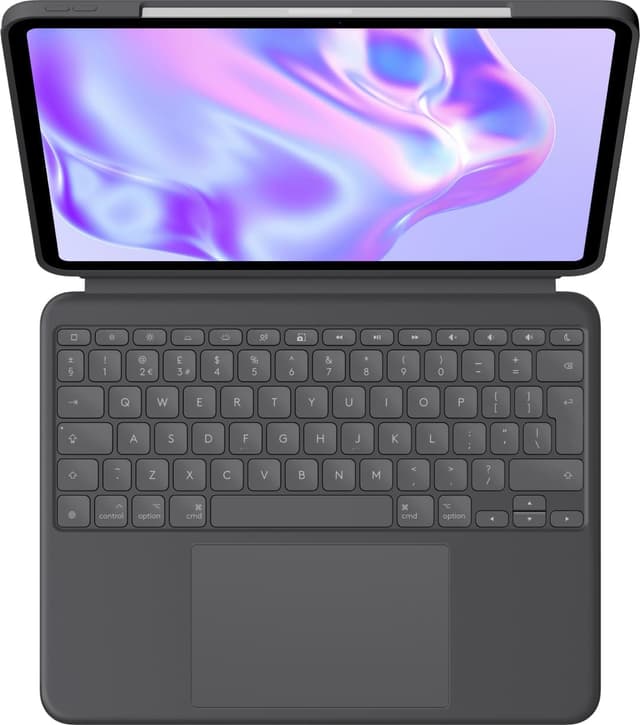
Detachable backlit keyboard and kickstand
You get a detachable keyboard with backlit keys. That helps if you’re working in lower light, commuting, or doing evening admin. The kickstand is described as “ultra-flexible” and adjustable, so you can find a comfortable angle for typing, watching, or reading.
A practical way to think about it: when you’re typing, keep the keyboard attached and set the stand for your preferred height/angle. When you want to sketch or just read, detach the keyboard and use the iPad more freely.
Large multi-touch trackpad
Logitech positions this as the biggest trackpad in the Combo Touch line, with multi-touch gesture controls. In practice, it’s designed to make navigation feel more natural than relying only on the touchscreen. If you’re used to swiping, pinching, double-tapping, and similar gestures, this is the kind of addition that can reduce friction.
Smart Connector (no charging for the keyboard)
The case uses the Smart Connector for instant, secure connectivity, and it notes that there’s no charging required for the keyboard case because it’s powered by your iPad. That’s a genuinely useful day-to-day detail—less clutter, fewer cables, fewer reminders.
Type, sketch, watch, read: the “use-your-way” modes

One of the more convincing aspects of Combo Touch is the idea of switching modes without removing your iPad Pro from the case. The description highlights that you can type, sketch, watch videos, read, or join video calls while the iPad remains in the keyboard case.
Is it perfect for everything? Not necessarily. Detaching the keyboard is great when you want a looser, sketching-focused setup, but that’s still an extra step compared with a permanent stand-alone keyboard. If you mainly read and don’t type much, you might find the extra bulk is more than you need.
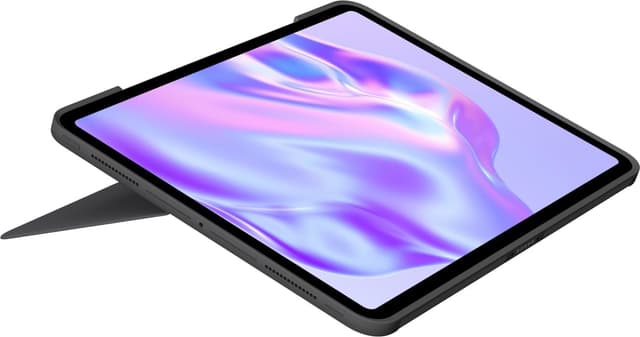
But if you’re the kind of user who alternates between writing and lighter tablet tasks during the same session, the “leave it in place” approach is exactly the kind of convenience people pay for.
Protection and materials (worth considering)
The case is described as “secure, form-fit protection”, aimed at guarding against scuffs and scratches. It’s framed as sturdy yet lightweight, with the point being peace of mind if you take the iPad around.
There’s also a sustainability note: the plastic parts include certified post-consumer recycled plastic, with Graphite stated as 19%. It won’t change your day-to-day experience, but it’s a decent transparency detail if that matters to you.
Pros, and where it may fall short
Pros
- Detachable backlit keyboard for flexible workflows
- Multi-use angles via an adjustable kickstand
- Large multi-touch trackpad with familiar gesture controls
- Smart Connector setup with no charging required for the keyboard case
- Designed for frequent carry thanks to form-fit protection
What to watch
- Only for specific iPad Pro 13-inch (M4 & M5, 2024 & 2025) models—check the listed identifiers
- Not designed for iPad Pro with Nano-texture glass
- If you mostly use your iPad for reading/video and rarely type, the keyboard case format may feel like overkill
Mini FAQ
Is this compatible with iPad Pro 13-inch M4 and M5 (2024 & 2025)?
It’s specified for iPad Pro 13-inch (M4 & M5) (2024 & 2025), with several iPad model identifiers listed. If your device matches those identifiers, it should be the intended fit.
Does the keyboard need charging?
No charging is required for the keyboard case because it’s powered by the iPad via the Smart Connector.
Can you use the iPad without the keyboard attached?
Yes. The keyboard is detachable, so you can sketch, watch, or read with more freedom.
What keyboard layout is it?
The layout is described as QWERTY UK English.
Final verdict
Final verdict
It’s worth considering if you want one iPad Pro 13-inch setup that can genuinely handle a day of typing and cursor work, then still switch to sketching, reading, or video calls without constantly removing the iPad. The Smart Connector and detachable backlit keyboard are especially practical for commuting and evening use.
You may want to skip it if your iPad Pro doesn’t match the specified M4/M5 (2024/2025) models, or if you have Nano-texture glass, because compatibility is explicitly called out as limited. And if you rarely type, the keyboard-case approach could end up being more bulk than benefit.