

KIWIHOME Cooling Fan for PS5 Slim (2023) with Auto Speed, LED & USB 3.0 Port
Product description
The essentials
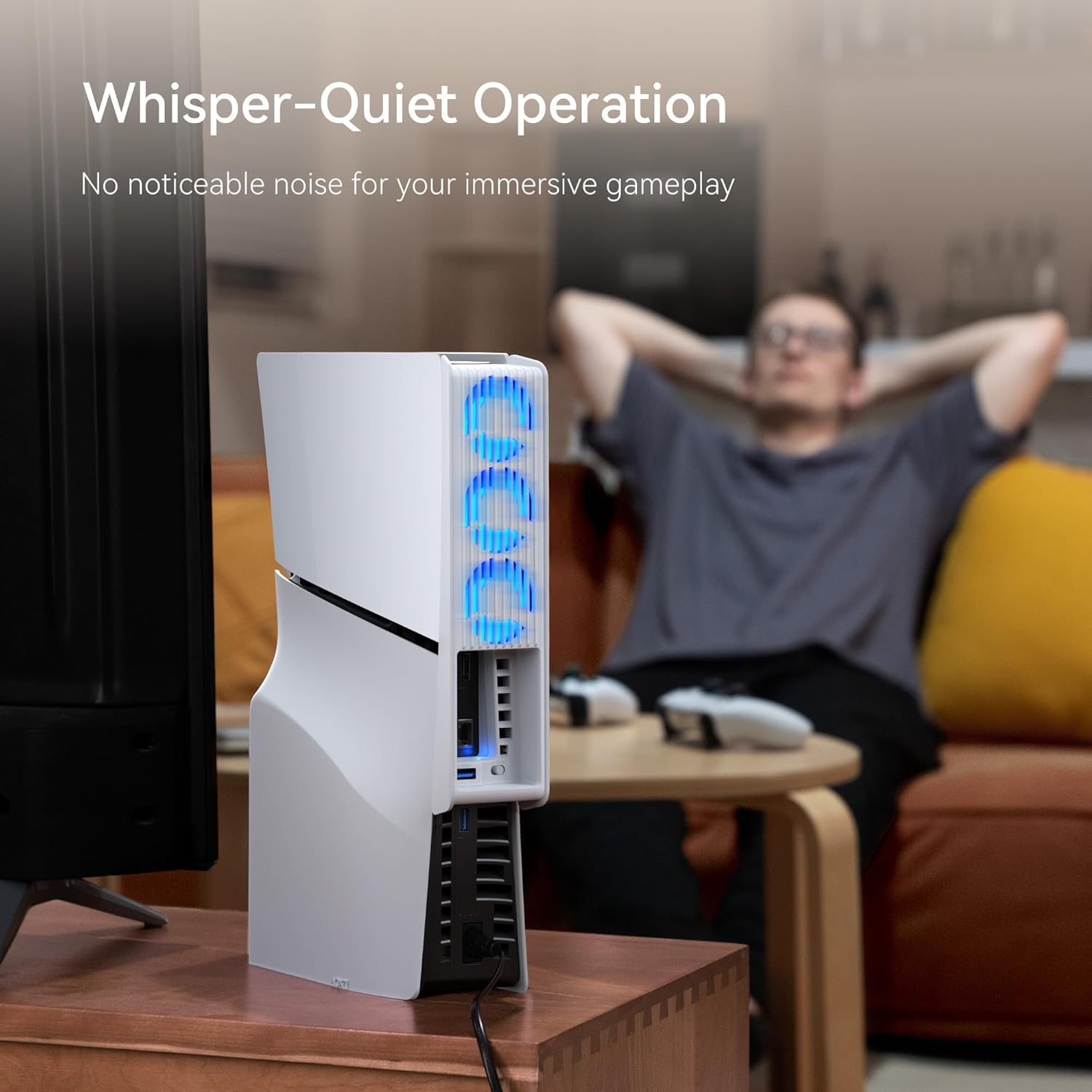
If your PS5 Slim (2023) tends to run warm during longer sessions, a dedicated cooling fan can be a sensible add-on. This KIWIHOME cooling fan is designed specifically for the PS5 Slim disc and digital editions, using three hydraulic-style fans to move more air while aiming to keep noise lower than basic add-ons.
On paper, the standout is the combination of automatic speed control and a USB 3.0 port. The LED is a nice touch for setup aesthetics, but the real draw is practical: better airflow and a calmer overall experience when you’re gaming for an hour or two (or more).
Key features that affect day-to-day use
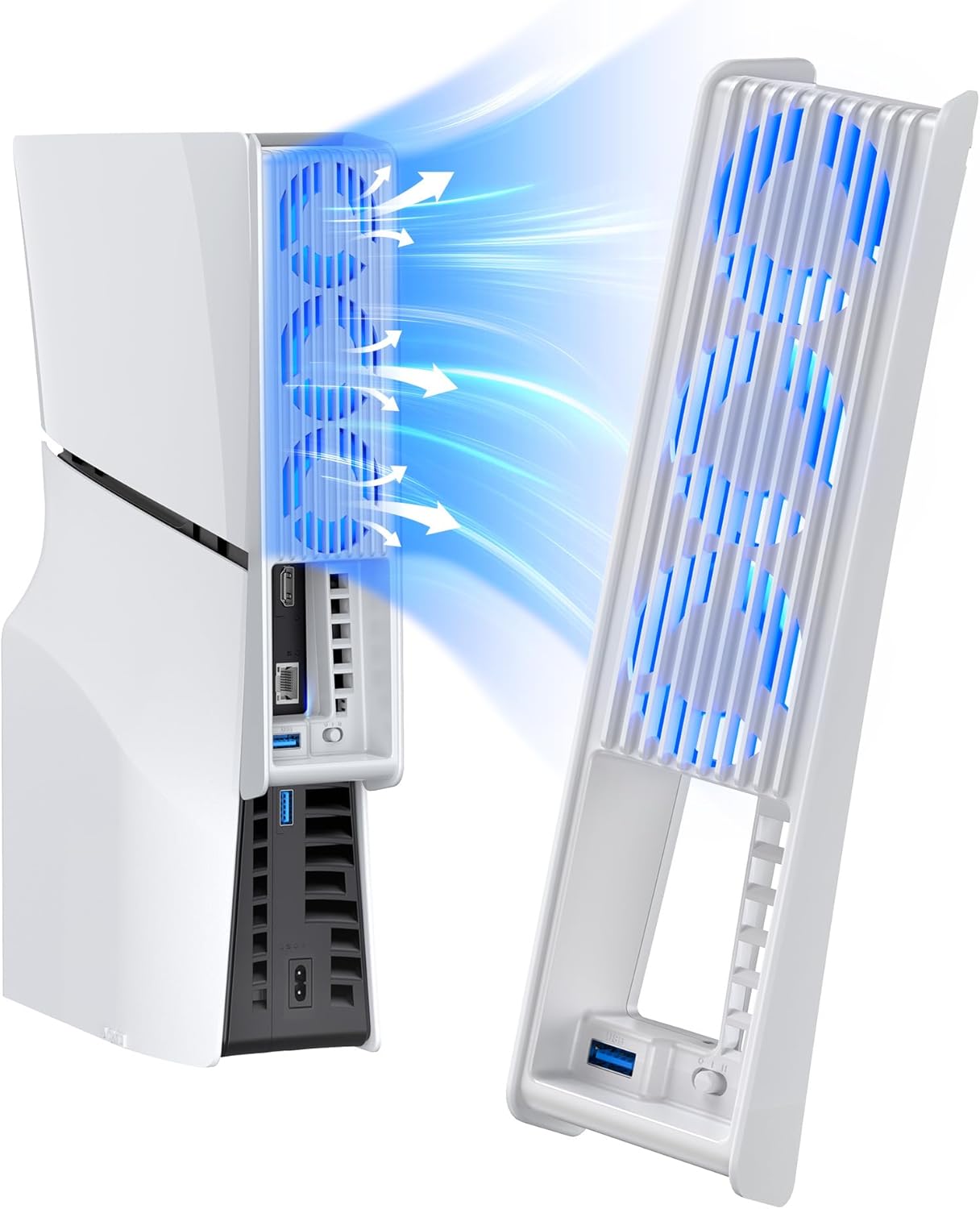
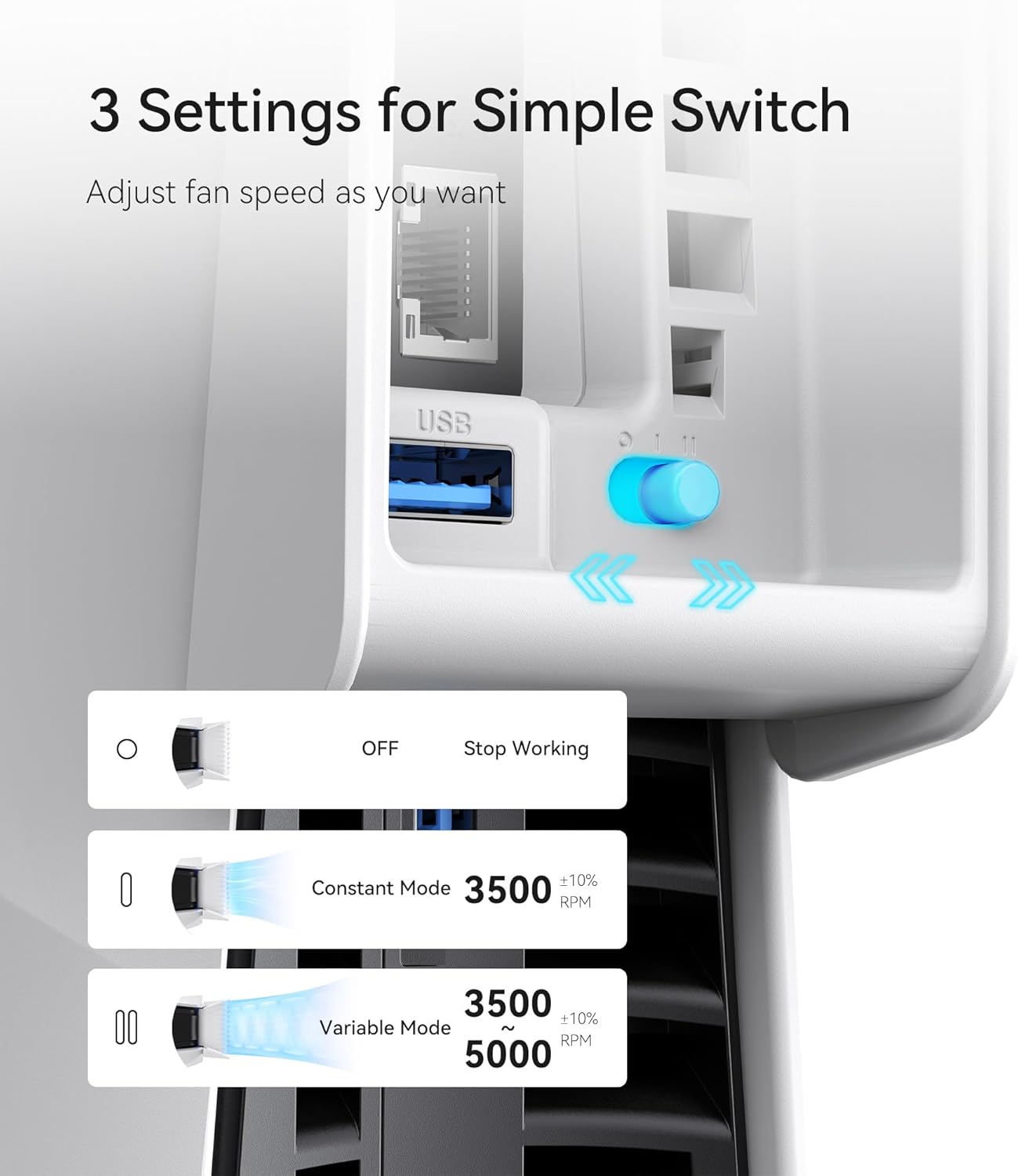
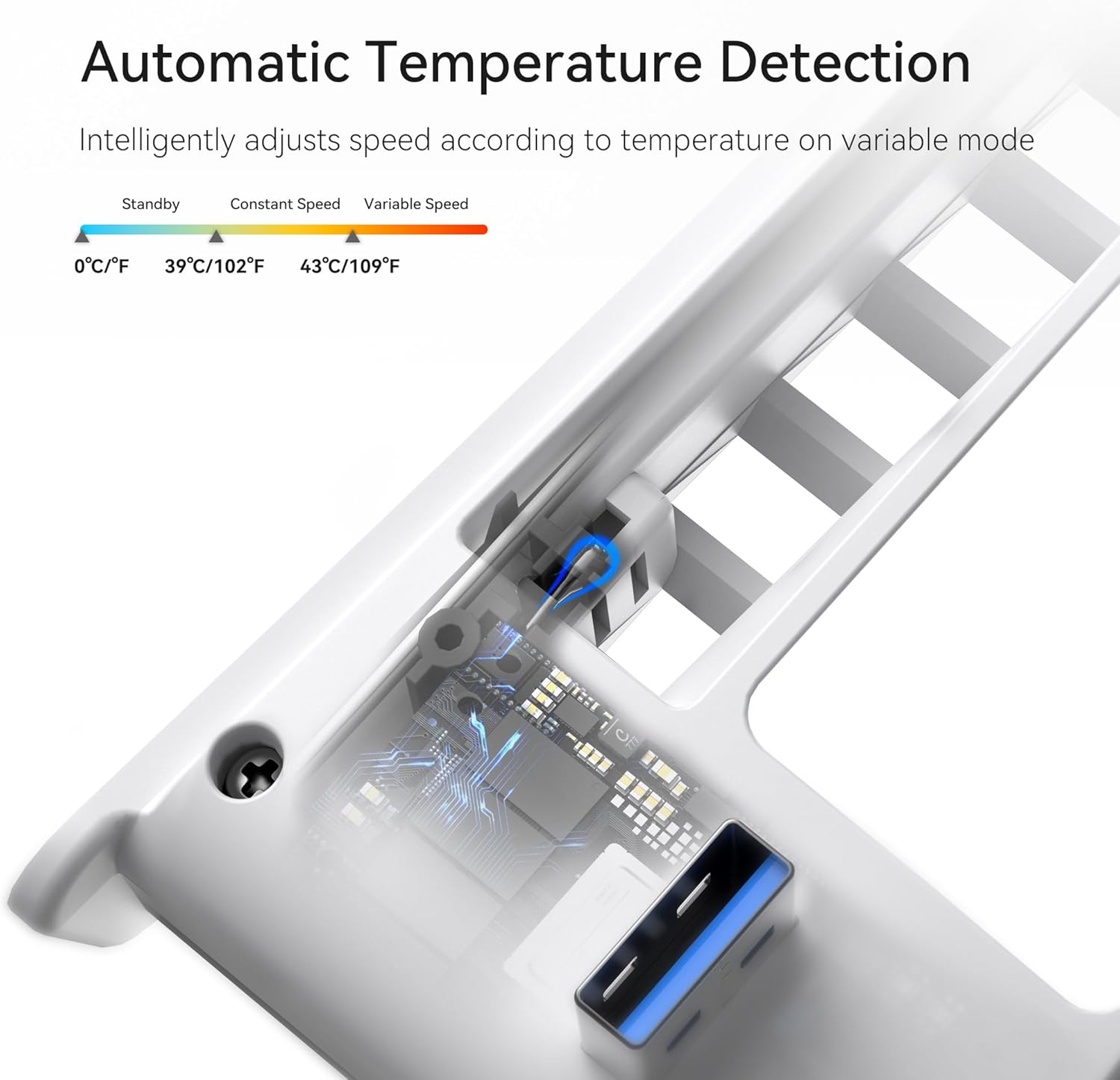
The fan offers three operating modes: OFF, Uniform Speed, and Variable Speed (Automatic). In Automatic mode, the fan speed adjusts based on the console’s temperature, with the goal of maintaining more steady operating conditions.
You’ll also get an LED indicator that shows when the fan is running. It’s not essential, but it helps you quickly tell what mode it’s in at a glance.
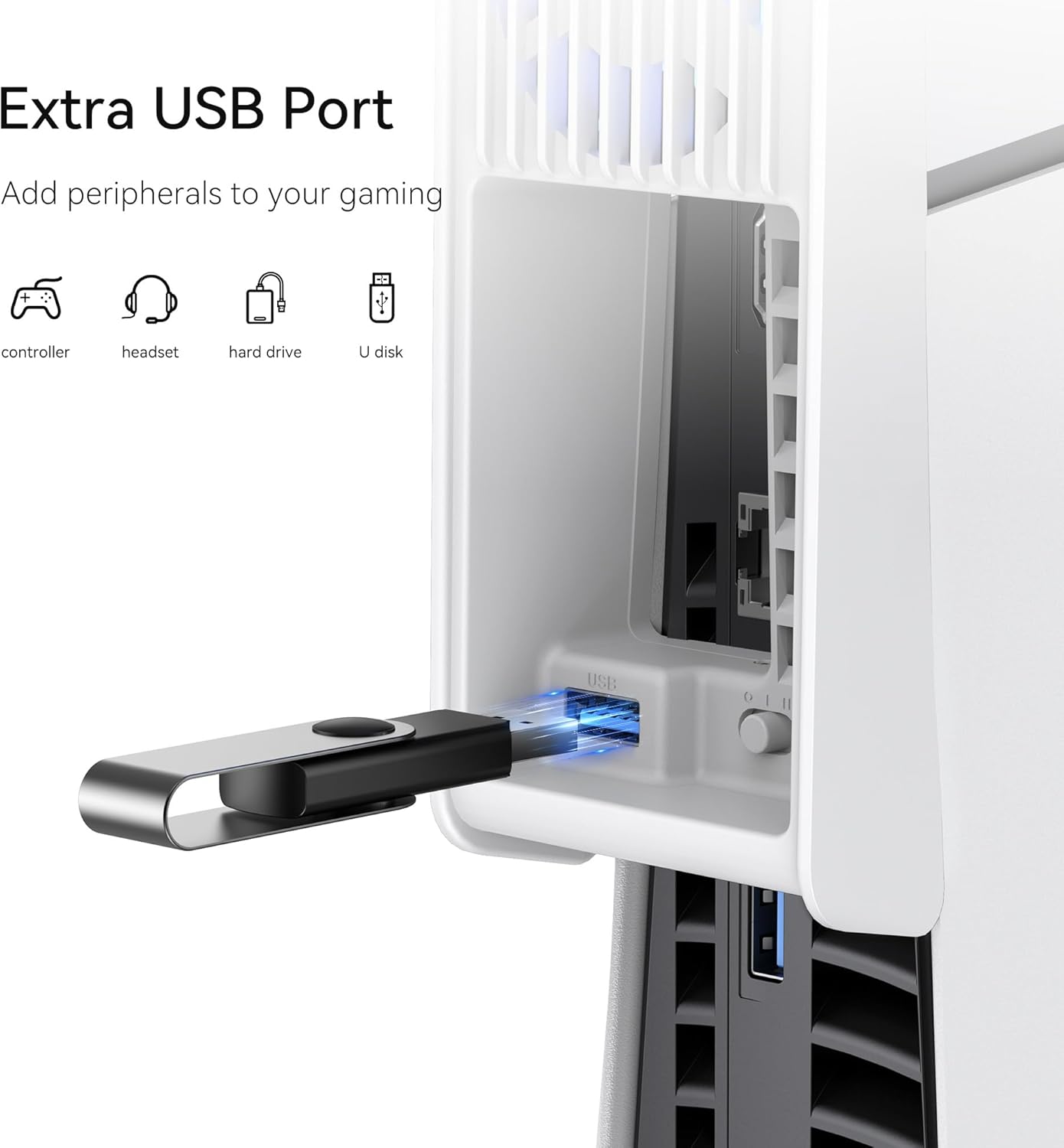
Then there’s the USB 3.0 element. Instead of taking the fan’s power from the same connection you might want for accessories, this model includes a USB 3.0 port that acts like a passthrough. In other words, it’s meant to help you avoid losing a port on the back of your console, while adding extra connectivity for devices like a controller, headset, external storage (hard drive or U disk), and more.
What to know before you buy
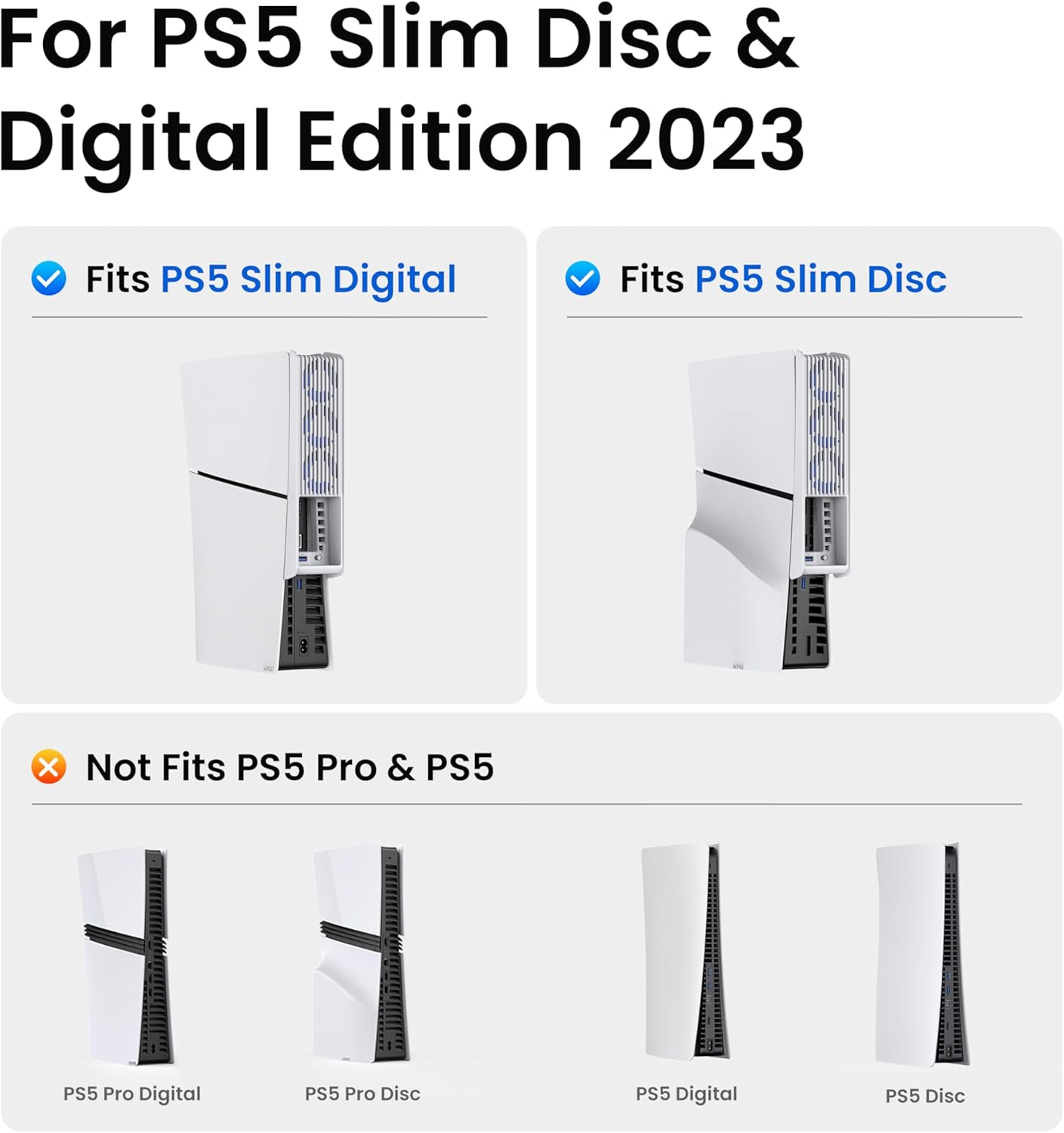
Compatibility is the big thing to get right. This cooling fan is made for PS5 Slim 2023, and it’s explicitly noted as not for the original PS5 (2020) or the PS5 Pro LED Cooler Fan with Auto Speed.
It also supports both vertical and horizontal console orientations, which matters if you keep your PS5 Slim on its side on a stand or in a media unit.
Installation and practical getting-started
Setup is intentionally straightforward: you plug it into the USB-A port on the back of the console, clip it onto the top, and press the button to start cooling. If you game with your console vertically, this design still aims to work without forcing you into a different layout.
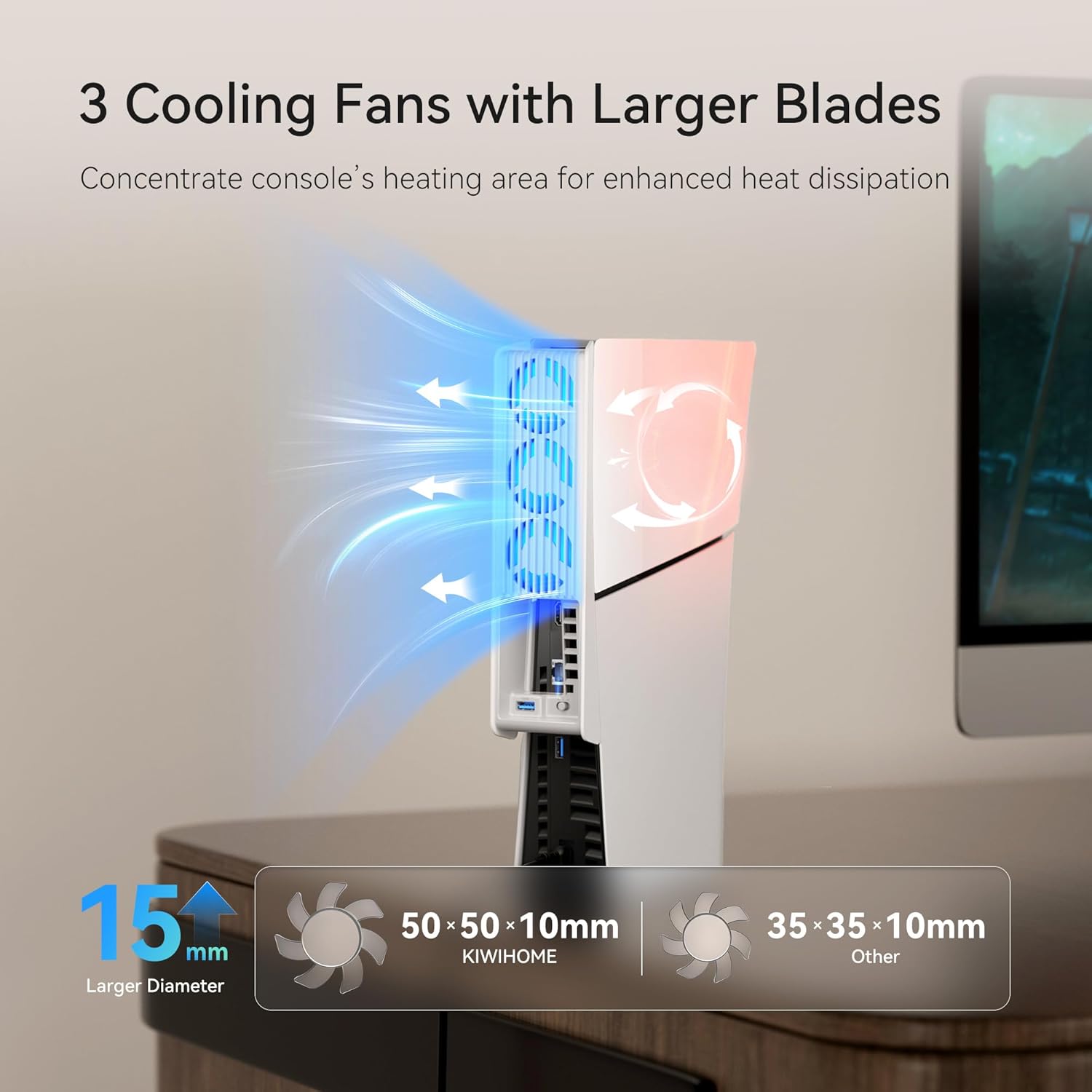
A realistic micro-scenario: say you’ve just finished a big session and the console feels noticeably warm. Flipping to Automatic mode beforehand can take the edge off, because the fan will react to temperature rather than running at one fixed level the entire time.
Limits and who it suits (and who should skip it)
This is a cooling accessory, not a miracle cure. If your priority is extreme thermal performance or you’re expecting it to completely cancel heat in all circumstances, it may feel like it’s only delivering what a typical fan add-on can realistically do.
It’s a good fit if you own a PS5 Slim 2023 disc or digital edition and you want an easier way to support airflow during longer gaming sessions—especially if you also need extra USB connectivity.
It might not be a great match if you have an original PS5 (2020) or a PS5 Pro, because the listing specifically says it’s not for those models. Better avoided if you’re not sure which exact console revision you’ve got.
Final verdict
It’s worth considering if you’ve got a PS5 Slim (2023) and you want quieter cooling support with automatic speed control, plus a USB 3.0 passthrough so you don’t sacrifice ports. For many people, that combination is the main value: temperature-responsive fan assistance and everyday practicality in one accessory.
It’s not the right purchase if you’re trying to cool an original PS5 or PS5 Pro, or if you’re expecting a level of cooling performance beyond what a secondary fan can provide.
Quick overview FAQ
Does this work with both PS5 Slim disc and digital versions?
Yes, it’s stated to be compatible with both the disc edition and the digital edition of the PS5 Slim.
Will it suit a vertical or horizontal PS5 Slim setup?
It supports both vertical and horizontal orientations.
What does the automatic speed mode do?
In Variable Speed (Automatic) mode, it adjusts fan speed based on the console’s temperature.
Is it compatible with the original PS5 or PS5 Pro?
No. The listing notes it is not for the original PS5 (2020) or PS5 Pro.
Does the fan include a USB 3.0 port?
Yes. The setup includes a USB 3.0 port intended to act as a convenient passthrough so you can connect additional USB devices.