

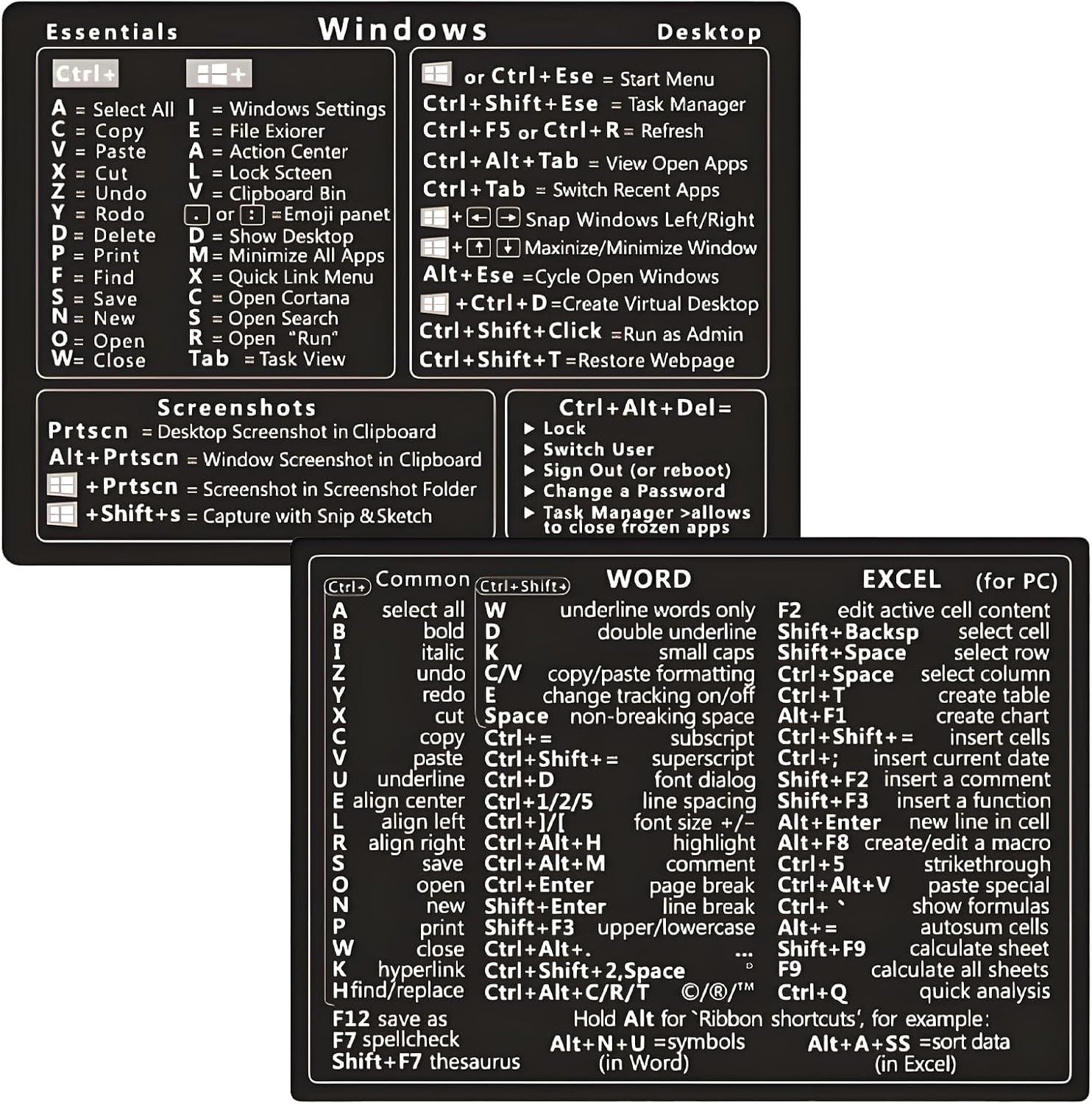
KEAIDUO Windows + Word/Excel Shortcuts Stickers Bundle (Rainbowl)
Product description
What matters most
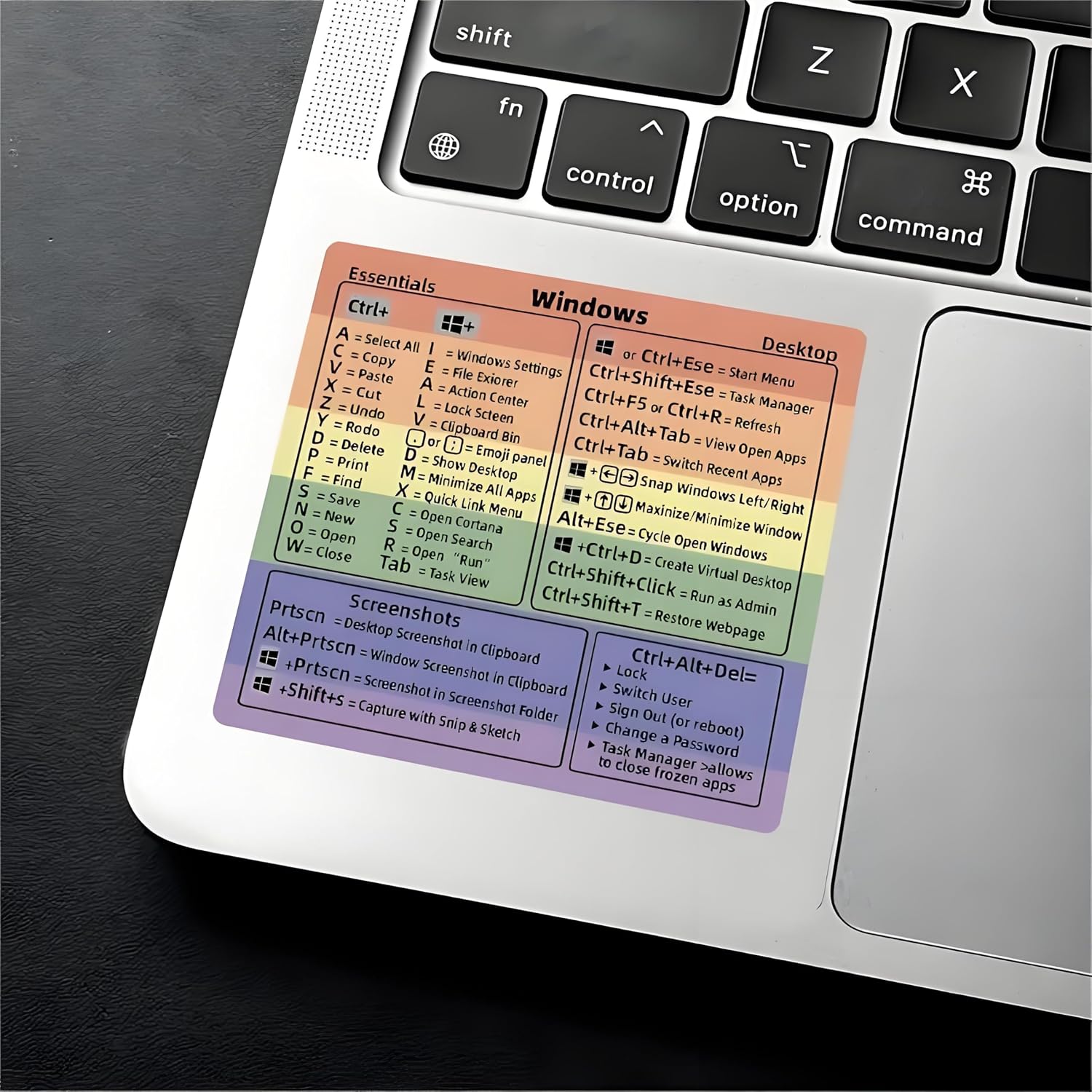
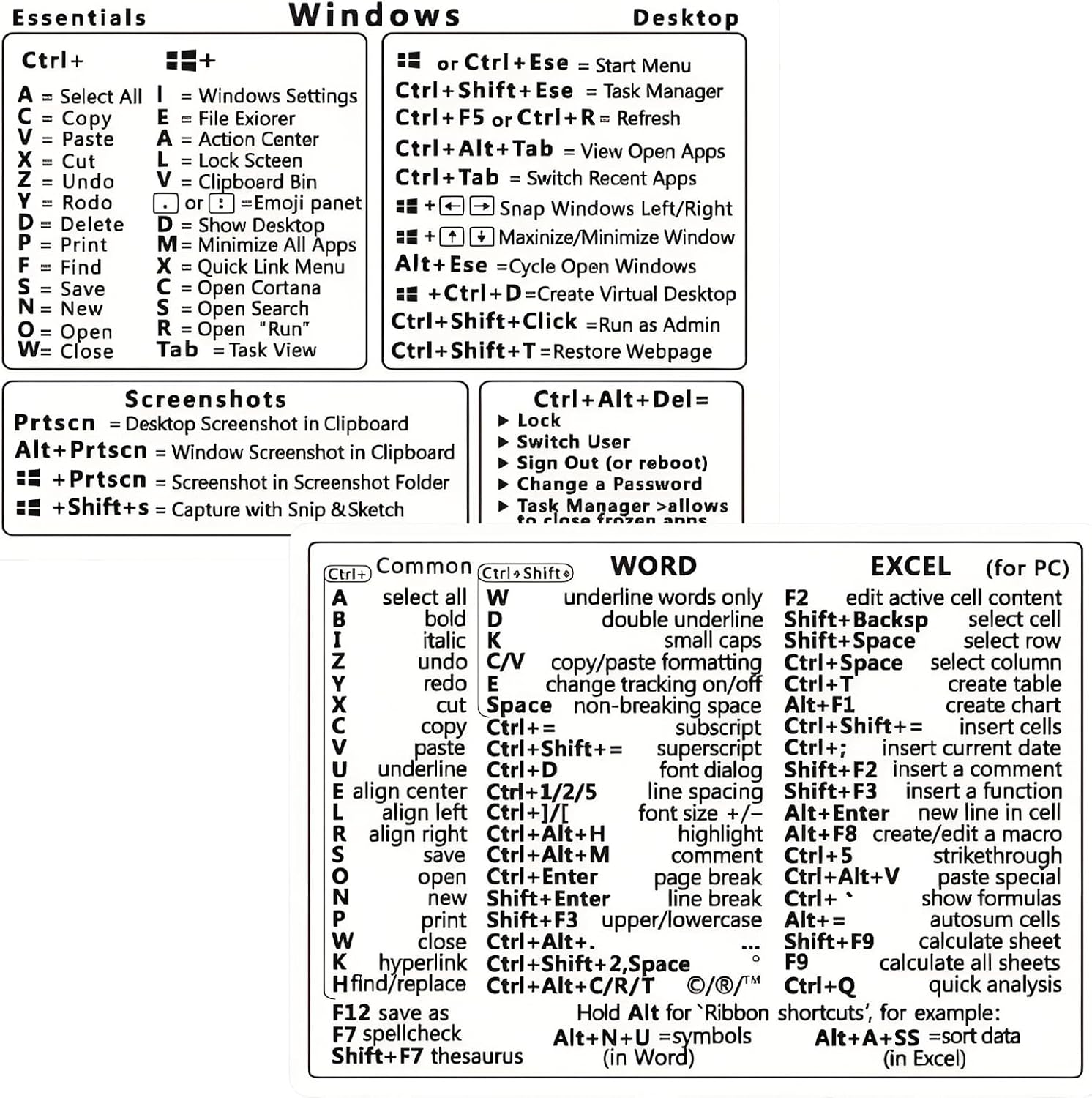
If you want a simple, visible reference for Windows, Word and Excel shortcuts, this KEAIDUO bundle gives you a ready-made quick lookup. It doesn’t pretend to replace full training or manuals, but on the desk or laptop, those little stickers can save a few minutes each day. On paper, the concept is straightforward: place the most-used commands where your eyes land first, and you spend less time memorising and more time getting work done.
Technical details
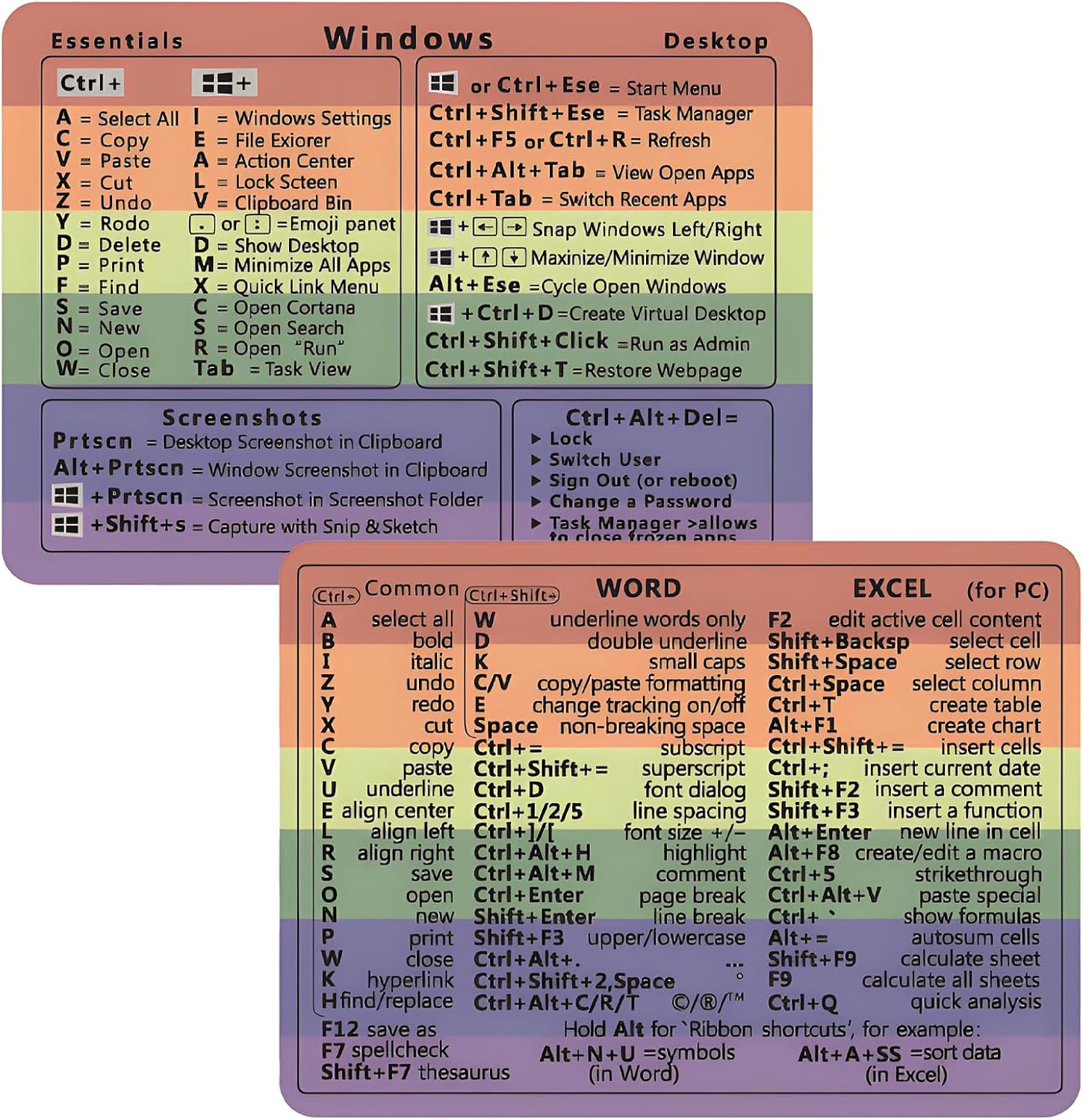
This is a no-residue vinyl sticker set designed to fit a wide range of Windows PCs. The updated adhesive promises a stronger hold, with the caveat that removal may leave a light residue which is wipeable with a soft cloth and warm soapy water. The application guidance suggests a careful peel-and-stick approach to minimise air bubbles, rather than trying to remove all backing at once. It is designed to be compatible with machines running Windows 10 or 11. The package includes one set of shortcut stickers, with the option to share or keep a spare.
What stands out
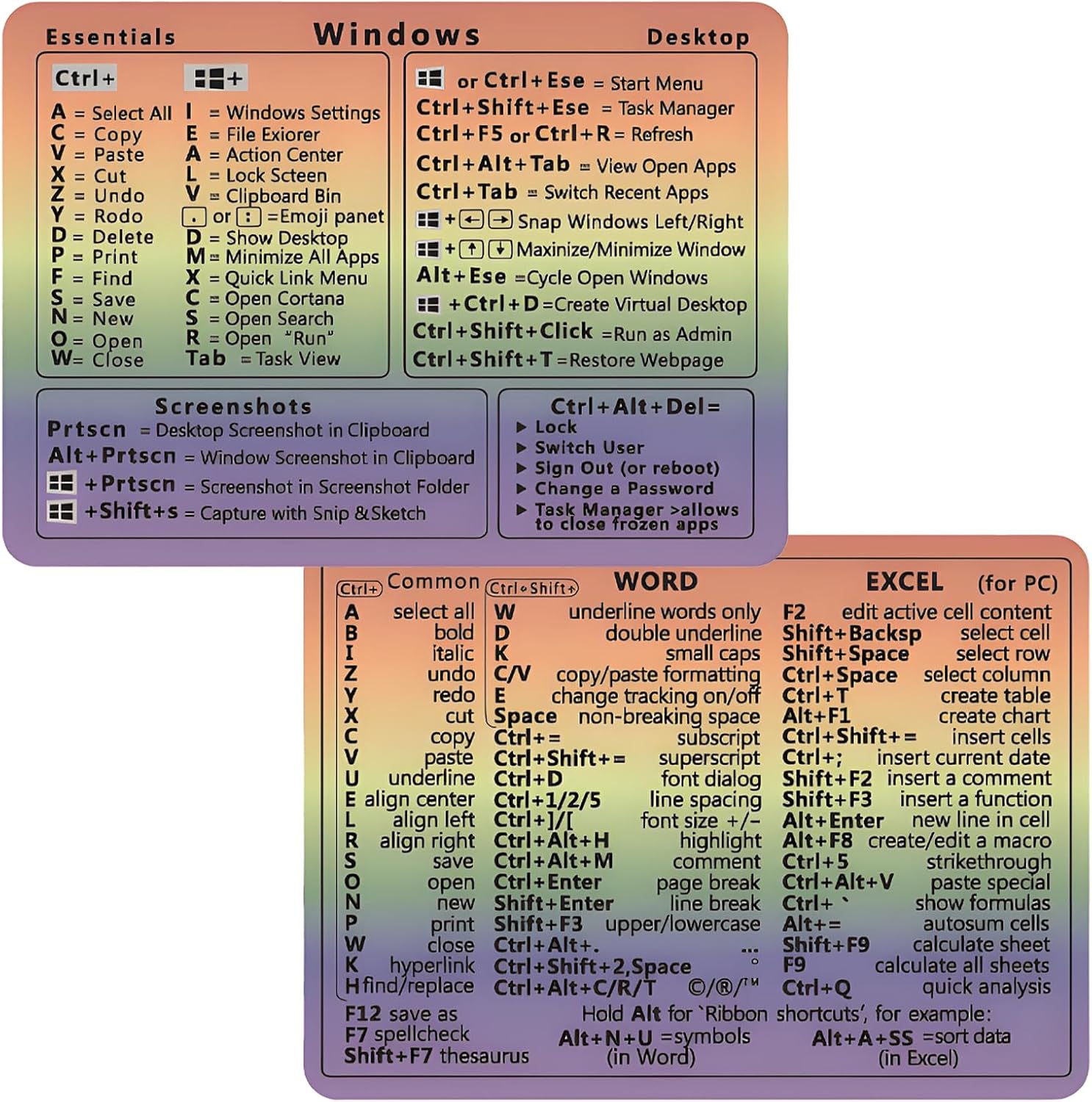
On the page, the value proposition is clear: quick tips at your fingertips, helping you “work faster and smarter.” If you often switch between Word and Excel, a reference covering common commands could shave seconds off routine tasks, from formatting to navigation. It’s a practical, low-cost perk for students, home offices, or a busy desk. However, the claim that it accelerates workflow exponentially should be taken with realism—stickers can help, but they won’t replace training or muscle memory.
What to know before you buy
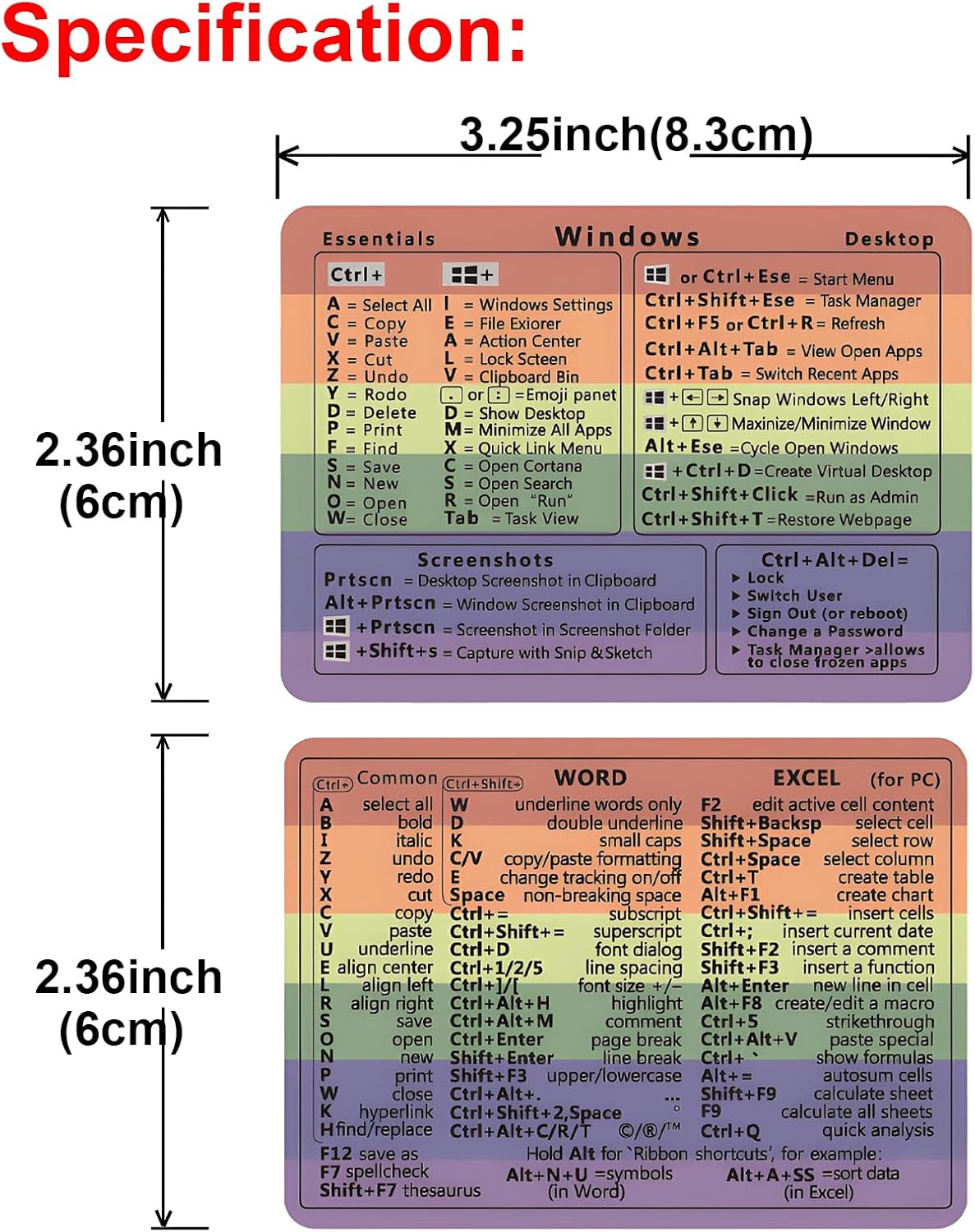
Consider your setup: if you primarily use Windows at a desk with multiple screens, the stickers relocate essential shortcuts into a visible place rather than a buried menu. If you’re a light user who rarely relies on advanced shortcuts, the benefit may be modest. If you frequently reconfigure your workspace, ensure you can keep the stickers aligned after cleaning or moving devices. The product is sold as a single set, which may work well for sharing or having a backup, but it also means there’s no immediate second design to cover extra apps beyond Windows and the Word/Excel context.
Who it’s for
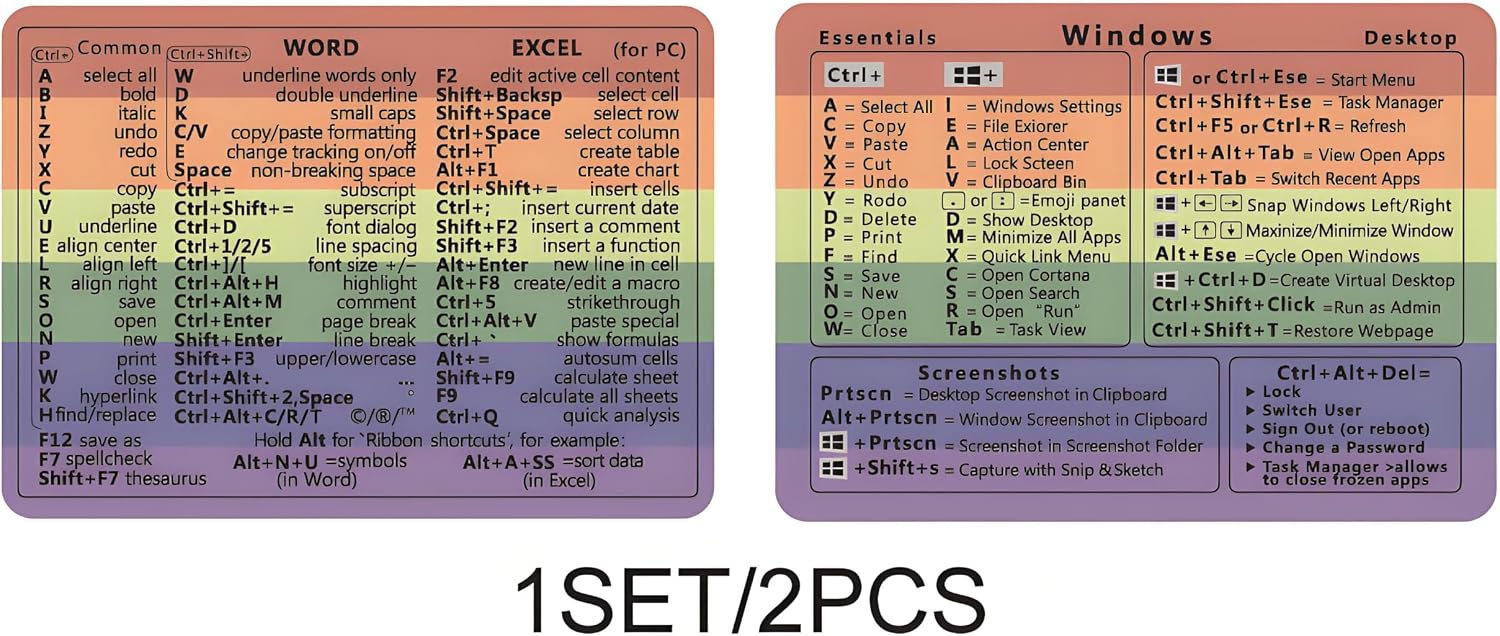
This bundle suits students, home office workers, or anyone who wants a pragmatic nudge to use keyboard commands more often. It can help new computer users pick up basic shortcuts and assist senior users who benefit from visual prompts. If your daily tasks involve a lot of document formatting, navigating spreadsheets, or quick window management, the stickers can act as a handy reminder when you’re not sure which key to press.
Who it isn’t ideal for
If you rely on a specialised software suite with a distinct shortcut layout, this sticker set might be less effective unless it explicitly covers the most relevant commands. People who frequently adjust their keyboard layouts or use non-standard keyboards could find alignment to be a minor obstacle. And if you expect a dramatic leap in productivity purely from stickers, you may overestimate the impact—the real gains come from habit and practice too.
When it makes sense to buy
Choose this set if you want a low-effort nudge to adopt frequent shortcuts and you’re happy with a one-time desktop accessory. It’s particularly sensible when starting a new Windows/Office setup, or if you want a tangible reminder after training sessions. If you’re already highly proficient with shortcuts, the marginal benefit might be smaller.
When to skip it
If you frequently work in environments with restrictive desk space, or you prefer digital references (shortcuts in software help, built-in tips, or custom macros), you may not gain much from stickers. Also, if you regularly work on a device where adhesive could interfere with screens or surfaces, test on a small area first.
What to check before purchasing
- Confirm the intended usage: Windows 10 or 11, with Word and Excel emphasis.
- Review the packaging and backing guidance to ensure you can apply the stickers cleanly and avoid air bubbles.
- Consider whether you want a spare set for a colleague or friend, since the package includes a single set.
- Be aware of the potential light residue after removal and plan cleaning accordingly.
Practical usage example
Imagine you’re editing a resume in Word and need to switch to a quick formatting sequence. The stickers act as a present reminder: bold, underline, align text, or insert a table, all without fumbling through menus. On a busy day, that visual cue can shave off a few seconds here and there, and in aggregate, those seconds add up over weeks.
Final decision
Is it worth it?
If you prioritise practical, low-cost aids to reduce friction in daily tasks, this KEAIDUO bundle offers a straightforward solution. It won’t perform miracles, but it provides a visible, easy-to-use reference that can support better keyboard habits, especially for newcomers or infrequent shortcut users. Consider the one-set package as a starter or a backup, and weigh the potential for minor residue against the convenience of quick lookup.
What’s included
One set of shortcut stickers designed for Windows, with emphasis on Word/Excel commands, compatible with Windows 10 and 11. The bundle is suited for sharing or keeping a spare handy.
Frequently asked questions
- Do the stickers leave residue when removed? There may be a light residue, but it’s removable with a soft cloth and warm, soapy water.
- Will these stickers fit all keyboards and laptops? The product is described as fitting any brand laptop or desktop running Windows 10 or 11, but actual fit may depend on sticker placement relative to key sizes.
- Can I use these stickers on matte or glossy surfaces? The packaging notes stronger adhesion and easy removal, however, surface finish can influence final appearance and adhesion over time.
- Are the shortcuts comprehensive for Word and Excel? The set focuses on the most essential shortcuts, intended to support common tasks rather than every possible command.