

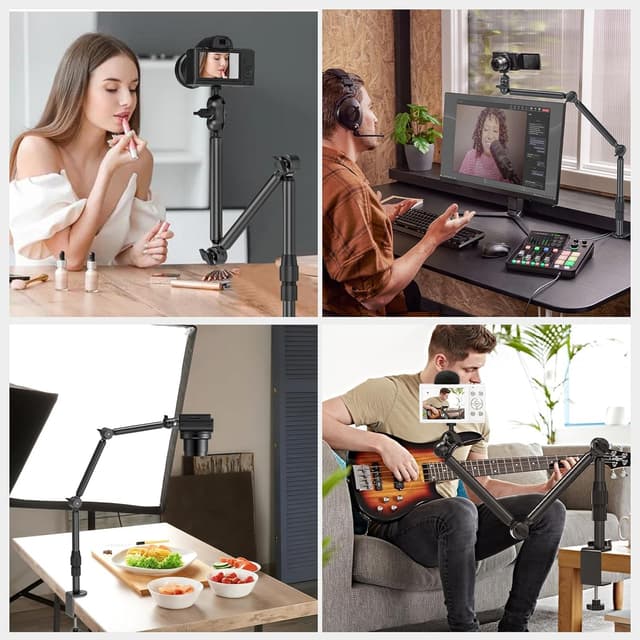
Jubor Camera Desk Mount – Overhead webcam and projector stand with 1/4" screw, 360° adjustment (max 3 kg)
Product description
If you’re filming at your desk, the annoying part isn’t the camera—it’s everything that can wobble when you move, type, or knock the setup mid-shoot. The Jubor Camera Desk Mount is designed to sit on the desk and let you position an overhead webcam, DSLR, light, or projector with a lot of flexibility, without feeling like you’re gambling on stability.
On paper, it’s a straightforward desk clamp mount aimed at creators doing vlogs, live streams, online courses, and general video recording where overhead framing helps. It also leans towards “practical flexibility” more than “ultra-minimal rig”, because you’re dealing with adjustable posts and a ball head.
Key features that matter in real use
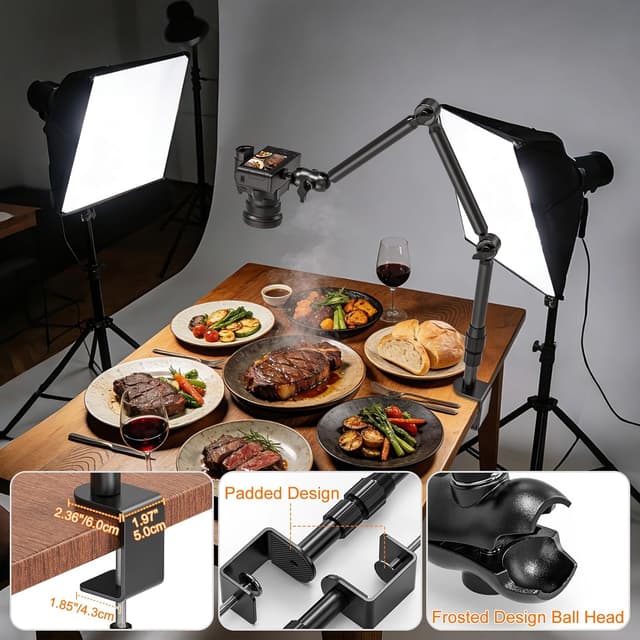
The headline is the adjustment. You get a desk mount with multiple movement points: each post can be adjusted 240°, and the spherical head can be adjusted 360°. In practice, that means you can fine-tune the angle to aim at your workspace, artwork, tabletop cooking, or a screen, rather than being locked into one overhead direction.
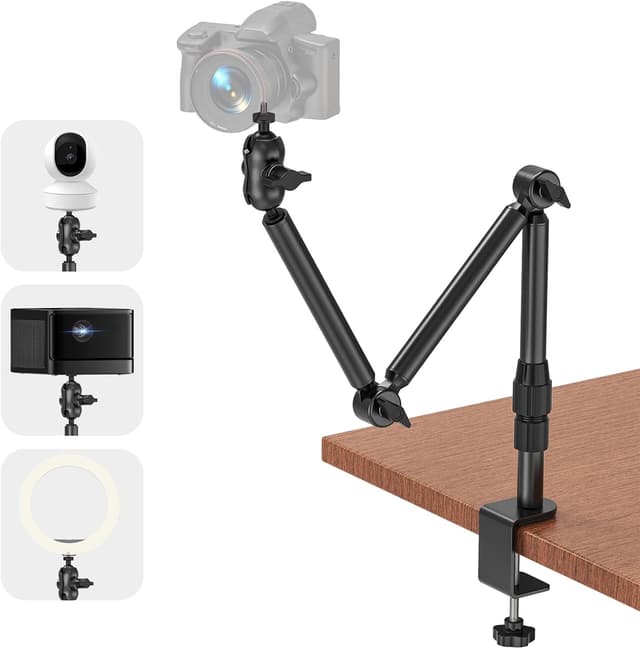
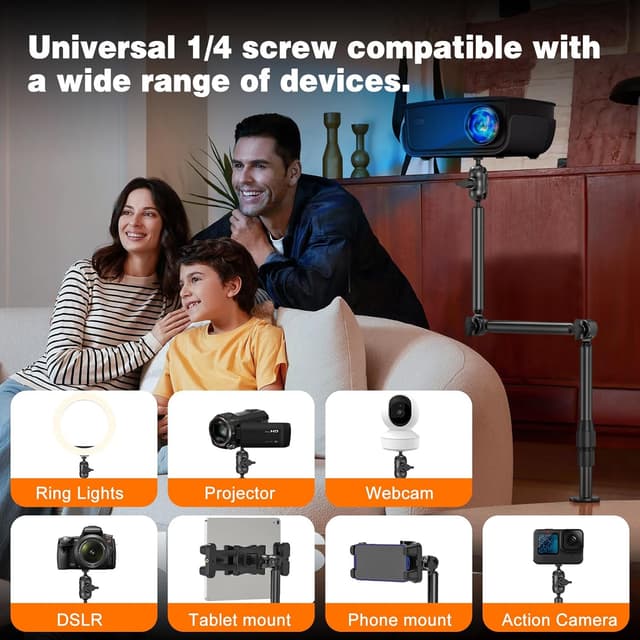
It also uses a standard 1/4" screw interface, which is commonly found on cameras and accessories. That’s useful if you already own things like a webcam, LED video light, or projector that can mount via a 1/4" screw hole.
There’s a clear “process” to tightening it down too: loosen the relevant knob, set the height/angle you want, then tighten. That’s exactly the sort of workflow you want if you’re switching between different recording setups during the day.
Compatibility and load: where you need to be careful
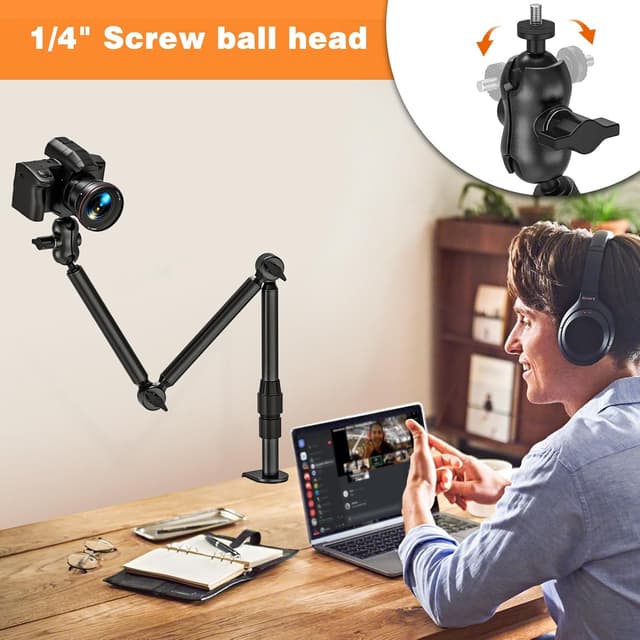
This mount is designed for devices with a 1/4" screw. The product description also highlights compatibility with a range of items such as DSLR cameras, webcams, ring lights, LED video lights, projectors, microphones, mobile/phone and tablet-style mounts, and more—so it’s broad.
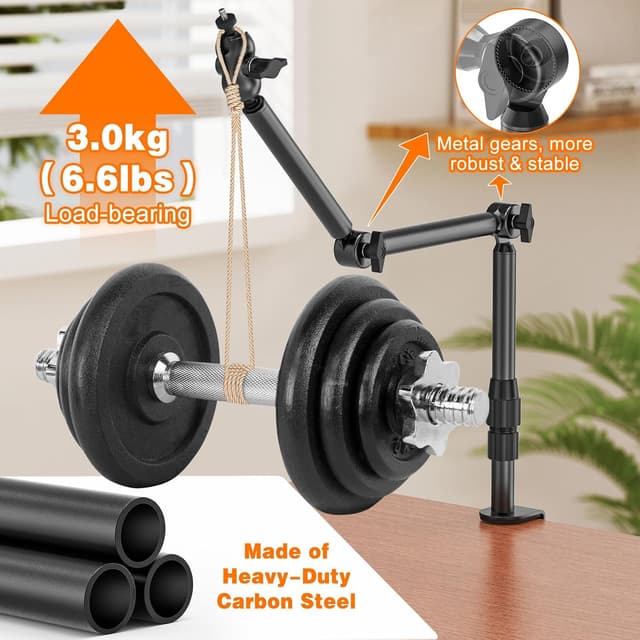
However, there’s one limit you shouldn’t ignore: the maximum load is stated as 3 kg in a horizontal position. If your rig is heavier, or if you’re hanging anything off-centre in a way that increases leverage, it may not suit. It’s not an unlimited “support everything” solution.
Also, “overhead” setups can be less forgiving than side shots: even small desk movements show up more. So while this mount is built to reduce shake (it uses an aluminium alloy construction and a gear-style fixing design), your desk sturdiness still matters.
What stands out day to day
A desk clamp mount lives or dies by whether it feels secure when you actually use it. Here, the clamp base opens up to 58 mm, and the clamp surface is covered with silicone, which should help protect the desk and improve grip.
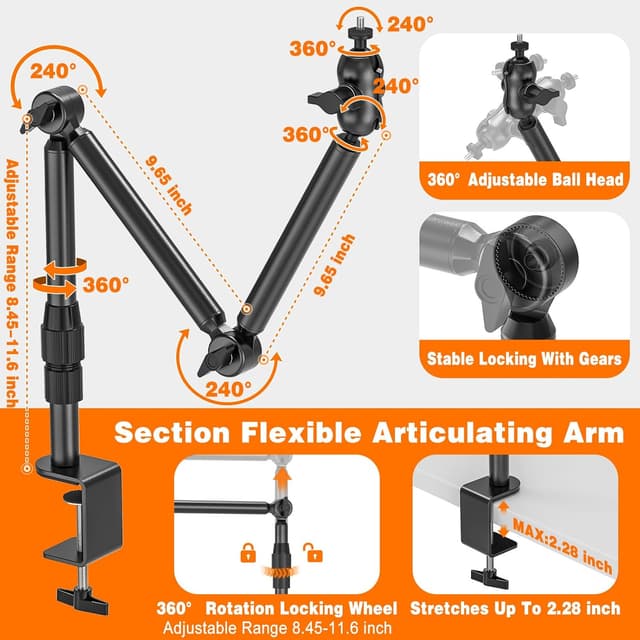
The material is described as aerospace-grade aluminium alloy, aimed at being durable and stable compared with “unstable desk camera stands”. You can feel the intent: this is meant to be a dependable fixture rather than something you set up once and forget.
A practical example: if you film a cooking video from above, you can position your camera or phone mount overhead, then adjust the angle so the frame covers the chopping board properly. When you switch to a live stream, you can re-aim the setup without dismantling everything.
Specifications (quick overview)
- Name: Jubor Camera Desk Mount
- Type: Desk mount / overhead webcam and projector stand
- Format: 1/4" screw mounting interface
- Adjustable head: 360° spherical head
- Post adjustment: up to 240° per post
- Clamp opening: adjustable up to 58 mm
- Maximum load: up to 3 kg (horizontal position)
- Material: aerospace-grade aluminium alloy
- Colour: not specified in the provided details
Is it worth it?
It’s worth considering if you want a single desk mount that can handle overhead positioning with lots of angle control, and you’re using devices that mount via a standard 1/4" screw. It also makes sense if you’re frequently switching between content types—vlogs, online lessons, tabletop demos—because the adjustment is designed to be straightforward.
You may want to skip it if you need support beyond the stated 3 kg limit, or if your device requires a different mounting system than 1/4" screw. It can also feel like overkill if you only need a fixed, low-effort camera angle for one simple setup.
Worth noting: no matter how good the clamp is, your results depend on your desk. A wobbly desk can still transmit movement, and overhead setups amplify that effect.
Mini FAQ
Does it work with a webcam or DSLR?
The mount is described as compatible with devices that use a 1/4" screw, including webcams and DSLR cameras, so it should suit those types if your specific model uses the standard screw interface.
Can I mount lights or a projector on it?
Yes, the product description specifically mentions ring lights, LED video lights, and projectors among the supported device types for 1/4" screw mounting.
How is the height and angle adjusted?
You loosen the knob, adjust the angle and position, then tighten again. The post adjustment supports up to 240°, and the head supports 360°.
What desk thickness does the clamp fit?
The clamp opening is adjustable up to 58 mm, which is intended for many common desks and surfaces such as nightstands, desks and kitchen worktops.
How much weight can it hold?
The maximum load is stated as up to 3 kg in a horizontal position, so it’s important to stay within that limit for your setup.