

iNKPAD 953XL multipack ink cartridges (4-pack) for HP OfficeJet Pro printers
Product description
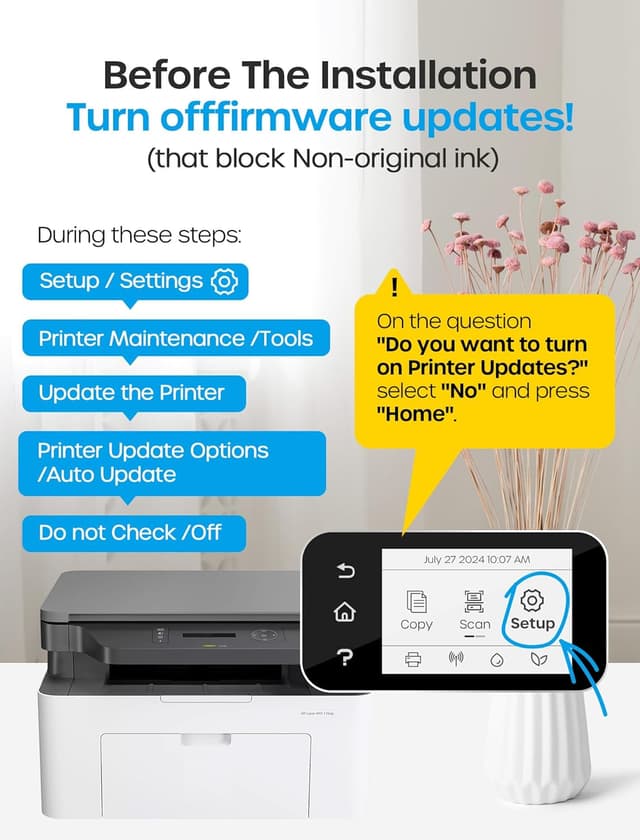
If you’re running an HP OfficeJet Pro setup and you want a straightforward way to keep printing without constantly changing cartridges, a compatible multipack like this can be a practical move. It’s designed for HP 953 / 953XL cartridge slots and comes with chips included, so the install process is meant to be as painless as possible.
That said, compatibility rules matter here. The listing clearly warns it doesn’t work with HP e-series printers or HP+ service. So it’s worth double-checking your exact model before you buy, otherwise you could end up with cartridges you can’t use.
The essentials
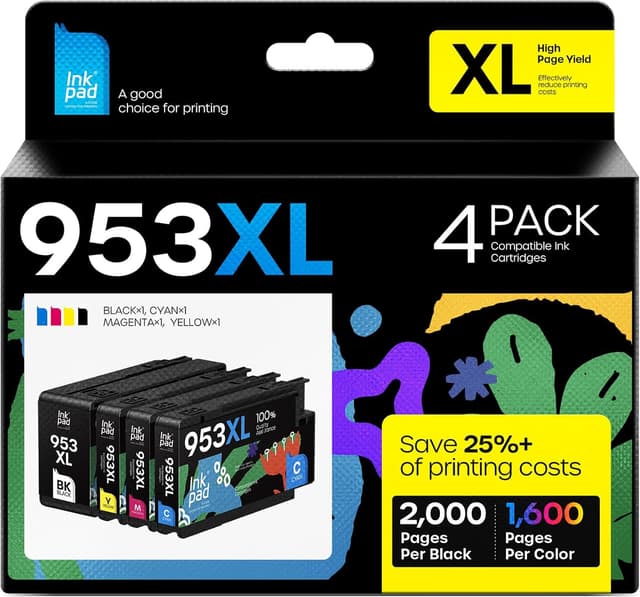
This iNKPAD 953XL ink cartridges multipack is a 4-pack: Black, Cyan, Magenta and Yellow. Each cartridge includes a chip intended to be inserted directly into the printer without swapping the chip yourself. In day-to-day terms, it’s the kind of replacement set you buy when you’re trying to keep colour work (documents, charts, school/work handouts) from stalling.
Key compatibility notes
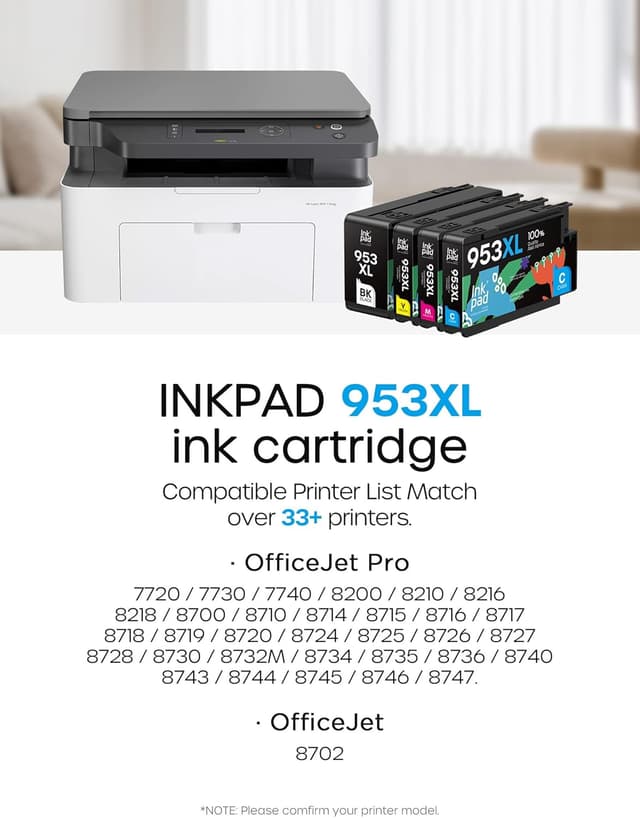
The product is described as compatible with HP 953 and 953XL ink cartridges, and it lists compatibility across a range of HP OfficeJet Pro printers, including models like 7720/7730/7740 and several 8710/8720 series variants.
But there are two important limitations in the description:
- It’s not compatible with HP *e series printers.
- It’s not compatible with HP+ service printers.
The listing even calls out examples of e-models (such as Officejet Pro 7720e, 7730e, 7740e, 8200e, 8210e and similar e variants). If your printer is one of those, it’s safer to pause than assume “953XL is 953XL”.
What you’ll notice in use
On paper, the multipack is built around the typical “replacement cartridge” goals: consistent output and sensible ink capacity. The description claims:
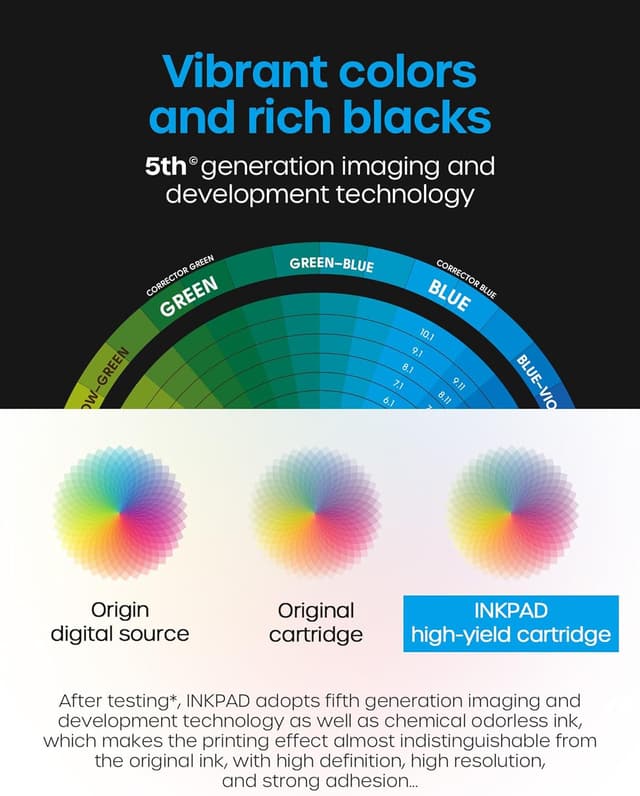
- Even printing and bright colours
- Clear files
- Ability to quickly display the ink level (suggesting the chip is intended to help the printer report levels)
It also positions these as XL-capacity cartridges, aiming to print more pages before you need another set. For everyday buyers, this tends to matter most if you print weekly for work, study, or family use and want fewer interruptions.
A small realistic example: if you print a set of A4 colour worksheets (roughly light coverage) and a few black-heavy pages in between, XL cartridges can reduce how often you’re hunting for the next replacement.
Ink capacity and page yield claims
The listing provides page estimates based on coverage:
- Up to 2000 pages per 953 XL black cartridge
- Up to 1600 pages per cyan/magenta/yellow cartridge
- These are stated at 5% coverage on an A4 page
Keep in mind that real-world yield varies with what you print (text-heavy vs graphics-heavy, drafts vs full quality). If you tend to print dense documents or lots of colour images, the “up to” numbers may not feel as generous.
Installation and what to check before buying
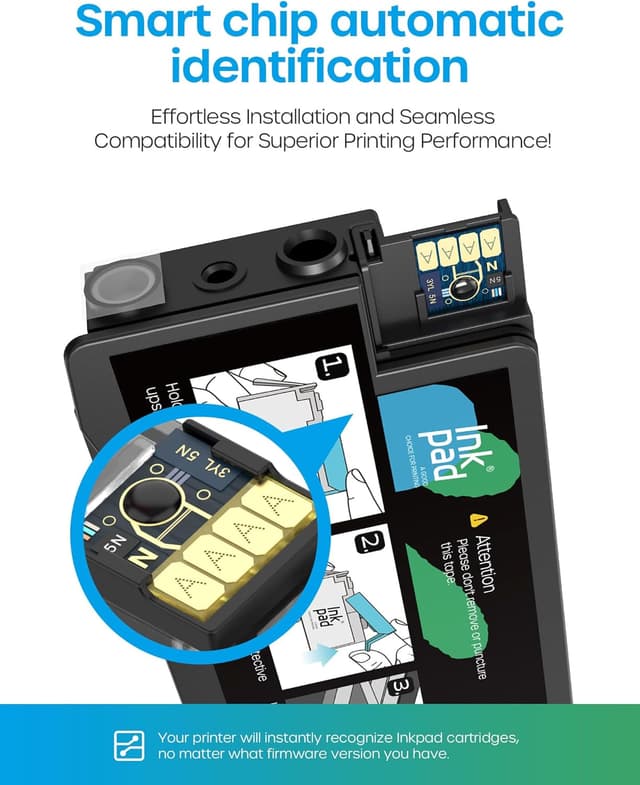
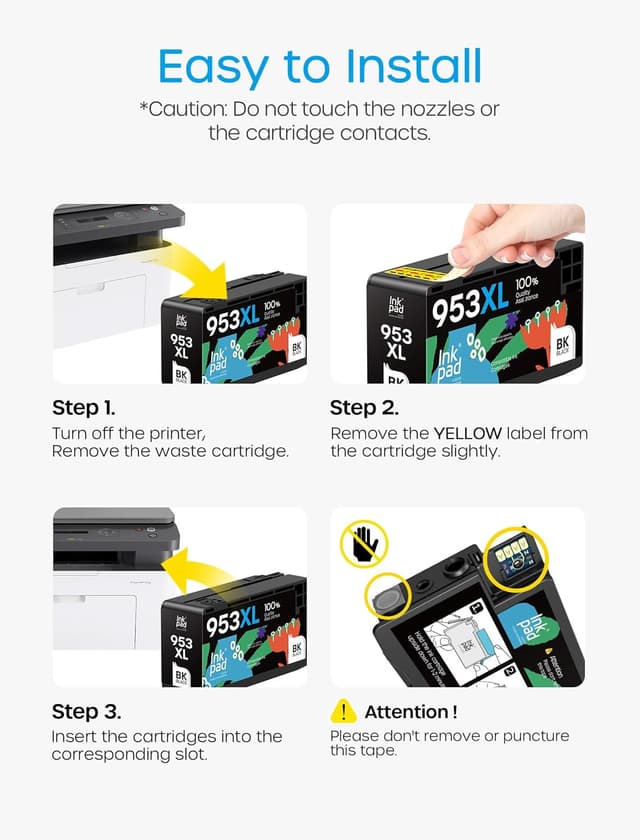
The install angle here is “chip included”, with the claim that you can insert the cartridge directly without replacing the chip. That’s the sort of convenience people usually look for when they’ve had fiddly compatibility issues before.

Before you order, it’s worth checking three practical things:
- Your exact printer model (and whether it’s listed as an e-series model)
- Whether you’re using HP+ service (the listing says it’s not compatible)
- That you’re actually looking for HP 953XL-style cartridges for your printer (not a different HP ink format)
Also note: the listing states “not original”, so this is a compatible third-party option rather than an OEM replacement.
Pros and limits
Pros
- Includes Black, Cyan, Magenta and Yellow in one multipack
- Chips included for direct insertion, aiming to simplify installation
- XL capacity approach, with page yield estimates for both black and colour
Limits
- Not compatible with HP e-series printers or HP+ service (a big deciding factor)
- “Up to” page yields are based on 5% A4 coverage, so heavy users may see lower results
- Being a non-original option means performance can be more variable than OEM in some setups (even if the listing claims even printing and clear files)
Is it worth it?
A solid pick if you own a compatible HP OfficeJet Pro model (the listing includes a long set of supported models) and you want a complete 953XL colour + black replacement multipack to reduce how often you replace cartridges. It makes sense if you print a mix of documents and occasional colour work and prefer cartridges that aim to report ink levels quickly thanks to the built-in chip.
It’s not the best choice if your printer is part of the HP e-series or uses HP+ service, because the listing explicitly says it won’t be compatible. If you’re unsure, it’s better to confirm your model first rather than rely on the “953XL” label alone.
Mini FAQ
Is this a full set or individual cartridges?
It’s a 4-pack containing one each of Black, Cyan, Magenta and Yellow.
Does it include a chip?
Yes. The listing says each cartridge includes a chip intended for direct insertion into the printer.
Is it compatible with HP e-series printers?
No. The listing states it’s not compatible with HP e series printers.
Is it compatible with HP+ service printers?
No. The description warns it’s not compatible with HP+ service.
How many pages can it print?
The listing gives “up to” page estimates based on 5% coverage on A4: up to 2000 for black and up to 1600 for each colour cartridge. Actual results will depend on your print type.