

Inkbird C236T WiFi Thermostat Plug Socket (Heating & Cooling) with App Control
Product description
At a glance
If you’re trying to keep a reliable temperature in a setup that depends on it—like a reptile vivarium, aquarium, or an incubation setup—Inkbird’s C236T is designed to take the hassle out of monitoring and tweaking settings. The headline is WiFi remote control via a smartphone, so you can check and adjust temperature without being tied to the device in the room.
It also goes beyond simple switching. On paper, this thermostat plug socket is built for both heating and cooling scenarios, with alarms and some extra functions aimed at stability (like calibration support and a cooling delay). The big question is whether you’ll actually benefit from app control and the range of modes, rather than just needing a basic thermostat outlet.
Key points: what matters most
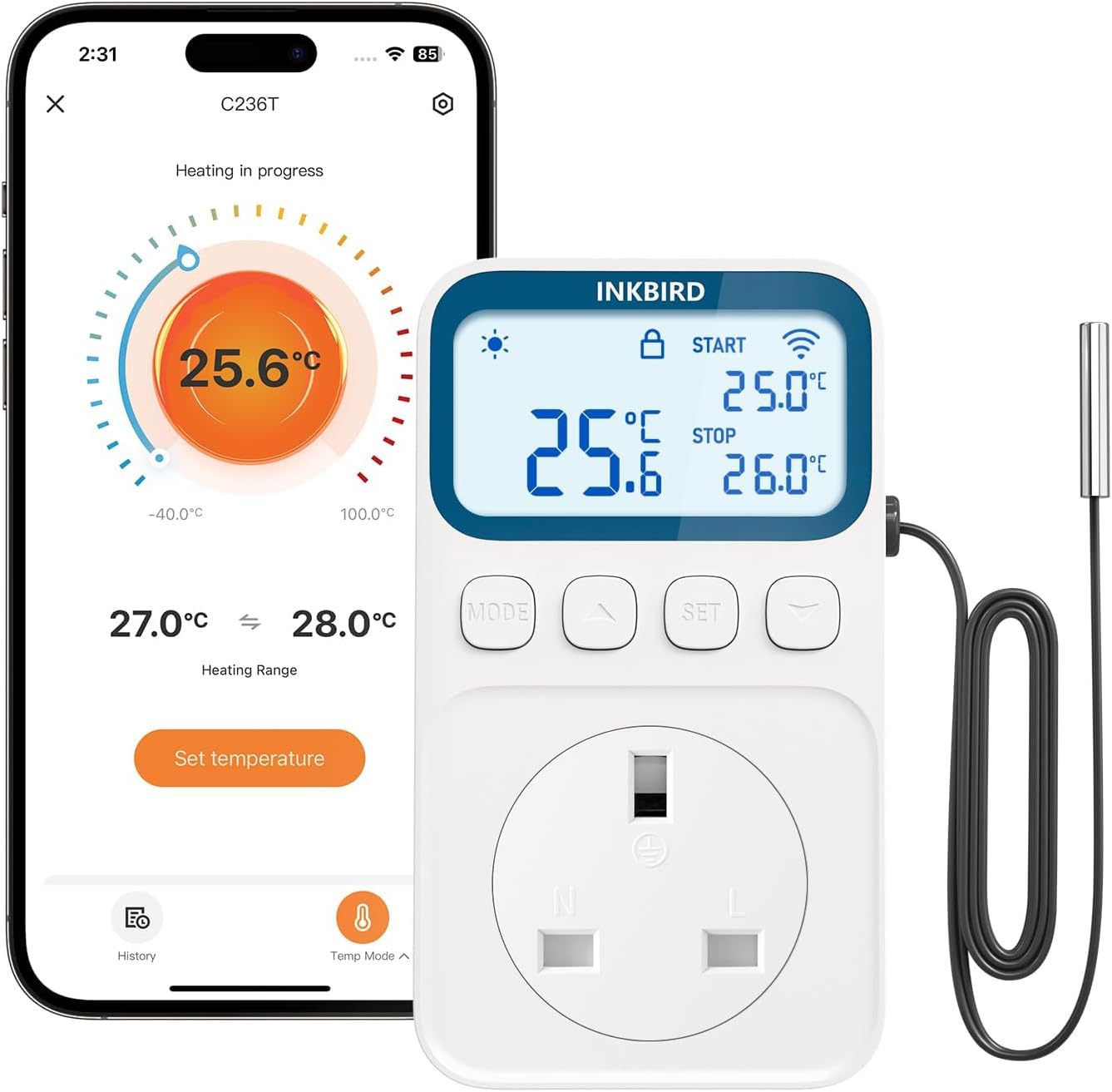
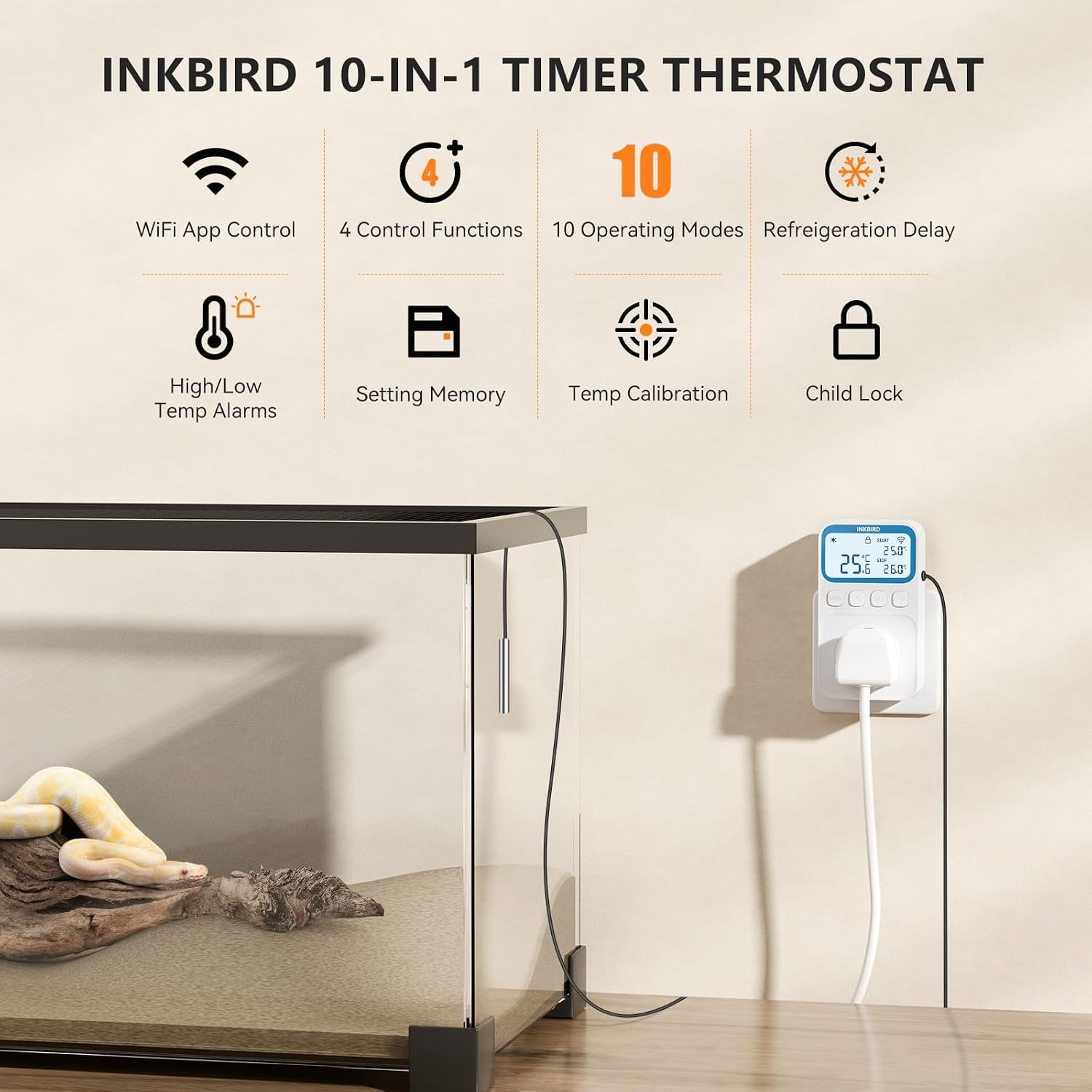
The C236T’s value is mainly in three areas: remote control, safety/alerts, and control options. The app-based approach is useful if you’re away from home, or if your temperature-sensitive setup is in a location that isn’t convenient for constant manual adjustments.
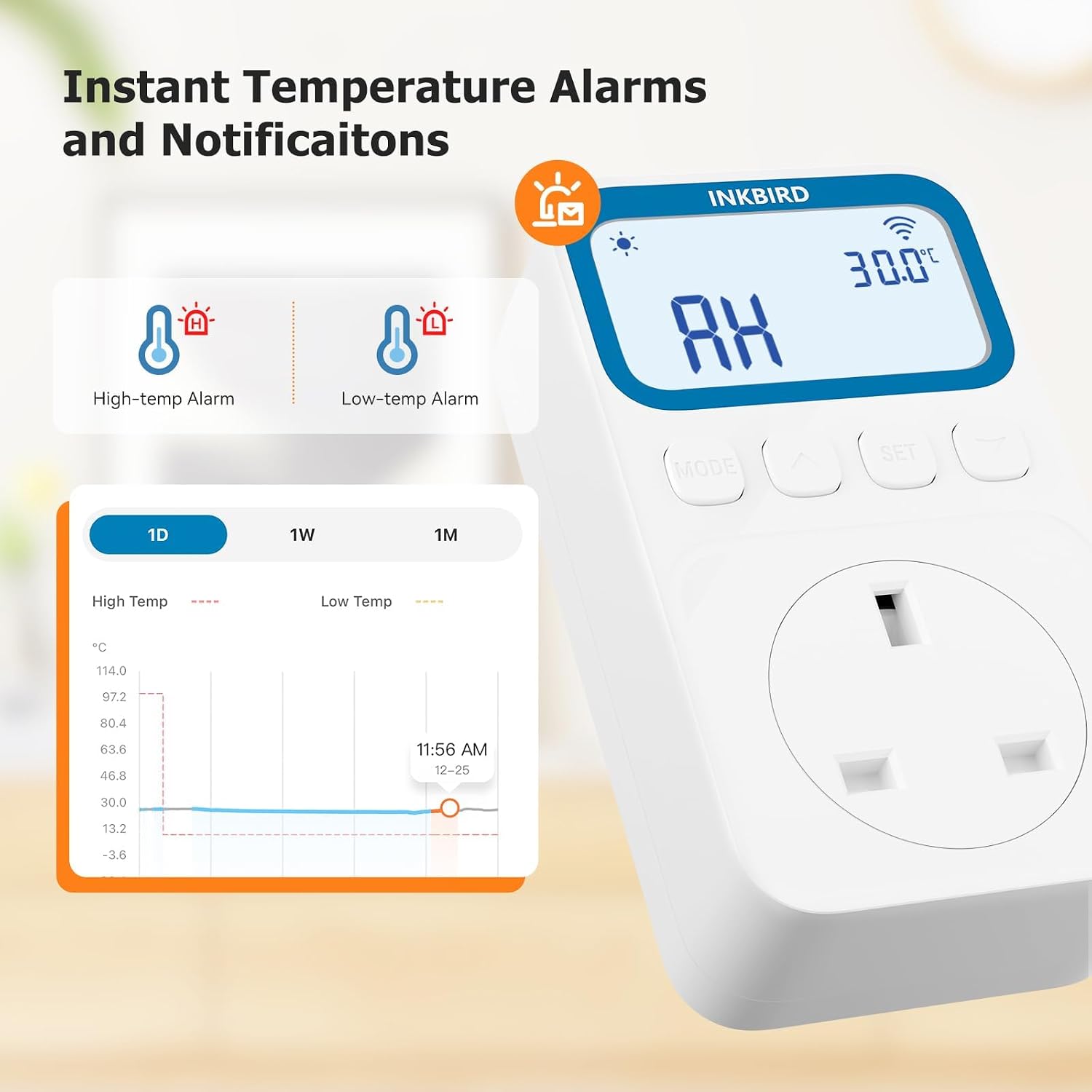
The alarm side is also worth noting. The socket supports high and low temperature alarms, with an adjustable alarm value, and the system can push notifications when the measured temperature goes outside your chosen band. If you’re the kind of person who wants to be told before something goes wrong, that’s a practical advantage.
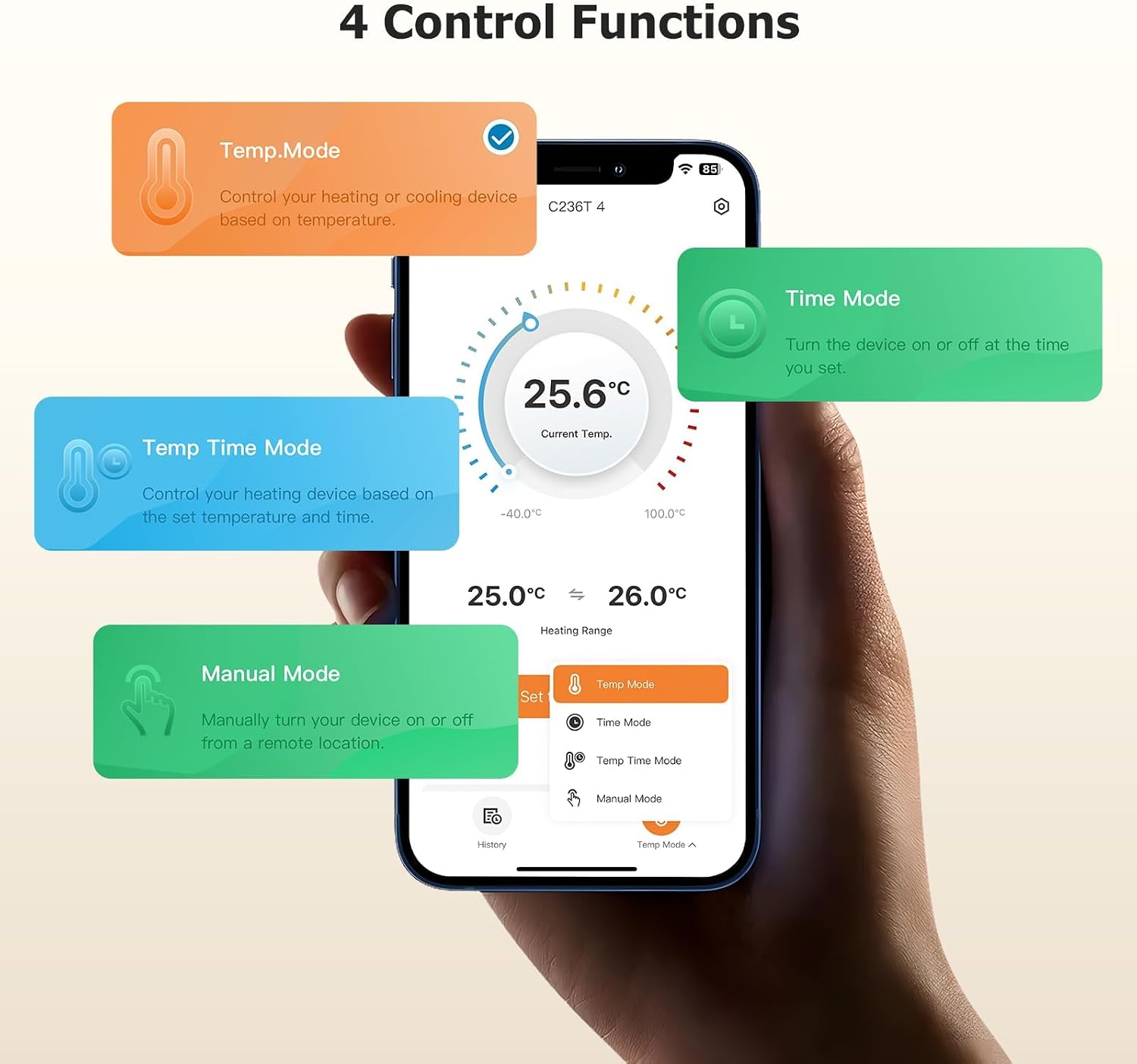
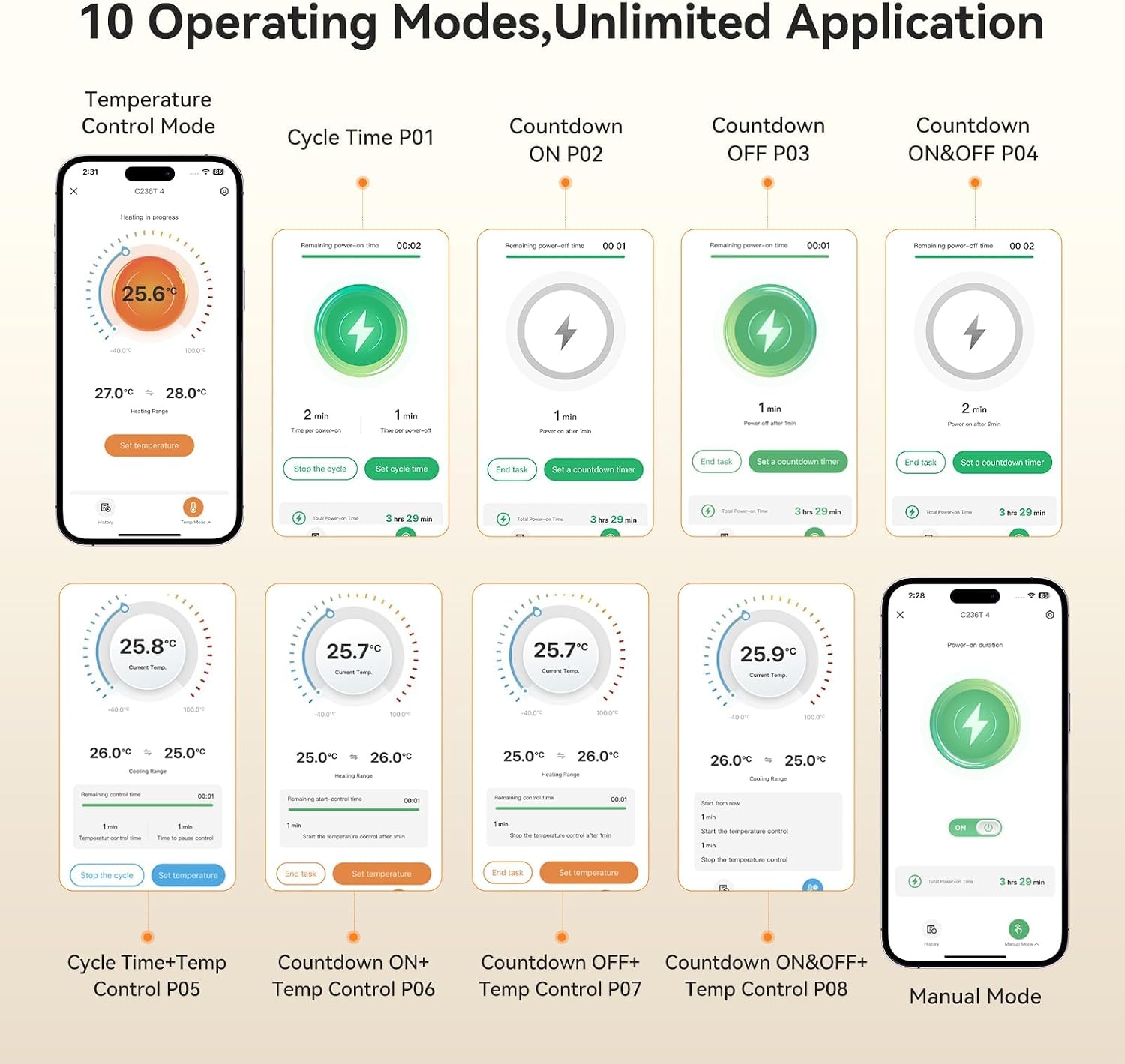
Where it may feel less “effortless” is around complexity. With multiple operation modes (the product mentions up to 10, including temperature control, timing, timing + temperature control, and manual), it’s more flexible than basic models, but it also means you’ll want to spend a little time setting things up the first time.
Tech specs: the essentials you can plan around
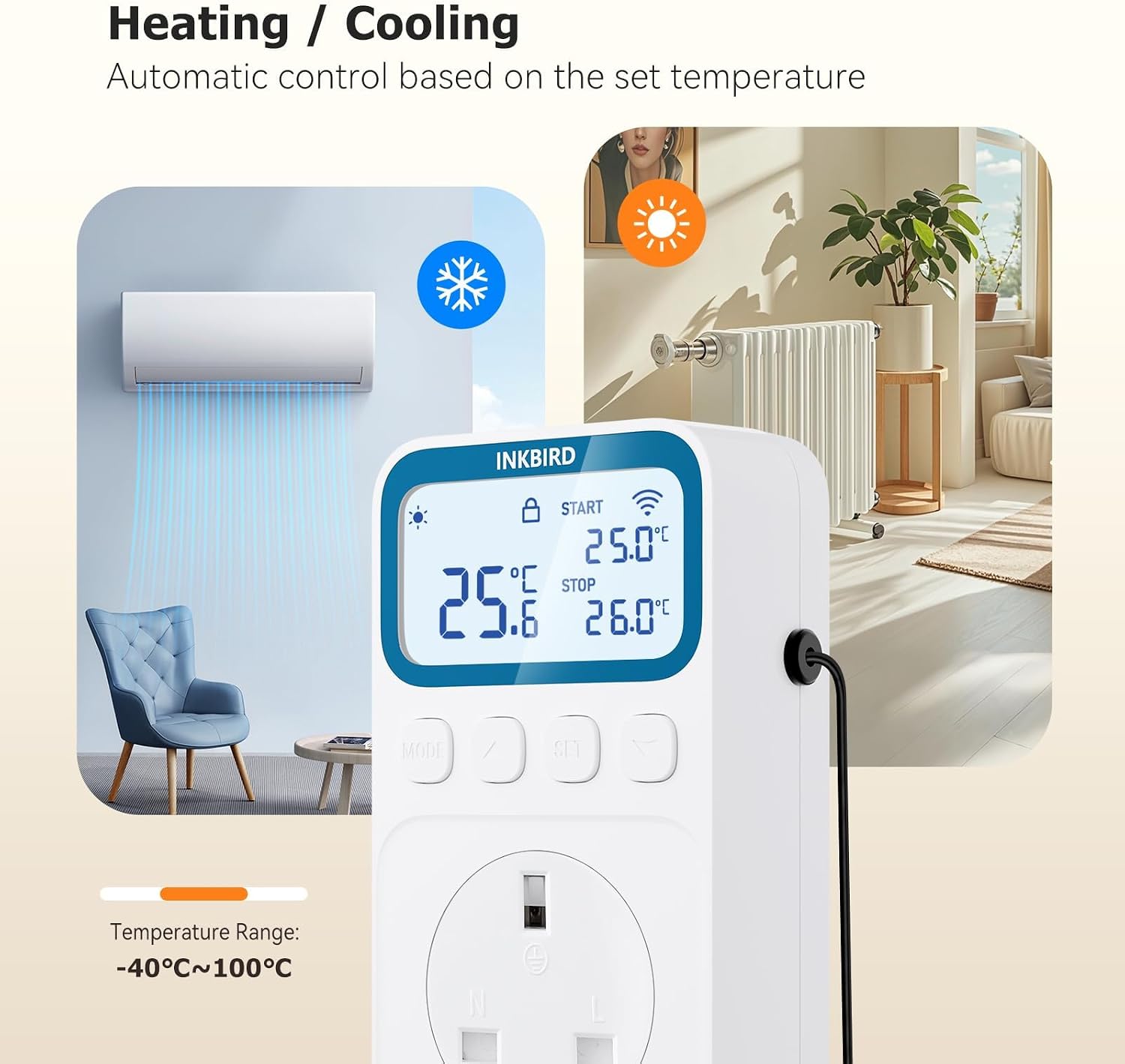
- Temperature control range: -40°F~212°F / -40°C~100°C
- Power: 100–240Vac 50/60Hz, up to 16A MAX (1800W at 120Vac or 3680W at 230Vac)
- High/low temperature alarm with custom alarm value and app/device notifications
- Temperature calibration function
- Cooling delay function
- 4-in-1 control functions: temperature control mode, timing mode, timing + temperature control mode, manual mode
- Up to 10 operation modes
- LCD backlight and selectable display modes (normally open / normally closed / auto-off)
- Memory function after power failure
- Child lock function
- Type of use mentioned: heating and cooling for reptile, aquarium, incubation, glass containers, and similar vivarium-style environments
What you’ll notice day to day
One of the most “real world” features here is the combination of an LCD backlight display plus app control. If you’re setting up a vivarium or incubation area, you often want a quick glance without relying on your phone. The backlight and the three display modes (normally open, normally closed, and auto-off) are there to help with different lighting conditions.
The memory function is also genuinely helpful. If power cuts happen and settings reset on lesser devices, it can be a headache. The C236T is described as saving parameters after a power failure, so you shouldn’t need to repeat everything.
For temperature stability, the cooling delay function and calibration support are the sort of details that matter if you want to avoid overshoot and keep control consistent. That said, it’s still worth bearing in mind that the actual outcome depends on your connected equipment and how your environment behaves.
Best use cases (and a practical example)
This fits best when you want both control and visibility. For example, if you’re incubating eggs, you might set a temperature target using temperature control mode. You can then use the app to monitor and adjust if you notice changes later on.
In a reptile or lizard vivarium, it can be useful for day-to-day management: set your desired temperature range, then rely on the high/low alarm notifications if the habitat drifts. That can be a relief if your routine means you’re not checking the setup every hour.
It can also make sense for heating and cooling use cases where simply turning on/off at a fixed threshold isn’t enough, and you want to choose between timing, manual, and combined timing + temperature control approaches.
Where it may not suit you
It may not be a great match if you just want a basic thermostat outlet with minimal setup. The C236T’s range of modes and settings can be overkill if you’re only looking for a simple on/off temperature response.
Also, because the temperature control range and power handling are specified very broadly, you’ll want to double-check your intended connected equipment and how it fits your needs. The product provides electrical ratings, but it doesn’t spell out every pairing detail, so it’s sensible to verify that your setup is compatible with the way you plan to use it.
Is it worth it?
A solid pick if you’re running a temperature-sensitive vivarium, aquarium, incubation, or similar environment and you want WiFi monitoring plus remote temperature adjustment through a smartphone. The high/low alarm notifications, custom alarm value, and memory function after power loss are particularly useful for peace of mind.
You may want to skip it if you’re after a straightforward, minimal thermostat solution, or if you don’t think you’ll use the app control and multiple operation modes. In that case, the extra flexibility—and the initial setup effort—might not pay you back.
Mini FAQ
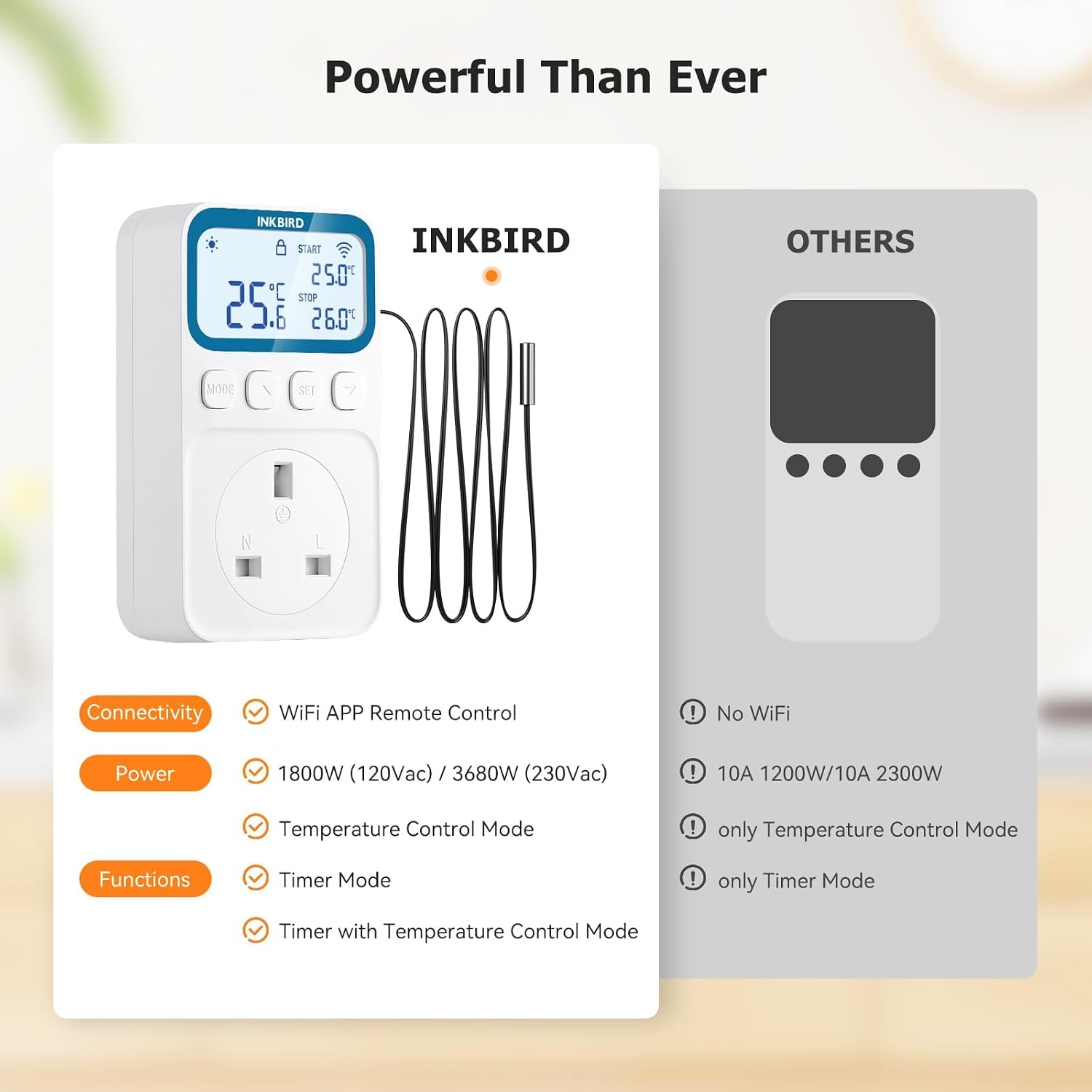
Inkbird C236T: can I control it remotely?
Yes. The product description says you can connect via WiFi and monitor/adjust temperature settings through a smartphone app.
Does it alert me if temperature goes out of range?
The thermostat plug socket supports high and low temperature alarms with a custom alarm value, and it can push alarm notifications when the temperature exceeds your chosen range.
Will settings be lost after a power cut?
No, the description states it has a memory function to save parameter settings after power failure.
What temperature range does it cover?
The stated control range is -40°F~212°F / -40°C~100°C.
Final note before you buy
Before committing, it’s worth checking the electrical requirements you plan to use (based on the power rating information provided) and deciding whether WiFi/app control and the wider set of modes are genuinely helpful for your setup.