

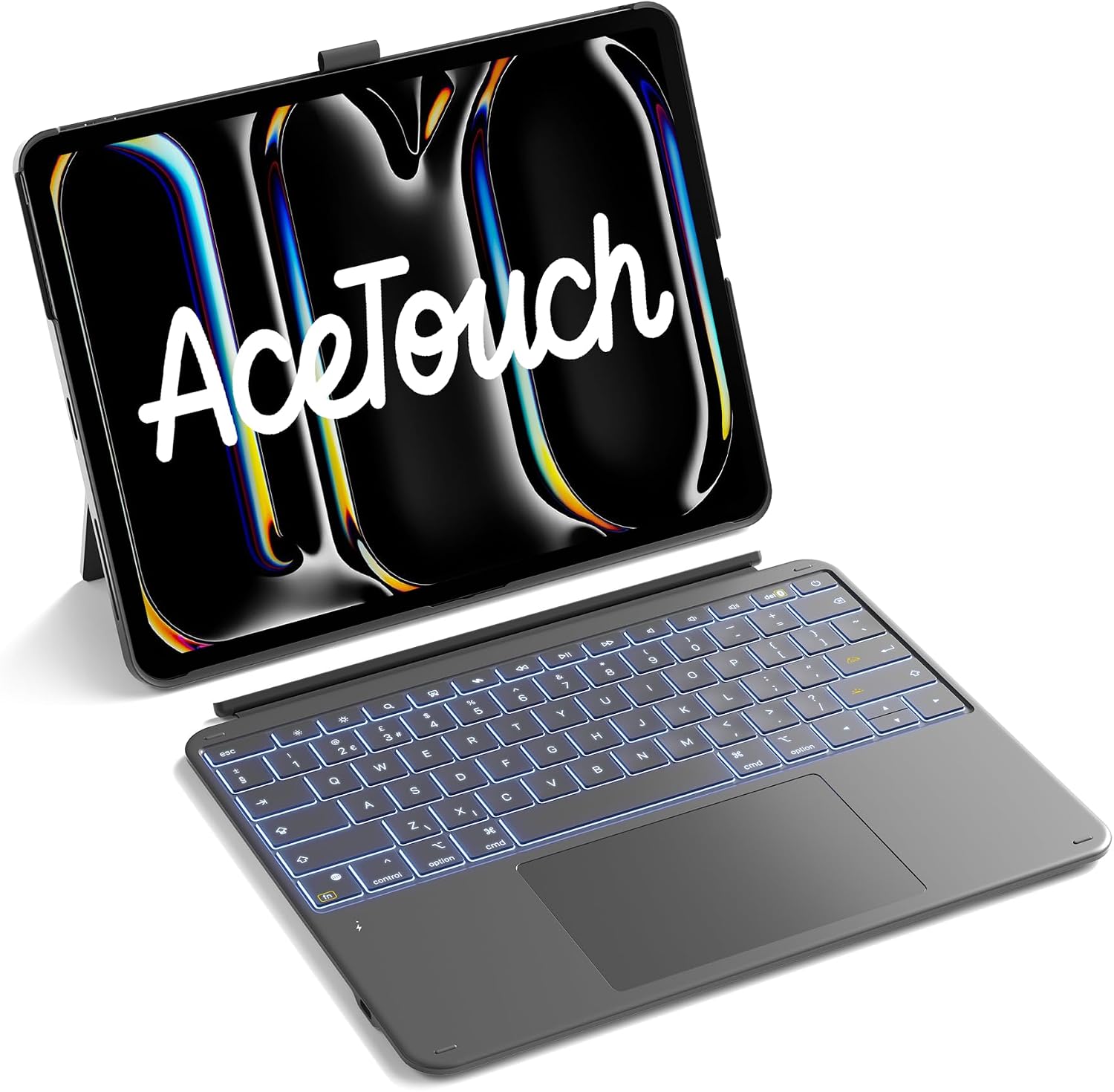
Inateck AceTouch Keyboard Case for iPad Pro 13-inch (M5 2025/M4 2024) with UK layout, magnetic detachable keyboard & 7-colour backlit keys
Product description
What it is and why you’d want it
This Inateck AceTouch Keyboard Case is a two-in-one setup for an iPad Pro 13-inch: a protective back cover plus a detachable magnetic keyboard. The idea is simple—keep the iPad secured in one stable case, then separate the keyboard when you want tablet-style use. On paper, that makes it a practical choice for people who switch between work, study, media watching and sketching/notes.
It’s also positioned for heavier “touchpad + typing” days rather than just basic text entry. The large multi-touch trackpad is a major part of the appeal, and the keys are designed for longer sessions.
There are a couple of real-world caveats to be aware of: it’s only compatible with specific iPad Pro 13-inch models (2025 M5 and 2024 M4), and it’s a keyboard case, so if you mainly want a thin, light cover for casual viewing, you may find it overkill.
Compatibility you must check before buying
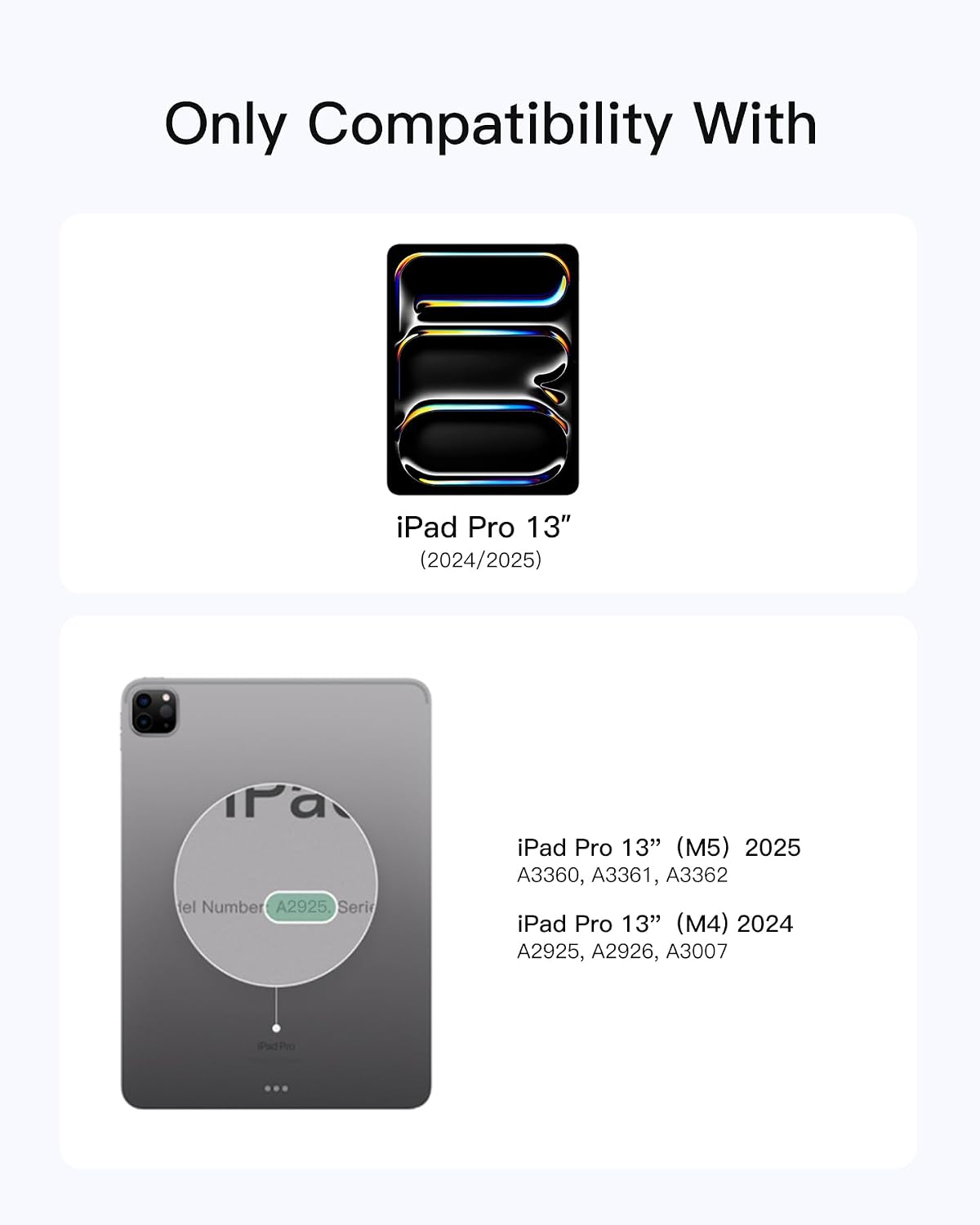
This keyboard case is only compatible with iPad Pro 13-inch models from: - 2025 (M5) - 2024 (M4)
It also lists model numbers A2925, A2926 and A3007. Before purchase, you’ll want to check the Axxxx model number printed on the bottom of your iPad. This is one of those accessories where “nearly the same” doesn’t usually count—get the model mismatch and it can simply fail to fit properly.
The keyboard and trackpad experience (what stands out)
The case focuses on an “AceTouch” touchpad experience and a comfortable typing setup.
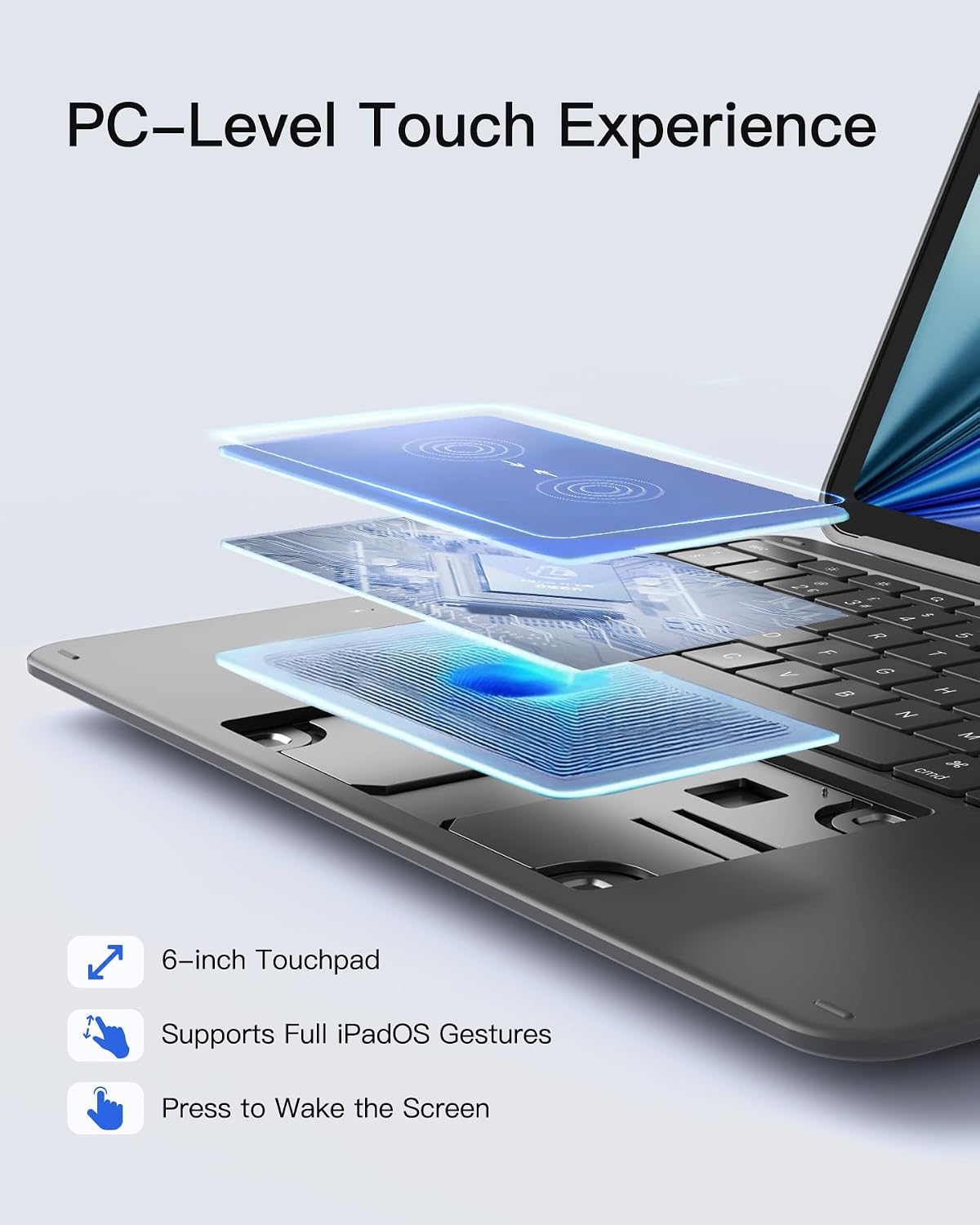
On the trackpad side, you get an ultra-large full-surface touchpad measured at 126 × 82 mm (listed as 6-inch). The positioning here is that you’ll be able to control the pointer smoothly and more precisely than you would with a smaller trackpad. It’s described as supporting all iPadOS gestures, with anti-mistouch intended to reduce accidental taps.
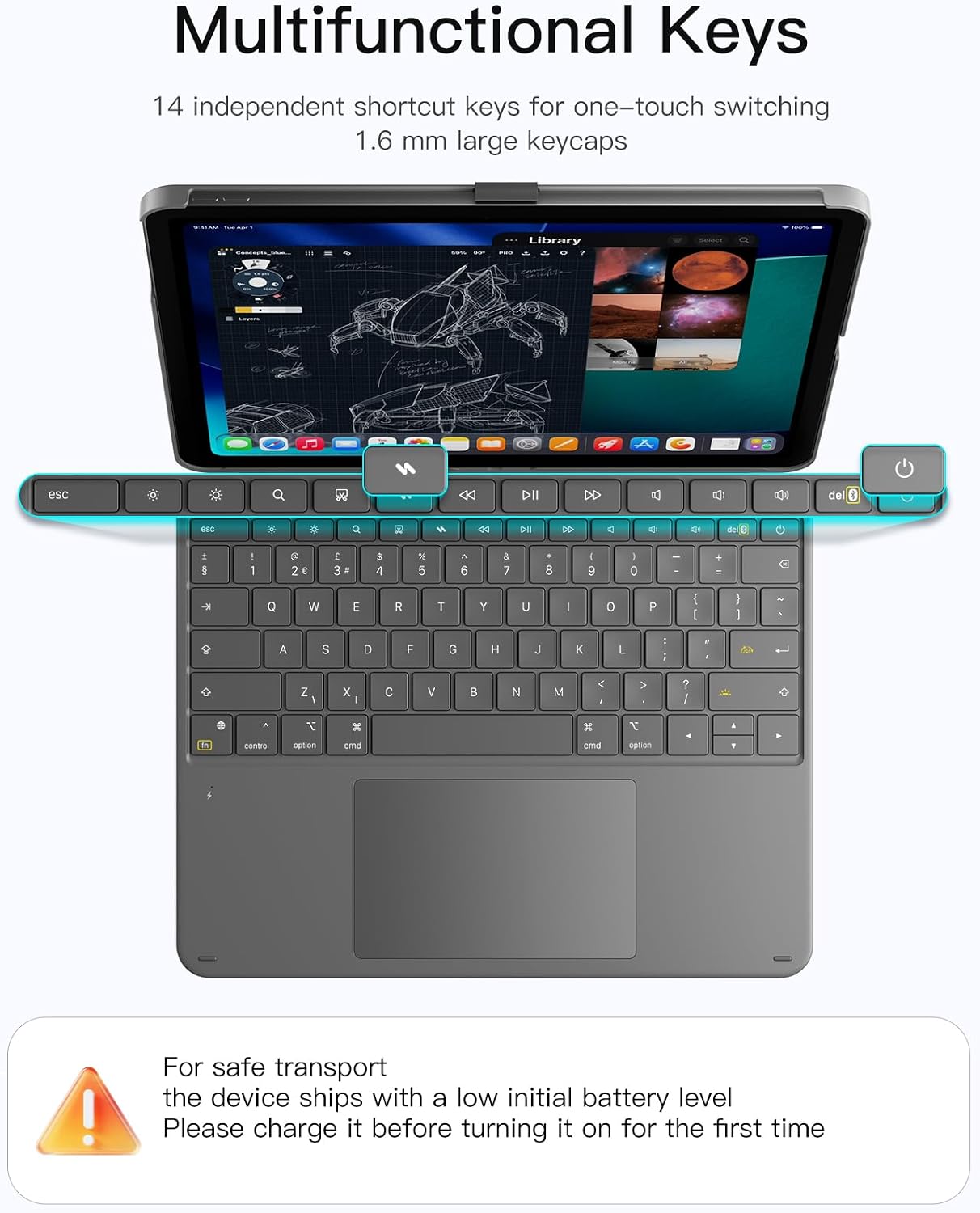
On the typing side, the keyboard is built around a 1-mm key travel and a scissor-foot structure. It uses a 5.3-mm Bluetooth chip (as listed) for lower latency and better anti-interference properties. Keycaps are described as 1.6 mm larger for a more natural hand feel, and it’s aimed at longer typing sessions without the quick fatigue you sometimes notice on slimmer key designs.
There are also 14 independent key combinations for one-click switching, which can be handy when you’re juggling documents, notes, and other iPad tasks.
Portrait and landscape, plus the magnetic detach
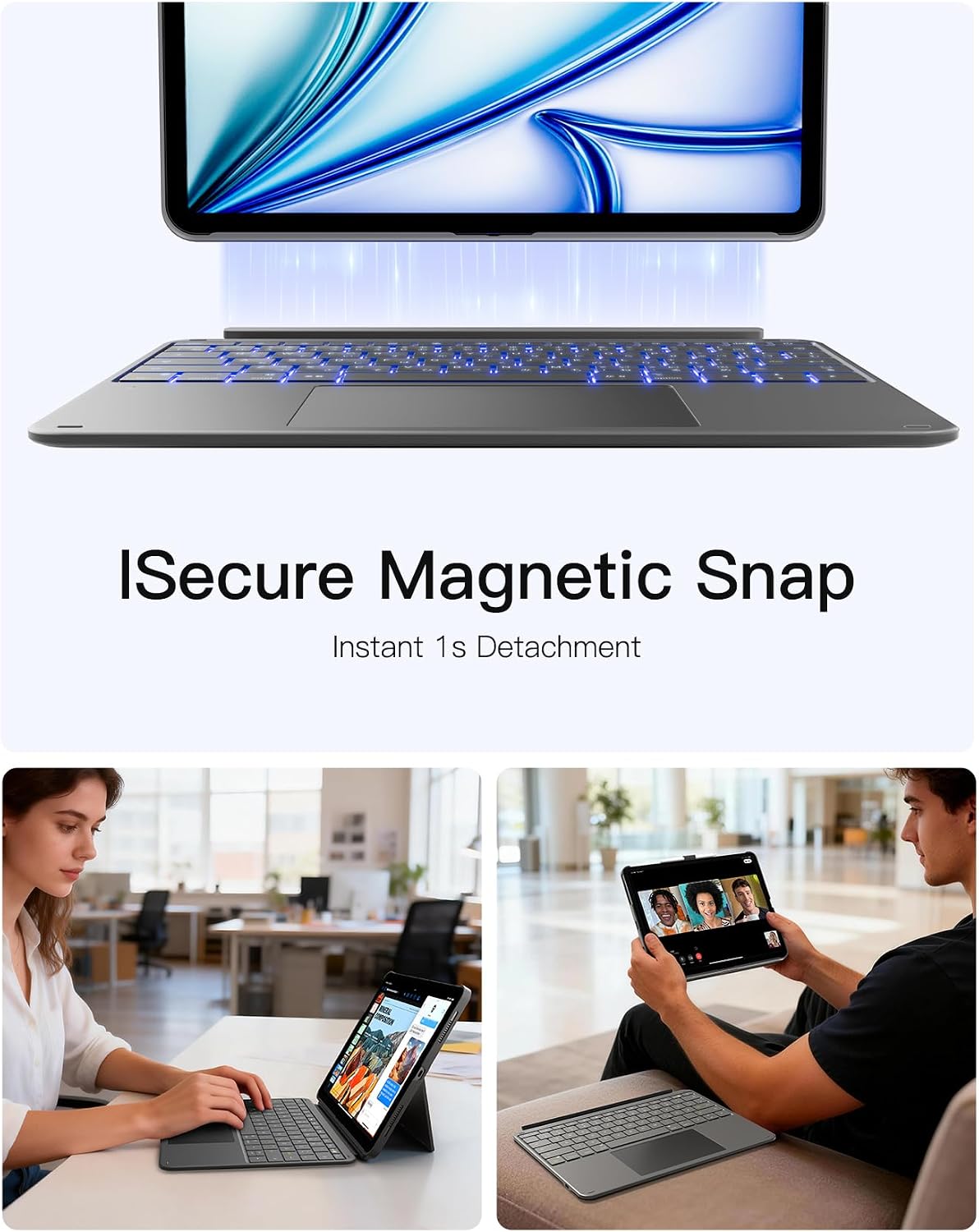
One of the most practical features is that the keyboard and protective case magnetically connect, and the keyboard can be detached in about 1 second (as stated). That means you can go from “laptop-like” use to “tablet-like” use without fully removing the cover.
The setup can also be used horizontally or vertically. If you frequently swap between working at a desk and using iPad-style viewing/reading on your lap, this flexibility is a genuine day-to-day win.
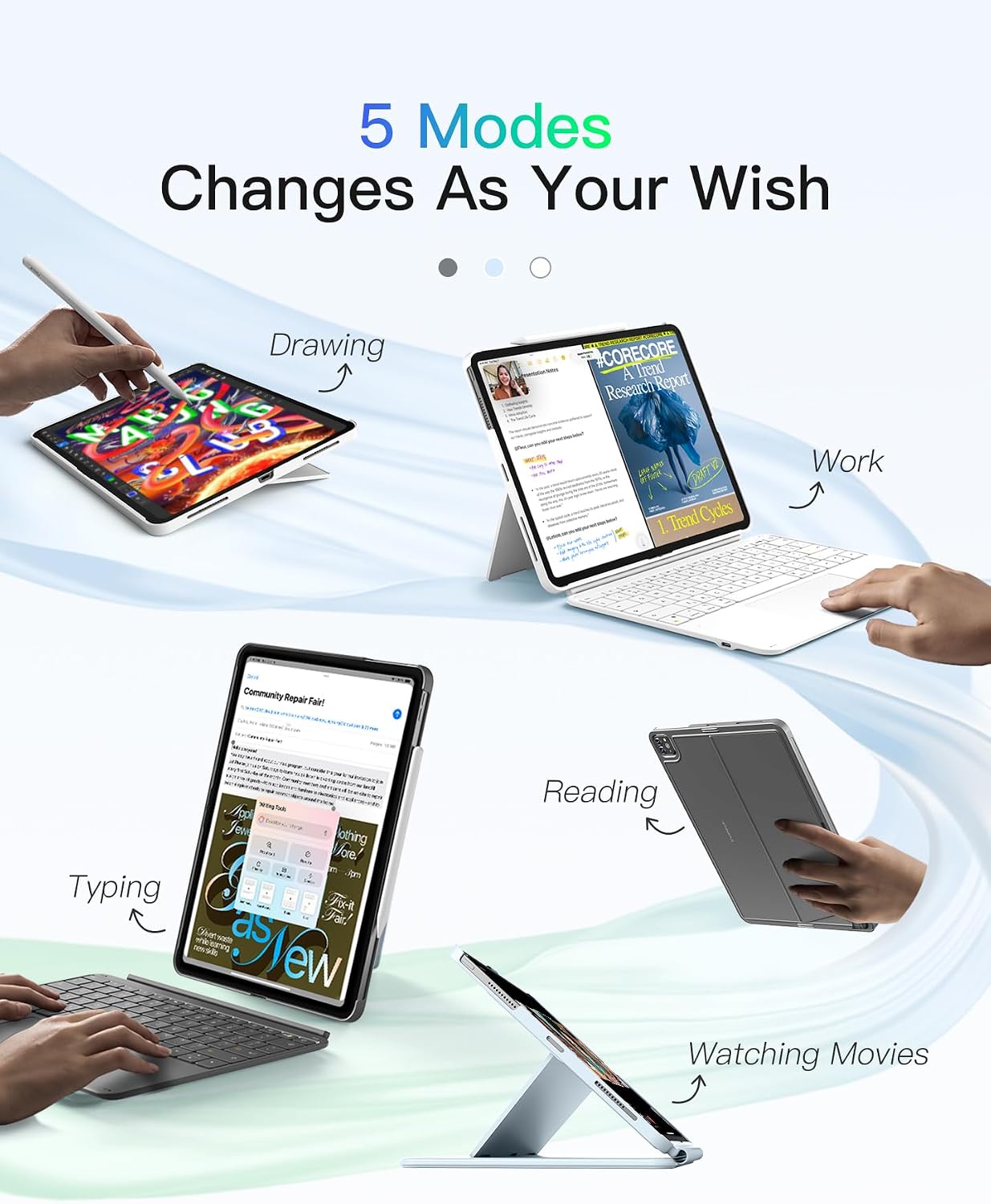
A micro example: if you’re writing an assignment, you can keep the keyboard attached for typing and trackpad control, when you finish, detach it for quick reading and marking-up in portrait without packing anything away.
Colour backlight and Pencil holder design
The keyboard includes 7-colour backlighting, which can help in darker rooms—useful if you study late or work in variable lighting. Brightness habits vary, but having the option is still a nicer touch than purely relying on ambient light.
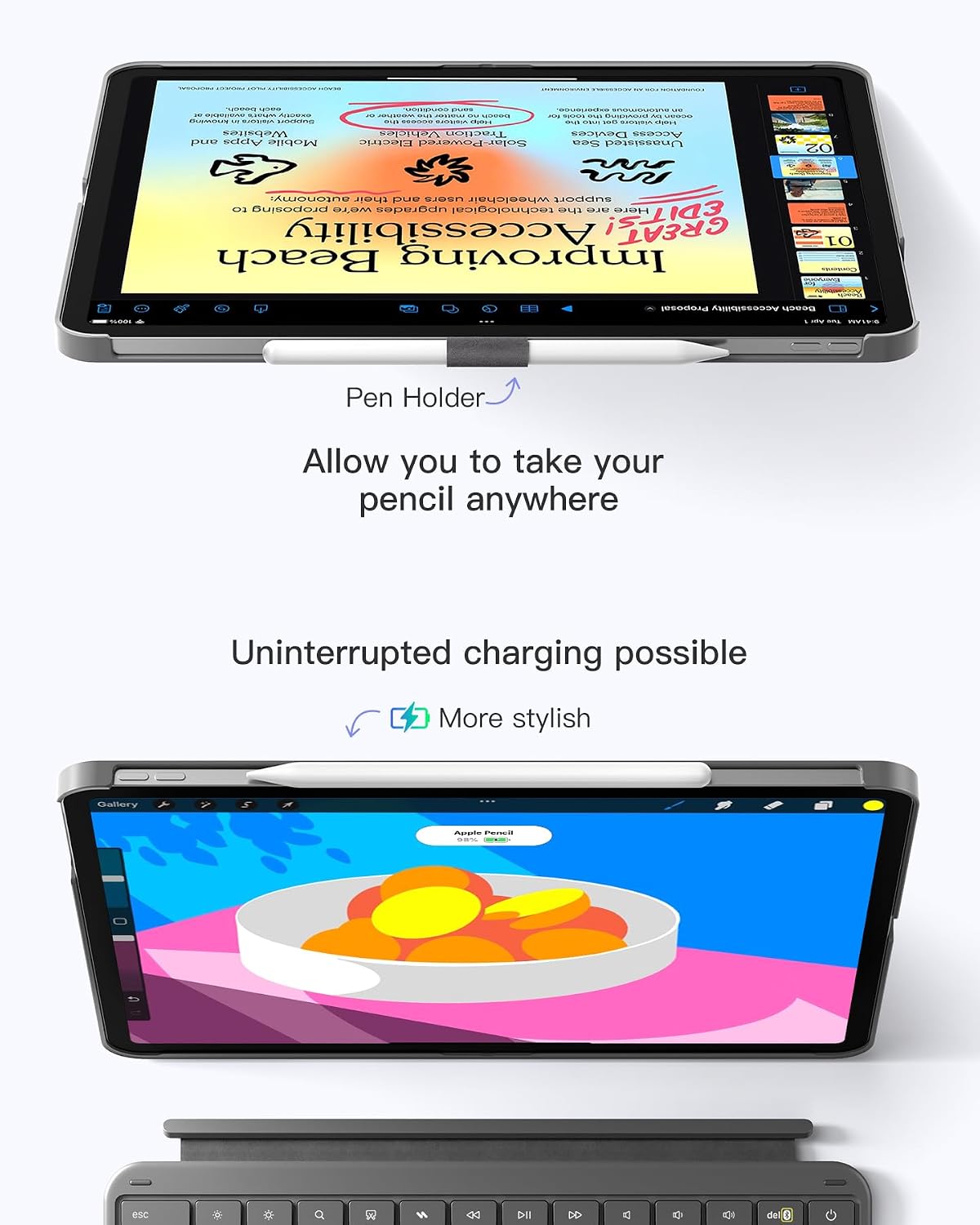
There’s also an “invisible” pencil holder design. The holder can be taken out to store the Apple Pencil and reduce the chance of scratches or loss. When you don’t need it, it can be hidden inside the case to keep the lines of the device looking neat.
This isn’t a substitute for “best pencil storage” everywhere, but as a way to keep your pencil with the iPad (instead of in a bag pocket), it’s a sensible add-on.
What to set up for better trackpad control
The product includes a quick setup guide for iPadOS trackpad settings: 1. Go to Settings > General > Trackpad. 2. Move the slider to the middle for pointer speed. 3. Enable “Tap to Click” and “Secondary Click with Two Fingers”.
That’s helpful because trackpad behaviour can feel noticeably different depending on your pointer speed and click gestures. Even if you’re used to a mouse, these tweaks can make the keyboard case feel more “workable” straight away.
Key takeaways (and when it may not be the right fit)
It’s a strong match if you: - Have the compatible iPad Pro 13-inch M5 (2025) or M4 (2024) and want a keyboard case that also gives you a large touchpad - Prefer multitasking with one-click key combinations - Want a detachable keyboard for quick tablet switching - Value backlit keys and a hidden Pencil holder
It may not be the best choice if you: - Don’t want to check (and be strict about) iPad model number compatibility - Only need occasional typing, as a keyboard case is a bit bulkier than a basic cover - Are looking for a slim, lightweight carry option for travel days (because the keyboard + trackpad setup inevitably adds structure)
Final verdict
If you’ve got an iPad Pro 13-inch in the listed 2025 M5 or 2024 M4 models, this Inateck AceTouch Keyboard Case makes sense as a desk-and-laptop replacement approach for everyday tasks—especially if the touchpad and typing comfort matter to you. The magnetic detach in around a second and the portrait/landscape support are practical, not gimmicky.
However, if you’re buying for general iPad use without careful model matching, or you don’t plan to type and navigate much, you may find a keyboard case simply doesn’t justify the extra bulk.
Mini FAQ
Is it compatible with other iPad Pro sizes?
The information provided only specifies compatibility with iPad Pro 13-inch 2025 (M5) and iPad Pro 13-inch 2024 (M4) with model numbers A2925, A2926 and A3007.
Can the keyboard be removed quickly?
Yes—it's described as magnetically connected and detachable in about 1 second.
Does the trackpad support iPadOS gestures?
It’s stated as compatible with all iPadOS gestures.
Can I store an Apple Pencil in the case?
Yes. There is an invisible pencil holder design that can be taken out to store the Apple Pencil, and hidden when not needed.
Does it have backlit keys?
Yes, the keyboard is listed with 7-colour backlight.