

HEYLICOOL PS5/PS5 Pro/PS5 Slim Stand Accessories with 3-Level Cooling Fan, Dual Controller Charging & USB Hubs (13 game storage)
Product description
The essentials
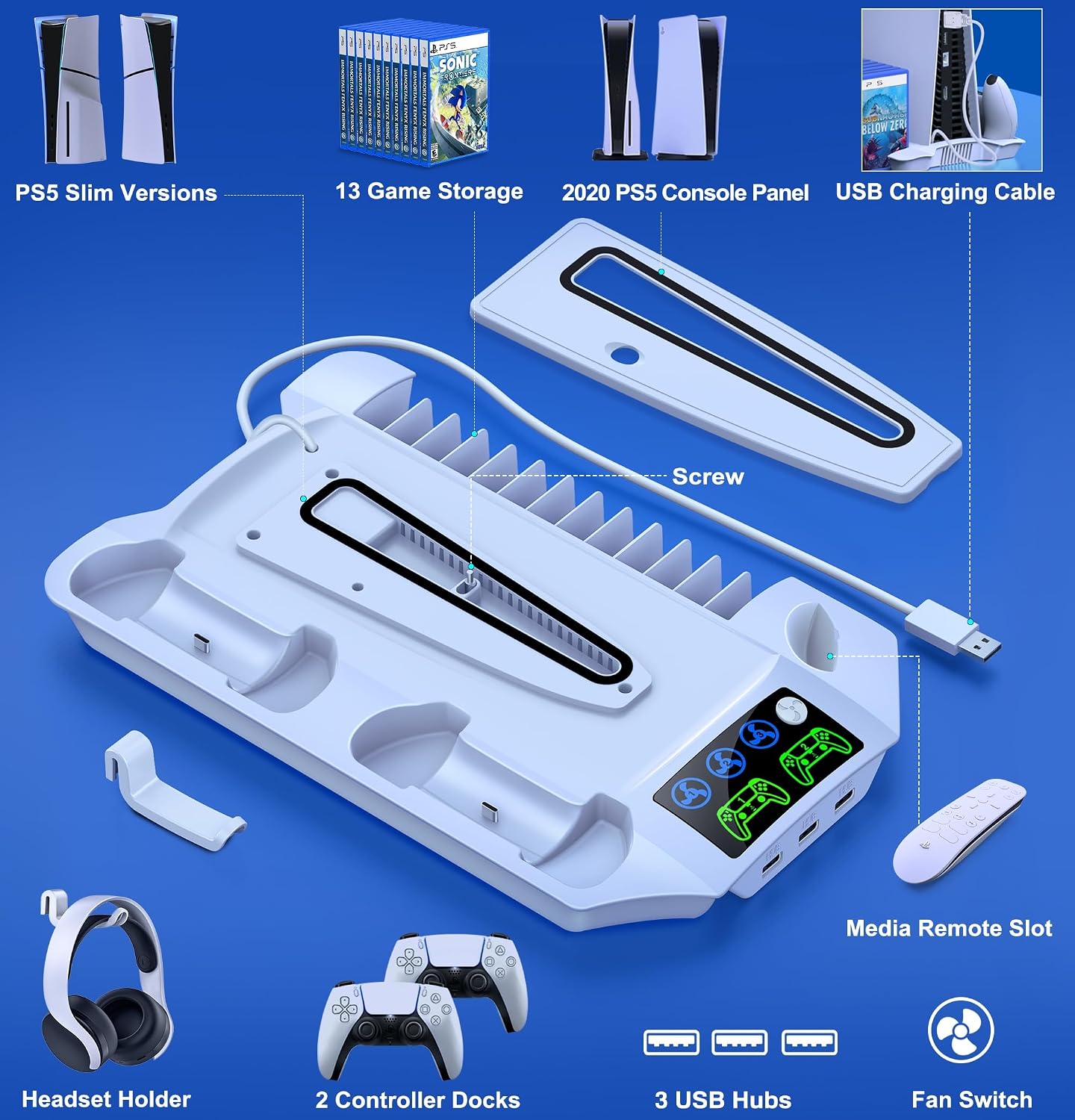
This HEYLICOOL PS5 stand bundle is aimed at one fairly specific goal: tidy up your PS5 setup while adding practical extras—cooling, controller charging, extra USB access, and storage for physical games. On paper, it brings together several “daily use” accessories into one unit, which can make your desk or media unit feel less cluttered.
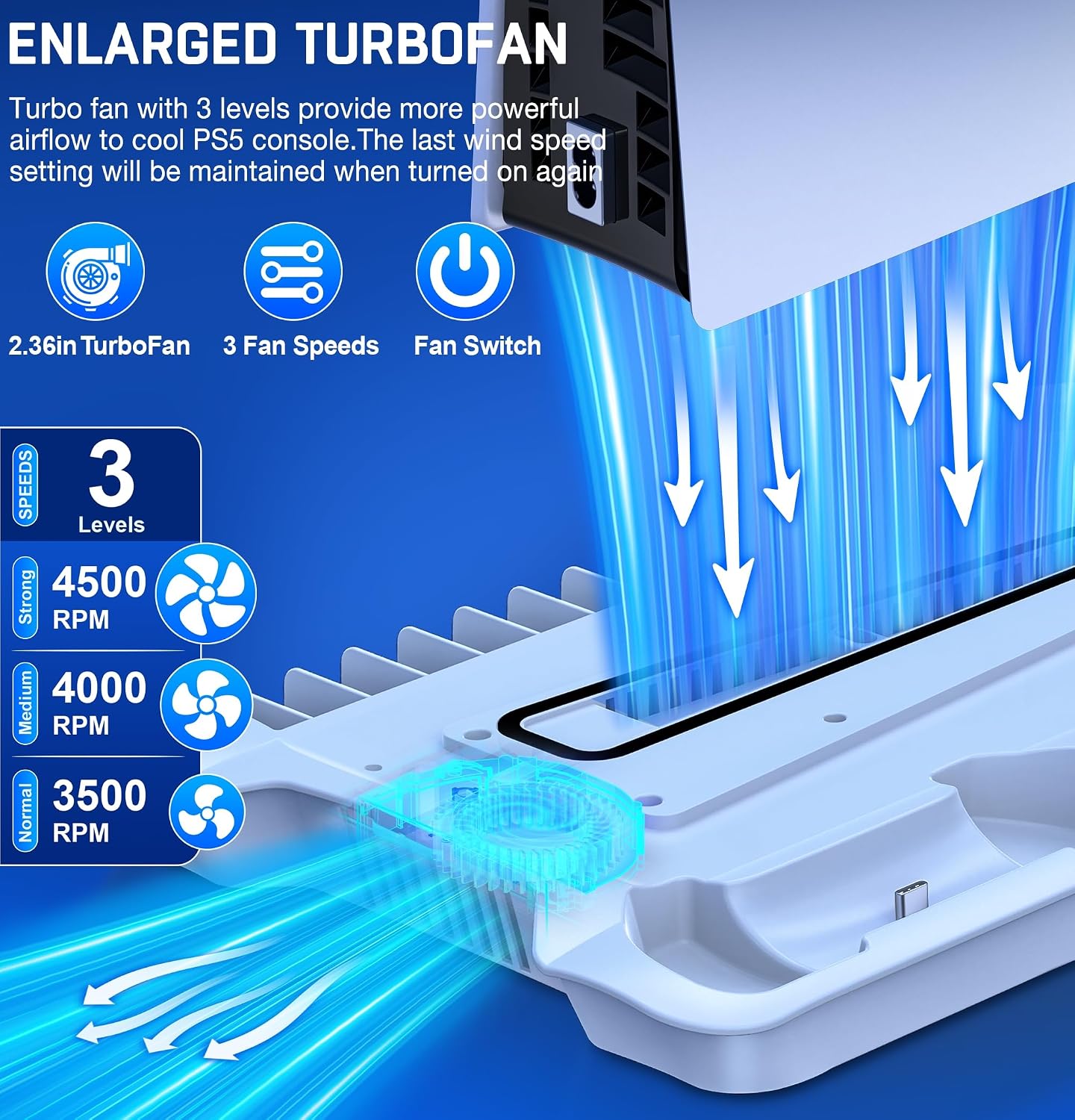
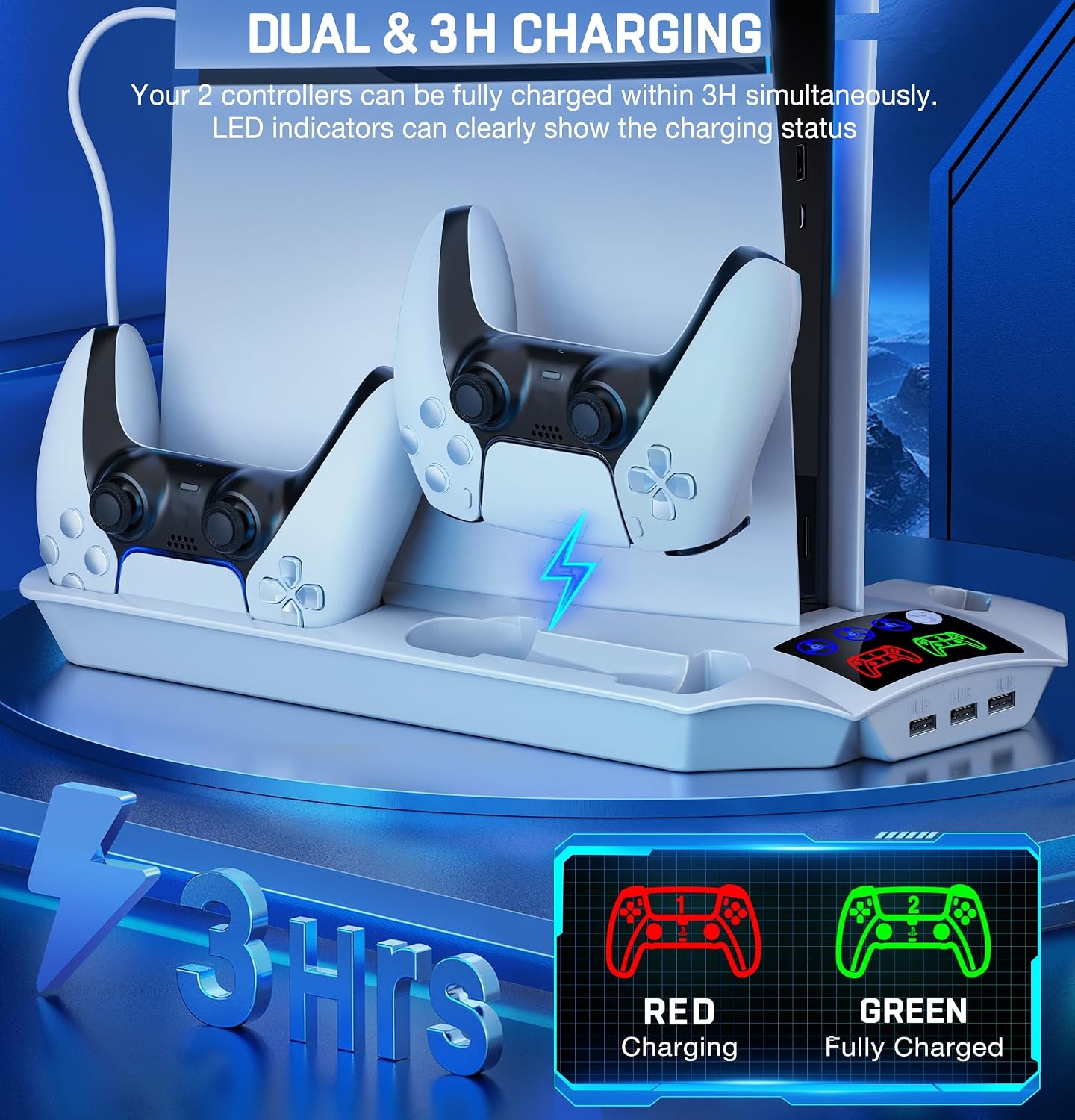
The cooling fan is the headline feature. It’s adjustable with three speed levels and designed to pull hot air from the console area and help dissipate heat. The controller charging station meanwhile is set up to charge two DualSense controllers at the same time, with LED status indicators to make it clear what’s happening.
Key features that matter day to day
The standout convenience here is that you’re not just buying a stand. You’re getting a charging station, a cooling fan system, and additional USB ports, plus storage for game discs.
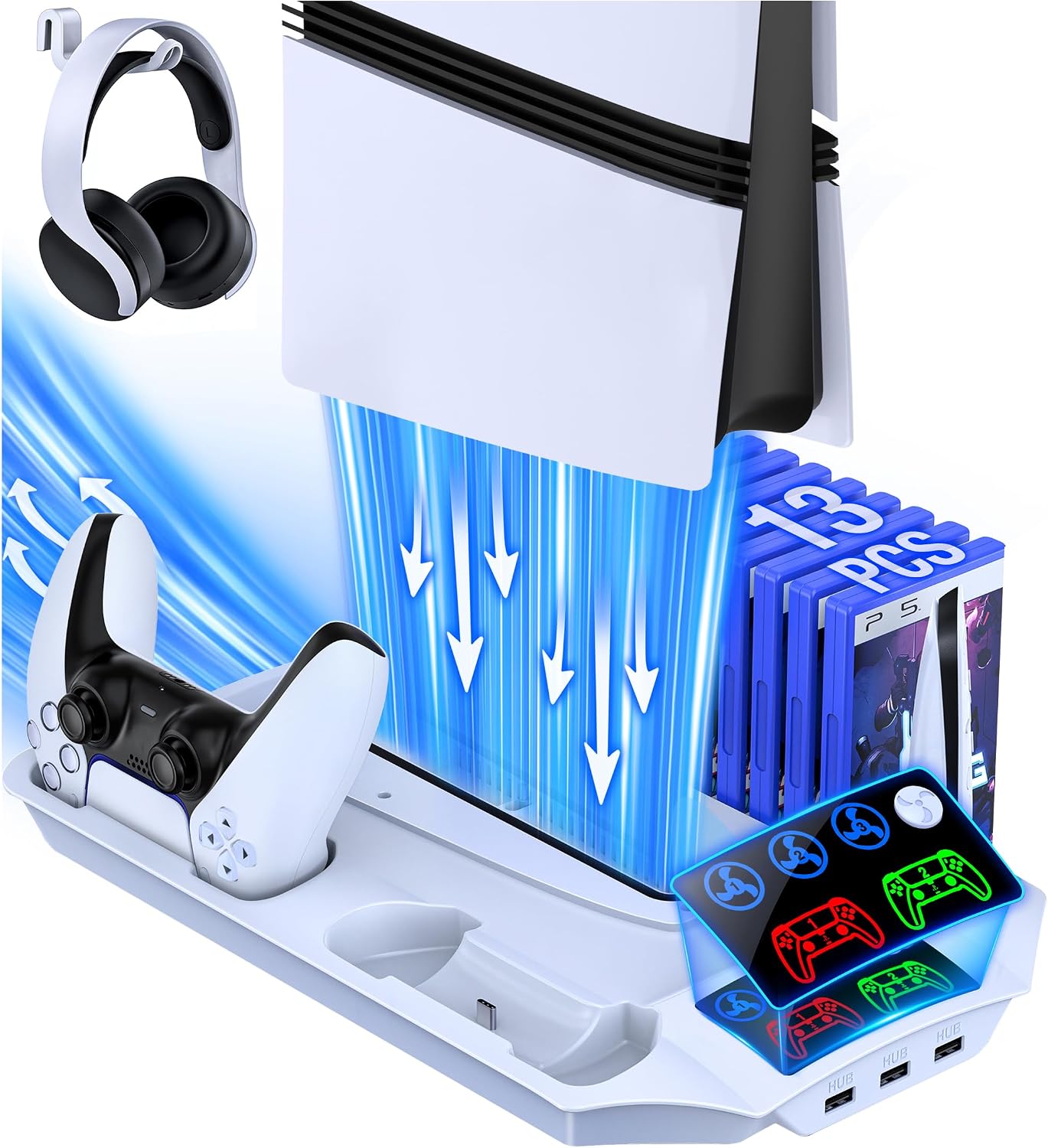
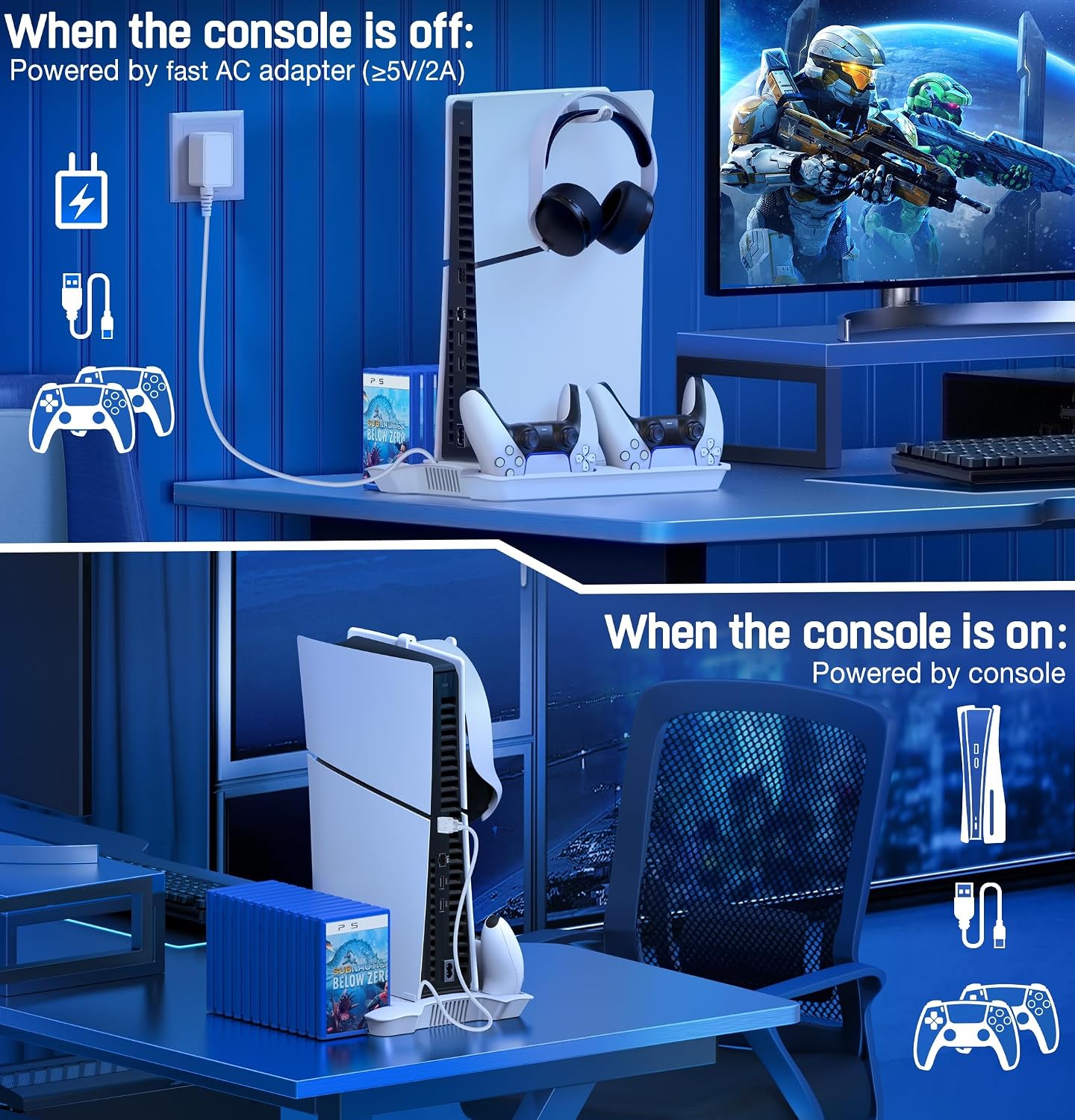
In normal use, that can translate to a setup like this: you dock both controllers on the charging pads, place your headset using the included holder, and keep a selection of discs in the dedicated storage. When you start a long session, you switch the cooling fan on (with the initial “memory” setup handled once) so airflow runs in the background.
A few things to note about how it’s positioned: - The fan offers three gears (Strong / Medium / Normal), so you can choose a louder/aggressive setting when needed, or dial it back for day-to-day. - The charging station is described as supporting full charge of two controllers within 3H simultaneously, with LEDs: red for charging, green when fully charged.
Cooling fan: helpful, but follow the rules
Where the cooling setup seems thoughtful is the included memory function. The guidance says you should turn the fan switch on manually the first time, then avoid turning it off after that. After that, the fan should come on automatically next time when powered, and it should remember the last wind speed.
That’s handy, but it comes with a real-world limitation: if you’re the sort of person who routinely switches everything off at the wall or unplugs between sessions, this “memory” behaviour may not match your expectations. It also means you should take a moment during setup to get the manual first-time switch correct.
Charging and power options (and what to check)
The DualSense charging part is straightforward: it has an LED indicator for charging status, and it’s described as charging two controllers simultaneously. It also includes a charge protection behaviour—automatic power disconnect after controllers are fully charged, which is the kind of safety detail worth having.
Power supply is flexible. The unit can be powered by your PS5 console, or by a 5V/2A fast AC adapter. That’s useful if you want more control over the desk power situation.
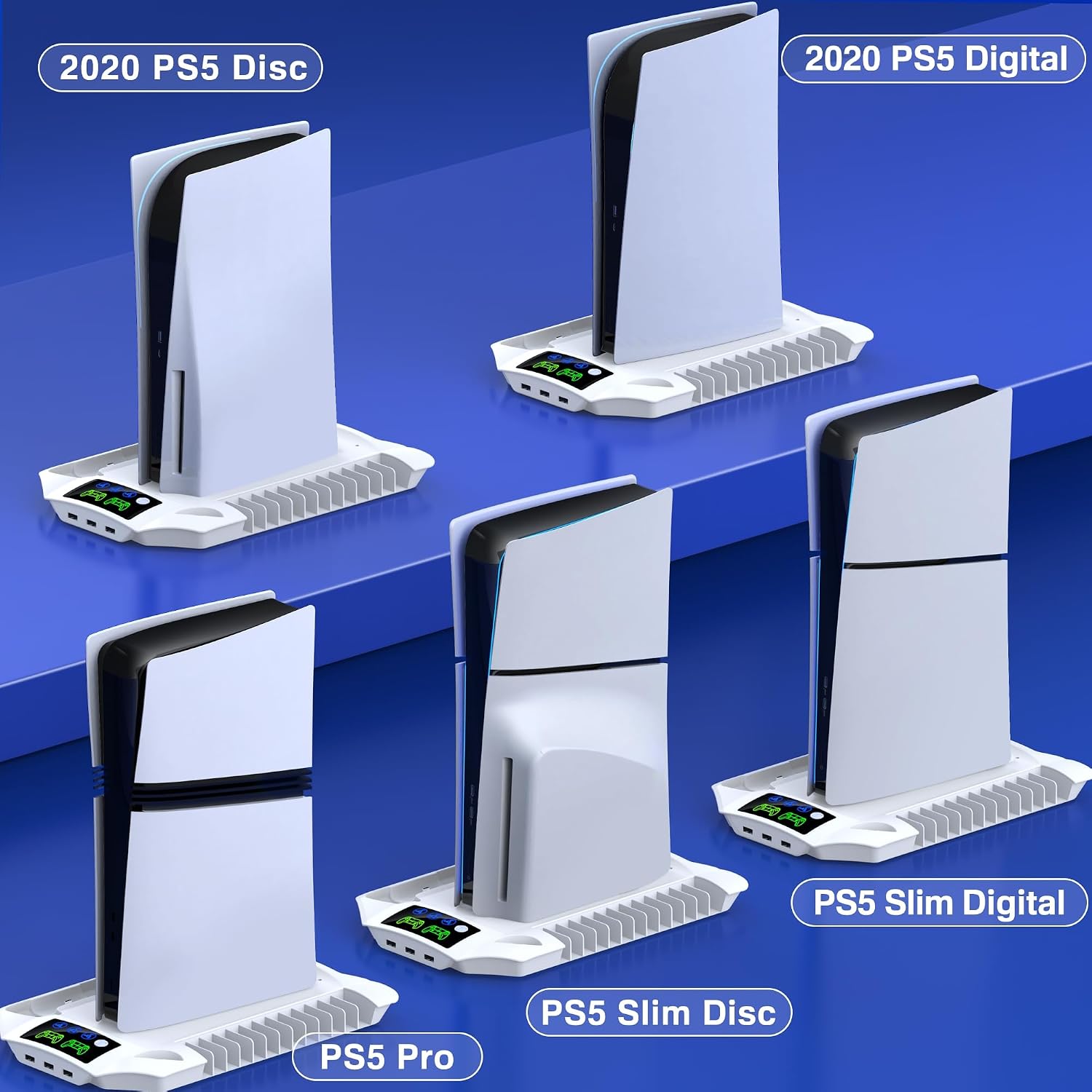
If you’re planning your setup, it’s worth checking two practical things before buying: - Whether you already have a suitable 5V/2A fast AC adapter available (the description mentions it as an option). - Whether your console model matches what it claims to support: PS5 Pro and PS5 Slim Digital/Disc, as well as PS5 (noting the brand’s stated compatibility wording).
USB hubs and game storage: where it adds value
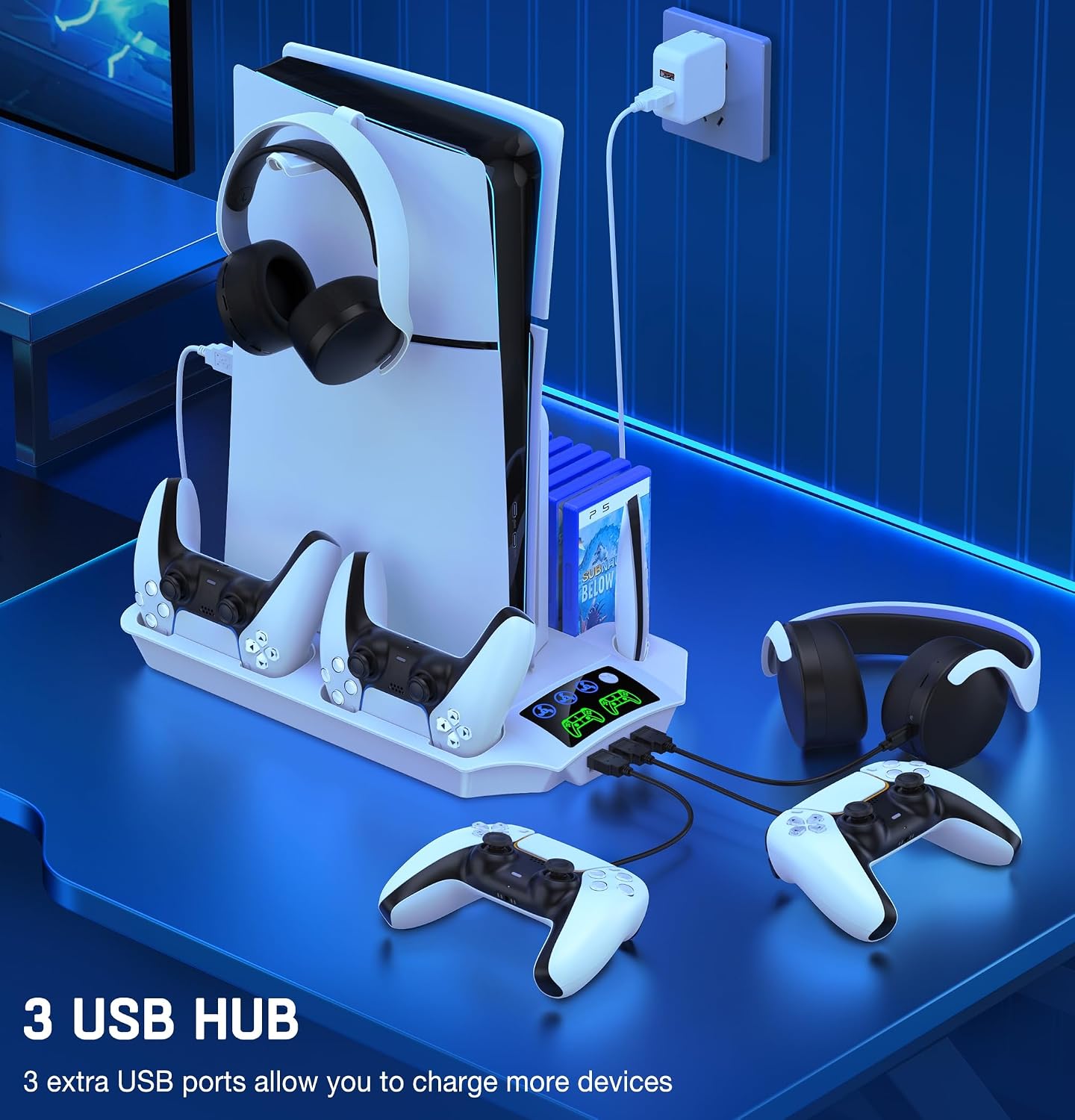
The extra USB hubs are one of the more “real life” improvements, because controllers and accessories quickly eat up your available ports. This stand adds three extra USB hubs for charging or connecting devices such as mouse, keyboard, and headset (as described).
For physical collections, it also includes storage for 13 game discs. If you keep disc games in view rather than in a separate shelf, that storage slot can be a genuine space-saver.
That said, this kind of combo accessory can only work as well as your space allows. If you already have everything laid out perfectly, you might find the extra bulk isn’t necessary. But if your current setup is a mess of cables and “where do I put the discs?” moments, it’s the sort of tidy upgrade that makes sense.
Who it suits (and who may want to skip it)
It’s a good fit if you want a single accessory stand that covers multiple jobs: charging two controllers, adding a cooling fan with adjustable speeds, giving you more USB hubs, and storing a batch of disc games in one place.
It may not suit you if you dislike fan noise (even though it’s described as without noise on the cooling side), or if you prefer a minimal setup with separate charging docks and cooling solutions. Also, if you regularly change your cable/power routines, the fan “memory function” wording means you’ll want to follow the guidance carefully.
What’s included and setup basics
The pack is listed as including: 1x PS5 Slim Stand with Cooling Fan and Controller Charger, 1x PS5 Disc/Digital Panel, 1x Fixed Charging Cable, 1x Headset Holder, 1x Screw, and 1x User Manual.
Given the mention of a PS5 Disc/Digital panel, it’s sensible to double-check that the included panel is meant for your console version and that you’re comfortable following the manual during installation.
FAQs
Does it charge two controllers at the same time?
Yes. The description states it can fully charge two DualSense controllers simultaneously, with LED indicators showing red (charging) and green (fully charged).
How many cooling levels does the fan have?
It has three adjustable gears: Strong, Medium, and Normal.
Can the station be powered without using the PS5?
It can be powered either by the PS5 console or by a 5V/2A fast AC adapter (as described).
Is there protection once the controllers are fully charged?
Yes, it’s described as automatically disconnecting power supply after fully charged to help protect your equipment.
Is it worth it?
Worth considering if you want a practical “desk organiser” approach for PS5—charging for two controllers, more USB hubs, a cooling fan with three speed levels, and disc storage all in one accessory. The value is in reducing clutter and making your everyday routine smoother.
Better avoided if you only need one or two of these functions and would rather keep your setup minimal or modular. Also, if you’re unlikely to follow the first-time fan switch guidance, the cooling fan’s memory behaviour may not feel as convenient as intended.