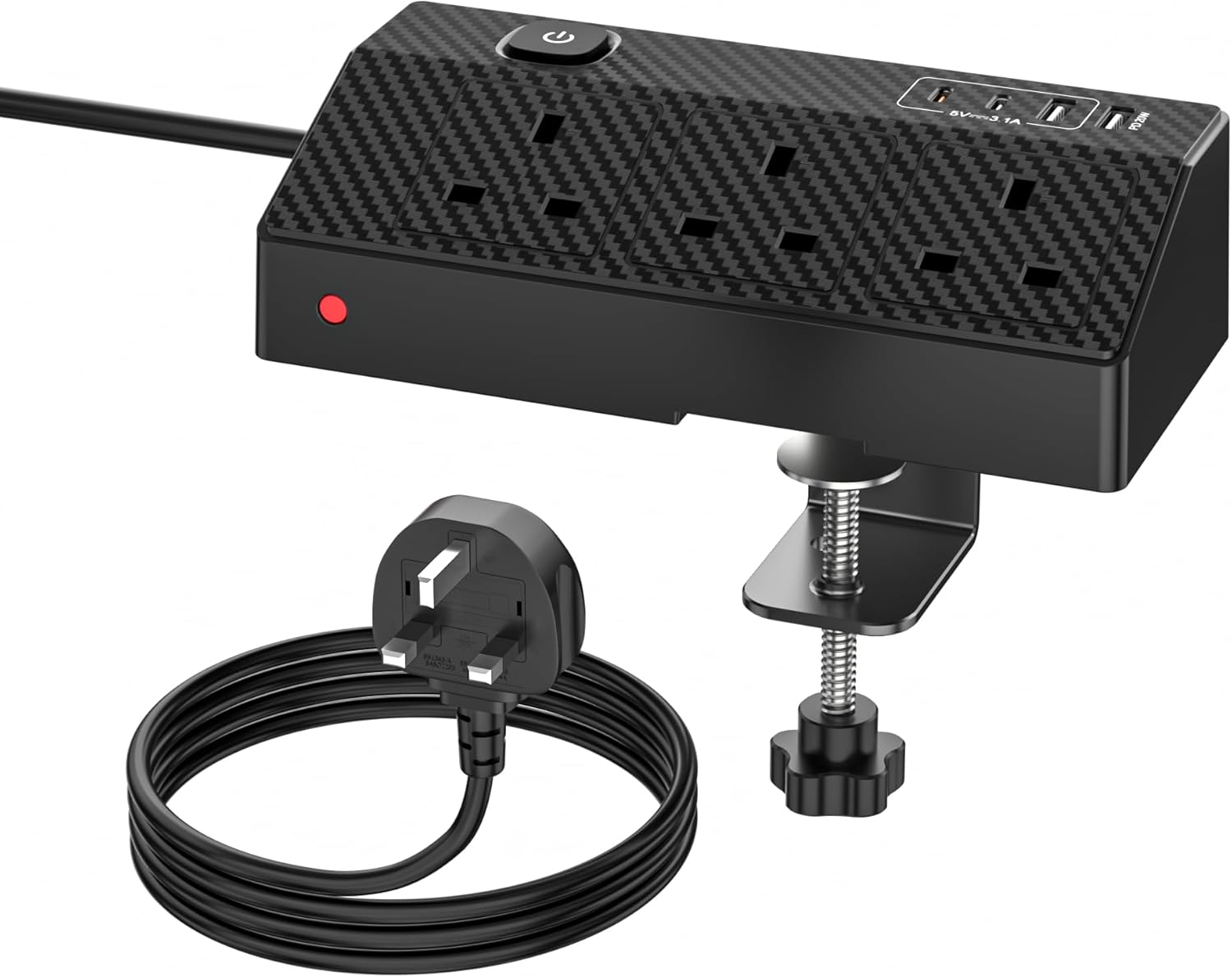
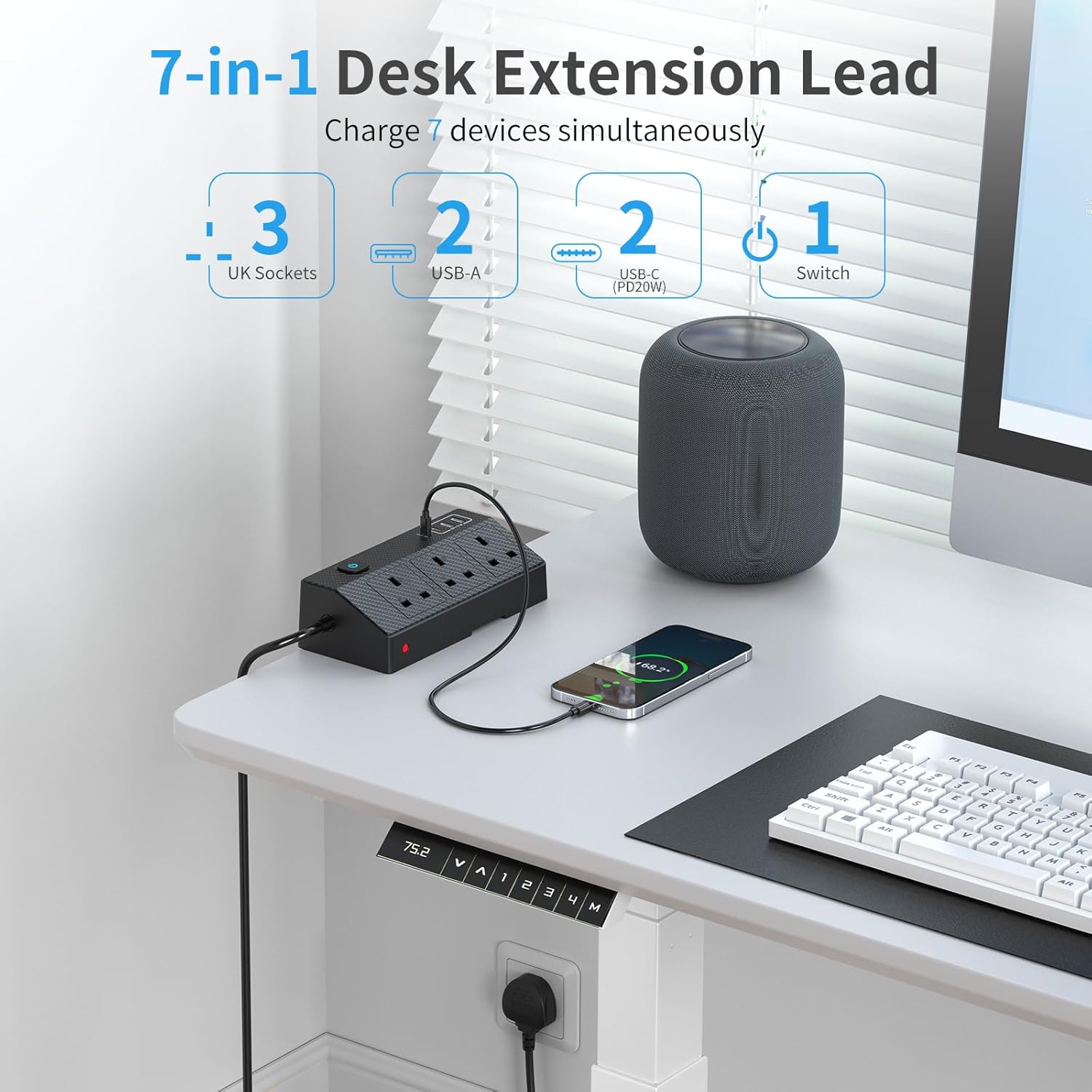
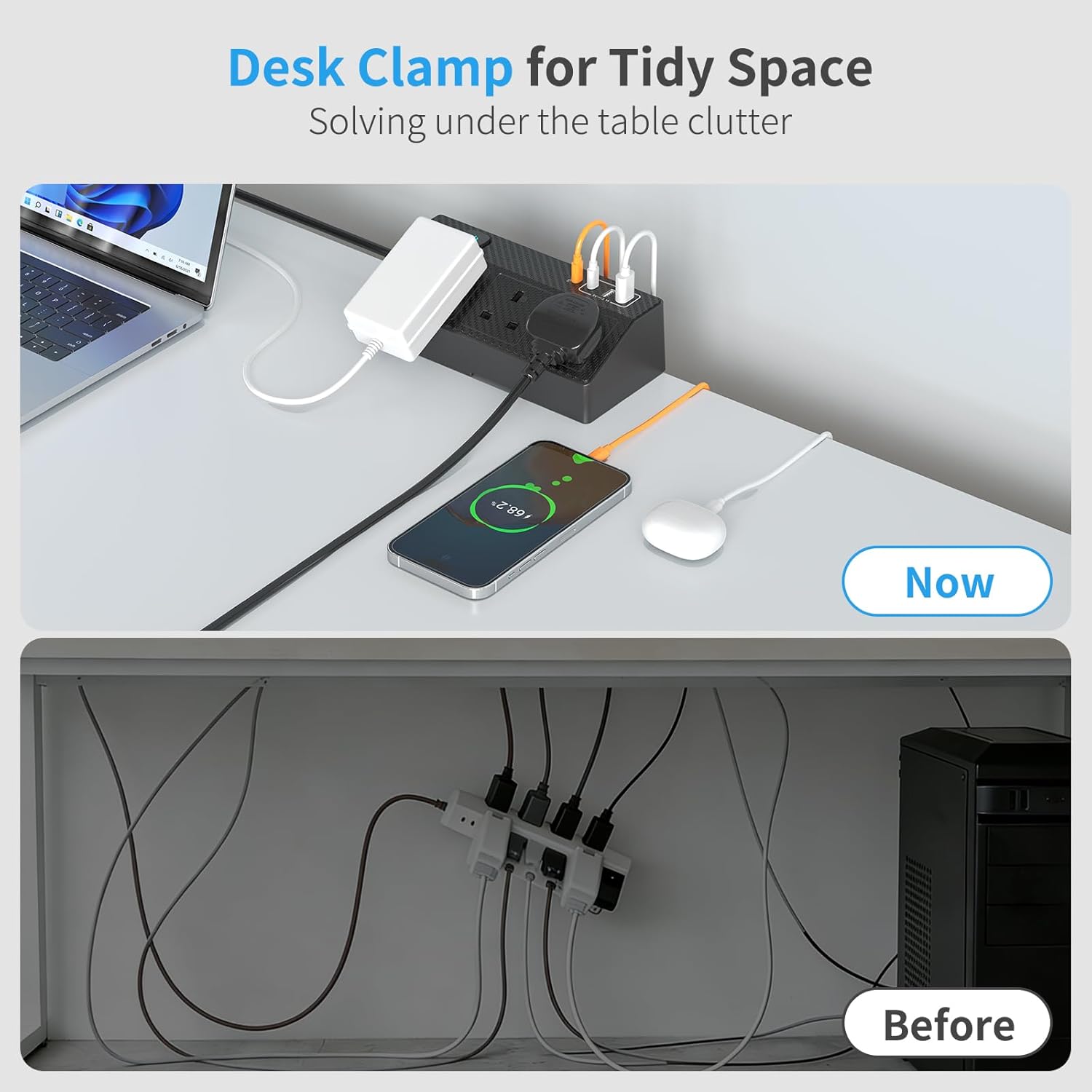
What it is and what it fixes\nIn short, the HAFINO desk power socket is a compact 7-in-1 extension lead designed to keep your home office tidy and powered. With 3 AC sockets, 2 USB-A ports and 2 USB-C ports offering PD 20W fast charging, it aims to consolidate multiple chargers into a single, space-saving hub. If your desk layout currently means power bricks creeping across the surface or tangled cables, this unit promises a cleaner setup with ready access to both traditional mains outlets and fast USB charging, from a device you can reach without stretching underneath the desk.\n\n## How it’s laid out and how to install\nThe unit includes a clamp for desk mounting, which means you can fix it to the edge of the workspace without drilling or extra tools. Once clamped, you can rotate the socket up to 180° so you can reach the ports from the side or beneath the desk. The setup is meant to be straightforward, aiming for a tidy, accessible charging station rather than a temporary plugging solution.\n\n## What stands out on paper\nOn the technical side, the USB-C port is described as PD 20W fast charging, which should handle many phones, tablets and other compatible devices at reasonable speeds. The presence of both USB-A and USB-C ports means you can charge multiple devices simultaneously, which is useful if you have a mix of gadgets. The 2-metre extension length provides extra reach for desks where the power source isn’t right at the edge.\n\n## Pros and what to watch for\nPros: 7 ports in one unit, USB-C PD 20W, desk-mountable with a 180° rotate, relatively simple to install, keeps desk surface clearer. It can be a practical upgrade for home offices or study nooks where cables tend to spread.\nLimitations: the description does not specify the maximum combined load or surge protection details, so heavy power draws or long sessions with high-wattage devices should be used with caution. If you prioritise dedicated high-wattage charging or a more rugged power strip, this model may feel modest in comparison.\n\n## Who it’s for\nIt suits someone looking to consolidate charging and power access at the desk, with occasional use for presenting devices, smartphones, tablets, and small peripherals. It’s likely most appropriate for light-to-medium daily use rather than a workstation with power-hungry gear running continuously.\n\n## Who it isn’t ideal for\nIf you rely on multiple high-wattage devices simultaneously or need advanced surge protection and certification details, you may want to consider alternatives with clearer spec sheets. Also, if you require USB-C ports with substantially higher than 20W PD output for larger devices, this unit’s PD spec may fall short.\n\n## When it makes sense to buy\nIf you want to reduce desk clutter while gaining convenient access to both mains outlets and USB charging, and you don’t need extreme power delivery numbers, this desk extension can offer value-for-money in a typical home office. It also helps if your desk location makes reaching power outlets inconvenient.\n\n## Before you buy: what to check\n- Confirm the total available outlets meet your device count and power needs.\n- Understand the clamp compatibility with your desk thickness and edge profile.\n- Check for any explicit safety certifications or surge protection details not listed in the base description.\n\n## Usage example in practice\nImagine you’re working at a corner desk: a laptop, a monitor, a wireless keyboard and a phone for charging. With this 2m extension, you can position the power strip within easy reach, rotate the outlet towards you for quick access, and keep cables neatly aligned rather than sprawling across the desk. It’s not a dramatic upgrade, but it makes daily charging less fiddly and helps maintain a tidy workspace.\n\n## FAQ (based on available data)\n- What devices can USB-C PD 20W charge? Devices compatible with USB-C PD up to 20W, such as many smartphones and some tablets, can benefit from the faster charging rate described.\n- How is it installed? It uses a desk-mounting clamp, no drilling required. The bottom button is used to secure the clamp.\n- Does it offer full surge protection? The provided information does not specify surge protection details, verify if you need extensive protection for sensitive electronics.\n\n## Is it worth it?\nIt makes sense if you want to simplify desk power and keep your surface clear, provided you don’t need high-wattage charging or detailed safety specs beyond what’s stated. If your setup is light-to-medium use and you value convenience over surge metrics, this could be a sensible addition to a home office.