

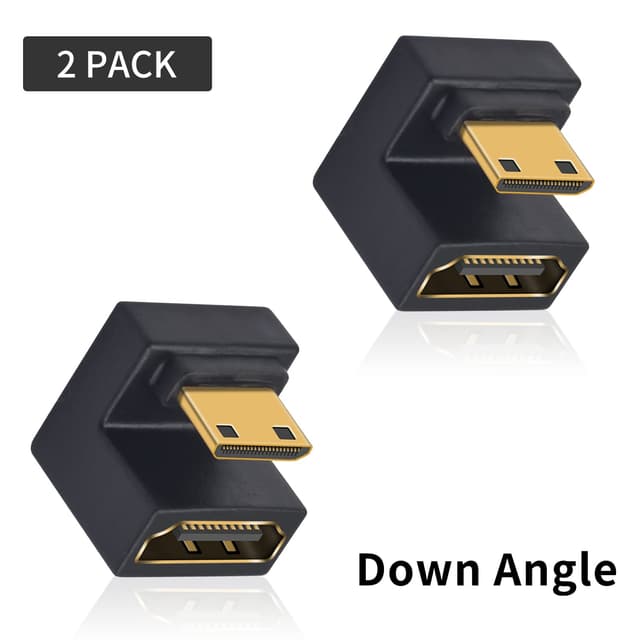
Duttek U Shape HDMI to Mini HDMI 8K Adapter (Down Angle) – 8K@60Hz 2 Pack
Product description
If you’re trying to connect a device with a Mini HDMI port to a full-size HDMI setup, the Duttek U Shape HDMI to Mini HDMI 8K Adapter is aimed squarely at that problem. The “U-shaped” and down-angle design is the standout idea here: rather than forcing a tight bend in a cable, it’s meant to give you more flexibility and help reduce strain on the connector.
That doesn’t make it a miracle cable—adapters are still adapters—but for certain camera, monitor, DVR and small-device setups, it can genuinely save hassle.
The essentials (what it is and what it’s for)
This is a HDMI to Mini HDMI adapter designed to extend flexibility between a Mini HDMI male connection and a standard HDMI 2.1 female side. The key use case is when you have a device that uses Mini HDMI (for example, some cameras/camcorders and other small electronics), but your display, recorder, or similar equipment expects full-size HDMI.
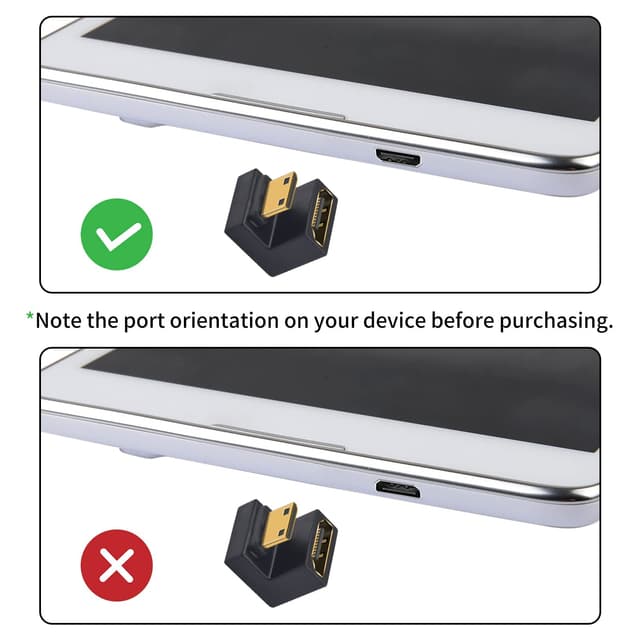
On paper, it’s also built to make “on-device” connections more comfortable: the down-angle design helps you route the cable more neatly, particularly when you’re working close to a tablet or laptop edge, or in a tight space where cable bending can be awkward.
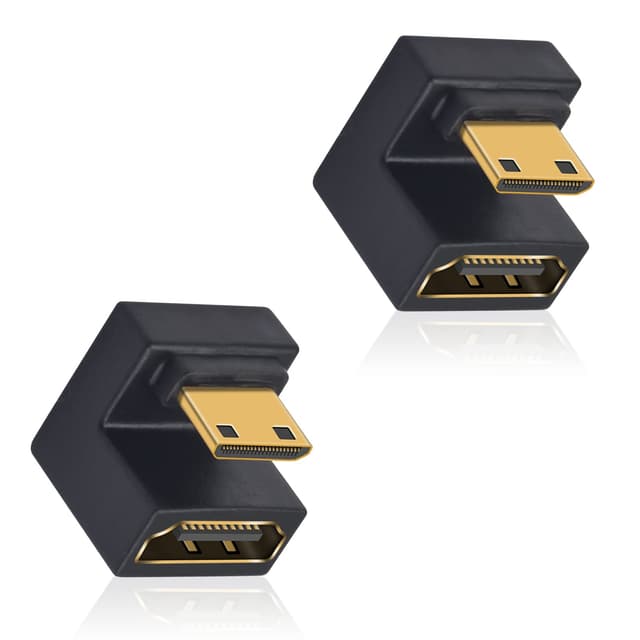
It’s also described as supporting audio/video transmission with a claimed high data rate and broad feature support (including things like HDCP and Dolby TrueHD 7.1 audio), so it’s not just treated as a basic video link.
Key features that matter in daily use
The two things you’ll notice first are the physical routing and the transmission claims.
Down-angle / U-shaped body: by positioning the connector to reduce cable bending, it can help avoid one of the common real-world frustrations with adapters—being forced into an awkward bend that can stress the plug over time.
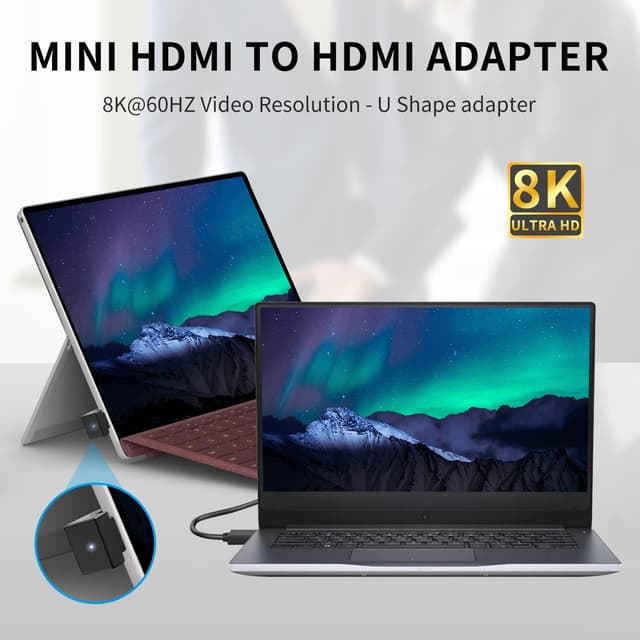
High-spec video support on paper: the adapter is stated to support 8K at 60Hz (with backward compatibility listed for various lower refresh rates/resolutions). If you’re planning for a higher-spec chain—camera output to a recorder/monitor—the headroom matters.
Audio support and “feature pass-through” claims: the product description specifically mentions ARC (Audio Return Channel), HEC (HDMI Ethernet Channel), 48-bit deep colour, 32-channel audio, HDCP, Dolby TrueHD 7.1 audio, and 3D video. Not every setup will use every one of these, but it’s a sign that the adapter is intended to be a fuller HDMI 2.1-style link rather than a stripped-down converter.
And the “2 Pack” matters if you’re setting up multiple devices or want a spare for a bag or kit.
Tech specs (the numbers you should look at)
- Type: HDMI to Mini HDMI adapter (Down Angle)
- Video support: Up to 8K@60Hz (7680x4320 60Hz listed)
- Claimed bandwidth: 48Gbps
- Backward compatibility listed: 4K@120Hz, 2K@240Hz, 1080p@240Hz (as stated)
- Material: Aluminium alloy
Take these as product claims, of course—actual results can still depend on the source device, the cable you pair it with, and the display/recorder you connect to.
Where it shines (and why the angle design isn’t just cosmetic)
If your camera or small device has a Mini HDMI port, you often have two choices: force a straight adapter and manage a bend, or choose something that keeps the cable direction under control. This adapter’s down-angle approach is meant to make that connection feel less strained—especially when the device is mounted, positioned close to other equipment, or used on a desk where the cable has to run in a particular direction.
A practical example: imagine you’re setting up a compact camera to a monitor on a small rig. The monitor sits slightly higher, and the camera’s Mini HDMI port is tight against the body. A right-angle or down-angled approach can keep the HDMI lead from kinking or putting leverage on the connector. It’s exactly the kind of situation where “avoid bending the HDMI cable” is more than marketing.
What to watch before you buy
This is the point where it can get a bit less straightforward.
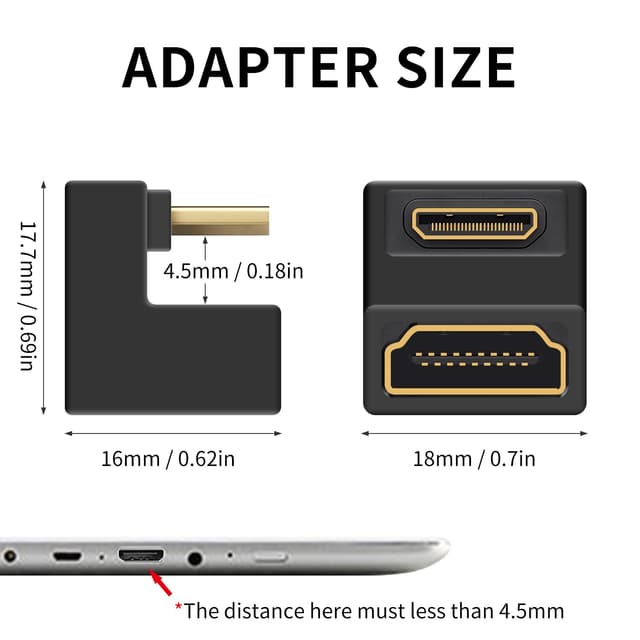
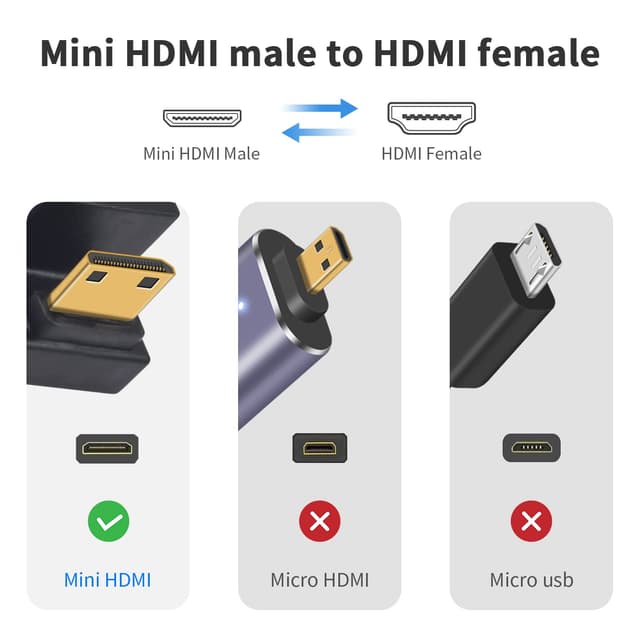
- Compatibility depends on the ports you actually have. The adapter is for Mini HDMI (male) to standard HDMI (female). If your device or cable uses a different HDMI type, you’ll need the right direction/format.
- HDMI feature support is not the same as feature usage. The adapter lists ARC/HEC/Dolby TrueHD/3D support, but your monitor/DVR/AV setup must also support what you’re trying to use.
- 8K claims are only useful if the chain supports it. Even if the adapter is rated for 8K@60Hz, your source output and the rest of the HDMI path need to be able to handle those settings.
Who it’s for (and who should skip it)
It makes sense if you want a flexible, kit-friendly adapter for camera/monitor/DVR style use, or you’re dealing with a tight connection where cable bending would be a recurring problem.
You may want to skip it if you only ever do simple short connections and you don’t care about routing, because a basic straight adapter can still do the job for many everyday setups. Also, if you’re unsure about your device’s Mini HDMI port and connection direction, it’s worth double-checking before you commit.
FAQs
Does this adapter support 8K video?
The product description says it supports up to 8K@60Hz, with backward compatibility for other listed resolutions and refresh rates.
Is it only for cameras?
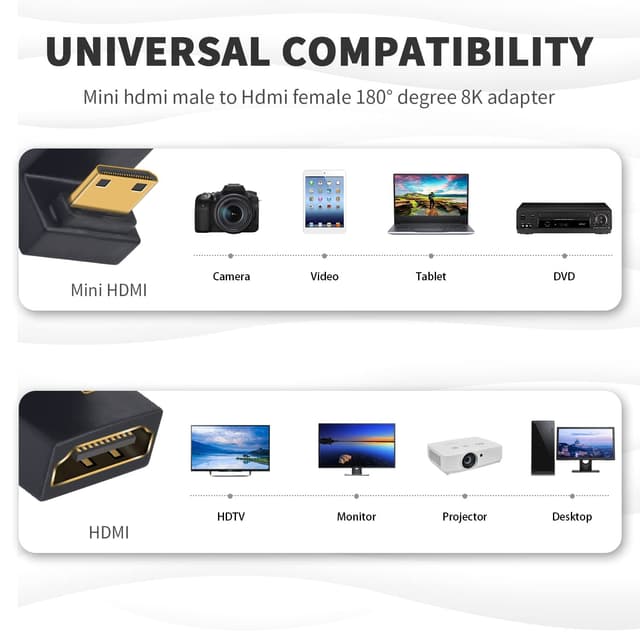
No. It’s described as compatible with a range of devices that use a Mini HDMI port, such as camcorders, laptops/tablets (where Mini HDMI is present), DSLR-style cameras, Raspberry Pi Zero, and DVR/monitor setups.
Will it help if my cable is hard to route?
That’s one of the main reasons for the U-shaped down-angle design: it’s intended to help avoid bending the HDMI cable where space is tight.
What’s included in the pack?
The listing states a 2 Pack, so you’re getting two adapters.
Is it a HDMI 2.1 adapter?
It’s described as supporting HDMI 2.1 features (including references to ARC/HEC and other HDMI feature support in the listing).
Final verdict
Worth buying if your setup includes a Mini HDMI device and you want a down-angle/U-shape adapter that aims to reduce cable strain while still targeting strong HDMI transmission specs. It’s a sensible choice for camera rigs, compact electronics and “tight space” installs.
Not the best fit if you don’t have Mini HDMI to connect, or if your priority is simply getting any connection working without caring about routing and maximum capability. In those cases, a simpler adapter can be enough — this one is more about flexibility and higher-spec HDMI capability than plain convenience.