

Cozyla Mate Digital Calendar+ 2 (32") smart wall touchscreen calendar with chore chart, UK adapter
Product description
What it is and why people buy it
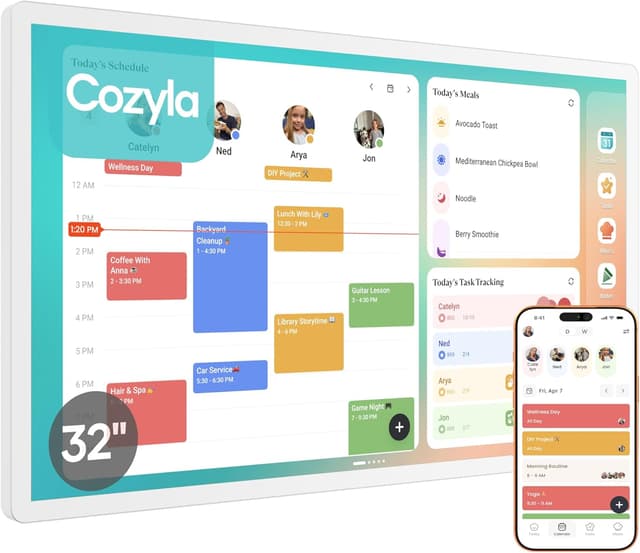
Cozyla Mate Digital Calendar+ 2 is a 32" interactive wall-mounted digital calendar designed for family life. On paper, it’s meant to replace the “pile of papers” approach with one shared screen where plans, routines and chores live. If you’ve ever had that moment where two people swear they were booked for the same thing, this sort of family touchscreen setup aims to reduce the friction by keeping everyone looking at the same place.
It’s a wall calendar, but not in the traditional sense. The key difference is that it’s touchscreen-based and positioned to be updated from the device side rather than re-writing dates with a pen. That makes it less about decorating your wall and more about daily coordination: meetings, school reminders, meal planning and a chore chart.
Key points
A single smart display can help keep schedules and household tasks visible, which is handy when multiple people use the same routine. It supports calendar syncing via Wi‑Fi, and it also uses its own Cozyla+ Calendar app so updates can appear across linked devices. Beyond dates, it includes a chore chart with a reward system and a family meal planner, both focused on getting consistent behaviour at home. The touchscreen is designed to auto-adjust between portrait and landscape, which helps if your wall space dictates how you want it mounted.
That said, it’s still a digital system: if your household doesn’t want shared tech, or you’re happy with a weekly paper routine, you may not get much out of it.
The essentials (what you get and what it does)
This is positioned as an all-in-one wall planner. The idea is that schedules, routines, chores and meal plans appear on the same interactive screen. It also mentions a “CalendarOS” approach for consolidating day-to-day planning into one interface.
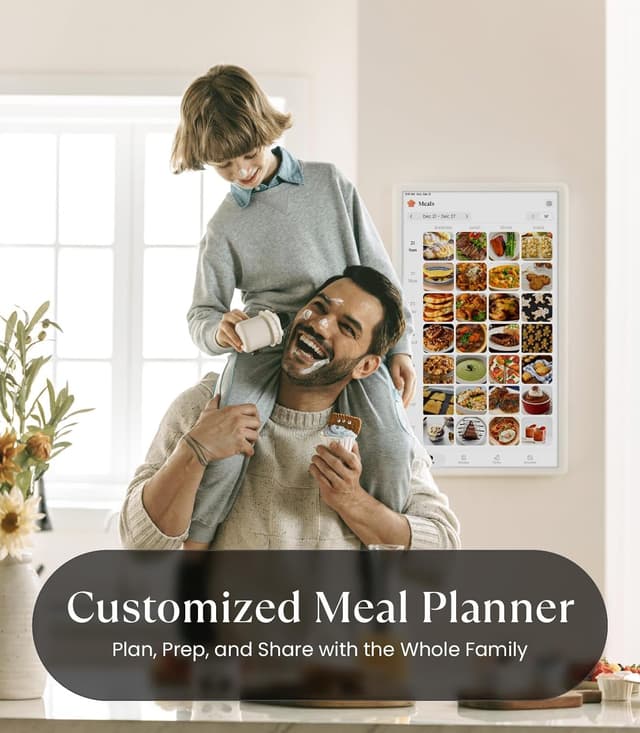
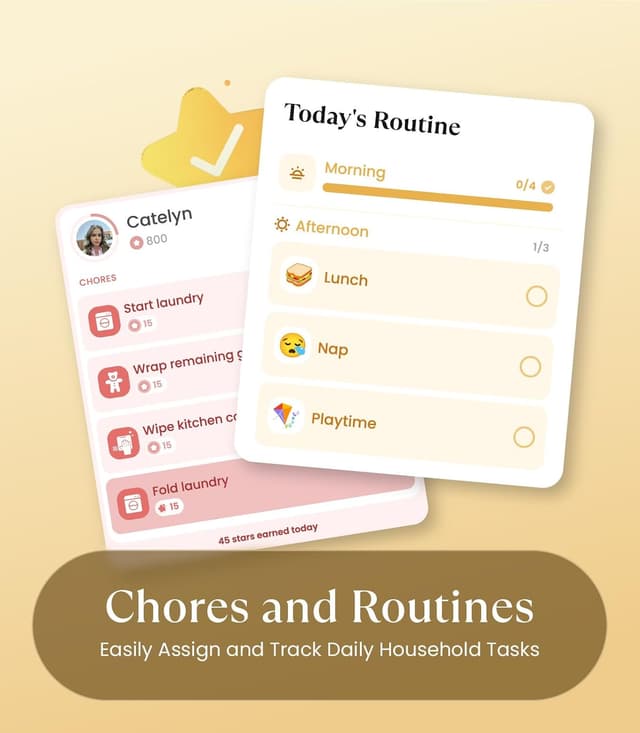
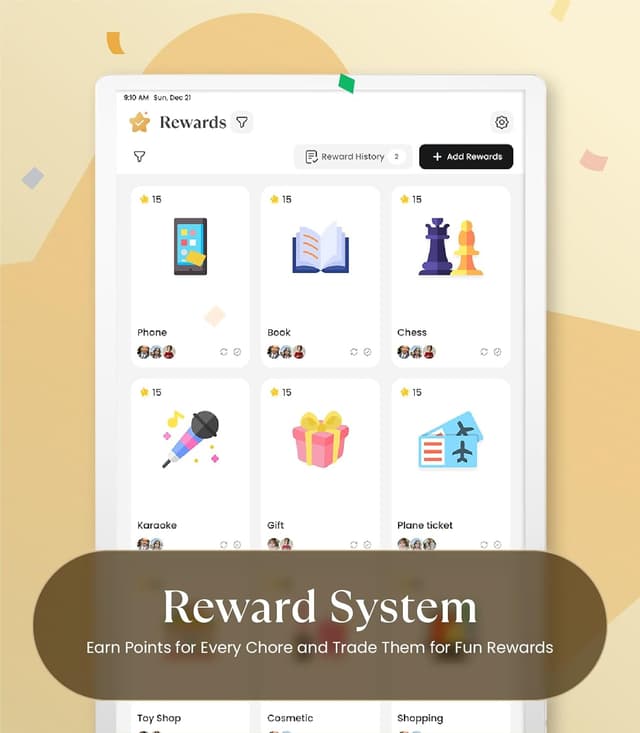
From the features described, the practical daily wins are fairly clear: - Two-way calendar sync when connected to Wi‑Fi, using common calendar providers listed in the description. - A chore chart where you can set times and reminders, plus a reward system intended to keep kids motivated. - A family meal planner that lets you plan daily or weekly menus and automatically generate recipes and grocery lists.
In a typical use scenario, you might set chores for the week (with reminders), then when you update appointments on your phone/tablet, the family screen reflects the changes. Later, you could check the meal plan in the hallway or dining room and pull up a grocery list instead of guessing what’s missing.
What stands out (and what to keep realistic)
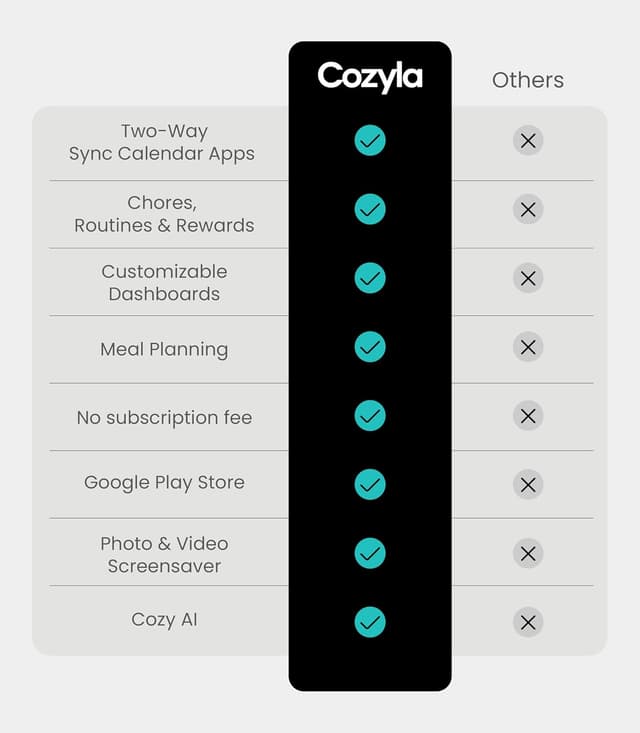
Where it looks strong is the combination of shared scheduling plus household structure. Many “smart calendar” type gadgets focus mostly on dates and notifications. Here, you also get chore charting and a meal planner, which could genuinely cut down planning time if you’ll actually use those sections.
A couple of limitations to be aware of: - You’ll need Wi‑Fi and the associated app/sync setup to get the two-way sync benefits. If you want something that works purely offline with no setup, this may feel like overkill. - There’s no detail here about privacy controls, user limits or how many profiles the calendar can manage. For bigger households or shared devices, it’s worth checking what user configuration looks like before committing.
Also, because it’s an interactive touchscreen wall unit, installation and daily visibility matter more than with a phone-only calendar. If the viewing angle or mount position isn’t right, the “front and centre” value can drop.
Tech specs (the parts that matter for buying)
Here are the concrete details provided in the description: - Name: Cozyla Mate Digital Calendar+ 2 - Type: Digital wall calendar planner (interactive touchscreen) - Size: 32" - Format: Auto-adjusts in portrait or landscape - Mounting: Wall mount (rotating wall mount included) - Power adapter: Power adapter included, cord length 9.84ft / 3m - Plugs: Comes standard with UK-style plugs
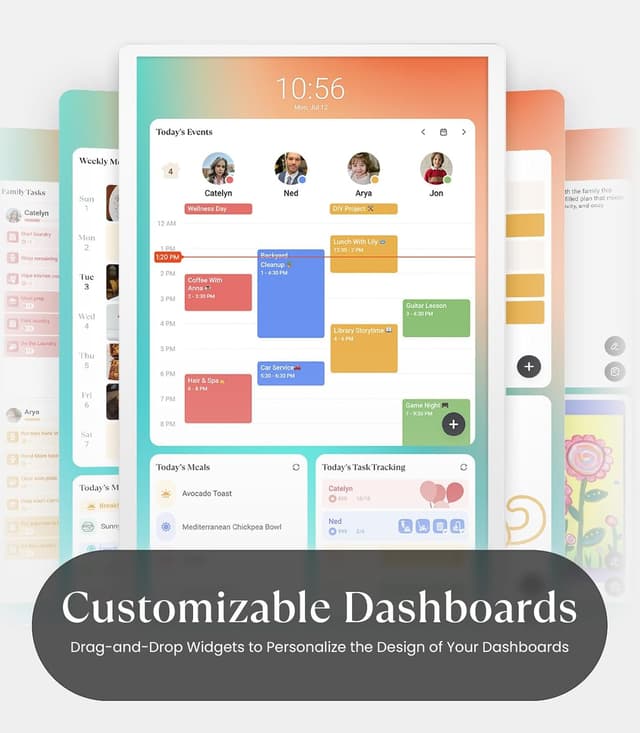
The listing also mentions that it supports photo/video screensaver and includes a custom dashboard, with widgets you can drag and drop to personalise the home screen. That’s useful for making it feel less like a “plain screen”, but the real deciding factor is whether you’ll use the planning and sync side regularly.
Compatibility & requirements (what to check)
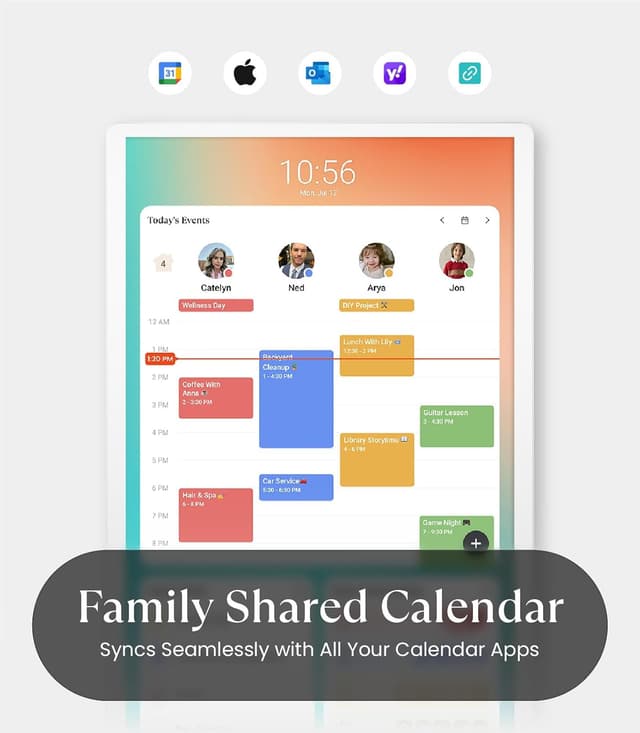
This calendar is designed for calendar sync “via Wi‑Fi” and it specifically mentions linking with Google, Apple, Outlook, Yahoo and more, plus a Cozyla+ Calendar app.
Before buying, it’s sensible to check: - Whether your household will sign into the same calendar ecosystem you plan to use. - That you’re comfortable connecting and updating via apps (not just tapping the wall screen). - How you want chores and meal planning to be managed: the description suggests updates are reflected across linked devices, but it doesn’t spell out sharing workflow.
If you’re in a household where everyone already lives inside one calendar provider, the setup tends to be straightforward. If you’re split across different systems, you may still be able to sync (the description suggests broad support), but it’s worth confirming the experience in practice.
Pros
- Touchscreen wall-mounted family calendar, positioned to keep schedules visible in the home.
- Wi‑Fi two-way calendar sync with multiple providers and an additional Cozyla+ Calendar app.
- Chore chart with reminders and a built-in reward system aimed at motivating kids.
- Family meal planner that can generate recipes and grocery lists from a menu plan.
- Auto-adjusts in portrait or landscape, plus a rotating wall mount.
Pros and potential drawbacks
It’s a strong “family coordination” concept on paper, especially if you want meal planning and chore reminders in the same place as schedules. However, it’s not the simplest choice if you only need basic date visibility, or if you’d rather avoid app-based syncing. And because the information provided doesn’t cover things like how many family members/profiles it supports or detailed privacy controls, you may want to double-check those points if your household planning needs are complex.
In the box
Based on the description, you should expect: - 32-inch electronic wall calendar - Rotating wall mount - Power adapter (UK-style plugs) - User manuals
Should you buy it?
Buying verdict Cozyla Mate Digital Calendar+ 2 is a decent buy if you want a shared, touchscreen wall calendar that does more than show appointments—particularly if you’ll use chore reminders/rewards and the family meal planner alongside the schedule.
It’s less convincing if you only need a basic family calendar, if you’re not willing to set up Wi‑Fi/app syncing, or if you need clarity on user sharing and privacy options for a bigger household.
If you value one central “command board” for the home—hallway or kitchen style—this is the sort of smart wall planner that can genuinely earn its space. Just make sure your everyday planning routine and calendar ecosystem match what the sync features are designed for.
Mini FAQ
Does it work as a wall-mounted calendar only?
The description indicates it’s a wall-mounted touchscreen calendar, with an included rotating wall mount.
Can it sync with calendars on different services?
Yes, the description says it can connect to Wi‑Fi and sync instantly with Google, Apple, Outlook, Yahoo and others, plus it references its own Cozyla+ Calendar app.
Is there a chore chart feature?
Yes. It includes a chore chart with set times and reminders, along with a built-in reward system.
Does it help with meal planning?
It includes a family meal planner where you can plan daily or weekly menus and it can generate recipes and grocery lists.
What’s included in the box?
The listing says the box includes the 32-inch electronic wall calendar, rotating wall mount, power adapter with UK-style plugs, and user manuals.