

Comfort Head Strap for Meta Quest 3/3S & Quest 2 – Elite Strap Replacement with Dial Adjustment
Product description
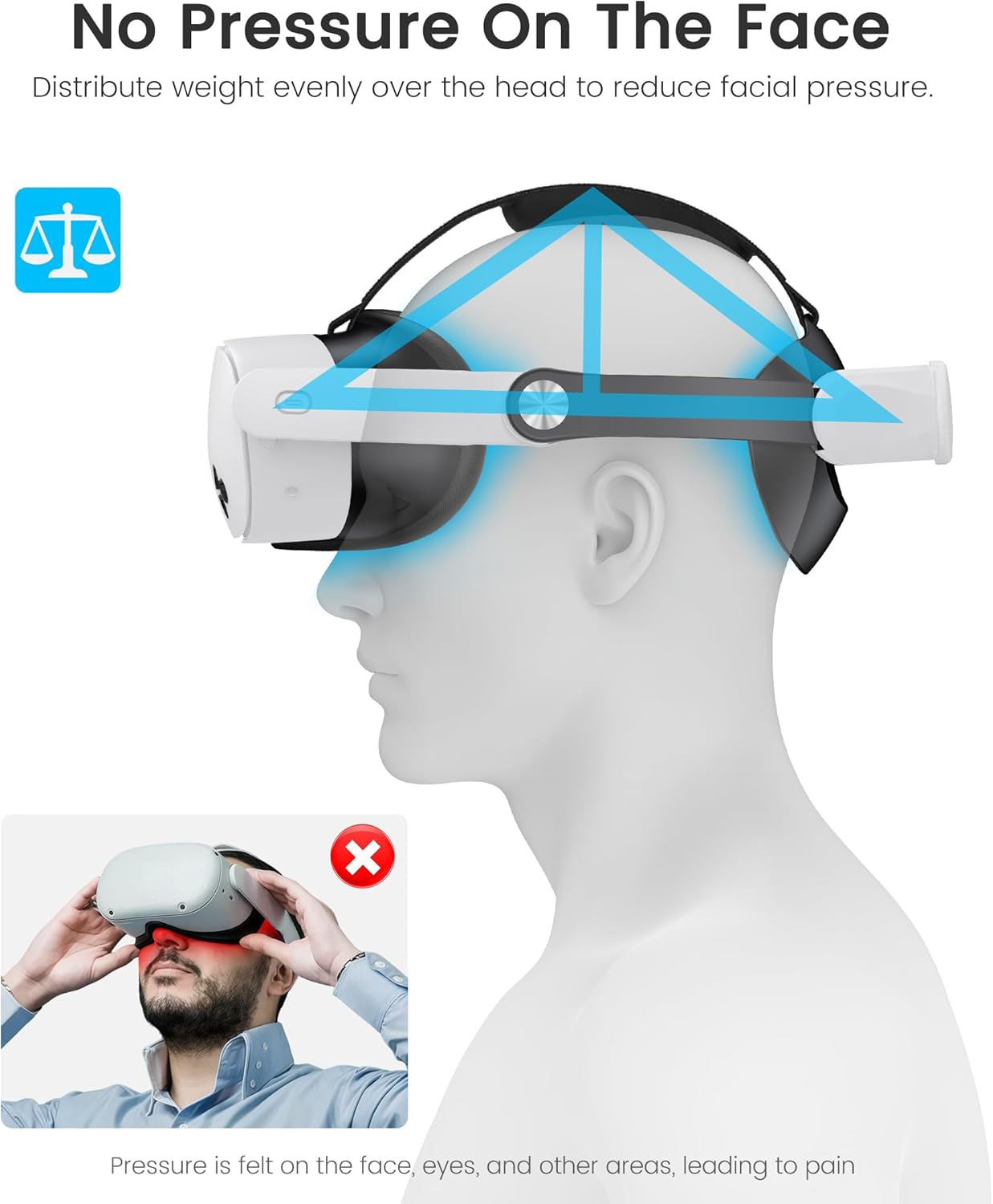
If you’ve found your Meta Quest headset can feel a bit front-heavy over longer sessions, the Comfort Head Strap for Meta Quest 3/3S/Quest 2 is aimed at fixing that. It’s a replacement elite-style head strap that focuses on pressure distribution, a more precise fit, and practical day-to-day usability.
No, it’s not going to magically turn any VR headset into a different class of product. But as a comfort-focused upgrade, it makes sense on paper—especially if you want something you can dial in rather than just “strap and hope”.
Key takeaways
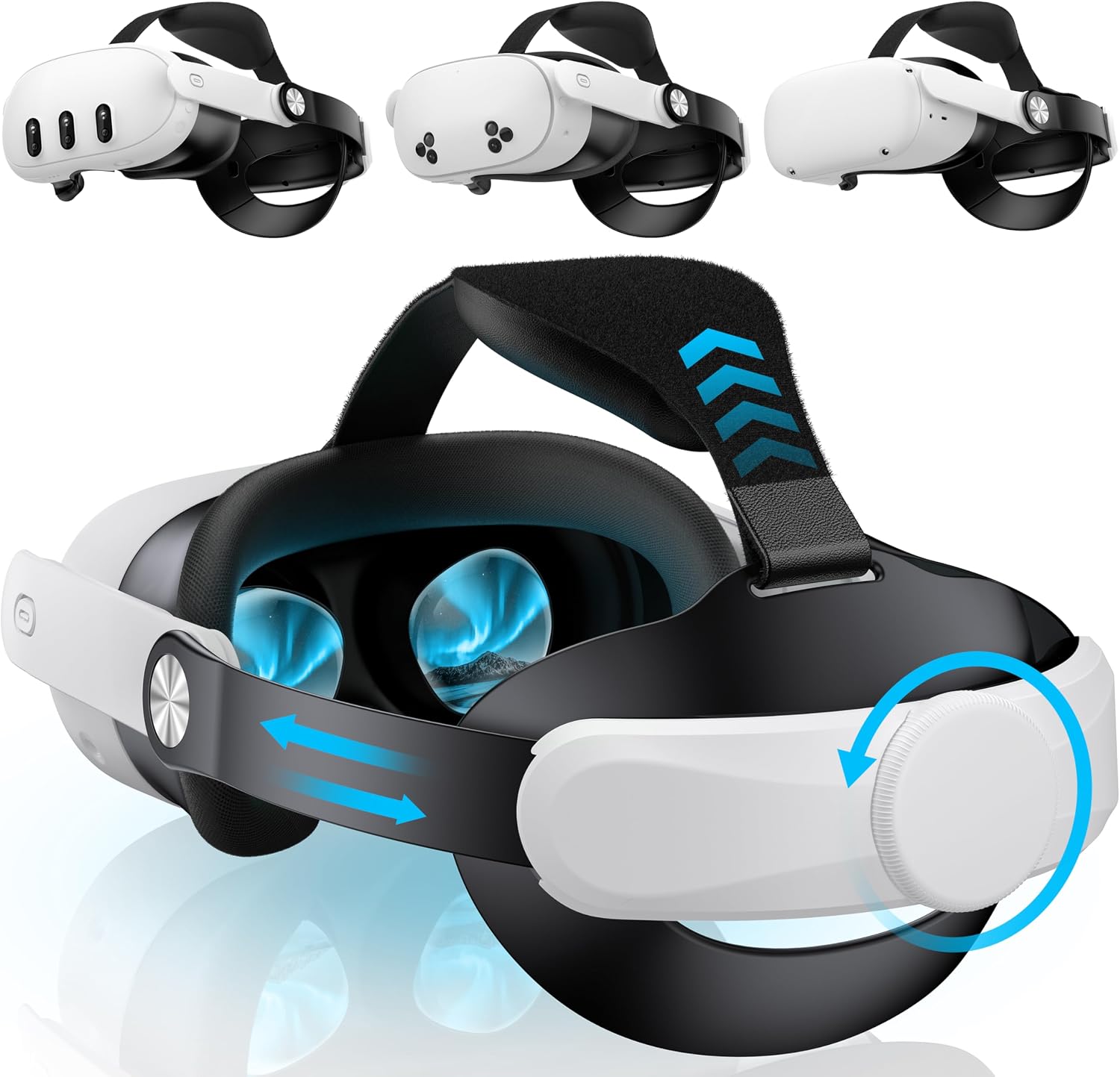
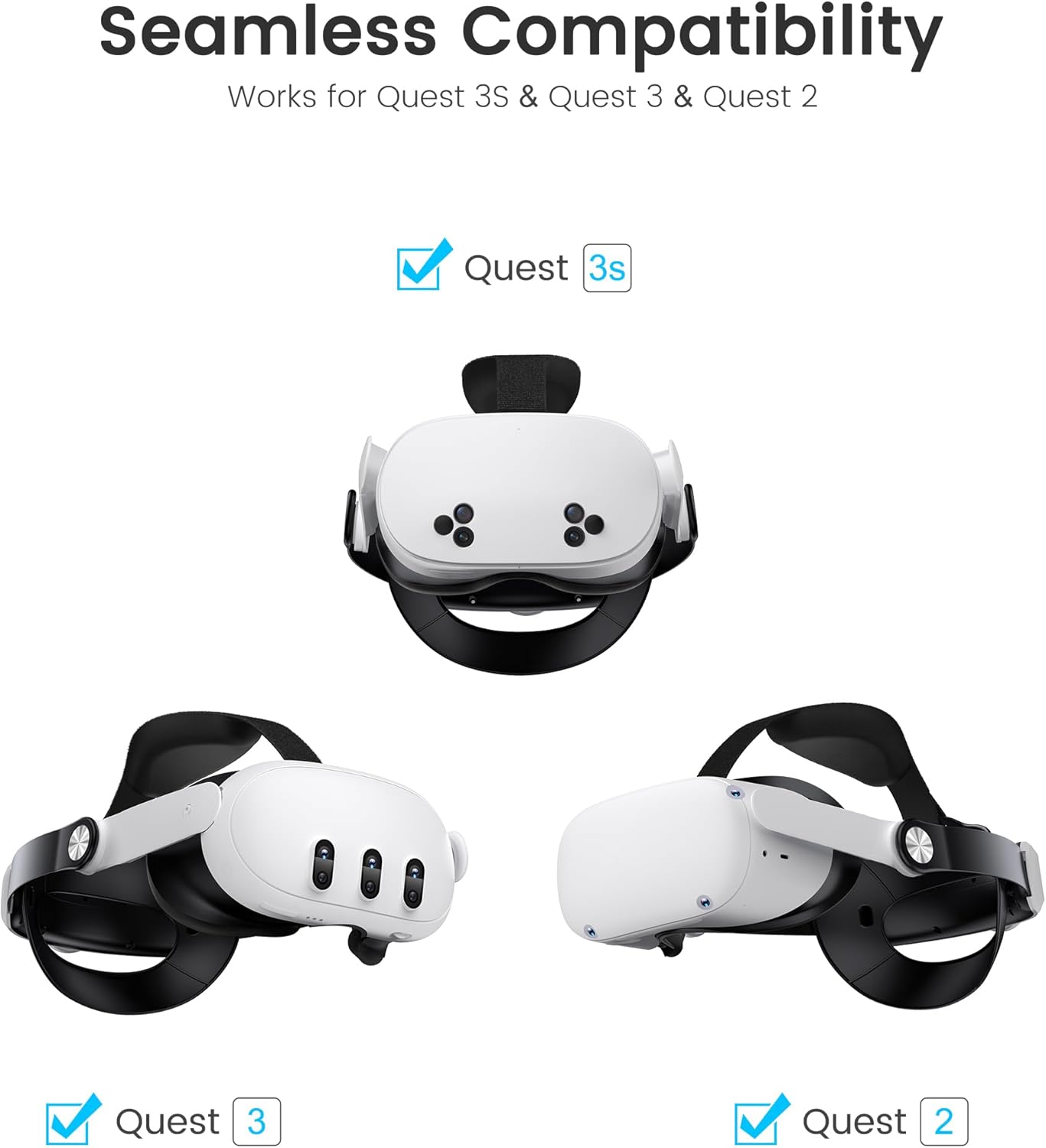
This head strap is designed to be a more stable, adjustable alternative to the stock straps, with padding that’s removable and washable, plus a flip-up mechanism so you can take quick real-world breaks without completely removing the strap. It’s also built with compatibility in mind by offering two sets of snap fasteners (one for Quest 3/3S and one for Quest 2).
You’ll likely get the most from it if you play for longer stretches, find pressure builds up on the face or forehead, or you just want a steadier feel for gaming, movies and general VR productivity.
What stands out
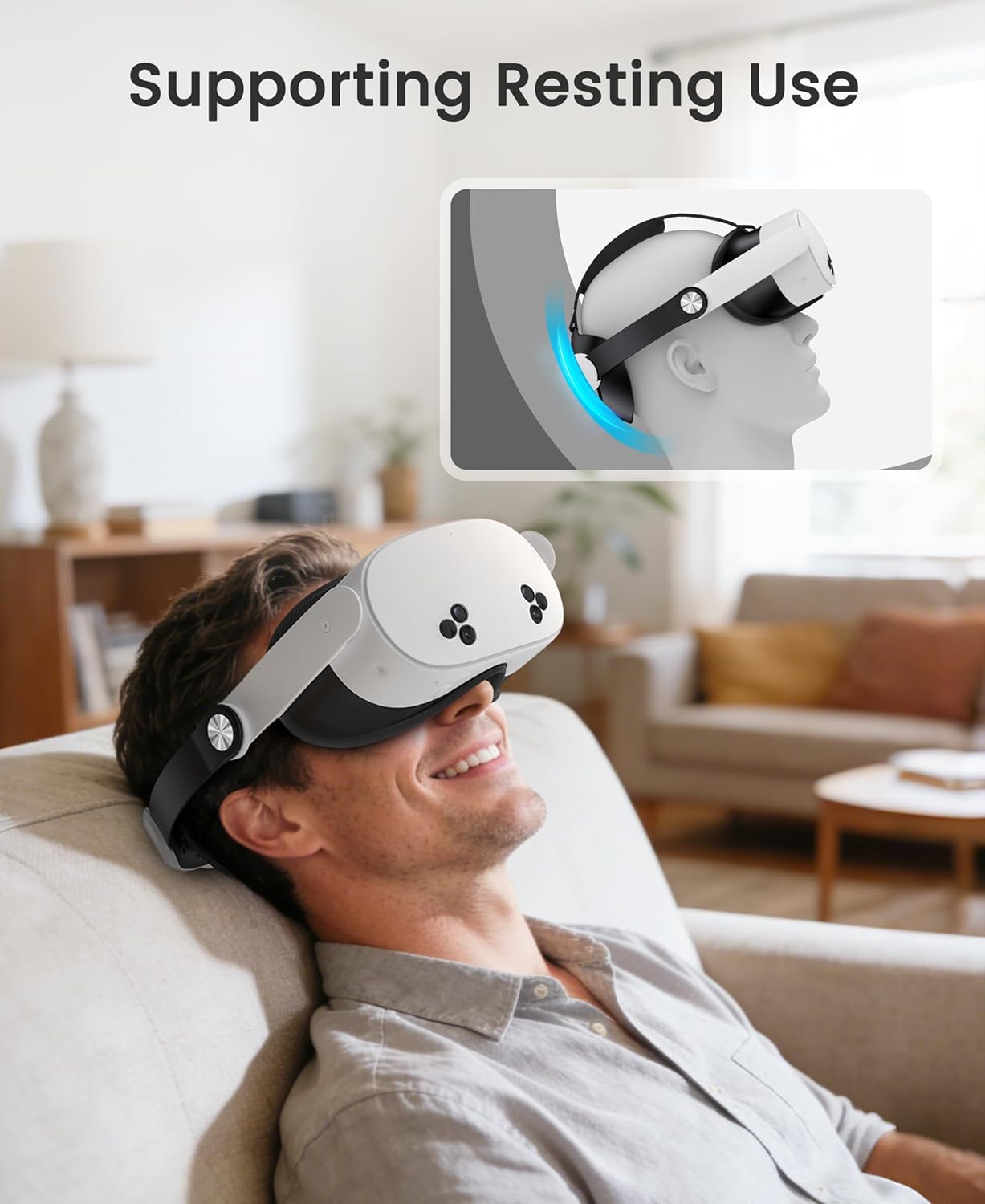
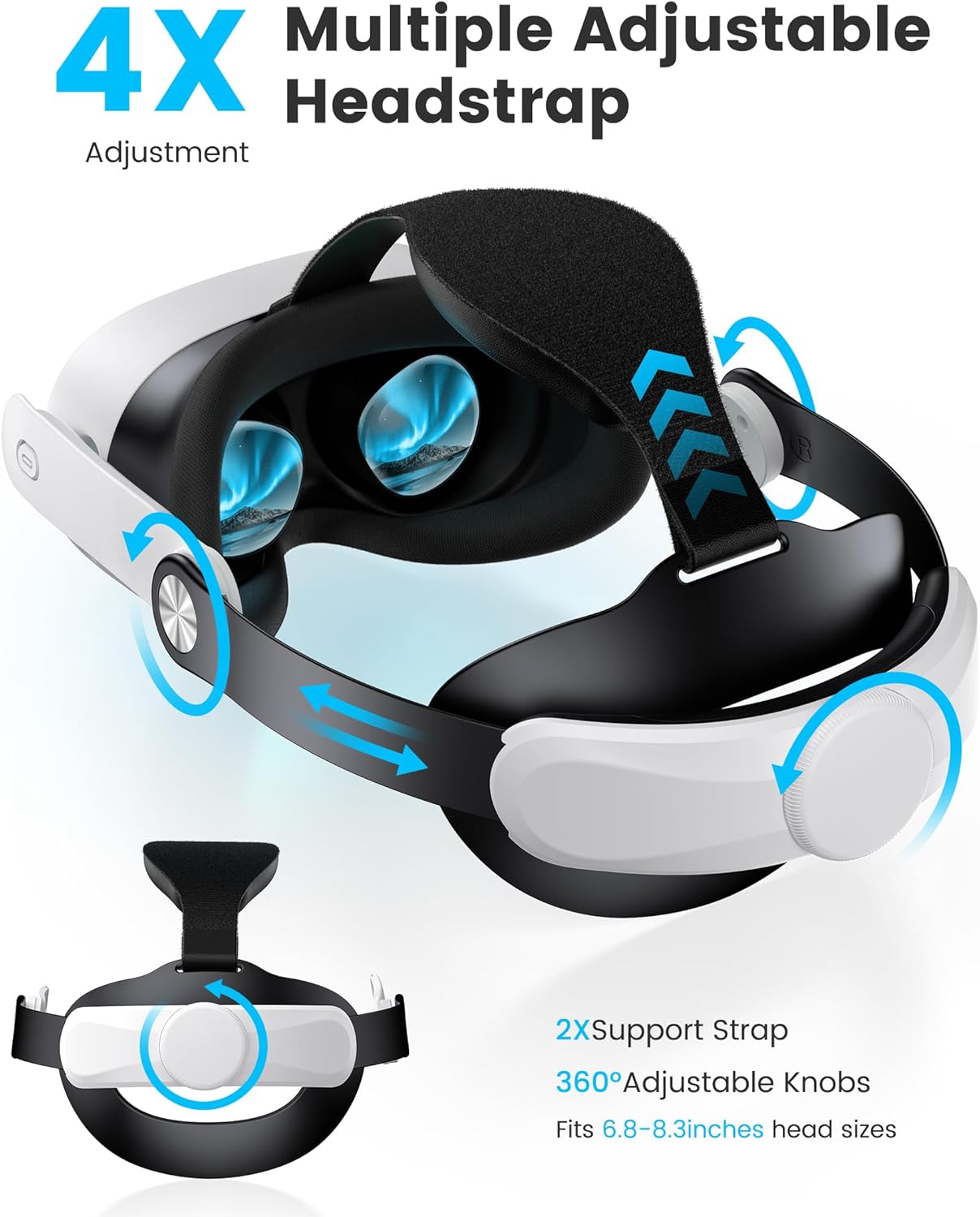
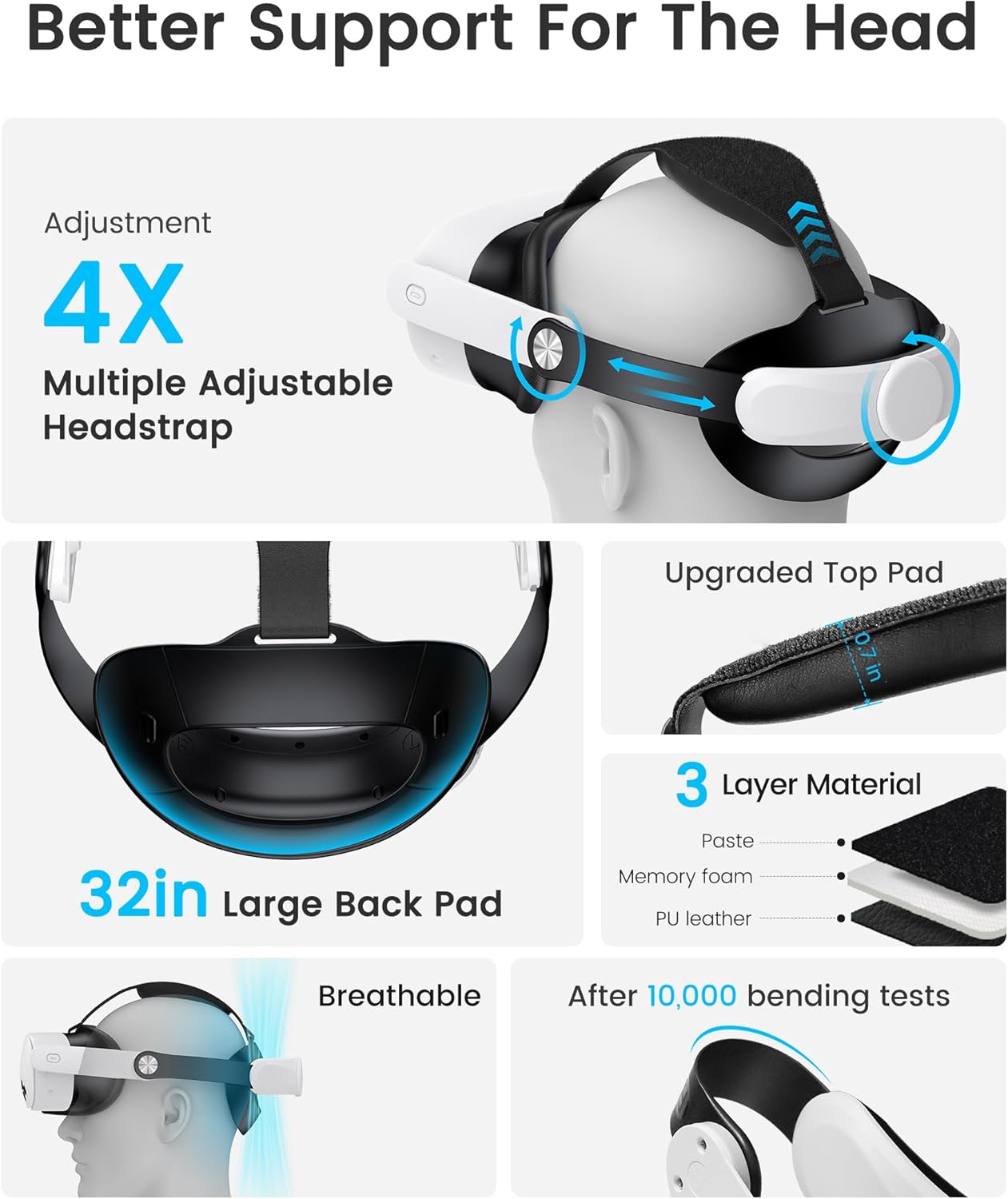
The biggest selling point here is comfort through fit and pressure reduction. The strap is described as spreading weight better than the original headset straps, and the support pad uses slow-rebound memory foam alongside a skin-friendly fabric. The foam is also positioned as helping reduce pressure and improving breathability—useful if your VR sessions get warm or sweaty.
The second real-world convenience is adjustability. Instead of only relying on simple strap length, there’s a dial-based adjustment that supports fine tuning in multiple directions by rotating the knob. The Quest 3/3S dial adjustment is described as allowing forwards and backwards movement (180°), so you can tailor it to your head shape.
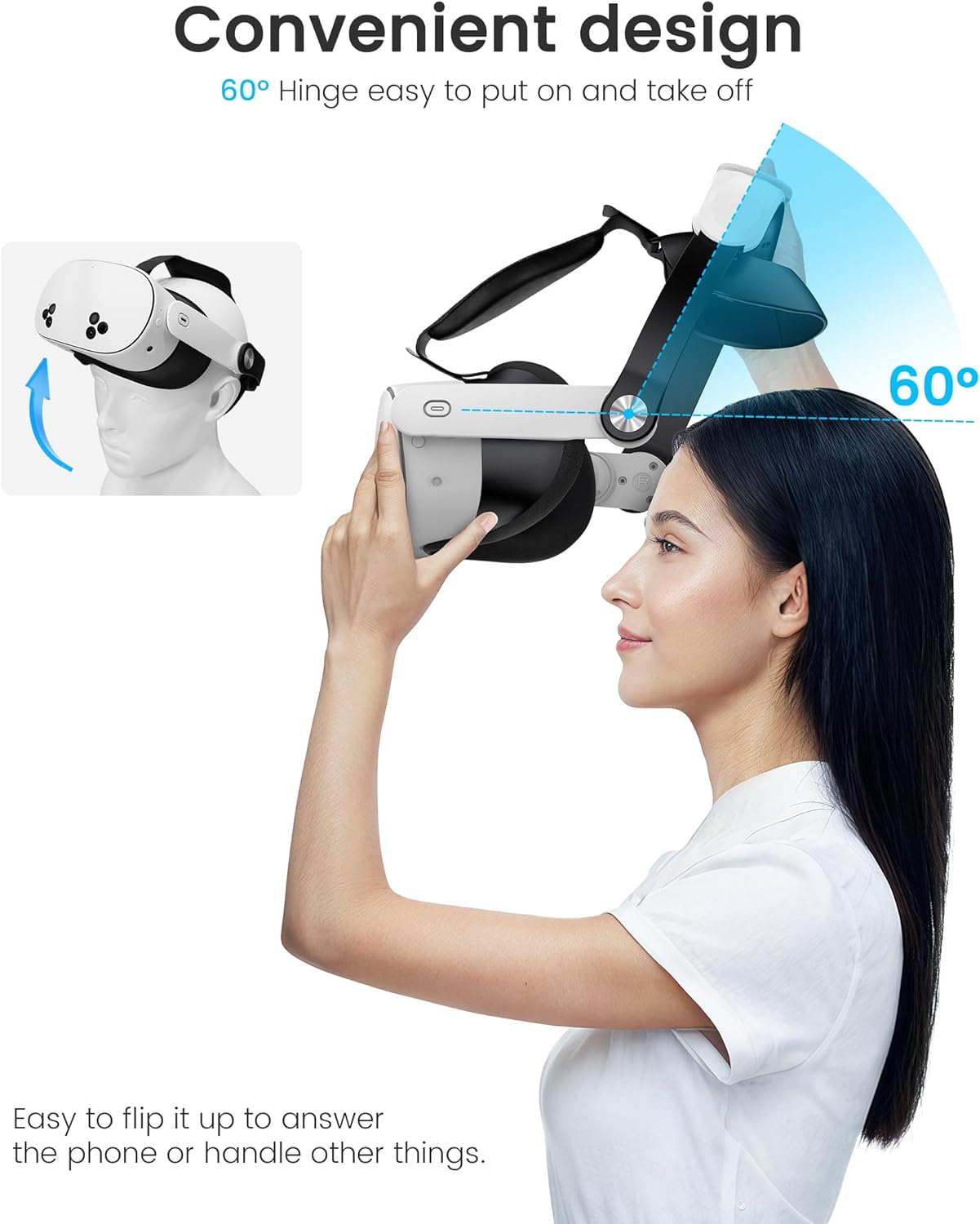
There’s also a flip-up feature (for the Quest 2 side) that lets you raise the buckle joint by about 55° for quick adjustments without taking the whole strap off. That’s the kind of small thing that can matter when you’re repeatedly pausing for a drink, checking notifications, or doing a quick room scan.
Tech specs
- Type: VR headset elite head strap replacement
- Format: adjustable comfort head strap for Meta Quest 3/3S and Meta Quest 2
- Compatibility fasteners: 2 sets of snap fasteners (one for Quest 3/3S, one for Quest 2)
- Adjustment method: dial adjustment with 4-direction adjustment (by rotating the knob)
- Quest 3/3S adjustment range: forwards and backwards, up to 180°
- Flip-up feature (Quest 2): buckle joint flips up about 55°
- Padding: removable and washable support pad
Pros
- More comfort-focused design, with memory foam padding positioned to reduce pressure
- Removable and washable pad (handy for hygiene and day-to-day wear)
- Dial adjustment is aimed at getting a more precise fit, not just “tighten until it’s okay”
- Snap-fastener approach helps match the strap to the right headset generation
- Flip-up convenience on the Quest 2 side for quick real-world actions
What you should watch out for
A couple of limits to keep in mind. First, the fit depends on choosing the right snap-fastener setup for your headset—if you get the wrong configuration, it simply won’t sit right. Second, dial adjustment and pressure reduction are described as improvements, but they’re not guaranteed to eliminate discomfort for everyone (especially if you’re sensitive to facial pressure or you use particular accessories).
Also, “even without the facial interface” is mentioned in the base description, but you shouldn’t assume you’ll automatically get the same experience in your exact setup—head and face shapes vary quite a lot.
Who it’s for (and who should skip it)
It’s a solid pick if you mainly care about comfort over longer play sessions, want a strap that you can dial in precisely, and you like practical features such as washable padding and quick flip-up access.
It may not be the best match if you only use your Quest for short sessions and you’re happy with the stock strap, or if you’re not comfortable swapping snap fasteners to match the correct headset version.
Everyday use tips
In practice, a good way to set this up is to adjust the dial while wearing the headset at your usual position. Start with a comfortable fit, then make small dial rotations to find the sweet spot where the headset feels stable without pushing too much onto the forehead or face. When you’re done for the session, remove the support pad if you want to keep things fresh—washability is there for a reason.
For Quest 2 owners, the flip-up joint is the sort of feature you’ll notice when you pause mid-game: instead of fully removing the headset, you can lift the strap adjustment point briefly and get back to it.
¿Merece la pena?
If comfort and daily usability are your priorities, this Comfort Head Strap looks worth considering. It’s clearly positioned as an “upgrade strap” rather than a basic accessory: dial adjustment for more consistent fit, a pressure-reducing padded support, and a washable pad are the kind of improvements that usually show up quickly.
Where it might feel less compelling is if you expect a drastic change without spending time adjusting it. It’s not a passive upgrade—you’ll get more value by taking a couple of minutes to dial in your preferred setup.
Mini FAQ
Is this a replacement for the stock Quest head strap?
Yes, it’s described as an elite strap replacement accessory, aimed at improving comfort and fit.
How do I know it fits my headset?
The strap includes two sets of snap fasteners—one for Meta Quest 3/3S and one for Meta Quest 2—so you need to select the setup that matches your model.
Can the padding be cleaned?
The support pad is removable and washable, with skin-friendly fabric and slow-rebound memory foam mentioned for comfort.
Does it help with pressure during long sessions?
It’s designed to reduce pressure by spreading weight better and using memory foam padding, but comfort still depends on your head shape and how you adjust it.
Is the flip-up feature the same for all models?
The flip-up joint is described for the Quest 2 strap (about 55°). The Quest 3/3S model details focus more on dial adjustment and pad comfort.