

Carpuride W125S wireless CarPlay 11.26 inch
Product description
If you want a simpler way to keep navigation, calls and entertainment in view, the Carpuride W125S CarPlay screen can fit into everyday driving without adding clutter. It combines a wireless CarPlay and Android Auto experience with a built in 3 channel dash cam setup, so you can cover the road, the cabin and the rear in one system. 🚗
For longer trips, the 11.26 inch HD touchscreen and wireless screen mirroring help make the device feel like part of the dashboard, rather than a temporary gadget. With loop recording and automatic overwrite, the dash cam storage is designed to keep capturing as you drive, using the included 64GB TF card. This is also supported by Bluetooth audio output options, which can help you use your car speakers for phone calls and playback.
The essentials
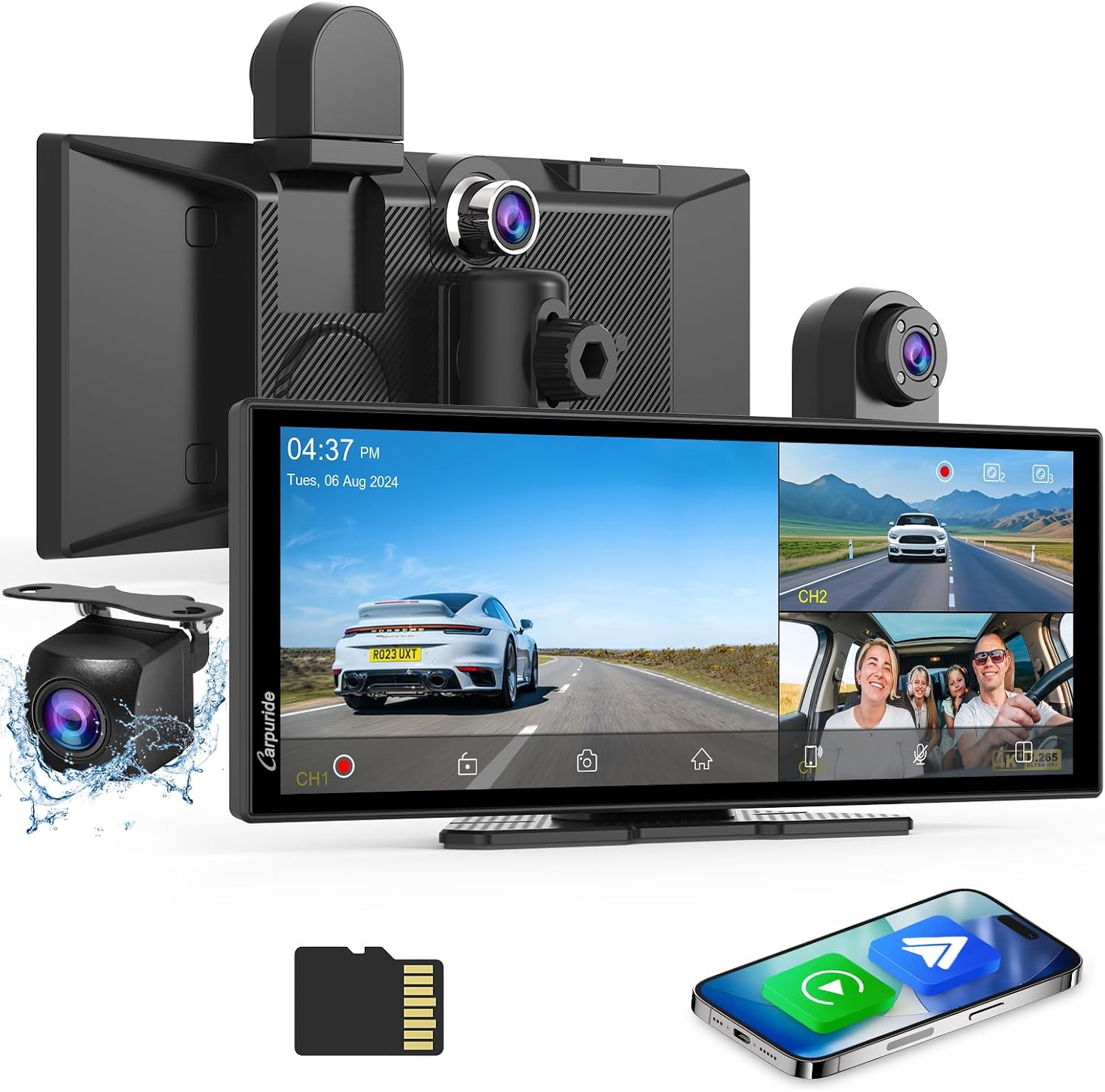
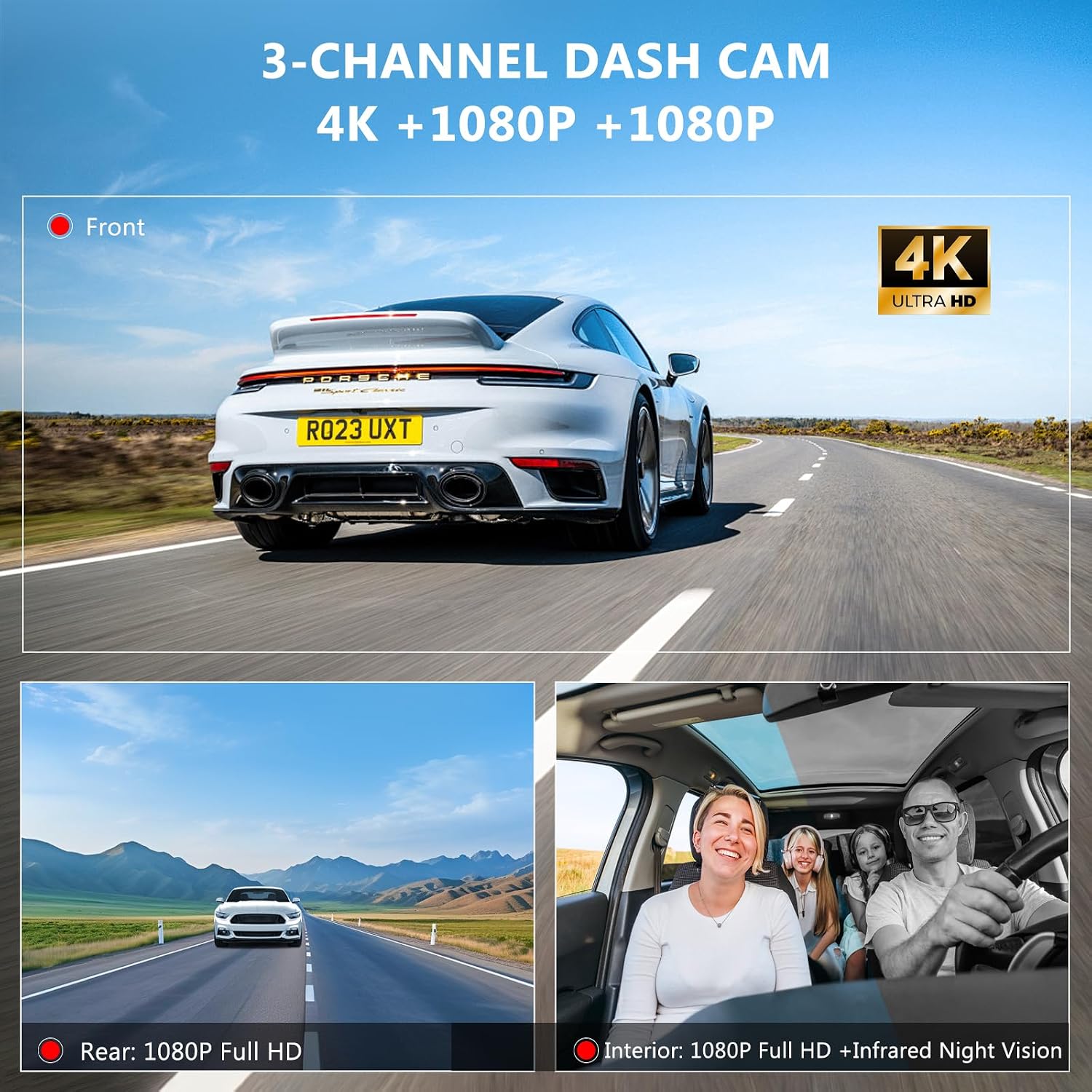
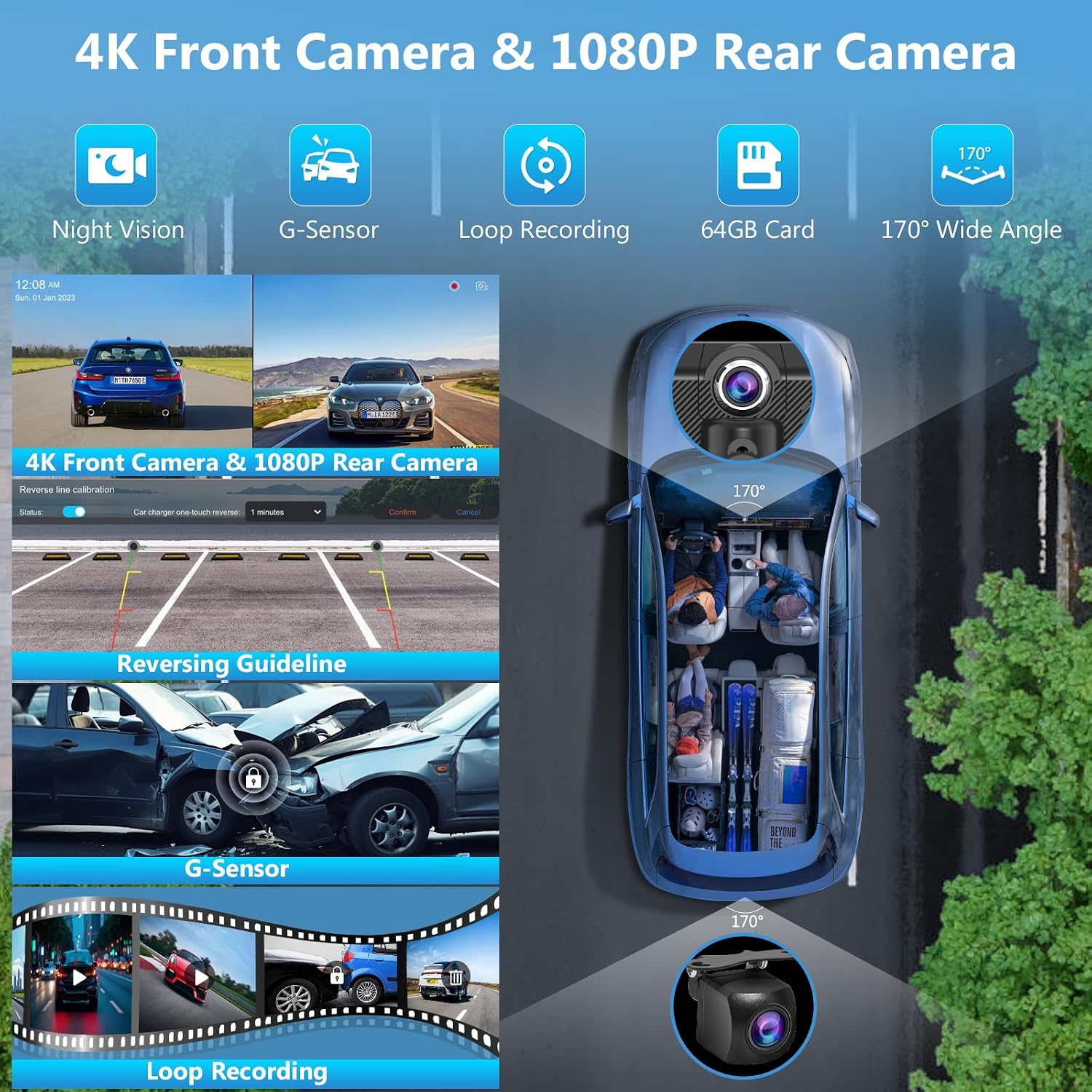
The Carpuride W125S is a portable car stereo style touchscreen that brings wireless CarPlay and Android Auto alongside a multi camera dash cam. The system includes a 4K front camera and two 1080P cameras for inside and rear coverage, giving you a broader view for day to day monitoring. It also supports loop recording so video can continue when the memory is full.
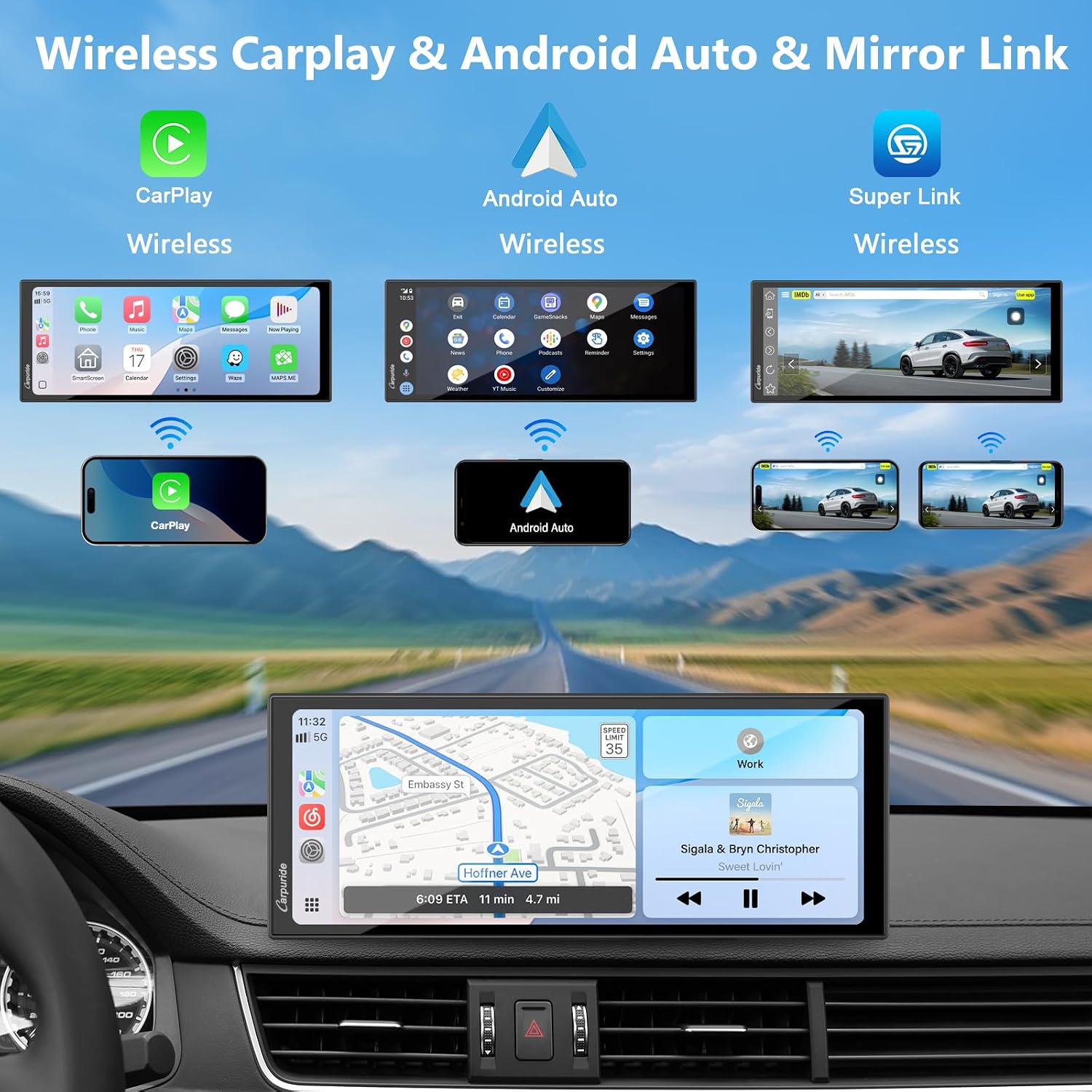
Wireless connectivity and voice control are central to the experience. When paired with your smartphone, you can access navigation, phone calls, music and notifications using Siri or a Google Assistant style voice workflow. The goal is to reduce the number of times you need to pick up your phone, supporting safer attention on the road.
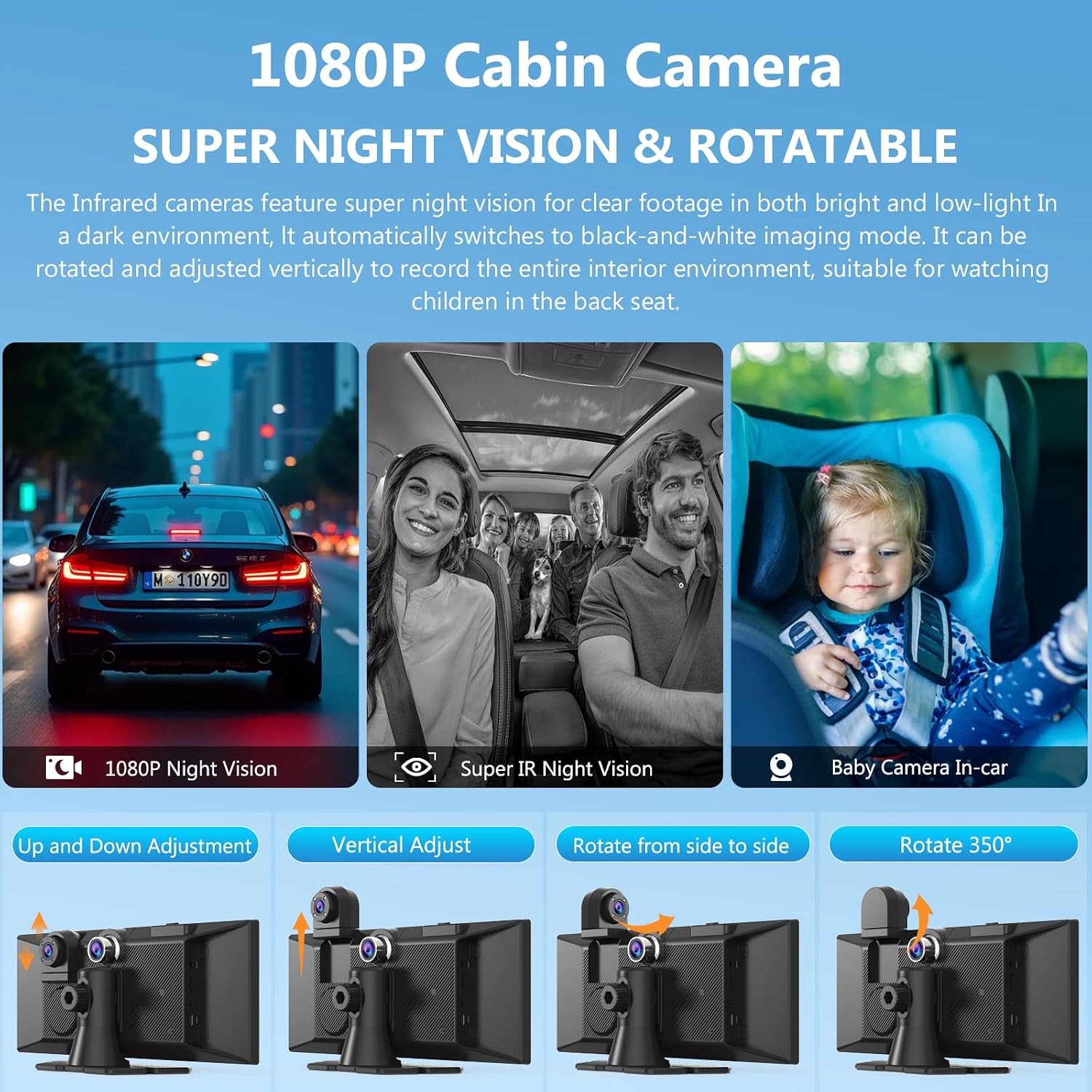
There is also a focus on night viewing in the cabin using infrared. In low light, the infrared cabin camera is designed to switch to black and white imaging with an infrared function, which can help with in car monitoring tasks such as keeping an eye on passengers in the back seat. Ten en compte que the infrared camera is described as designed for in car use only, and using it outside the car may cause flickering.
Tech specs
- Name: Carpuride W125S Carplay Screen with 3 Channel Dash Cam
- Type: Wireless CarPlay and Android Auto car screen with dash cam
- Display: 11.26 inch HD touchscreen
- Resolution: 1920 by 720P touchscreen
- Front camera: 4K HD front camera
- Rear camera: 1080P rear camera
- Loop recording: Automatic overwrite with included 64GB TF card
Key features
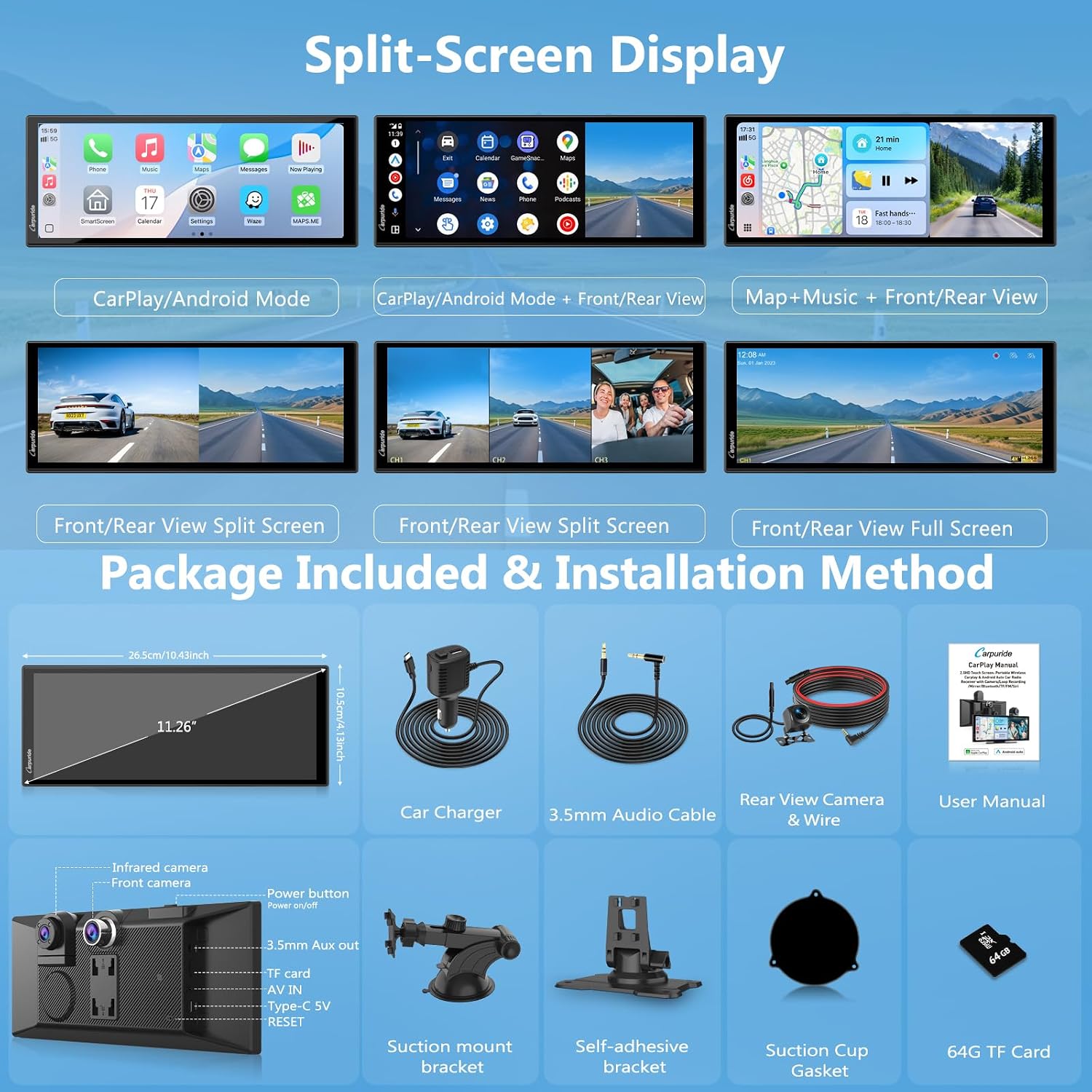
A standout element is the 3 channel coverage that brings the front, cabin and rear into a single dash cam workflow. In DVR mode, the device supports a split screen function so you can view front, cabin and rear views at the same time. This can be particularly useful when you want more context in recordings rather than relying on a single camera angle.
Wireless CarPlay and Android Auto are included with voice control. Once connected to your phone, you can use voice to manage map navigation, phone calls, email, music, notifications and message style content, as well as podcasts and audiobooks. The wireless approach is intended to keep your setup convenient, especially when you are moving the device between trips.
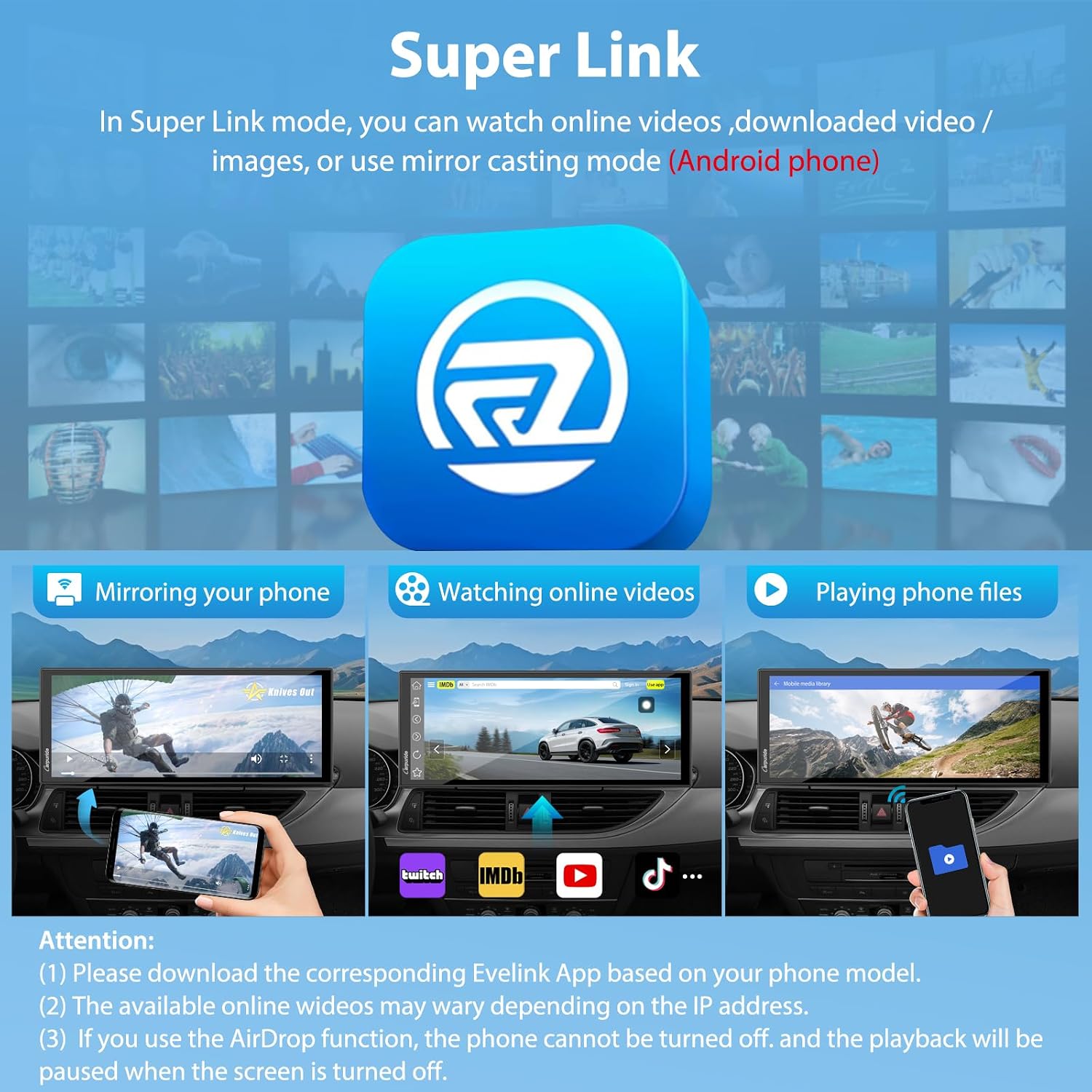
For entertainment and comfort, the W125S uses upgraded screen mirroring technology via SUPERLINK. The device is described as allowing video playback from your phone or online video sources while keeping your phone screen off. The system can sync play video files on your phone and also videos from online sites such as YouTube, TikTok and Netflix, which may suit long journeys where passengers want something on a larger display.
The Bluetooth audio output options round out the everyday usability. Bluetooth can support seamless audio for phone calls when using CarPlay and Android Auto, and it also supports audio playback through the car in different ways. The device description mentions a built in 8 ohm 2W speaker, AUX and FM transmission, with an additional note that FM may offer better sound effects depending on your setup.
There are also practical compatibility notes that are worth taking seriously. If Android connection issues occur, the guidance is to update the SuperLink on both the phone and device to the latest version for improved compatibility. It is also recommended to use the original Carpuride car charger, because using a different charger may cause the device to burn out.
What’s included for daily driving
It makes sense if you want one screen solution that combines wireless smartphone integration with multi camera dash cam recording. You’ll like it if you value voice control for navigation and calls and want the reassurance of front and cabin and rear coverage in recordings. A solid pick if your use includes routine commuting as well as longer drives where split screen viewing and loop recording are helpful.
It might not be a great match if you plan to use the infrared cabin camera outside the car, because flickering images are noted as a risk with that approach. You may want to skip it if you cannot use the recommended original charger, or if you prefer wired mirror casting instead of wireless SUPERLINK functionality. If you are sensitive to phone connection stability, also keep the Android SuperLink update note in mind before committing to your setup. ✅