

BEBONCOOL GAMING Switch 2 Controller (Switch / Switch Lite / OLED, Android, iOS, PC) – Wireless Pro Gamepad with Turbo & Macros
Product description
The essentials
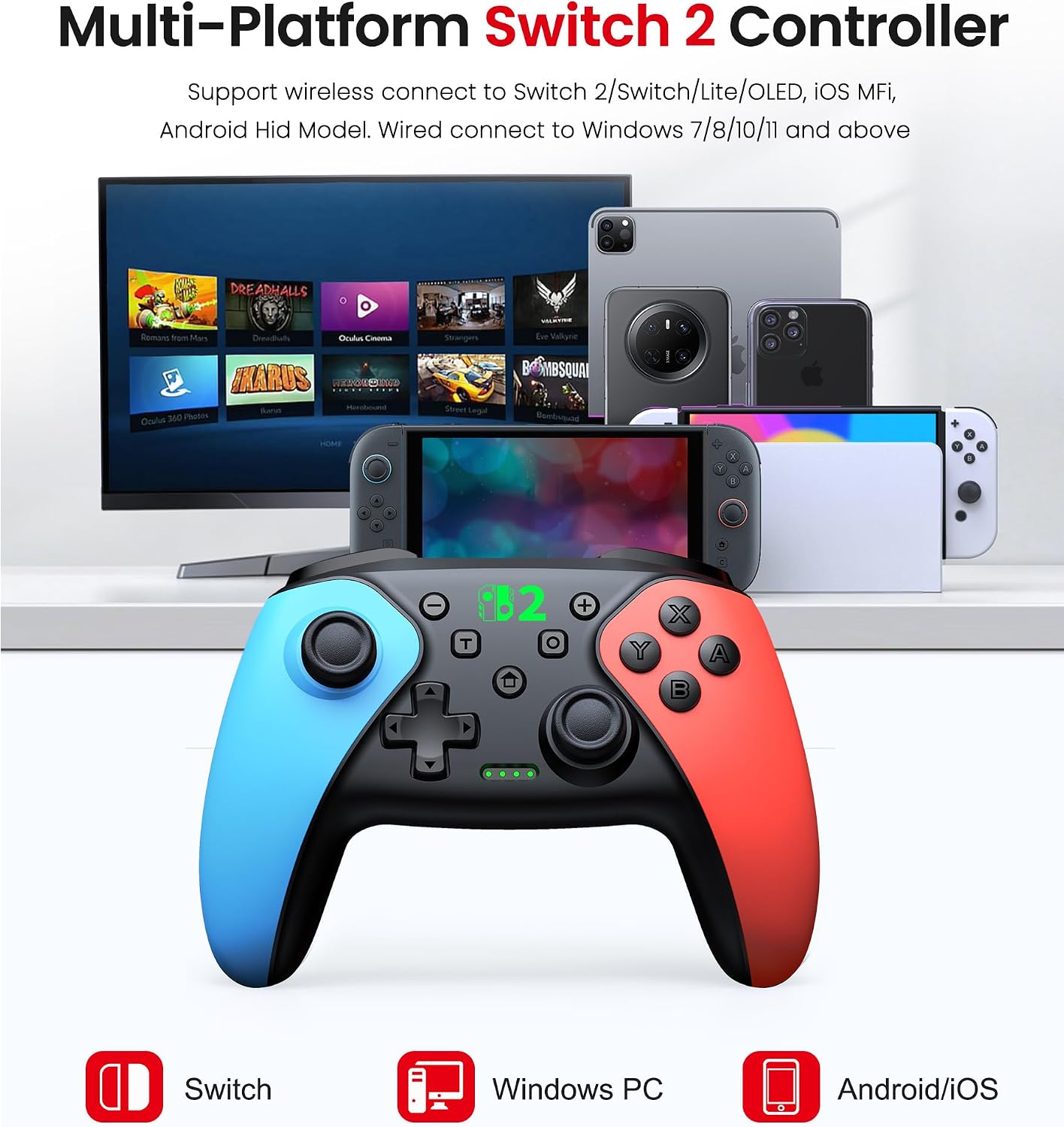
If you’re looking for a Switch-style “pro” controller that you can also take across other devices, this BEBONCOOL GAMING Switch 2 Controller is built around that idea. On paper, it aims to cover Nintendo Switch (including Switch models mentioned in the listing), Android via HID mode, iOS via MFi protocol (with iOS 13.0 or later mentioned), and Windows PC via a USB cable for wired use.
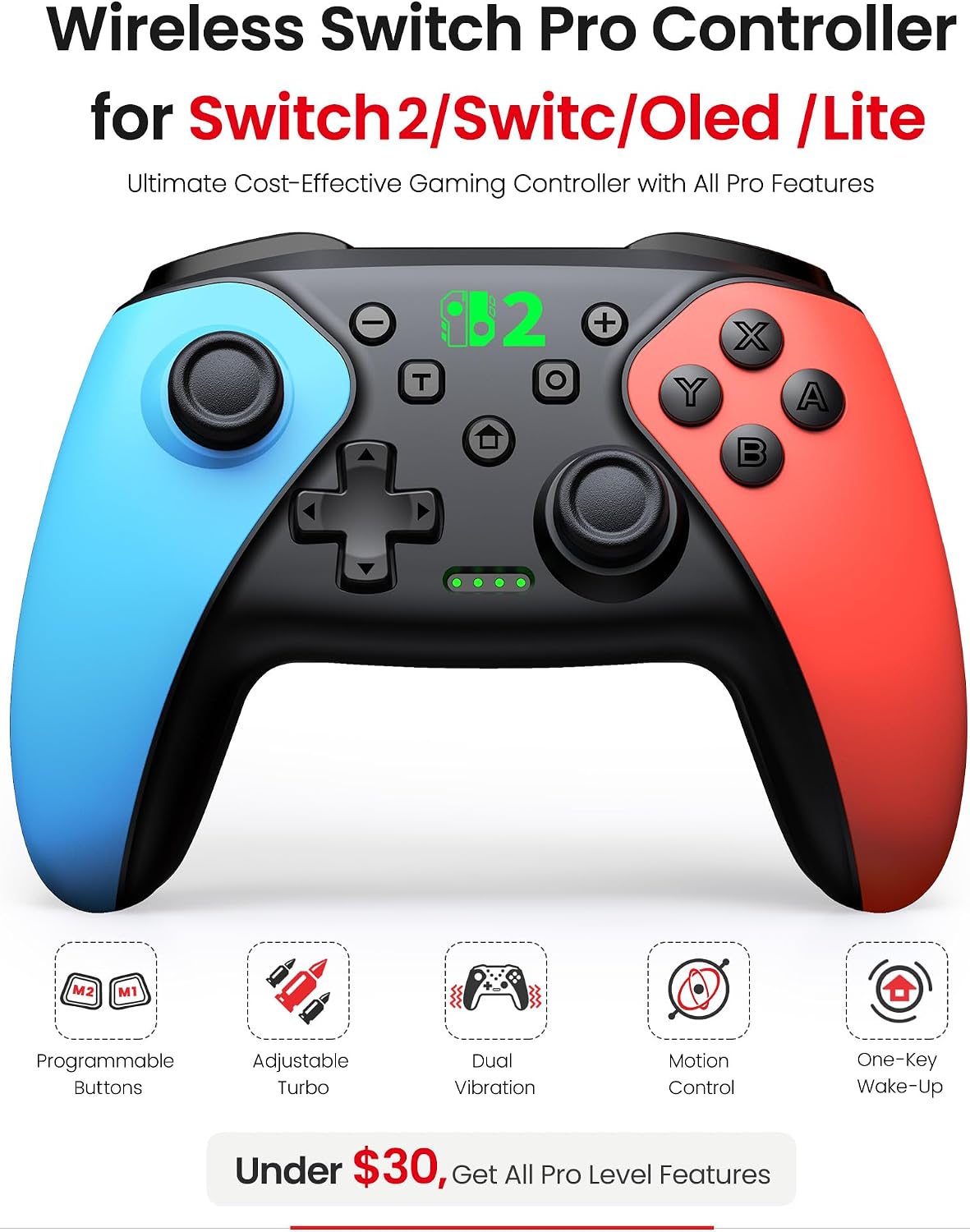
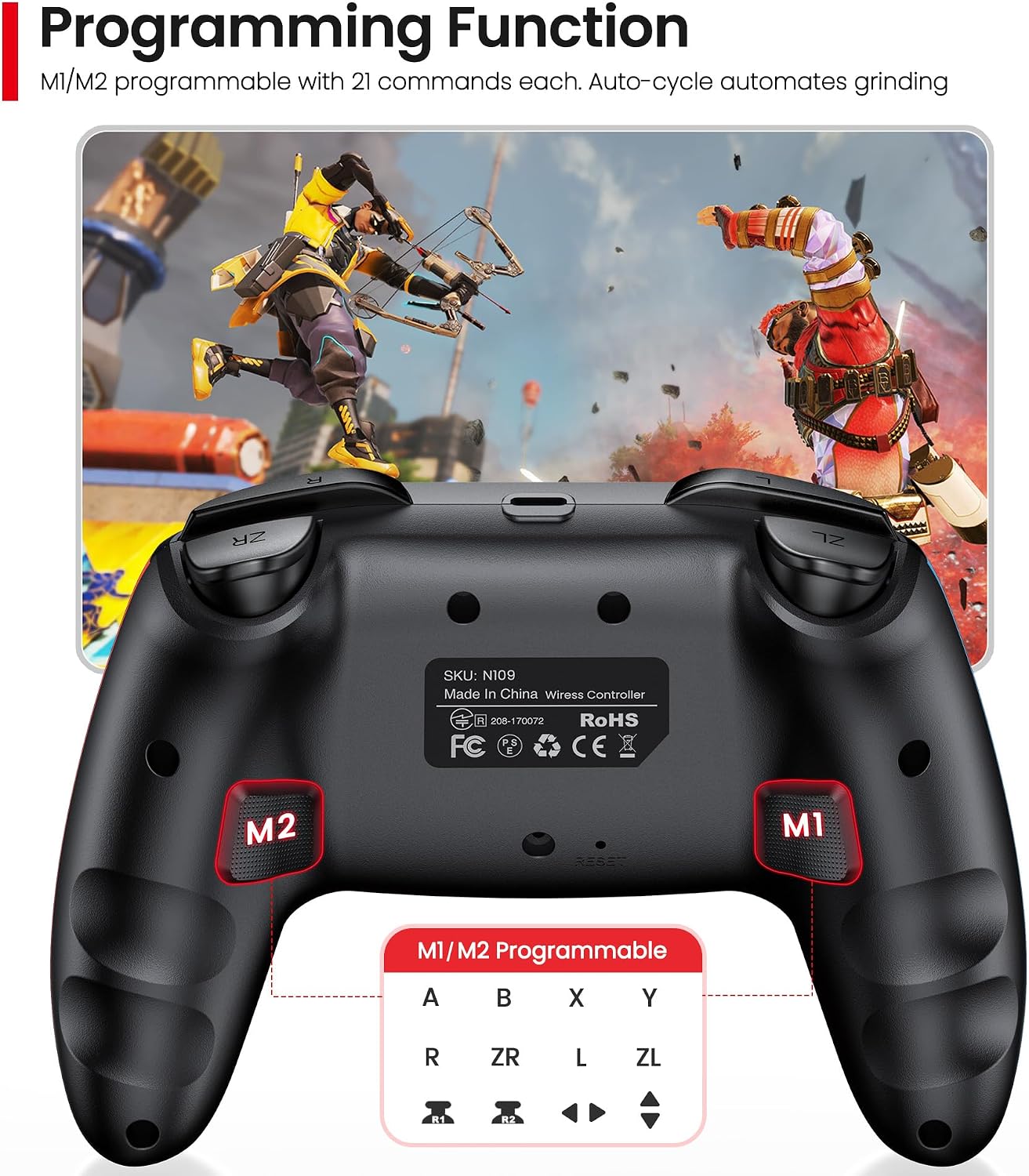
It also leans into features that matter in actual play: programmable macros on the back, adjustable vibration (4 levels), a turbo function with multiple speeds, plus a wake-up action via the HOME button. Still, it isn’t a perfect match for every Switch feature—there’s a clear limitation noted by the manufacturer, so it’s worth checking you’ll use what it supports.
Key takeaways
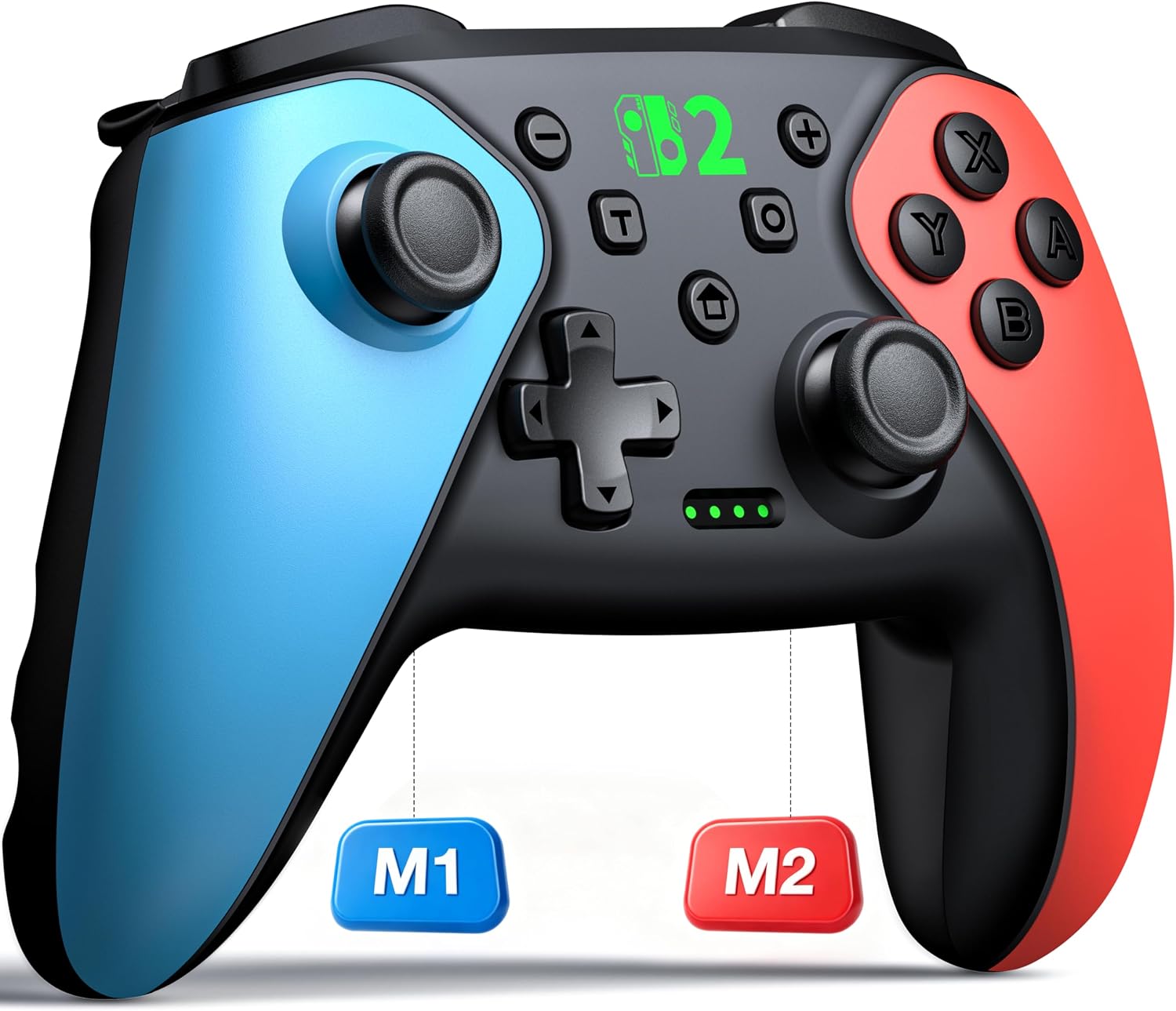
The controller’s standout is the combination of multi-platform support and “gameplay helpers” like macros and turbo. That’s the sort of mix that can feel genuinely useful if you play action games where combos matter, or if you find repetitive inputs annoying.
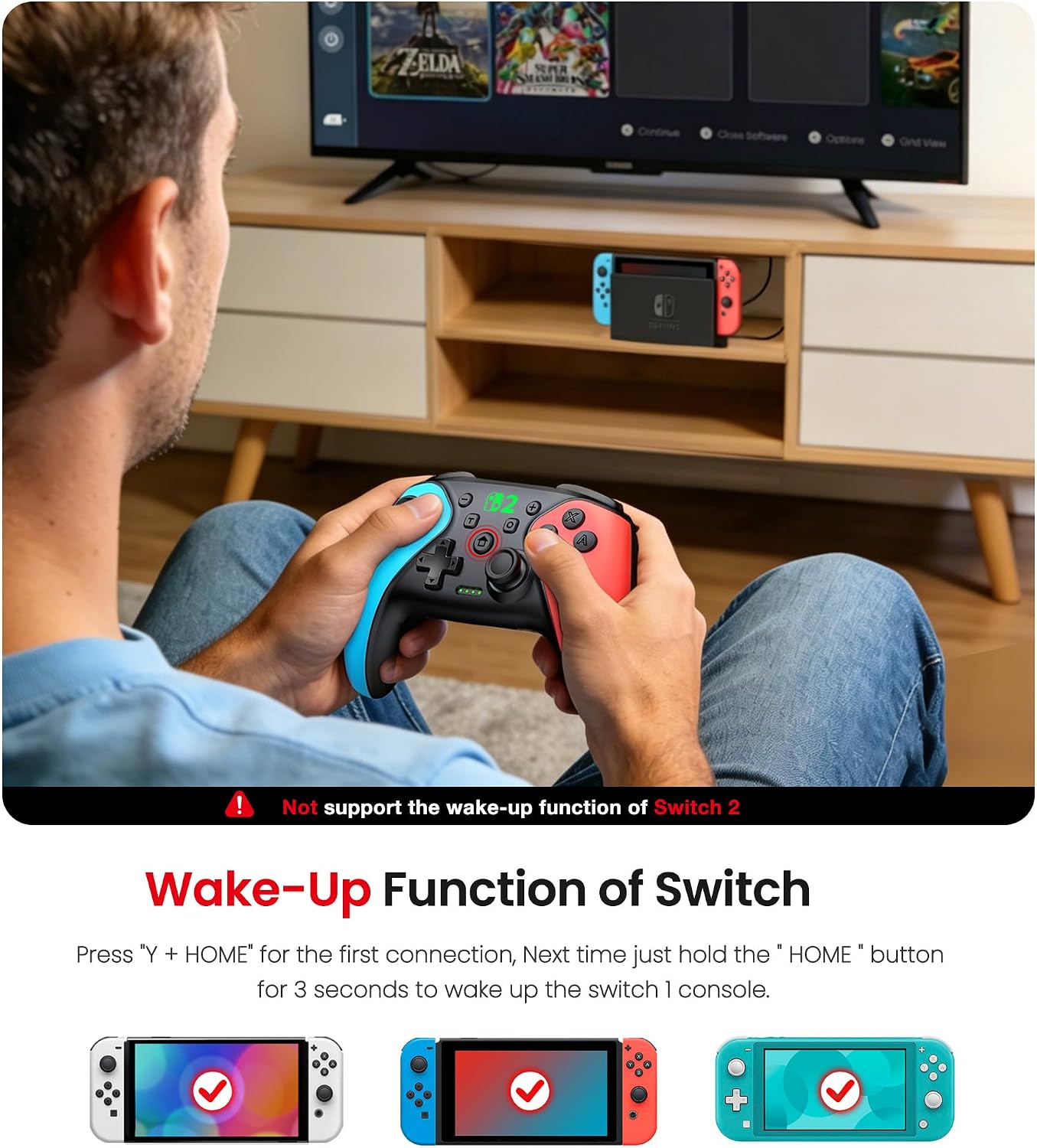
For many people, the real question won’t be “does it connect?”—it’ll be whether the way it works on your devices matches your expectations. For example, the listing says it does not support the Switch 2 sleep/wake function and also mentions it doesn’t support the C button. Depending on your habits, that could be the difference between “fine, I’ll adapt” and “not worth the hassle”.
What it’s like in everyday use
Imagine you’re playing a fighting or action title: rather than reaching for the same sequence every time, you can set a back-button macro for a recurring move combo. Then, with one press, you trigger that sequence. It’s not magic, but it can reduce the mental load during hectic moments.
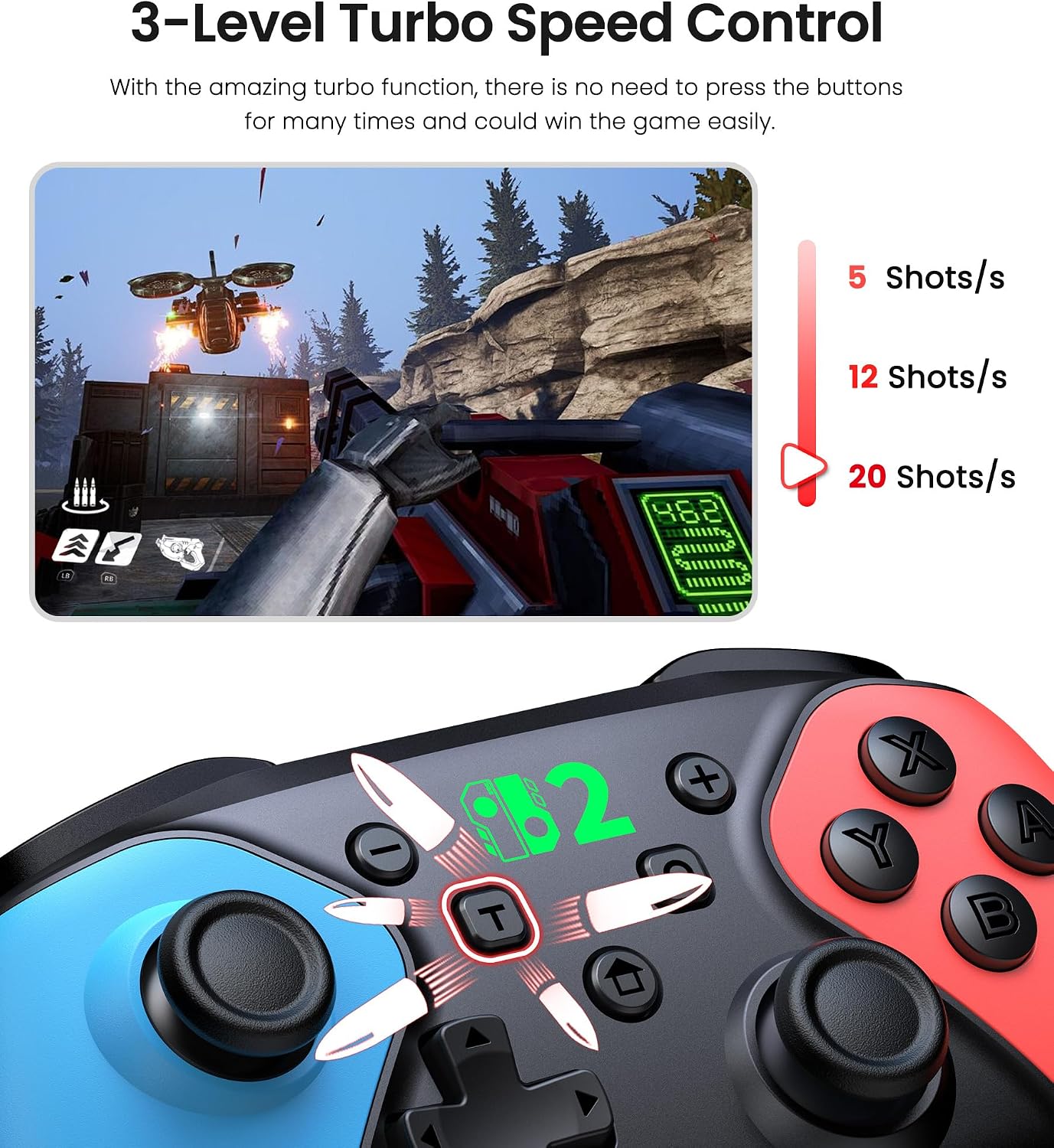
The turbo part is similarly straightforward. The listing mentions a TURBO function with three speed settings (4 times/sec, 8 times/sec, 16 times/sec), and that it supports both auto and manual turbo modes. If you play games where rapid repeated input is useful, this can give you a practical edge—though it’s still up to the game to respond the way you want.
You also get four vibration levels (Off/Low/Medium/High). If you prefer a calmer controller, the “Off” option is there, if you like stronger feedback, you can push it up.
Where it shines (and where it can fall short)
This controller makes the most sense if you want one gamepad for more than one device. The listing highlights native support for Nintendo Switch models (Switch 2/Switch 1/Lite/OLED) and compatibility across Android, iOS, and Windows PC (wired via USB cable). If you often move between a Switch console and a tablet or PC, that multi-device angle is the main value.
It may not suit you if you’re specifically relying on Switch 2 sleep wake behaviour, or if you use the C button and don’t want to remap your way around it. Also, while the listing says you can play while charging, wireless battery life is described as up to approximately 18 hours after about 3 hours of charging—so it’s not positioned as “throw it in the dock for weeks” either.
The essentials, in plain terms (Tech overview)
- Name: BEBONCOOL GAMING Switch 2 Controller for Switch 2/Switch/Lite/OLED/Android/iOS/PC
- Type: Wireless Pro Controller (with wired USB connection support on PC)
- Format: Wireless for supported platforms, wired via USB cable for Windows PC as stated
- Colour: Not specified in the listing
- Capacity: Built-in 1000mAh battery
- Material: Not specified in the listing
- Display: Not applicable
- Refresh rate: Not applicable
On supported Nintendo Switch games, the listing also references a built-in 6-axis gyro sensor for smooth and precise responses, plus a wake-up function where pressing the HOME button wakes a Switch console from sleep mode.
Who it’s for (and who should be cautious)
It suits you if you’re after a Switch Pro-style controller with extra options like programmable back macros and turbo settings, and you want it to cover Android (HID mode), iOS (MFi protocol, iOS 13.0+), and Windows PC (wired).
It may not suit you if you’re buying purely for Switch 2 feature parity and expect every console-side function to work exactly the same—because the listing clearly notes missing support for Switch 2 sleep wake and the C button. If you only play on Switch and you know you’ll want those specific features, you’ll likely be happier choosing something that aligns more closely with your console’s behaviour.
Final verdict
This BEBONCOOL GAMING Switch 2 Controller looks like a practical value pick if you want one pad that can follow you from Switch to mobile devices, while also giving you turbo and macro shortcuts for faster input. It’s a decent “do more with one controller” idea.
However, you should buy with a bit of caution: the listing includes specific limitations around Switch 2 sleep wake and the C button, and those are the kind of details that can annoy you later if they matter to how you play.
Mini FAQ
How do I connect it to Windows PC?
The listing states you can connect via a USB cable for a wired connection on Windows PC.
Does it work with iOS?
Yes, the listing says it supports iOS using an MFi protocol, and it requires iOS 13.0 or later.
What’s the TURBO function meant for?
It’s designed to provide rapid repeated input using three speed settings (4 times/sec, 8 times/sec, 16 times/sec), with both auto and manual turbo modes mentioned.
What’s the wake-up function?
The listing says pressing the HOME button can wake a Switch console from sleep mode, but it also notes it does not support the Switch 2 sleep wake function—so it’s worth checking your exact Switch model and expectations.
Is there a warranty?
The listing mentions a 1-year warranty, and that the controller is inspected before shipment.