

abxylute M4 Snap-On Mobile Gaming Controller for Android & iPhone
Product description
What it is
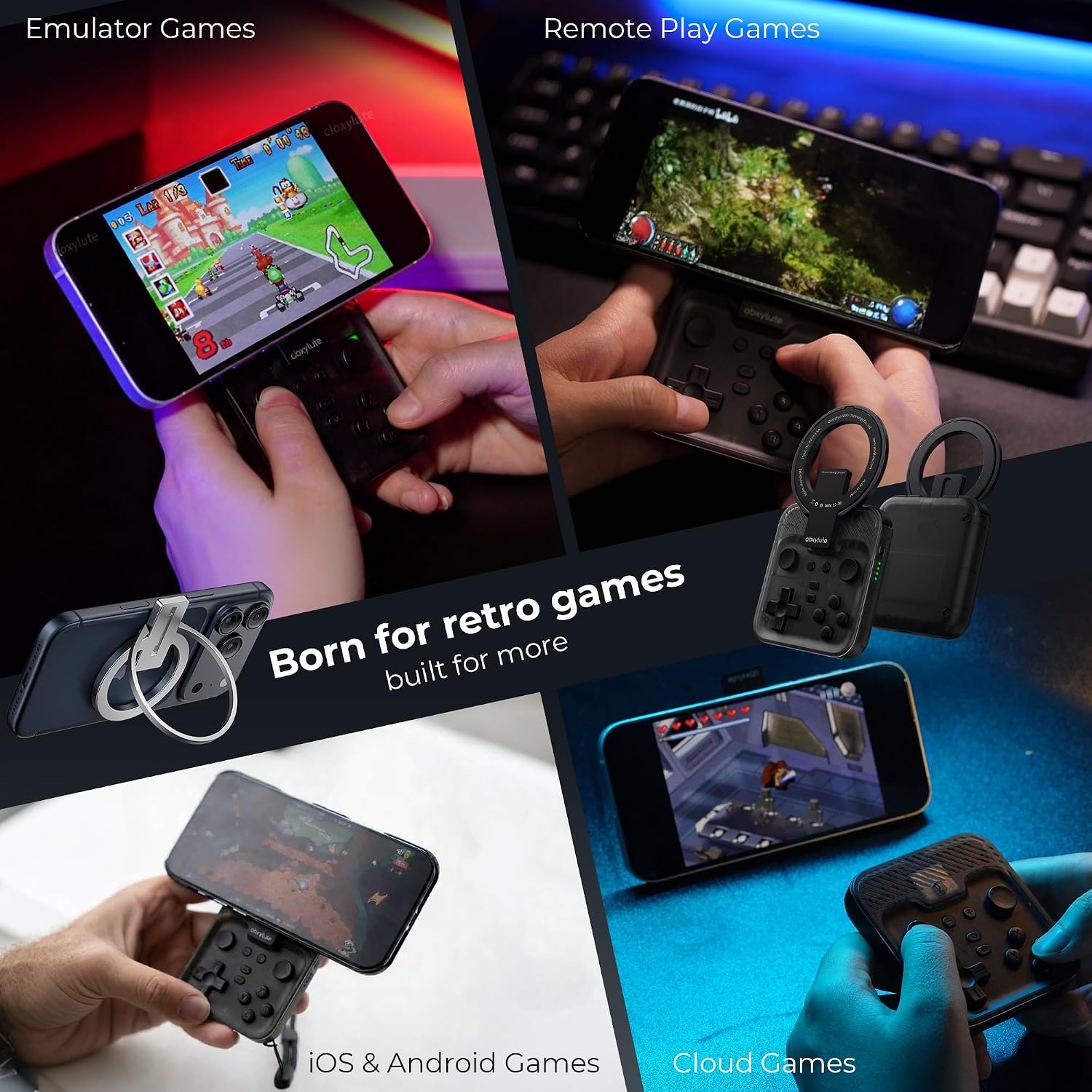
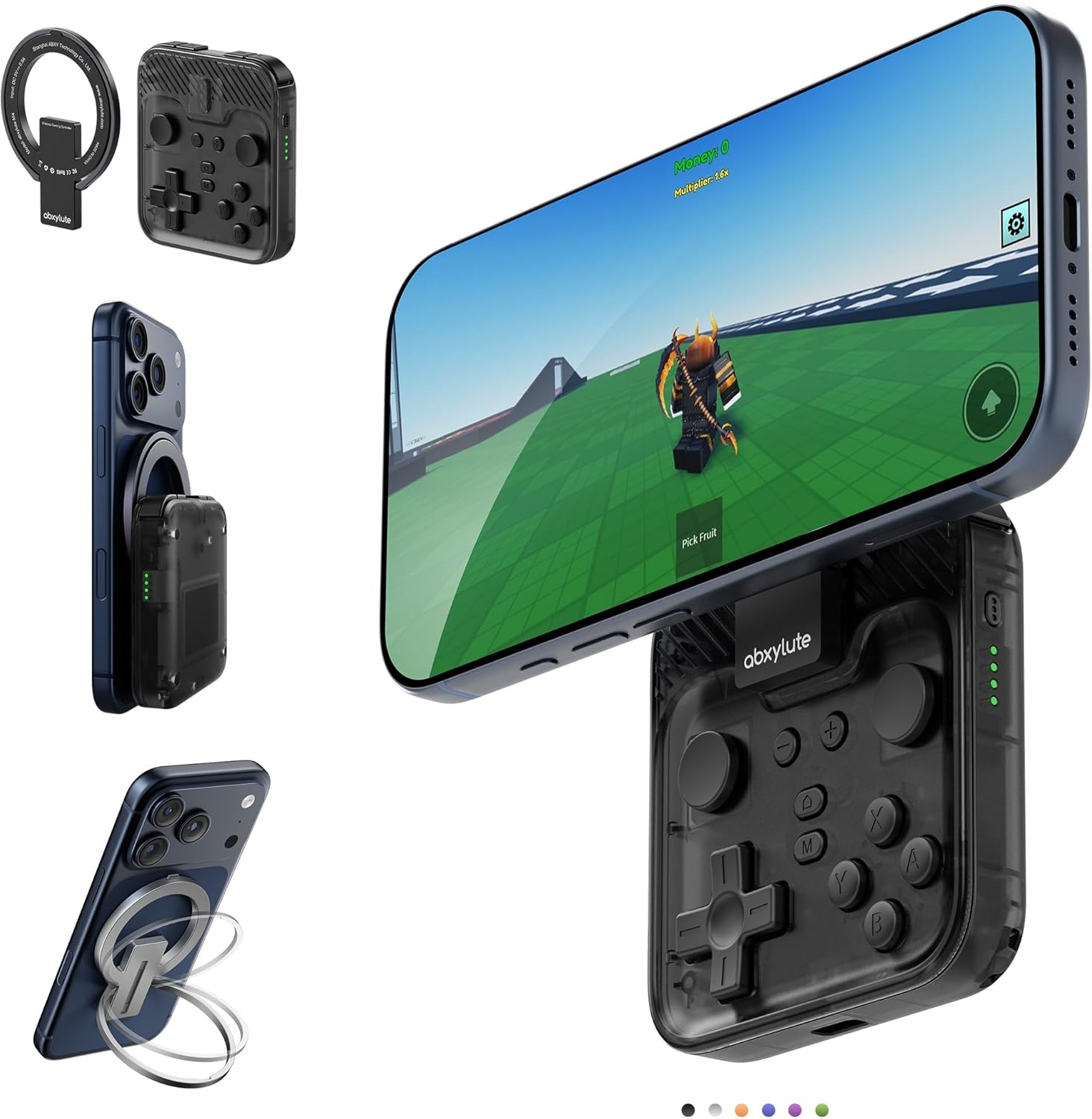
The abxylute M4 Snap-On Mobile Gaming Controller is a compact, magnet-based gamepad designed to attach to a phone for on-the-go play. It supports multiple platforms via HID, PS, and NS modes, and includes a Turbo function for more demanding mobile titles. The design aims to fit in a pocket, delivering portable control without adding bulk.
What it solves
For players who want physical controls away from a console or bulky setups, the M4 offers a way to game on public transit, in hotel rooms, or during a quick break. It taps into retro and modern gaming interests by supporting emulators and mainstream platforms alike, making it a practical bridge between casual mobile titles and retro favourites.
Key features at a glance
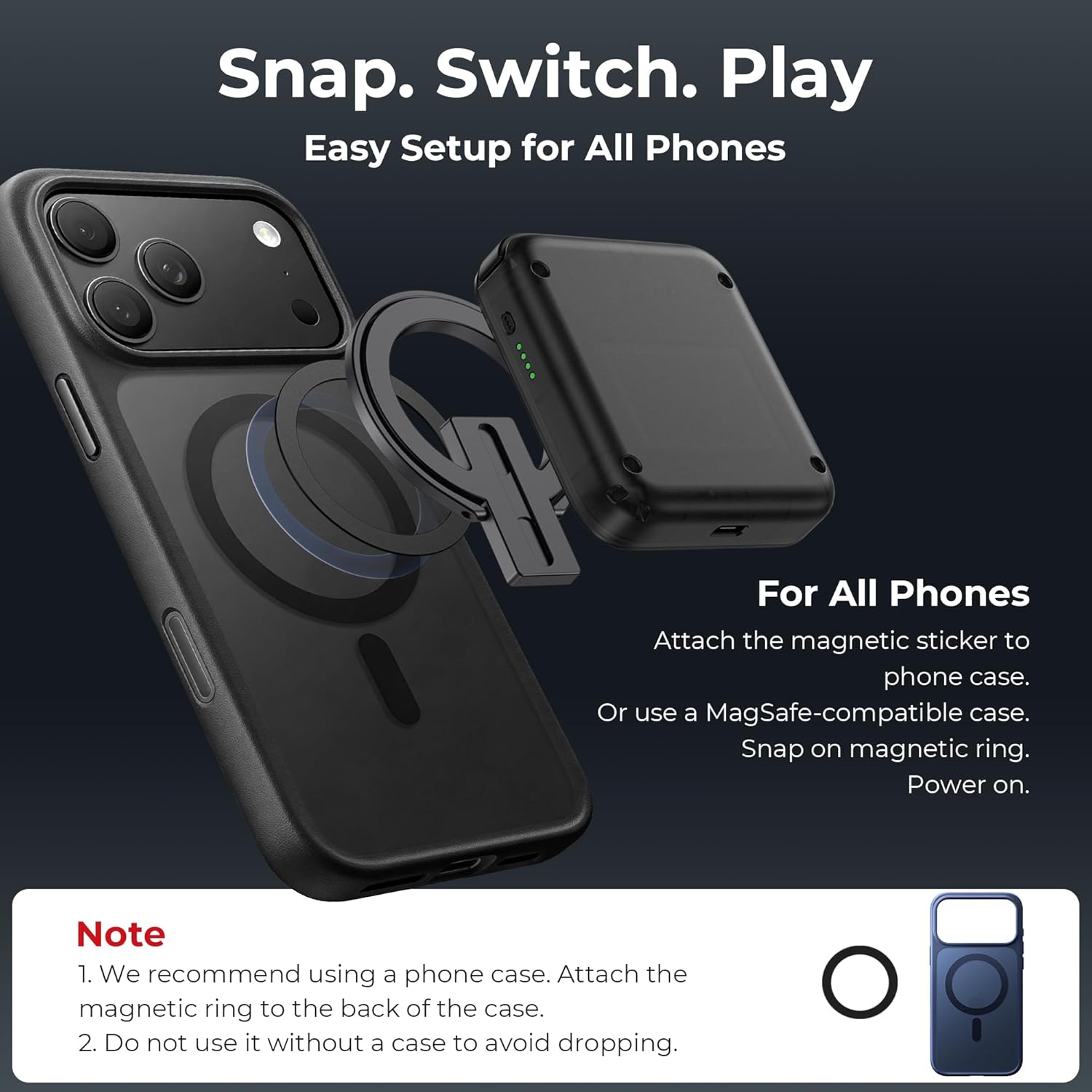
Its MagSafe snap-on technology is highlighted as a quick-start solution: snap on the magnetic ring, power on, and you’re gaming. For non-MagSafe devices, the included magnetic sticker provides a similar attach-and-play workflow. The controller supports Android and iPhone, including MagSafe-compatible iPhone models, while noting some fit considerations for Pro/Pro Max and non-folding devices.
How it performs in practice
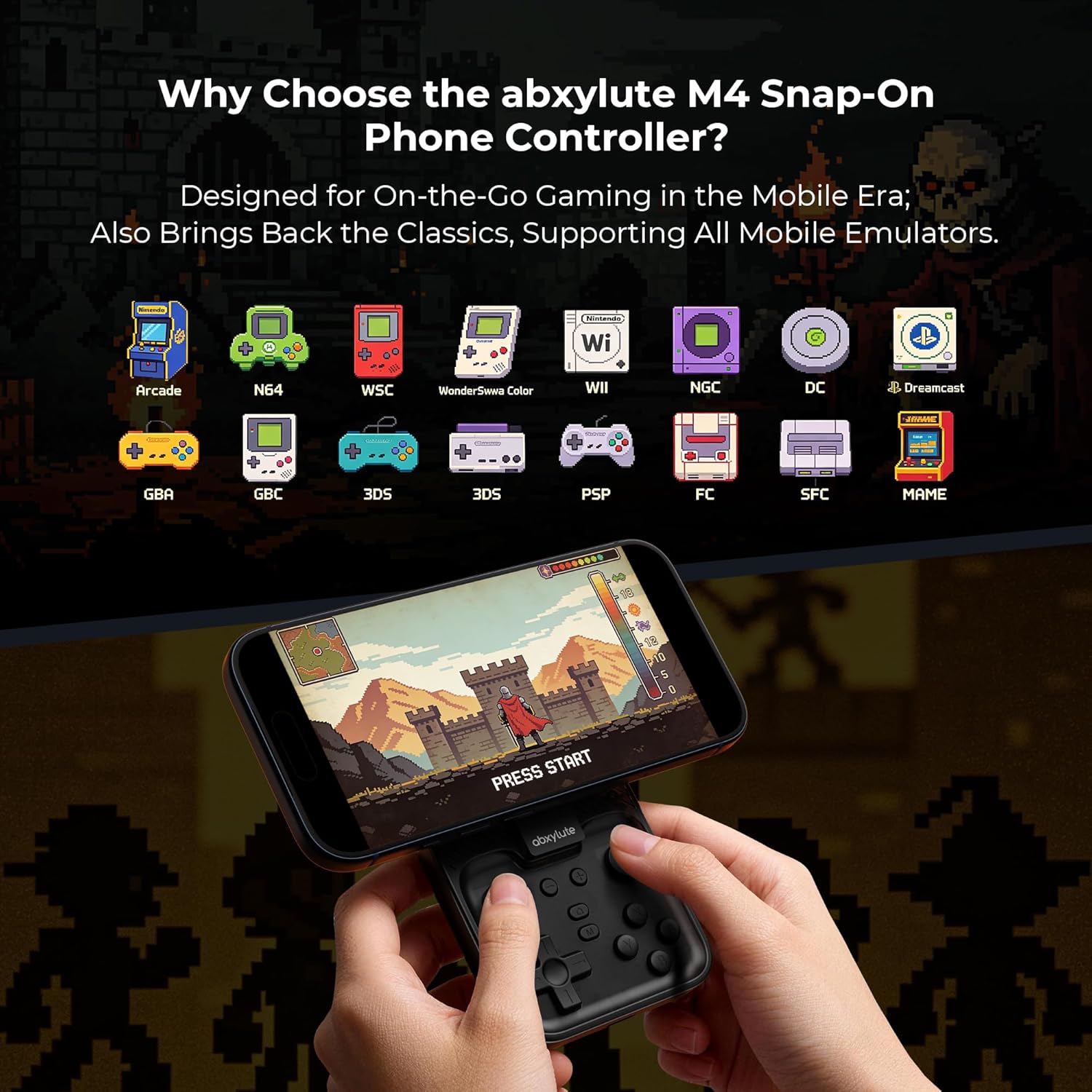
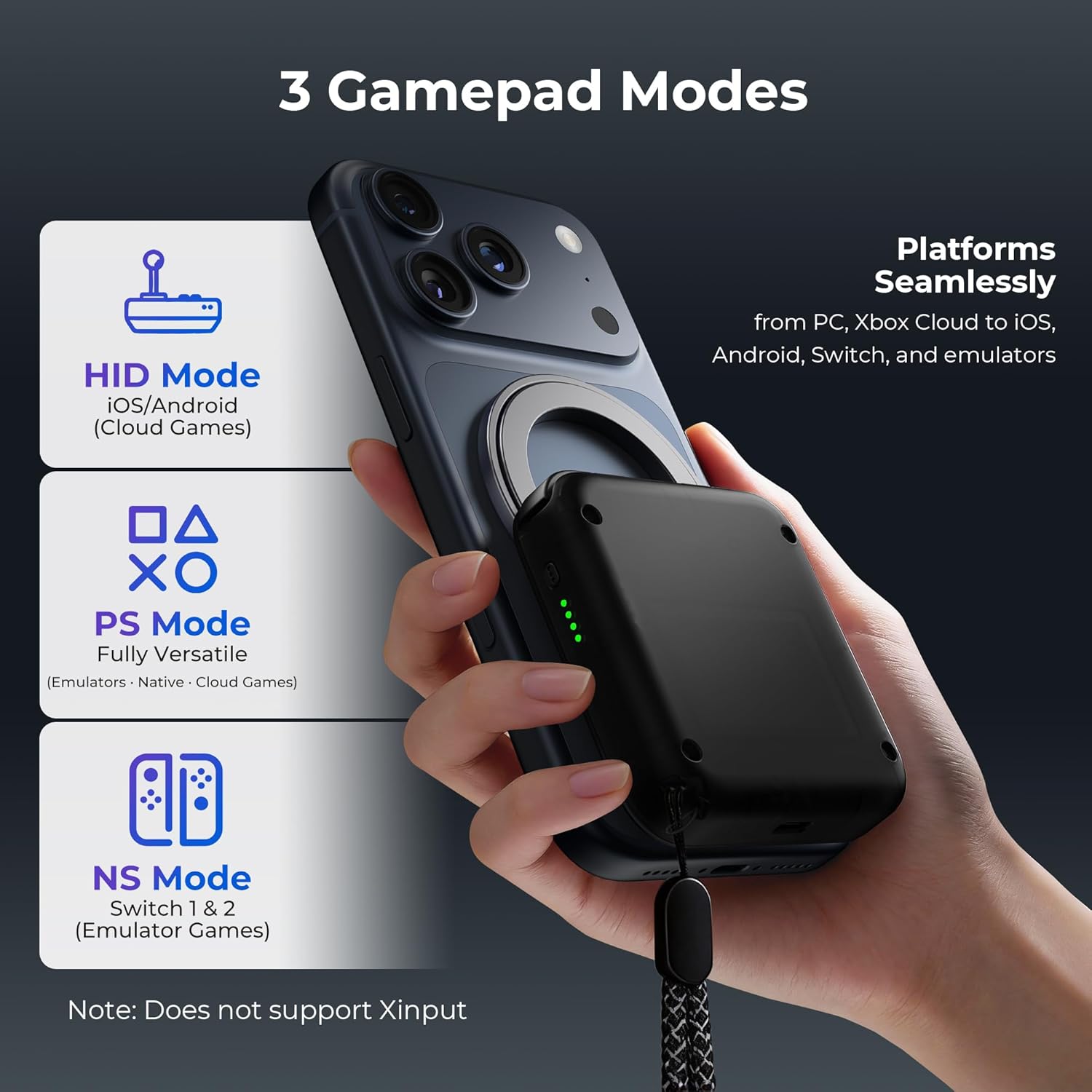
On paper, the M4 enables seamless cross-platform play—from Android and iOS native games to emulators (Delta, RetroArch, PPSSPP) and PC/Xbox Cloud environments. The three modes (HID for Android streaming, PS for native Android/iOS games, NS for Switch) give flexible access depending on the game you want to run. In real-world use, the slim form factor emphasises portability, though users should be mindful of potential weight distribution on larger models.
What stands out
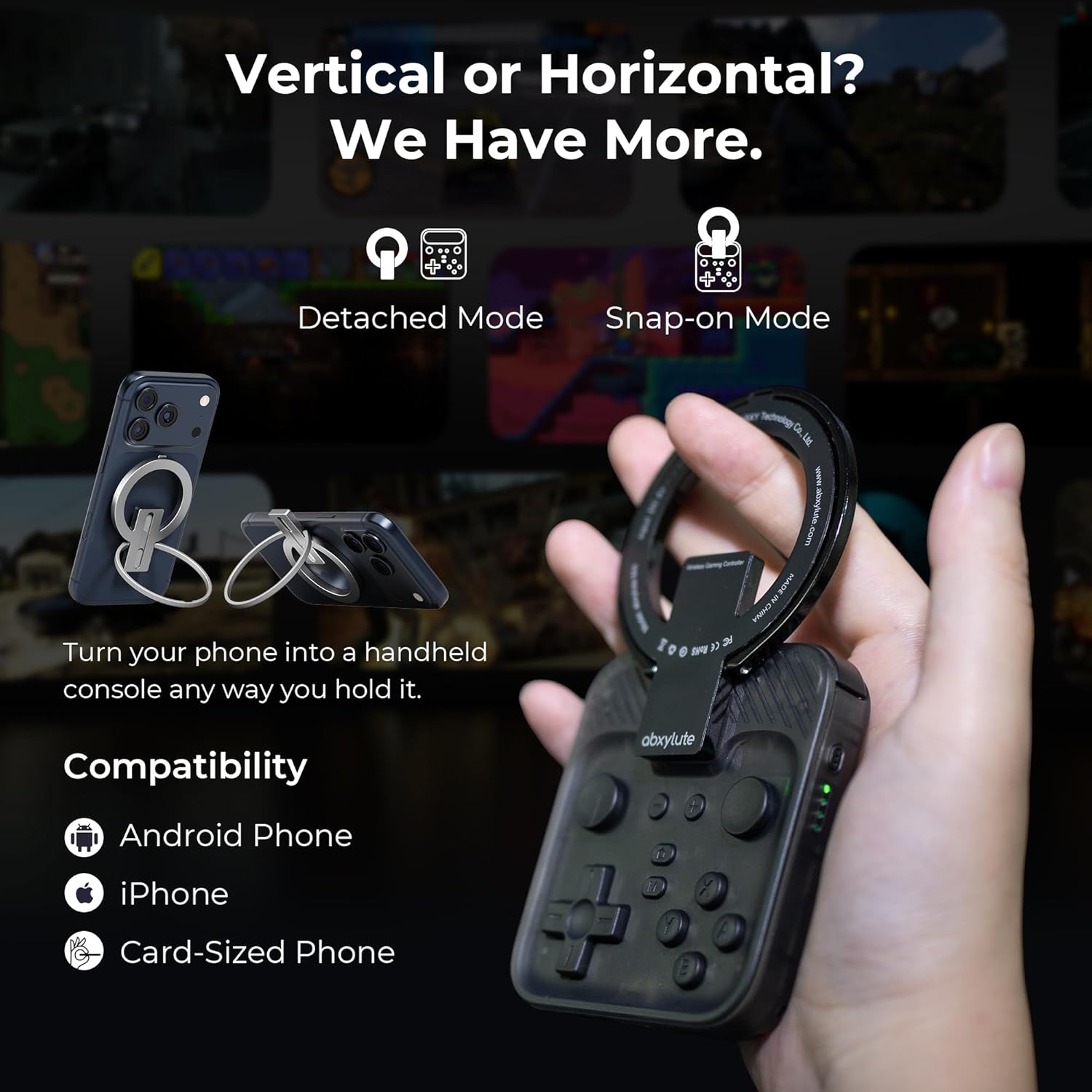
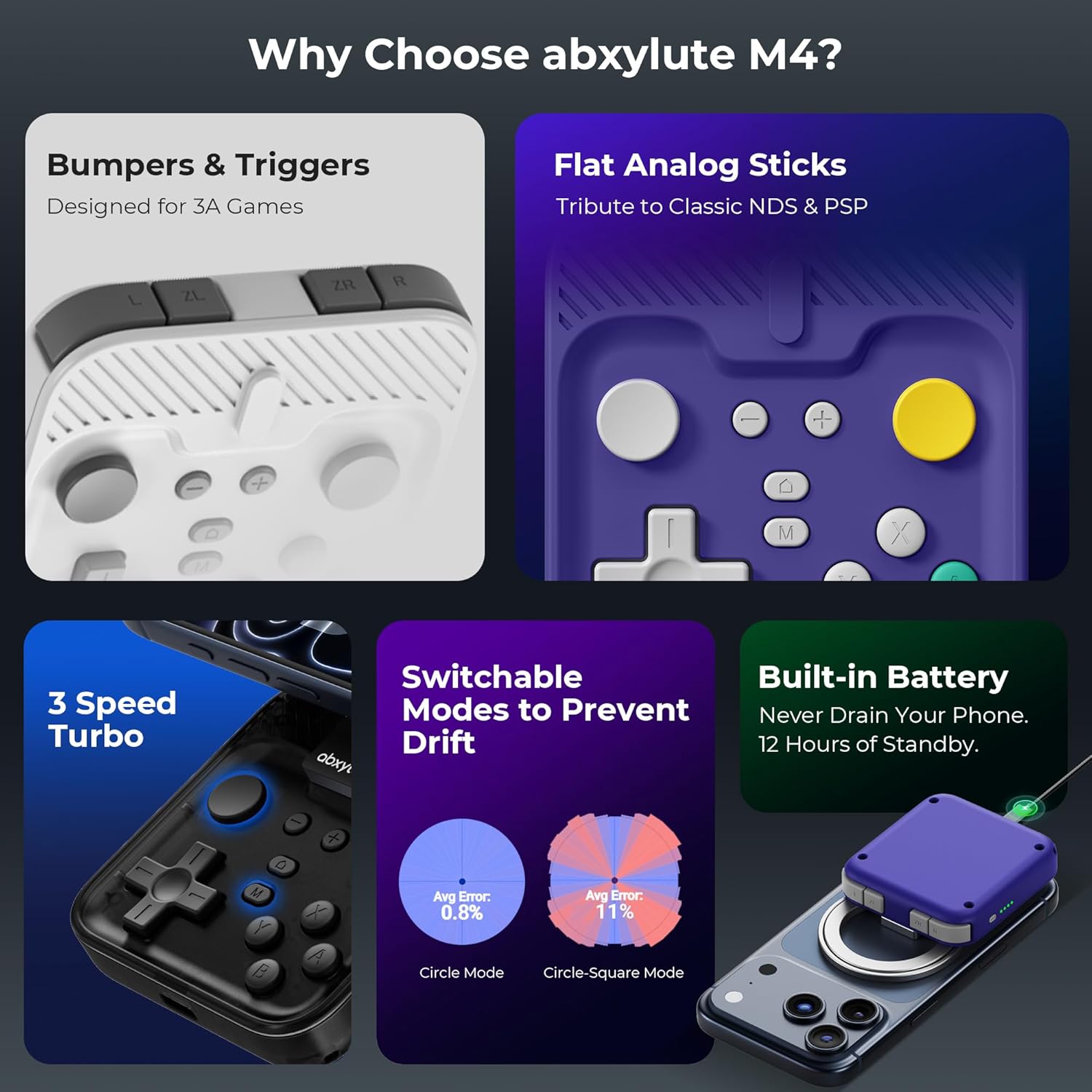
The pocket-sized form factor is the standout attribute, paired with practical magnetic attachment that sidesteps complex setup. The stated 12-hour battery life widens usability for long sessions away from a charger. For retro gaming fans, the compatibility with trusted emulators broadens the appeal beyond mobile-first titles.
What may fall short
If you prioritise a perfectly balanced top-heaviness or a premium build, the M4 may feel slightly top-heavy on certain Pro/Pro Max devices. Also, it isn’t listed as compatible with foldable phones, which could limit some users. As a retro-focused device, it’s clear the emphasis is on classic play rather than cutting-edge visuals or performance on the latest hardware.
Who it’s for
It suits gamers who want portable, physical controls for mobile and emulated play — especially those who value retro titles and a simple, pocket-friendly solution. It’s potentially less compelling for players seeking a rugged build or a dedicated, high-end controller with extensive battery life beyond mobile constraints.
Who should think twice
If you regularly game on foldable devices or need a perfectly balanced weight distribution on newer flagship models, you may want to trial the fit before committing. Also, if your primary concern is the most extensive compatibility with all console ecosystems, the M4 is a compromise that leans into mobile and retro play rather than desktop-grade control.
Before you buy: practical checks
- Confirm you’re using a device that fits within the supported form factors and MagSafe compatibility scope.
- Consider your most-used games: emulators and mobile titles align well with the M4’s design, while some high-end handheld experiences may be more demanding.
- Plan for hands-on tests where possible to assess weight balance on your phone.
A realistic comparison in context
If your goal is ultra-portable retro gaming with quick setup, the M4 makes sense as a lightweight companion to a phone and emulators. If you want a broader ecosystem or more robust physical controls for long sessions at a desk, a larger, more feature-rich controller might be more suitable. The M4 fills a niche for on-the-go retro and mobile play rather than acting as a replacement for a dedicated handheld or console setup.
Is it worth it?
- When it makes sense: you prioritise portability, quick setup, and the flexibility to game on Android, iPhone, and emulators without carrying additional bulk.
- When to skip: you need a heavyweight, premium build with extensive unibody support for foldables or you want a controller with a longer on-device battery life for hours of non-stop play.
- Who benefits most: gamers who travel light, enjoy retro titles, and want a snap-on solution that slots into daily carry.
- Who to avoid: those seeking a device with flawless balance on every model or a purely high-end handheld gaming experience.
FAQ
- How easy is it to attach on MagSafe-compatible devices? It’s described as a straightforward snap-on with power-on and play, for non-MagSafe devices you use the included magnetic sticker before attaching.
- Does it work with Switch and PC natively? Yes, via the NS and PS modes across Bluetooth connections, enabling cross-platform play including emulators.
- What about battery life? The product claims up to 12 hours of use, supporting extended sessions away from power.
- Is it suitable for larger phones? The description notes some stability considerations on Pro/Pro Max models and may not be ideal for very large or foldable devices.
Decision time
Is it worth it? If portability and retro-ready control matter to you, the abxylute M4 offers a compact, quick-start solution that fits in your pocket and adapts to multiple platforms. It may not be the best fit if you prioritise heavyweight builds or use foldable devices frequently.