

Acer ODK5B0 USB-C Docking Station, 13-in-1 Triple HDMI 4K@60Hz Hub
Product description
Set up a multi-screen workspace from a compatible laptop with the Acer ODK5B0 USB-C docking station. Its three HDMI ports support flexible display arrangements for work, creative tasks and entertainment.
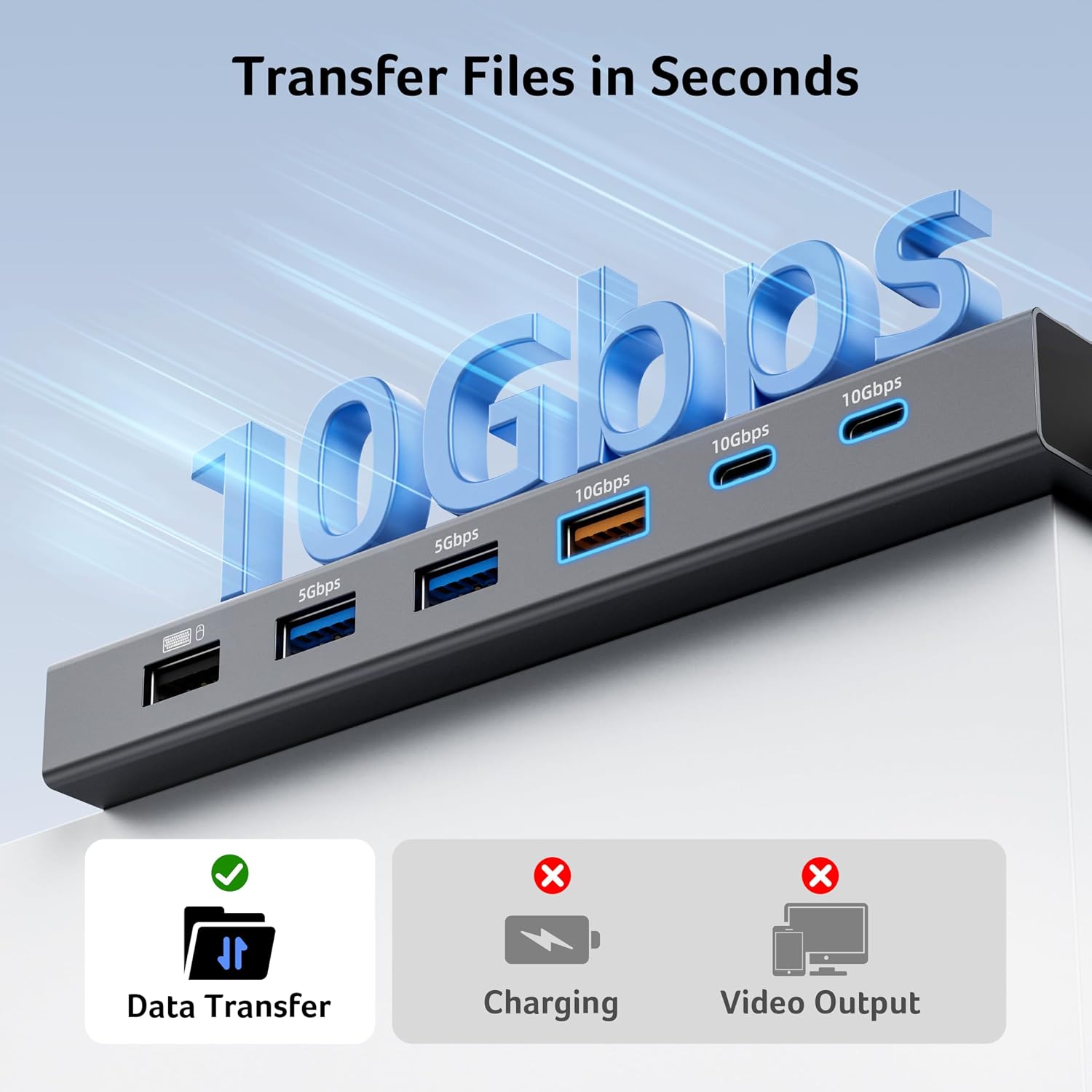
Connect storage, peripherals and memory cards through a single hub, with USB-C and USB-A data ports offering transfer speeds up to 10Gbps.
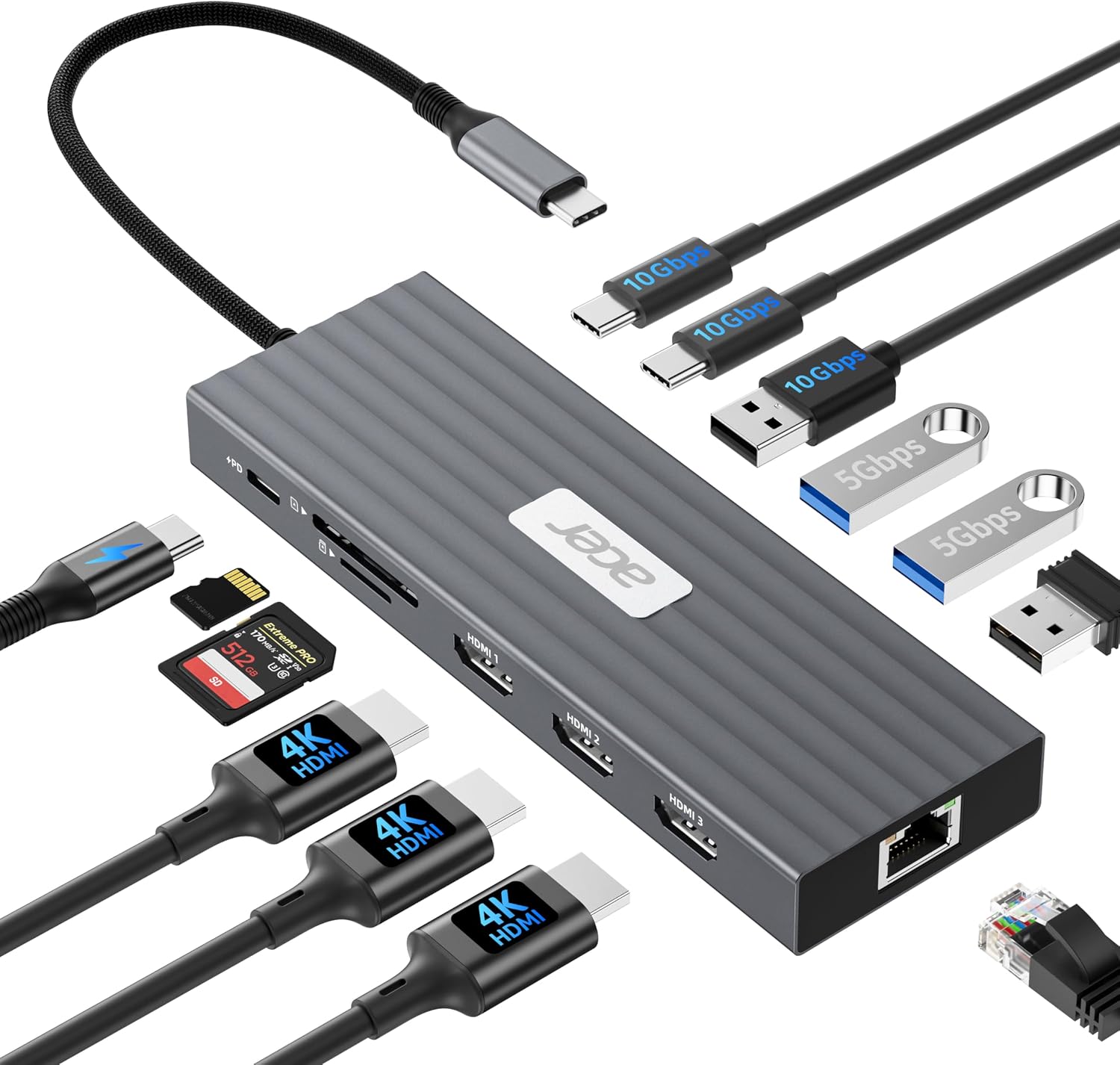
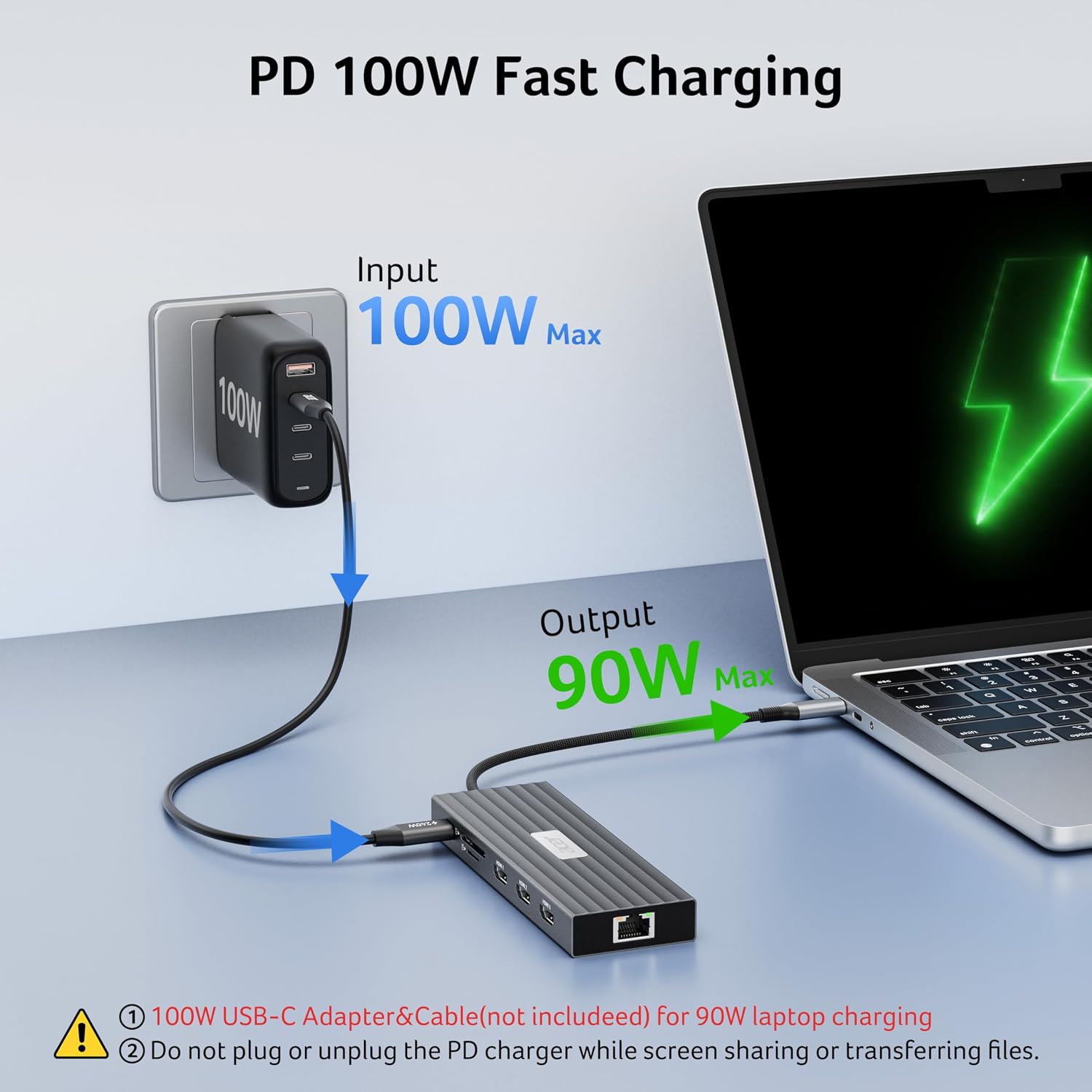
A Gigabit Ethernet port adds a wired network option, while 100W Power Delivery input supports charging a compatible laptop at up to 85W.
At a glance
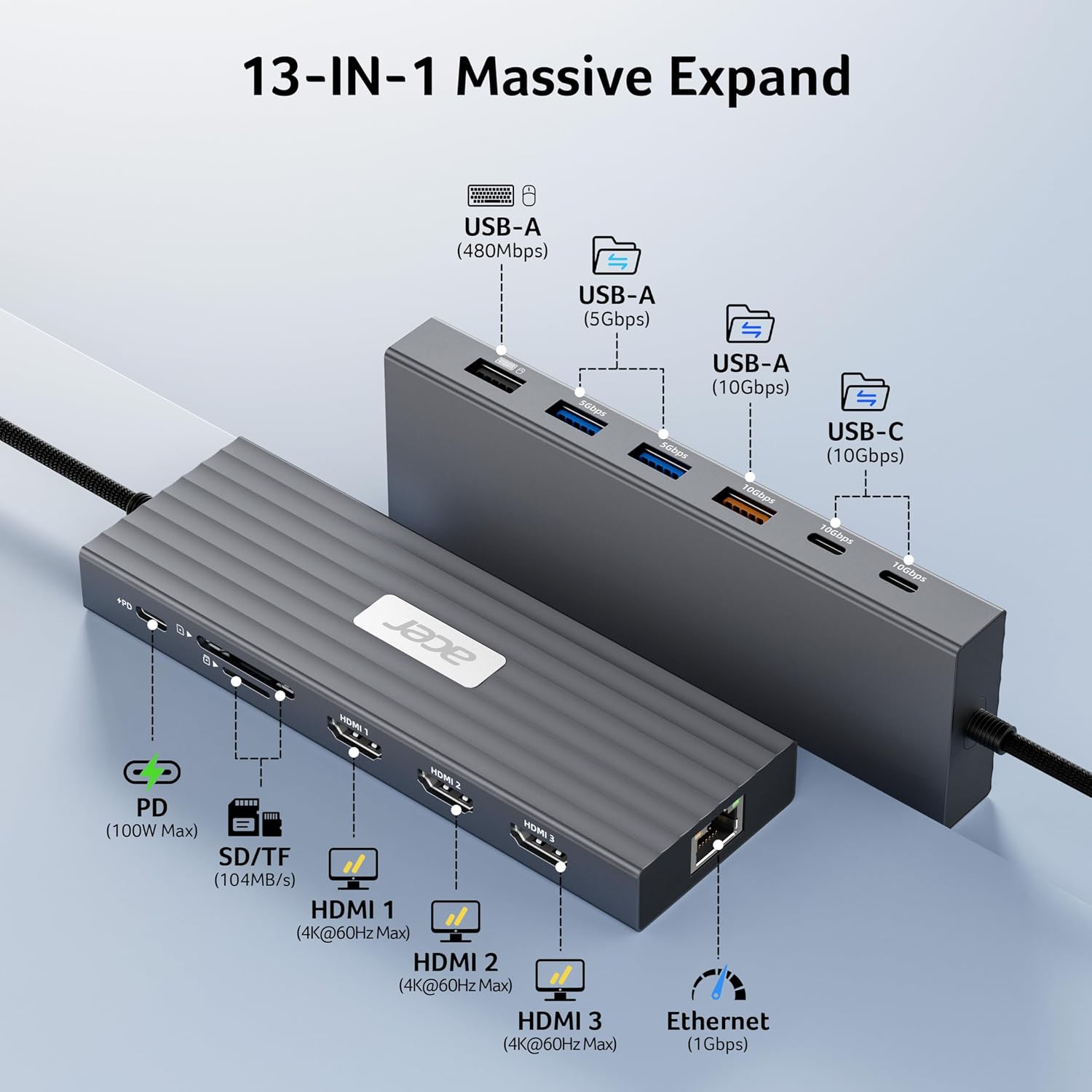
The ODK5B0 combines three HDMI outputs, six USB data ports, an SD and MicroSD card reader, Gigabit Ethernet and USB-C Power Delivery in a 13-in-1 hub. The USB connections include two USB-C ports at 10Gbps, one USB-A port at 10Gbps, two USB-A ports at 5Gbps and one USB-A port at 480Mbps. The card reader supports transfer speeds up to 104Mbps, and the RJ45 Ethernet port supports 1Gbps.
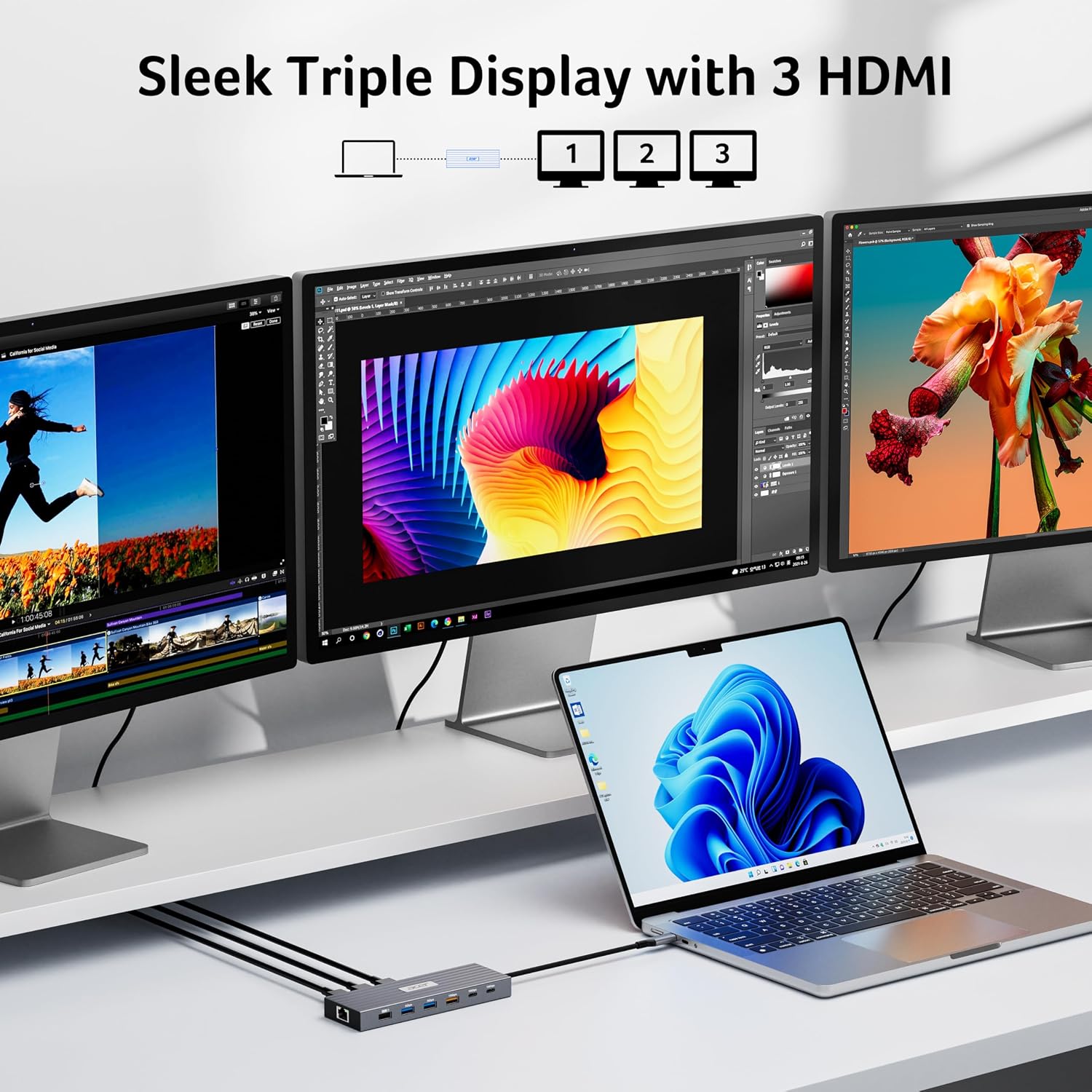
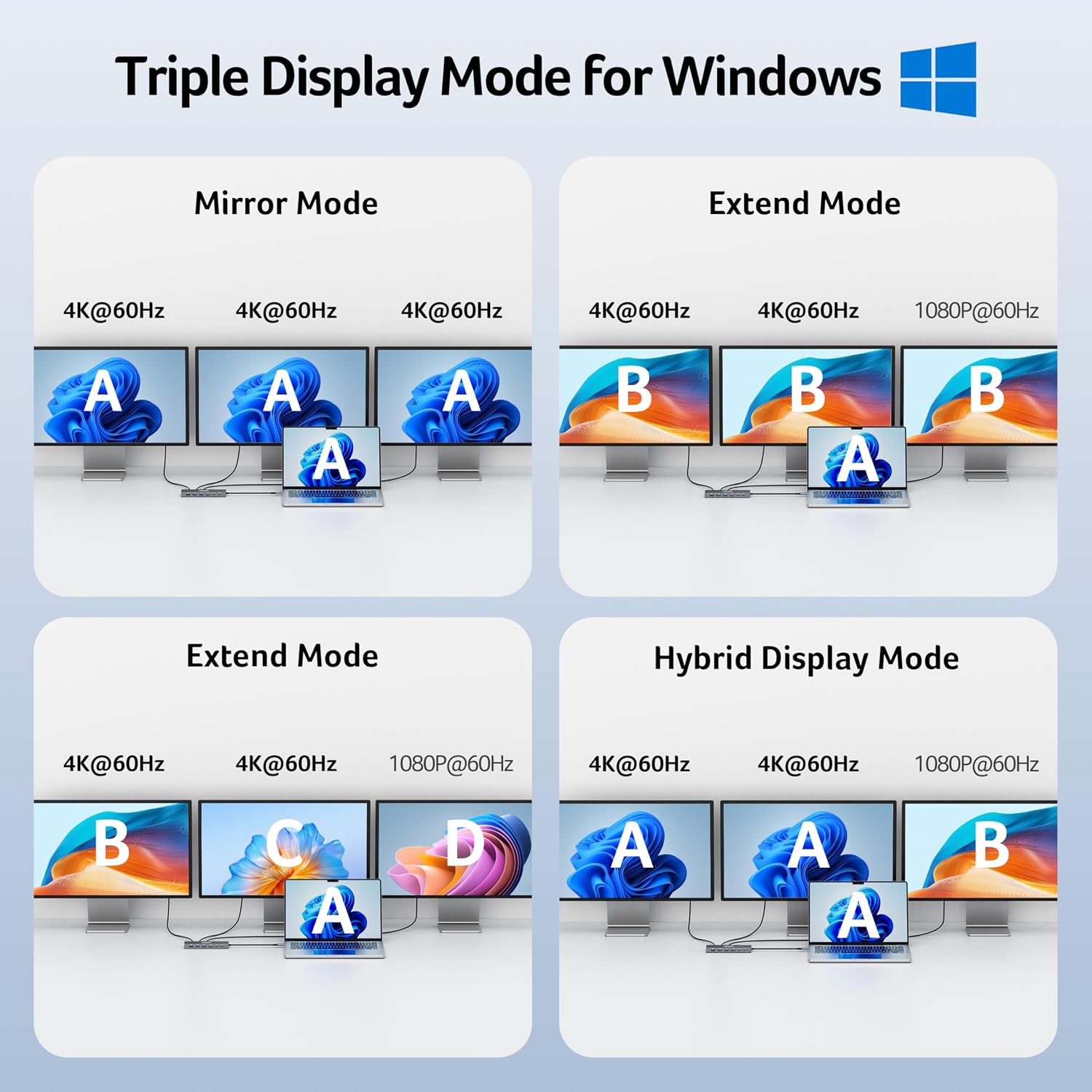
For displays, a single HDMI screen can run up to 4K@60Hz, as can each of two connected displays. With three screens, the dock allocates resolutions according to the displays’ capabilities and available bandwidth, a typical arrangement is 4K@60Hz, 4K@60Hz and 1080p@60Hz. It works with Windows and macOS laptops that support DisplayPort Alt Mode over USB-C.
Getting the most from it
For a desk with several screens and accessories, the dock brings display, network, card-reading and data connections together around the laptop. For example, connect HDMI monitors for documents and video calls, use Ethernet for a wired network connection, and access files from an SD or MicroSD card without relying on a separate reader. Compared with a small adapter focused on just one or two connections, this hub is designed for a more complete desktop setup.
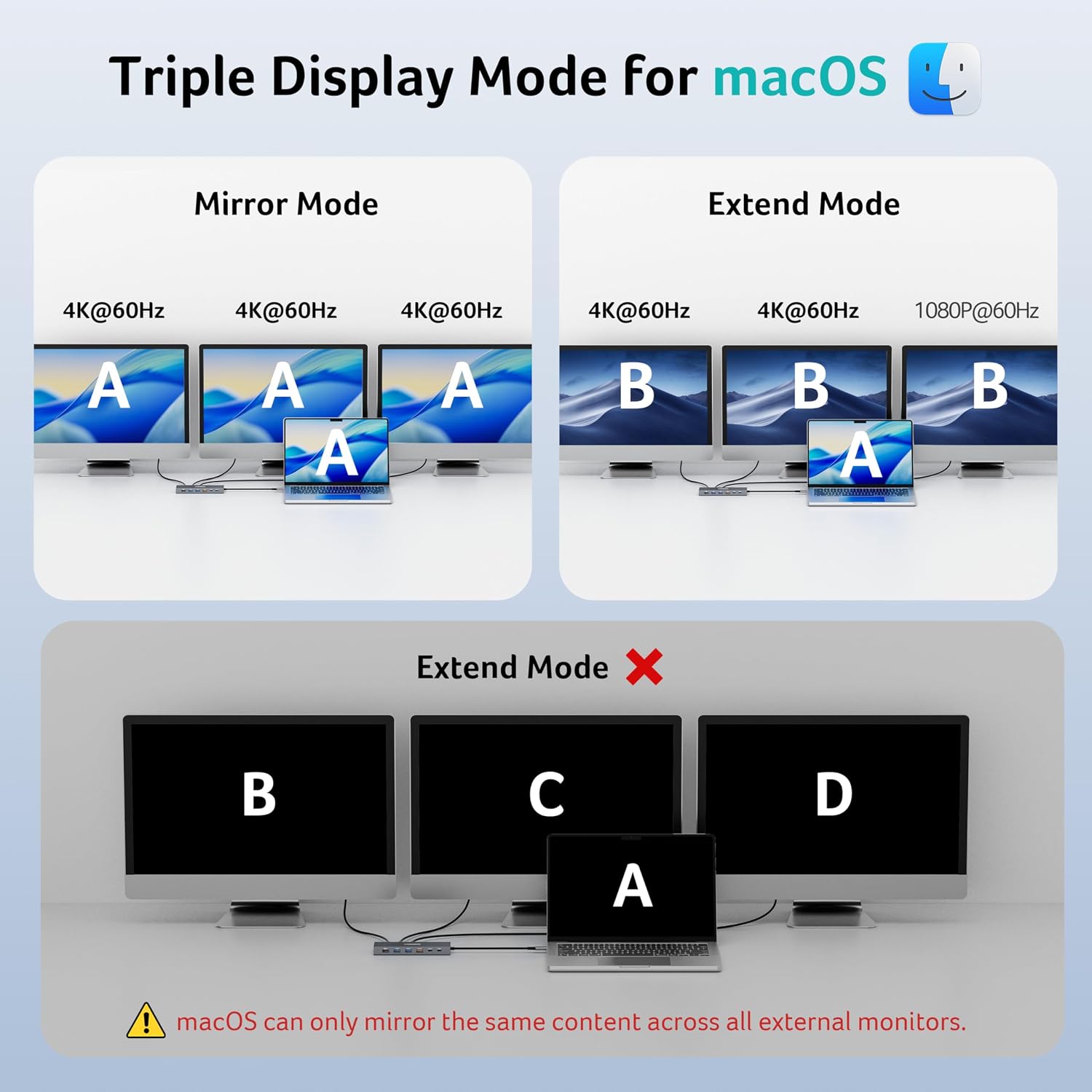
The USB ports are for data and do not charge external devices. To charge a laptop through the dock, its USB-C port must support Power Delivery, the dock accepts 100W input and provides up to 85W to the laptop. A 100W-or-higher USB-C charger and cable are required and are not included. For best display results, the laptop’s HDMI connection should be HDMI 2.0 or higher. On Mac, triple-display support is limited to A-AAA or A-BBB configurations and does not support A-BCD setups.
Usage tips
Before connecting screens, check that the laptop’s USB-C port supports DisplayPort Alt Mode, this is what enables video output through the dock. Match each monitor to an HDMI output, then arrange your screens in the laptop’s display settings. When using three displays, their capabilities and the total available bandwidth determine the resolution allocation, so a mixed-resolution setup can be a practical way to keep several windows visible.
Use the faster USB ports for frequent transfers of large project files, and the card reader for media stored on SD or MicroSD cards. Connect a suitable 100W-or-higher USB-C charger to the dock’s Power Delivery input when you want to power a compatible laptop while working.
When it makes sense
This Acer dock suits laptop users who want several monitor connections alongside wired networking, card access and multiple USB data ports. It is particularly useful for a fixed workspace where switching between screens, peripherals and removable storage is part of the day. Buyers’ feedback on reliability and connectivity is mixed: some report that the dock works smoothly, while others say that not all ports worked as expected. Its combination of triple HDMI, fast data connections and laptop Power Delivery makes it a practical fit for a compatible multi-screen desk.