

Timink DR229CL Drum Unit 4-Pack for Select Brother Printers
Product description
For Brother printer owners replacing a drum unit, this Timink DR229CL four-pack provides a set of compatible replacement units for select HL-L and MFC-L printers. Each unit is intended for use in supported Brother models.
The pack suits a home office, small business or workplace that wants replacement drum units on hand. Having four units together can also be useful when maintaining more than one compatible printer.
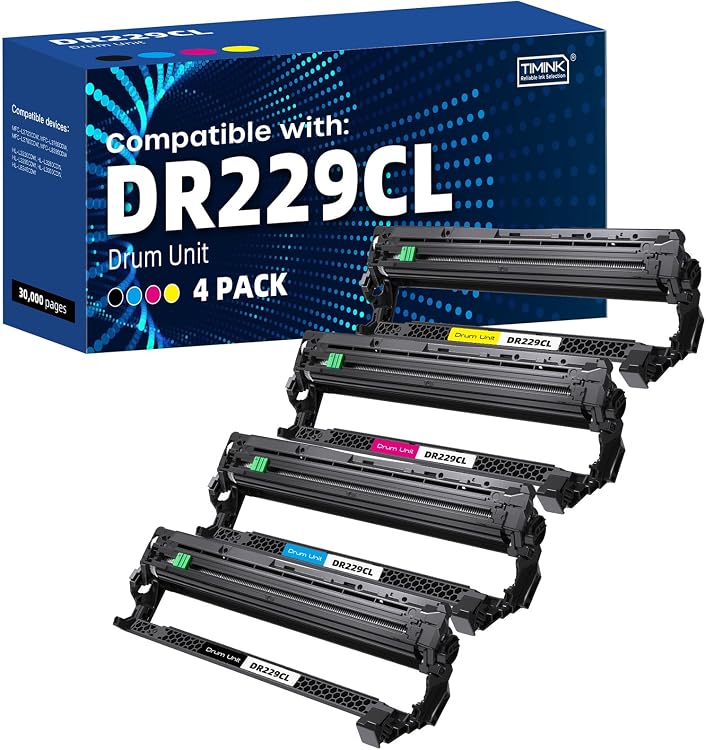
A drum unit and a toner cartridge serve different roles in a printer. Choose this DR229CL set when replacing the drum unit, rather than when you need a TN229 or TN229XL toner cartridge.
How it fits
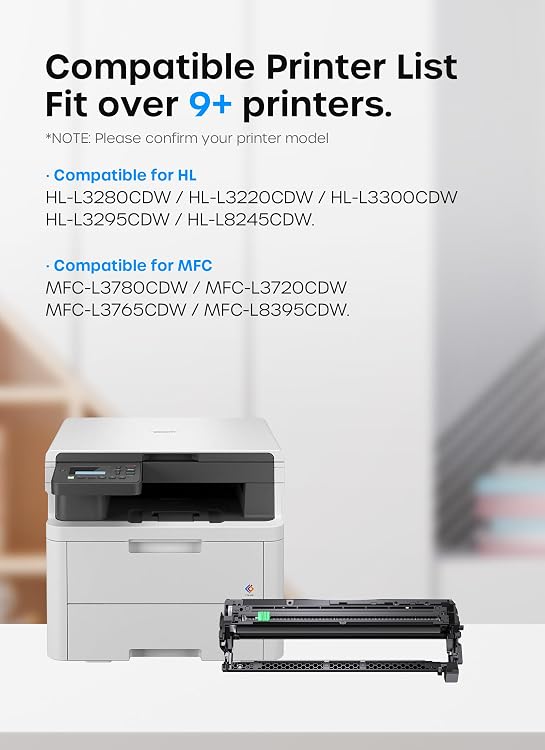
These units are compatible with Brother HL-L3220CDW, HL-L3240CDW, HL-L3280CDW, HL-L3295CDW, HL-L3300CDW and HL-L8245CDW printers, as well as MFC-L3720CDW, MFC-L3765CDW, MFC-L3780CDW and MFC-L8395CDW models. Check your printer’s model name before choosing a replacement so the DR229CL unit matches the machine.
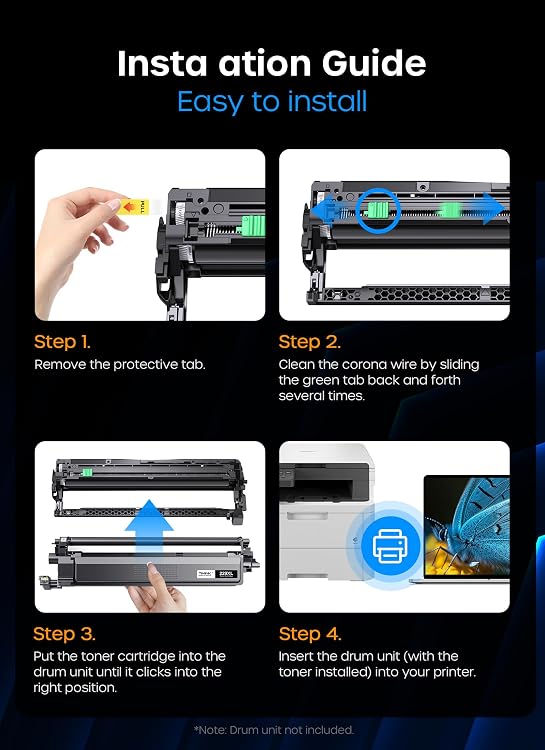
Installation uses the printer’s built-in controls: with the machine on, open the toner menu, select the drum option and choose the toner colour for the drum being replaced. Align the replacement and slide it into the printer until it clicks into place. This makes the change a guided maintenance task, rather than a reason to replace the printer.

Why it’s worth it
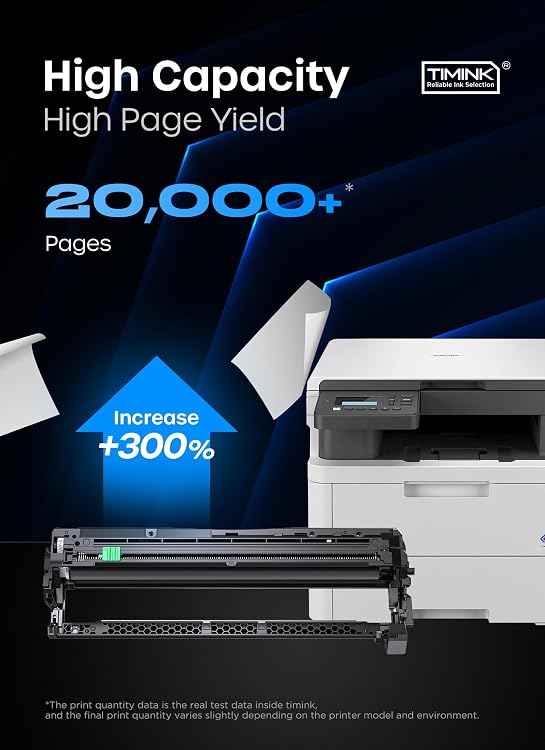
The four-unit format is practical for regular office printing, small-business use or home printing where having a compatible replacement ready helps keep maintenance straightforward. Instead of selecting units one at a time, you have a set of four DR229CL drum units for supported printers.
The main buying distinction is the part being replaced. If the printer calls for a drum unit, this compatible DR229CL set is the relevant type of supply, if it calls for toner, select the corresponding toner cartridge instead. That distinction helps match the replacement to the printer’s maintenance need.
Tech summary
- Type: Compatible DR229CL drum unit
- Pack size: 4 units
- Compatible printer models: Brother HL-L3220CDW, HL-L3240CDW, HL-L3280CDW, HL-L3295CDW, HL-L3300CDW, HL-L8245CDW, MFC-L3720CDW, MFC-L3765CDW, MFC-L3780CDW and MFC-L8395CDW
- Warranty: 2 years
Is it worth it?
For anyone maintaining one of the listed Brother printers, this set brings together four compatible DR229CL drum units in a single purchase. It is especially useful when you prefer to keep replacement drum units available for home, office or small-business printing. Match the printer model and the component being replaced, then follow the printer’s on-screen drum replacement steps for installation.