

Toniebox 2 Audio Player Starter Set for Kids 1+ with Playtime Puppy (Sky Blue)
Product description
If you’re looking for a screen-free way to let toddlers and young kids enjoy stories, songs, and simple games on their own, this Toniebox 2 starter set is built for that exact routine. It’s a kids-first audio player that starts playing automatically when you place a Tonie on top, and the controls are intentionally simple.
That said, it’s not a “press one button and it works forever” gadget. Setup needs Wi‑Fi, and the most interactive parts rely on adding the right Tonies and Tonieplay extras over time. Still, for independent play during the day and calmer bedtime moments, it’s easy to see why families like this category.
The essentials (At a glance)
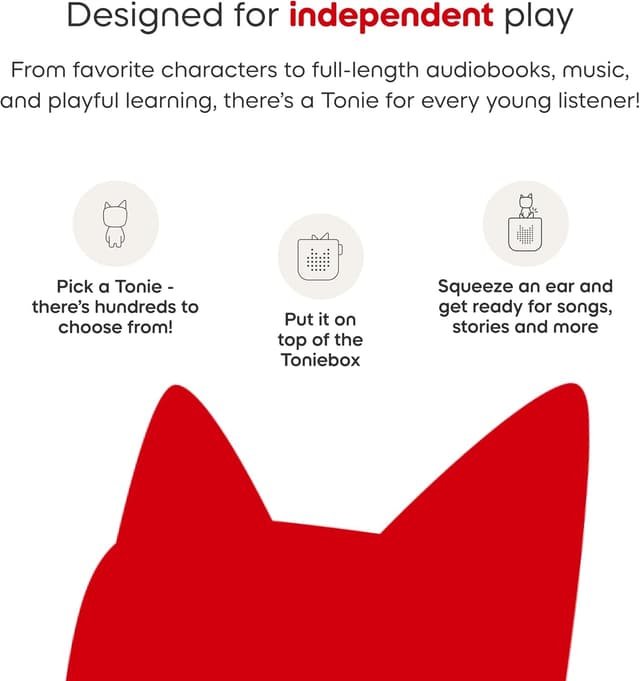
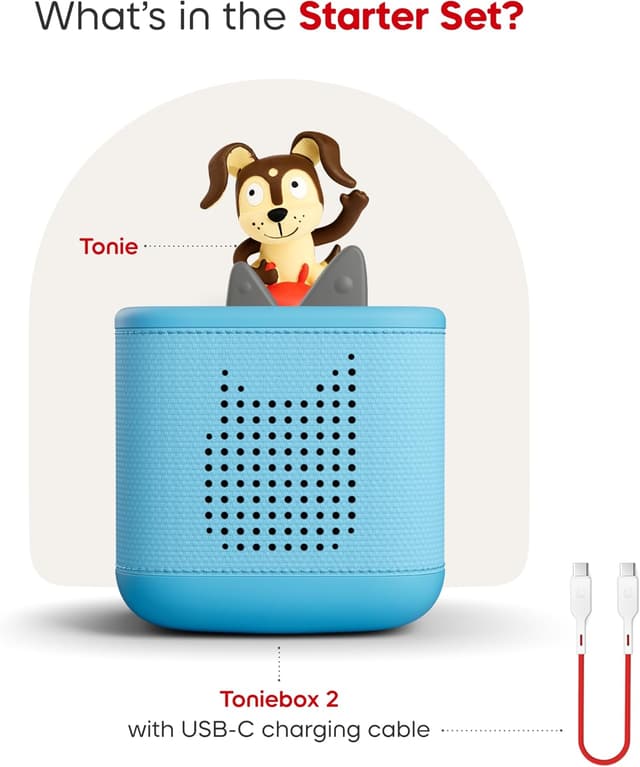
The Toniebox 2 is designed for independent listening and repeatable routines. Kids don’t need a parent to start playback—placing the audio character triggers auto play. Volume and track changes are handled with kid-friendly controls (ears and side taps), and the starter set includes a Sky Blue Toniebox 2 plus a Playtime Puppy Tonie.
Where this set leans in most is independence and day-to-day ease: no screens or ads are part of the promise, and the Tonies app is there so parents can keep an eye on things. It’s also positioned to grow with your child, with support mentioned for ages 1–9+ and the idea that you can keep expanding the library.

Worth noting: Tonies themselves (and extra Tonieplay options) are sold separately, so you’re buying into an ecosystem rather than just a single device.
What matters most for everyday use
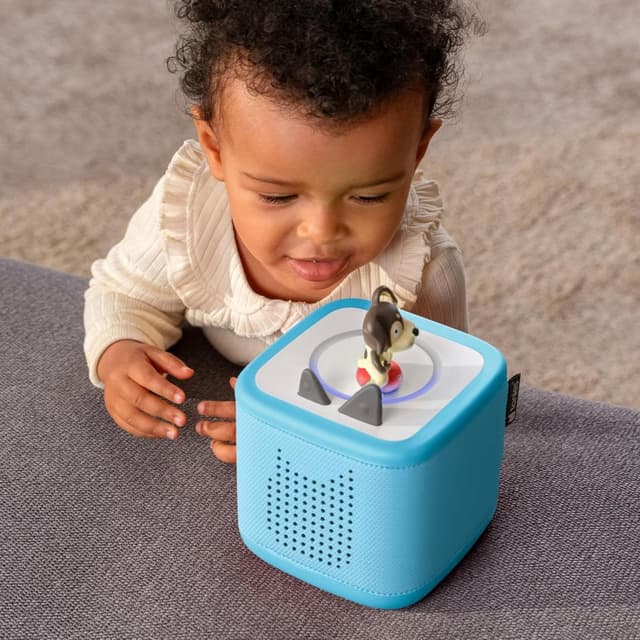
On paper, the experience is straightforward: you place the Tonie on the top and audio starts automatically. Then the kid can adjust volume by pressing the ears, or change tracks by tapping the sides.
Here’s a realistic micro-scenario: imagine your child is winding down after lunch. You set a Tonie on the Toniebox, let the music/story start without ongoing help, and your child can lower the volume or switch tracks without pressing buttons you’d otherwise have to supervise. That’s the kind of “less parental friction” feature families tend to care about.
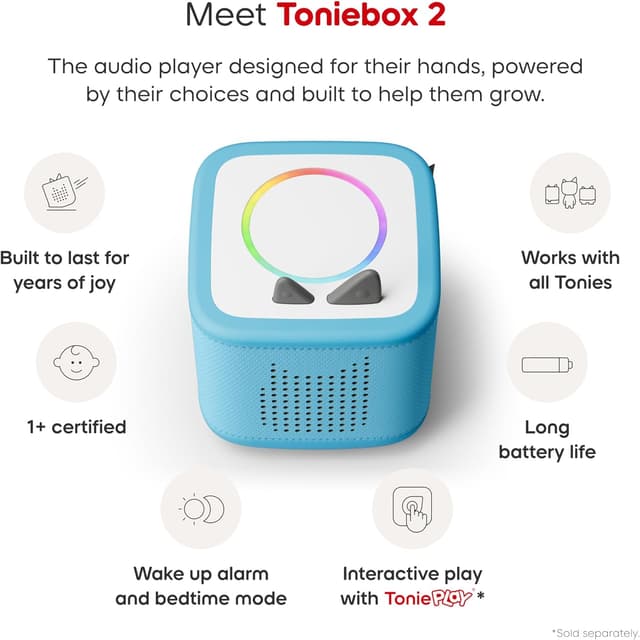
For bedtime, the set mentions smart Sleep Timer with Light and a Sunrise Alarm feature. If you’re trying to build a predictable sleep routine—rather than relying on random “just one more song” moments—these tools are meant to help with better bedtimes, longer sleeps, and easier mornings.
What you’ll notice in the features
The Toniebox 2 is presented as more than audio playback. It includes “Tonieplay” concepts meant to create interactive games, adventures, challenges, and quizzes. The important detail is that interactive experiences depend on the Tonieplay controller, which is sold separately. If you don’t plan to add it later, you may mostly use standard listening features.
The set also states that there are hundreds of Tonies to choose from, with new ones launching monthly. That’s useful if your child gets bored fast—your expansion options won’t feel limited forever.
Another parent-facing point: the no-screens, no-ads approach is paired with the idea that the Tonies app helps you monitor. If you’re worried about open-ended media use, that matters.
Still, keep expectations realistic: this is strong for listening and routine-building, but interactive play won’t be fully unlocked without additional items.
Pros and where it shines
- Independent play is the core idea: kids can start playback automatically when the Tonie is placed, and they can manage volume/track changes themselves.
- Bedtime support is built in: Sleep Timer with Light and a Sunrise Alarm are designed to support sleep routines.
- A library approach, not a one-off: hundreds of Tonies and new releases are mentioned, so the content can grow.
- Kid-friendly controls: ears for volume and side taps for track changes are simple enough for young users.
When it may not suit you
It may not be the best match if you want a “fully interactive gaming device” out of the box. The Tonieplay controller is sold separately, so the interactive features require an additional purchase.
Also, if your home can’t support Wi‑Fi for initial setup, you’ll want to plan around that requirement.
And if you’re looking for a cheap, one-time purchase with no ecosystem follow-ups, this product’s model (additional Tonies and accessories sold separately) can feel like a drawback.
Tech summary (Product specs)
- Type: Audio player for kids (Toniebox 2)
- Age range mentioned: 1–9+
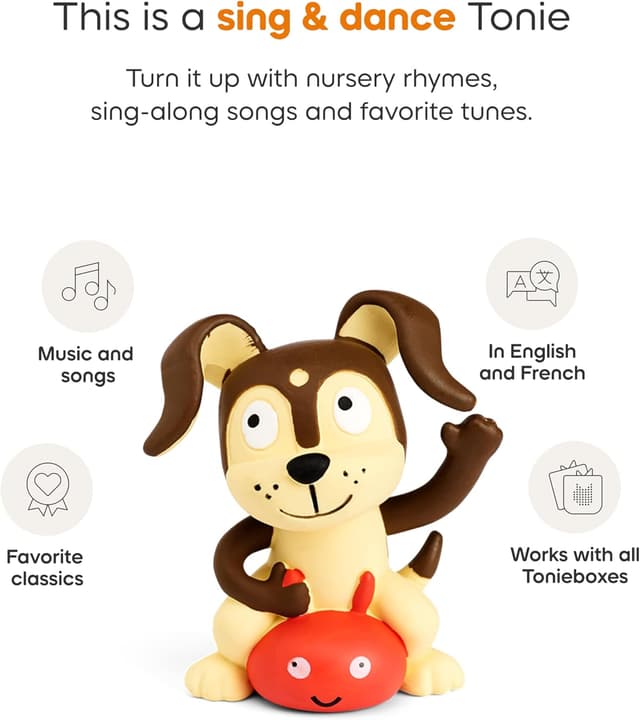
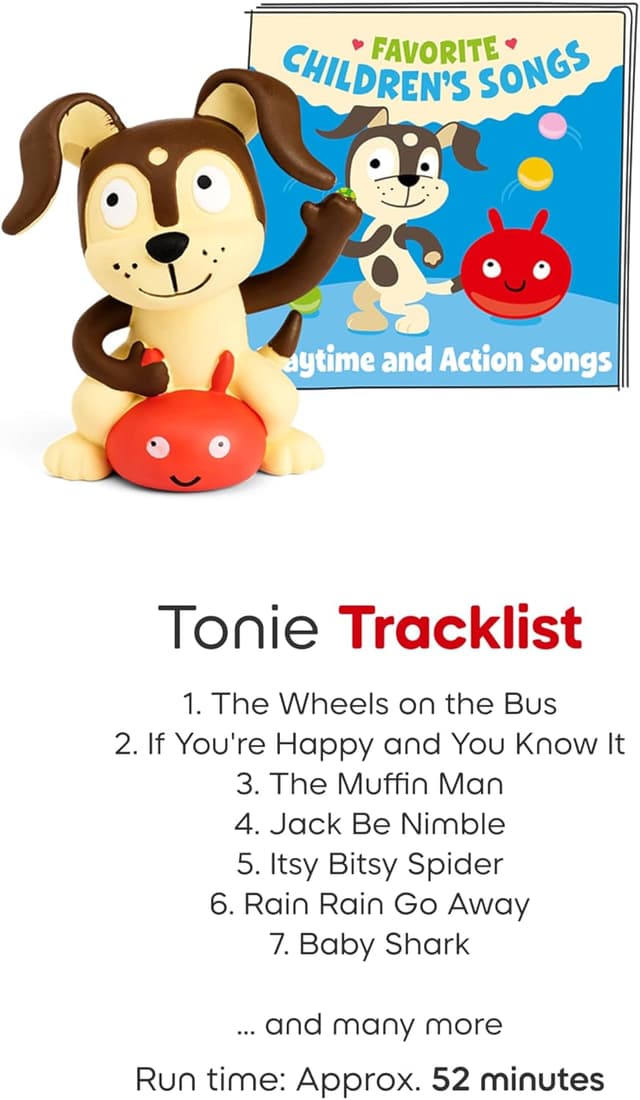
- Starter set includes: Sky Blue Toniebox 2, Playtime Puppy Tonie, 8.6” (22cm) USB-C charging cable
- Charging: USB-C charging cable included, additional power adapter and longer charger cable are mentioned as sold separately
- Connectivity requirement: Wi‑Fi needed for initial setup
- Controls described: ears change volume, tapping sides changes tracks
- Interactive requirement: Tonieplay controller sold separately to unlock interactive experiences
- Safety-related note: USB-C charging cable is stated as 8.6” to meet child safety standards for little listeners aged 1+
- Color: Sky Blue
¿Merece la pena? (Worth considering)
If you want a screen-free audio routine that supports independence—and you like the idea of expanding content over time—this Toniebox 2 starter set is worth considering. The auto-play behavior and simple controls are exactly what make it feel hands-off once it’s set up. Add in the Sleep Timer and Sunrise Alarm features, and it can fit families who care about bedtime structure.
On the other hand, if you mainly want interactive gameplay immediately, this may feel incomplete at first because the Tonieplay controller isn’t included. And if Wi‑Fi setup is a dealbreaker in your household, you’ll want to think twice.
Quick buying checklist (so you don’t get stuck)
Before you buy, double-check three things: whether you’re comfortable with Wi‑Fi for initial setup, whether you’re planning to add more Tonies later (since additional Tonies are sold separately), and whether you care about Tonieplay interactivity enough to eventually purchase the Tonieplay controller.
If those points align, the starter set can be a practical starting point.
Mini FAQ
Does playback start automatically?
Yes. Playback starts automatically when Tonies audio characters are placed on the Toniebox.
How do kids change volume and tracks?
The instructions describe pressing the ears for volume changes and tapping the sides to change tracks.
Is Tonieplay included in the starter set?
The starter set is designed around Tonieplay concepts, but the Tonieplay controller is sold separately to unlock interactive experiences.
Do you need Wi‑Fi?
Wi‑Fi is needed for initial setup.
Are there extra Tonies included?
The set includes a Playtime Puppy Tonie, while additional Tonies are sold separately.