

Skyzoo Digital Calendar 14-Inch Touchscreen
Product description
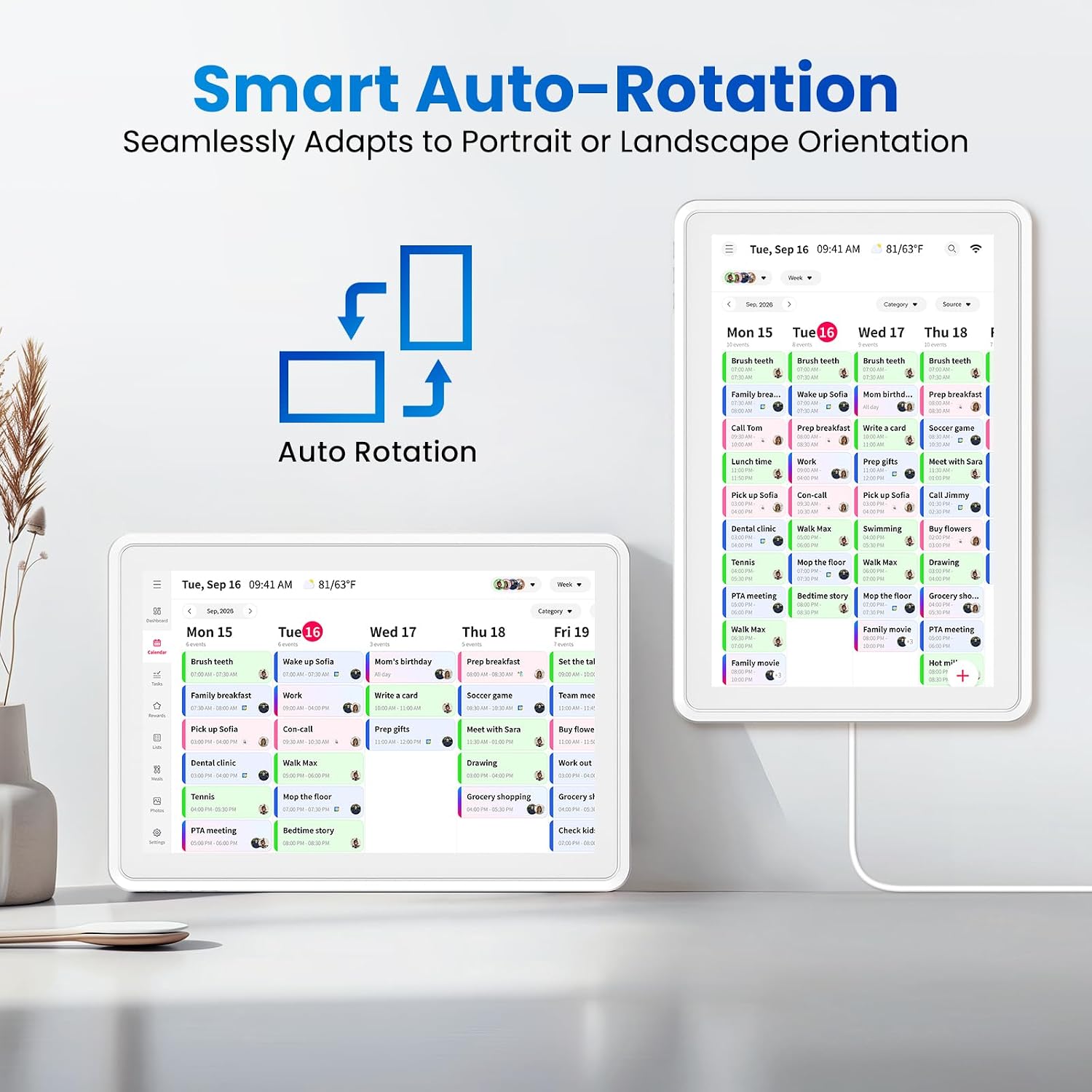
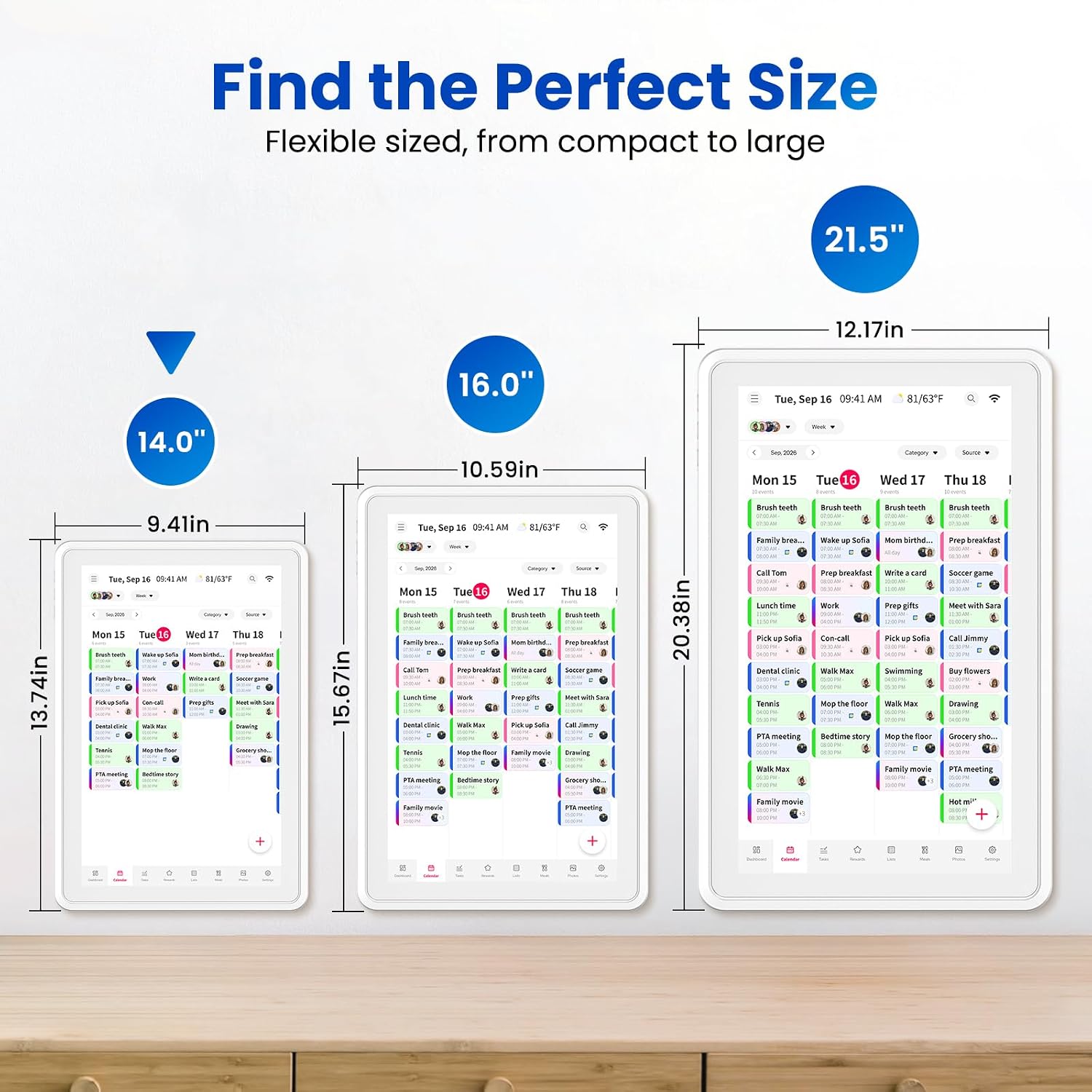
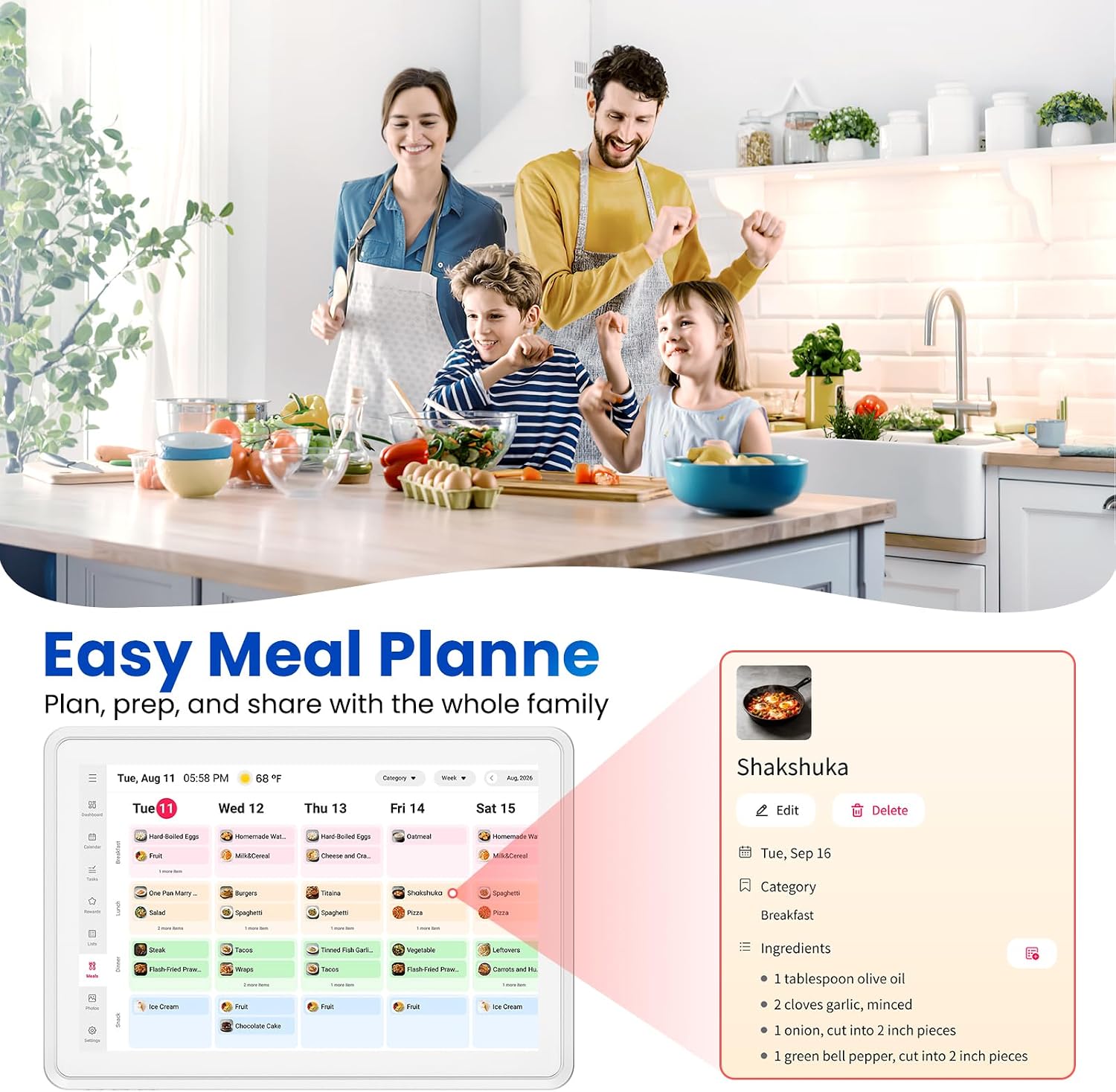
For households juggling school schedules, meals, chores, and family photos, the Skyzoo digital calendar brings those routines onto one shared 14-inch touchscreen. It combines a calendar with a meal planner and chore chart, while a reward system gives kids a way to track completed tasks. You can mount it on a wall or use it on a desk, so it can sit where family members are most likely to check it. The tradeoff is its compact screen: it keeps a kitchen counter or entryway from feeling crowded, but it is not a large display for viewing from far away.
Key specifications
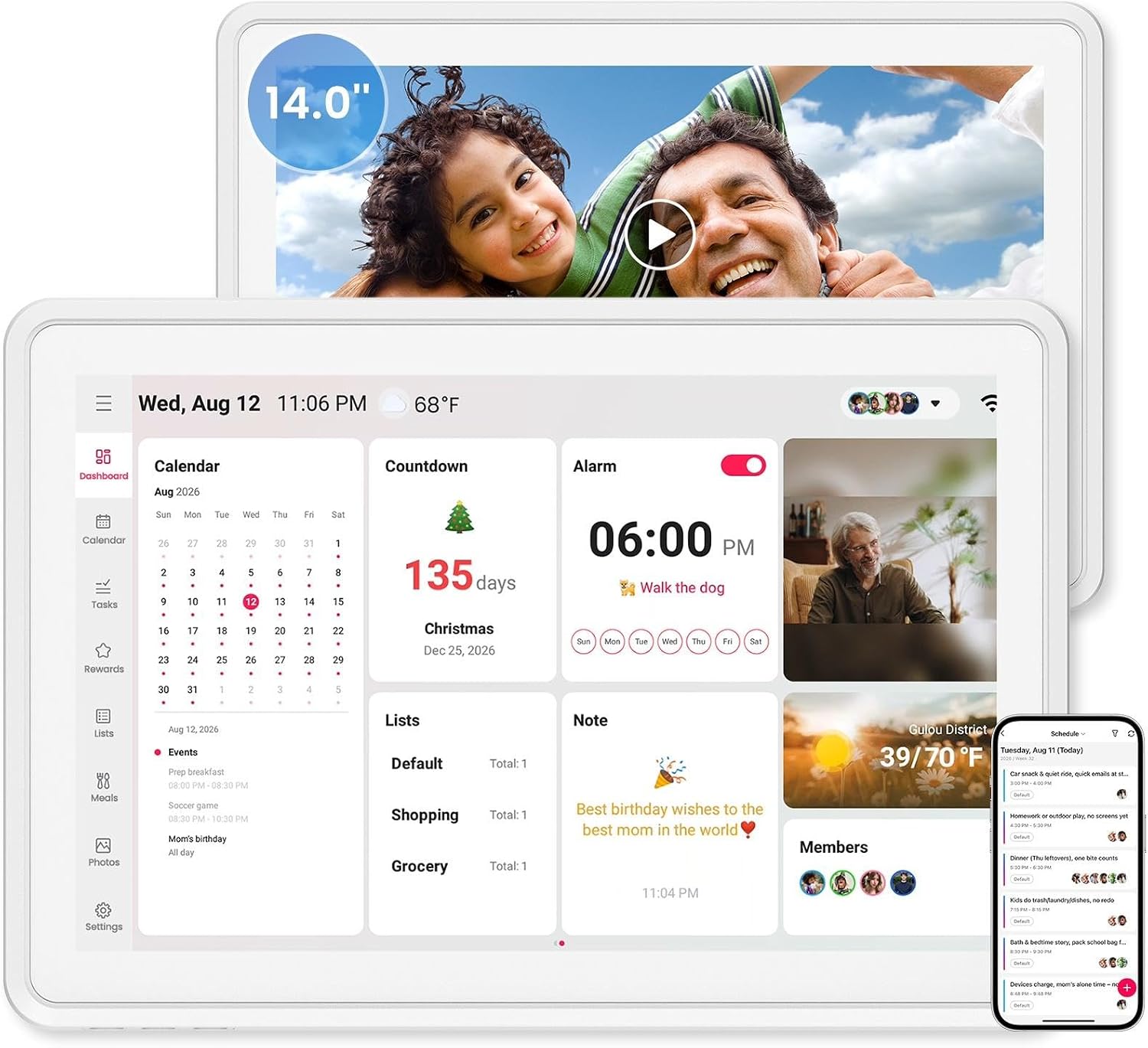
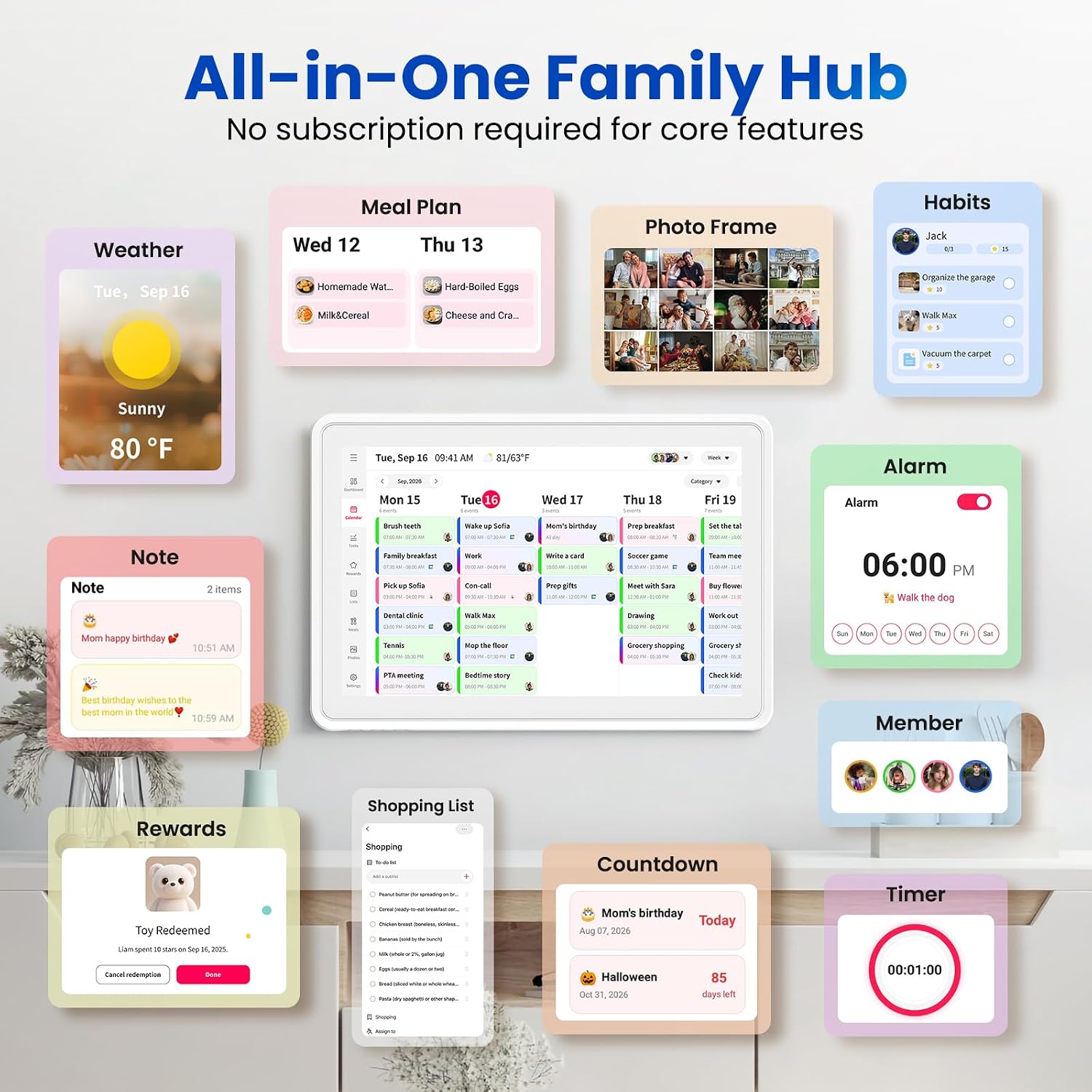
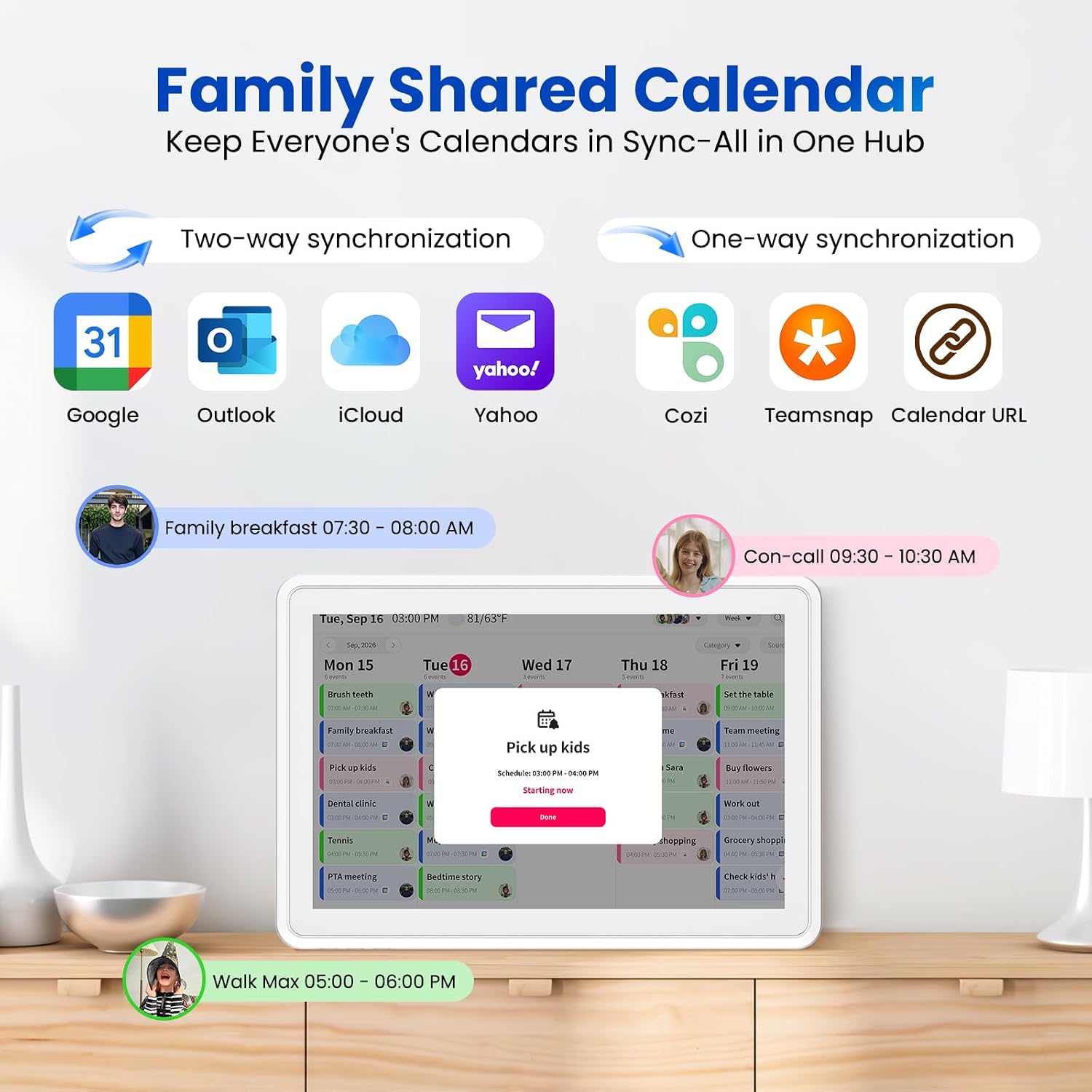
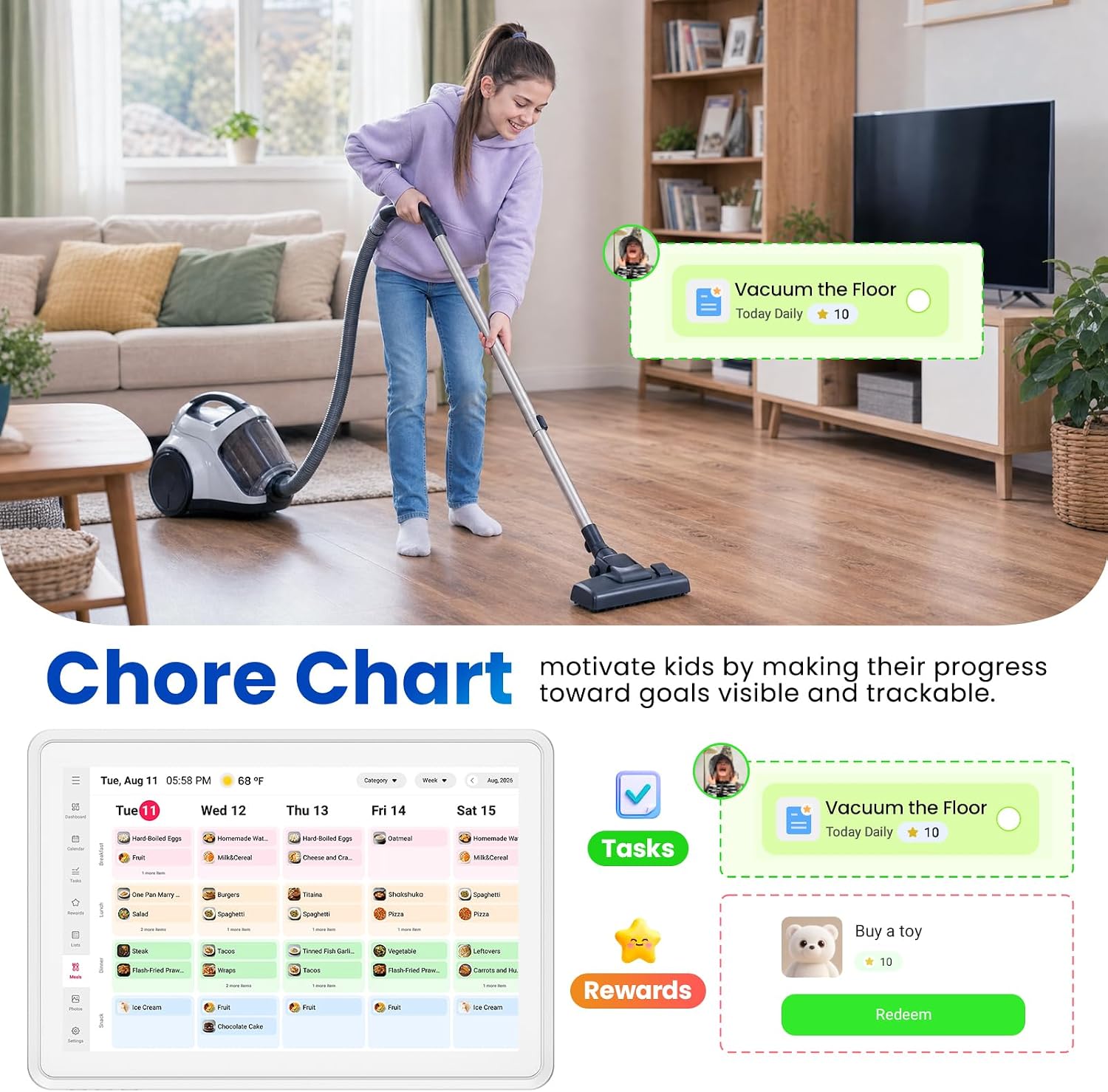
The Skyzoo has a 14-inch HD touch display and supports wall or desk placement. Its calendar can sync with Google Calendar, Outlook, iCloud, and Yahoo, and the listing says there are no subscription charges. Calendar views include day, week, and month, with color-coded calendars for separating schedules. Other listed features include a meal planner, chore chart with customizable tasks and point values, photo slideshow, sleep mode, and parental lock. A companion app lets users view and edit schedules remotely.
Who it’s for
This setup is aimed at families who want a visible household planner instead of relying on separate paper lists, phone calendars, and reminders. It can be useful when a parent adds an appointment from a phone and everyone else needs to see it in a shared spot. For school-age kids, a task list with points can make chores easier to follow without turning every reminder into a conversation. It makes sense if your household already uses one of the supported online calendars and would benefit from putting schedules, meals, and chores together.
A simpler wall calendar may be enough if you only need to note a few dates and prefer not to manage a screen. At the other end, households looking for a much larger display may find the 14-inch format limiting. From the way it is set up, its appeal is less about replacing every family app and more about making shared plans visible at home.
Everyday use
Picture checking the week while making breakfast: appointments appear alongside the meal plan, and a child can mark a chore complete and track its reward points. Later, the photo slideshow gives the screen another purpose when nobody is checking the schedule. Wall mounting suits a common family spot such as an entryway, the desk stand offers another placement option where there is counter or desk space. Remote editing is useful for updates away from home, though the listing does not explain setup steps or detail how every calendar service behaves.
Questions before you buy
Which calendars can it sync with? The listing names Google Calendar, Outlook, iCloud, and Yahoo, plus other services, but does not provide a full compatibility list.
Can it be placed on a desk instead of mounted? Yes. The product description lists both wall mounting and a desk stand.
Can children track chores and rewards on the screen? The chore chart supports custom tasks and point values, with completion tracking for earning rewards.
Should you buy it?
It might not be a great match if you want a large wall display, only need a basic date planner, or rely on a calendar service that is not confirmed as supported. For a busy household that wants shared schedules, meal planning, chores, and photos in one visible place, the Skyzoo brings more structure than a paper calendar without requiring everyone to check the same phone. Its strongest case is convenience at home, the screen size and the need to verify any unlisted calendar service are the practical limits to weigh.