

Ring Indoor Cam: 1080p HD security for home or business (Black)
Reviews
Price
Product description
Introduction
The Ring Indoor Cam is a compact security camera designed for around-the-clock monitoring of indoor spaces. It records in 1080p HD, offers Live View for real-time viewing, and includes Color Night Vision for low-light environments. This isn’t just about recording, it’s about having the option to see what’s happening inside a home or small business, day or night.
What it is and what problem it solves
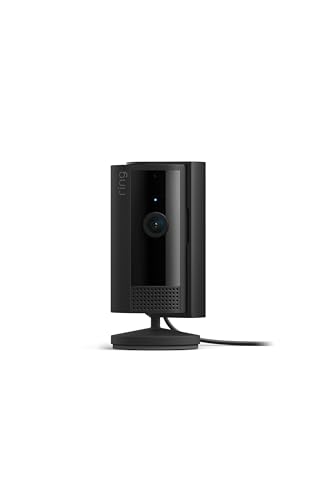
If you want a simple, plug-in solution to keep an eye on entryways, living areas, or workspaces, this camera aims to provide quick setup and flexible placement. The device positions itself as a practical option for improving awareness of activities indoors, with motion-based alerts that you can tailor to your space. It’s helpful when you need more visibility than a basic doorbell or sensor setup, especially in spaces where you want to review footage a bit later.
What stands out in use
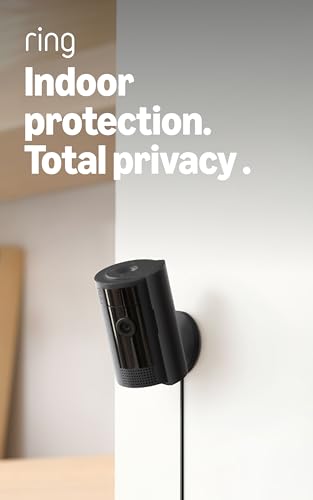
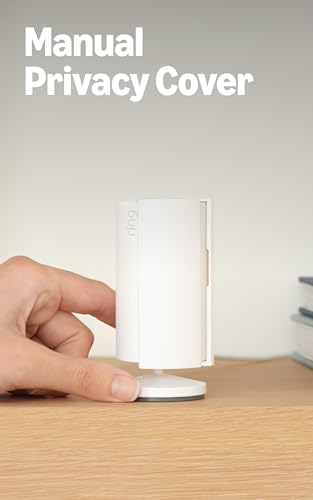
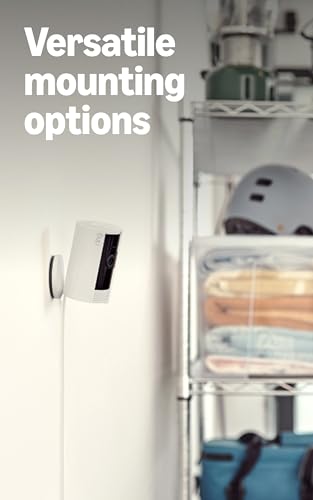
On paper, a few features stand out: real-time alerts tied to motion detection, a privacy cover for quick disconnection of audio and video when privacy matters, and simple mounting options that let you place the camera on a table or up high with a swivel mount. The inclusion of Color Night Vision means you’re not limited to grayscale footage in dim rooms, which can help identify people or objects more clearly after hours. The camera is designed to be indoor and plug-in, which simplifies deployment and mobility if you need to relocate it.
Best use cases and what to expect in daily use
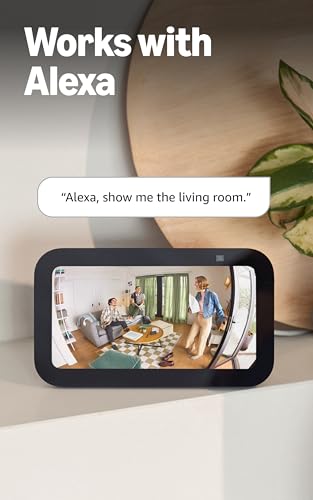
This camera tends to fit homes or small offices where you want a discreet, always-on view of an interior space. A practical scenario: you set it on a countertop near an entrance to watch who comes and goes, and you enable AI-powered alerts to reduce noise from irrelevant movements. For Alexa users, there’s a hands-free angle—voice notifications and streaming to Echo devices can enhance situational awareness without picking up your phone every few minutes. A real-world note: the value increases when you pair it with a compatible plan for extended history and smarter detections.
What’s good and what could be better
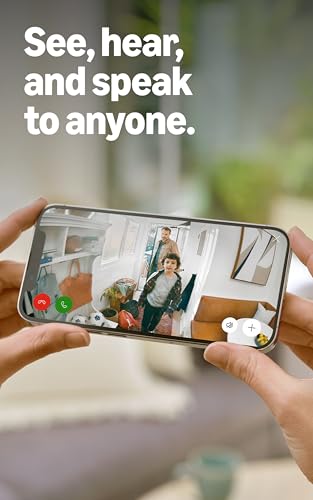
What works well: quick setup, flexible placement, and a privacy option that’s easy to toggle. The Live View makes it feel immediate, and color night vision helps when lighting is poor. What could be improved: the device relies on a steady power source, so if you’re planning to move it around a lot, you’ll want to verify you have convenient outlet access. It may not replace higher-end indoor cameras in extreme detection scenarios or provide the deepest historical reviews without a subscription.
Who it’s for
This is a sensible pick for renters or homeowners who want a straightforward indoor camera without complex features. It’s also a reasonable option for small business owners who need a non-intrusive, plug-in device to monitor reception areas or back rooms. If your priority is ultra-detailed analytics, advanced prioritization of alerts, or deep integration with a broader security ecosystem, you may want to explore other options or plan for a broader setup.
When it makes sense to buy
If you prioritize easy setup, indoor flexibility, and clear daytime video with usable low-light footage, the Indoor Cam can fit nicely into your security plan. It’s particularly sensible when you value live streaming, straightforward privacy controls, and the ability to reposition the camera without tools.
When it might not be the best fit
If your space requires extensive coverage with sophisticated motion analytics, or if you need longer-term video history on a tight budget, this model might feel limited. Similarly, if you expect battery-powered operation or wireless flexibility without outlets, this plug-in option will fall short.
What to review before you buy
- Confirm power availability near the intended placement to avoid relocation issues.
- Consider whether your space benefits from color night vision and Live View for real-time monitoring.
- Think about privacy needs: how often you want to disable audio/video and how easily you’ll re-enable it.
- Assess your alert preferences: you’ll want to tailor motion zones so you aren’t flooded with notifications for inconsequential movement.
- Reflect on whether you’ll subscribe to Ring Protect for extended history and advanced alerts, as this can influence usefulness and value over time.
Practical example
Imagine you place the Indoor Cam in a living room corner that overlooks the main doorway. During the day you see activity in bright detail, after dark, Color Night Vision helps you identify whether a movement is human or a pet. When someone passes by, you receive a real-time alert and can pull up the Live View instantly to verify what’s happening without leaving the sofa.
Quick comparison during decision making
If you’re weighing options for indoor monitoring, this Ring Indoor Cam slots in as a mid-range, plug-in solution focused on ease of use and practical features rather than hardcore analytics. Alternatives that emphasize longer histories, more elaborate detection, or battery-powered operation may suit different needs, but they often come with trade-offs in setup complexity or ongoing costs.
The decision you’re waiting for
Is it worth it?
It’s worth considering if you want a simple, plug-in indoor camera with clear daytime video, easy privacy controls, and flexible placement. It’s a sensible pick for basic home or small business monitoring, especially if you value quick setup and hands-free Alexa integration. If your needs lean toward advanced analytics, longer video history, or battery-powered use, you may want to explore other options.
FAQ
- Does it require a Ring Protect subscription for most features? It works with real-time alerts and Live View, but extended history and some AI-powered features often rely on a compatible Ring Protect plan.
- Can I mount it on a table and also on a wall or higher location? Yes, it offers multiple mounting options including a swivel mount for adjustable angles.
- Is privacy easily manageable? Yes. There is a manual Privacy Cover to turn off the camera and mic, with a simple swivel to reactivate.