

PCCOOLER DC360 360mm AIO CPU Liquid Cooler with 2.4" IPS Display and ARGB F5 R120 Fans (DC360 White)
Product description
What this CPU cooler is for
If you’re building (or upgrading) around a high-end CPU, a 360mm AIO like the PCCOOLER DC360 is the kind of upgrade that targets two things at once: lower CPU temperatures under sustained loads and a cleaner, more “finished” look inside your case. On paper, this model stands out because it pairs a high-performance, low-noise pump with a 2.4-inch IPS display that can show CPU temps, logos, or animations—so you get both practical cooling and something you can actually see.
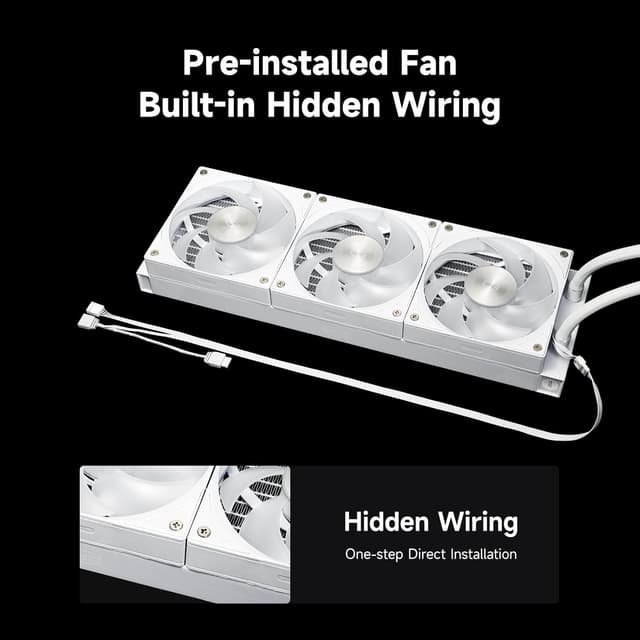
There’s also a visual-and-performance twist in the included fans: 3x 120mm F5 ARGB fans are designed for airflow and static pressure, which matters when air has to move through a radiator. It’s not trying to be the lightest or simplest solution, but it does make sense if you’re willing to plan your build around a 360mm radiator.
The cooling side: pump, noise, and radiator performance
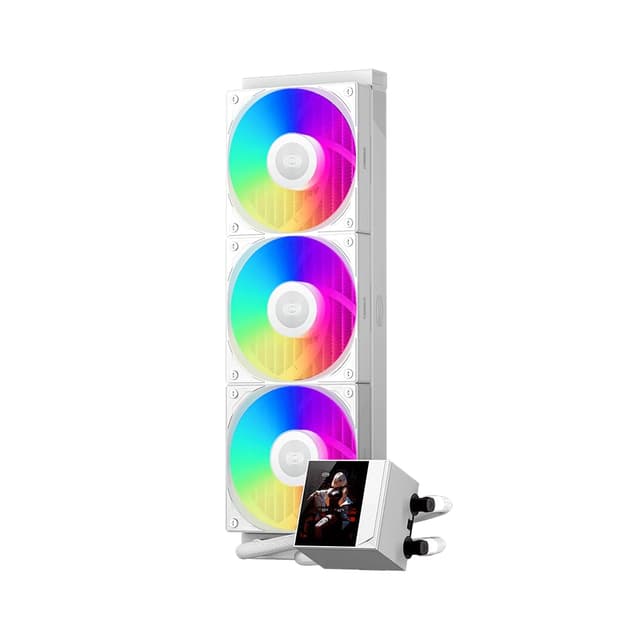
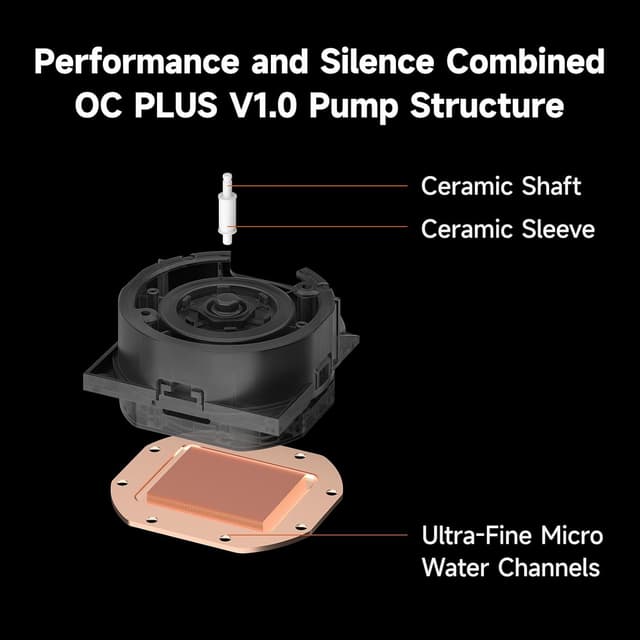
The DC360 uses a next-generation high-performance pump rated at 2600 RPM and claimed to produce only 15 dBA of noise. In real-world terms, “quiet” usually depends on how your fan curve and motherboard settings are tuned, but the intent here is clear: keep pump noise from becoming an annoying background sound.
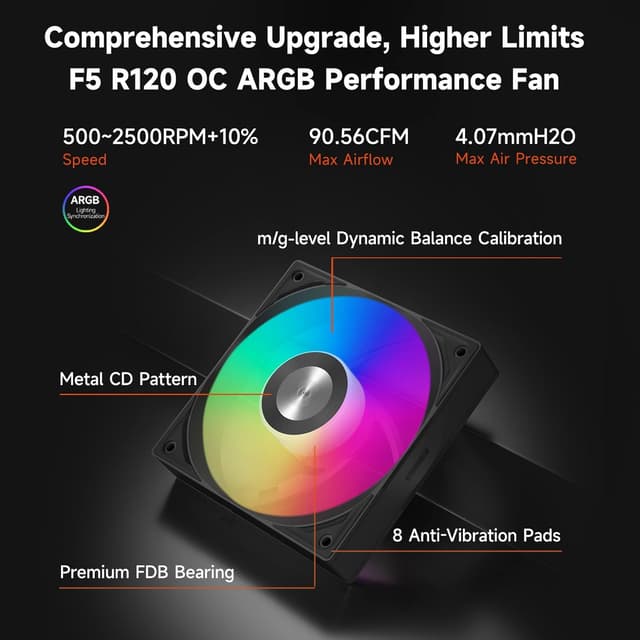
For airflow, the included F5 ARGB fans are specified up to 2500 RPM, with up to 90.56 CFM airflow and 4.07 mmH₂O static pressure. That combination is aimed at gaming loads and overclocking-style usage, where temperatures tend to stay elevated long enough to stress less capable setups.
One practical limitation to keep in mind: the fans may run at higher RPMs depending on your cooling profile. If you’re very sensitive to noise, you’ll likely want to adjust maximum fan speed in BIOS or through your motherboard software.
The display and ARGB: where it really feels different
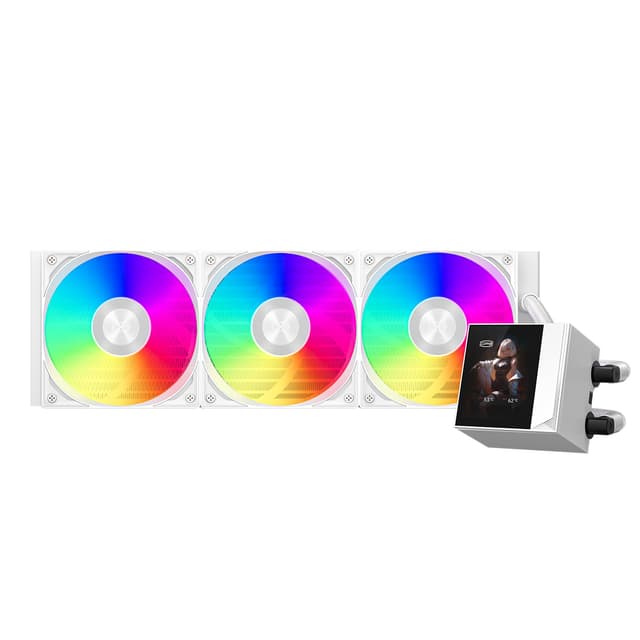
The 2.4-inch IPS display (described as a “Pro model”) is the most noticeable differentiator. It’s designed to show CPU temperatures and also supports logos or animations. If you like builds where system status is visible at a glance, this is the kind of feature that makes the cooler more than a hidden component.
For lighting control, the ARGB waterblock and fans are said to sync with motherboard RGB ecosystems, including ASUS Aura Sync, MSI Mystic Light, and Gigabyte RGB Fusion (and more). That matters if you want the whole setup to match rather than running independent lighting.
Worth noting: ARGB compatibility is only as good as your motherboard’s software support and headers—so check that your board has the right ARGB controls before committing.
Fit, installation, and socket compatibility

This AIO is designed for wide platform compatibility: Intel LGA115X, 1200, 1700, 1851 and AMD AM4, AM5. It also includes universal mounting brackets and pre-applied thermal compound, which reduces the friction of installation.
That said, a 360mm AIO still depends heavily on case clearance and radiator placement. Even if the socket support is strong, you may find you need to check the front/top support in your chassis before ordering.
Key specs that influence day-to-day results
Tech summary

- Pump speed: 2600 RPM
- Pump noise claim: 15 dBA
- Display: 2.4-inch IPS
- Fans included: 3x 120mm F5 ARGB
- Fan max speed: up to 2500 RPM
- Airflow: up to 90.56 CFM
- Static pressure: 4.07 mmH₂O
- Cooling type: 360mm AIO liquid cooling
- Compatibility (sockets): Intel LGA115X/1200/1700/1851, AMD AM4/AM5
Where it shines—and where it may not be the best match
This cooler makes sense if you want an AIO that can handle demanding CPU conditions (including overclocking-style workloads) while giving you quiet pump behavior on paper and a display/lighting setup that makes your build stand out.
It may not be your best choice if: you prioritize the simplest install possible, you don’t have space for a 360mm radiator, or you’re expecting everything to be automatically quiet without any tuning. The fans are described as optimized for performance and may run higher RPMs, so you’ll likely get better results by setting a balanced fan curve rather than leaving defaults untouched.
A solid “real life” example: after you install it, you can set the display to show CPU temps, then adjust fan maximum speed until your gaming sessions feel steady—without the radiator fan noise getting too noticeable. That’s where the DC360’s combination of display + controllable fan behavior starts to feel worth it.
When it makes sense to buy
Buy the PCCOOLER DC360 if you’re building around a compatible Intel/AMD platform, you want a 360mm AIO class cooler, and you’ll actually use the 2.4-inch IPS display (temp readout, logos, or animations). It’s also a good fit if your motherboard supports ARGB syncing and you want a cohesive lighting setup.
Skip it if your case can’t fit a 360mm radiator comfortably, you don’t care about the display/ARGB features, or you prefer the lowest-effort, least-tunable cooling approach.
Is it worth it?
The PCCOOLER DC360 is a compelling option on paper because it blends a low-noise pump claim, radiator-friendly fan specs (airflow and static pressure), and a 2.4-inch IPS display that adds meaningful visible feedback. It’s not automatically the quietest setup in every case, though—fan behavior and BIOS/motherboard settings matter.
If you’re the type of buyer who plans radiator clearance and is willing to fine-tune fan limits, it’s a strong match for high-performance CPU builds where both thermals and aesthetics matter. If you want plug-and-play with minimal tweaking or you’re short on case space, you may want to look for a simpler fit.
Quick overview FAQ
Quick FAQ
1) Does the DC360 work with Intel and AMD sockets? Yes, it’s listed as compatible with Intel LGA115X/1200/1700/1851 and AMD AM4/AM5.
2) What can the 2.4-inch IPS display show? The description says it can display CPU temps, logos, or animations.
3) How loud is the pump? The pump is claimed to produce only 15 dBA.
4) Can I control fan noise? You can adjust maximum fan speed in BIOS or motherboard software, especially if you’re sensitive to noise.
5) Will ARGB sync with my motherboard? It’s described as compatible with multiple RGB ecosystems such as ASUS Aura Sync, MSI Mystic Light, and Gigabyte RGB Fusion—assuming your motherboard has the required ARGB control support.