

MOUNTUP Pro White Single Monitor Arm, 22–32 Inches, 4.4–22 lbs
Product description
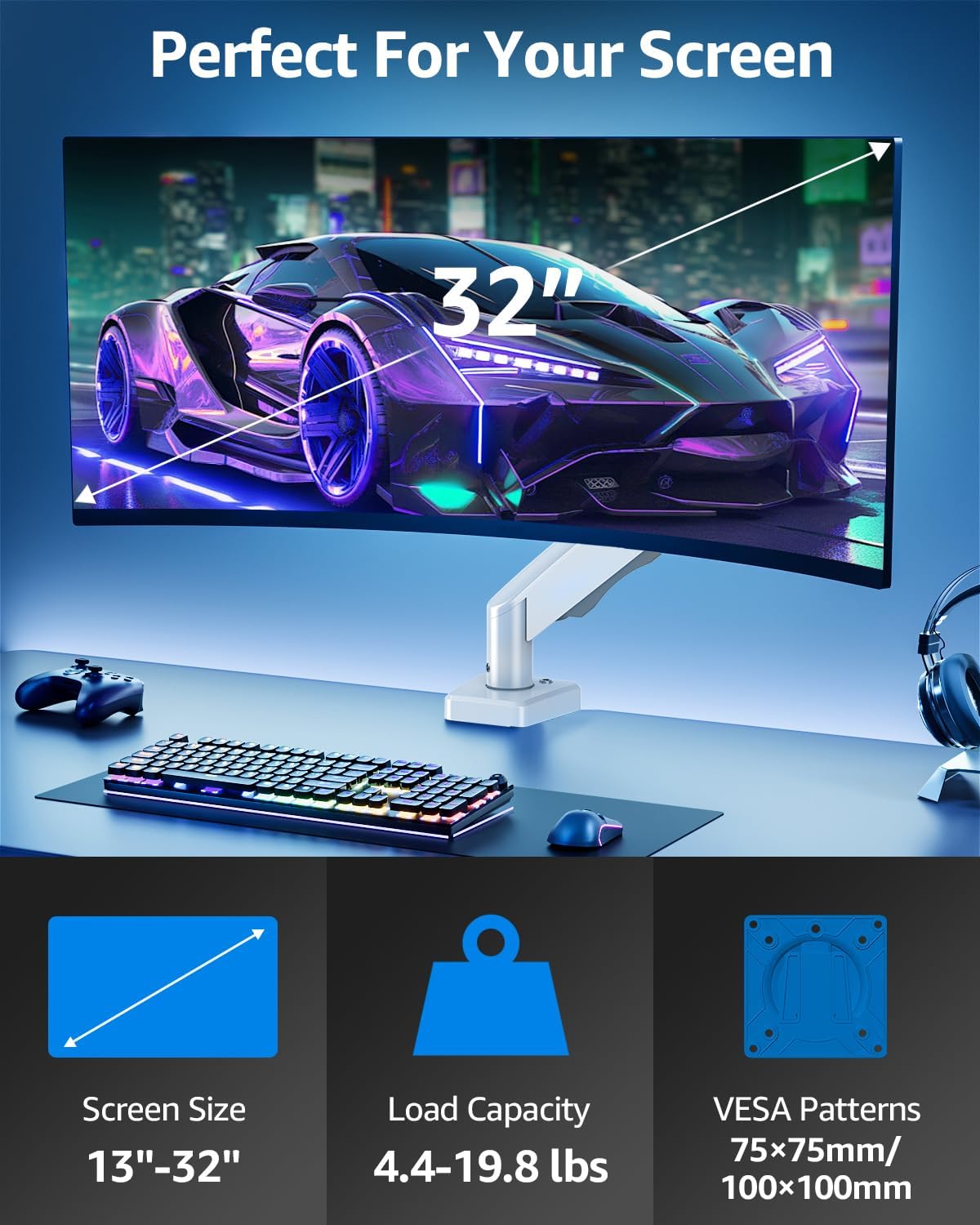
For a home office or gaming desk where the monitor needs to move out of a fixed position, the MOUNTUP Pro White single monitor arm offers a broad range of screen adjustments. It is designed for most flat or curved monitors from 22 to 32 inches and weighing 4.4–22 lbs, with VESA 75x75mm or 100x100mm mounting patterns.
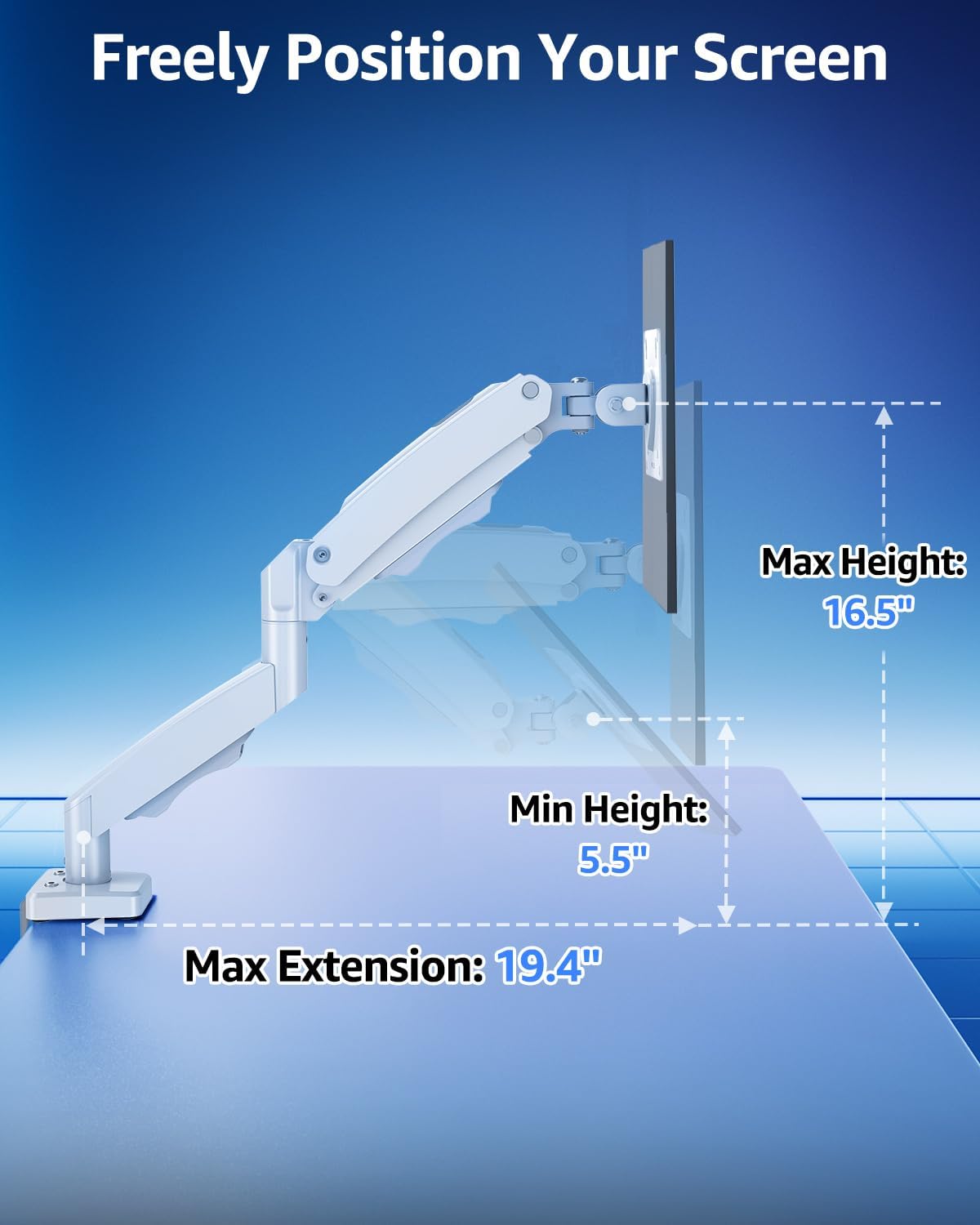
Its articulating arm can extend up to 21 inches and rise up to 17.3 inches, with tilt, swivel, and rotation adjustments for changing the screen’s position or orientation.
What to know
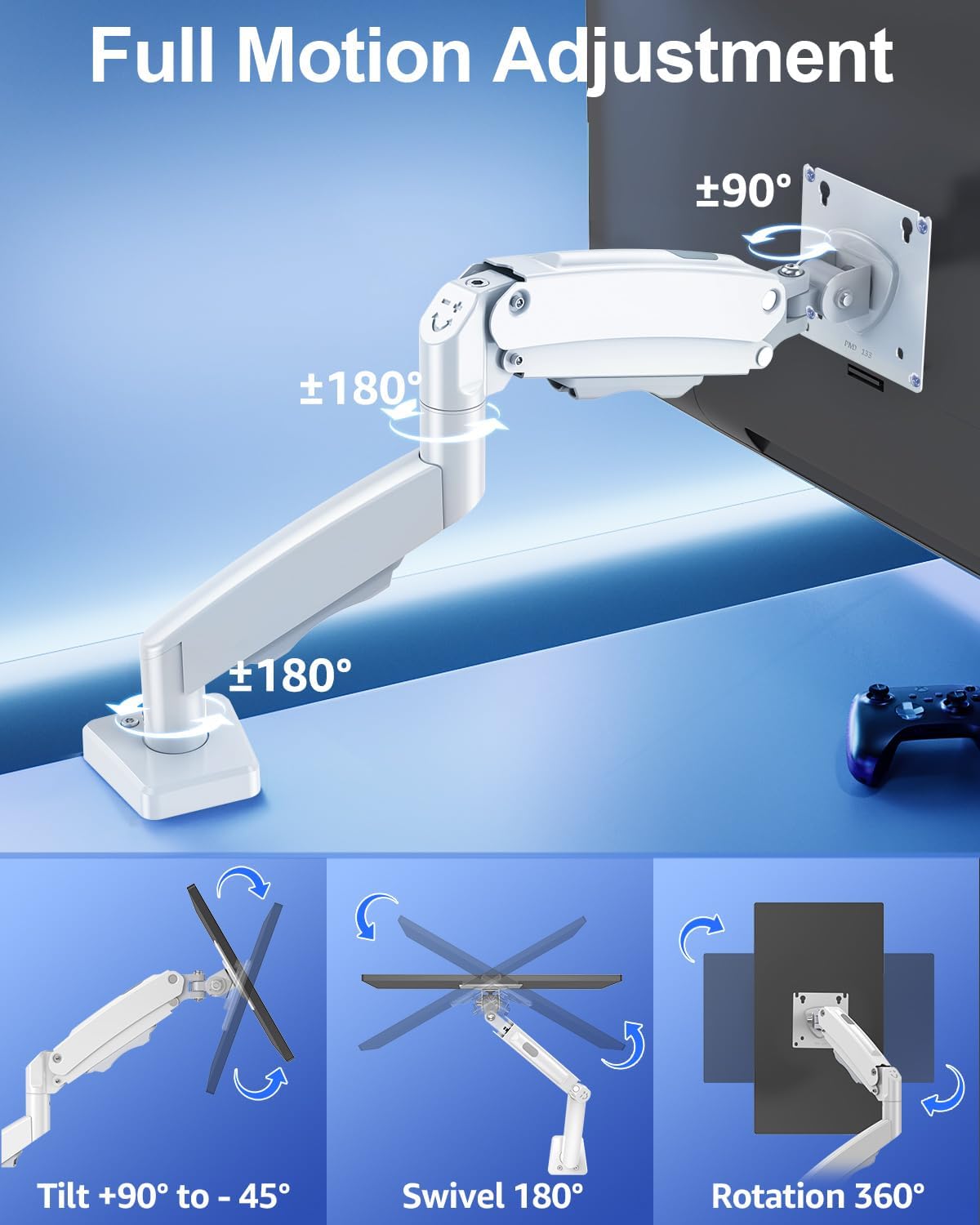
This mount is a desk-mounted alternative to a basic monitor stand: instead of keeping the screen in one spot on the desktop, the arm lets you reposition it and leaves more of the desk surface open. The screen can tilt up 85° and down -45°, swivel 180°, and rotate 360° between landscape and portrait. Its white finish and concealed cable routing may also suit a workspace where visible desk clutter matters.
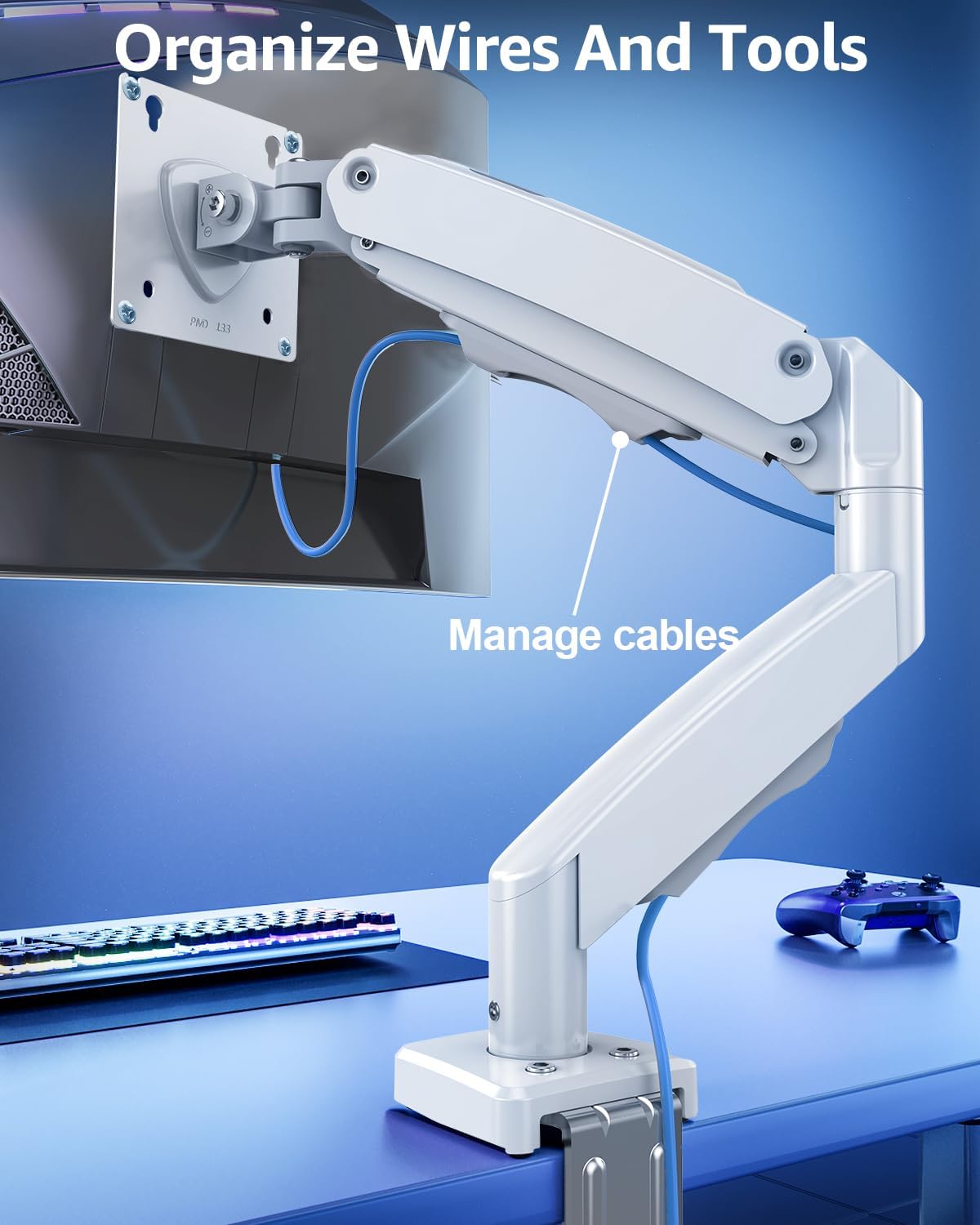
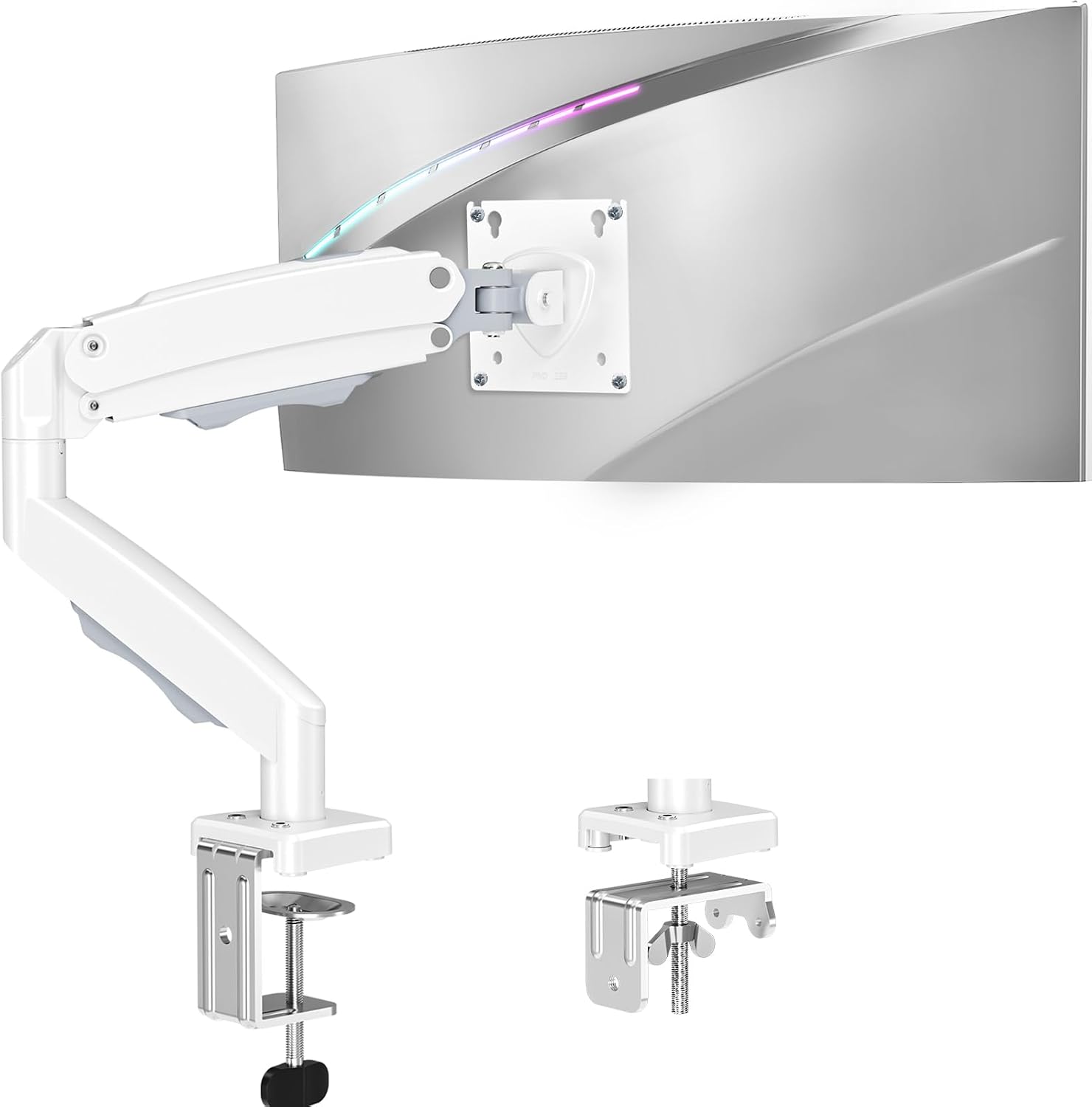
Installation options include a C-clamp and a grommet mount. Both are specified for desks 0.39–2.76 inches thick, the grommet option also requires a bolt-through hole measuring 0.39–2.36 inches. Check the monitor’s weight and VESA pattern alongside the desk measurements before choosing a mounting method. The quick-release VESA plate is intended to make attaching the screen more convenient, while the lower arm has storage for the Allen keys.
Buyer feedback is generally positive about setup, appearance, and perceived quality, but reports on stability and ease of adjustment are mixed. Some owners say the arm holds well, while others describe wobble or difficulty positioning it. There are also reports of missing screws, so it is worth checking that the mounting hardware is present before beginning installation.
Tips for day-to-day use
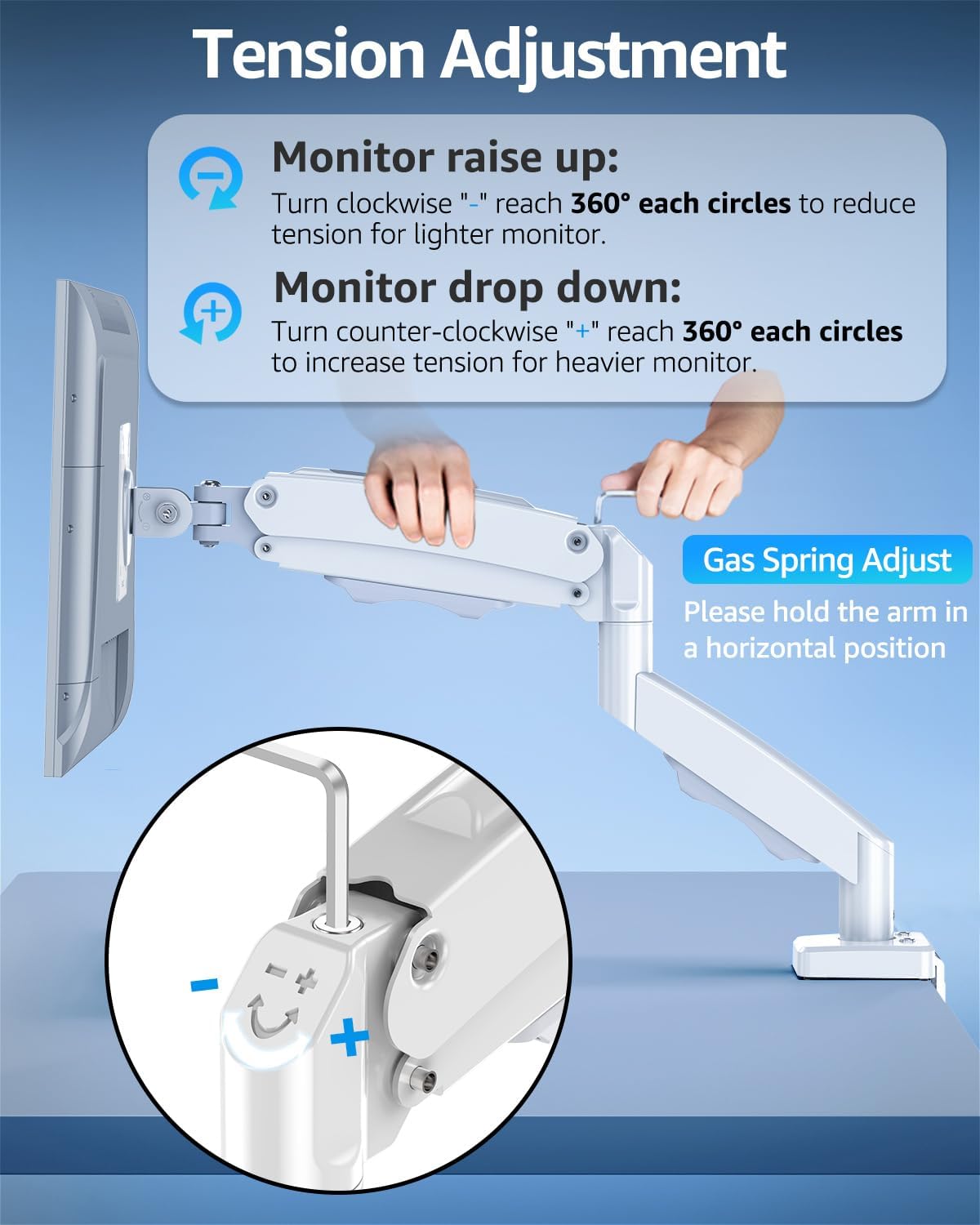
The manufacturer says the spring tension is set to its minimum at the factory, which can make the arm tilt forward until adjusted. If the screen rises or sinks instead of staying in place, the supplied guidance recommends adjusting the tension bolt to suit the monitor’s weight. Tilt adjustment also involves loosening the bolt with an Allen key, repositioning the screen, and tightening it again. These steps are relevant if you expect to change the screen angle often, the arm is not a tool-free adjustment system for every movement.
Getting the most from it
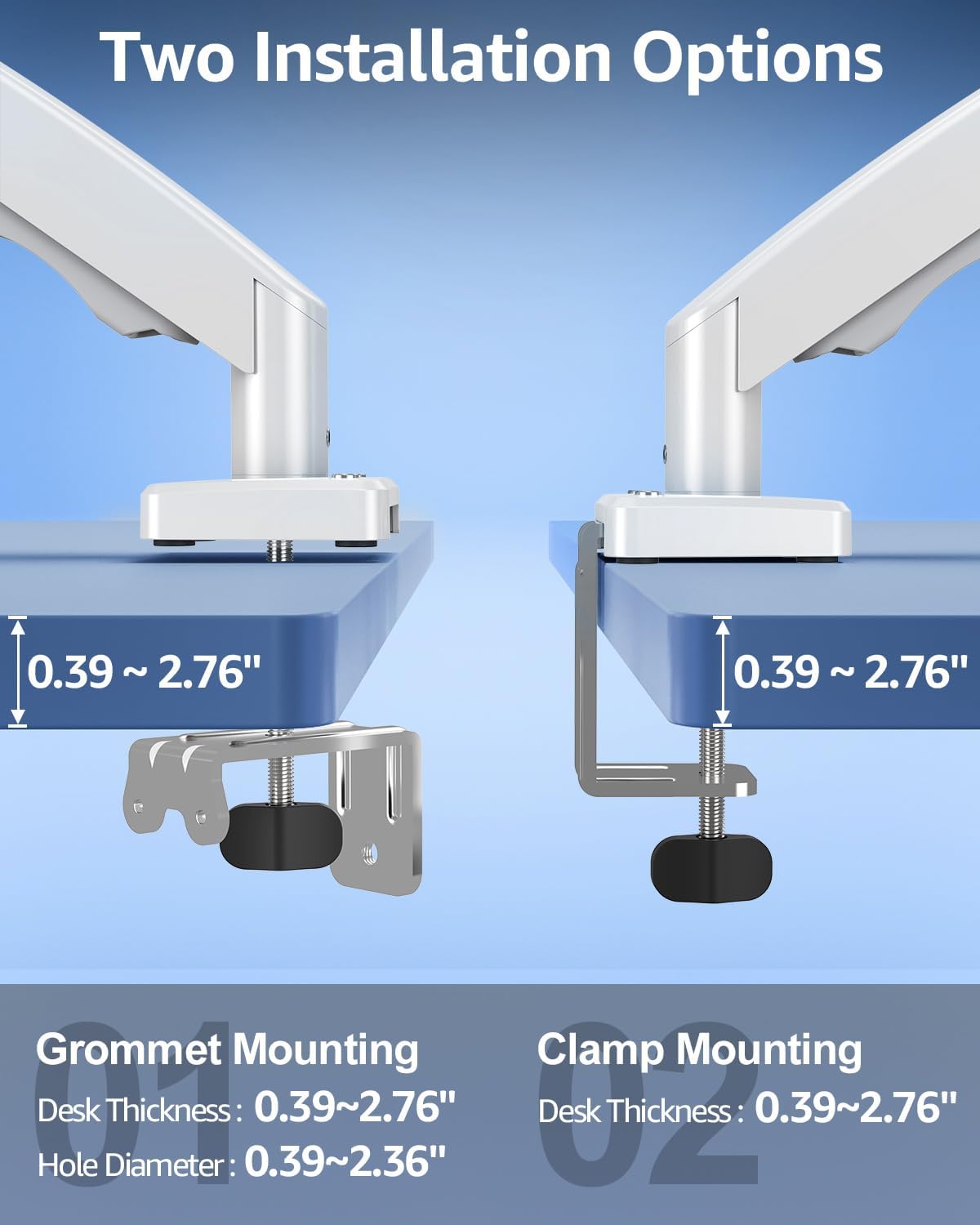
Start by confirming that the display falls within the stated size and weight ranges and has one of the two supported VESA patterns. Then pick the clamp or grommet setup based on the desk’s thickness and, for grommet installation, the available hole. Once mounted, position the screen for the task at hand: for example, turn it to portrait for a vertical layout or swivel it toward another seating position. The integrated cable management keeps wires routed along the arm rather than loose across the desk.
It’s a great fit if you want an adjustable single-screen setup and your monitor and desk meet the listed requirements. Better avoided if you need a mount for a heavier or larger display, a different VESA pattern, or a desk outside the specified mounting dimensions. A fixed riser may be simpler for a screen that rarely moves, this arm makes more sense when repositioning and freeing desktop space are priorities.
Should you buy it?
The MOUNTUP Pro is worth considering when its compatibility figures match your setup and you will use the tilt, swivel, extension, or portrait rotation. Its flexible positioning and two desk-mounting methods are the main reasons to choose it over a stationary stand. The mixed reports about wobble and adjustment mean it is sensible to treat correct installation and spring-tension setup as part of the purchase decision, rather than assuming the arm will hold every screen equally well without adjustment.