

Laptop Screen Extender 14 inch Triple 1080P
Product description
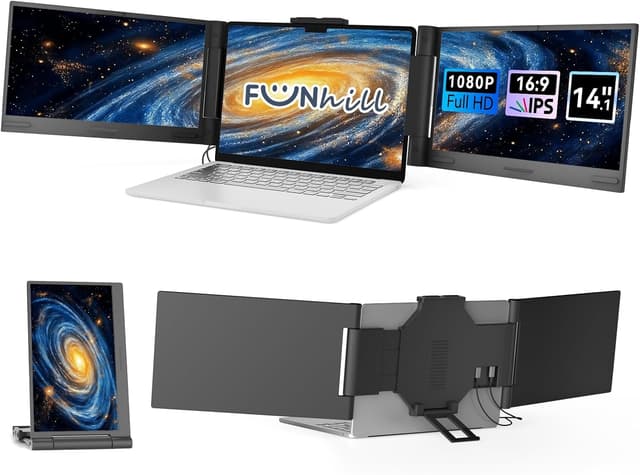
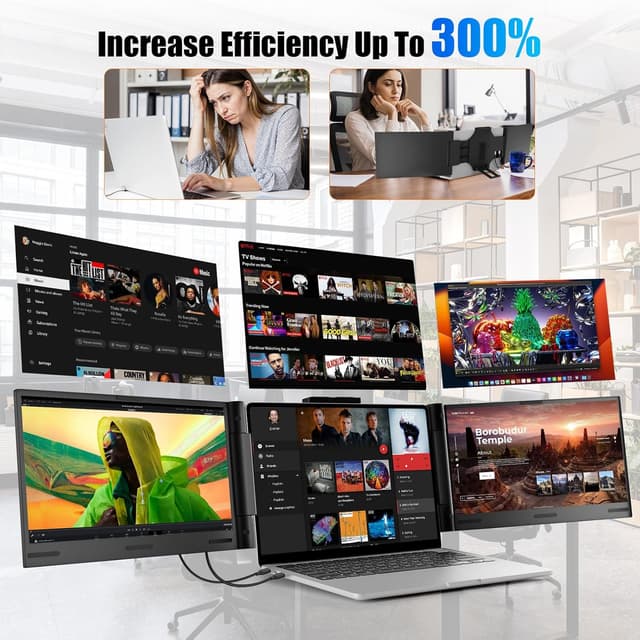
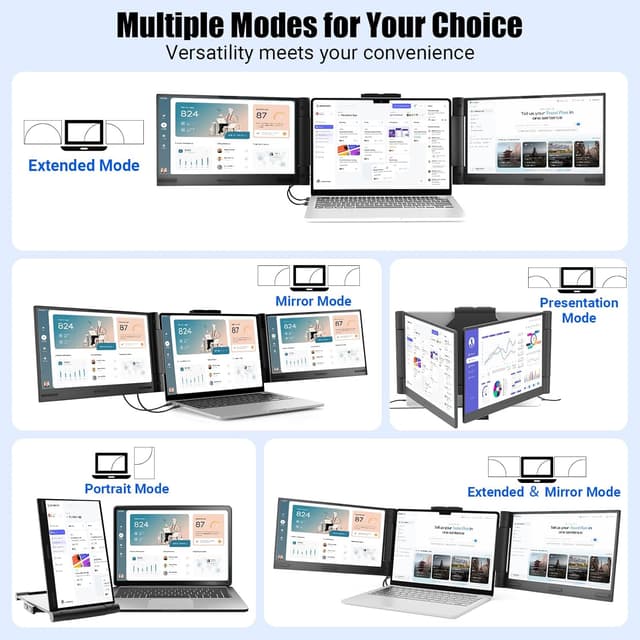
If switching between tabs and apps on a single display is wearing you down, a portable triple monitor extender can change your workflow. The Laptop Screen Extender 14 inch Laptop Monitor Extender from Funhill turns a compatible laptop into a wider multi screen setup so you can keep spreadsheets, design tools, and chats visible at the same time 📊💬. It supports extended, duplicate, and portrait style viewing modes, helping reduce the constant back and forth that slows you down.
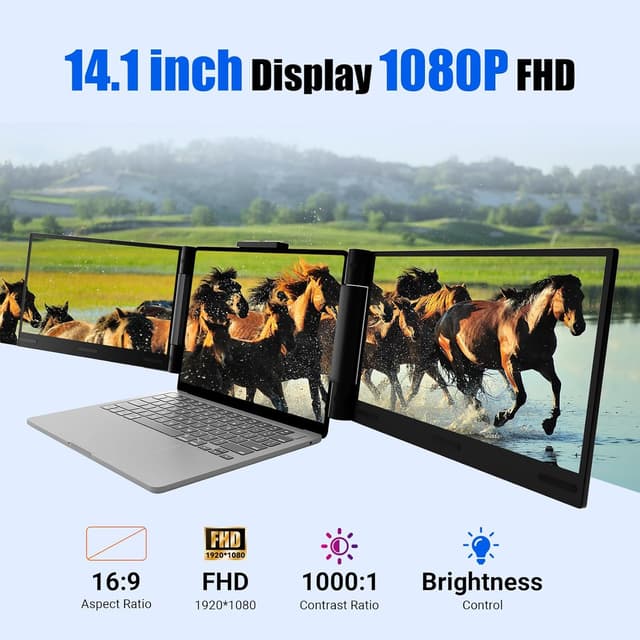
Designed around a 14 inch FHD IPS panel with a 1920x1080 resolution and 60Hz refresh rate, this extender aims to keep visuals clear and easy to read for everyday productivity. You also get adjustable brightness using side buttons, plus a flexible rotation range so you can shape the viewing angle to your desk and posture. Since it uses Plug and Play connectivity through USB C DP and HDMI, setup is meant to be straightforward without complicated driver installs.
The essentials
The main idea here is simple: expand your laptop screen into a triple portable screen arrangement to support split screen work without constantly switching windows. With extended and duplicate modes, you can match your layout needs for work, study, or creative sessions. The portrait mode option adds another way to keep reference material visible alongside what you are actively editing.
This Funhill laptop monitor extender is built for portability too. It is intended to fold compactly for storage in a computer bag, so you can bring the second and third view into different spaces more easily. If you often move between home, office, and travel, the convenience matters as much as the display itself.
A key benefit is that the triple screen setup can support multi screen synchronization and a more comfortable split screen workflow. When you have multiple tasks running at once, the ability to keep them on different screens helps you stay in flow. That means less time hunting for tabs and more time focusing on the work.
Key features
The 14 inch FHD IPS display is paired with a 1920x1080 resolution and a 16:9 aspect ratio, giving you a familiar widescreen layout. The 60Hz refresh rate, according to the product description, is meant to contribute to smoother viewing and better clarity for day to day use. You also get wide viewing angle performance and vibrant color presentation to support spreadsheets, layouts, and communication apps.
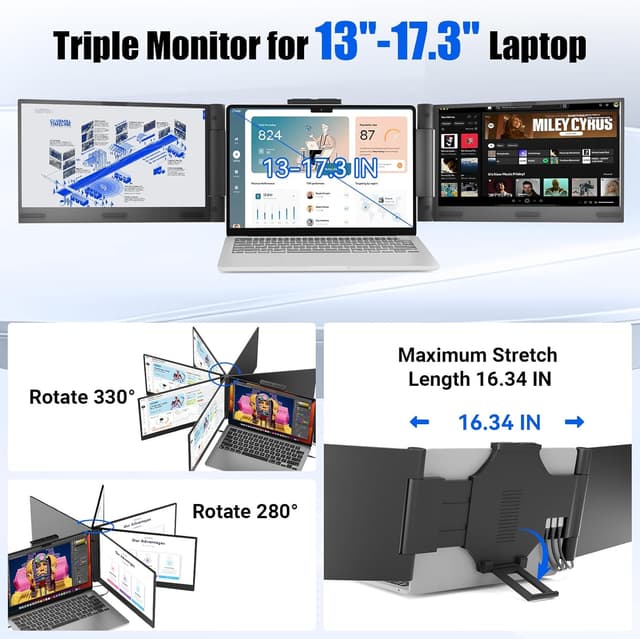
The portable screen can rotate to customize the viewing experience. The description notes rotation of 0 to 330 degrees on the left side and 0 to 280 degrees on the right side, so you can fine tune angles based on your seating position. Brightness adjustment is handled by side buttons on the portable screen extender, which helps you adapt to different lighting without digging into menus.
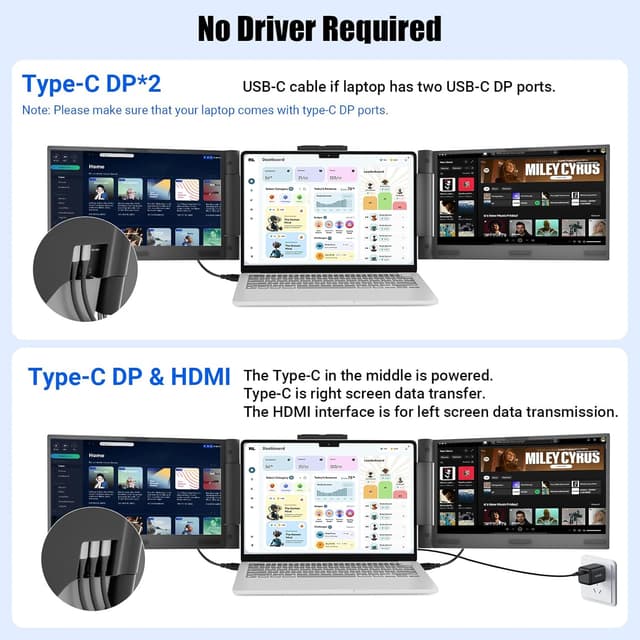
Connectivity is based on Plug and Play behavior. The instructions specify that you connect through USB C DP or HDMI directly without additional driver downloads. The included cables are listed as 2 dual USB C cables, 1 HDMI to mini HDMI cable, and 1 DC charger, which helps reduce the chances of missing key accessories.
There are important compatibility notes to keep in mind before you buy. You need laptops that support the right type of USB C display ports, and when using HDMI you may need to connect an extra dual USB C cable to power the screen extender from the same device setup. The product description also notes that at least one USB C DP display port is required, otherwise the right screen may not function properly. 📌
If you are using the extender with USB C, the guidance mentions that some laptops may need sufficient power and that a separate external power adapter may be necessary when USB C power is not enough. Also note the description specifies it is not for base M1 or M2.
Tech specs
- Display: 14 inch FHD IPS screen
- Resolution: 1920x1080
- Refresh rate: 60Hz
- Aspect ratio: 16:9
- Connectivity: USB C DP and HDMI
- Included cables: 2 dual USB C cables and 1 HDMI to mini HDMI cable
- Rotation range: 0 to 330 degrees left and 0 to 280 degrees right
Who it’s for
You’ll appreciate this laptop screen extender if your work depends on multi window productivity like spreadsheets, design tools, and chat or messaging at the same time. It suits people who want a portable second and third viewing surface without committing to a full desktop monitor setup. If you regularly feel fatigue from constant tab switching, extended or portrait mode can make your layout feel more natural.
It may not be a great match if your laptop does not support USB C DisplayPort functionality. The description also includes notes about device power requirements and says the setup may not respond on some laptops, especially when the laptop version is too low to support the screen extender. If you are using a setup outside the listed connectivity and port expectations, double check the compatibility guidance so both screens function as intended.
Finally, it is a solid option for users who want flexibility at a desk, because rotation and brightness controls help you tailor the viewing angle and readability. For anyone who needs a compact travel friendly monitor extender with a straightforward cable bundle, this one focuses on that portable workflow first.