

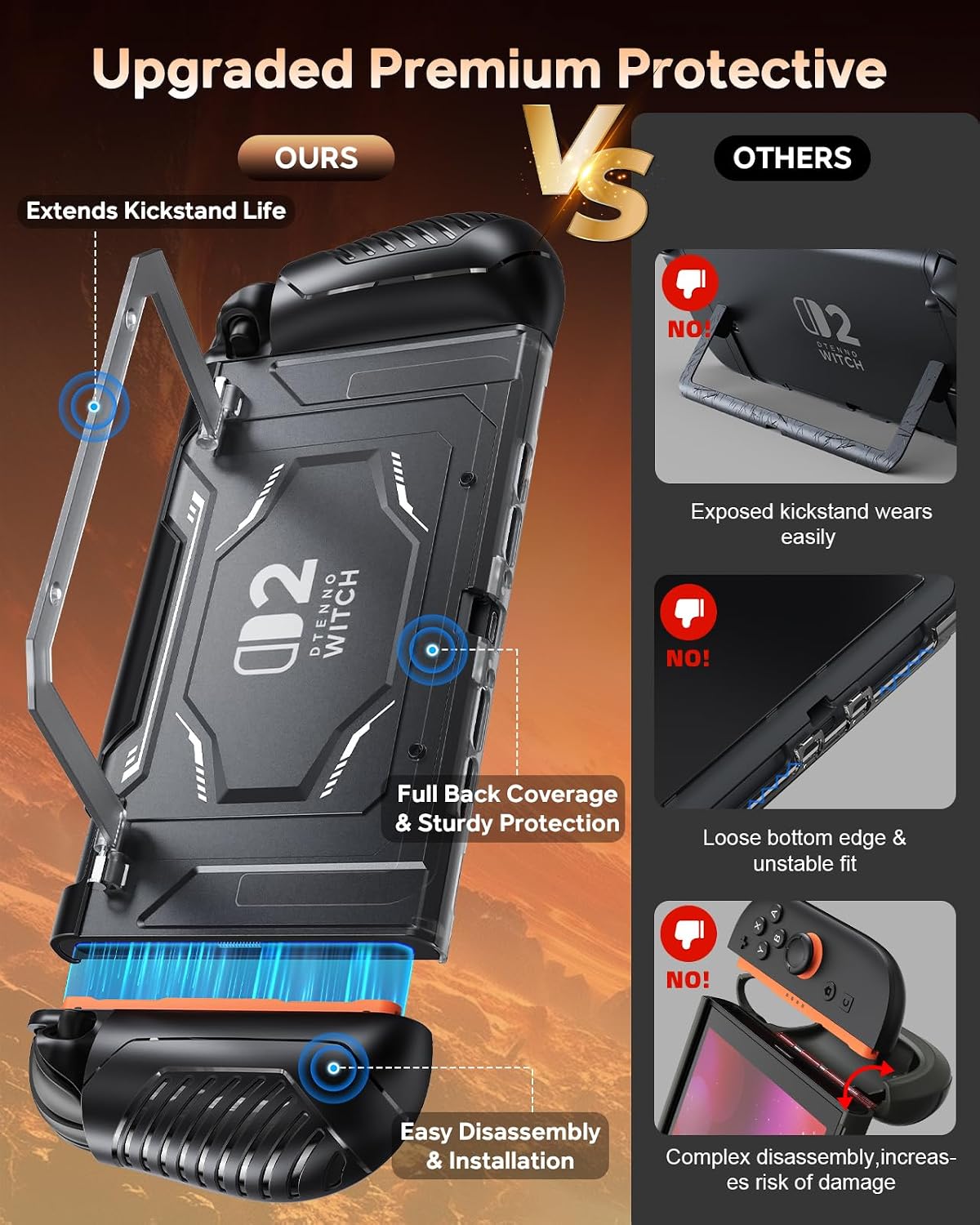
FYOUNG Dockable Protective Case for Nintendo Switch 2 with Hard PC Front Cover and Adjustable Kickstand
Product description
The essentials
If you want a Switch 2 case that does more than just “cover it,” this FYOUNG dockable protective case is built around a few practical ideas: keep the console protected, keep ports/buttons easy to reach, and let you dock for charging without removing the shell. On paper, that combination is exactly what many people end up needing once they start using their console regularly at a desk or TV setup.
Still, it’s not a one-size-fits-everything situation. The install steps include several “don’t skip this” reminders (for example, opening the kickstand before docking and snapping the Joycon grip covers fully into place). If you don’t like cases that require careful fitting, you may find it more hassle than you’d expect. But if you’re okay with a bit of setup, the payoff is a case that stays on during everyday use.
What it’s for (and what you’ll notice day to day)
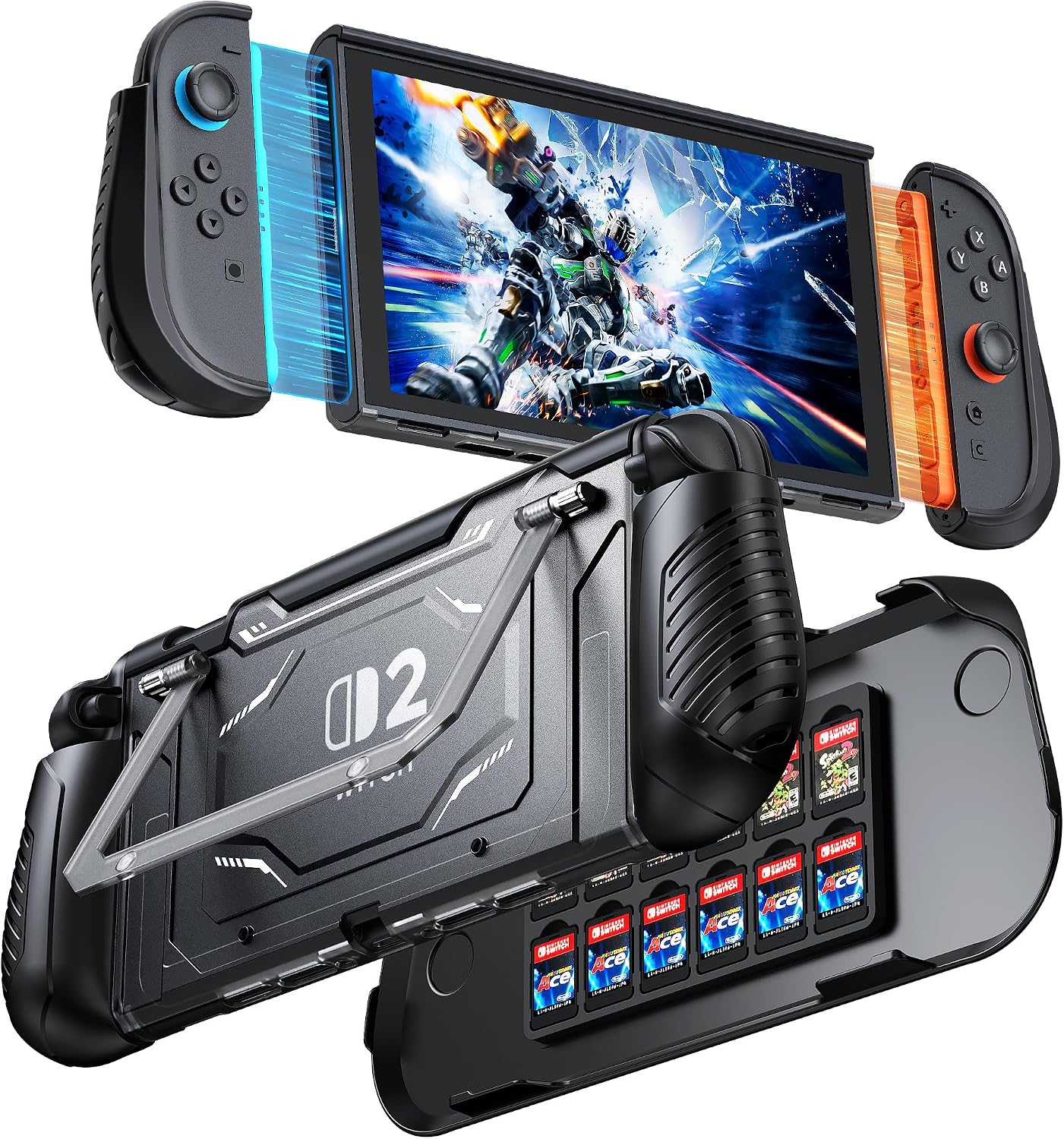
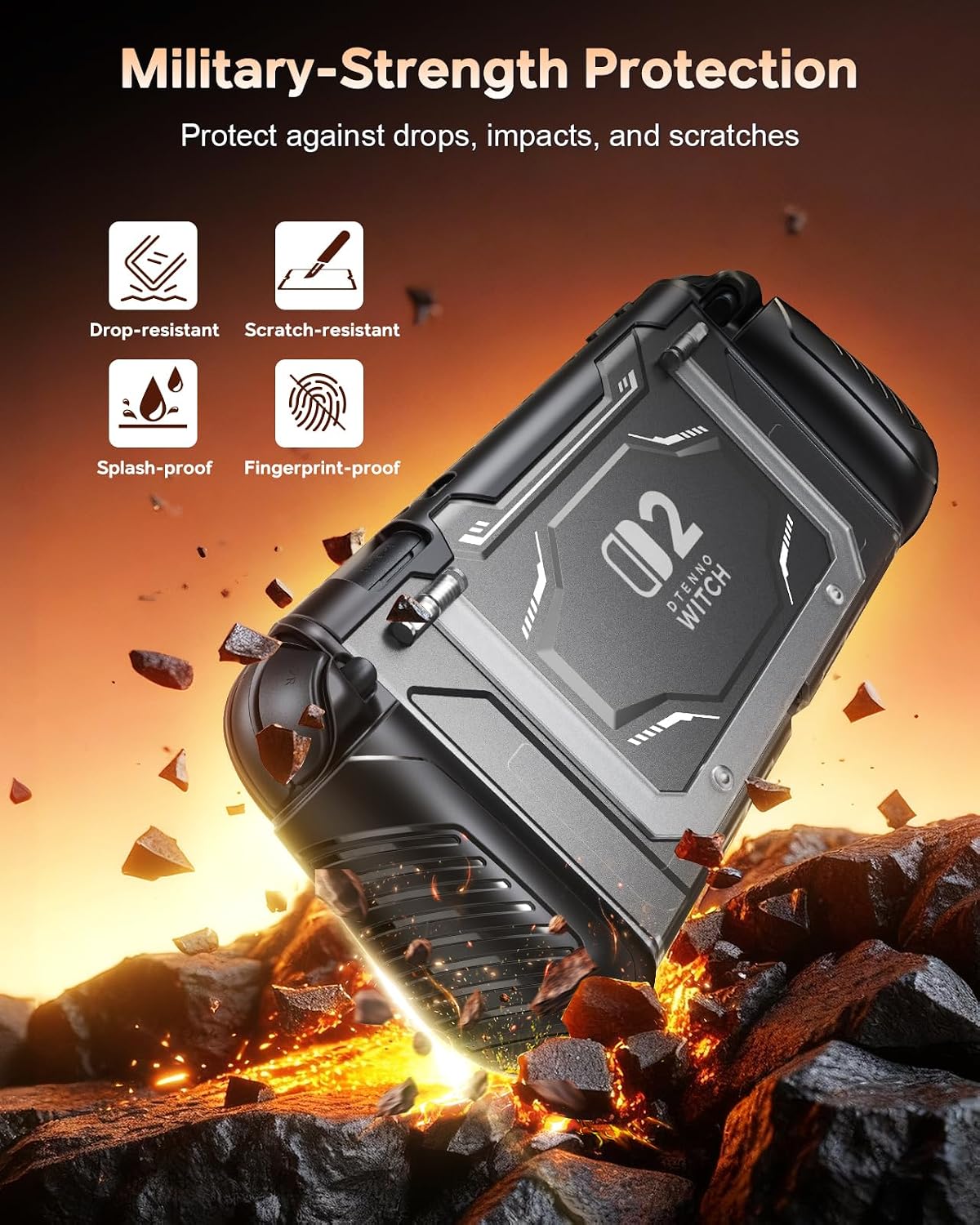
This case targets full-body everyday protection plus a viewing stand for tabletop gaming and media. The design includes a built-in adjustable kickstand and a front cover that’s described as shock-proof/anti-scratch, with a hard PC front shell and a TPU (flexible) section where impact and scratch risk tends to show up.
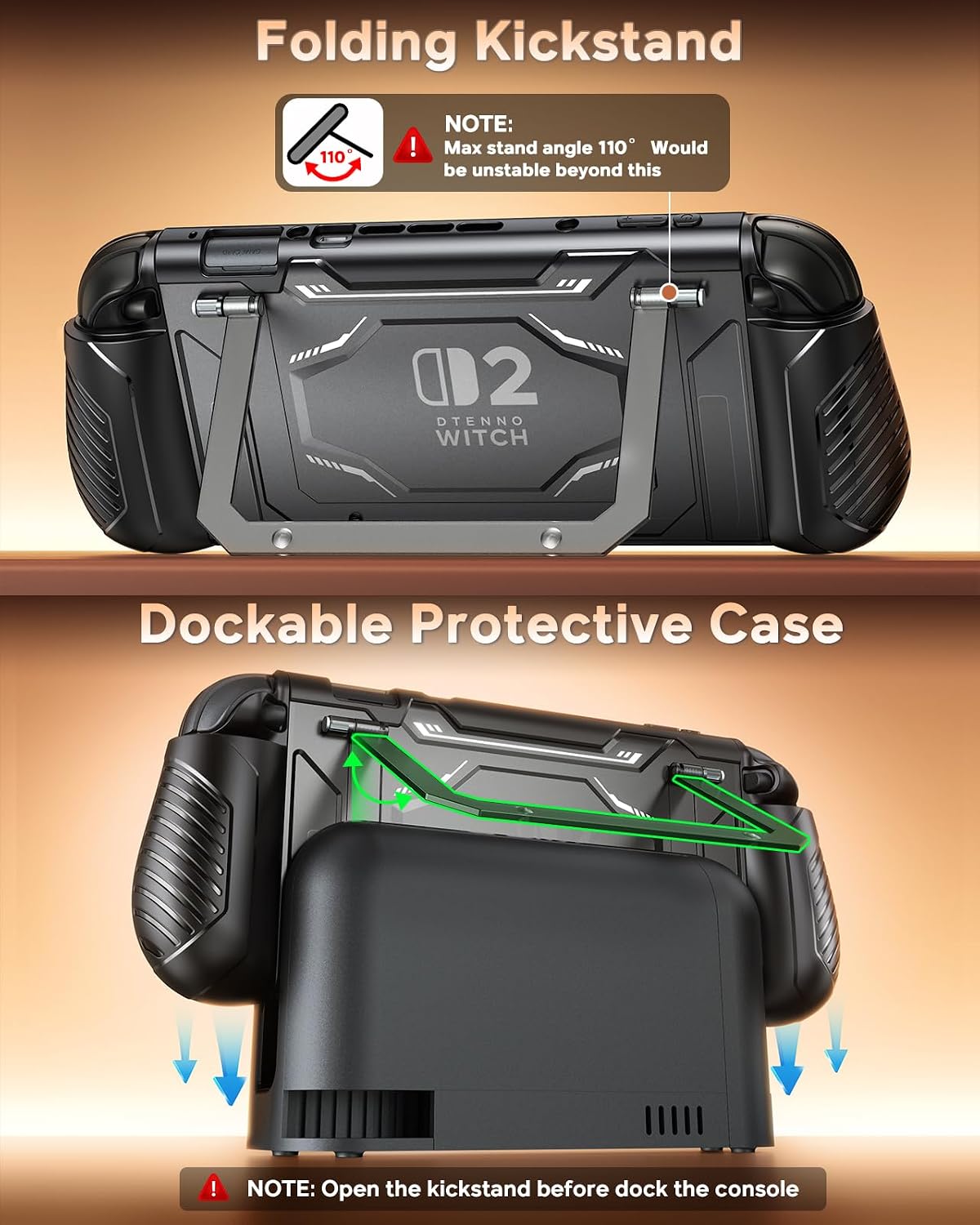
A common real-world routine looks like this: you get home, pop in the console into the protective shell, then open the kickstand to a usable angle for handheld-or-table setup. When you want to switch to charging/docked play, the case is described as dockable—so you can dock without removing the protective cover, as long as you prep the stand correctly. That “leave it on” approach is the main value here.
Key features that matter for buying
The biggest differentiator in this product name is dockability plus a stand. Instead of relying on a case shape that can weaken around kickstand cutouts, it’s designed to use a built-in adjustable kickstand structure (with a maximum unfolding angle noted as 110 degrees). The goal is stability and a non-slip viewing stand experience for tabletop gaming and media viewing.
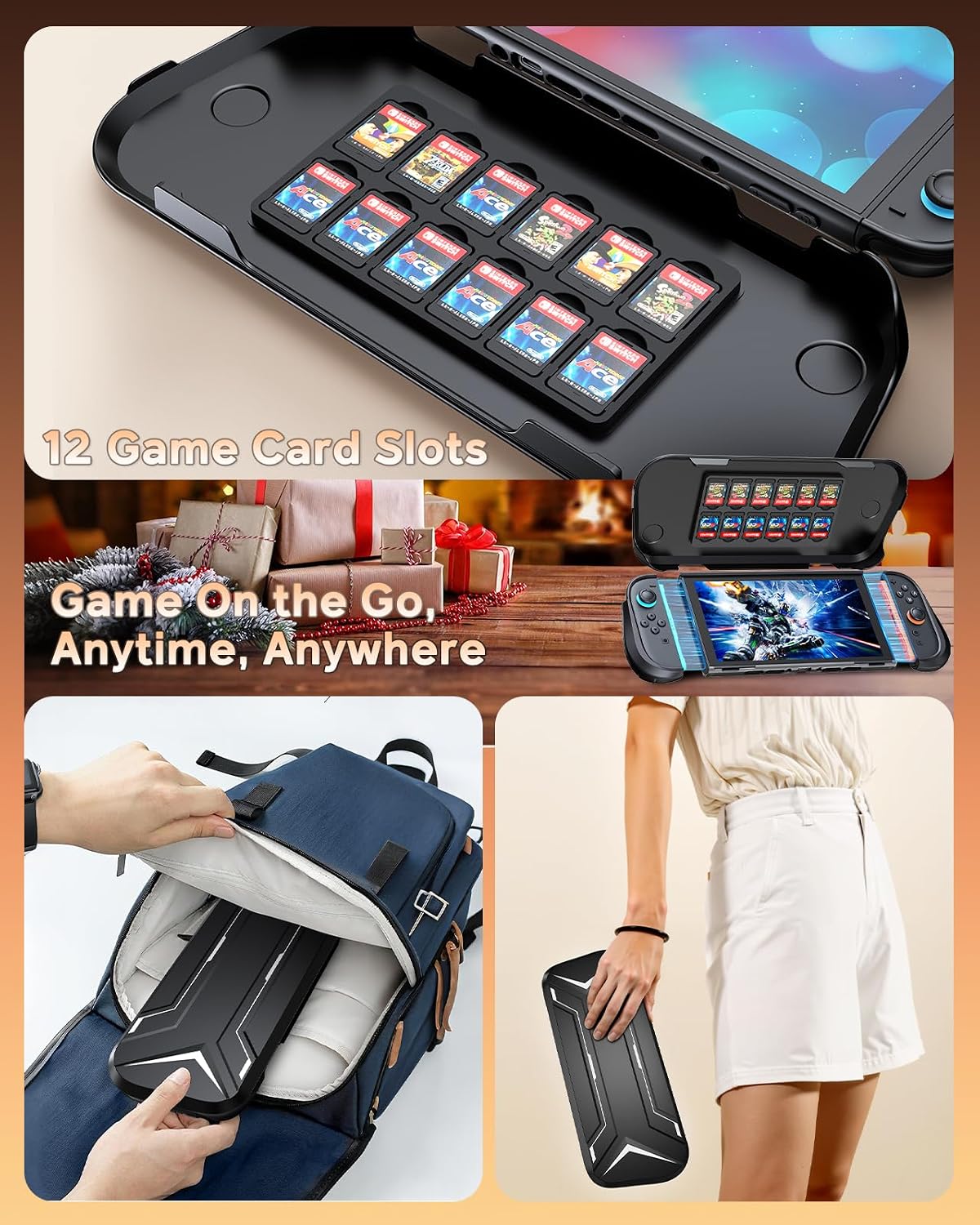
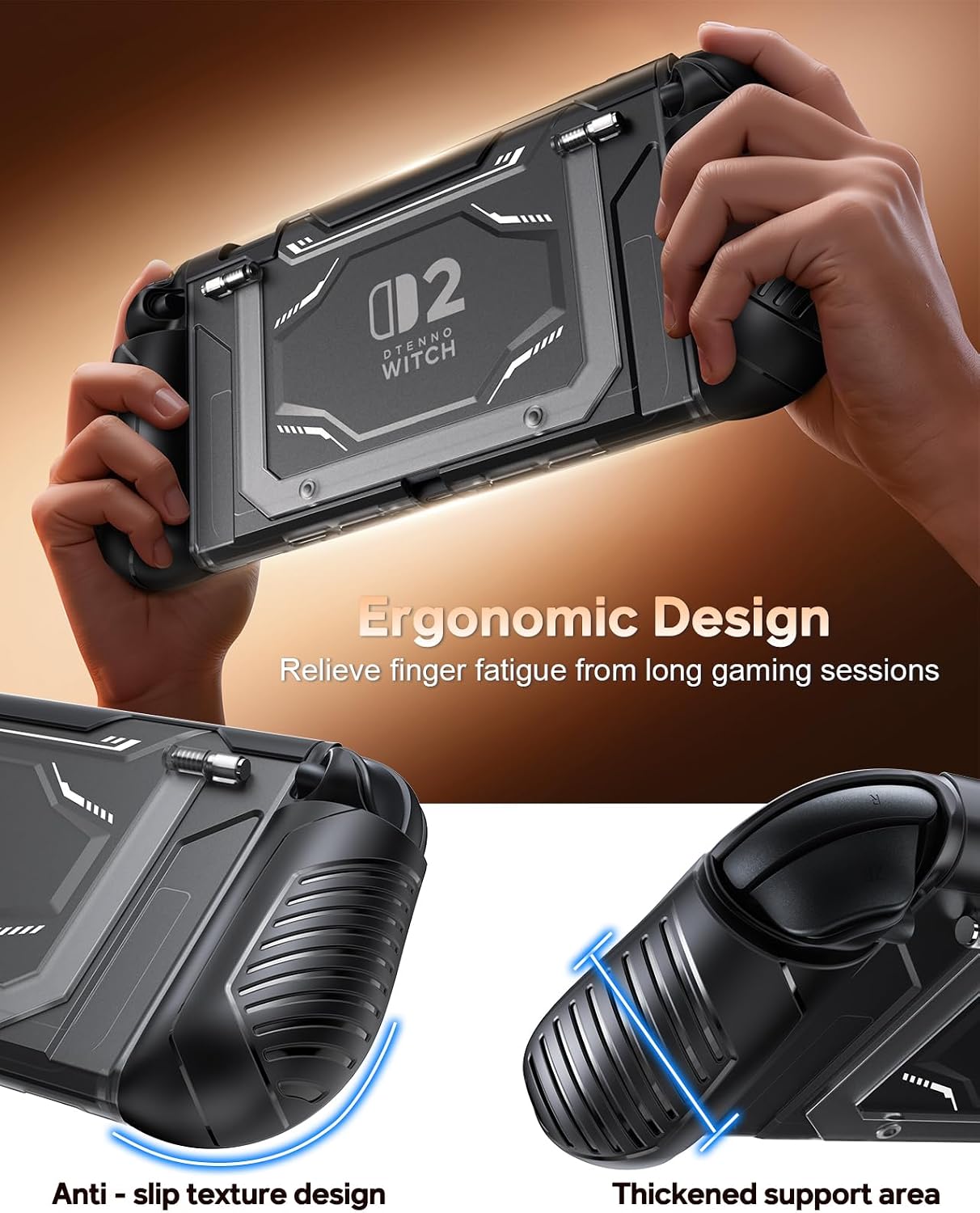
It also includes a 12 game card slots front cover, which is convenient if you keep a small library with you. And for comfort and control, there are detachable Joycon grip covers described as ergonomically thickened with TPU grip texture to reduce hand fatigue during longer sessions.
One limitation to keep in mind: the kickstand has a maximum angle (up to 110 degrees), so if you’re hoping for a dramatically reclined setup, you may have to adjust expectations.
Tech specs
- Type: Dockable protective case with adjustable kickstand
- Front shell material: Hard PC (protective hard shell)
- Cushioning/scratch protection material: Flexible TPU (shock-absorbing, anti-scratch)
- Kickstand angle: Up to 110 degrees (adjustable)
- Game card storage: 12 game card slots
Where it shines vs. the simpler “cover only” approach
Compared with basic Switch 2 cases that mainly focus on covering the back and sides, a dockable design can be a big quality-of-life upgrade. If you frequently charge and play in a dock/TV setup, having the cover stay on can mean fewer repeated installs and fewer chances to misalign the shell.
It’s also a stronger choice if tabletop viewing matters to you—because the built-in adjustable kickstand is meant to replace the console’s stand. If your use is mostly handheld with no need for desk/table positioning, you might not fully benefit from the kickstand portion and could decide it’s more accessory than you need.
Care, installation notes, and what to double-check
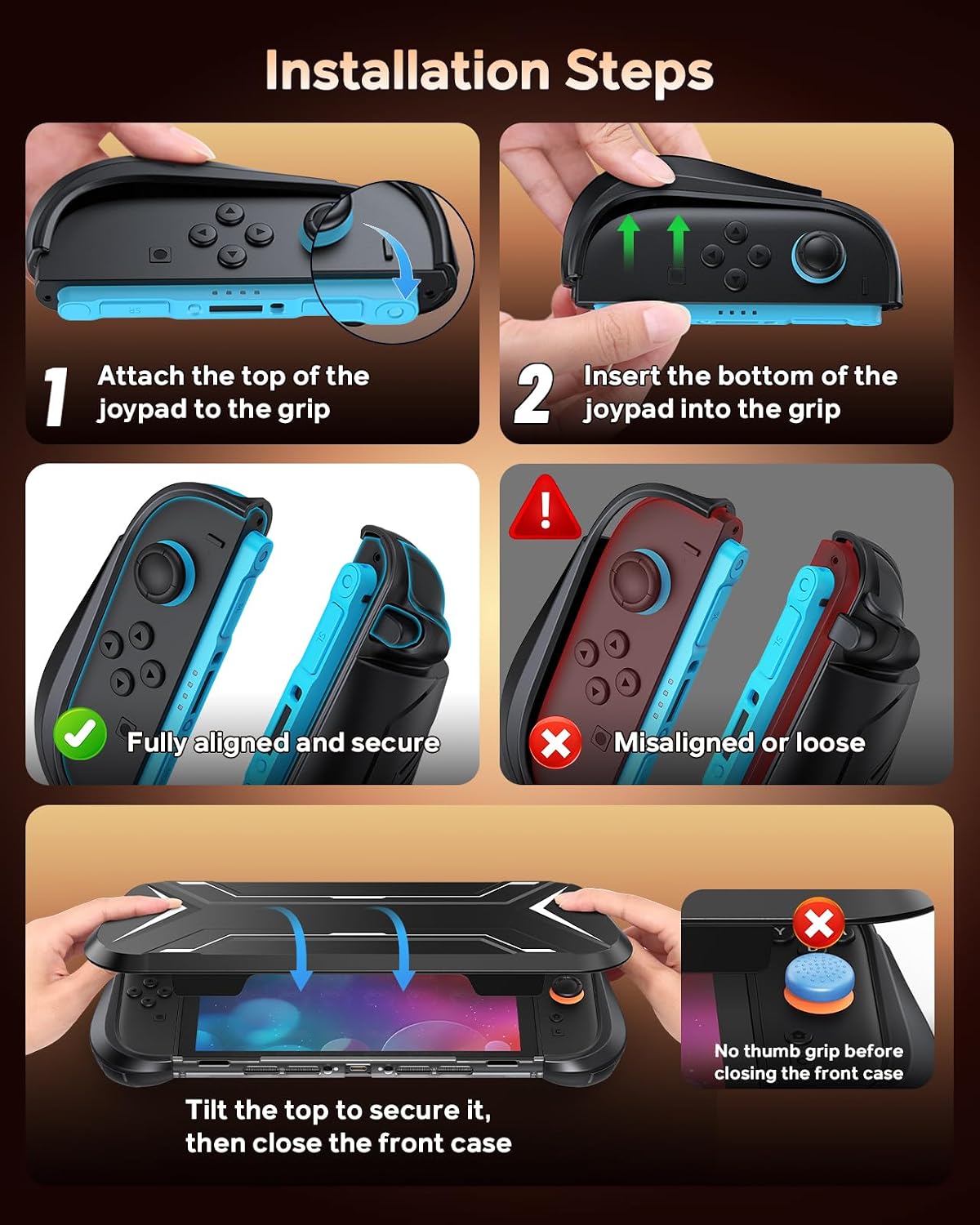
Installation details matter with this one. The included guidance says to remove thumb caps/thumb grips before installing the front shell, and to open the kickstand 90 degrees before inserting into the official dock. It also specifically notes to remove the thumb grips/adjustments during install and to ensure the Joypad/controller covers are fully snapped into place.
Because those steps affect fit and function, it’s smart to plan your first installation carefully and avoid forcing anything. If you rush it, you can end up with the exact problem these notes are trying to prevent—like poor alignment or covers that don’t sit correctly.
Should you buy it?
This FYOUNG dockable protective case is worth considering if you want a single accessory approach: protection you can keep on, a dock-friendly setup for charging, and a usable adjustable kickstand for tabletop gaming or media. The 12 game card slots and detachable Joycon grip covers add practical everyday benefits, especially for people who play longer sessions and like a more secure hand feel.
You may want to skip it if you dislike careful installs or if you only use your Switch 2 in handheld mode with no interest in tabletop viewing. It might feel like overkill for a “minimal cover” need. And if you’re not willing to follow the install prep steps (kickstand positioning before docking, and fully snapping the Joycon grip covers into place), it may not suit your routine.
Mini FAQ
Can you dock the Switch 2 without removing the protective cover?
The case is described as dockable so you can dock for charging without taking the protective cover off, as long as you open the built-in stand to the recommended position before docking.
What’s the maximum kickstand angle?
The maximum unfolding angle is noted as up to 110 degrees.
Does it include game card storage?
Yes, the front cover is described as featuring 12 game card slots.
Are the Joycon grips detachable?
Yes, the Joycon/controller grip covers are described as detachable and designed to improve comfort and control.
Is there any anti-scratch or shock-absorption protection?
The description indicates a hard PC shell for impact protection and flexible TPU areas intended to absorb shocks and prevent scratches during installation.