

Cozyla Calendar Plus 2 (15.6") Smart Digital Family Calendar Wall Planner with Touchscreen, Chore Chart, and Cozyla+ App
Reviews
Price
Product description
The essentials (what it is and why people buy it)
Cozyla Calendar Plus 2 is a 15.6" smart digital wall calendar designed for families who want one shared place for schedules, chores, and meal planning. Instead of hunting through phones or paper sheets, you get a touchscreen wall planner that’s meant to keep updates in one visible spot—so everyone can see what’s happening and what needs doing.
On paper, it also tackles the “family logistics” problem in a more structured way: it supports shared events, lets you assign tasks/chore items per family member through an app, and includes a points-style reward flow. That combination is the real reason many buyers are interested, because it’s not just a calendar you glance at—it’s a system you can use daily.
Key takeaways (the parts that actually stand out)
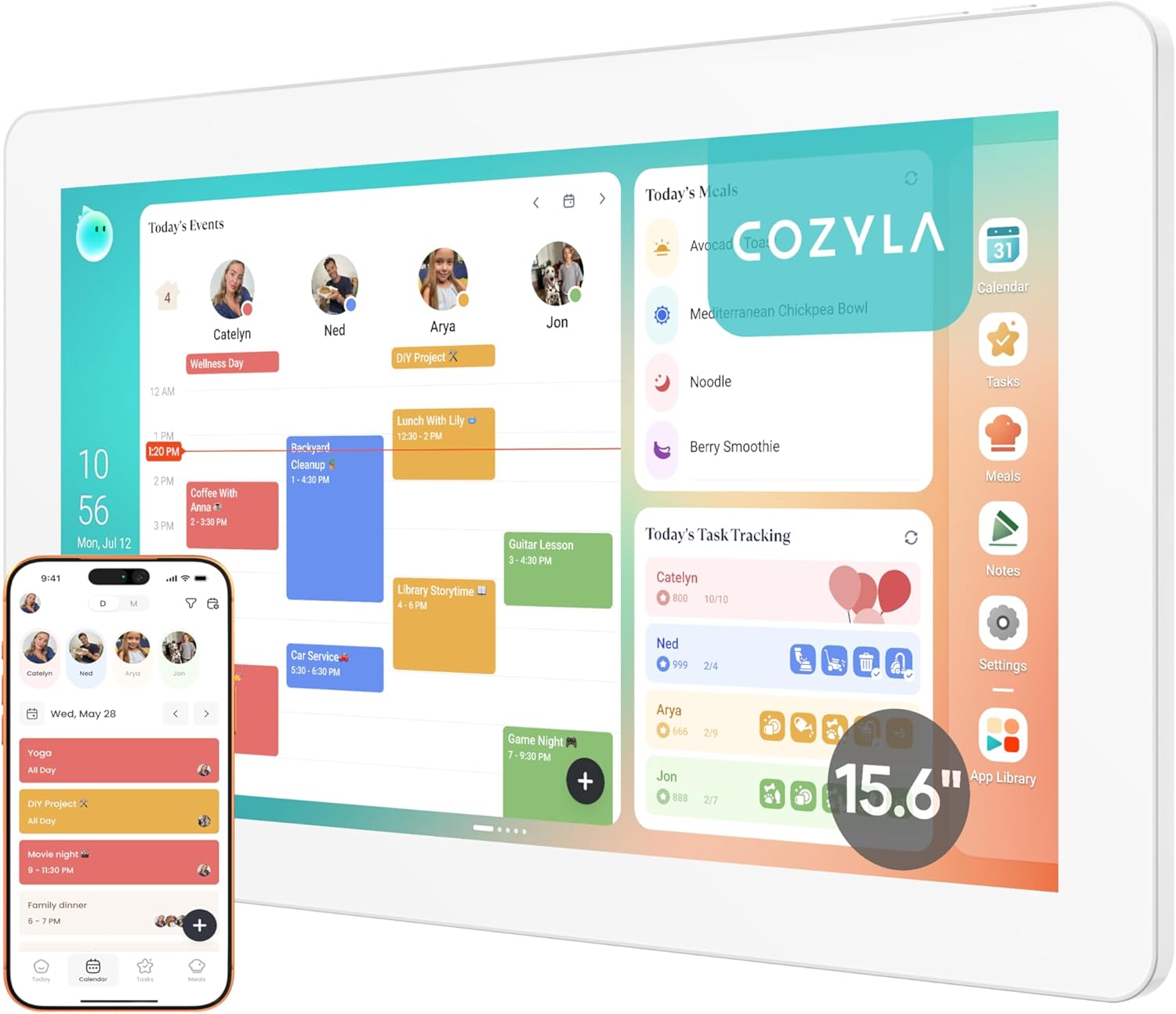
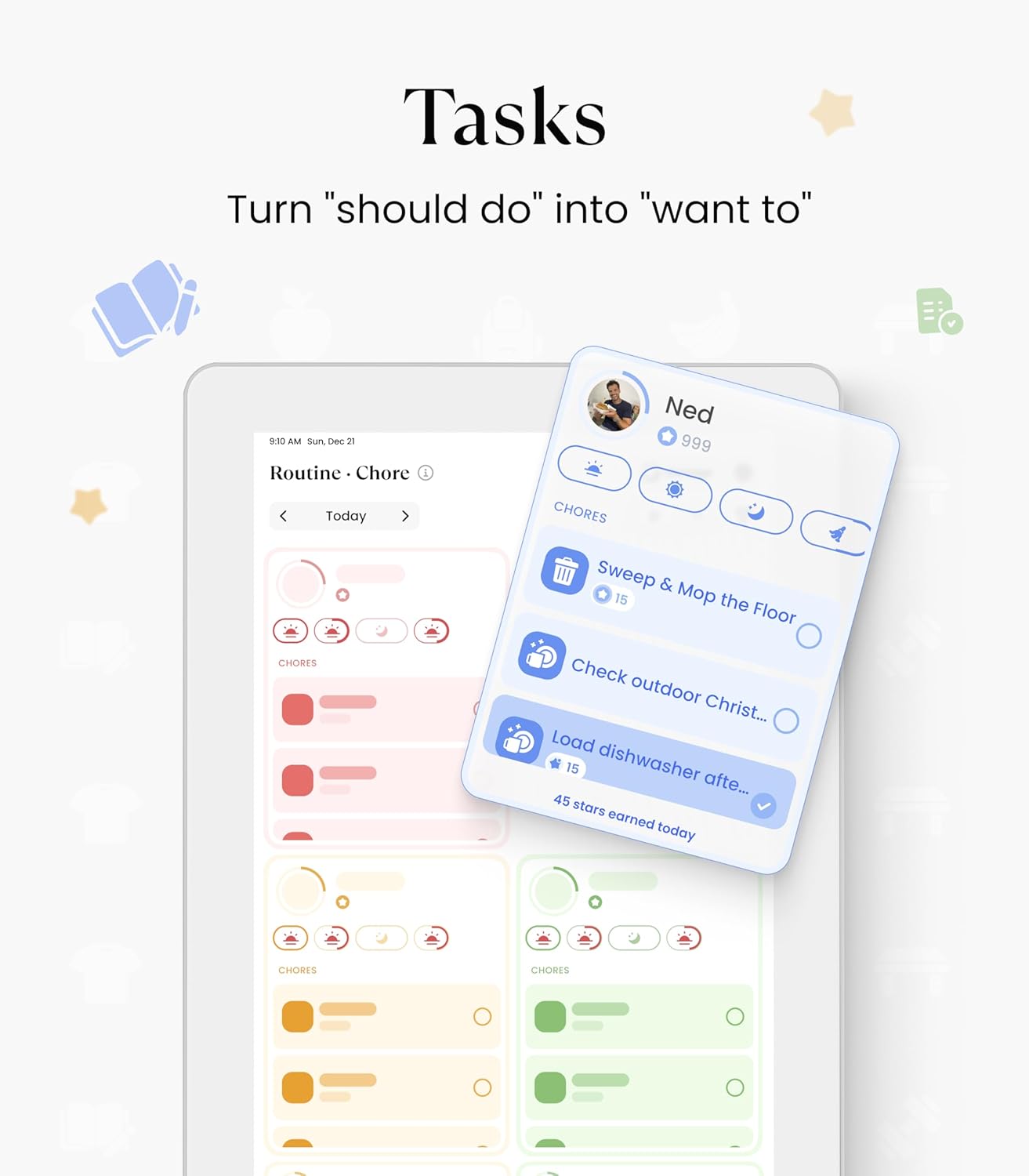
The strongest differentiator here is the mix of shared scheduling plus an interactive family task/points approach. Events can be shared and edited together from the app, and tasks are tied to individual family members with unique color and customizable avatars. The concept is simple: responsibilities become something the household can track together, and the “points” idea adds a bit of motivation.
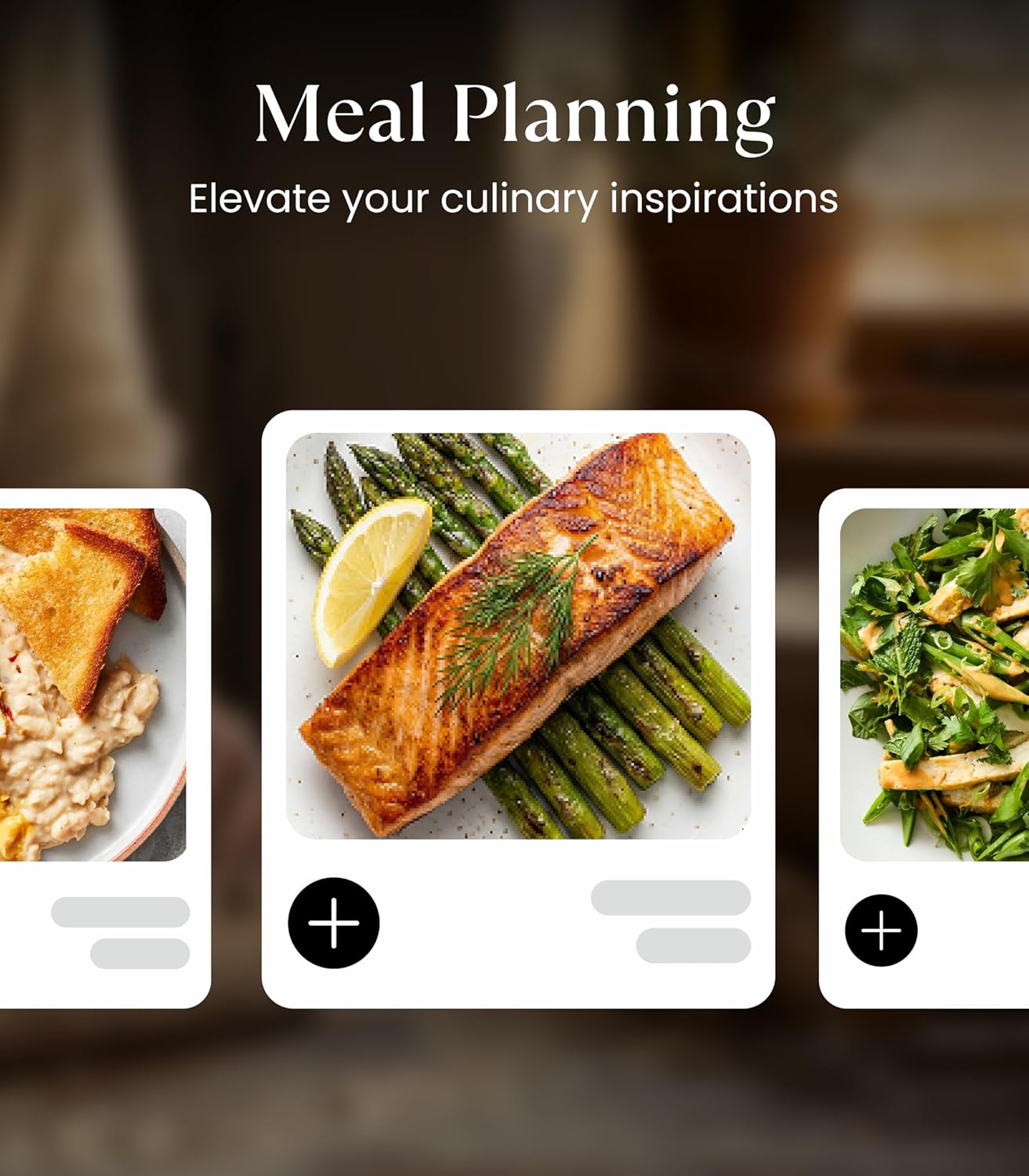
Another practical angle is the meal planner. The device description says you can plan meals ahead, load your own customized recipes, and generate shopping lists automatically based on that meal plan. If you cook with some repeatable structure (even loosely), that kind of workflow can save time and reduce the mental load of “what’s for dinner” and “what do we need to buy?”
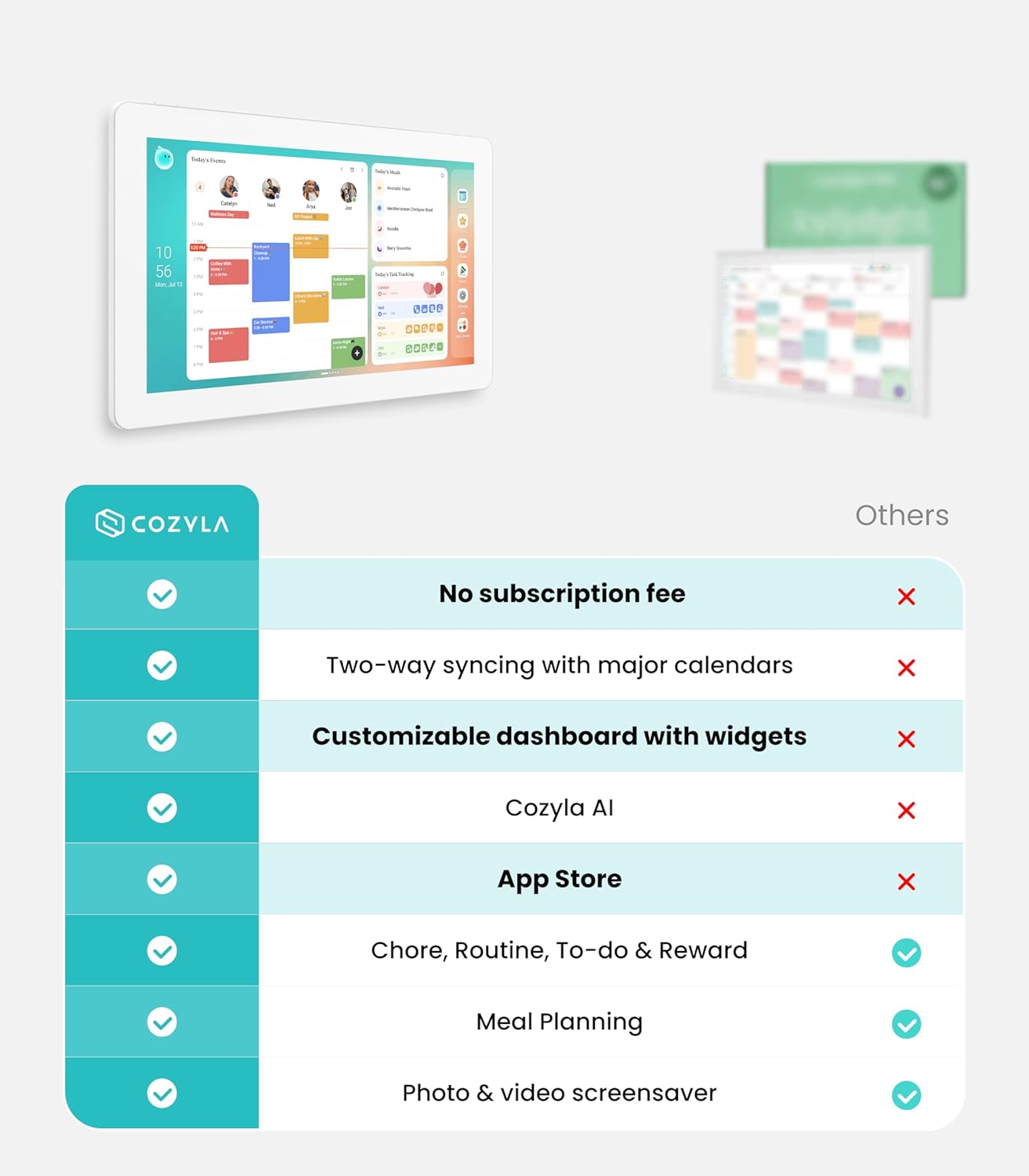
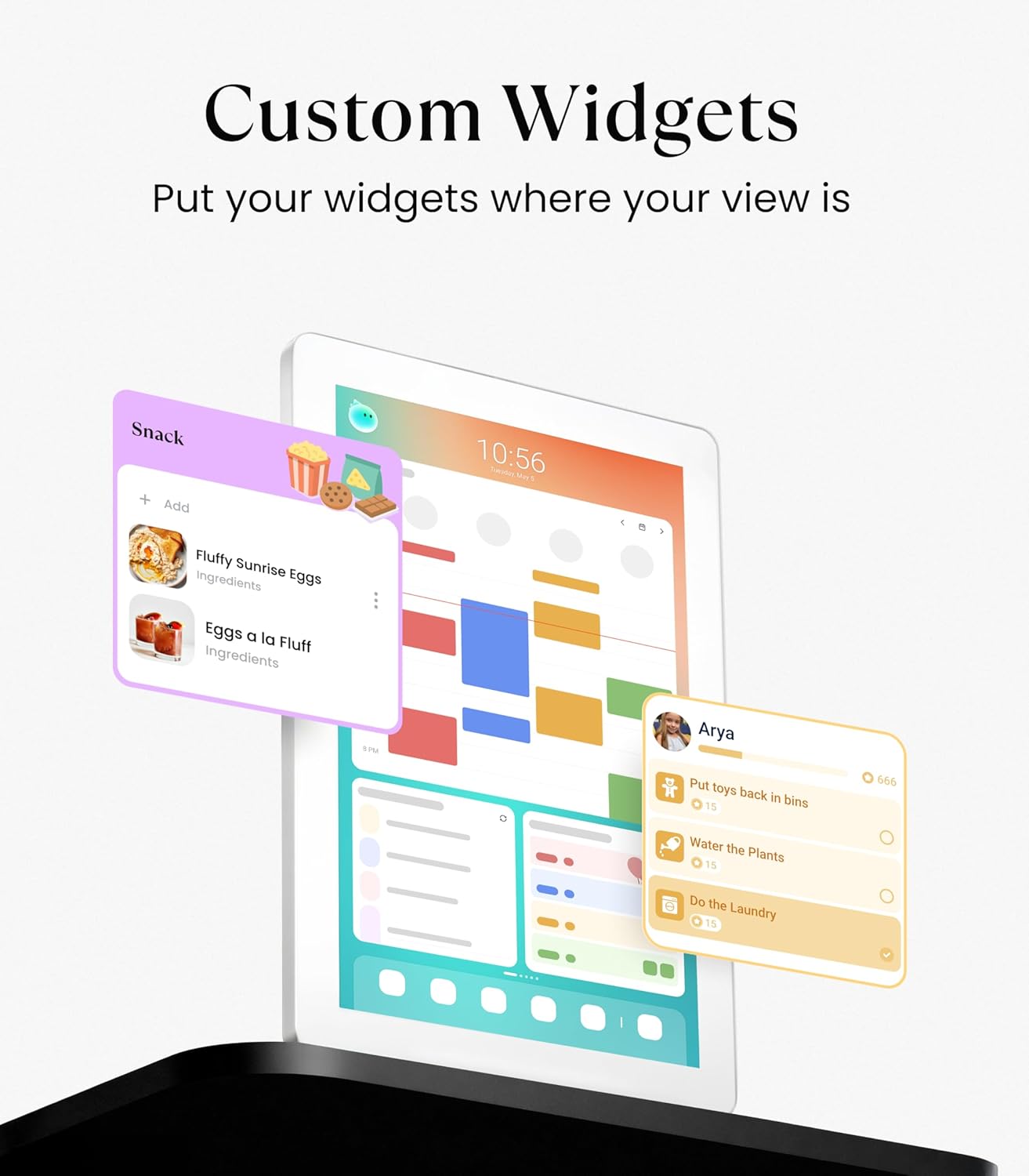
There’s also a customization route for the panel: the product supports downloading apps from the Google Play Store and building a personalized dashboard using widgets like a calendar, chore/task table, meal planner, task list, media player, and weather updates. This is appealing if your family doesn’t want a one-size-fits-all dashboard.
What to know about setup and sync
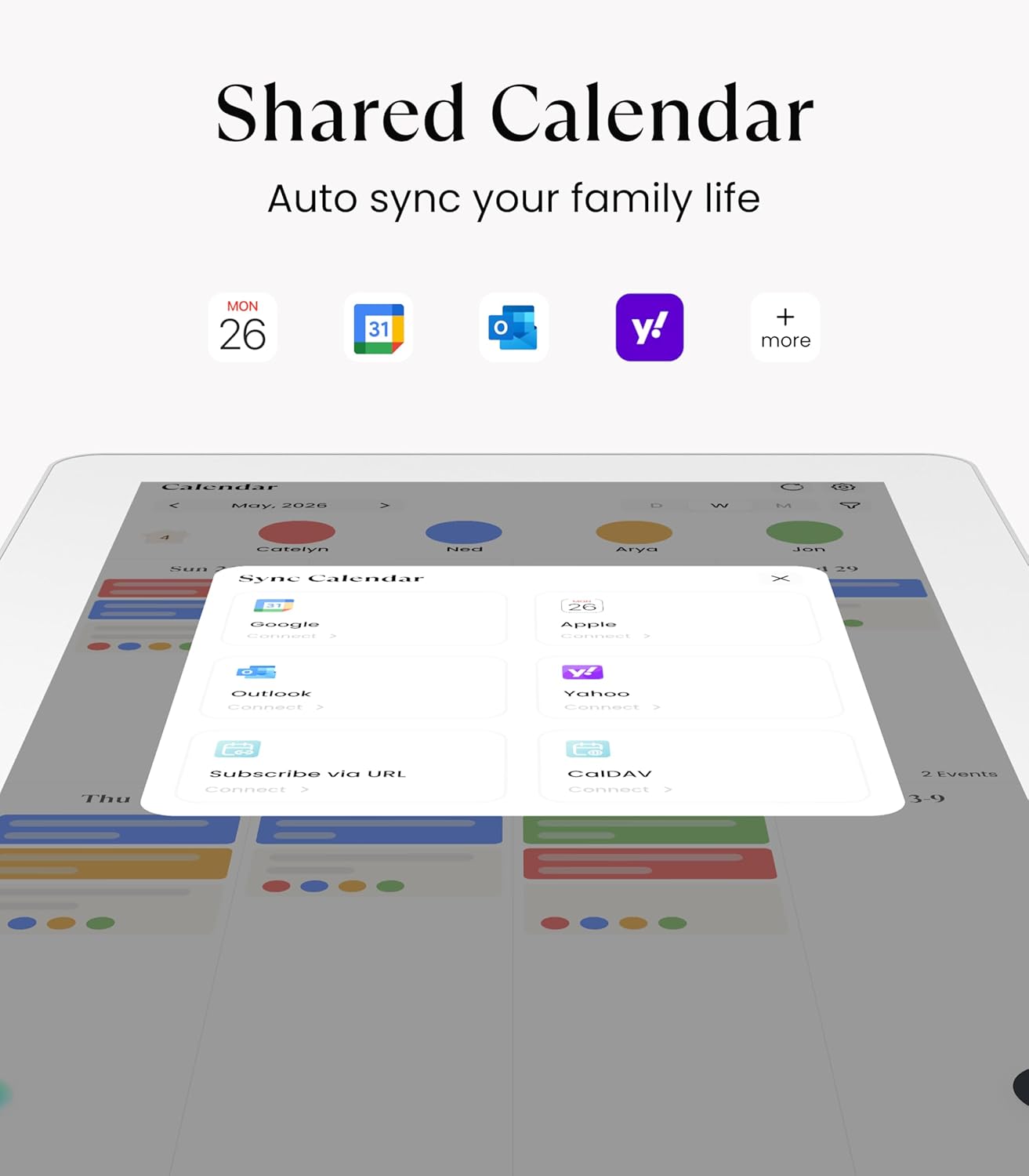
Cozyla Calendar Plus 2 syncs with popular calendar platforms (the description mentions Google, Apple, and Outlook) and also uses its own Cozyla+ Calendar app. That matters because you’re not locked into one ecosystem just to update your household plan.
Still, it’s worth keeping expectations realistic: the overall experience depends on how comfortably you and your family members adopt the app side of things. For families where everyone already lives in a shared calendar and is willing to use the touchscreen as the “source of truth,” this should feel smoother. If your household members are more likely to ignore shared apps, the device can end up underused.
Tech specs (based on the info provided)
- Name: Cozyla Calendar Plus 2
- Size: 15.6" touchscreen digital wall planner
- Sync/support: Cozyla+ Calendar app and syncing with Google, Apple, and Outlook calendars (as stated)
- App ecosystem: supports downloading apps from Google Play Store (as stated)
- Warranty: 1-year warranty
- Support: customer service available 24/7 (as stated)
Pros and where it shines day to day
What you’ll notice most is the “less clutter, more visibility” idea. A digital wall planner can reduce the paper chaos of multiple printouts and sticky notes, while the shared view makes it harder for plans to get lost.
It also has a clear home routine fit: you can assign chores with colors and avatars, have family members complete tasks in the app, and use points to reinforce habits. That’s especially useful if you’re trying to make responsibilities feel less random and more trackable.
And the meal planning angle is a genuine quality-of-life feature. Instead of rebuilding a shopping list from scratch every week, the product description states the system can generate a shopping list automatically from the meals you plan.
Limits and who should think twice
It may not be the best match if you want something purely “display-only.” This is built to work with an app and shared edits, so the value comes from active participation.
Also, while the panel customization sounds broad (widgets and downloadable apps), performance and day-to-day usefulness can vary depending on what you add and how you set it up. If your main goal is a simple calendar with minimal tinkering, this could feel like more system than you need.
Should you buy it?
Buy Cozyla Calendar Plus 2 if you want a shared family hub that goes beyond dates—especially if you care about chores/task accountability, points-style motivation, and meal planning with recipe and shopping-list support. It’s a solid fit for households where at least a few people are willing to update events and tasks through the app, and where a wall display would be used daily.
Skip it if your household won’t engage with the app-driven side of shared planning, or if you’re looking for a basic digital calendar that stays mostly hands-off. For families who prefer strictly one person managing everything, the interactive chore/points workflow may not land the way you expect.
Mini FAQ
Is this a wall calendar or can it be used on a desk?
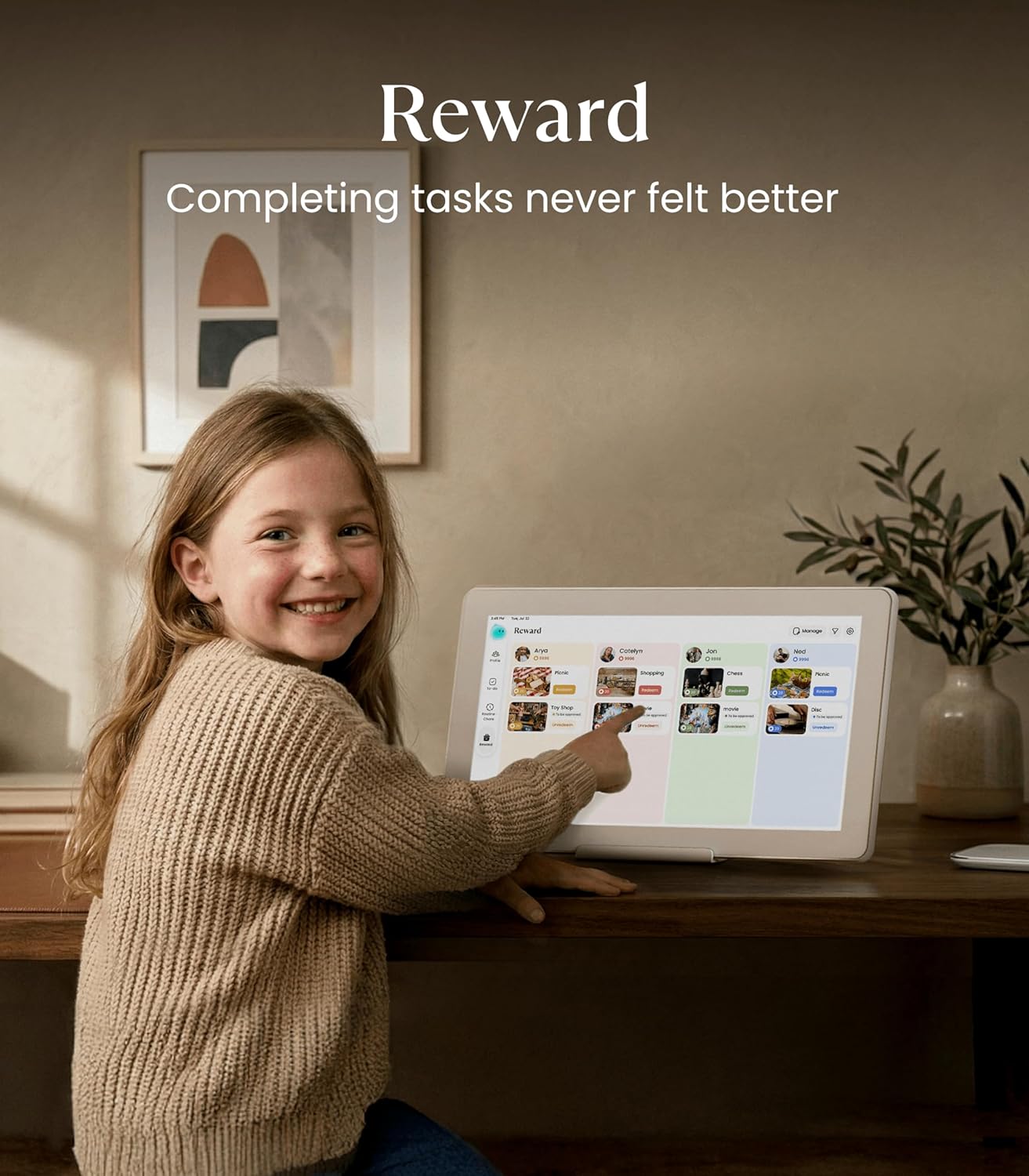
The product is designed for wall mounting, and it’s also described as usable with a stand for desktop or countertop viewing.
Does it require a subscription?
The name includes “No Subscription,” but the detailed pricing/subscription terms aren’t provided in the input. Based on the information here, it’s positioned as not requiring a subscription.
Does it sync with existing family calendars?
Yes—according to the description, it syncs with popular calendar services such as Google, Apple, and Outlook, and it also uses the Cozyla+ Calendar app.
Can you personalize the family task experience?
Yes. The description says each member can have a unique color and can customize their own avatar.
Can it help with meal planning and grocery lists?
The description says you can schedule meals ahead, load customized recipes, and generate shopping lists automatically based on the meal plan.