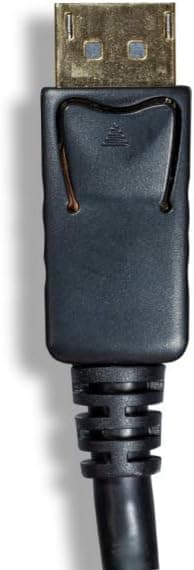
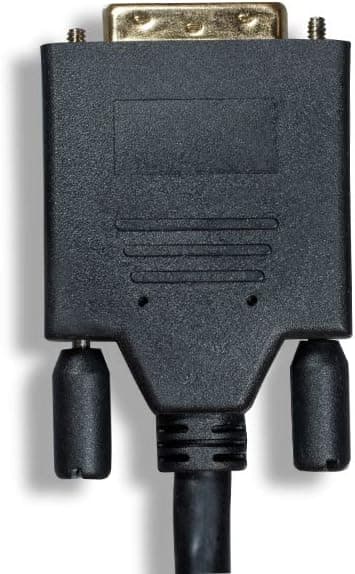


Cablelera ZPK016SI-05 DisplayPort to DVI 6ft

Price evolution
Product description
This 6ft DisplayPort to DVI cable pack delivers a straightforward way to send digital video from a computer with a DisplayPort output to a monitor, TV, or projector with a DVI input. It’s a passive cable that works with DP++ enabled ports, so you get reliable video without extra adapters when your source supports DisplayPort++.
Highlights
The pack of five cables is useful for small offices, classrooms, or anyone who needs multiple reliable connections at once. Gold-plated connectors and double shielding help reduce signal loss and interference, and the DisplayPort male connector includes a latch with a release button for a secure fit. Keep in mind that this cable only carries signal from DisplayPort to DVI, and it is not bidirectional, so it will not convert a DVI source back to DisplayPort.
Specifications
- Name: Cablelera DisplayPort to DVI Cable ZPK016SI-05
- Length: 6ft
- Color: Black
- Format: Passive DisplayPort to DVI
- Capacity: Pack of 5
Usage tips
Connect the DisplayPort end to a DP++ output on your laptop or desktop and the DVI end to the display. If you experience connection issues check that the source port supports DP++ and that connectors are fully latched. If a precise fit matters because of tight routing or bent connectors, consider a longer cable since listed length includes connector ends and usable length may be slightly shorter. You’ll appreciate having spare cables on hand for quick swaps and multi-station setups.
Care & maintenance
Handle the release button before unplugging to avoid stressing the connector, and avoid tight bends near the ends to preserve signal integrity. Store coils loosely to prevent kinks and keep connectors dust-free to maintain good contact. Cablelera ZPK016SI-05 comes ready for repeated use in everyday AV setups.