

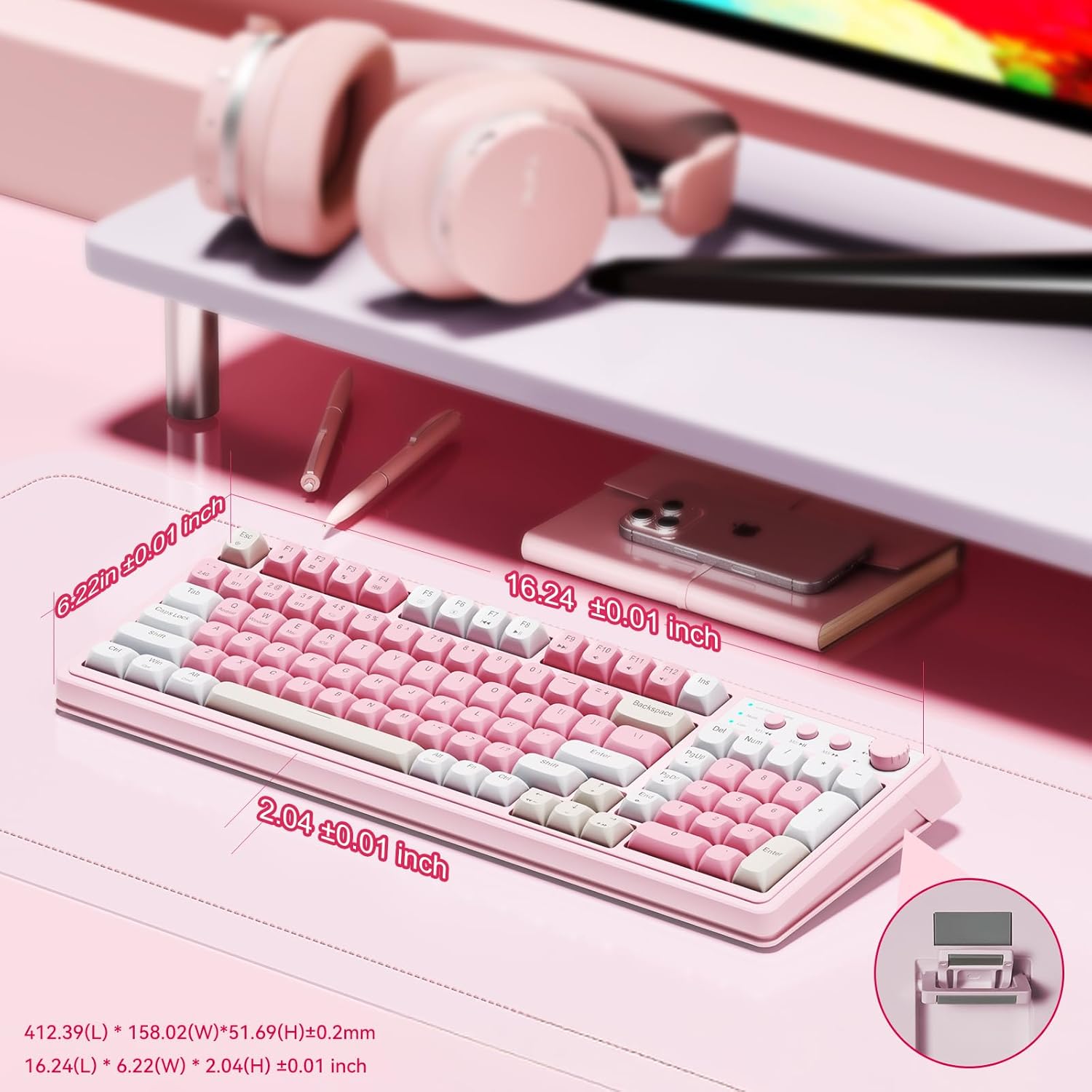
AULA 99-Key Wireless Gaming Keyboard ⌨
Product description
This pink gaming keyboard brings customizable controls and soft membrane keys for everyday play and streaming setups. The wireless gaming keyboard supports tri-mode connectivity and a rotary knob for quick adjustments, making it easy to switch between devices and manage audio or lighting on the fly. It also includes macro customization to speed up repetitive in-game commands.
Key features
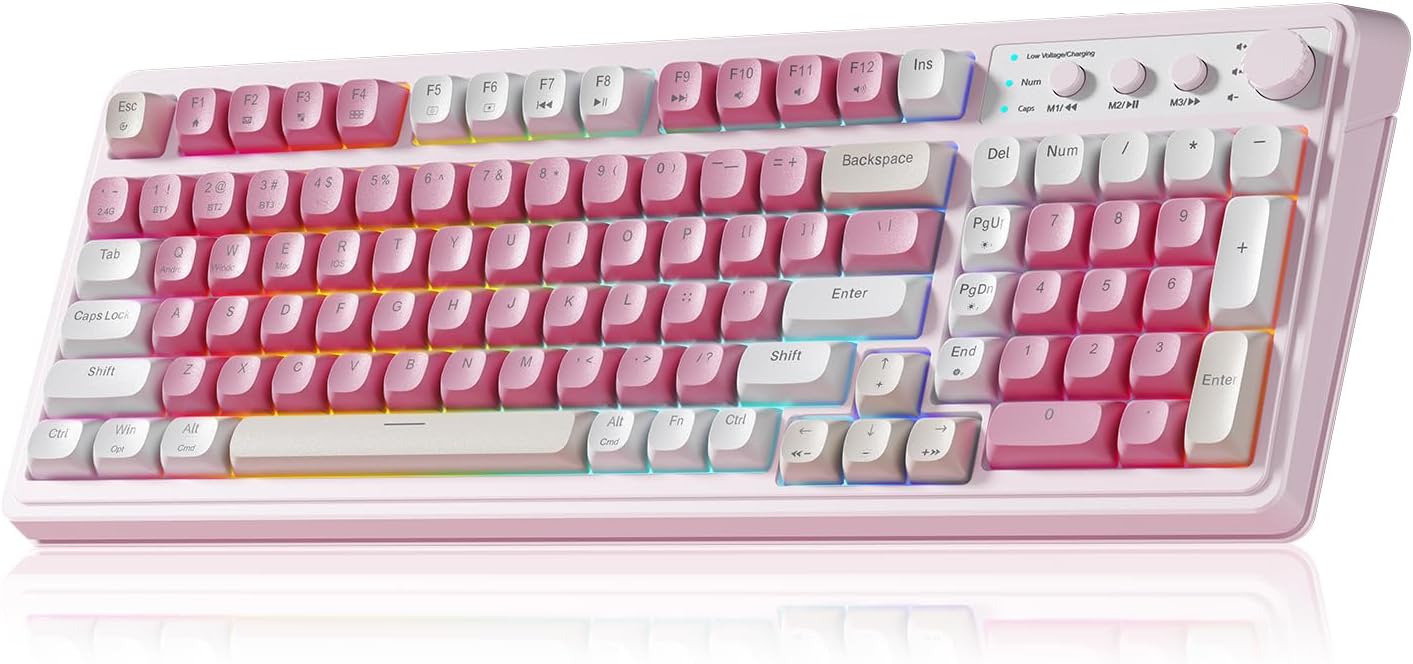
The AULA 99 Key Keyboard combines 99 keys, RGB backlight and a compact layout that saves desk space while keeping a number pad for productivity. You can choose Bluetooth 5.0, 2.4GHz wireless or wired USB-C depending on your session. The knob adjusts volume, lighting brightness and RGB mode with a twist or click, which helps maintain focus during intense moments. Brightness and speed controls are available via the knob or FN combinations. The keyboard lets you record macros to assign complex actions to single keys so you can react faster in real time. 🌈
Technical details
-
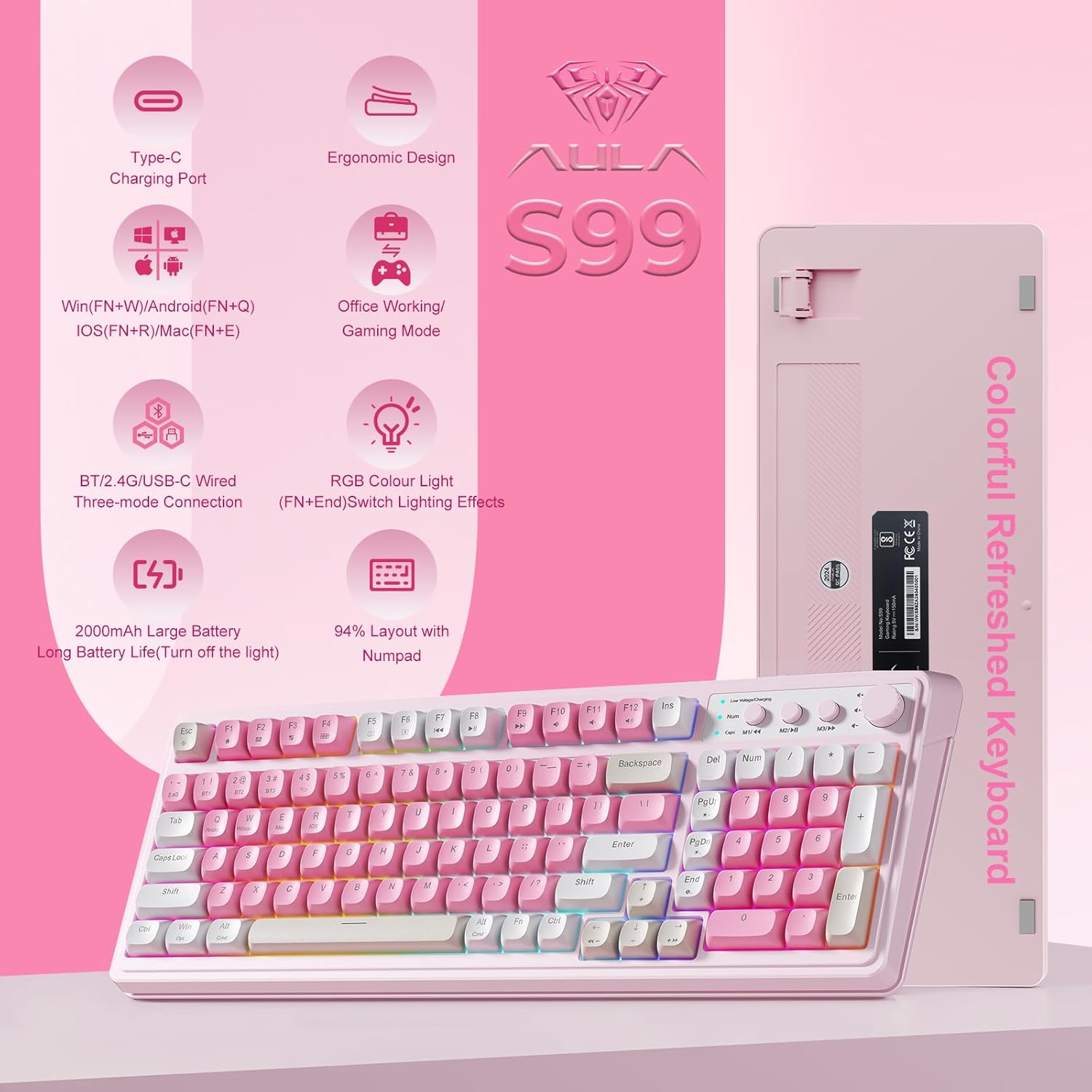
Name: AULA 99 Key Keyboard
-
Keys: 99 keys
-
Connectivity: Bluetooth 5.0, 2.4GHz wireless, USB-C wired
-
Lighting: 16.8 million RGB colors with 16 preset effects
-
Design: membrane switches with foldable two-stage kickstand
Usage tips
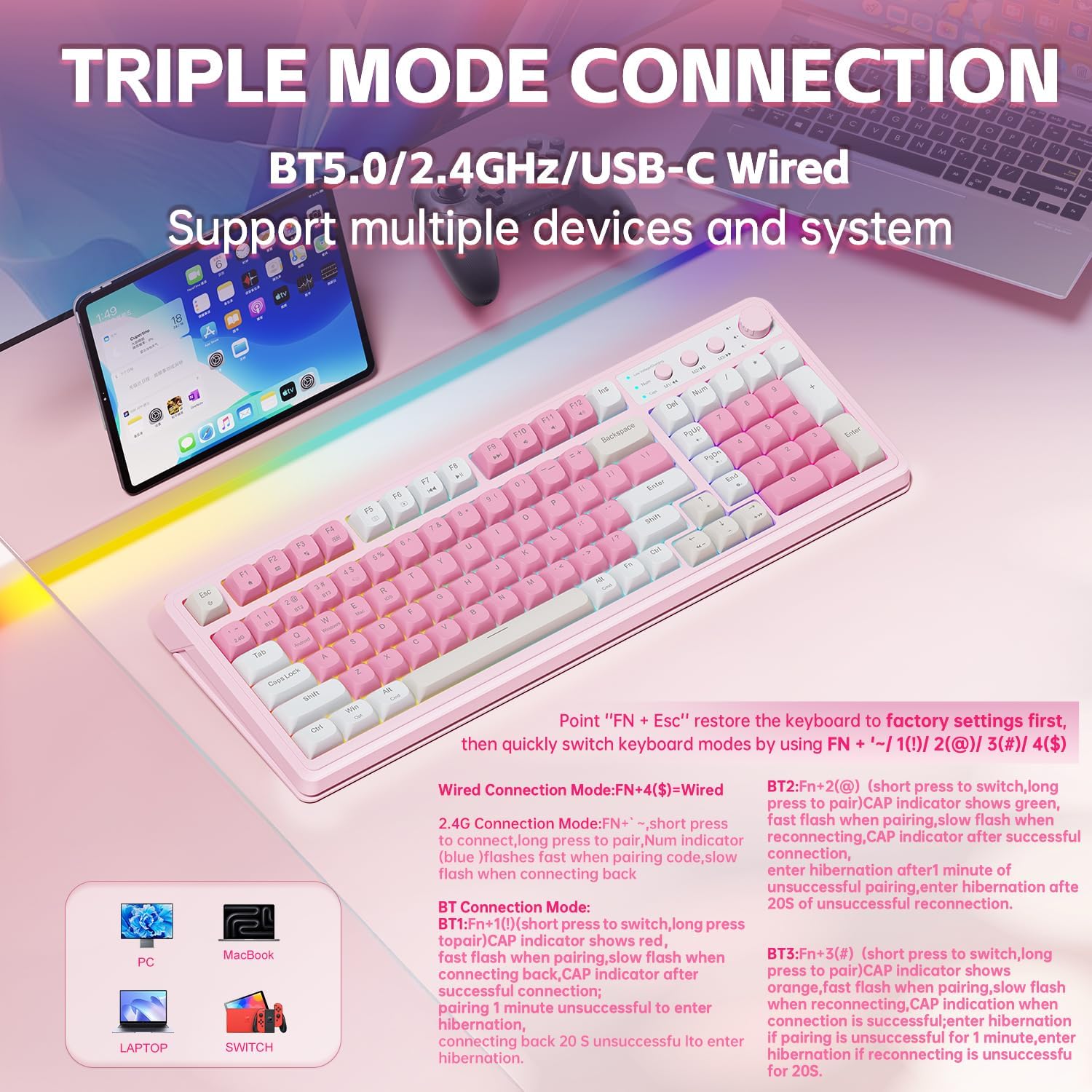
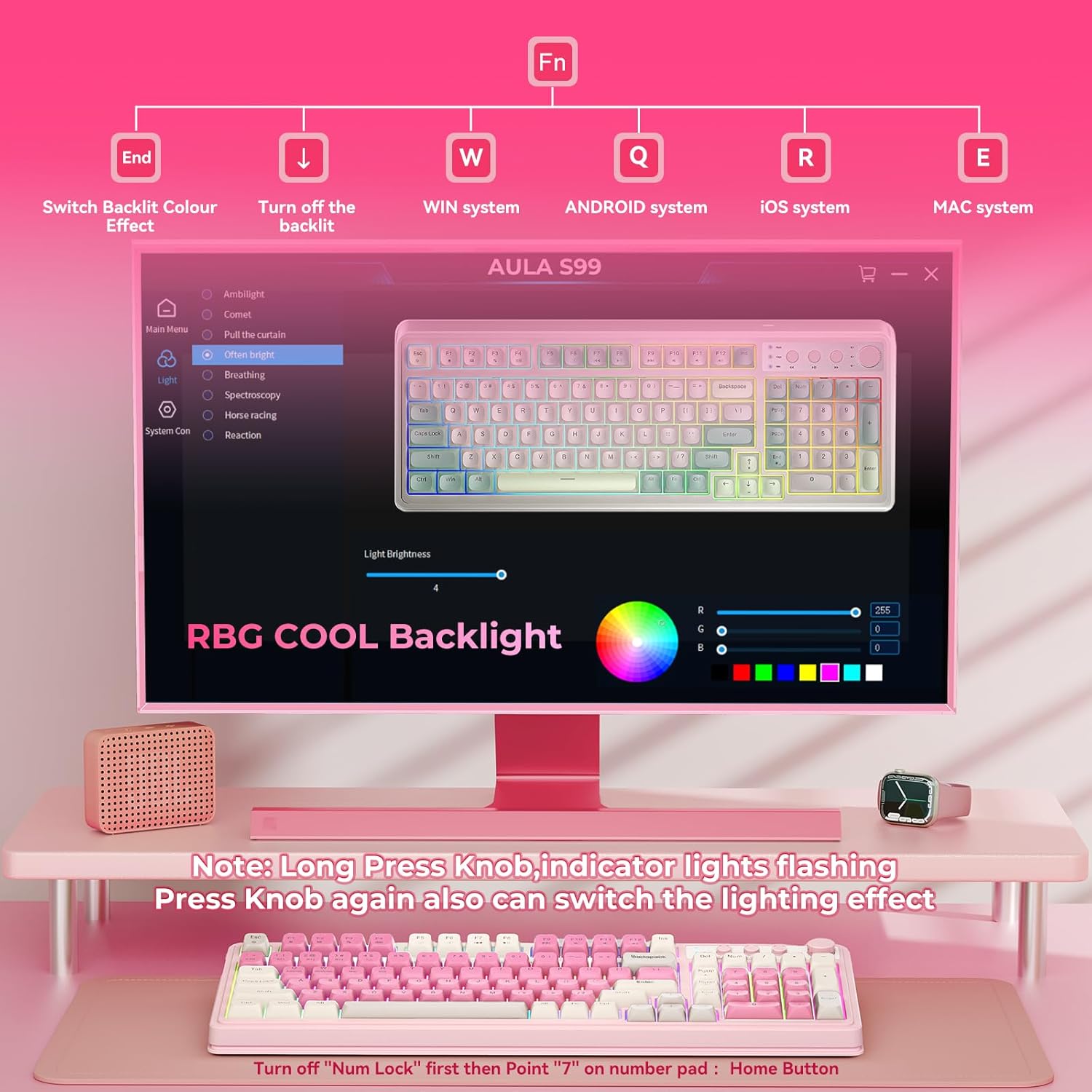
Pair the keyboard in Bluetooth mode to control a tablet or phone, then switch to 2.4GHz for low-latency gaming on a PC. Use the M1/M2/M3 buttons to map frequently used commands or merge several keystrokes into one for smoother workflows. Remember this is a membrane keyboard and it does not support hot-swap switches so key feel is consistent and quiet compared to mechanical alternatives. Try creating a custom lighting profile to match your stream scene or desk aesthetic for a more cohesive setup. 🎮
What stands out
RGB customization and the dual-mode rotary knob make volume and lighting changes intuitive without breaking concentration. The compact 99-key layout saves space while keeping a number pad useful for spreadsheets and quick entries. If you need a tactile mechanical feel, note that this model uses membrane switches and cannot swap switches, according to the manufacturer. The pink finish adds a distinctive look on the desk and complements pastel or minimalist setups. ✨