
Acaves 910XL Ink Cartridges 4-Pack for HP Printers 🖨️

Reviews
Product description
This combo pack of replacement ink cartridges supplies a high-yield black cartridge plus three color cartridges for everyday home and small office printing. If you are looking for compatible ink cartridges for HP OfficeJet 8020 series printers, these cartridges aim to deliver longer runs and consistent color output for documents and photos. The set focuses on convenience and quick recognition during installation, helping reduce downtime.
Key Points
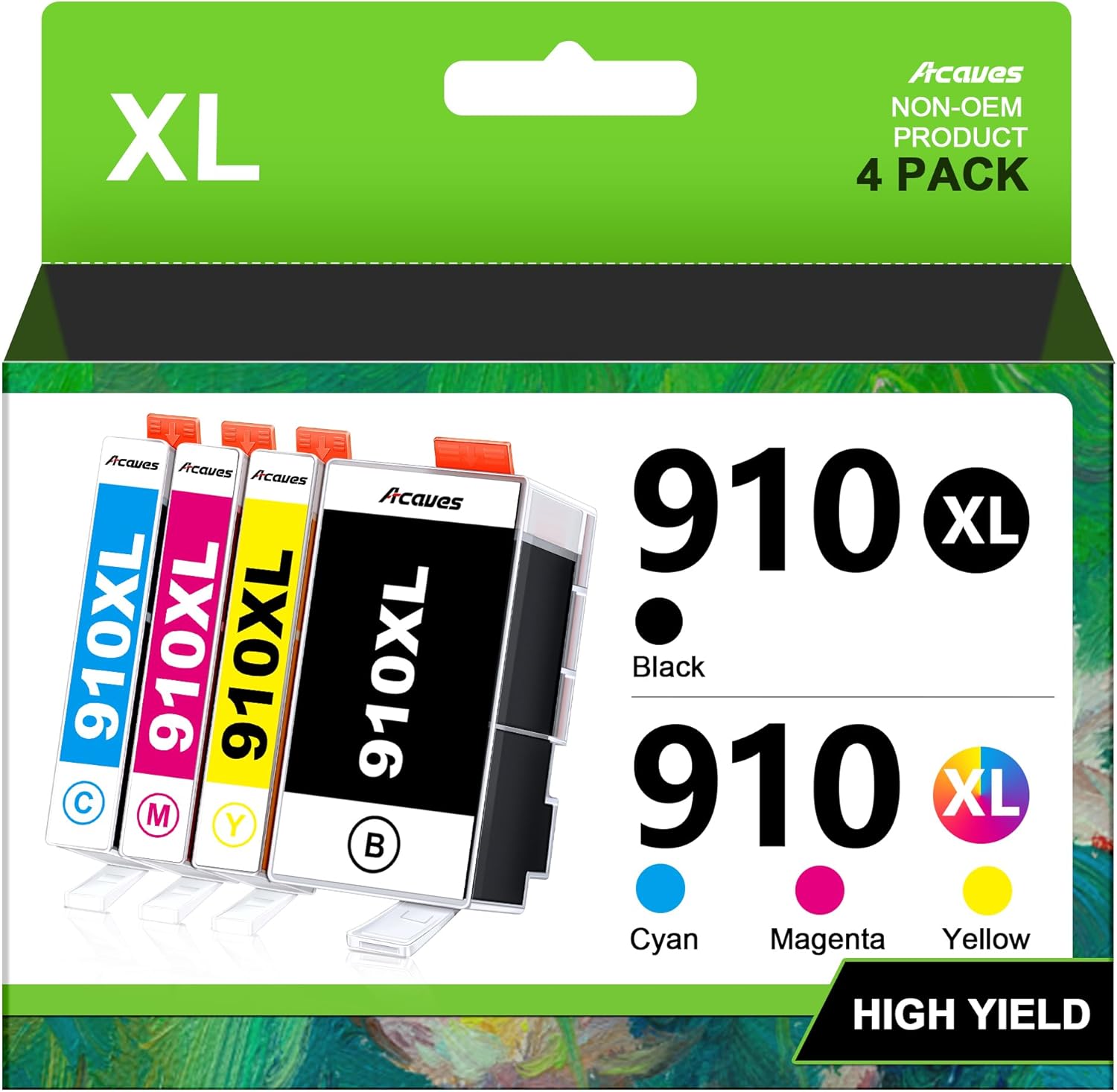
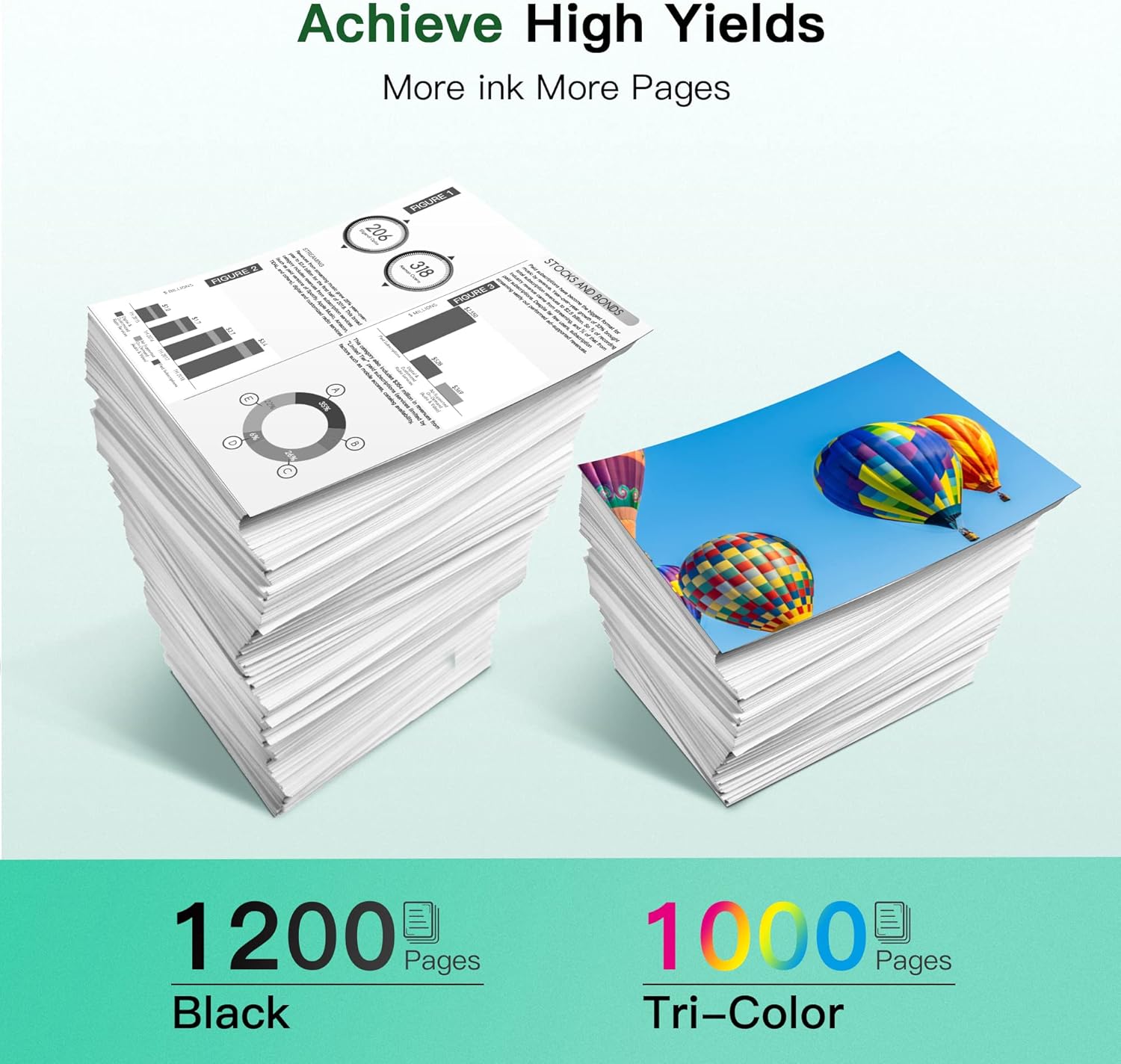
The pack includes one black 910XL and one each of cyan, magenta, and yellow 910XL cartridges ready for use with several HP OfficeJet models. According to the manufacturer information provided, the black 910XL can yield up to 1,200 pages at 5% coverage and each color cartridge up to 1,000 pages at the same coverage on A4 paper. The cartridges come with updated chips designed to improve compatibility and recognition by the printer, and there is a note that a brief recognition period of around four minutes may occur on first installation.
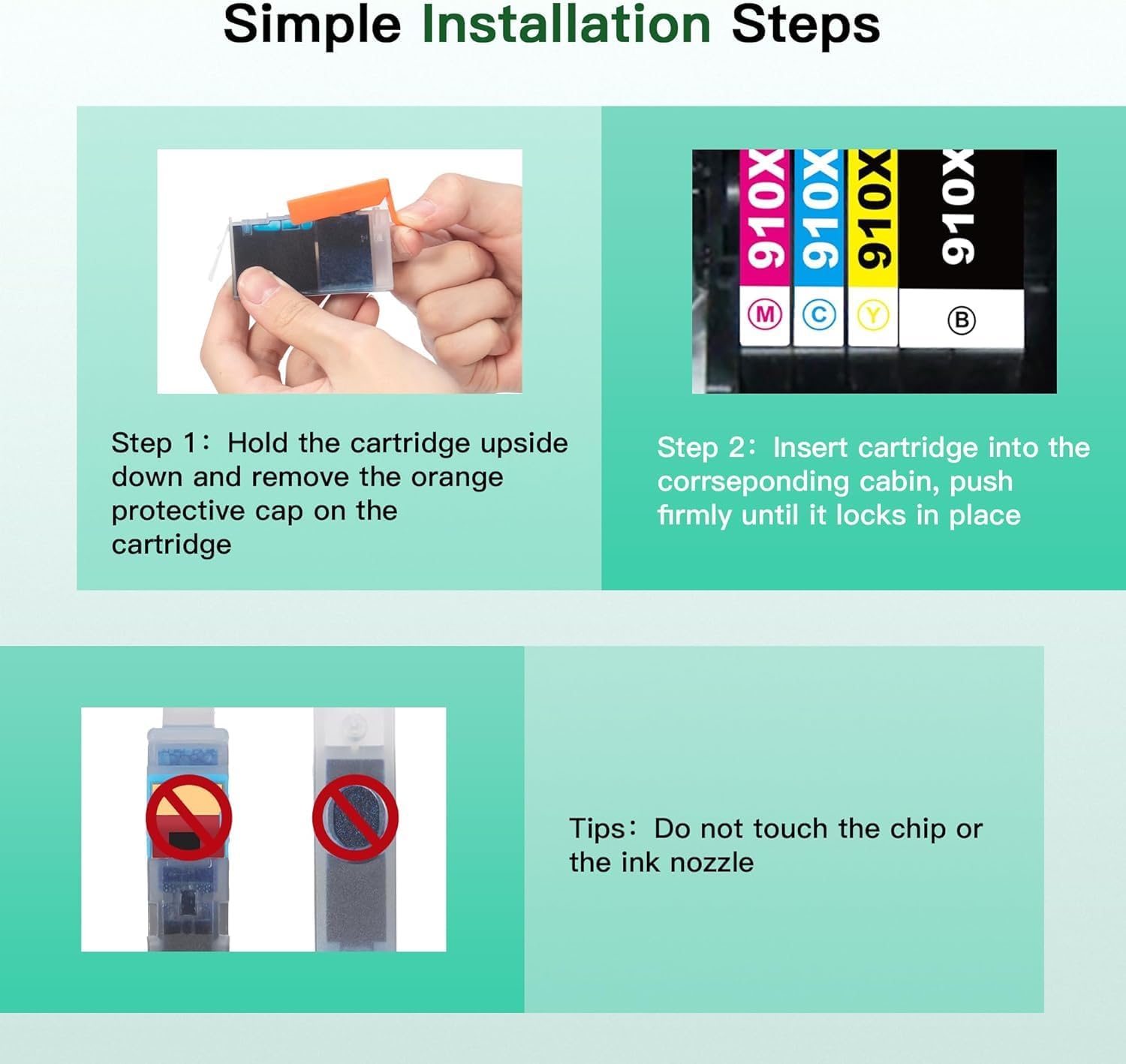
Installation is presented as straightforward with a smart chip that the manufacturer says can complete initial setup in about 30 seconds. If the printer displays warnings about non-original or altered cartridges, the suggested action is to accept prompts to continue printing. Customer service is offered around the clock with fast response times according to the seller, which can be useful if you encounter recognition messages or need troubleshooting. 🖨️
Technical Specifications
- Name: Acaves 910XL Ink Cartridges (4 Pack)
- Cartridge configuration: - 1 x Black 910XL, 1 x Cyan 910XL, 1 x Magenta 910XL, 1 x Yellow 910XL
- Page yield: - Black up to 1,200 pages, Color up to 1,000 pages at 5% coverage (A4)
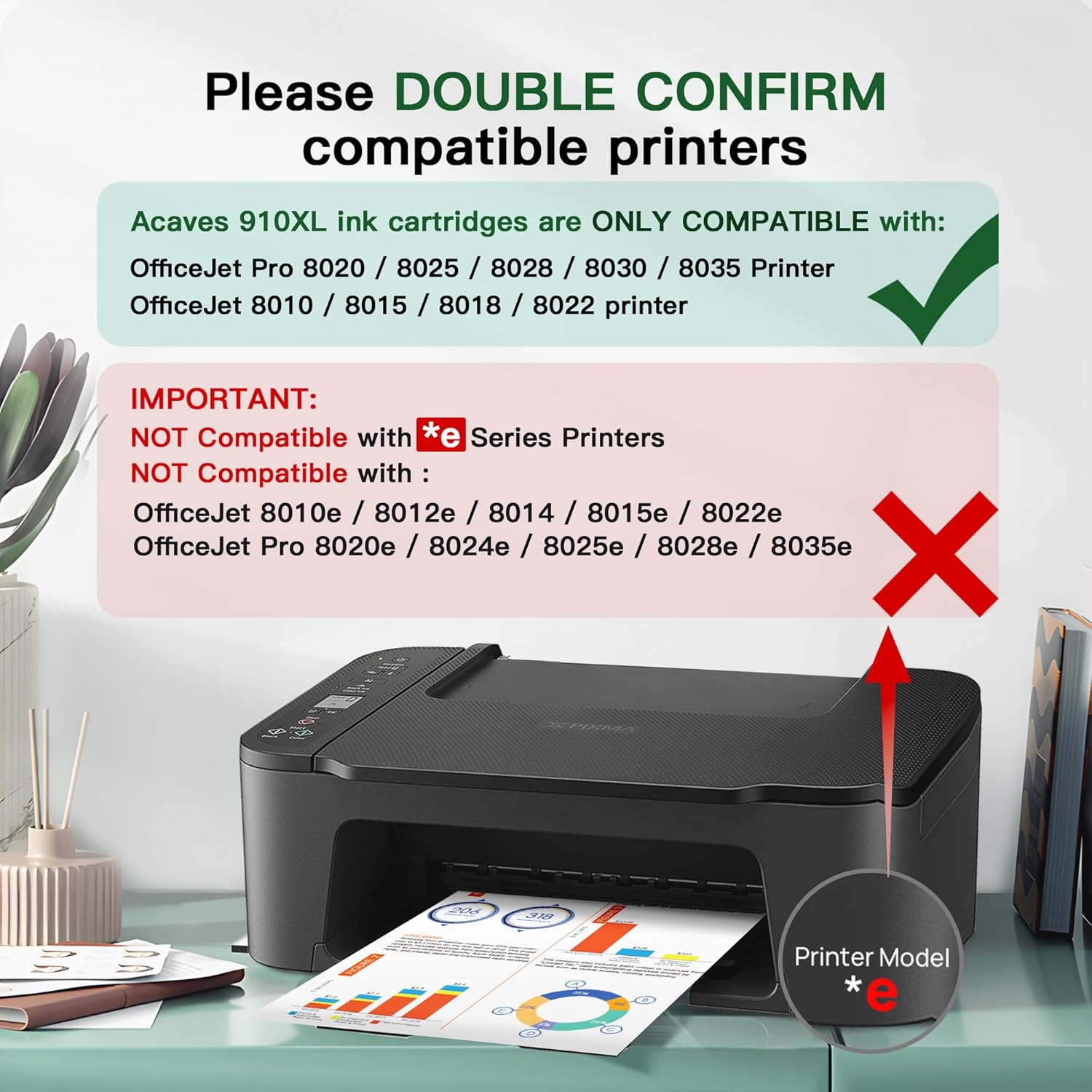
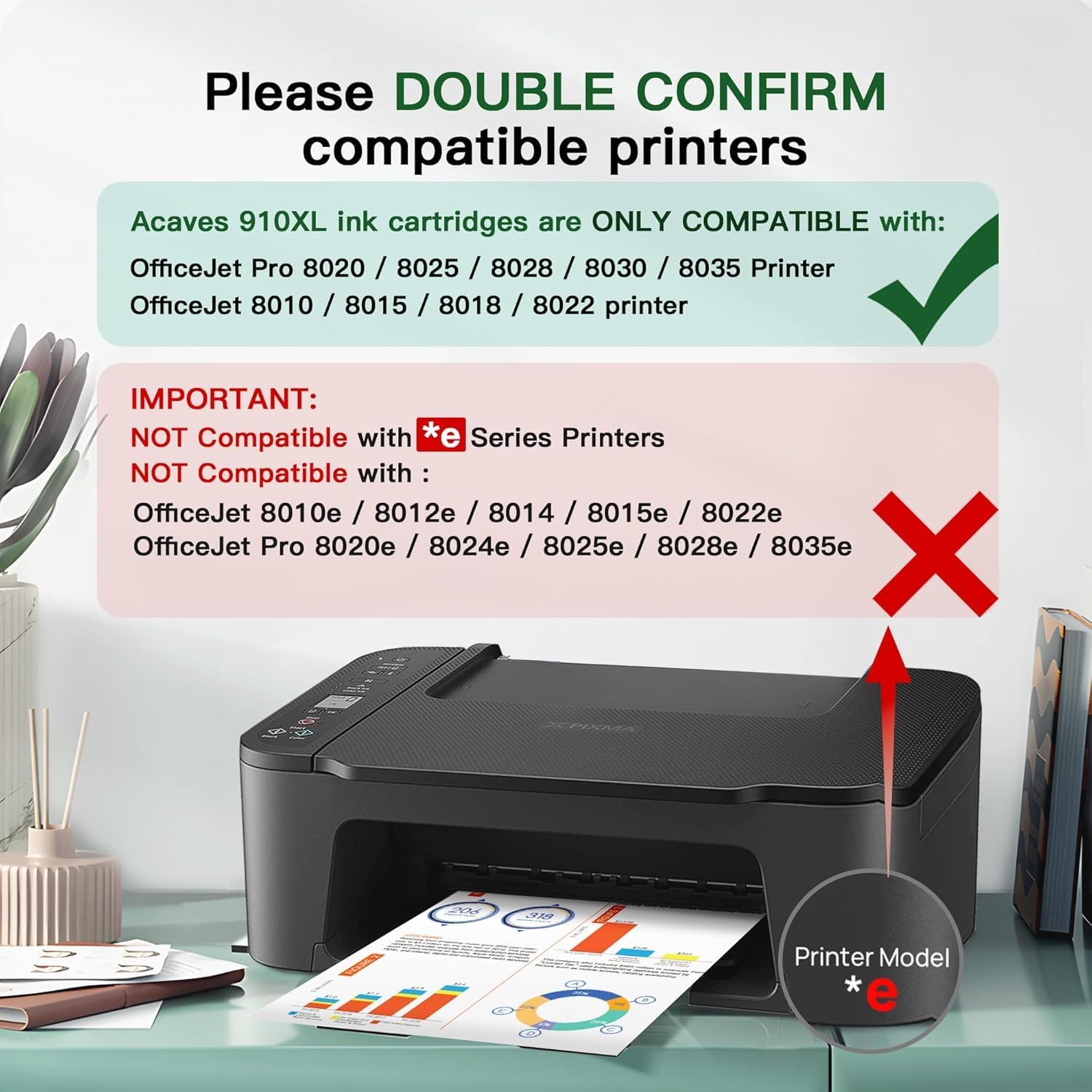
- Compatibility: - OfficeJet Pro 8020, 8025, 8028, 8035 series and OfficeJet 8010, 8015, 8018, 8022 according to manufacturer details
- Chip: - Updated smart chip for printer recognition and reported quick setup
Usage Recommendations
For best results, install cartridges following the printer prompts and allow the initial recognition time. When the printer shows messages about non-original cartridges, press accept or continue to resume printing as indicated by the supplier documentation. If a low ink or replace cartridge message appears prematurely, try reseating the cartridge and restarting the printer to refresh detection. For photo printing, allow ink to dry between prints to avoid smudging, especially on glossy media. Consider storing unopened cartridges in a cool, dry place to preserve shelf life.
Nuances and Limitations
Note that page yield figures are based on 5% coverage on A4 paper and are provided by the manufacturer. Some printers may display non-original cartridge warnings or altered cartridge alerts which require user confirmation to continue. Compatibility is listed for specific OfficeJet models and may not cover all firmware versions, so recognition behavior can vary depending on printer updates and settings. 😊
Price evolution
Description:
This combo pack of replacement ink cartridges supplies a high-yield black cartridge plus three color cartridges for everyday home and small office printing. If you are looking for compatible ink cartridges for HP OfficeJet 8020 series printers, these cartridges aim to deliver longer runs and consistent color output for documents and photos. The set focuses on convenience and quick recognition during installation, helping reduce downtime.
Key Points
The pack includes one black 910XL and one each of cyan, magenta, and yellow 910XL cartridges ready for use with several HP OfficeJet models. According to the manufacturer information provided, the black 910XL can yield up to 1,200 pages at 5% coverage and each color cartridge up to 1,000 pages at the same coverage on A4 paper. The cartridges come with updated chips designed to improve compatibility and recognition by the printer, and there is a note that a brief recognition period of around four minutes may occur on first installation.
Installation is presented as straightforward with a smart chip that the manufacturer says can complete initial setup in about 30 seconds. If the printer displays warnings about non-original or altered cartridges, the suggested action is to accept prompts to continue printing. Customer service is offered around the clock with fast response times according to the seller, which can be useful if you encounter recognition messages or need troubleshooting. 🖨️
Technical Specifications
- Name: Acaves 910XL Ink Cartridges (4 Pack)
- Cartridge configuration: - 1 x Black 910XL, 1 x Cyan 910XL, 1 x Magenta 910XL, 1 x Yellow 910XL
- Page yield: - Black up to 1,200 pages, Color up to 1,000 pages at 5% coverage (A4)
- Compatibility: - OfficeJet Pro 8020, 8025, 8028, 8035 series and OfficeJet 8010, 8015, 8018, 8022 according to manufacturer details
- Chip: - Updated smart chip for printer recognition and reported quick setup
Usage Recommendations
For best results, install cartridges following the printer prompts and allow the initial recognition time. When the printer shows messages about non-original cartridges, press accept or continue to resume printing as indicated by the supplier documentation. If a low ink or replace cartridge message appears prematurely, try reseating the cartridge and restarting the printer to refresh detection. For photo printing, allow ink to dry between prints to avoid smudging, especially on glossy media. Consider storing unopened cartridges in a cool, dry place to preserve shelf life.
Nuances and Limitations
Note that page yield figures are based on 5% coverage on A4 paper and are provided by the manufacturer. Some printers may display non-original cartridge warnings or altered cartridge alerts which require user confirmation to continue. Compatibility is listed for specific OfficeJet models and may not cover all firmware versions, so recognition behavior can vary depending on printer updates and settings. 😊