

WOTSTA Gaming Chair with Footrest – ergonomic office or gaming chair with lumbar support, headrest and 135° recline
Product description
The essentials first
If you spend long stretches at a desk, a chair that supports your mid-back and lets you get comfortable in more than one position can make a noticeable difference. The WOTSTA gaming chair with footrest is built around that idea: ergonomic shaping, a headrest, adjustable lumbar support, and a reclining back that reaches up to 135°. It’s the kind of chair you’d consider when you want proper posture help, but you’re not looking for an ultra-technical, specialist ergonomic rig.
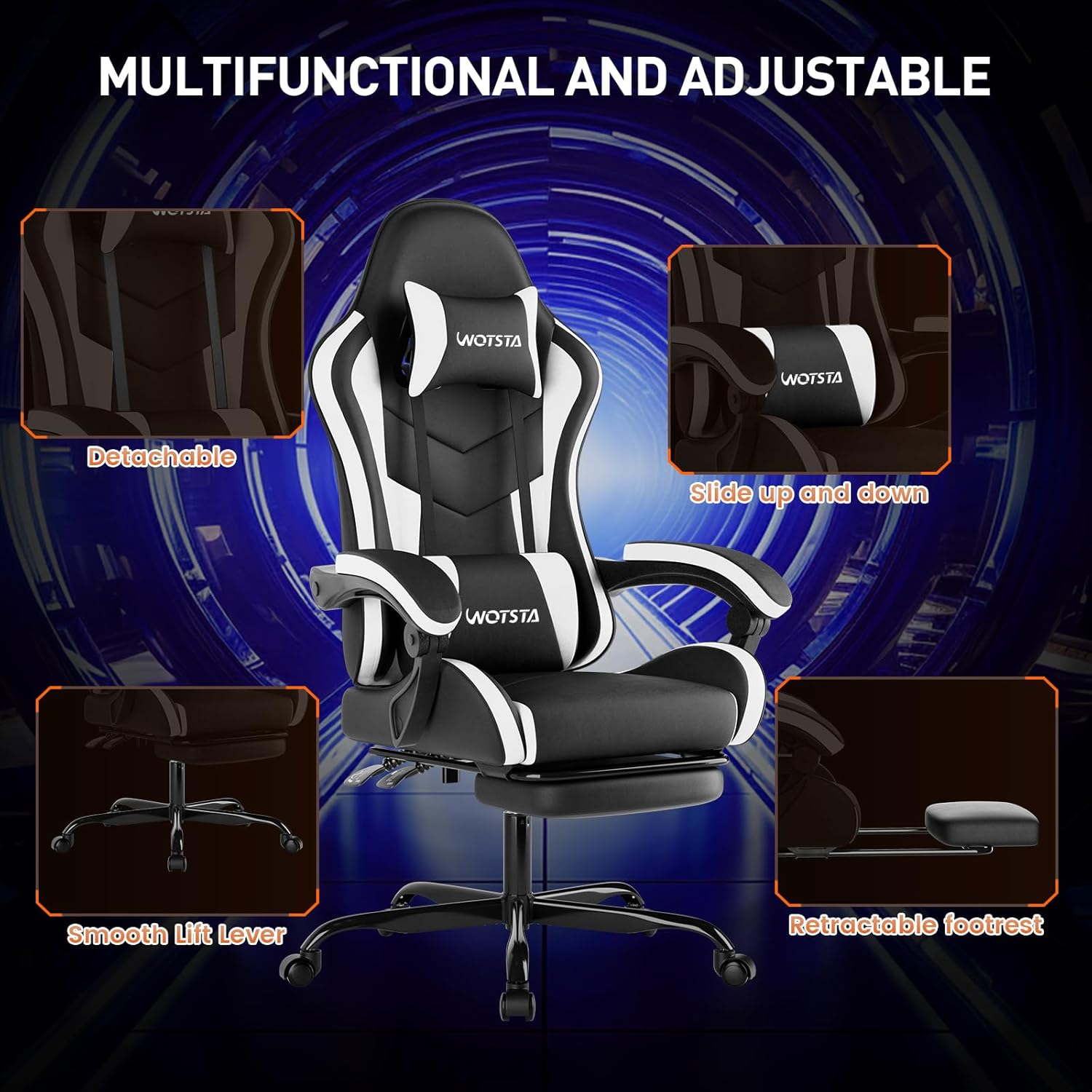
On paper, it ticks several practical boxes for everyday office use as well as gaming sessions: it has a height-adjustable seat, a 360° swivel seat, and movable armrests intended to reduce strain across your upper body. The added footrest is another plus if you like to take the edge off your legs between rounds or during work breaks.
Key features that matter day to day
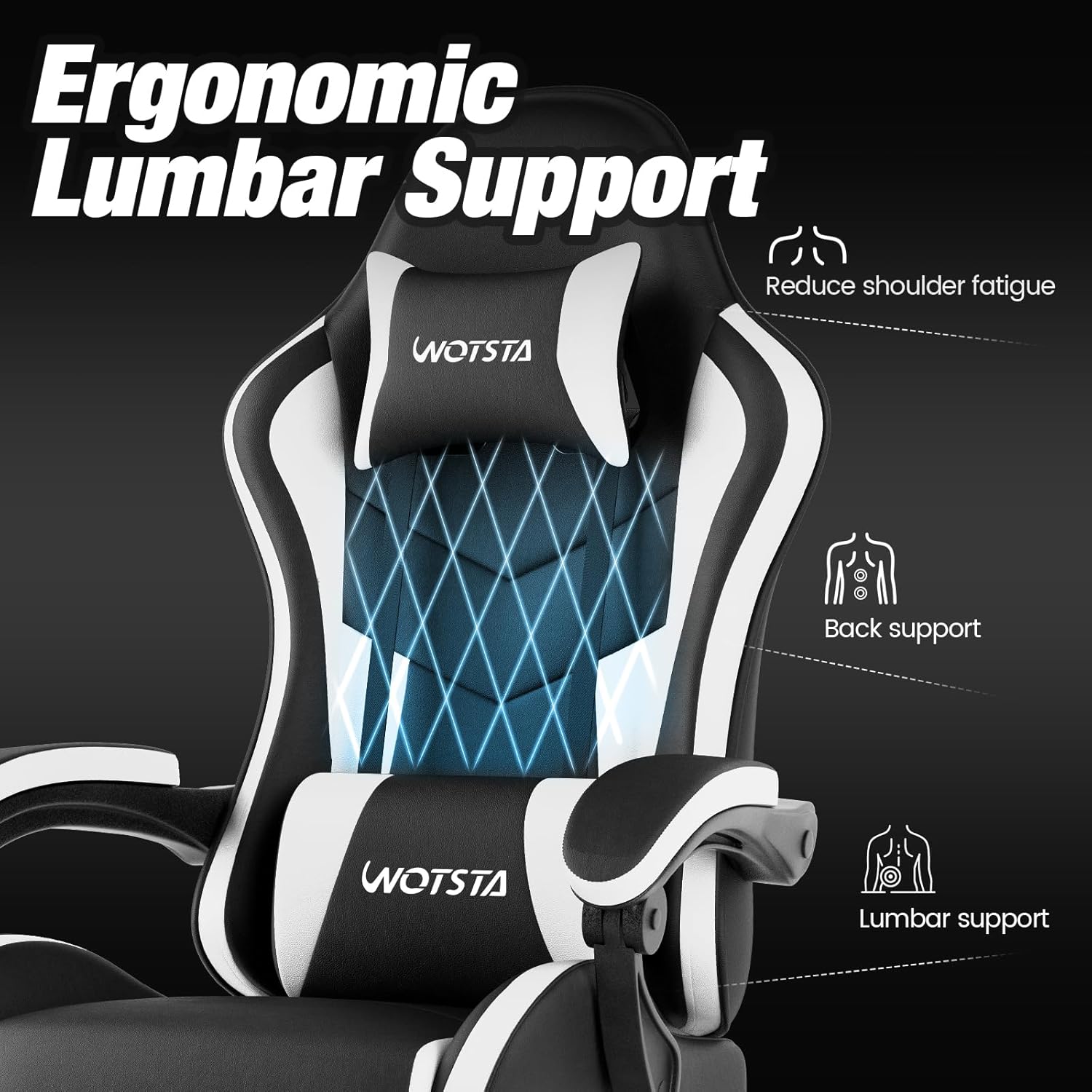
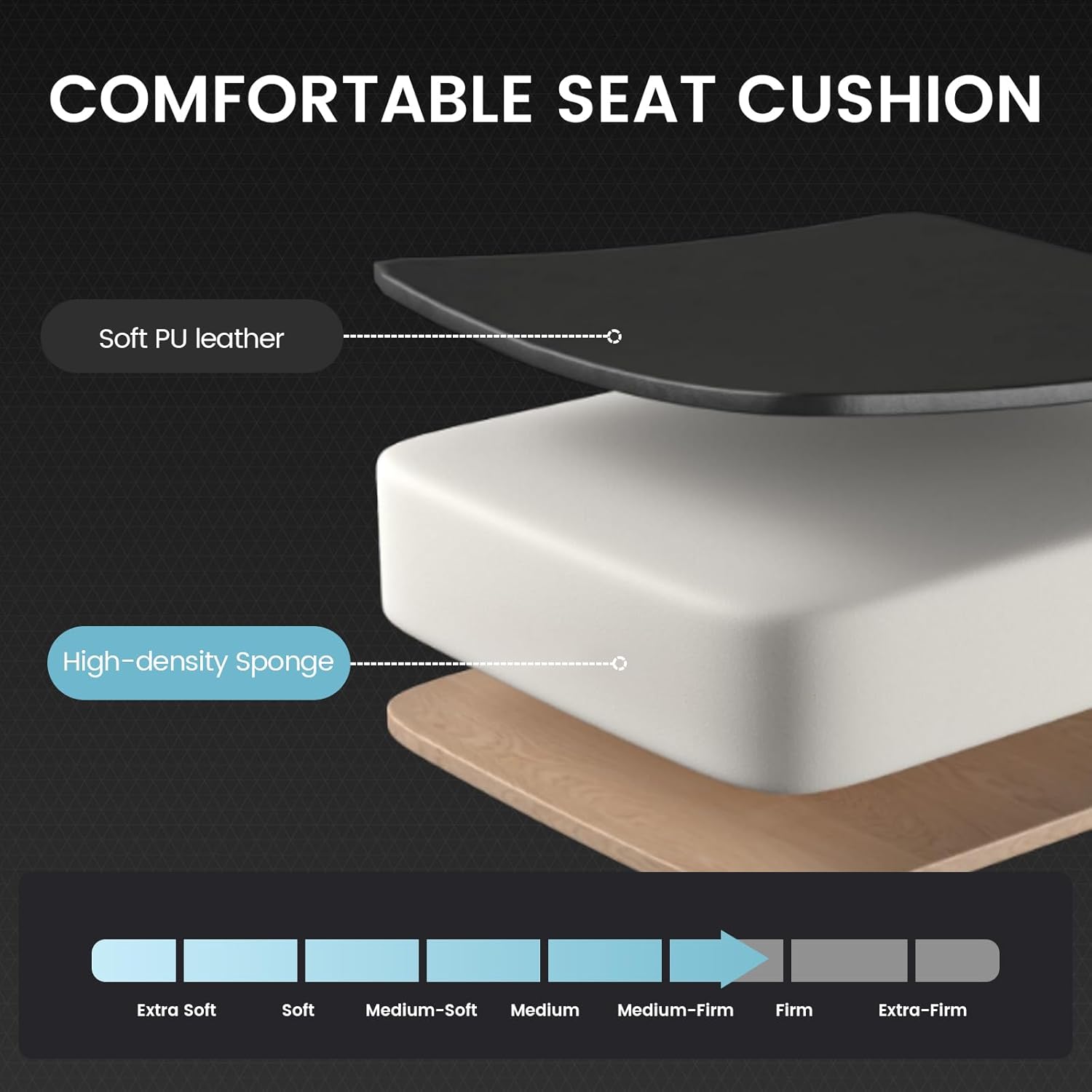
The stand-out comfort details here are the adjustable lumbar pad and headrest. Being able to reposition support can be the difference between “feels comfy” and “actually supports my posture”. The chair also uses a foam cushion described as pure sponge, paired with solid wood elements for a more cushioned, settled feel.
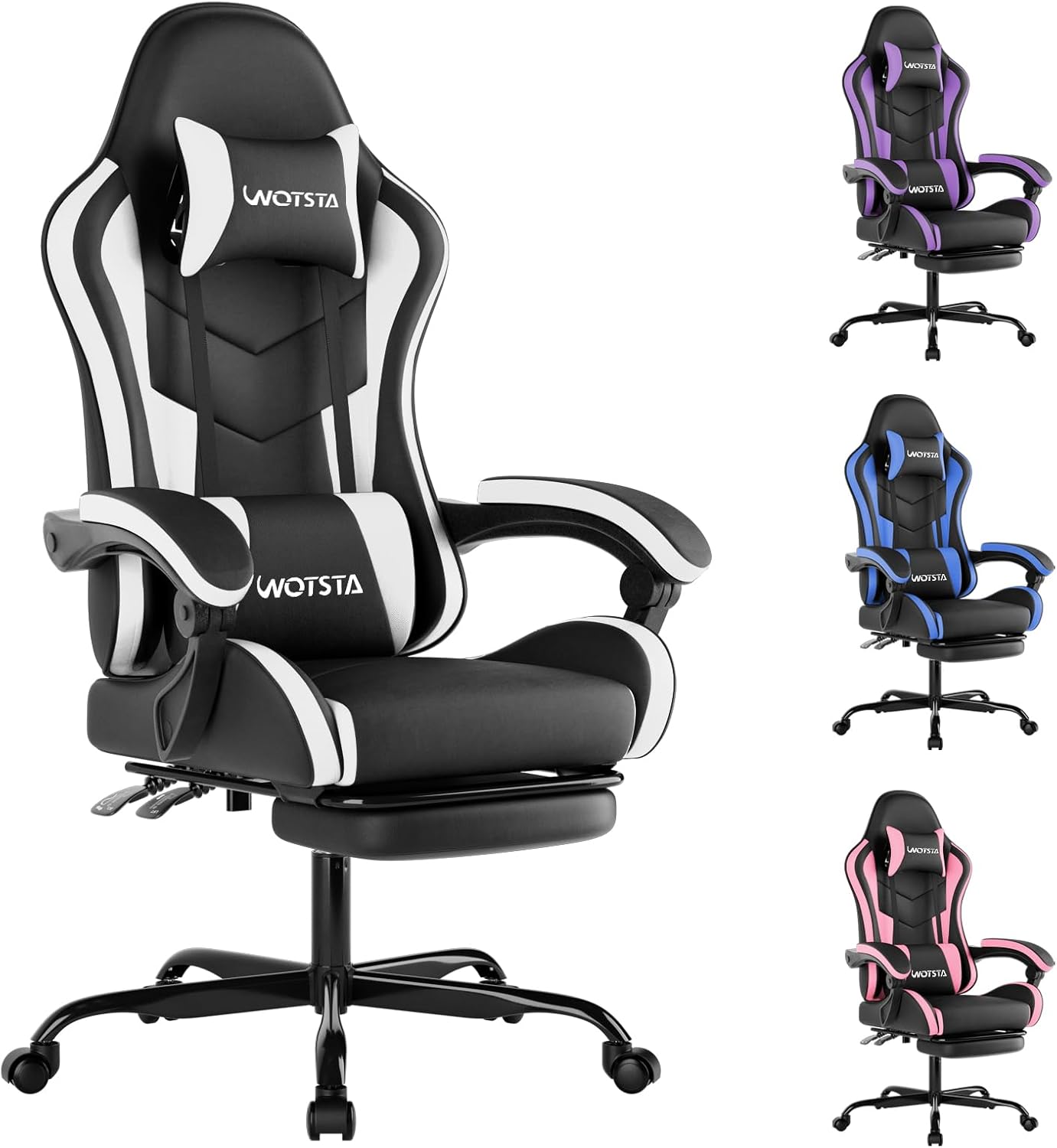
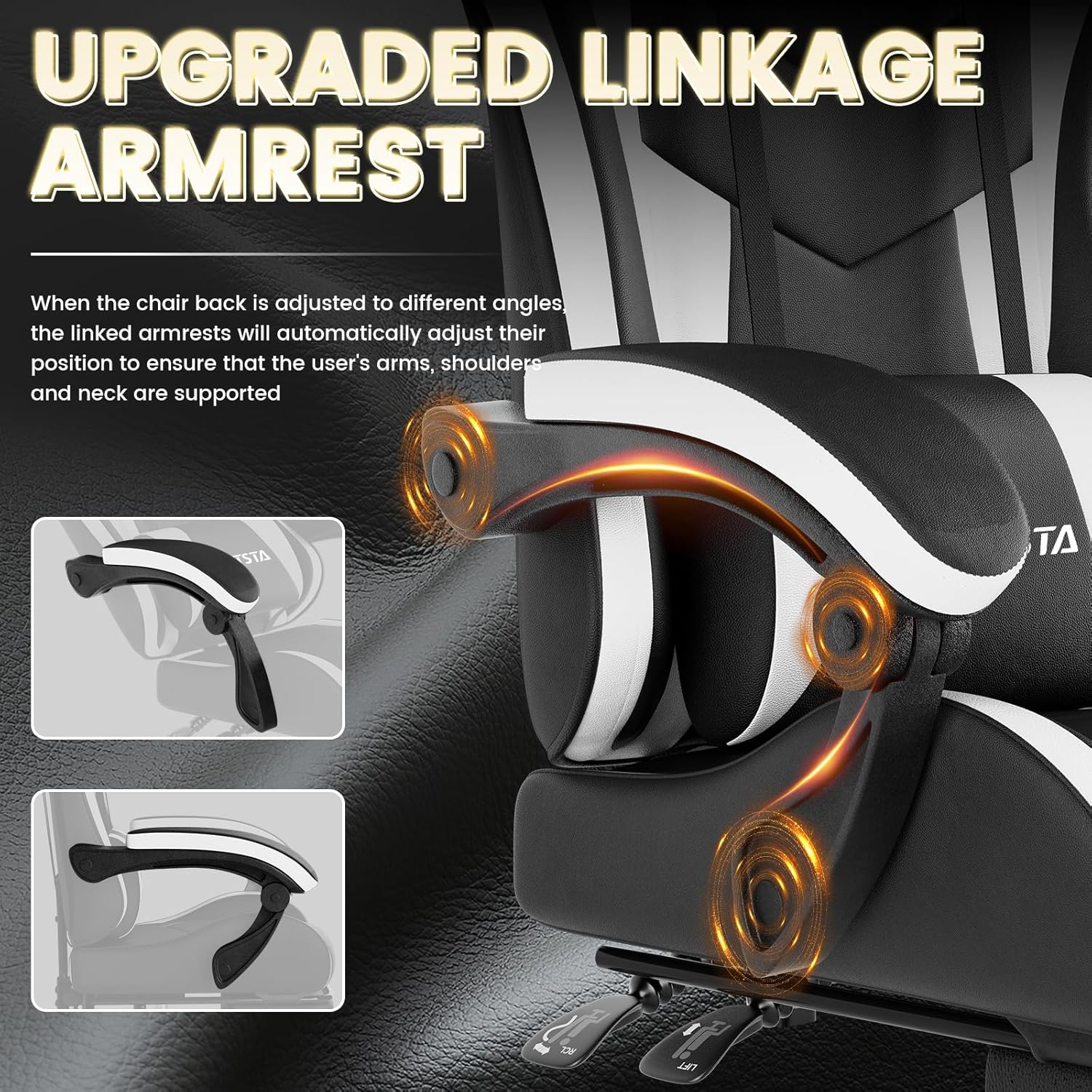
For pressure relief, the combination of ergonomic design and movable armrests is the central theme. If you tend to hunch or shrug your shoulders during longer sessions, having your arm position match your desk height is usually the simplest fix.
Then there’s the reclining angle: up to 135° maximum. That gives you genuine downtime potential, rather than just a slight lean-back. It’s not a full lie-flat sofa chair, but it should cover most people’s “sit and focus” and “lean back” needs.
What you’ll notice about the build
The chair is covered in premium synthetic leather (so, wipe-clean rather than fabric), described as comfortable to the touch and resistant to wear. In real life, that often matters if you eat at your desk, spill the occasional drink, or simply want less hassle than fabric upholstery.
WOTSTA also states the chair has passed 10,000 tests, and it carries SGS and BIFMA certifications. That’s reassuring on the durability side, particularly for the gas lift support mentioned in the description.
Tech specs, in plain English
Tech details
- Type: gaming / office chair with footrest
- Material: synthetic leather (premium quality) with foam cushioning
- Recline angle: up to 135°
- Seat rotation: 360° swivel
- Head support: adjustable headrest
- Back support: adjustable lumbar cushion
- Armrests: movable armrests
- Adjustability: height adjustable chair
- Certifications: SGS and BIFMA mentioned
Pros and where it clearly fits
Why it makes sense
It’s a solid choice if you want an ergonomic-focused chair that’s still straightforward to use day-to-day. The adjustable lumbar support plus headrest is a particularly good match if you’re the sort of person who notices neck and mid-back fatigue after an hour or two.
It also suits people who prefer a chair that can handle office life: the synthetic leather finish is easier to keep looking neat, and the footrest adds that “properly settled” feeling when you’re not sitting bolt upright.
A couple of limitations to keep in mind
It may not be the best match if you’re after a highly custom fit system (the description mentions adjustments for headrest, lumbar, and seat height, but doesn’t go into multi-point back or seat-depth adjustment). Also, if you like very firm support, foam comfort can be hit-and-miss—without firmness details, you might want to be cautious about expecting “hard support” rather than cushioned comfort.
And as with any chair, your results will depend a lot on getting the height and arm position right for your desk.
Practical setup and everyday use
If you’re using it for office work, start by setting the chair height so your feet feel stable and your arms can rest comfortably when typing. Then adjust the lumbar pad so it supports your mid-back rather than just filling space.
For breaks, try reclining part-way (towards the 135° range if you like a deeper lean) and use the footrest so your legs don’t hang awkwardly. It’s a small thing, but that combination—recline plus footrest—can make a longer day feel less relentless.
What to check before you buy
Before committing, it’s worth checking a few practical points because they affect comfort more than the marketing language:
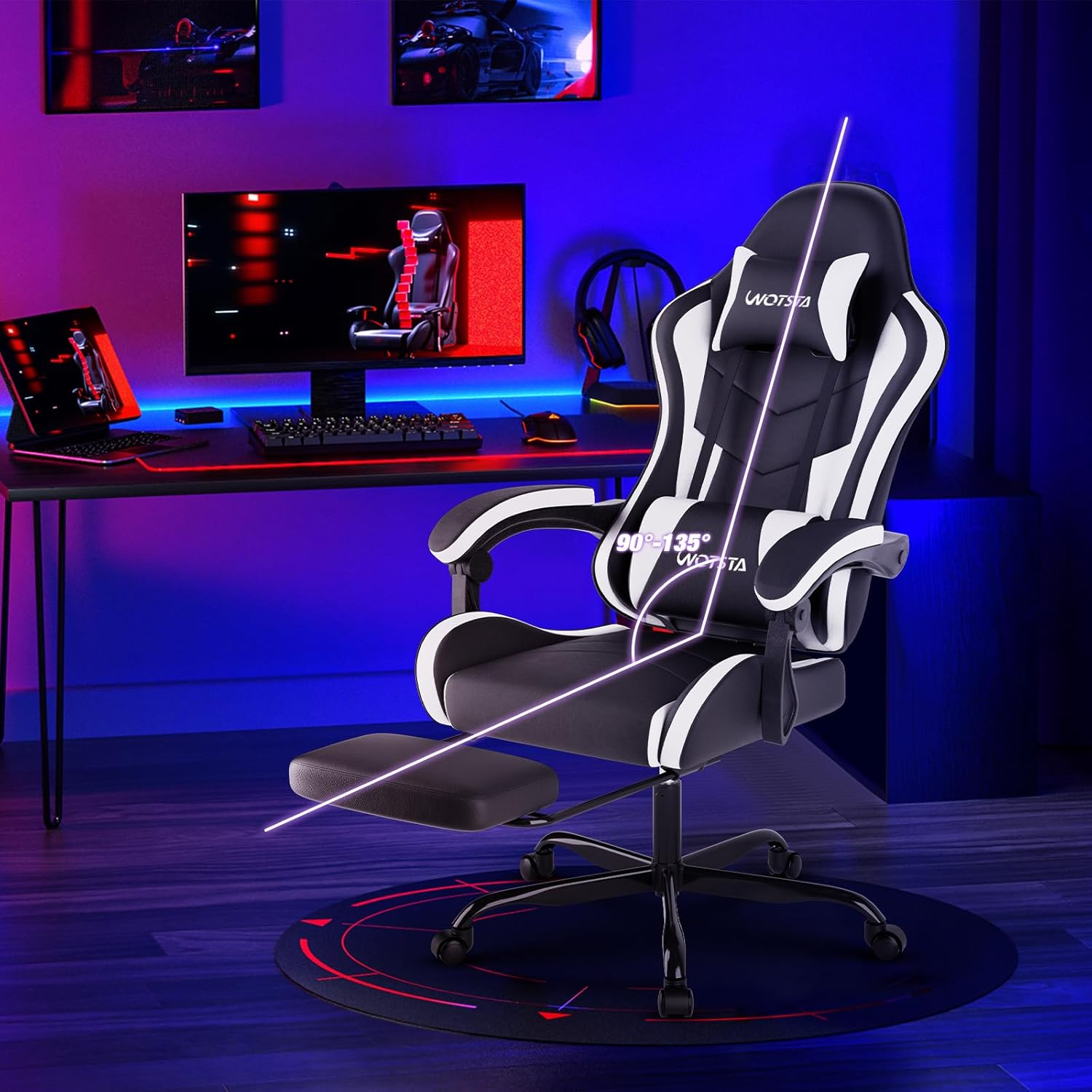
- Confirm the chair’s overall dimensions and how the footrest will suit your desk area (especially if you have limited space).
- Make sure the manual and included components look manageable for you—installation is described as easy, but it still matters if you’ve not assembled chairs before.
- Consider whether you’ll actually use the reclining range and footrest, if not, you may prefer a simpler chair design.
Mini FAQ
Questions people ask before buying
Is the chair suitable for office work, or just gaming? The description positions it as usable for office or gaming, and features like lumbar support, adjustable headrest and wipe-clean upholstery fit office routines well.
Does it have reclining and swivel? Yes. It’s described with up to 135° reclining and a 360° swivel seat.
Can the lumbar and headrest be adjusted? The lumbar pad and headrest are both described as adjustable, along with height adjustment and movable armrests.
Is the upholstery easy to clean? It uses synthetic leather and is described as easy to clean and resistant to wear.
When it makes sense
It’s worth buying the WOTSTA Gaming Chair with Footrest if you want an ergonomic-style setup for desk time, particularly with adjustable lumbar support, a headrest, and movable armrests—plus the added comfort of a recline and footrest.
You might want to skip it if you’re demanding very specific ergonomic adjustability beyond what’s described, or if you don’t plan to use the recline/footrest features at all. In that case, you may not get the value you’re looking for.
Overall, it sits in the “comfortable, supportive, and practical” bracket based on the features listed: not a specialist medical solution, but designed to reduce strain for everyday sitting, whether that’s gaming at night or a long work day.